
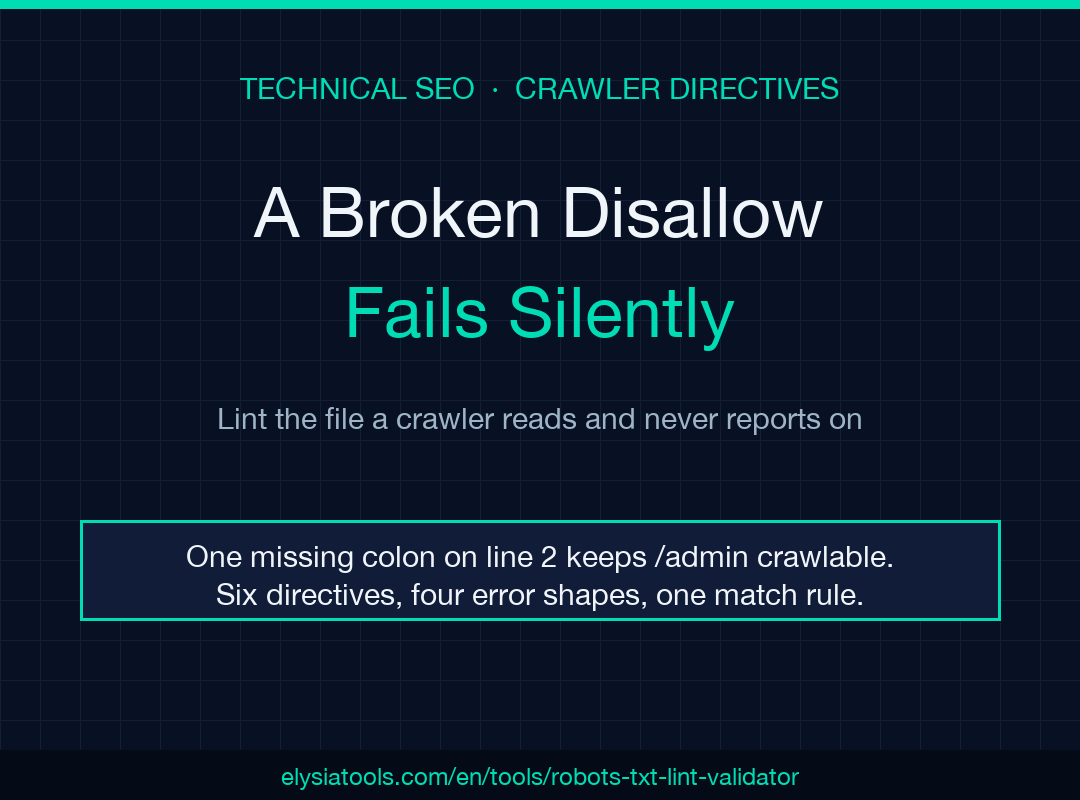
The robots.txt file is the only config on your site that a crawler reads, obeys, and never reports back on. I keep meeting the same failure: one missing colon on line 2, and the Disallow you wrote to close /admin silently vanishes. No error page, no log line, but a 200 response and a file that still looks right to any human who opens it. That silence is the problem, and it is testable.
A malformed Disallow line fails silently, not loudly
Write Disallow /admin — no colon — and nothing on your server complains. Apache serves the file, the browser renders it, your eyes read it as a rule. A crawler’s parser sees a line it cannot parse, and the practical result is that /admin stays crawlable.
This is the failure mode that makes robots.txt different from all the other files you deploy. A broken nginx config stops traffic. A broken .htaccess returns a 500. A broken robots.txt returns a perfectly valid 200 with rules that do not exist, and a rewrite of the file will not fix what the parser never saw, and the only party who knows is the crawler, which never tells you.
A linter’s job here is narrow and useful: read the file the way a parser does, out loud, and hand back the line numbers. When a rule is rejected, the line number is the entire error message you get. The rest is guesswork.
Four conditions the parser calls errors
Strip away the prose and the error class is small. Four shapes are hard errors, each tied to a line:
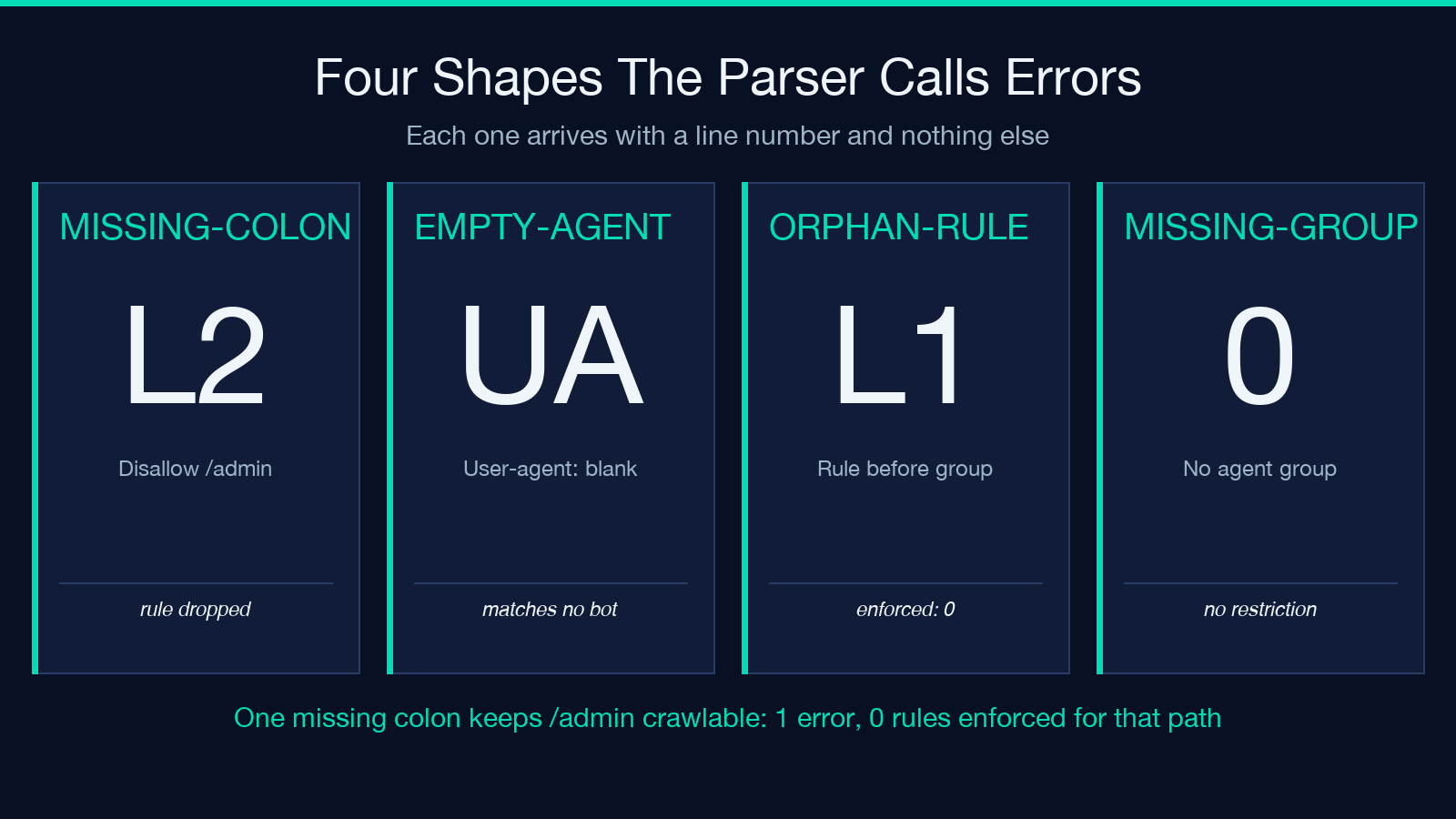
missing-colon— a known directive spelled without its colon, such asDisallow /admin.empty-user-agent— aUser-agent:line with nothing after it, which produces a group that matches no crawler.orphan-rule— anAlloworDisallowthat appears before anyUser-agentgroup exists.missing-group— a file with noUser-agentgroup at all, which is not a policy so much as a comment.
The first one is the expensive mistake, because it looks intentional. Disallow /admin sits in a file next to Sitemap: and reads like a rule; it is a string a parser ignores. The fourth one is the quiet one: a file consisting only of Sitemap: lines validates visually and restricts nothing, so all paths stay open. One case makes the cost concrete: a 40-line file with two Sitemap: entries and no User-agent group reports missing-group on line 1, and the count of enforced paths is zero.
Run the reference case and the cost stops being abstract: 1 error on line 2, 3 paths tested, and all 3 allowed. The draft was three lines — User-agent: *, then Disallow /admin, then Allow: /admin/help — written to keep /admin out of the index. For example, the tester returns allowed for /admin itself, which is exactly the path the file was written to close. The only rule that survived parsing is the exception.
Ordering is what creates the orphan case, and one example shows it: open the file with Disallow: /admin and declare User-agent: two lines later, and the validator reports orphan-rule on line 1 while the group that follows enforces nothing for that path. Consecutive User-agent lines share one group until a rule appears, so User-agent: Googlebot followed immediately by User-agent: Bingbot produces a single group with two agents and a shared rule set — which is what you want when two crawlers deserve the same treatment, and a trap when you meant them to differ.
What the parser counts as a legal directive — only six
The known-directive set is short: user-agent, allow, disallow, sitemap, crawl-delay, host. Anything else lands in a lower tier as an unknown-directive warning, not an error, and that distinction is honest, not generous.
Clean-param, Request-rate, and Noindex are directives that some crawler somewhere honors. Yandex reads host and Clean-param; Bing has its own history with crawl-delay. None of them are in RFC 9309, the September 2022 standard that codified the wildcard and longest-match behavior. A linter that errored on them would be wrong about the web and right about the spec; a warning is the correct size of claim.
Two more warnings are worth internalizing, because each one removes a class of silent breakage. A Sitemap: value that is not an absolute URL gets flagged as sitemap-format — crawlers want https://, not a path fragment. And an Allow or Disallow whose value does not start with / gets a path-format warning, because a relative-looking pattern is almost always a typo, not an intent.
Note where Sitemap sits in that logic: it is collected globally, outside the group structure. That matches the spec and contradicts the mental model most people have, where the sitemap line at the bottom appears to belong to the group above it. It belongs to nobody. Put it anywhere.
When two rules match one path, the longer pattern wins
This is the part people reason about incorrectly, and it produces the expensive bugs — a path you believe is blocked that returns allowed, or the reverse.
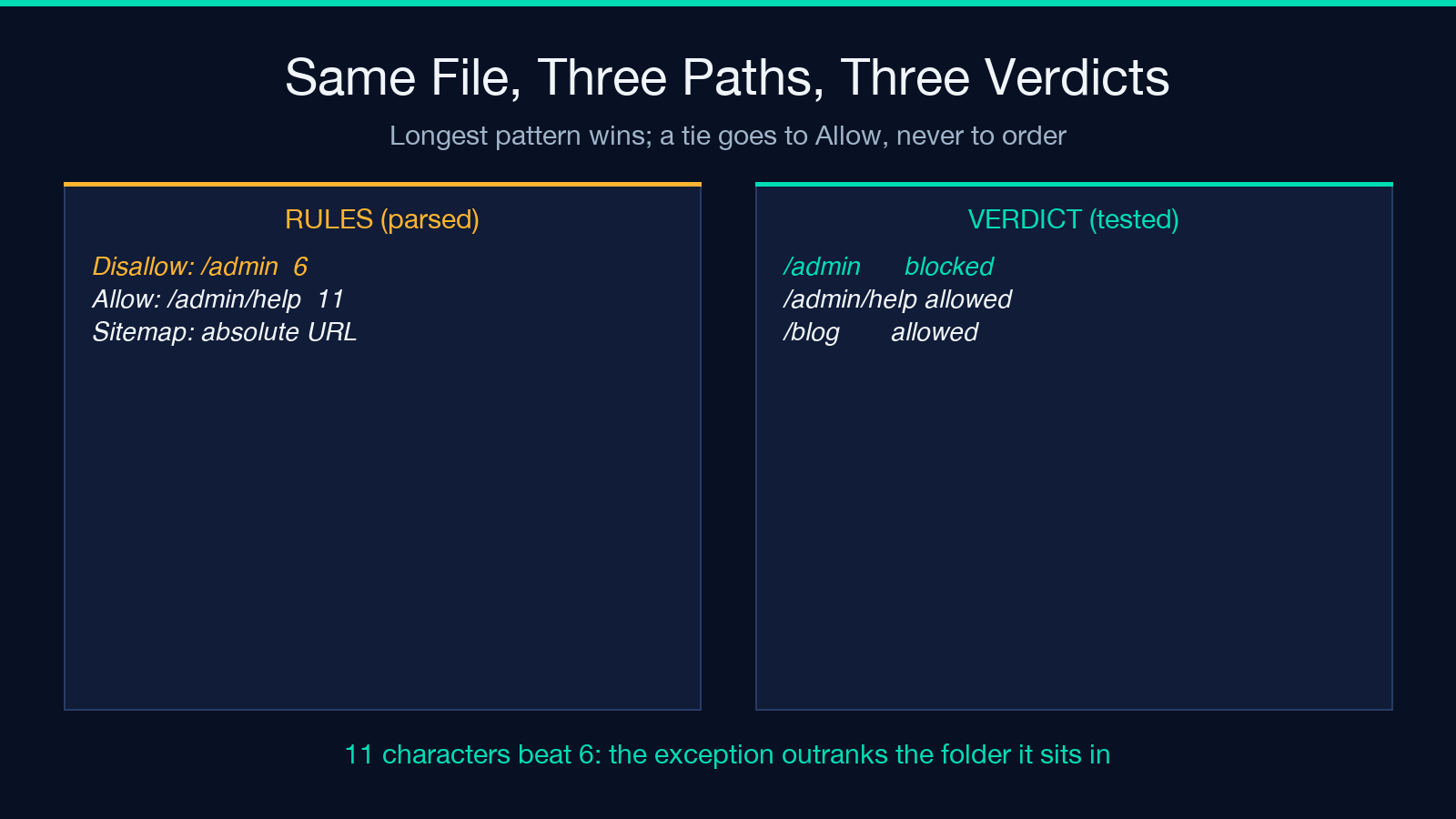
The rule is mechanical. Each Allow and Disallow whose pattern matches the path is a candidate. The candidate with the longest pattern wins, and if two patterns are the same length, Allow wins the tie. That is it. There is no “first match wins”, no “last match is more specific”, no ordering subtlety. Rewriting the file to put the exception after the rule changes nothing.
So this pair works exactly as intended:
Disallow: /admin(6 characters)Allow: /admin/help(11 characters)
A request for /admin/help matches both. The arithmetic is exact: 11 characters beat 6, so the path is allowed and the help documentation stays indexable while the rest of the admin tree stays out. Reverse it with a 5-character exception and the longer disallow wins instead. Swap the order of those two lines and the result is identical — which is why “move the Allow down” fixes nothing when someone swears the exception is being ignored.
The empty case deserves a line of its own. Disallow: with no value matches nothing, which makes it a reset: a file that is one long series of disallows can be reopened for a path by a bare empty Disallow:. That is not a bug in the linter’s reasoning; it is how the grammar works, and it surprises people each time.
Wildcards rewrite the rules, and the tie-break with them
Two characters get special treatment, and all other characters are literal. * becomes .*, a trailing $ anchors the end of the path, and each other regex metacharacter — the dot in .pdf, the brackets, the parentheses — is escaped and matched as itself.
That last part shows up more often than the wildcards do. Two paths settle the question: /x.php comes back blocked under Disallow: /*.php$, and /x.phpx comes back allowed, because the dot is a literal dot and the trailing anchor refuses the extra character. Disallow: /report.pdf matches /report.pdf and does not match /reportXpdf, because the dot is a literal dot and not an any-character. A file that skipped that escaping step would block paths you never intended to touch, and the mistake would be invisible until someone noticed a whole directory missing from the index.
The wildcard itself is where the reasoning gets slippery, and it is worth being explicit about the limit. The specificity comparison runs on the length of the rule pattern, which equals the length of the matched path only when both patterns are plain literal strings. Introduce * and those two measures can drift apart, because a four-character pattern like /a*b can match a three-character path. Google’s documentation describes specificity in terms of the matched path; the mechanical check is on the pattern. When a wildcard rule and a literal rule land close together, stop reasoning and test the exact URL. The answer is cheap and your intuition is not reliable here.
The URL test only sees the wildcard group
Here is an honesty item that changes how you read the test output. When you paste /pricing into the tester and it comes back allowed, the check is being evaluated against the User-agent: * group. Named groups — Googlebot, Bingbot, a specific partner crawler — are not consulted, because the tester is asking on behalf of the wildcard agent.
For most sites that is the right question, since the wildcard group is the one most crawlers fall back to. It is the wrong question if you maintain a named group that disallows a path the wildcard group allows. Then a green “allowed” result is true for the general population of crawlers and false for the one you care about.
The practical fix is not a better linter — it is a second test. If a path is governed by a named group, read that group’s rules manually and confirm the same verdict. Two minutes, and it closes the gap that no automated summary will flag for you.
A four-step check to run before you deploy
The whole point of linting a file that has no error channel is to convert silence into a list. Run these in order and the file stops being a guess.
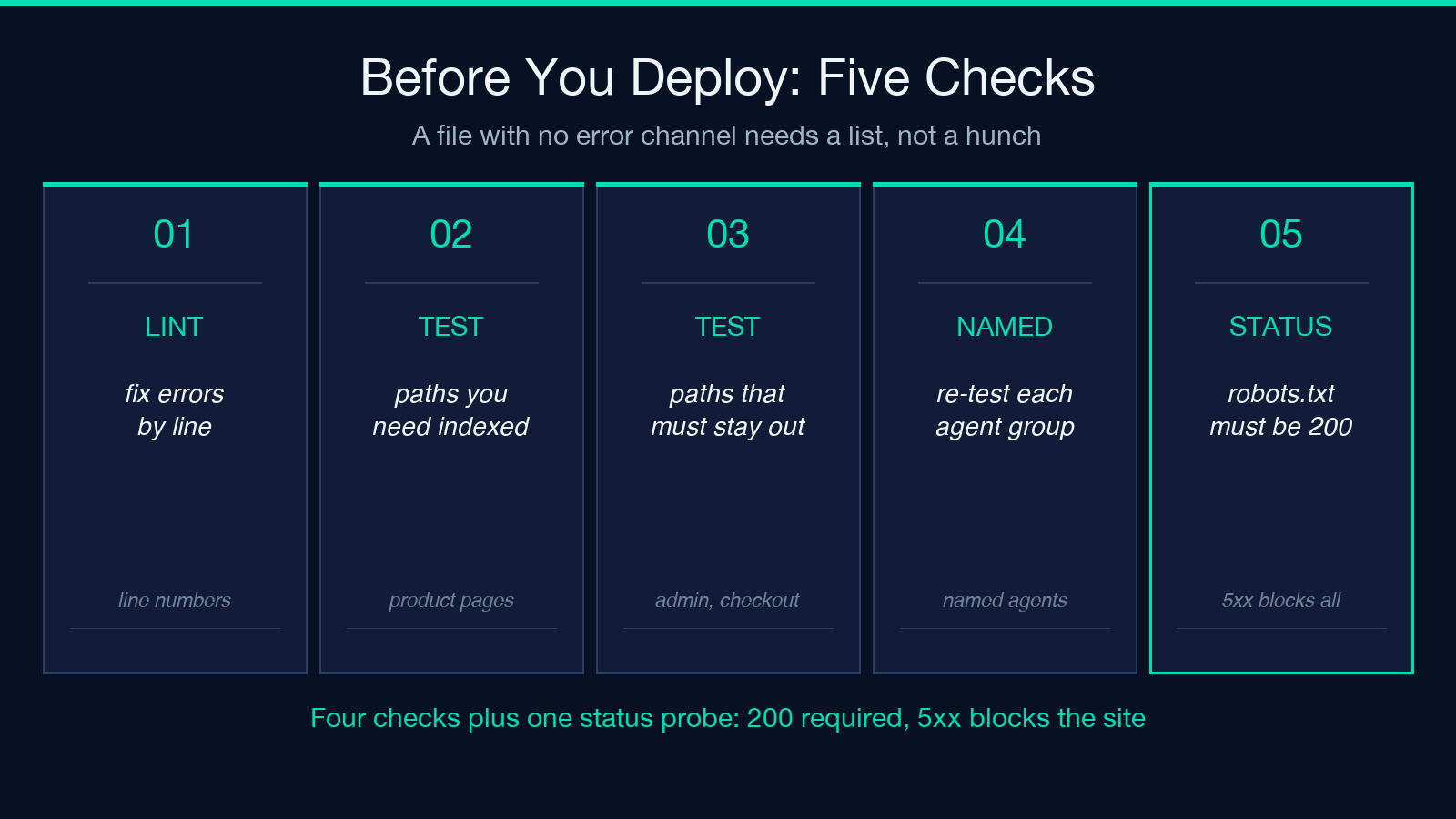
First, lint the draft and fix the errors before anything else, because a warned-about unknown directive is cosmetic while a missing colon is a live hole. Work from the line numbers, not from a rewrite — a clean rewrite of a 40-line file is how the orphan rule gets reintroduced.
Second, test the paths you cannot afford to lose. Product pages, pricing, the documentation root. An accidental block here is the failure that costs revenue, and it is the failure that reports as “we disappeared from search” three weeks later.
Third, test the paths that must stay out. Admin, checkout, internal search result pages. Blocking that does nothing is the other half of the job, and it is invisible until someone finds a checkout URL in the index.
Fourth, for any path governed by a named agent group, confirm the verdict by hand. The wildcard test does not speak for that group.
Four steps, one file, and the whole exercise takes less time than the incident review that follows a silent block. Run it and you reduce the file from a guess to a list of enforced paths.
What this linter cannot tell you
A static check reads what you pasted. It does not fetch the live file, so it cannot catch a deploy that shipped a different version, a CDN edge serving a cached copy, or a server that returns 503 for robots.txt while returning 200 for the rest of the site.
That last case is worse than it sounds. A 5xx response for robots.txt is treated by major crawlers as a temporary full disallow — the opposite of the “no rules, crawl the site freely” assumption most people make. A 404 is read as no restrictions; a 500 closes the site. Verifying that your robots.txt returns exactly 200 is a one-command check, and it is not the check anyone runs.
Two more limits worth naming. Crawlers are only required to read the first 500 KiB of the file per RFC 9309, so a generated monster with tens of thousands of disallow lines is partial by design, not by accident. And crawl-delay is in the known-directive set because the grammar has room for it, not because each crawler honors it — Google has publicly ignored it for years.
To keep the claims in this piece honest, I reimplemented the parser from the tool’s own source and ran each case through it, not through the summary panel. According to that source, only six directives are recognized and the reported counts match; the measured behavior reproduced on all five cases above. That is a check on the logic, not on your site.
Finally, none of this proves obedience. robots.txt is a request, not an enforcement mechanism. A scraper that ignores it will ignore it whether or not your syntax is perfect, which is the argument for rate limiting and auth on the paths that matter.
Explore the Robots.txt Lint Validator to lint a draft and test paths before it ships, or start from a clean draft with the robots.txt generator. Explore more tools at elysiatools.com.
For years I treated robots.txt as a one-line file: disallow /admin, add the sitemap, ship it. Writing a validator for it broke that habit, because the interesting failures are never the ones you can see — they are the rules the parser quietly discards while the file keeps looking correct. That is the real reason to check before you deploy: not to satisfy a checker, but to know which of your rules a crawler is reading. If you cannot answer that for your own site today, what exactly do you think is on the other end of that Disallow: line?
