# 8 Free AI Image Tools That Do What Photoshop Charges $55/Month For
You’ve spent 15 minutes in Photoshop trying to isolate a product photo. The edges are ragged. The hair strands are gone. The client is waiting.
There’s a better way.
Free browser-based AI tools — no install, no account, no API key — now handle background removal, face detection, and full face recognition with accuracy that rivaled $50,000 enterprise software three years ago. Here are 8 worth bookmarking.
Remove Image Background — One Click, Clean Cutout
The task nobody wants to do manually: isolate a subject from a photo. Professional graphic designers charge $25–$75 per image for clipping paths. The alternative used to be Photoshop’s magic wand, which leaves halos and destroys fine details.
This tool uses `@imgly/background-removal-node` to detect the foreground subject and strip everything else. It preserves hair strands and semi-transparent edges, then exports a PNG with a proper alpha channel. A product shot that would take 20 minutes manually is done in under 10 seconds.
Real use case: e-commerce sellers on Amazon, Etsy, and Shopify routinely pay for background removal. With this tool, it’s free — and uploading the image takes longer than processing it.
AI Face Detection — Find Every Face in an Image
Before you can analyze, compare, or recognize faces, you need to locate them. This tool runs a SSD MobileNet neural network (via `@vladmandic/face-api`) to detect all faces in any image and return bounding box coordinates with confidence scores.
You control two parameters: `minConfidence` to filter weak detections, and `maxResults` to cap how many faces are processed. On a group photo of 20 people, it returns a precise bounding box for each face in under 2 seconds.
This is the foundation every other face tool here builds on.
Real use case: automatically counting attendees at an event from a ballroom photo. What used to require manual head-counting is now a bulk operation.
AI Face Align & Crop — Perfectly Framed Face Images
Detection finds a box. Alignment corrects for head tilt and rotates each face to a canonical pose. This tool does both: it detects faces, aligns them, and crops each one into an individual image file. For group photos, it zips them together for batch download.
Real use case: building a clean training dataset for a custom face recognition model. Aligned, uniformly sized face crops are a hard requirement for any face AI worth building — and this tool produces them automatically from raw photos.
AI Face Landmarks — 68 Points of Facial Geometry
Facial landmarks are the 68 anchor points that map a human face: eyes, eyebrows, nose, mouth, jawline. They’re the raw coordinates behind most commercial face AI — emotion detection, face swapping, virtual makeup, and head pose estimation all start here.
This tool returns the exact (x, y) coordinates of all 68 landmarks per face, with confidence scores and bounding boxes.
Real use case: an AR developer building virtual glasses try-on needs to anchor the frame to specific landmark points around the eyes. This tool provides the coordinates directly — no manual annotation required.
AI Face Age & Gender — Demographics from a Photo
Drop in a photo and get back an estimated age and gender for each detected face. The tool runs `ageGenderNet` from face-api.js and returns a gender label plus a probability score. Age estimates land within ±5 years for well-lit frontal photos.
Real use case: a retail analyst reviewing security footage from two store locations to understand the age and gender demographics of peak-hour shoppers — without watching a single second of video.
AI Face Expressions — Read the Room
This tool classifies each detected face across seven emotion categories: neutral, happy, sad, angry, fearful, disgusted, and surprised. It returns a probability distribution across all seven — not just the dominant label, but how confident the model is about each one.
That nuance matters. A face that’s 40% neutral and 35% happy tells a different story than one that’s 75% happy.
Real use case: a UX researcher testing two versions of a landing page shows each to 50 participants and uses expression analysis to detect frustration levels — replacing expensive eye-tracking hardware with a web tool.
AI Face Compare (1:1) — Same Person or Not?
Give this tool two photos and it answers one question: does the first face in image A match the first face in image B? It computes 128-dimensional face embeddings for each face, calculates the Euclidean distance between them, and returns a boolean match based on a configurable threshold.
This is the same technology that unlocks your phone. It handles identity confirmation, duplicate photo detection, and ID-to-selfie verification.
Real use case: a small business running photo-based attendance now has a way to verify the person clocking in matches the photo on file — without any custom development or third-party API.
AI Face Recognition (Gallery) — Who’s in This Photo?
The most capable tool in this set. You build a labeled gallery of known faces — upload reference photos with name labels — then feed in any target photo and it returns the best match from your gallery, along with a confidence score.
You control the `threshold` (default 0.6) to set the tradeoff between false positives and false negatives for your specific context.
Real use case: a conference organizer processes 500 photos from a two-day event and automatically identifies which sessions each speaker appeared at — without a single manual image review.
Try AI Face Recognition (Gallery) →
The Pipeline Is the Product
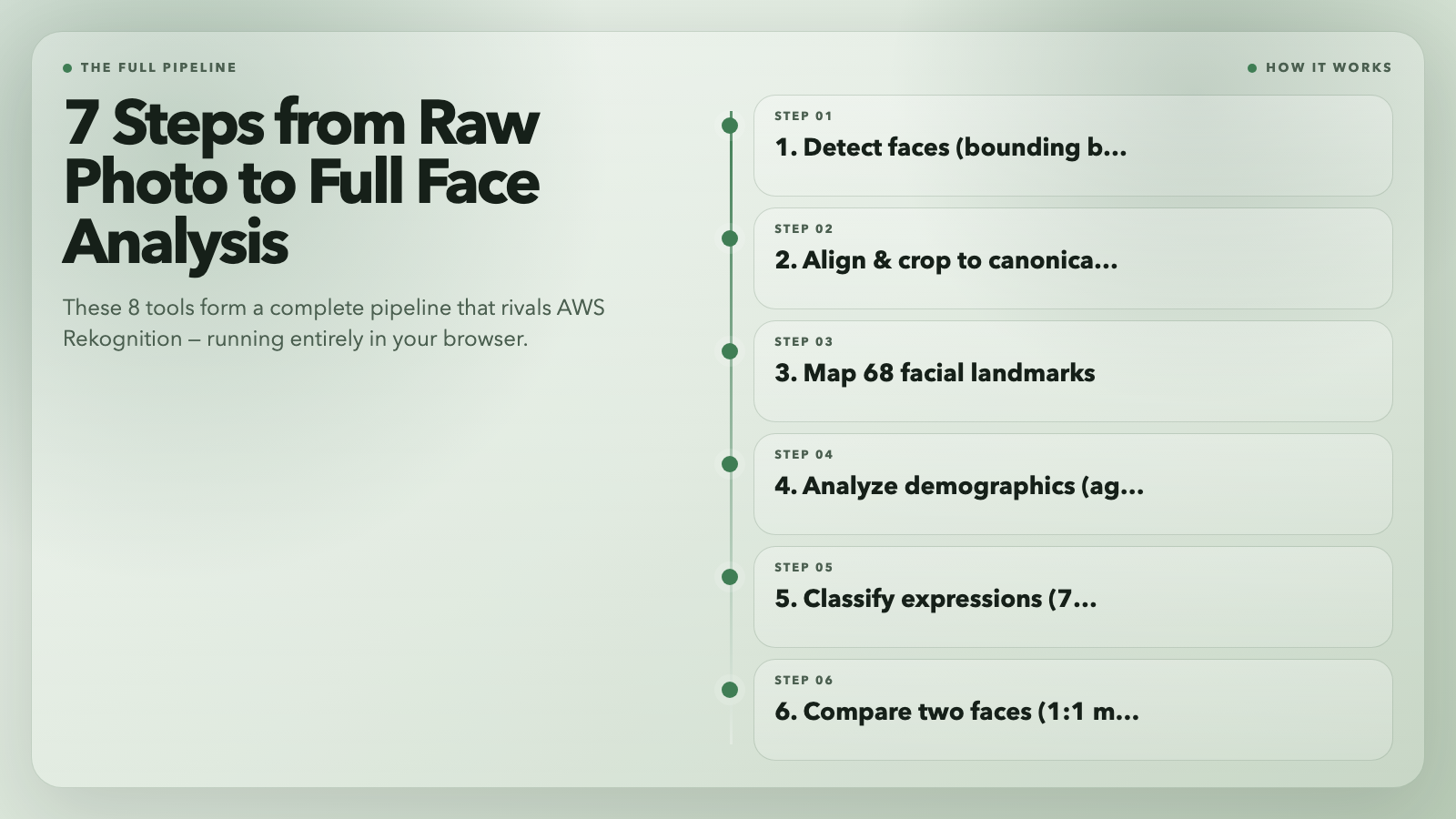
These 8 tools are individually useful. Used together, they form a complete face analysis pipeline: detect → align → landmark → analyze demographics → classify expressions → compare → recognize. The same pipeline, built commercially, runs on AWS Rekognition or Azure Face API at $0.001–$0.01 per transaction.
Here, it runs in your browser, free, with no rate limits and no account required.
The harder question: what do you responsibly do with that? Face analysis is powerful enough to be genuinely useful and sensitive enough to raise real questions about consent and surveillance. The tools don’t have opinions about how you use them. That’s worth thinking through before you build.
What problem are you trying to solve with these?