The two-line answer hiding in every search bar
Machines don’t read. They don’t watch movies. They don’t taste coffee. But the moment you type a query, a recommendation appears, or a duplicate file gets flagged, somewhere behind the scenes a tiny arithmetic trick is comparing everything at once. It is called the dot product, and it is the same operation that lets a search engine rank a billion web pages in milliseconds. The single number it produces is the quiet engine of modern computing.
The one formula, written once
The dot product takes two vectors of the same length and turns them into a single number. You multiply matching components, then add them up. That is the whole definition. Given vector a = (a₁, a₂, ..., aₙ) and vector b = (b₁, b₂, ..., bₙ), the dot product is:
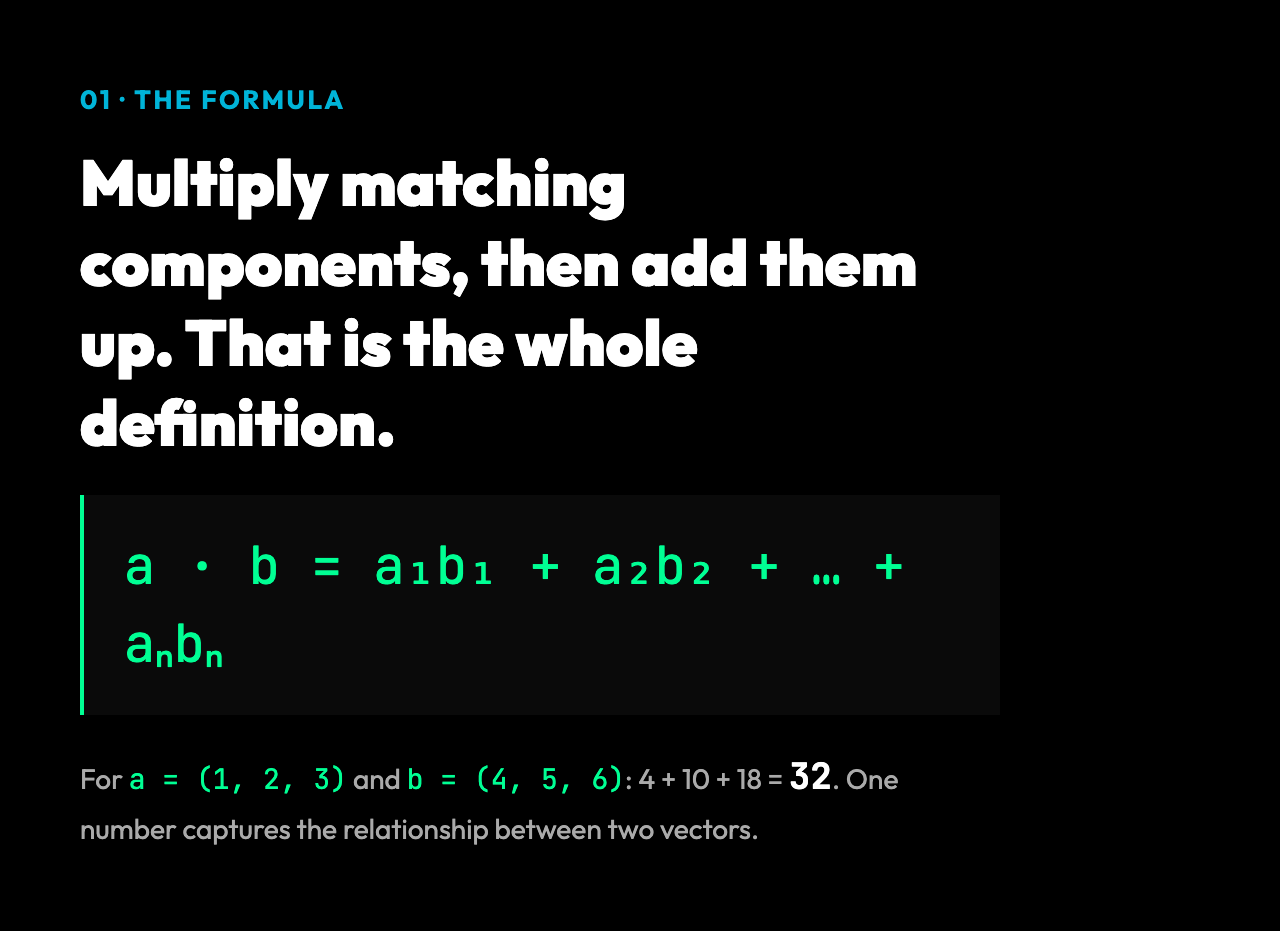
a · b = a₁·b₁ + a₂·b₂ + ... + aₙ·bₙFor a three-dimensional example, take a = (1, 2, 3) and b = (4, 5, 6). Multiply component by component to get 4, 10, 18, then add them: 4 + 10 + 18 = 32. The result is 32 — a single number that summarizes how these two vectors relate to each other. Run that same calculation through a dot product tool and you also get the magnitudes of both vectors, the cosine of the angle between them, the angle in radians, and the angle in degrees. Four extra numbers fall out of one tiny formula.
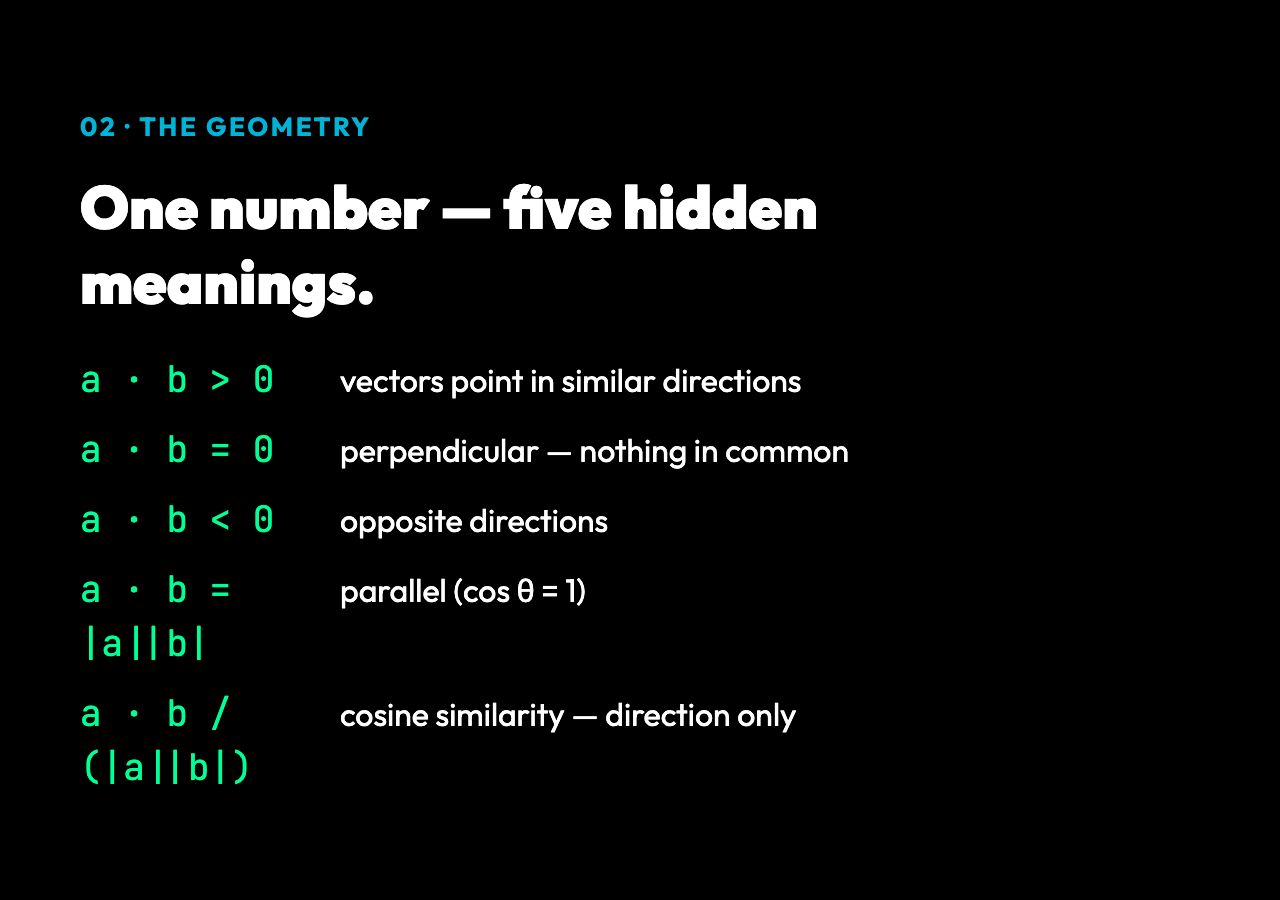
This is what makes the dot product unusual among math operations. Most formulas give you a number. The dot product gives you a number, and the number is also a measure of alignment, similarity, projection, energy, and correlation. The reason is geometry. Two vectors of the same length, multiplied component by component, give you the sum of the products. That sum equals |a| × |b| × cos(θ), where |a| is the length of the first vector, |b| is the length of the second, and θ is the angle between them. The cosine collapses from -1 to 1 depending on how the vectors point. When they point in the same direction, the cosine is 1 and the dot product is the product of the magnitudes. When they are perpendicular, the cosine is 0 and the dot product is 0. When they point in opposite directions, the cosine is -1 and the dot product is negative. The single number you wrote down is silently telling you all of this.
Why this matters: the same trick at every scale
Once you see the formula, you start to see the pattern.
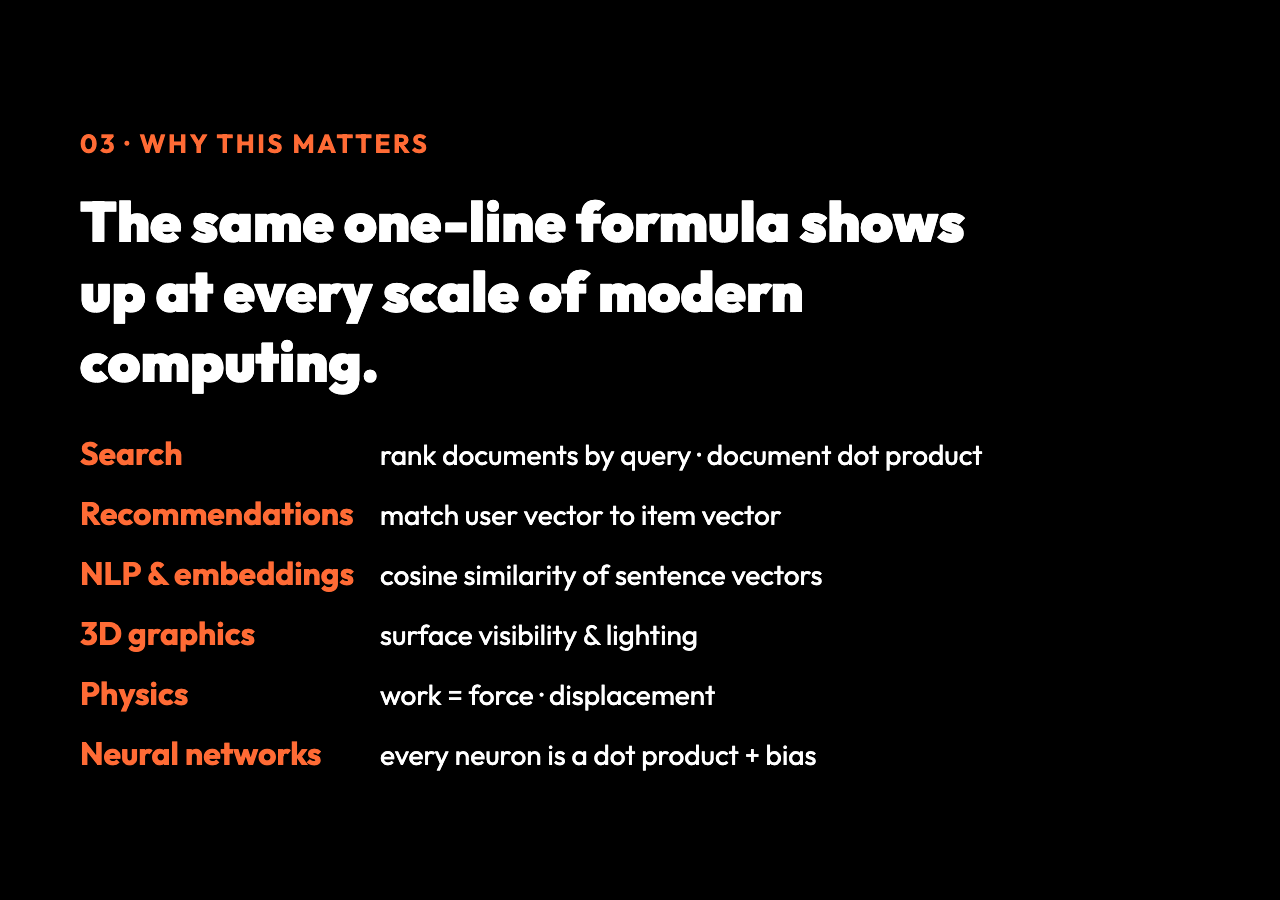
Recommendation systems turn every user into a vector of preferences and every item into a vector of attributes. A movie is a sequence of numbers describing how romantic it is, how action-packed, how funny, how old. A user is the same kind of sequence. The dot product of the user’s vector and the movie’s vector tells you how well they match. The higher the number, the stronger the recommendation. A zero means no match at all. A negative number means the user actively dislikes the movie’s profile.
Natural language processing turns every word into a vector. A sentence becomes the sum of its word vectors. Two sentences are similar if their vectors have a small angle between them — which is what cosine similarity measures. The dot product is at the heart of this. Embedding models like word2vec, GloVe, and the modern transformer-based encoders all rely on dot products at their core, both in training and at inference time.
Search engines rank documents by computing the dot product of your query vector and every document vector in the index. The bigger the dot product, the better the match. Modern systems use a refinement called BM25, but the underlying linear-algebra idea is the same: represent text as vectors, compare with dot products, sort by the result.
Computer graphics uses dot products to decide if a surface is facing the camera. If the dot product of the surface normal and the view direction is positive, the surface is visible. If it is negative, the surface is facing away and gets culled. This single check runs millions of times per frame in a 3D game.
Physics uses the dot product to compute work. The work done by a force on an object is the dot product of the force vector and the displacement vector. Push a box sideways while gravity pulls down: the dot product of force and displacement tells you how much energy actually moved the box. The rest of the force is wasted in the perpendicular direction.
Machine learning uses the dot product in every neural network layer. A neuron takes the dot product of its input vector and its weight vector, adds a bias, and applies a non-linear function. A modern large language model with billions of parameters is essentially billions of dot products stacked in a row.
What the calculator actually shows in the output
The Dot Product Calculator takes two vectors as text input — comma, space, or semicolon separated — and returns a clean JSON result with all the related quantities computed. For input (1, 2, 3) and (4, 5, 6), you get:
- dotProduct: 32 — the raw scalar
- magnitudeA: 3.741657 — the length of the first vector
- magnitudeB: 8.774964 — the length of the second vector
- cosineSimilarity: 0.974632 — how aligned they are, on a scale from -1 to 1
- angleRadians: 0.225726 — the angle between them in radians
- angleDegrees: 12.933155 — the same angle in degrees
Notice how close the cosine similarity is to 1. The vectors (1, 2, 3) and (4, 5, 6) are almost parallel — the angle between them is only about 13 degrees. The dot product of 32 captures this. Try it with (1, 0) and (0, 1): the dot product is 0, the cosine similarity is 0, the angle is 90 degrees. The vectors are perpendicular. Now try (1, 2, 3) and (-1, -2, -3): the dot product is -14, the cosine similarity is -1, the angle is 180 degrees. The vectors point in exactly opposite directions. The same formula handles all three cases without modification.
The calculator also reports componentProducts: the per-coordinate products before the sum, which is useful when you want to debug or understand the intermediate steps. The result includes a steps array summarizing the procedure, which is handy for teaching the concept.
A few signatures worth noticing
A few patterns show up often enough to feel like rules. When the dot product is large and positive, the vectors are pointing in similar directions. When it is zero, they are perpendicular — they have nothing in common. When it is large and negative, they are pointing in opposite directions. The size of the dot product alone is not enough to judge similarity, because it scales with the length of both vectors. A long vector dotted with itself gives a very large number even if it represents the same direction as a shorter vector. The cosine similarity fixes this by dividing out the magnitudes. That is why cosine similarity, not the raw dot product, is the standard for comparing documents and embeddings.
You can also think of the dot product as a projection. Multiply vector a by the cosine of the angle with vector b, and you get the length of a‘s shadow cast in the direction of b. This is the geometric interpretation that shows up in physics, in computer graphics lighting models, and in linear regression. The dot product is not just a sum — it is a measurement of how much of one vector lies along another.
For very high-dimensional vectors, the dot product gets harder to think about geometrically. A 768-dimensional embedding from a language model is impossible to draw, but the arithmetic is identical. Multiply, sum, divide by magnitudes, take the arccosine. The same code that handles two dimensions handles ten thousand dimensions.
Where to take it next
The dot product is the entry point to a much larger world. Once you have it, the cross product gives you a perpendicular vector. The matrix product stacks dot products into rows and columns. Eigenvectors and eigenvalues are the directions that survive repeated dot products unchanged. SVD, the workhorse of recommendation systems and dimensionality reduction, is built on top of all of these.
If you want a quick way to compute any of these for two arbitrary vectors, the Dot Product Calculator gives you dot product, magnitudes, cosine similarity, and the angle in radians and degrees in one call. Paste in two vectors, and the JSON output shows you the arithmetic broken out step by step. It works for any dimension from 2 to whatever you can fit in a text box.
The deeper lesson is that the same one-line formula — multiply, sum — keeps showing up wherever computers need to compare, rank, project, or learn. Most of the time, the people who wrote the code never needed to draw a vector on paper. They just needed the formula. That is the quiet power of the dot product. It is the smallest piece of math in linear algebra, and it is also the most reused idea in modern computing. Once you learn to see it, you cannot unsee it.
Explore more tools at elysiatools.com.