The @ in Your Signup Form Is Doing Nothing: What Email Validation Actually Has to Catch
You ship a signup form. It rejects jane [email protected] because of the space. It accepts [email protected]. You ship another one that accepts [email protected]. Both forms have an @ check. Both forms are useless.
A working email validator has to do four different jobs, and the only honest one is the last. Format is free. Syntax is cheap. Disposable detection is tractable. Deliverability, the part that actually answers “will this message reach a human inbox,” is the part your regex isn’t doing.
If you want to stop wondering which of your 400 signups this month are real, here is the mental model that separates a 1995 form from one that actually filters.
What the regex gets right — and where it stops
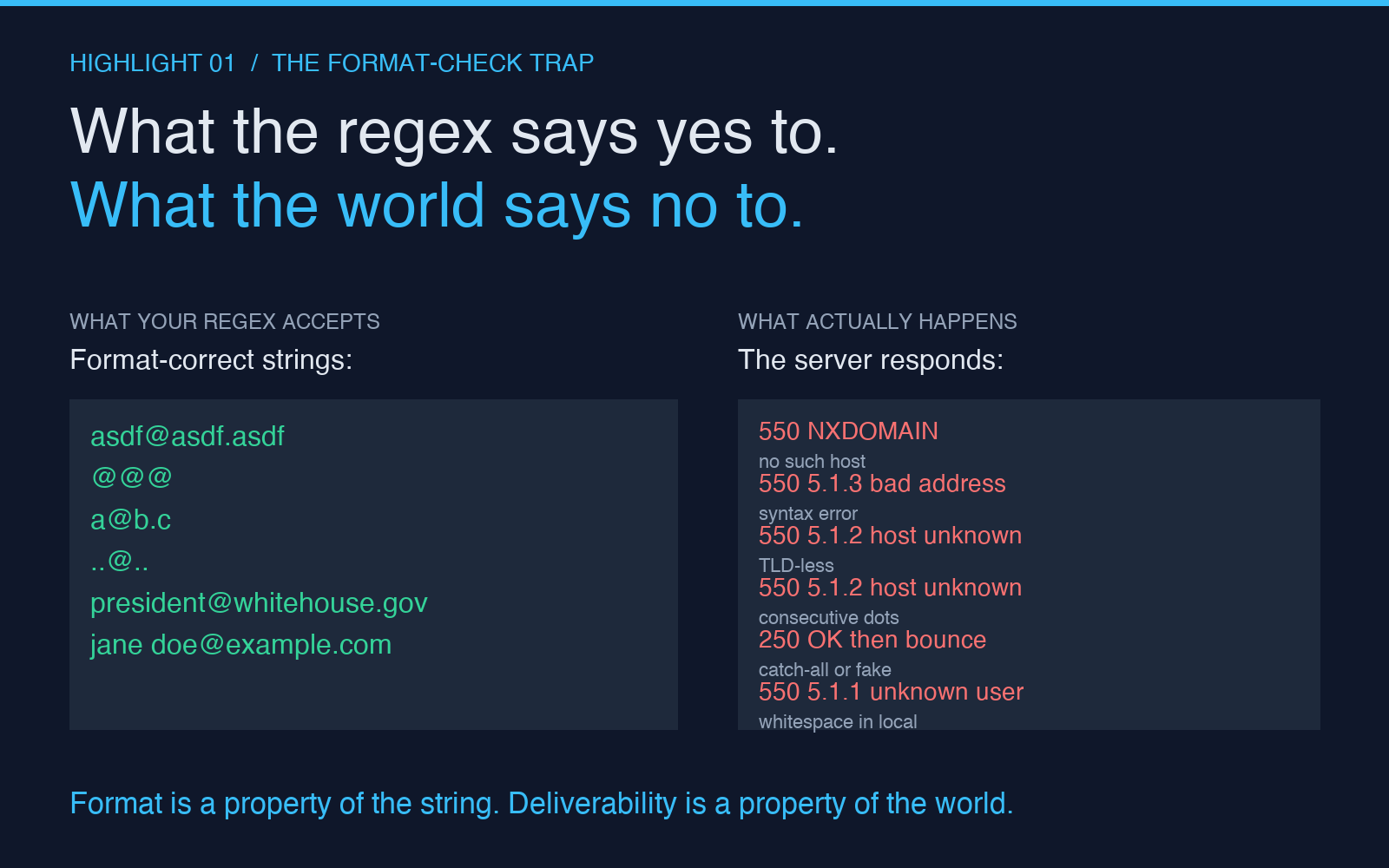
A 2010-era regex — ^\S+@\S+\.\S+$ — covers the only thing it was ever written to cover: “there is exactly one @, there is at least one dot after it, there are no spaces.” It does this correctly. It also accepts @@@, [email protected], and ..@... Every modern regex library goes further: RFC 5321 length limits, quoted local parts, IDN domains. None of those changes the answer to the question you actually care about.
The regex answers: can this string be parsed as an email? It does not answer: will mail to this address arrive? The first question is a property of the string. The second is a property of the world. No regex — however many kilobytes — can bridge the gap.
This is the single most common reason teams ship a signup form and then watch 30% of new users never receive the welcome email. The form said “valid.” The inbox said no.
The four things a serious validator checks
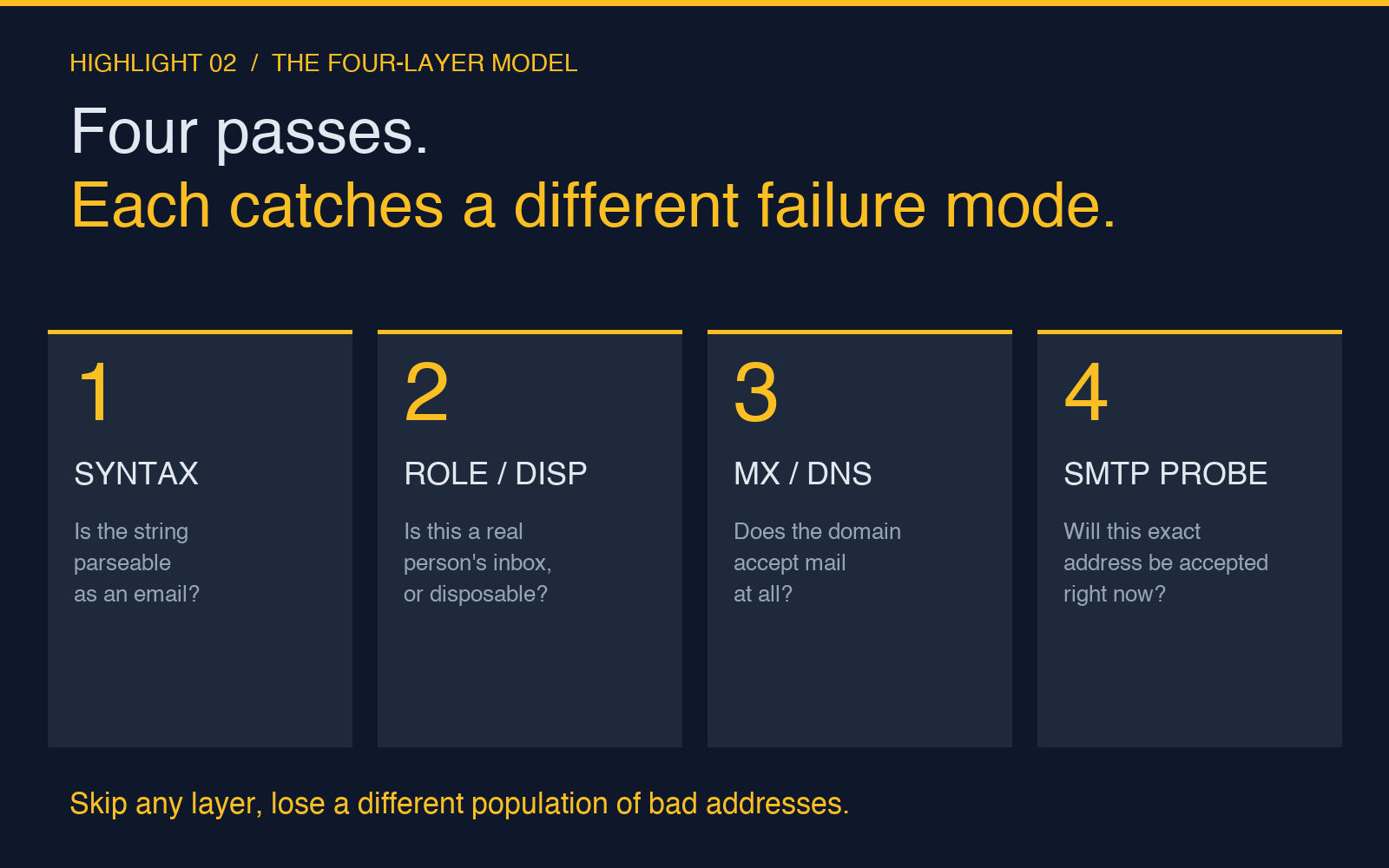
A validator worth calling one — and what the Email Validator tool is built around — runs four passes, in order. Each pass catches a different failure mode, and skipping any of them costs you a different population of bad addresses.
1. Syntax: is the address parseable as an email?
This is the regex’s job, done right. Local part rules: 1–64 characters, no leading or trailing dot, no consecutive dots, allowed characters are letters, digits, ., _, -, +, and a small set of other printable ASCII. Domain part rules: labels separated by dots, each label 1–63 characters, total length 254 or less, the rightmost label is at least two letters and is not all-numeric (a heuristic against user@12345 being mistaken for a valid TLD-less address).
A good validator also handles the unusual-but-valid cases the early RFCs permitted: [email protected] (subaddressing, used by everyone who has ever set up a filter), "quoted local"@example.com (almost never seen in the wild but technically legal), and internationalized domain names via IDN encoding.
2. Disposable / role-based detection: is this a real person‘s inbox?
Format-correct addresses that nobody reads: mailer-daemon@, postmaster@, noreply@, no-reply@, donotreply@. These are not invalid — they are syntactically perfect — but they are never going to read your welcome email. Same for the entire disposable-mail-provider space: Mailinator, Guerrilla Mail, TempMail, Yopmail, and the long tail. A signup form that lets these through is collecting addresses that will bounce, get auto-deleted, or poison the sender reputation of your transactional mail.
A serious validator maintains a list of disposable domains and a list of role-based local parts. The list is never complete — new disposable providers appear weekly — but it catches 90%+ of the traffic and shrinks the bad-address rate on every list it touches.
3. MX / DNS: does the domain accept mail?
Here the validator stops parsing the string and starts talking to the network. MX record lookup: ask the DNS, “where does mail to this domain go?” If the domain has no MX record, fall back to A record — some servers still accept mail at their primary A. If neither exists, the domain cannot receive mail; reject.
This is the cheapest and highest-leverage deliverability check. It catches [email protected] (no such TLD), [email protected] (no MX records since the domain lapsed), and every typo where the user typed gmial.com instead of gmail.com. The cost is one DNS query, which takes tens of milliseconds.
4. SMTP probe: will this exact address be accepted?
The only check that answers your real question. Connect to the MX server, issue RCPT TO:<the address>, read the response. A 250 OK means the server has accepted responsibility for delivery to that mailbox. A 550 (or any 5xx) means the server is telling you, before you ever send the mail, that this address is unknown, disabled, or quarantined.
This is the pass that catches the inbox that was deleted in 2019, the employee who left the company three years ago, the role account that was decommissioned last month, and the catch-all that accepts everything and silently drops half. It is also the pass most production forms skip — because SMTP probes are slow, occasionally rate-limited, and occasionally false-negative (greylisting temporarily rejects a probe that a real delivery attempt would accept).
Three failure modes the regex misses on a real signup form
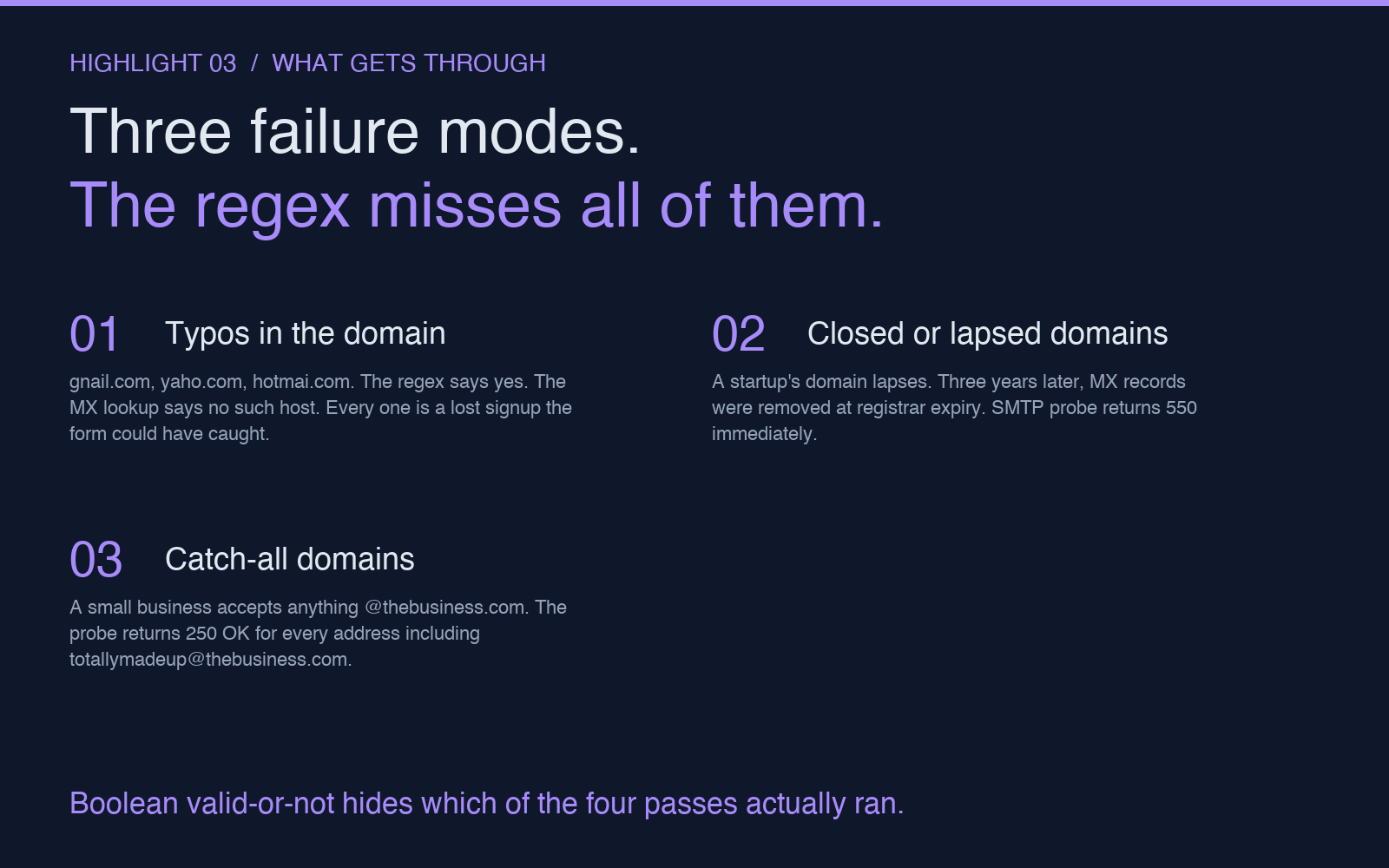
Open any production signup form. Pick a recent batch. The bad addresses fall into a small number of buckets.
Typos in the domain. gnail.com, yaho.com, hotmai.com, outlok.com. The regex says yes. The MX lookup says no such host. Every one of these is a lost signup that the form could have caught.
Closed or lapsed domains. A startup’s domain lapses. Three years later, the founder’s old @thatstartup.com address is on your waitlist. The domain resolves but the MX records were removed at registrar expiry. SMTP probe returns 550 immediately. Catching these is the difference between a clean list and one that quietly damages your sender reputation when you send to it.
Catch-all domains. A small business sets its mail server to accept anything @thebusiness.com. The regex says yes, the MX lookup says yes, the SMTP probe says 250 OK for every probe — including [email protected]. The probe passed but the address is fictitious. Catch-alls are an unfixable blind spot for SMTP-probe validators; the right response is to flag them separately and accept them with lower confidence.
The only honest answer to “is this a real email?”
Four results, not two. Most validators return boolean — valid or invalid — and that is the second-worst design choice in the field (the worst is silently accepting disposable addresses).
The validator should return something closer to: valid (syntax, MX, and SMTP all pass), risky (syntax passes, MX passes, SMTP returns catch-all or role-based local part — accept but mark for monitoring), invalid (syntax fails, or MX missing, or SMTP returns 5xx), disposable (syntax passes but the domain is on the disposable list — reject, or accept only if you have a specific reason to want throwaway traffic).
For a quick check while you are debugging a form, the Email Validator tool runs the full four-pass check and labels each result with the failure mode, so you can see exactly why an address was rejected — not just that it was.
Where this stops being about email
The same shape repeats across every validation problem worth solving. A US phone number: the regex confirms the digits, the area-code lookup confirms the region is real, the line-type lookup confirms the number is in service. A credit card: the Luhn check confirms the digits are mathematically possible, the BIN lookup confirms the issuer, the AVS check confirms the card is bound to the address. A postal address: the format check confirms the country rules, the geocoder confirms the street exists, the deliverability confirmation confirms a human lives there.
Every validator that returns a clean yes/no is hiding which of these passes it actually ran. The pattern of “regex said yes, reality said no” is identical across all of them. The fix is the same too: separate the format check from the deliverability check, and label which ones you ran.
If you want to see how the four-pass shape applies to phone numbers specifically, the Batch Phone Validator breaks the same problem into the same kind of layers — syntax, region, line type — and exposes each layer separately. And for the inverse problem, where you have a pile of unverified user-submitted text and need to figure out which fields are which, the PII Finder sits one click over and answers a related but different question.
The principle generalizes. Every time you find yourself trusting a boolean for something the world has to answer, the answer is the same: split the question into the part the string can answer and the part the world has to answer, and label them separately.
Explore more tools at elysiatools.com.