Your cron expression worked for three years on Vixie-cron. The day someone migrates the job to a Quartz scheduler, the same 0 0 * * * that used to fire at midnight now refuses to parse at all, or fires at a moment that was never in the schedule. The expression wasn’t wrong — it was written for a different grammar. The Cron to Quartz Converter at Elysia Tools takes the standard five-field form and returns the seven-field Quartz equivalent, but the differences underneath that conversion are exactly the ones that quietly break a deployment.
Quartz and POSIX cron are not supersets of each other. They share the * and , and - and / syntax, and the rest of the language drifts in ways that produce silent mis-scheduling. Six of those differences are responsible for the overwhelming majority of “the job ran twice / never ran / ran on the wrong day” incidents when cron expressions get ported from one scheduler to the other.
The six-field cron, the seven-field Quartz
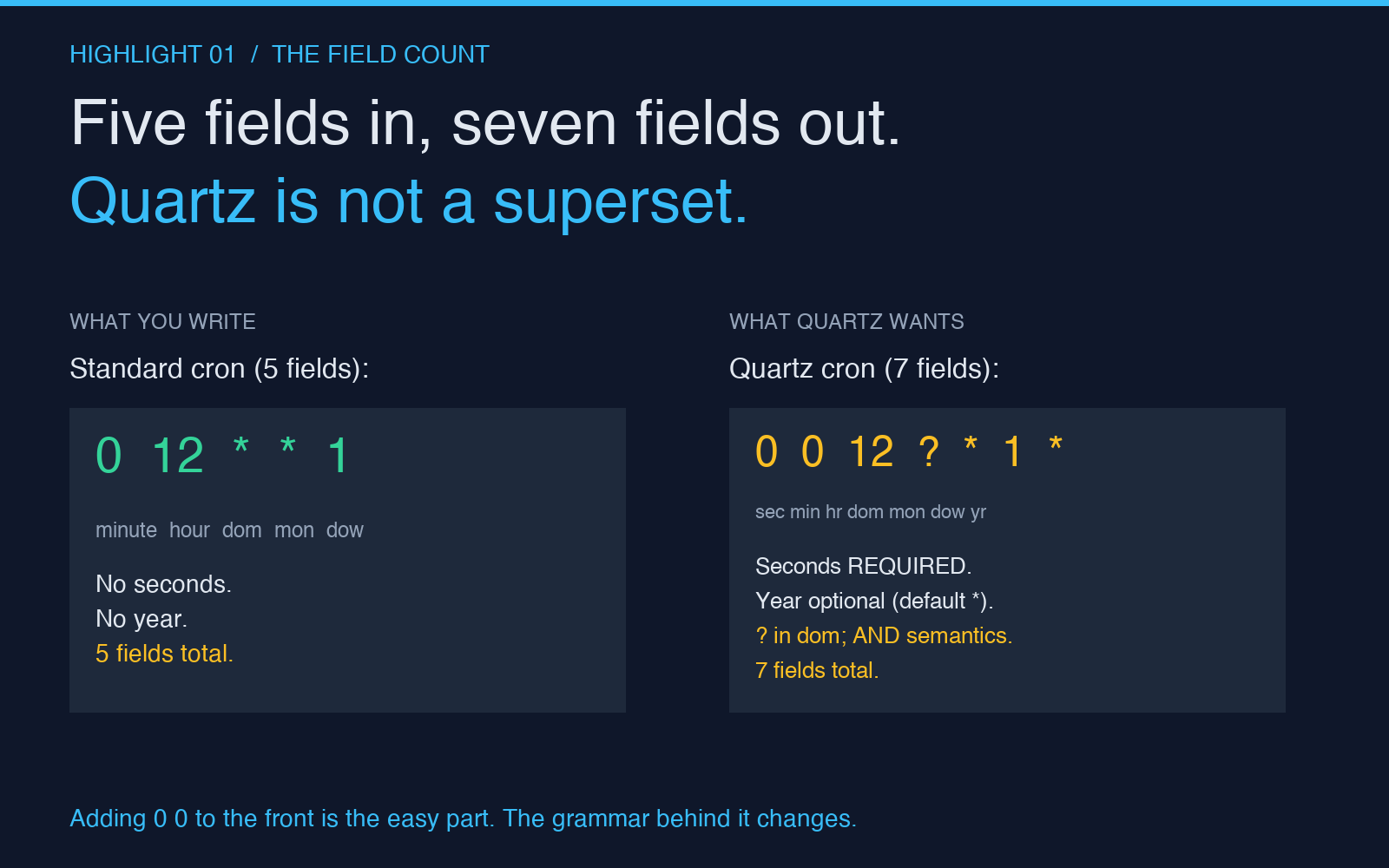
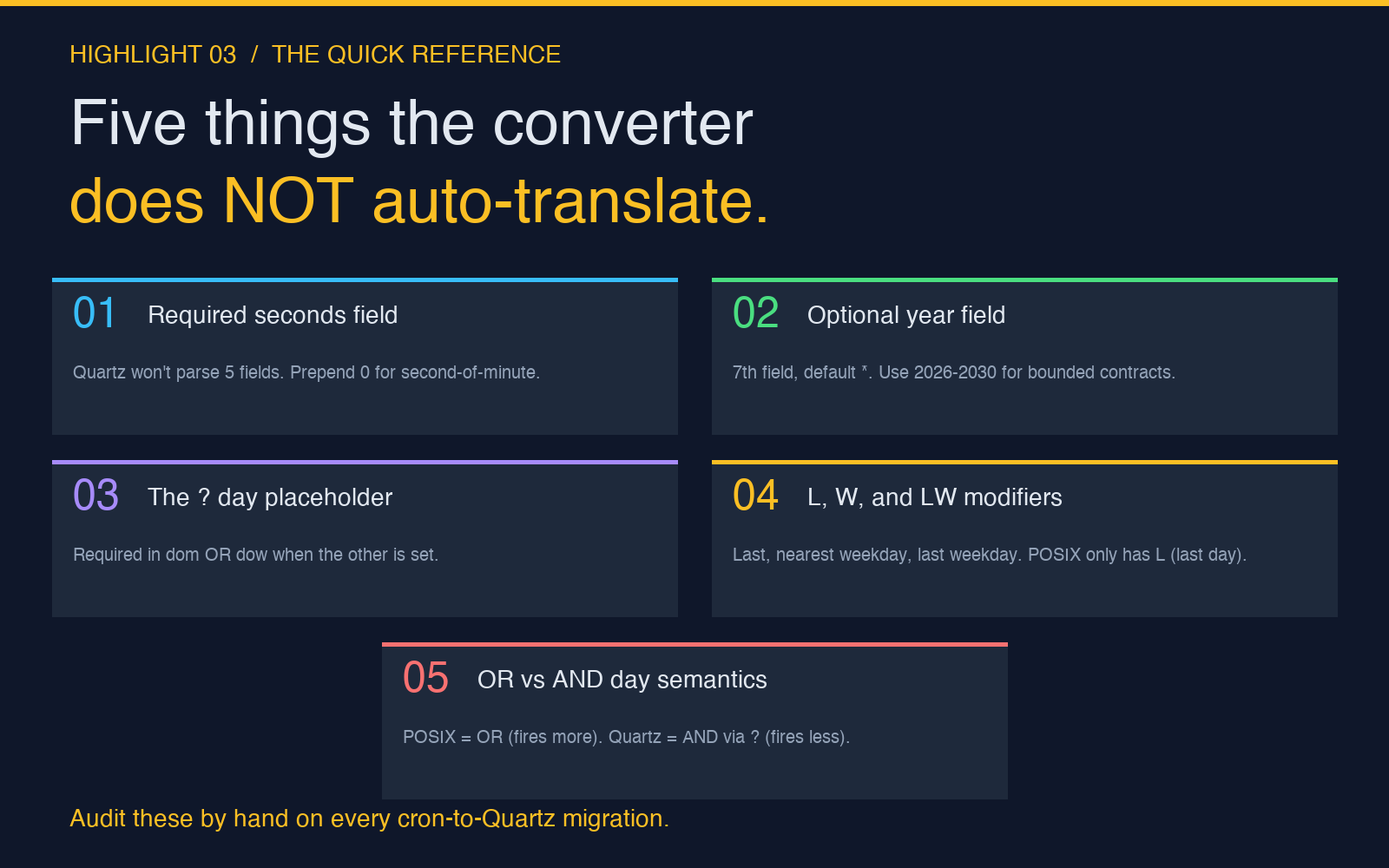
Standard cron is a five-field grammar: minute, hour, day-of-month, month, day-of-week. Quartz adds a sixth required field and a seventh optional one. The sixth field is seconds, and it must appear — Quartz will not parse a five-field expression at all. The seventh is year, and it is optional; if you omit it, Quartz schedules the job to fire in any year, indefinitely.
The practical consequence is that any cron expression you write on a Linux crontab line is malformed Quartz. Drop the same string into a Quartz CronTrigger and you get a IllegalArgumentException at startup, which is loud enough to catch. The failures start showing up when someone “fixes” the syntax by prepending a 0 for seconds, without noticing that the rest of the expression also has to change to match the Quartz interpretation of the day fields.
The question mark: Quartz’s “I don’t care” placeholder
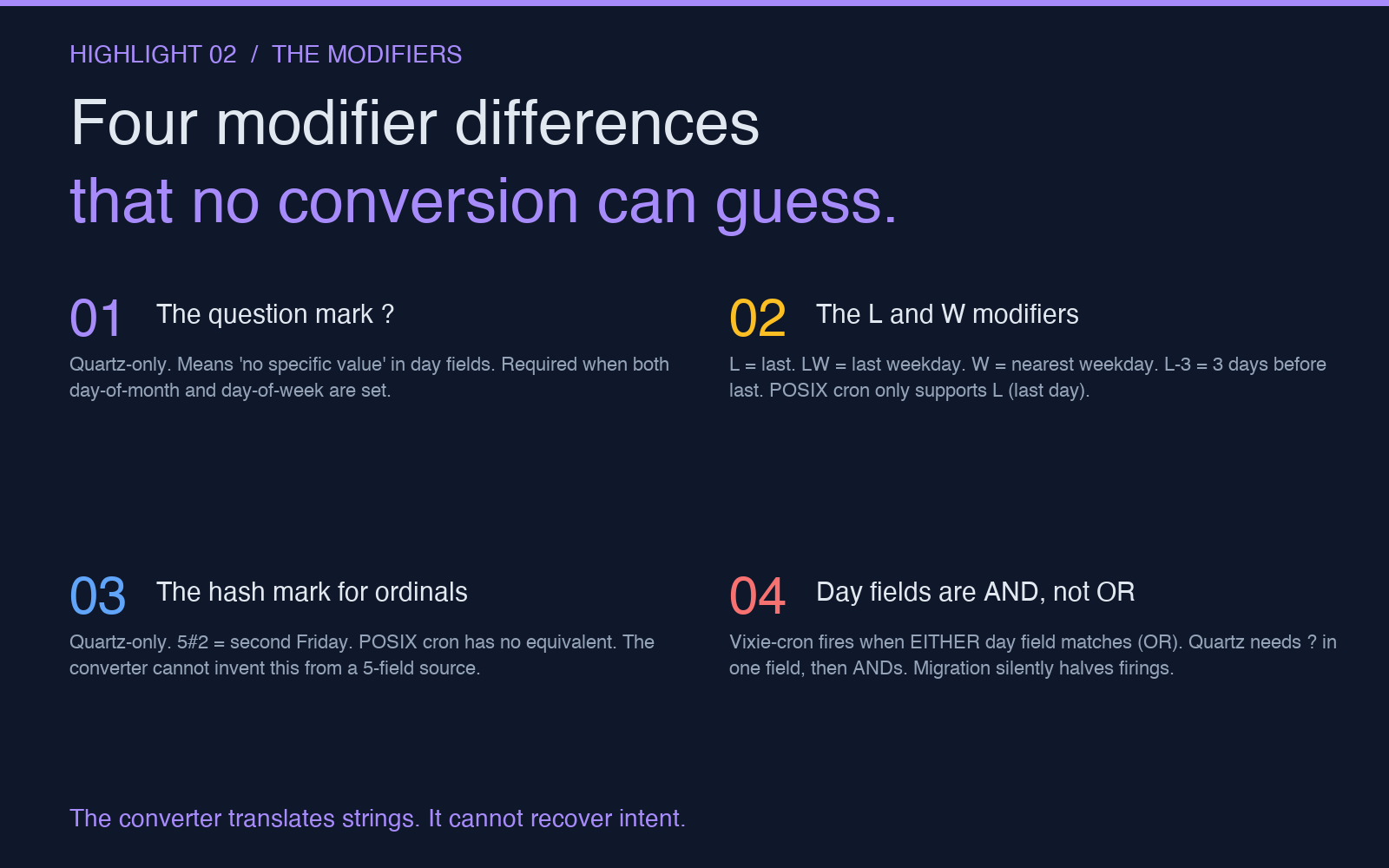
Quartz introduces a character that does not exist in standard cron: the question mark. It is a legal value in exactly two fields — day-of-month and day-of-week — and it means “no specific value, use the other field instead.” You cannot put ? in any other field, and you cannot leave both day fields populated without using ? in one of them.
The reason is that Quartz treats day-of-month and day-of-week as an AND pair with a wildcard, not the OR pair that POSIX cron uses. POSIX cron fires when EITHER field matches (or both); Quartz fires only when the AND of the two resolves to a specific day, and ? in one field tells the parser “ignore this field, the other one is authoritative.” A Vixie-cron 0 12 * * 1 meaning “noon every Monday” is a Quartz 0 0 12 ? * 1 — the seconds field is required, and the ? in day-of-month tells Quartz to use day-of-week as the source of truth. If you forget the ? and write 0 0 12 * * 1, the scheduler has no way to disambiguate and rejects the trigger.
The L and W modifiers behave differently
Both grammars support L for “last,” but the meaning is field-specific and not consistent. In Quartz, L in day-of-month means “last day of the month.” In day-of-week, it means “last day-of-week in the month” — so 5L in day-of-week means “the last Friday of the month,” not “the 5th from the end.” Quartz also extends the modifier with offsets: L-3 is “three days before the last day of the month.”
The W modifier (Quartz only) means “the nearest weekday to the given day-of-month” — so 15W fires on the 15th unless it falls on a weekend, in which case it shifts to the nearest weekday. Combined, LW means “the last weekday of the month,” which is the standard “run payroll on the last business day” pattern that POSIX cron cannot express in one expression. POSIX cron’s L is more limited: it only means “last day of the month” in the day-of-month field, and most crontab implementations do not support L-N offsets at all.
The hash mark for ordinal weekdays is Quartz-only
Quartz supports a modifier that has no POSIX equivalent: the ordinal weekday. The expression 5#2 in day-of-week means “the second Friday of the month.” The first number is the day-of-week (0-6, with both 0 and 6 representing Sunday depending on the implementation), and the second number is the ordinal — 1 through 4 for “first” through “fourth.” 5#5 is technically legal but only fires in months that have five Fridays, which is mechanically rare.
This is the only way to express “second Tuesday” or “third Monday” cleanly in any scheduler grammar. The Cron to Quartz Converter preserves the modifier when you feed it a Quartz expression and round-trip back, but you cannot generate a # expression from a POSIX cron string — the syntax simply does not exist in the source grammar. If your job needs to fire on the second Tuesday of every month and someone hands you a five-field cron expression, the conversion cannot recover that information; you have to write the Quartz expression by hand.
Day-of-month and day-of-week are not the OR you remember
POSIX cron’s OR semantics for day fields are the most quietly broken assumption. The expression 0 0 1 * 1 in Vixie-cron means “midnight on the 1st of the month OR every Monday,” which produces up to five firings per month. In Quartz, the same expression is invalid because both day fields are populated without a ? in one of them. Even if you fix it to 0 0 0 1 * 1, the semantics are different: Quartz requires a unique day resolution, and the day-of-week would have to be the source of truth via ?.
This is the failure that produces jobs that “fired twice on the 1st of June because the 1st was a Monday.” Under Vixie-cron, that is correct behavior. Under Quartz, the equivalent job should be a single CronTrigger with ? in day-of-month and a specific day-of-week, or two separate triggers. The Cron to Quartz Converter picks one interpretation and renders it; it does not know which OR-branch your business logic intended. If you were relying on OR, you have to split the job.
The year field is optional, but it is not ignored
The seventh Quartz field is year, and it accepts a four-digit year or a range. * means “every year,” which is what most schedulers actually want, and it is the default. But the field also accepts 2026-2030 for a bounded window — useful for jobs that should stop firing after a contract ends, or for cron expressions that only matter during a defined project timeline. POSIX cron has no year field at all; the closest equivalent is to disable the crontab entry when the year passes, which is a manual operation.
When you convert a standard cron expression to Quartz, the converter leaves the year field as * by default. That is almost always what you want. The exception is the rare case where someone has been hand-managing cron entries with shell comments like # remove after 2027 — that intent is not representable in the source expression, and the converted Quartz form will continue firing past the intended end date. Audit your year-sensitive jobs after any scheduler migration; the converter does not preserve that information.
When to reach for the converter, and when to write Quartz by hand
The Cron to Quartz Converter is the right tool when you have a known-good Vixie-cron expression and need the seven-field equivalent for a Quartz job. It is not the right tool when the source expression uses POSIX-only features that have no Quartz mapping, and it is not the right tool when the business requirement needs ordinal weekdays or last-weekday-of-month semantics. For those, you write the Quartz expression by hand and validate it with the Cron Expression Visualizer, which accepts both grammars and shows the next ten fire times for whichever one you select.
The other cron tools at Elysia Tools cover the rest of the migration workflow. The Cron Expression Tester validates a standard five-field expression and shows the next N future runs without committing it to a scheduler. The Cron Expression Generator builds the string for you from preset schedules (every minute, every hour, every Monday at 9am) and accepts the custom overrides the preset does not cover. The Crontab Converter handles the other direction — it takes a crontab-format string and emits the equivalent in any of several enhanced formats, useful when you are migrating away from Quartz toward a scheduler with yet another dialect.
None of those tools know what your job is supposed to do. They move strings between grammars. The differences above are the ones the string-translation does not surface — the implicit OR semantics, the optional year window, the POSIX-only behaviors that silently change meaning when the field count goes from five to seven. Audit those by hand on every migration. The rest can be converted. For more on the broader schedule-tool landscape, browse the rest of the catalog at elysiatools.com.