Confidence Interval: The Two Numbers Your Spreadsheet Refuses to Tell You
Your dashboard shows an average. The dashboard is lying. Not the mean itself — the lie is that the mean is the answer.
If you run that same query tomorrow on a different slice, the average moves. If you run it on 10,000 rows instead of 500, the average moves. If you collect a fresh sample next week, the average moves again. What you actually have is not a number but a band — and the band has a width that almost no spreadsheet will compute for you without prompting.
That band is the confidence interval. It is the single most-misunderstood number in business analytics, and the most routinely omitted from the dashboards that quote point estimates as if they were facts. This is what the Confidence Interval Calculator actually does, and why the three numbers it spits out are doing more work than the average you keep seeing.
The average is a point. The interval is a range.
A point estimate answers the wrong question.
If you say “our checkout latency is 312ms,” the reader assumes 312ms is a stable property of the system. It is not. It is a property of the 12,000 requests you happened to capture between 09:00 and 09:15 on a Tuesday. Tomorrow’s 12,000 will be a different number. Next week’s will be different again. The question is not “what is the average?” — it is “how wide is the band that 95% of all possible sample means will fall inside?“
That band is the confidence interval. The standard 95% confidence interval is the range (mean − 1.96·SE, mean + 1.96·SE) for a known standard deviation, or (mean − t·SE, mean + t·SE) when the standard deviation is estimated from the sample. The width of the band is the standard error of the mean: σ / √n. The standard error shrinks as the square root of your sample size, which is the single most important fact about confidence intervals that nobody internalizes.
Doubling your sample size does not halve the interval. It shrinks the interval by a factor of √2, roughly 30%. To halve the interval, you need four times the data. This is why “just collect more rows” is rarely a useful suggestion for tightening inference.
The three numbers, in plain English
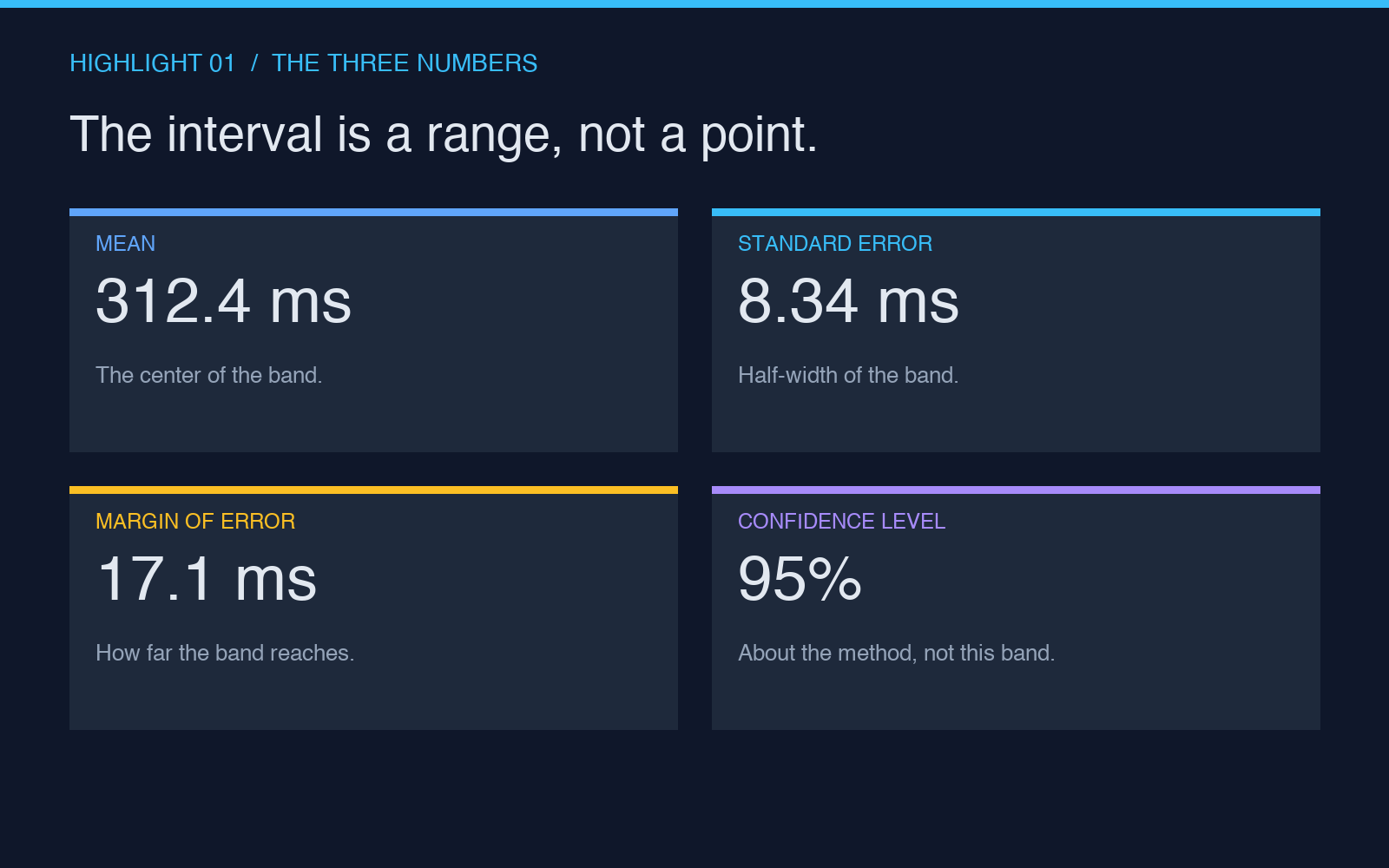
A confidence interval is not one number. It is three numbers pretending to be one.
The mean. The center of the band. This is the number you were already reporting.
The standard error. The half-width of the band, before you multiply it by 1.96 (or the t-statistic for your sample size). This is the most informative number in the entire calculation, and the one your dashboard is hiding. A standard error of 2ms on a 312ms latency means something very different from a standard error of 80ms. Both can produce the same mean. The first gives you a usable measurement. The second gives you a guess.
The confidence level. The probability that the procedure — repeated sampling, repeated interval construction — will contain the true population mean. Not the probability that the true mean is inside this interval. That distinction is where 80% of the confusion lives. The 95% is about the method, not the specific band you happen to have drawn.
When you see a reported number like “average session duration: 4m 12s ± 18s (95% CI),” the 18s is the half-width. The full interval is 3m 54s to 4m 30s. Any of those three values could be the true mean of the underlying population, as far as your data can tell.
The known-standard-deviation trap
The most common silent mistake is using the wrong formula.
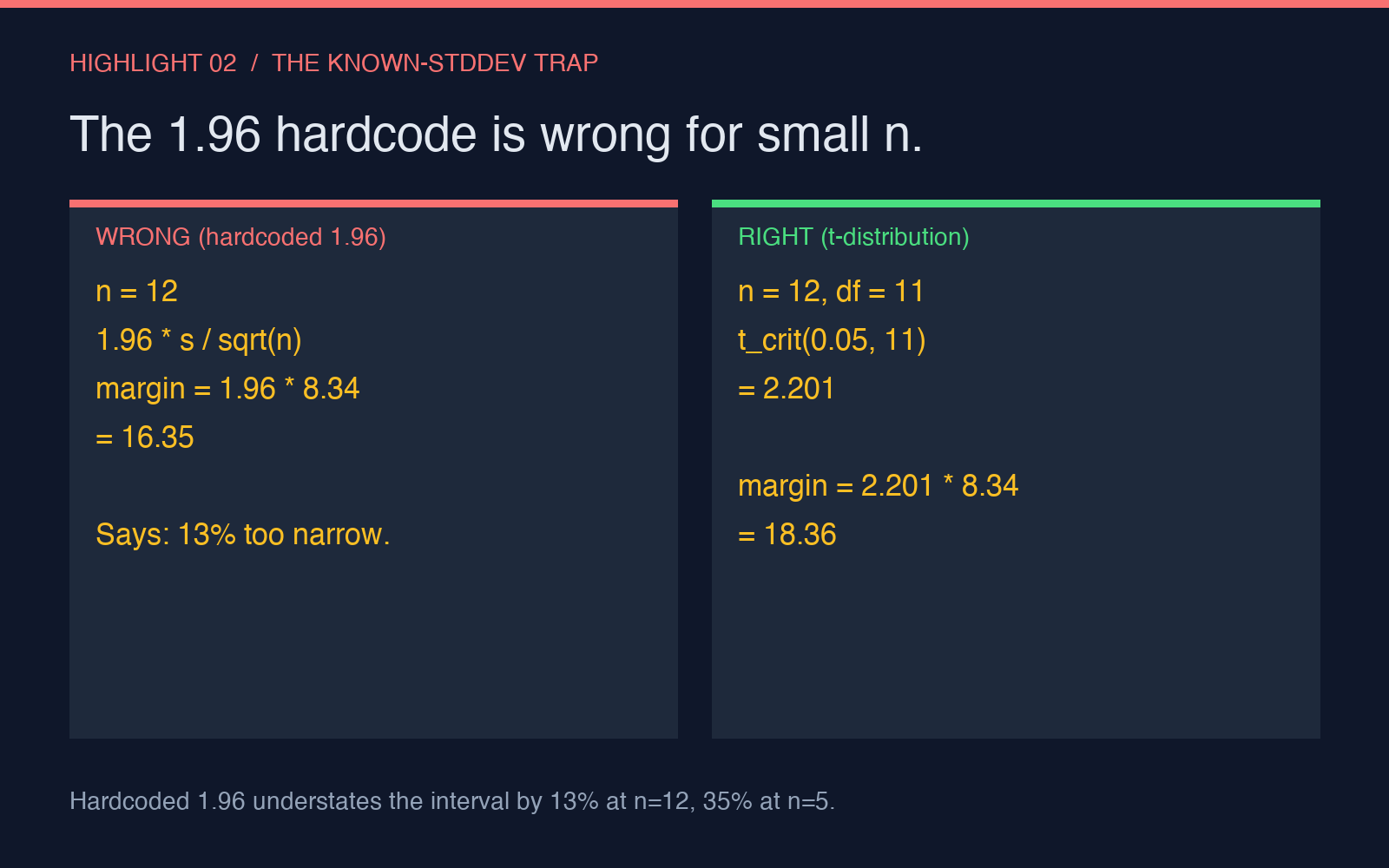
If you know the population standard deviation σ (rare in production analytics — usually only true for tightly controlled systems or simulator output), the half-width is 1.96 · σ / √n. If you do not know σ and are estimating it from your sample, you must use the t-distribution instead of the normal distribution, and the multiplier depends on your sample size: at n=10, the 95% multiplier is 2.26, not 1.96. At n=30, it is 2.045. At n=1000, it is essentially 1.96 again.
Most “confidence interval” tools, including several popular spreadsheet plugins, hardcode the 1.96 multiplier regardless of sample size. For a sample of 12 records, this understates the true interval width by about 13%. For a sample of 5 records, by 35%. The mistake is invisible because the output still looks like a confidence interval — it just isn’t the one you asked for.
A correct tool exposes the multiplier and lets you see the underlying inputs. The Confidence Interval Calculator lets you paste raw CSV data, pick the confidence level (90%, 95%, 99% are the standard three), and choose between Z and T based on whether you actually know the population standard deviation. The output is the interval, the mean, the standard error, and the multiplier used — not a single rounded number that papers over the distinction.
Why the interval changes with sample size — and why dashboards ignore it
The most expensive analytics mistake is reporting the same number format for a sample of 50 and a sample of 50,000.
For n=50, the 95% interval around a 312ms checkout latency with a sample standard deviation of 45ms is roughly (299ms, 325ms). For n=50,000, with the same population standard deviation, the interval collapses to (311.6ms, 312.4ms). Both are “95% confidence intervals.” Both are correct. They tell you completely different things about how confident you should be in any decision you make on the back of them.
A dashboard that shows “average: 312ms” with no interval and no sample size is forcing you to make a decision under deliberate uncertainty. A dashboard that shows “average: 312ms (95% CI ±0.4ms, n=50,000)” is forcing you to make a decision under accurate uncertainty. The difference is not cosmetic. The first number is fine for a marketing slide. The second is fine for an SLO.
A worked example: what the calculator actually computes
Suppose you paste a column of 30 latency measurements, in milliseconds, into the calculator. The tool computes:
- n: 30 (sample size)
- mean: 312.4 ms
- sample standard deviation (s): 45.7 ms
- standard error of the mean (SEM): s / √n = 45.7 / √30 ≈ 8.34 ms
- degrees of freedom: n − 1 = 29
- t-critical (95%, df=29): ≈ 2.045
- margin of error: 2.045 × 8.34 ≈ 17.1 ms
- 95% confidence interval: (312.4 − 17.1, 312.4 + 17.1) = (295.3 ms, 329.5 ms)
The interval is 34 ms wide. Your point estimate was 312.4 ms. The interval tells you that any of the 34 values inside it is a plausible value for the true mean, given the data you have. A decision-maker reading “312ms” as a stable number is missing a 34-ms range of uncertainty that, depending on what the SLO actually is, may or may not be acceptable.
What the confidence interval is not
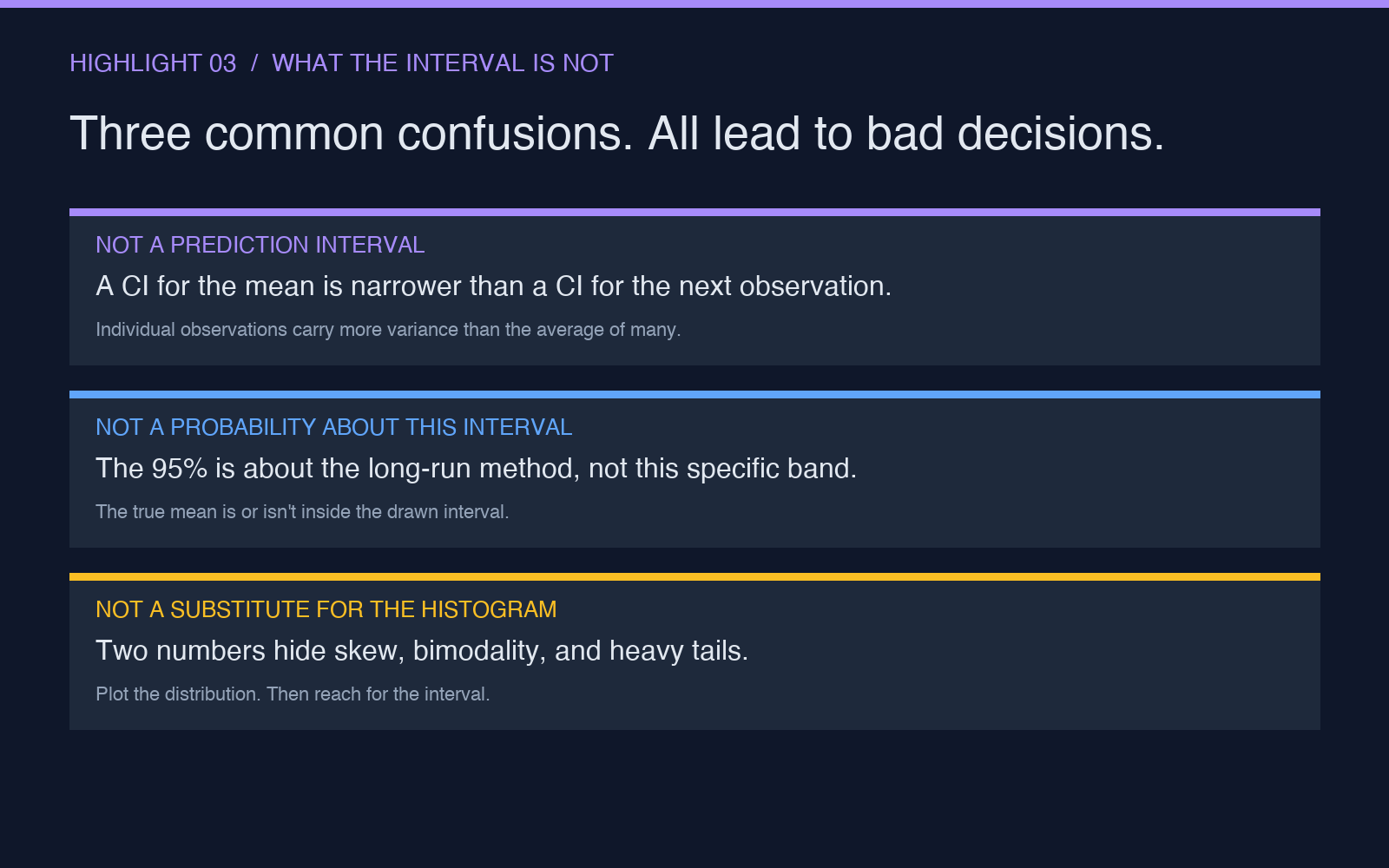
Three common confusions, all of which lead to bad decisions:
A confidence interval is not a prediction interval. A 95% confidence interval for the population mean tells you about where the mean lies. A 95% prediction interval tells you where the next individual observation is likely to fall. The latter is wider — often much wider — because individual observations have more variance than the mean of many of them.
A confidence interval is not a probability statement about the true mean. Once you have drawn the interval, the true mean either is or is not inside it. The 95% is about the long-run behavior of the procedure, not about this specific interval. A Bayesian credible interval makes a statement about the probability that the mean is inside the band, given a prior; that is a different quantity with a different interpretation.
A confidence interval is not a substitute for raw data visualization. The interval collapses a distribution to two numbers. If the underlying distribution is skewed, bimodal, or has heavy tails, the interval can be deeply misleading. Plot the histogram first. Reach for the interval second.
Closing: the band is the answer
The point of computing a confidence interval is not to display the interval. It is to internalize the fact that a single number is a worse answer than a band.
If your average is 312ms and your interval is ±0.4ms, you can build an SLO around it. If your average is 312ms and your interval is ±18ms, you cannot — not because the math is wrong, but because the underlying system has too much variance to support the precision your stakeholders are asking for. The honest response to that situation is “we need more data” or “the system is unstable,” not “the answer is 312ms.”
Run your next dashboard query through the Confidence Interval Calculator. Look at the half-width, not the mean. If the half-width is wider than the decision you were about to make, you do not have a number yet. You have a starting point for a conversation.
Explore more tools at elysiatools.com.