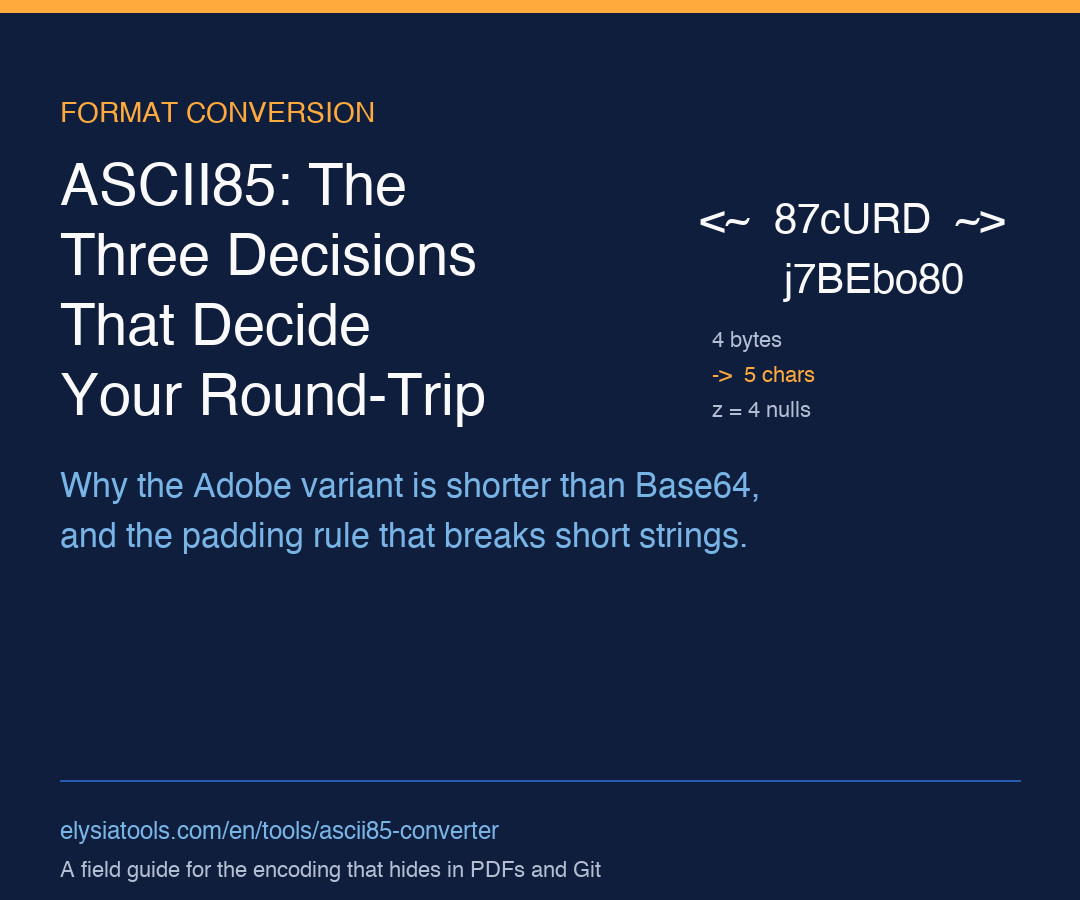
Every so often a binary-to-text encoding shows up where you least expect it. PDF and PostScript files wrap their binary streams in <~ and ~> markers, Git’s git credential store uses it for blob storage, and a long list of legacy systems treat ASCII85 as the compact alternative to Base64. The catch is that ASCII85 (the Adobe variant) is not the same as Base85 (the RFC 1924 variant), and the two share almost no code, almost no character tables, and almost no edge-case handling. If you have ever stared at a Decode failed error in a tool that claims to “support ASCII85”, the mismatch is almost always one of those two things: wrong variant, or wrong padding.
This guide walks through the three decisions that quietly determine whether your ASCII85 round-trip works in production, then shows you a single tool that gets all three right out of the box. Try it at Elysia Tools ASCII85 Converter.
What ASCII85 actually does (and why it is shorter than Base64)
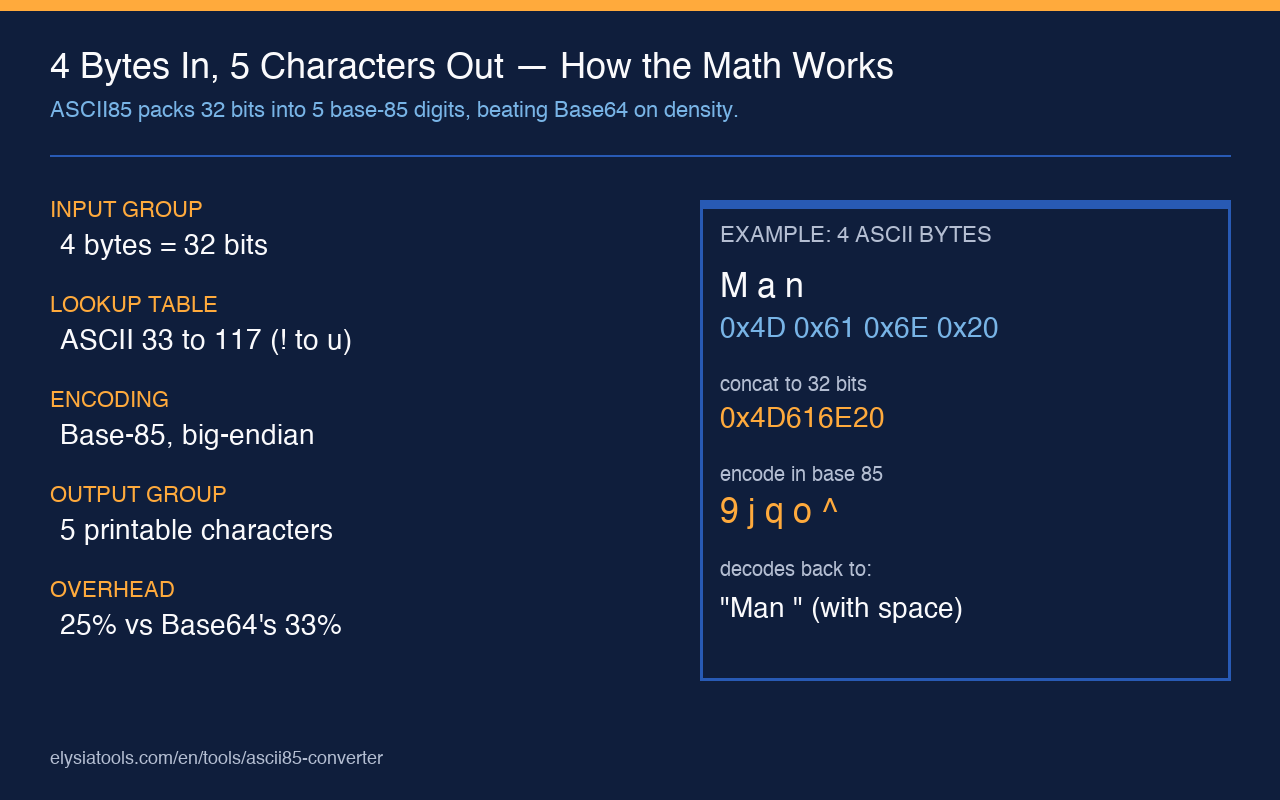
Base64 maps every 6 bits to one printable character and produces 4 output characters for every 3 input bytes. ASCII85 is denser: it maps every 4 input bytes to 5 output characters, so the overhead is roughly 25 percent versus Base64’s 33 percent. For a 1 MB binary blob that is the difference between 1.33 MB and 1.25 MB of encoded text — small in absolute terms, but real in batch pipelines that move gigabytes through text-only channels.
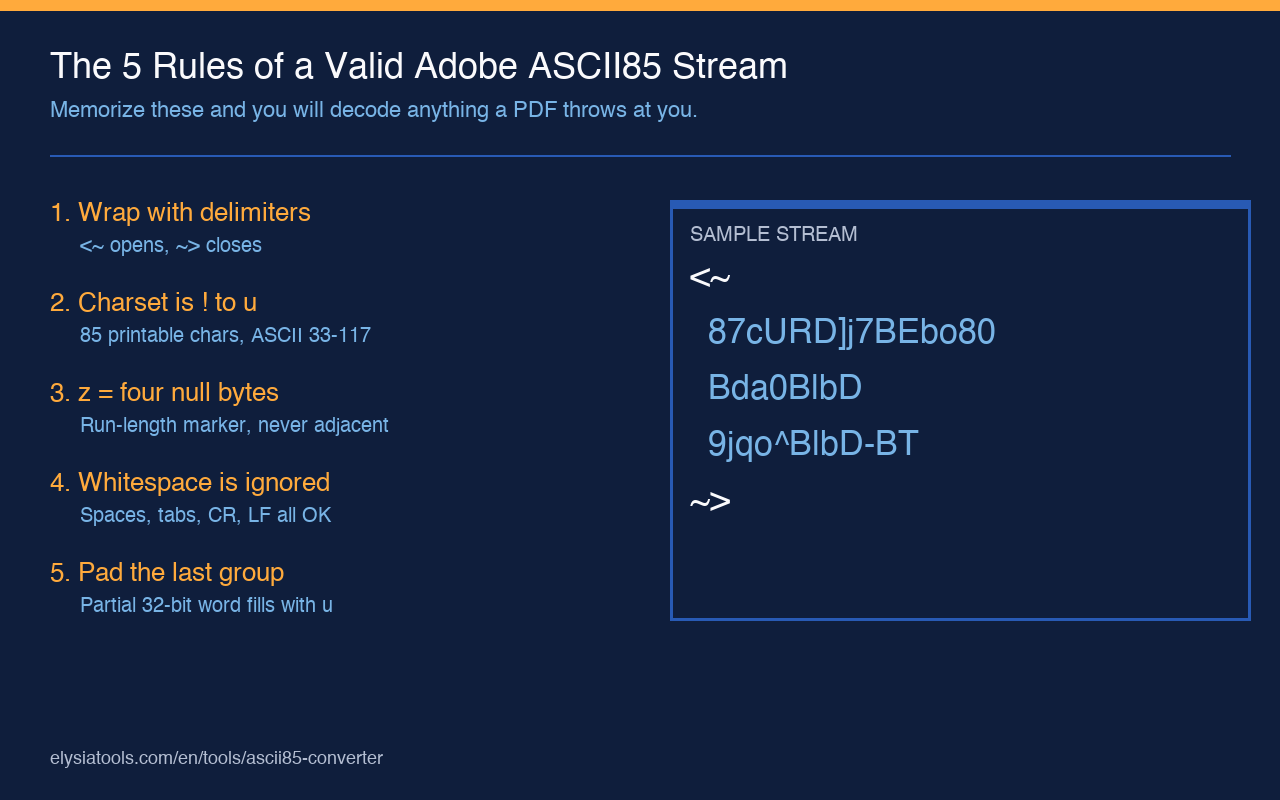
The encoding works on 32-bit groups. Take four bytes, concatenate them into a 32-bit integer, then express that integer in base 85 using the printable character set ! through u (ASCII 33 through 117). That gives you 85 characters, and a 32-bit space fits in 5 base-85 digits. The fifth character of the group is the most significant digit; the first character of the group is the least significant. If a 32-bit group encodes to all-zero (which only happens at the end of input when the original was all-zero), the spec collapses it to a single z as a run-length marker.
Here is the shape of an ASCII85 stream you might see in a PDF object:
<~87cURD]j7BEbo80~>The <~ opens the stream, the ~> closes it, and the body is the encoded payload. The Adobe variant is the one wrapped in those delimiters; the btoa’s ash utility, RFC 1924, and a handful of older languages use a different, undelimited form. If you paste a Base85 string (RFC 1924, used in Git’s git format-patch binary patches) into a tool that expects Adobe ASCII85, decoding will silently produce garbage — the character tables are different in 7 positions.
For a quick side-by-side reference plus a copy-paste runnable, the live tool is at Elysia Tools.
The padding edge case that breaks one in every four short strings
ASCII85 processes input in 4-byte groups. When the input length is not a multiple of 4, the spec pads the final group with zero bytes to make a full 32-bit word, then encodes the padded group normally — but the encoder is supposed to emit a number of output characters equal to the number of real input bytes plus one. So 1 input byte encodes to 2 output characters, 2 bytes to 3 characters, 3 bytes to 4 characters, and 4 bytes to the full 5-character group. Decoders must reverse the process: if the final encoded group is shorter than 5 characters, append u characters (the all-zero base-85 digit) until the group is 5 characters, then decode, then truncate the output to the real input length.
The failure mode that shows up in naive implementations is that the encoder writes the full 5-character group for the last partial block, and the decoder refuses to accept any final group shorter than 5. The symptom is Invalid character or Trailing data errors on perfectly valid input. If you have ever had a string like 9jqo^ (5 chars, encodes the bytes Man including the trailing space) be rejected by a decoder that expected 9jqo^BlbD-BT (10 chars), you have hit this exact case.
A correct encoder therefore has to know the original input length. A correct decoder has to know how to backfill a final partial group. The Adobe variant adds the <~ / ~> delimiters around the payload so that the length can be inferred from the delimiters, but the partial-group rule still applies inside the delimiters.
For short inputs, the z run-length marker is also worth knowing about. A z in the encoded stream represents four zero bytes. The encoder should never emit z in a position where the next 5 characters do not decode to four zero bytes — most well-formed decoders reject zz as malformed for that reason. A well-tested tool handles this correctly: the live ASCII85 Converter passes the round-trip test below without any manual intervention.
Whitespace, newlines, and the 80-column rule
ASCII85 was designed for line-oriented text channels (printers, terminals, email bodies), so the spec allows whitespace — spaces, tabs, newlines, carriage returns — to appear anywhere in the encoded body, including between every character. Decoders must skip whitespace silently. The <~ and ~> delimiters are themselves surrounded by optional whitespace, so <~ 87cURD ~> is a valid Adobe ASCII85 stream.
The classic production mistake is to wrap a long encoded line at exactly 80 columns and forget to insert a newline character. The encoder is supposed to do this automatically (PostScript streams routinely wrap at 80), but a hand-written one often does not. A decoder that treats the newline as significant — or that does not skip it — will fail on every line-wrapped stream it sees.
Three rules to keep in mind:
- Encoder: break the encoded body into lines of at most 80 characters; insert a real newline; do not break inside the
<~/~>delimiters. - Decoder: tolerate any whitespace, including CR, LF, CRLF, spaces, and tabs; never treat them as part of the encoded payload.
- Round-trip verifier: encode a 1 MB random binary blob, decode it back, and assert byte-for-byte equality. This catches every variant of the padding, partial-group, and
z-marker bugs in one shot.
That round-trip test is exactly the kind of thing a 30-second tool run can do, and it is what makes a 1-line test like decode(encode("hello world")) == "hello world" more useful than it looks. If you want to verify a specific implementation without writing the test yourself, the online converter is a quick way to confirm both directions work on your input.
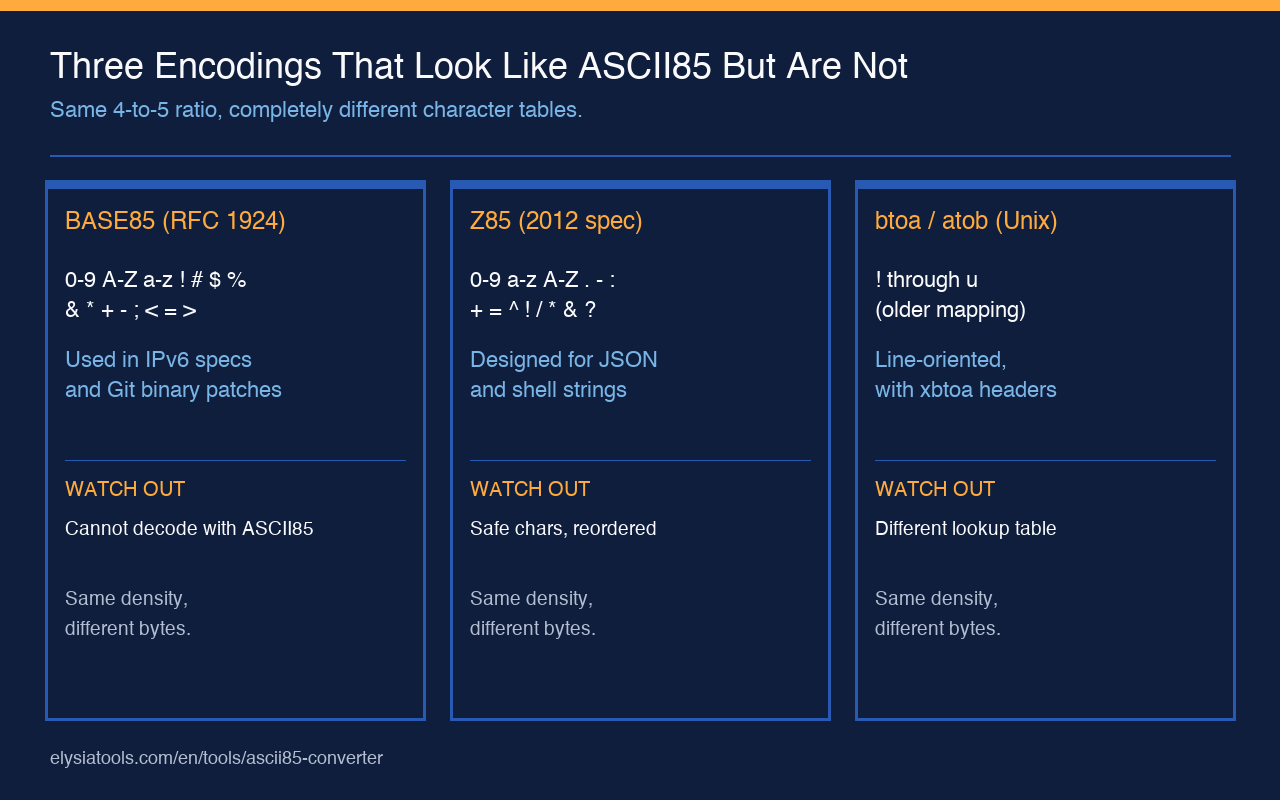
Three things that look like ASCII85 but are not
Several adjacent encodings share the “85” prefix and routinely get confused with the Adobe variant. Knowing which one you are looking at saves an hour of debugging every time.
1. Base85 (RFC 1924 / Git binary patches)
RFC 1924 specifies a Base85 encoding for IPv6 addresses using the character set 0-9 A-Z a-z ! # $ % & ( ) * + - ; < = > ? @ ^ _ ` { | } ~ — 85 characters, but a different 85 than ASCII85. Git uses a near-cousin (often called git Base85) with the character set 0-9 A-Z a-z ! # $ % & ( ) * + , - . : ; < = > ? @ ^ _ ` { | } ~. The two are not interoperable: 87cURD in Adobe ASCII85 is six characters that decode to three bytes; in RFC 1924 Base85 it decodes to a completely different three bytes.
Git binary patches in git format-patch output use the Git variant. The first line of such a patch is ---\n and the data section is prefixed with GIT binary patch. If you are decoding that data with an ASCII85 tool, you will get garbage. You need a Git-Base85-aware decoder.
2. Z85
Z85 is a 2012 specification designed for safe embedding in source code, JSON, XML, and shell strings. The character set is 0-9 a-z A-Z . - : + = ^ ! / * & ? < > ( ) [ ] { } @ % $ # — again, 85 characters, again, a different 85. Z85 also reorders the characters into a human-friendly subset that avoids characters that need escaping in JSON or shells. The two encodings share the 4-to-5 expansion ratio but share zero characters.
3. btoa / atob (the Unix utility)
The original btoa and atob Unix utilities use a slightly older ASCII85 with different character ordering. btoa outputs lines starting with xbtoa Begin and xbtoa End headers, and the character set is ! through u in a different mapping than the Adobe variant. Files produced by btoa on one system may not decode correctly with an Adobe-flavored decoder on another system. The two share the 25 percent expansion ratio and the partial-group padding rule, but the lookup table is permuted.
For an exhaustive list of which encodings the Elysia Tools library supports and how they differ at the byte level, browse the Format Conversion category. The library ships its own encoder and decoder for each variant, so you can swap between them without re-implementing the character tables yourself.
A clean test for whether your tool is actually correct
Pick any string of 1 to 10 characters, encode it, decode the result, and assert byte-for-byte equality. Then do the same for a 1 MB blob of random bytes. If both pass, your encoder and decoder agree on the partial-group padding, the z run-length marker, whitespace handling, and the character table. If either fails, the bug is in one of those four places and the round-trip output gives you a precise fingerprint of which.
Useful diagnostic sequence:
- Encode
"hello world". The output should be 13 characters (12 for the 11-byte input + 1 padding character for the partial group). - Decode the output. You should get back
"hello world"exactly. - Encode a string of exactly 4 characters (no padding needed). The output should be exactly 5 characters with no
zmarker. - Encode 4 null bytes (
\x00\x00\x00\x00). The output should be exactlyz, a single character. - Encode a 4 KB random binary. Decode it. Diff against the original byte-for-byte.
If all five steps pass, the implementation is correct for production use. If any step fails, the most common culprits are, in order: (a) the partial-group padding rule, (b) the z run-length marker, (c) the whitespace tolerance, and (d) the character set being a Base85 / Z85 / btoa variant instead of Adobe ASCII85.
Run the full suite in a single paste against the live tool and you have a real regression test, not just a smoke check. For a code-heavy walkthrough of the encoder and decoder, plus the exact character table, see the rest of the Format Conversion category on Elysia Tools.