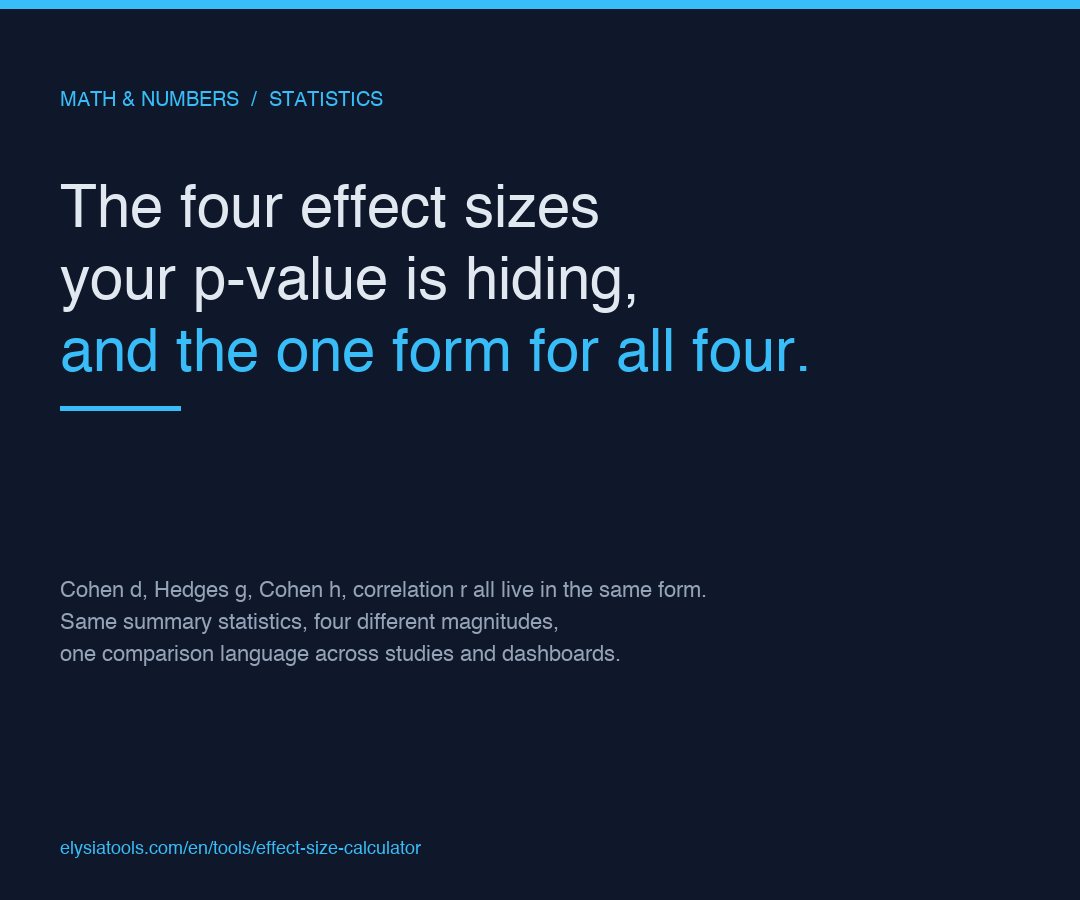
Statistical significance tells you whether an effect could plausibly be zero. Effect size tells you whether the effect is large enough to matter. Most published papers still report p-values without reporting the size of what they found, and most dashboards still quote the magnitude without an effect size to anchor it. The Effect Size Calculator closes that gap by computing the four most-used effect size measures from the same summary statistics you already collect: group means, standard deviations, sample sizes, proportions, or correlation coefficients.
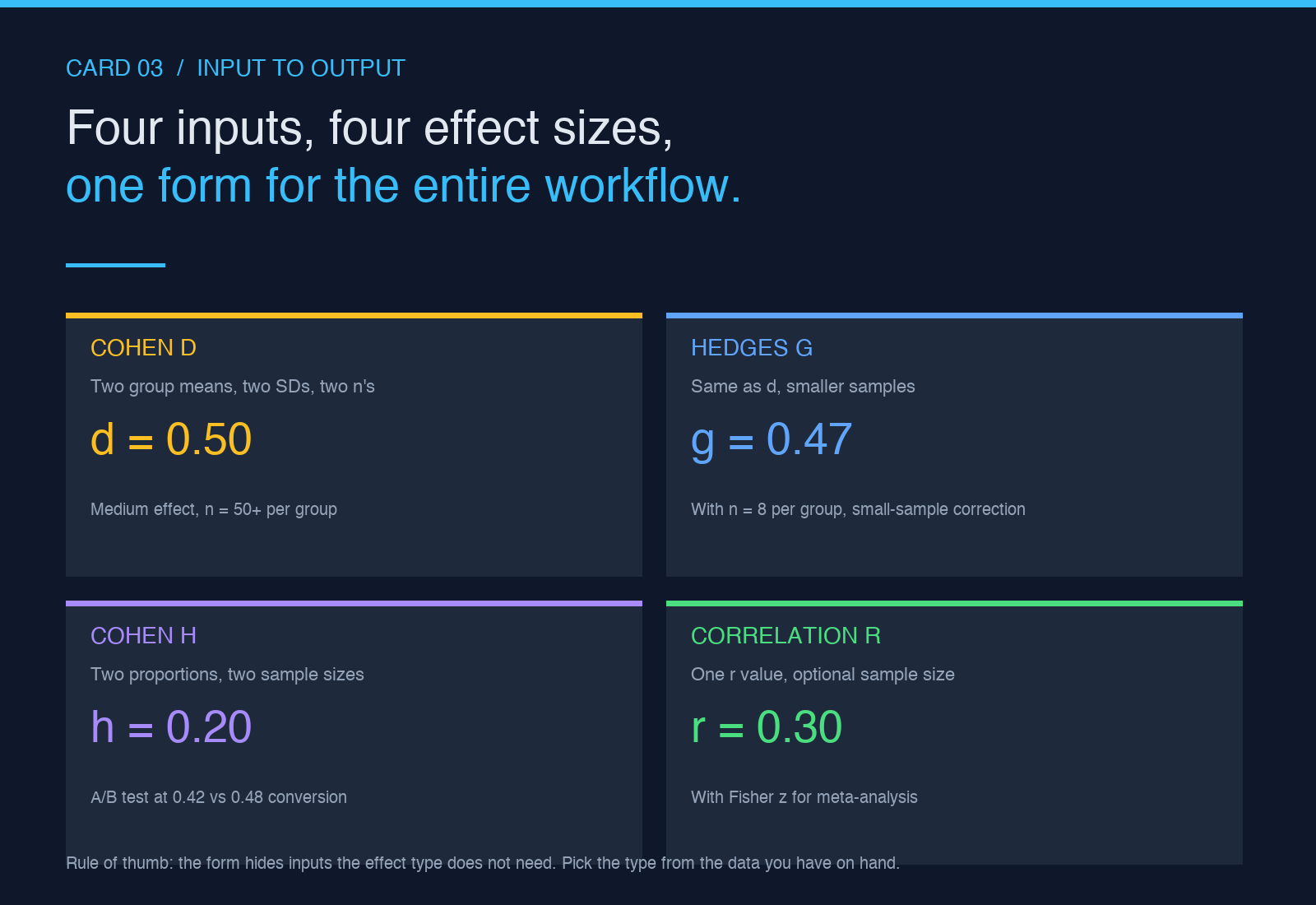
Four effect types are supported. Cohen d for the standardized difference between two means. Hedges g for the same thing with a small-sample bias correction. Cohen h for the difference between two proportions. Correlation r for the linear association between two variables. Each one turns raw numbers into a unit-free magnitude you can compare across studies, across populations, and across experiments run on different scales.
Why three different effect types for two means
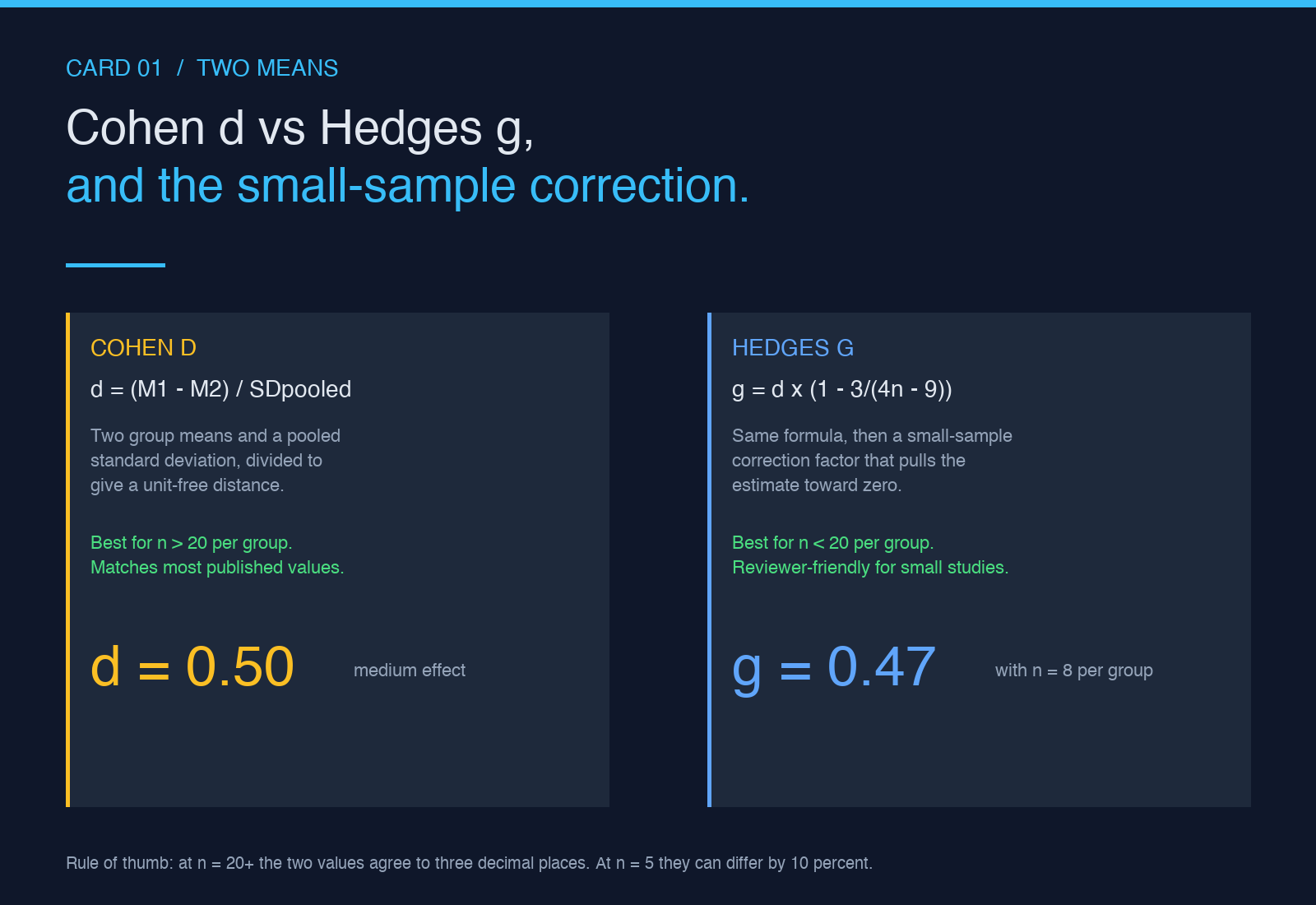
Cohen d and Hedges g look almost identical. Both take two means and two standard deviations and produce a single number that says how far apart the groups are, measured in pooled standard deviation units. The difference is a small-sample correction that Hedges added in 1981. For samples larger than 20 per group the two values agree to three decimal places. For samples of 5 per group they can differ by 10 percent or more. The Effect Size Calculator exposes both options because the question is not which is right but which journal you are submitting to and what version of the formula the reviewer expects to see.
Three settings decide the output for the two-mean case: the effect type selector, the pooled standard deviation option, and the confidence interval toggle.
- Effect type: pick cohen-d for the unbiased-pooled estimate, hedges-g for small samples, proportion-h for two-proportion comparisons, correlation-r for bivariate data.
- Pooled standard deviation: by default the calculator uses the pooled SD across both groups. Some researchers prefer the larger of the two SDs to be conservative; the option lets you switch.
- Confidence interval: turn it on to get a 95 percent CI around the point estimate. Useful when the effect is the headline number and you want a sense of how stable it is.
Four effect sizes from one form
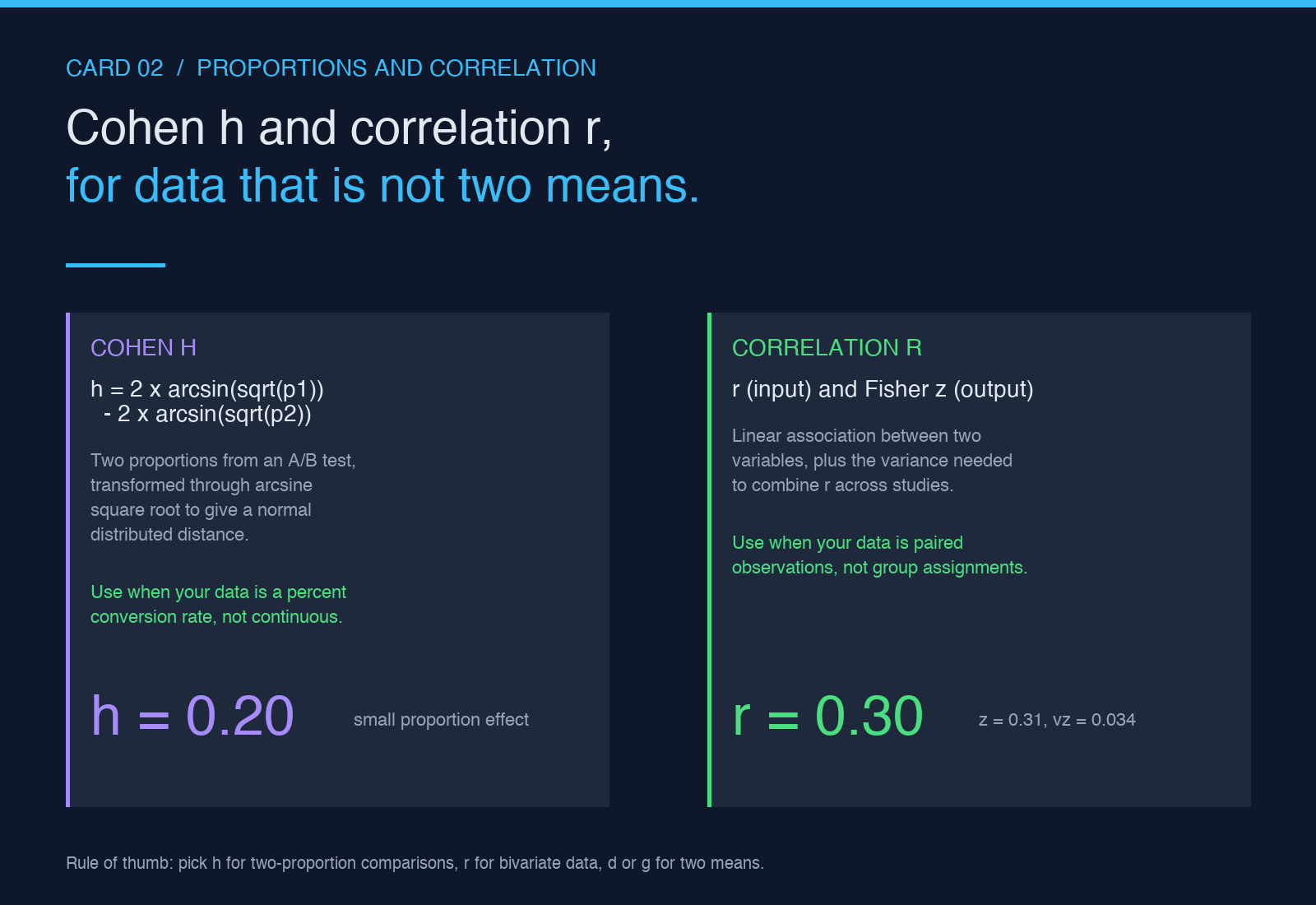
The single most useful feature is that the four effect types all live in the same form. You do not pick the calculator by guessing which effect size you want. You enter the summary statistics you have on hand, pick the effect type that matches the data you collected, and the output switches to the right formula. Two means and two SDs gives you d or g. Two proportions gives you h. One r gives you r (the input and output are the same magnitude, but the calculator adds Fisher z and the variance so you can run a meta-analysis on the back of it).
That matters because most teams do not know which effect size their data supports. They have a number that looks like an effect and they quote it. The calculator forces the right choice by making the inputs and the formula co-vary: the form hides inputs the effect type does not need, shows the inputs it does, and labels each one with the unit it expects.
What the calculator cannot tell you
Three things the Effect Size Calculator does not do, and three reasons it is still worth using. It does not tell you whether the effect is statistically significant, because significance is a function of effect size and sample size combined. It does not tell you whether the effect is practically important, because that depends on the cost of being wrong in your specific domain. It does not tell you whether the effect is causal, because correlation and group differences both have confounders that no formula can see.
What it does do, reliably and instantly, is turn the numbers you already have into the magnitude everyone is asking for. When the reviewer writes back asking for Cohen d, you do not open a spreadsheet. When the dashboard needs a 95 percent CI on the proportion difference between two segments, you do not reach for scipy. The calculator is the thin layer between the summary statistics and the magnitude your audience can interpret, and it is fast enough to live in the same tab as your analysis.
For worked examples across all four effect types, the Effect Size samples page has live inputs and outputs you can replay. The samples cover a Cohen d of 0.5 with unequal sample sizes, a Hedges g with n of 8 per group, a Cohen h on two proportions from an A/B test, and a correlation r with Fisher z variance for a meta-analysis seed.
More conversion and analysis calculators live on the elysiatools.com tools index. The Effect Size Calculator pairs naturally with the Confidence Interval Calculator for the CI band, the Standard Deviation Calculator for the input SDs, and the Sample Size Calculator when you are designing the next study and want to know what effect size you will be able to detect.