You are planning a stargazing trip three weekends from now. You open a star-map app, point it at the sky, and the app answers a question you did not ask: what is up right now. The night you are actually going is not tonight. The latitude you are actually at may not be the latitude the app assumed. And the constellations that will greet you at 10 p.m. on the date that matters are not the ones the app is showing you at 6 p.m. on the date you opened it.
That gap between what is overhead right now and what will be overhead on the night I care about is the entire reason a date-driven constellation lookup exists. The Constellation Finder on Elysia Tools does one thing: given a calendar date and an option to include the zodiac sign, it tells you which constellations and which zodiac sign will be in the night sky on that date. No star-map navigation, no azimuth math, no augmented-reality viewfinder. A short, scannable list you can read on a phone while packing the car.
What changes when you ask about a different date
Most casual stargazers underestimate how much the night sky moves across a year. The constellations visible at 10 p.m. on a summer evening in the northern hemisphere look almost nothing like the constellations visible at 10 p.m. on a winter evening, and the difference is not subtle. Orion is a winter constellation. Scorpius is a summer constellation. The Big Dipper is visible year-round from mid-northern latitudes, but its position in the sky shifts roughly 30 degrees east every three months. If you are planning a trip in late August and you ask a star-map app “what is up tonight” in mid-February, the answer is wrong by six months of sky.
A date-driven lookup short-circuits that error. Pick the date you care about. Read the list. That is the entire workflow. The tool does the seasonal mapping for you, and the list you get is the list you will see when you step outside on that night, give or take a few degrees of horizon obstruction and an hour of star-rise timing.
The Two Settings That Decide What the Tool Returns
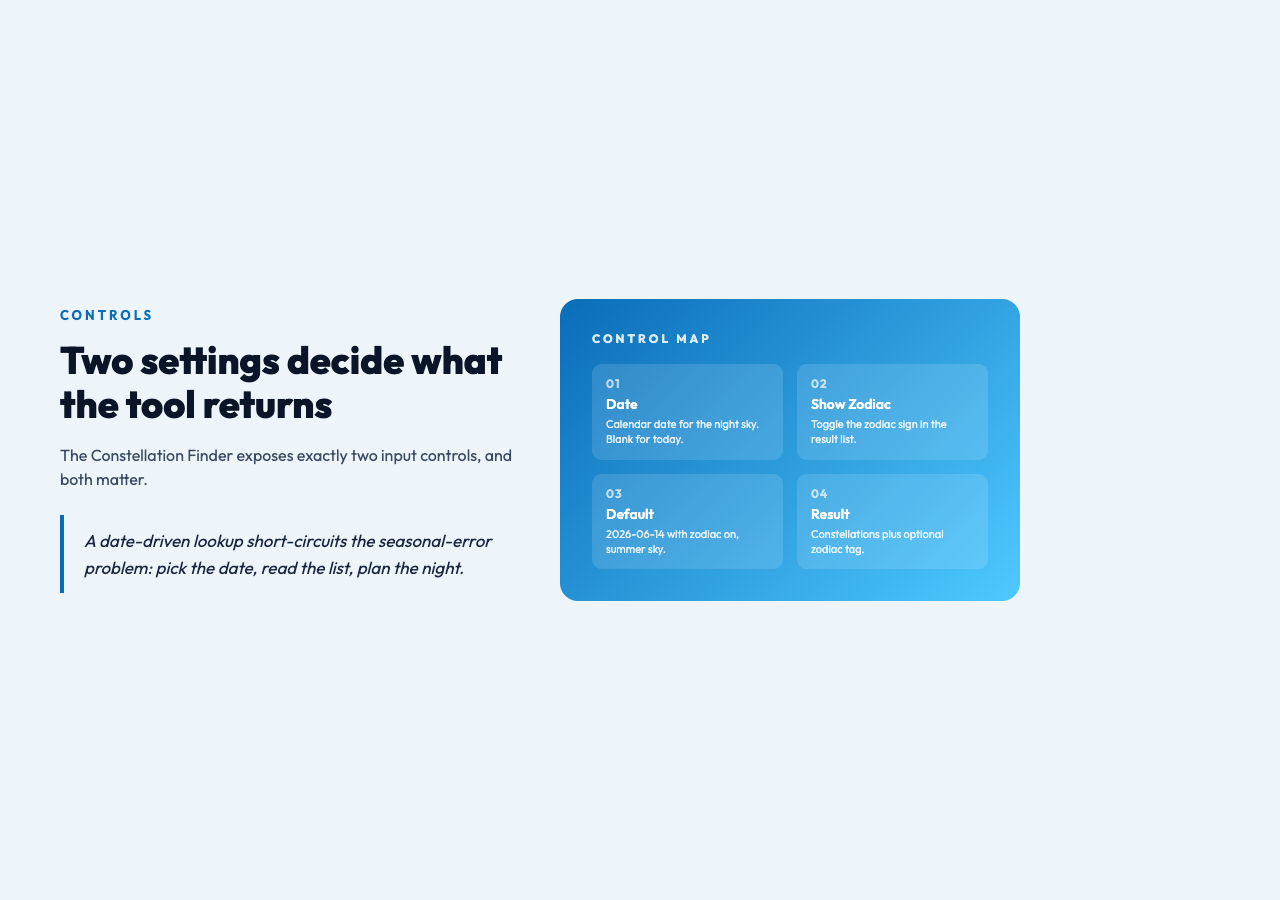
The Constellation Finder exposes exactly two input controls, and both matter.
- Date — the calendar date for which you want the sky. Leave it blank to default to today. The default in the published form is 2026-06-14, which is useful as a sanity check: it is summer, the zodiac toggle is on, and the result includes the seasonal constellations you would expect.
- Show Zodiac Sign — a checkbox, on by default. When enabled, the tool adds the zodiac sign that is currently in the night sky on your selected date. When off, the result is constellations only.
That second control is the one most people miss, and it is the one that actually does work. The zodiac constellations and the astronomical constellations overlap, but they are not the same list. Astronomical constellation lists include every named figure, including seasonal ones with no zodiac connection. The zodiac list is just the twelve constellations the sun passes through over the year, plus Ophiuchus, which most popular horoscope columns leave out. Toggling the option is the difference between “Orion and Taurus and Gemini” and “Pisces is in the sky right now and the sun is in Aries.” Both answers are correct, both are useful, and they answer different questions. Pick the one you actually want to know.
Why the Same Date Gives a Different Sky From Your Latitude
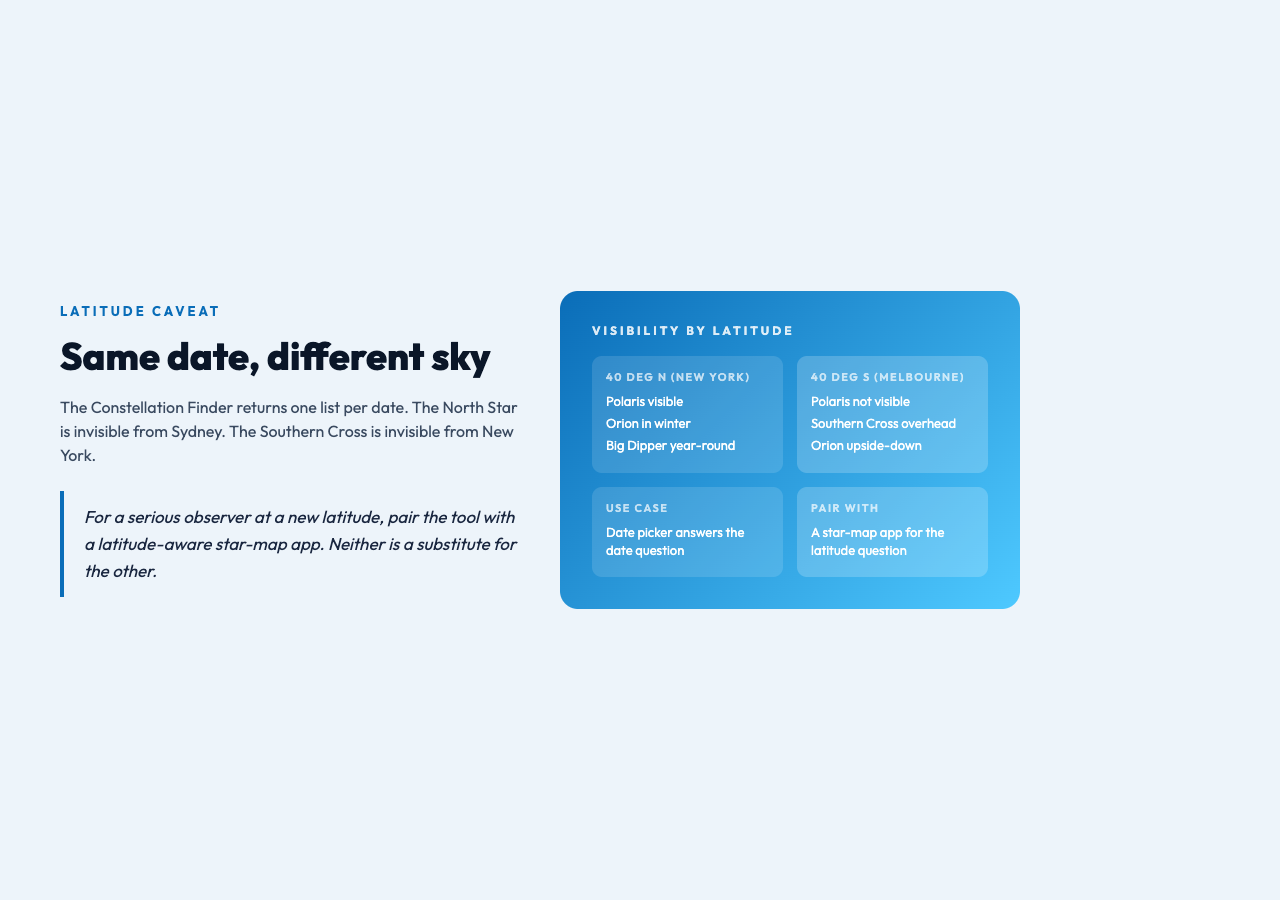
The Constellation Finder returns the same answer for a given date regardless of where you are in the world, which is both a feature and a limitation. The night sky at 40 degrees north on June 14 is not the night sky at 40 degrees south on June 14. The southern observer sees the southern celestial pole, and the constellations around it are entirely different from the ones a northern observer sees at the same date and time. The North Star is invisible from Sydney. The Southern Cross is invisible from New York.
For casual use, this limitation does not matter much. The constellations the tool returns are the ones that are overhead for the majority of the populated world, and most casual stargazers are in the temperate northern hemisphere anyway. For a serious observer planning a trip to a new latitude, the right move is to pair the tool with a latitude-aware star-map app, not to use either one alone. The Constellation Finder answers the date question. A separate tool answers the latitude question. Both are useful. Neither is a substitute for the other.
A Worked Example: Mid-March at 40 Degrees North
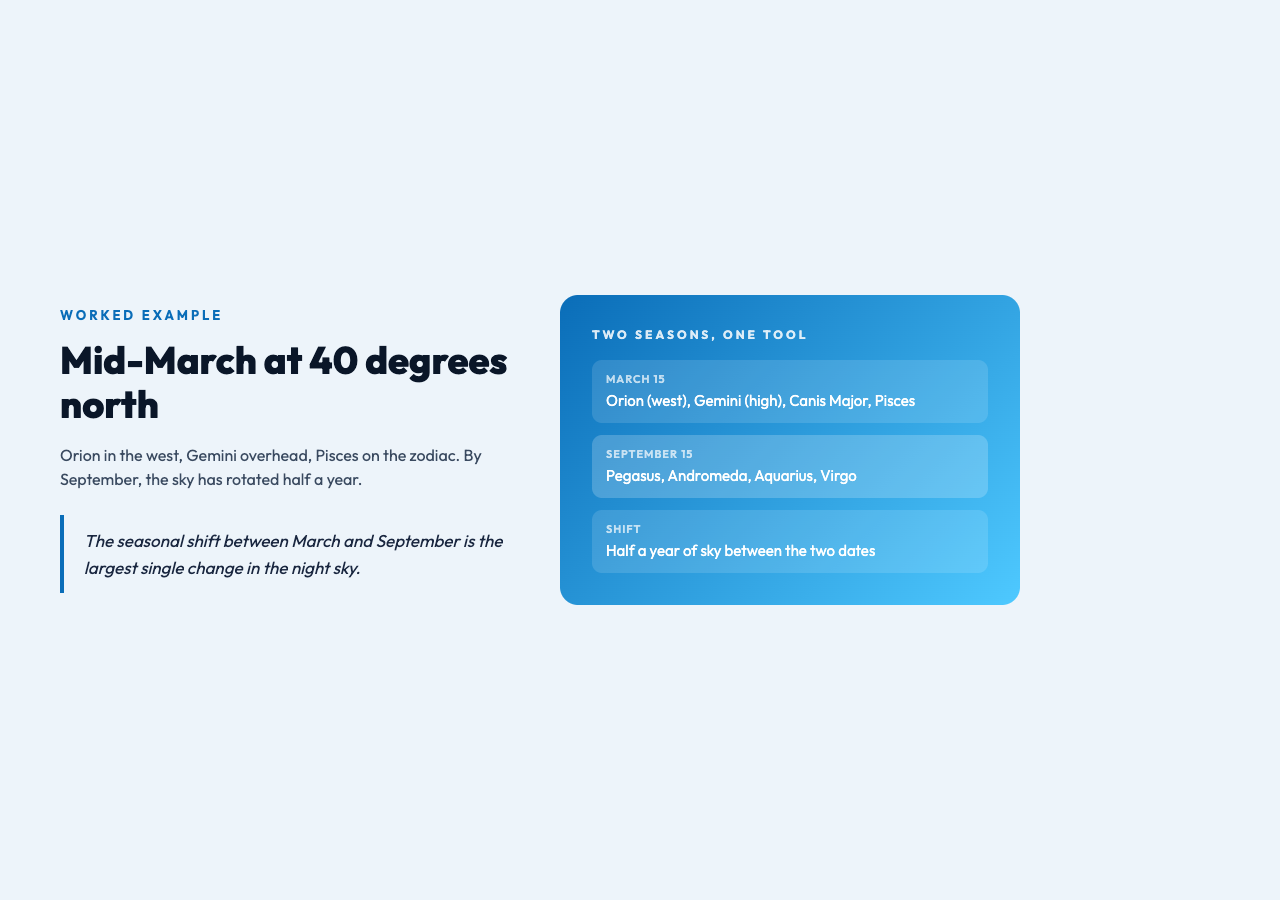
To make this concrete, take a date in mid-March and ask the Constellation Finder what is up. With the zodiac toggle on, the result is a list that includes Orion (still visible in the west after sunset in mid-March), Gemini (high in the sky at 10 p.m.), Canis Major (low on the western horizon), and the zodiac sign Pisces (the sun is on the cusp of leaving Pisces and entering Aries around the equinox). With the zodiac toggle off, Pisces drops out of the result and the other three remain.
Now ask the same question for mid-September. Orion is gone. Gemini is in the daytime sky. The dominant constellations are now Pegasus, Andromeda, and Aquarius. The zodiac sign is Virgo. The seasonal shift between March and September is the largest single change in the night sky, and the Constellation Finder makes that shift trivial to inspect: change the date, read the new list, notice what is gone and what is new.
Pairing it with the rest of the elysia-tools astronomy set
The Constellation Finder is most useful when you treat it as one node in a small astronomy workflow rather than a stand-alone answer. A typical use is to start with the Constellation Finder to see what is overhead on a target date, then check the Moon Phase Calculator to see whether the moon will wash out the dim constellations on the same date. A full moon on the night of your trip means a dim sky. A new moon means a dark sky and a much better view of the fainter seasonal constellations. The two tools together answer the practical question: which date this month should I actually go outside.
From there, the Daylight Calculator tells you when astronomical twilight ends, which is the moment the dim constellations become visible. The Meteor Shower Predictor tells you whether a named shower is peaking on the same date. None of these tools is complicated on its own. The combination is what turns a guess at “what should I look at tonight” into a planned observation session with a specific target list, a specific start time, and a moon-brightness caveat you can read on a single screen.
Explore more astronomy tools at elysiatools.com.
The Constellation Finder does not replace a star map, and it is not trying to. What it does is answer the single question that most casual stargazers actually need to ask: what is in the sky on the date I am planning for, and is the zodiac sign I was born under anywhere near visible. Once you have that answer, the rest of the night-sky decision — which direction to face, when to start, whether the moon will cooperate — falls out of the other tools in the set. The question is no longer “what is up right now.” The question is “what will be up on the night I actually go.” The Constellation Finder is built for the second question. Use it before you pack the car, not after.