Every product has a story buried inside it. The version that ran on the founder’s laptop at 2 a.m. The licensing deal that almost fell through. The database migration that took the team six weekends. The customer service call that rewrote a year of roadmap. Most of that story never makes it to the marketing site, the press kit, or the on-stage keynote. It lives in Slack threads, in Notion retros, in the heads of the people who were actually there.
An AI behind story generator is a tool that tries to pull that buried layer back up to the surface. You give it a product name, a service, or a technology. It walks you through the development journey, the technical architecture, the business model, and the human moments behind the thing. The result is a structured narrative that can be used for content marketing, internal onboarding decks, due diligence briefings, or the back page of a pitch deck. The output is only as useful as the choices you make before you press generate. And there are nine of those choices, sitting in dropdowns and checkboxes, that quietly decide whether you get a marketing pamphlet, an engineering post-mortem, or something that actually reads like the people who built it sat down and told you about it.
How storyType quietly picks the lens before anything is written
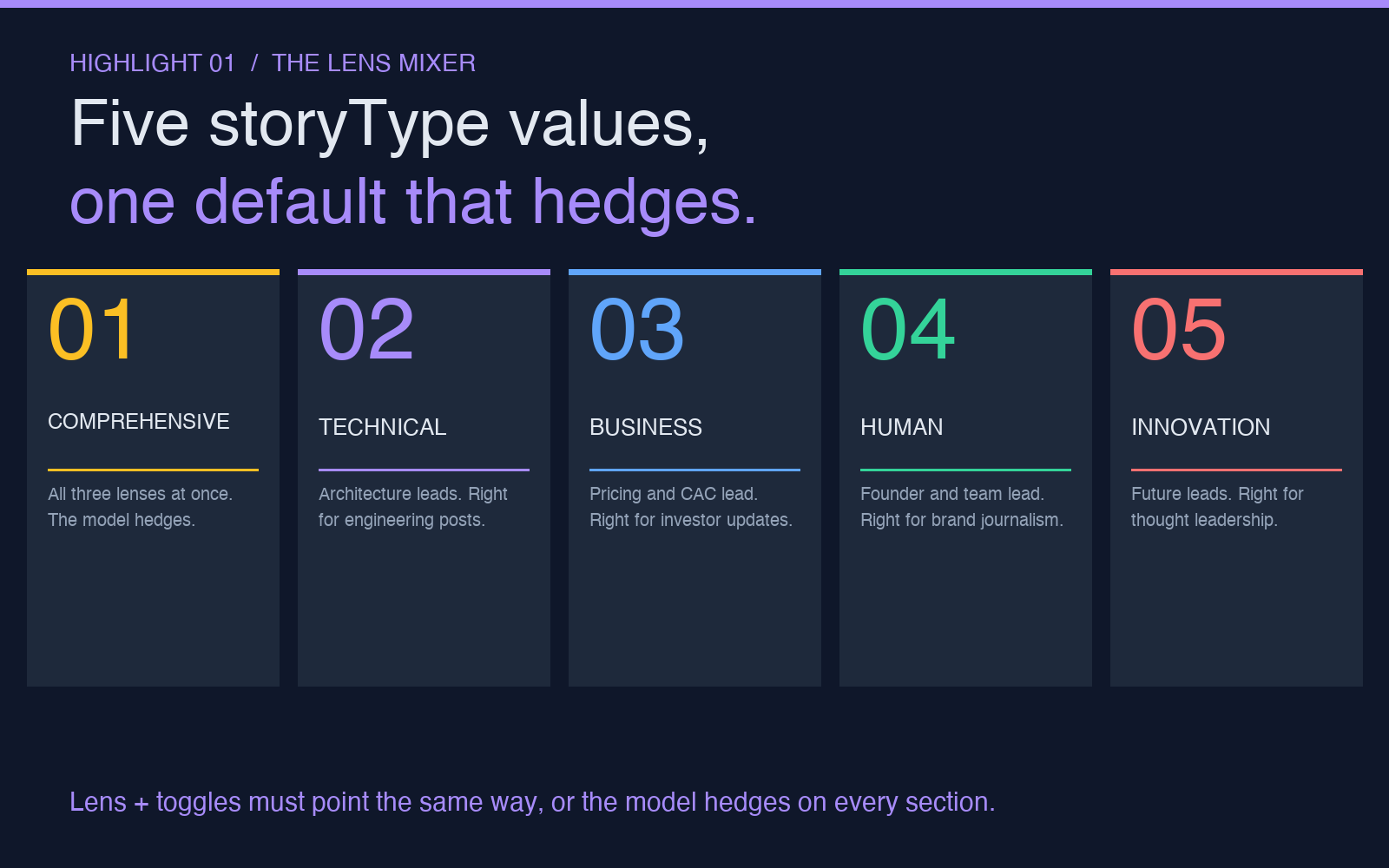
The most important option in the whole tool is the one most people scroll past. It is called storyType, and it asks a single question: which lens do you want the narrative written through. The default is usually something called comprehensive, which sounds like the safe option. It is not safe. Comprehensive means the model has to balance technical depth, business context, and human narrative inside one output. The model hedges. Every section becomes a half-sentence about each lens and a half-sentence about the others. You end up with a story that mentions the architecture, the pricing strategy, and the founder’s coffee shop where the idea was sketched, but never goes deep enough on any of them to be useful.
The four other values for storyType are where the real content lives. Technical gives you an architecture-first narrative, which means the story opens with the infrastructure decisions, the language choices, the database trade-offs, and the scaling challenges. It is the right lens for engineering blog posts, conference talks aimed at senior developers, and documentation that doubles as a case study. Business gives you a revenue-first narrative. The story opens with the pricing problem, the customer acquisition cost, the unit economics, and the competitive moat. It is the right lens for investor updates, sales decks, and competitive analysis briefs.
Human gives you a people-first narrative. The story opens with a specific person at a specific moment, and the technology and the business are framed through what that person decided, lost, or learned. It is the right lens for brand journalism, podcast companion pieces, and the kind of long-form piece that ends up on Medium or Substack. Innovation gives you a future-first narrative, which is riskier but useful when you are writing thought leadership. The story opens with where the product is going and works backward to the present. When you know which lens you want, you know what to delete from the prompt and what to keep. If you want a real engineering post, drop the human angle from your include toggles. If you want a brand journalism piece, drop the technical architecture deep-dive. The lens and the toggles need to point the same way, or the model hedges.
The two toggles most people leave on, and the one that hurts
Below the storyType dropdown are three checkboxes that look like they are just additive options. They are not. They are subtractive gates. includeTechnical, includeBusiness, and includeHuman each let you carve out a section of the output. The default is all three on. With all three on, the model has permission to spend tokens on each lens, and it usually does, which is why default outputs read like committee-written briefs.
The two toggles most people leave on by accident are includeBusiness and includeHuman. includeBusiness forces the model to spend paragraphs on the pricing model and the competitive positioning. If you are writing an engineering post, those paragraphs are noise. The reader does not care about your CAC. Turn includeBusiness off and the model frees up the context window to go deeper on the architecture. includeHuman forces the model to spend paragraphs on the team story, the founder’s background, the office culture. If you are writing for a developer audience, the team story is filler. Turn it off.
The toggle that hurts is includeTechnical when you are writing for a non-technical audience. Technical narratives include database schema decisions, build versus buy trade-offs, and language runtime choices. Non-technical readers bounce on the first paragraph. The trick is that toggling includeTechnical off does not mean the model writes a marketing pamphlet. It means the model distributes the same technical details as background context, embedded inside the business or human lens, so a reader who does not care about PostgreSQL reads past the paragraph and a reader who does still gets the information. This is what the model is doing when storyType is set to comprehensive and all three toggles are off. The architecture becomes atmosphere, not architecture.
A useful sanity check after generation: read the output and count which lens dominates. If you set storyType to technical but the resulting narrative spends more paragraphs on pricing than on the database, the toggles overrode the lens. Go back, turn off includeBusiness, regenerate, and the architecture will lead. The dropdown and the toggles are not redundant. They are two dials on the same mixer.
Why output language and detail level interact in ways the dropdowns do not show
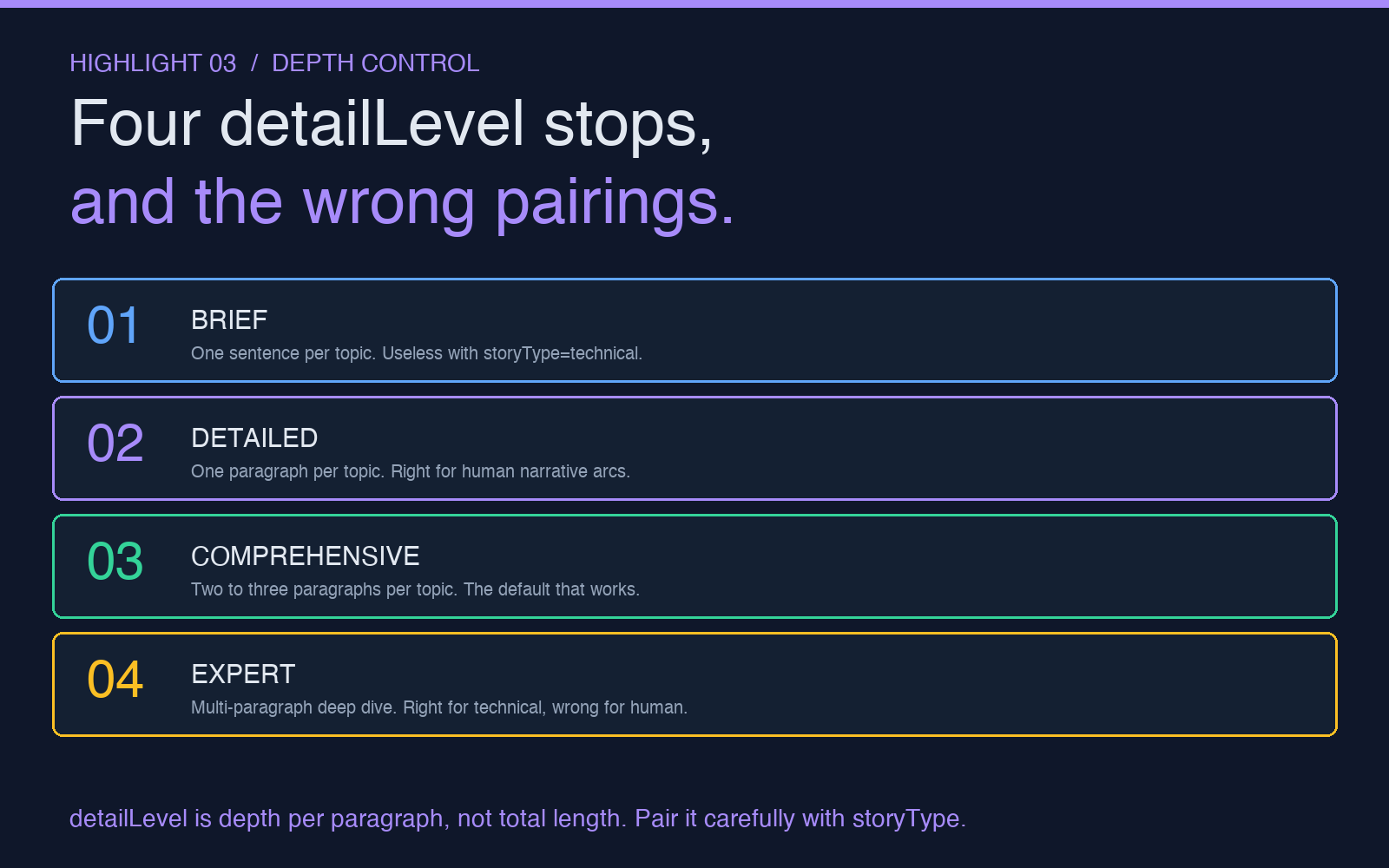
detailLevel is a four-stop dropdown, and most people treat it as a length control. It is not a length control. It is a depth-per-paragraph control. brief means each topic gets one sentence. detailed means each topic gets a paragraph. comprehensive means each topic gets two to three paragraphs. expert means each topic gets a multi-paragraph deep dive with embedded examples. The total output length scales, but what changes more is the density of evidence inside each section.
The interaction between detailLevel and storyType is where most people get the wrong output. If you set storyType to technical and detailLevel to brief, you get a four-paragraph architecture overview with no actual architecture in it. The model hedges again. If you set storyType to technical and detailLevel to expert, you get a 1,500-word engineering post that opens with the database choice and ends with the monitoring stack. The same pattern repeats for every lens. brief plus technical is useless. expert plus human is also usually too much. The human story wants room for subtext, and expert mode over-explains. The right pairing for human is detailed or comprehensive.
The output language dropdown is the one most people ignore, because their default is fine. But the model behaves differently in different languages. The English output tends to be more structured, with clearer section transitions. The Chinese output tends to favor shorter sentences and more cultural framing. The Spanish output tends to favor longer narrative arcs. If you are translating the same story for multiple markets, do not just translate the English output. Regenerate it in each target language. The prompt and the lens will produce a different shape in each language, and that shape is closer to what a native reader expects.
The other option that lives next to language is timeframe. It asks whether you want the origin story, the development journey, the current state, the future outlook, or the complete arc. Most people leave it on complete. For most purposes, complete is correct. But if you are writing a product launch press release, you want current. If you are writing an investor memo, you want complete plus a future section. The model treats future as a separate lens from the rest of the output, so a complete story with future will spend the last 20 percent of the output on a forward-looking section. A complete story without future spends the last 20 percent on the present state. The shape of the ending changes.
The focusArea dropdown is the one nobody reads
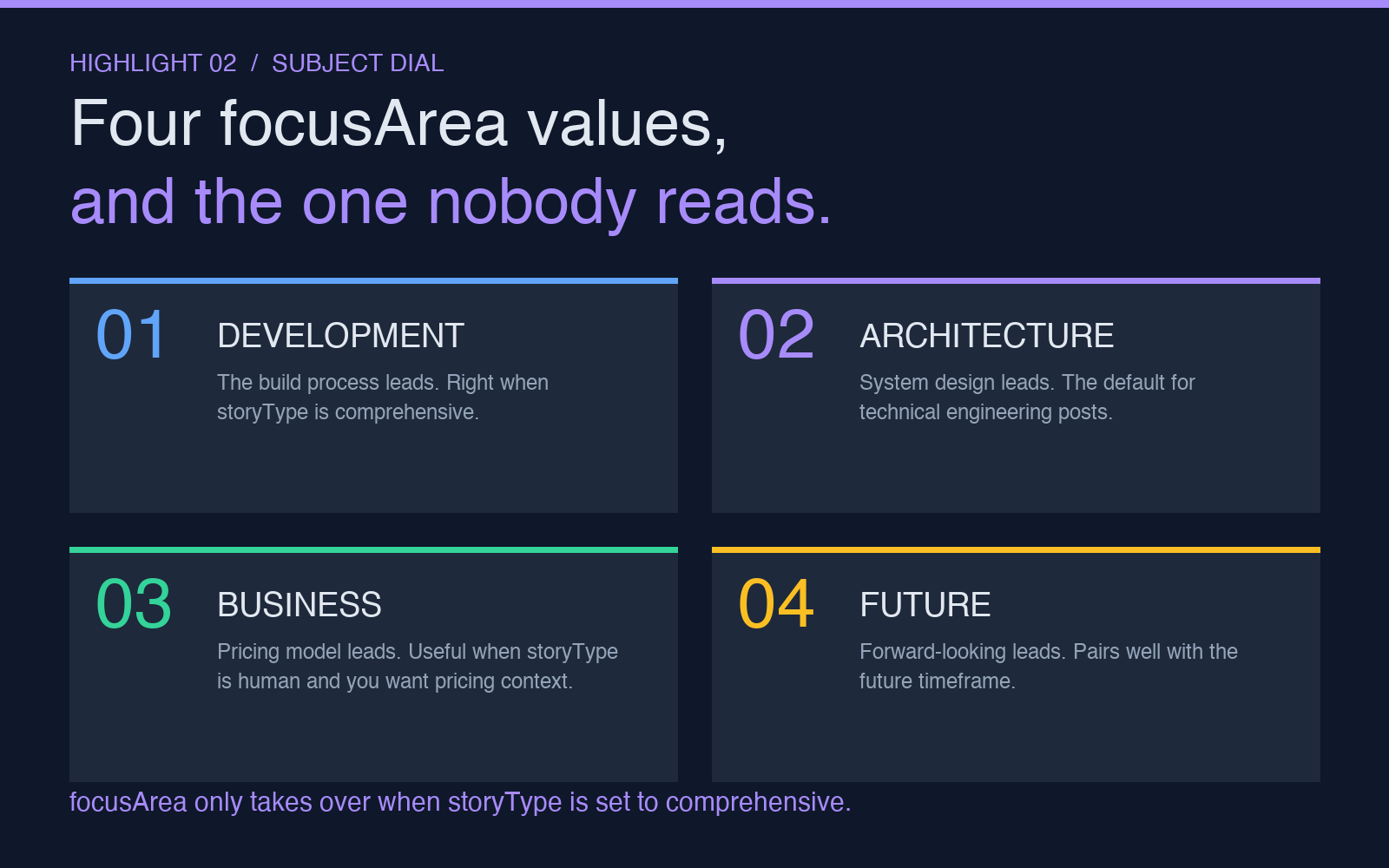
Below storyType there is a second dropdown that most people ignore, called focusArea. It looks like a duplicate of storyType, but it is not. storyType is the lens. focusArea is the subject. development makes the architecture story lead with the build process. architecture makes the same story lead with the system design. business makes it lead with the pricing model. impact makes it lead with the social effect. future makes it lead with where the product is going. The same storyType value, paired with a different focusArea value, produces a different opening paragraph and a different closing paragraph. The middle stays roughly the same.
A common mistake is to set focusArea to business because the audience is executive. But if storyType is set to human, the focusArea is overridden by the lens. The output will lead with the founder’s story, not the pricing story, regardless of what focusArea is set to. focusArea only takes over when storyType is set to comprehensive. In every other mode, storyType wins. This is one of those tool quirks where reading the tooltip saves a regeneration cycle.
What the output looks like when the nine options are tuned correctly
When the options point the same way, the output reads like a coherent piece of writing. A storyType of technical, a focusArea of architecture, a detailLevel of comprehensive, includeBusiness off, includeHuman on, includeTechnical on, timeframe complete, language English, produces an engineering post that opens with the database choice, walks through the build versus buy trade-offs, ends with the founder’s perspective on the rollout, and closes with a forward-looking section. The lens, the subject, the depth, the toggles, the timeframe, and the language are all aligned. The model does not hedge because the constraints narrow the space.
When the options contradict each other, the output reads like a committee wrote it. A storyType of technical with a focusArea of impact and an includeHuman on and an includeBusiness on and a timeframe of origin produces five paragraphs that touch every lens and commit to none. The model is trying to be an architecture story and a social impact story and a founder story and a pricing story all in one output. The reader finishes the piece without remembering which lens they read through.
The tool is at its best when you use it as a structured generator, not a free-form one. Pick the lens. Pick the subject. Pick the depth. Pick which sections to carve out. The output you get is the output the constraints asked for. If you do not like the output, the fix is rarely to regenerate. The fix is to change one of the nine options and regenerate. The regenerations are cheap. The post you actually publish will be the one you tuned, not the one the defaults gave you.
If you want to see how the same tool handles a different lens, the AI Behind Story Generator lets you switch the storyType and run a fresh generation in a few seconds. The output is structured, the toggles are exposed, and the language selector covers ten common markets. You can compare the same product written through five different lenses in a single sitting.
What to take away
An AI behind story generator is a structured writing tool, not a magic button. The nine options are not flavor settings. They are constraints that determine the shape of the narrative. The lens and the toggles must point the same way. The depth and the lens must pair correctly. The language should be regenerated, not translated, for each market. The focusArea only takes over when storyType is comprehensive. When the constraints are aligned, the model produces a coherent piece. When they are not, the model hedges.
The story buried in every product is real. The tool just decides whether it surfaces as a marketing pamphlet, an engineering post-mortem, a brand journalism piece, or something in between. The nine options are how you pick which one. Treat them as a mixer, not a checklist, and the output will read like a story instead of a brief. For a quick walkthrough of the dropdowns, the Elysia Tools behind-the-scenes tool loads with the defaults applied and lets you change each option in isolation, so you can see the effect of one toggle before you commit to a full generation. More long-form writing tools and structured generators live on the Elysia Tools directory.