A UUID looks simple. Thirty-six characters, four hyphens, eight-four-four-twelve-four pattern. Paste it into your code, generate an ID, move on. But the moment your system starts depending on those identifiers to mean something specific — a specific time, a specific machine, a specific RFC 4122 version — the simple shape stops being enough. A UUID validator isn’t a string-format checker. It is a five-question auditor. The questions run in order, and skipping any one of them turns your UUID from an identifier into a guess.
These are the five checks that, together, decide whether the string in your database column is actually the kind of UUID you think it is. The first three are about the format itself. The last two are about the version digit and the strictness of your match. Skip any of them and your validator answers the wrong question: it tells you the string is shaped like a UUID, not that it is one.
The 36 characters are not the format
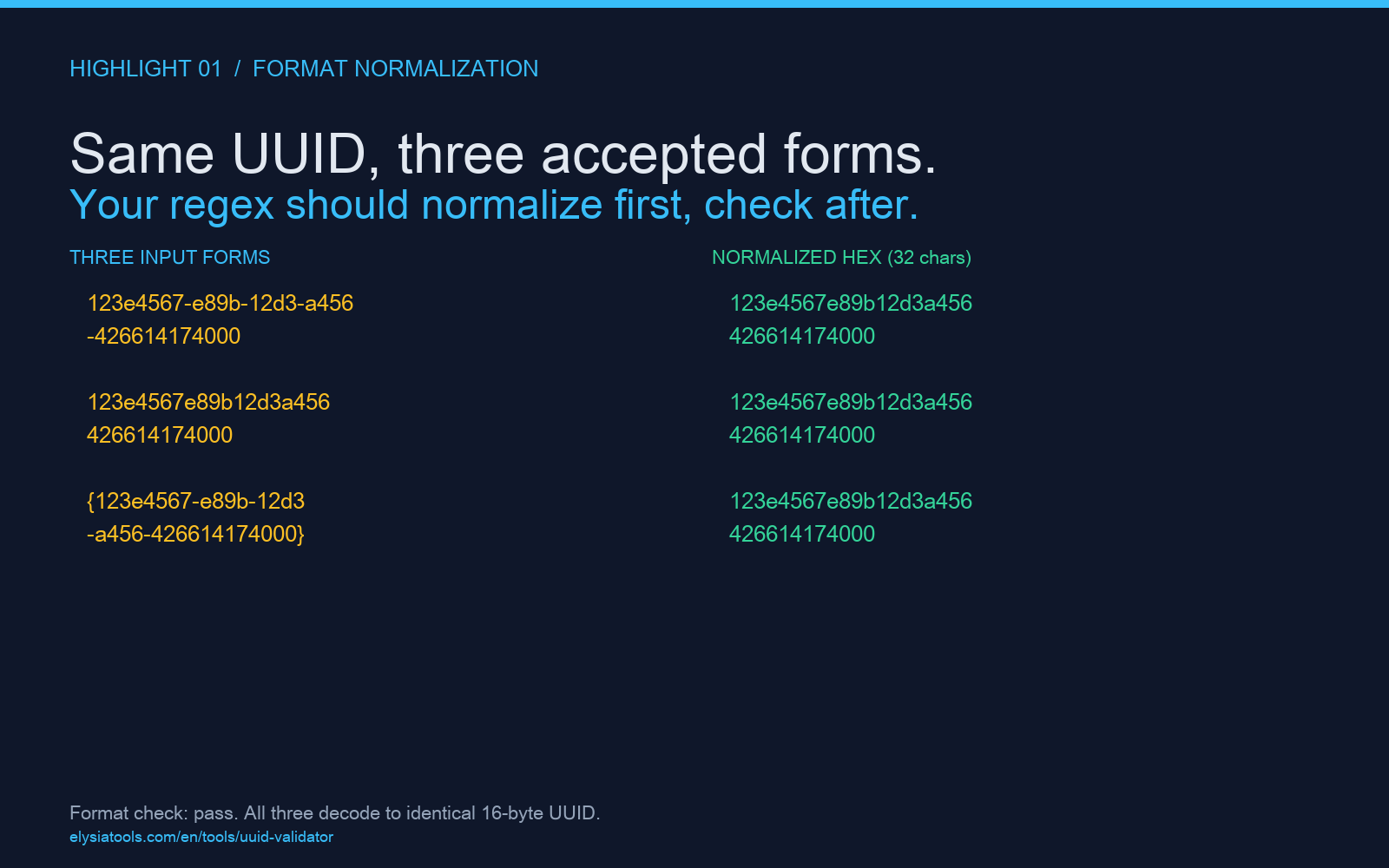
What most people call the UUID format is actually a text representation. The 36-character string with hyphens at positions 8, 13, 18, 23 is one of three accepted forms. RFC 4122 also allows the 32-character hex form without hyphens, and the 38-character form with curly braces around the 36-character version. If your regex only accepts the hyphenated form, you reject perfectly valid UUIDs in canonical hex form. If your regex is too loose, you accept strings that have the right character count but the wrong shape. Try the validator with the same identifier in three forms — you should see all three accepted, with the underlying hex bytes recognized as identical.
This is where the first false negative hides. Your UUID generator emits hex-only by default; your database stores it with hyphens; your regex anchors to one form; an external system sends the other form. Both systems work, but the seam between them is where IDs get rejected as malformed. The fix isn’t to standardize the form. The fix is to make the validator normalize first and check after. The character count, the hyphen positions, and the hex-only constraint each get evaluated independently, with normalization to one canonical form before version analysis.
The version digit sits at position 14
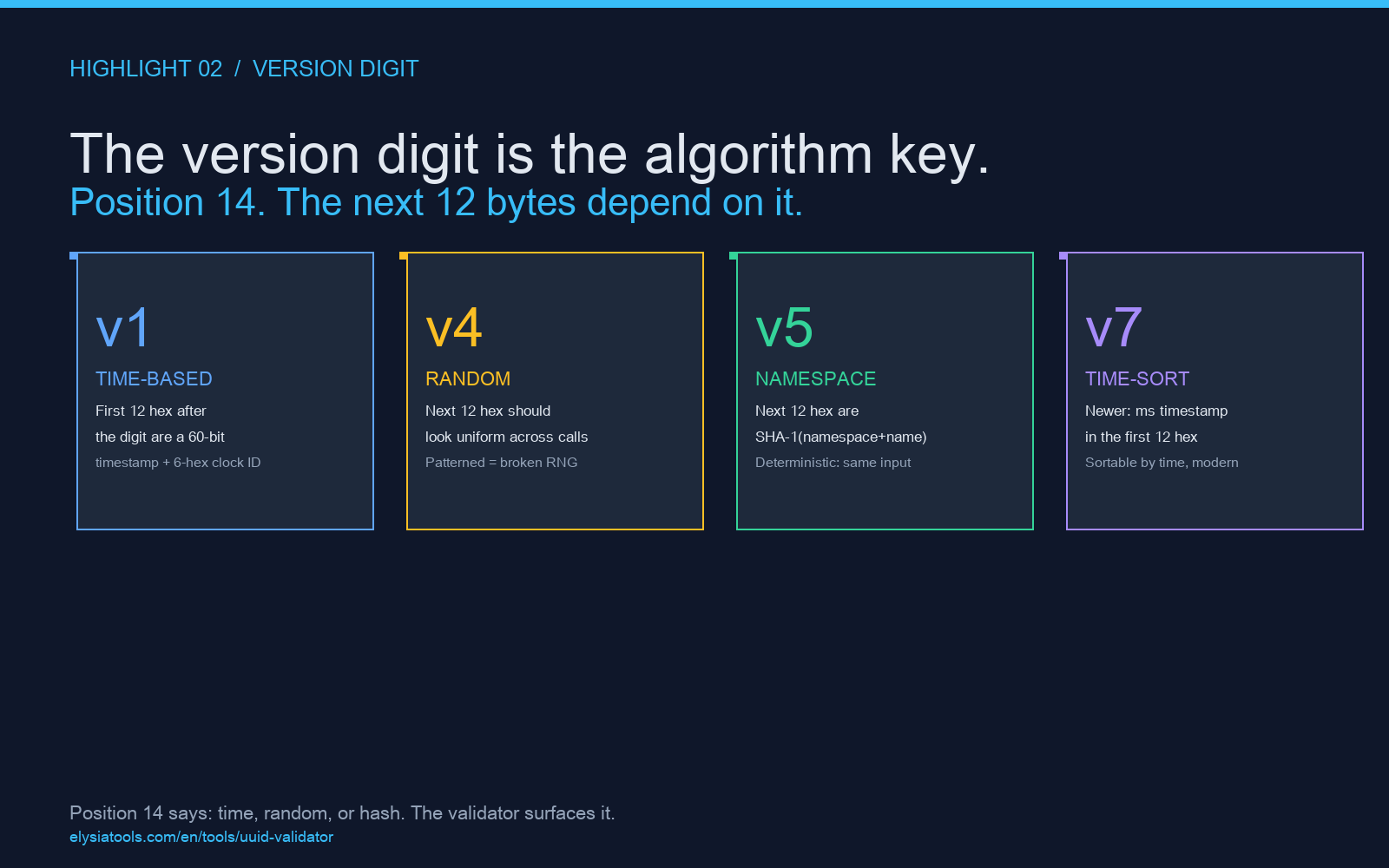
After the first hyphen, the very next character is the version. It is one of 1 through 8 in current RFC 4122, and it tells you which algorithm produced this UUID. Version 1 is time-based and embeds a timestamp in the next 12 hex characters. Version 4 is random and the version digit is followed by 12 random hex. Version 5 is namespace-based and the version digit is followed by a SHA-1 hash. The version digit isn’t metadata — it is the key that tells you which decoding to apply. A UUID validator that returns “valid” without surfacing the version has done half its job at best.
More importantly, the version digit must be exactly what the algorithm dictates. A version 4 UUID generated by a broken random source can have a version digit of 4 but the rest of the string not look random at all. Conversely, a version 1 UUID with a tampered timestamp still parses, but the time it claims to encode points at a moment that didn’t happen. The validator’s version report tells you what digit is there and what structure should follow it. Mismatches between the version digit and the surrounding bytes are the kind of bug that takes three months to find and one afternoon to fix once you know what to look for.
The variant bits live in positions 17 through 20
Most people stop reading after the version. The next 2 bits, immediately after the second hyphen, encode the variant. RFC 4122 reserves 10xx for standard variant, but other documents define other variants. Microsoft COM uses a different variant. The GUID format used in Windows is RFC 4122 with a different variant bit pattern. If your system needs to interoperate with a non-RFC variant, the variant bits are how you tell them apart. A validator that only checks the version digit but ignores the variant can accept a Microsoft COM GUID as an RFC 4122 UUID. The strings look identical. The semantic meaning is not.
For most use cases, the variant check is a sanity gate. The 10xx pattern appears in roughly 99% of the UUIDs you will encounter. When it does not, you have either a non-standard variant (legitimate, document the source) or a corrupted identifier (debug the input). Either way, the variant bits are the cheapest way to tell. A validator that surfaces them as a separate field — not just “valid” or “invalid” — gives you a four-way decision in one pass: standard, Microsoft, reserved, or unknown.
Strict mode catches what lenient mode hides
This is where most homegrown validators fall down. Lenient mode accepts a UUID, normalizes case, and returns a green check. Strict mode runs the same five checks but adds a sixth: it verifies that the version digit is the one the input claims, that the variant bits match the documented pattern, and that the time-encoded fields in a version 1 or version 2 UUID are internally consistent. Switching the validator to strict mode is the difference between a string linter and an identity auditor. The first one is a regex. The second one is a real check.
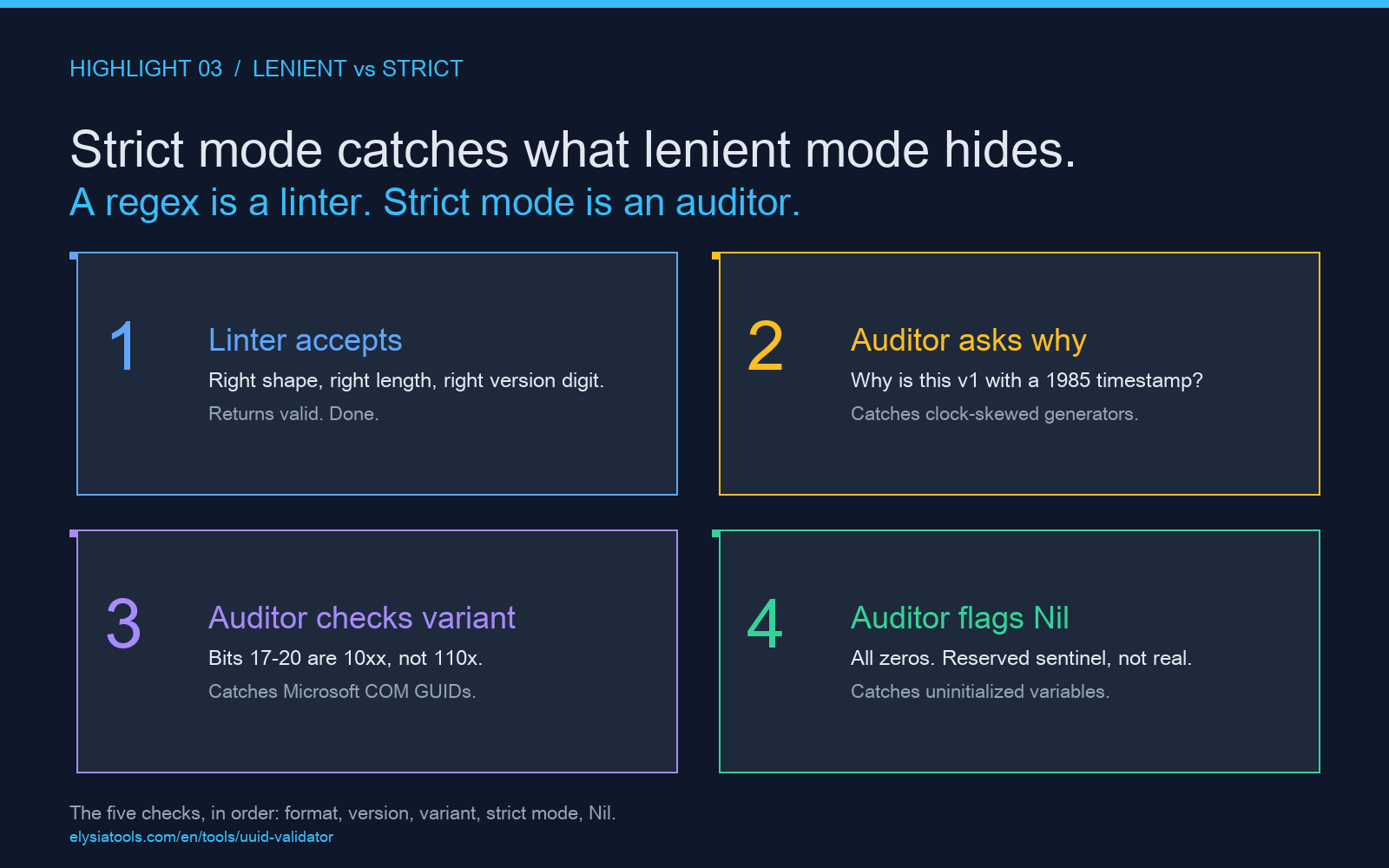
The reason strict mode matters is the same reason your database needs a CHECK constraint, not just a type. A type says the value fits the column. A constraint says the value fits the meaning. UUIDs generated by a broken random source are valid hex strings of the right length with the right version digit — until you check the entropy. UUIDs from a clock-skewed machine claim a timestamp the system clock never produced. Lenient mode accepts all of them. Strict mode is the gate that says “this is shaped like a UUID, but it is not the kind of UUID I want in this column.” That gate is what you actually wanted from the start.
The Nil UUID is the only UUID that should fail every check
The Nil UUID is all zeros: 00000000-0000-0000-0000-000000000000. Every position is 0, the version digit is 0, the variant bits are 00. It is technically a valid UUID by the RFC, and it is a reserved sentinel meaning “no identifier.” A validator that returns “valid” on the Nil UUID without flagging it as a sentinel has done you a disservice. The Nil UUID is the bug magnet: a default value that got persisted instead of an error, an uninitialized variable, a test fixture that leaked into production. A validator that explicitly rejects the Nil UUID (or flags it for review) catches the kind of mistake that takes a year of audit logs to track down.
The check for the Nil UUID is trivial — a single string comparison. But its value is in the negative space it carves out. When your validator says “this is a valid UUID and it is not the Nil UUID,” you have eliminated an entire class of bugs at parse time. When it does not, you are relying on application-layer code that might not exist in every consumer of the identifier. Push the Nil check into the validator. Treat it as the null safety for the identifier type, the same way you would not let a NULL slip through a non-null column.
The five checks, together
A UUID validator that only checks the 36-character format is a linter. A UUID validator that runs the five checks — format normalization, version digit, variant bits, strict mode, Nil UUID detection — is an auditor. The difference shows up the first time you debug a duplicate ID, a clock-skewed timestamp, a Microsoft COM GUID in a Postgres column, or a Nil UUID that should have been a 400. The linter returns green on all of them. The auditor tells you which one is actually wrong.
The recipe is to run the checks in order. Format first, because a malformed string is faster to reject than to analyze. Version second, because the version tells you what decoding to apply. Variant third, because the variant is the gate between RFC 4122 and other systems. Strict mode fourth, because lenient mode accepts what strict mode rejects. Nil UUID last, because the Nil UUID is a valid format that means something specific that you almost never want. Try the validator with a real UUID from your database — paste in the actual string, not a synthetic example, and look at which fields light up. The answer is usually one of the five checks, not a different bug entirely.
Explore more tools at elysiatools.com.