Every HTTPS handshake ends with the server sending a small bundle of HTTP response headers. Those 6 to 12 lines decide whether a browser isolates your origin from other tabs, whether cookies can be stolen from a cross-site request, whether a script injected into a comment field can exfiltrate session data, and whether a downgrade attack can peel your site back to HTTP. Yet most production sites ship with the same eight default headers Nginx or Apache hands out, plus whatever the framework author copy-pasted three years ago. The OWASP Secure Headers Project publishes the canonical set, but “OWASP says so” is a stronger argument than “I read it once.” A grade from A+ down to F turns that argument into something a security review can sign off on.
The Security Headers Checker audits those lines for you. You paste raw response headers from curl -I, the DevTools Network tab, or a CI artifact, and it grades you against the OWASP set with value-level checks — not just “is HSTS present” but “is max-age at least 31536000, does it include subdomains, and is preload enabled.” It never makes a network request, so it works for sites behind auth, internal staging URLs, or examples pulled from a documentation draft.
What a “good” response-header posture actually looks like
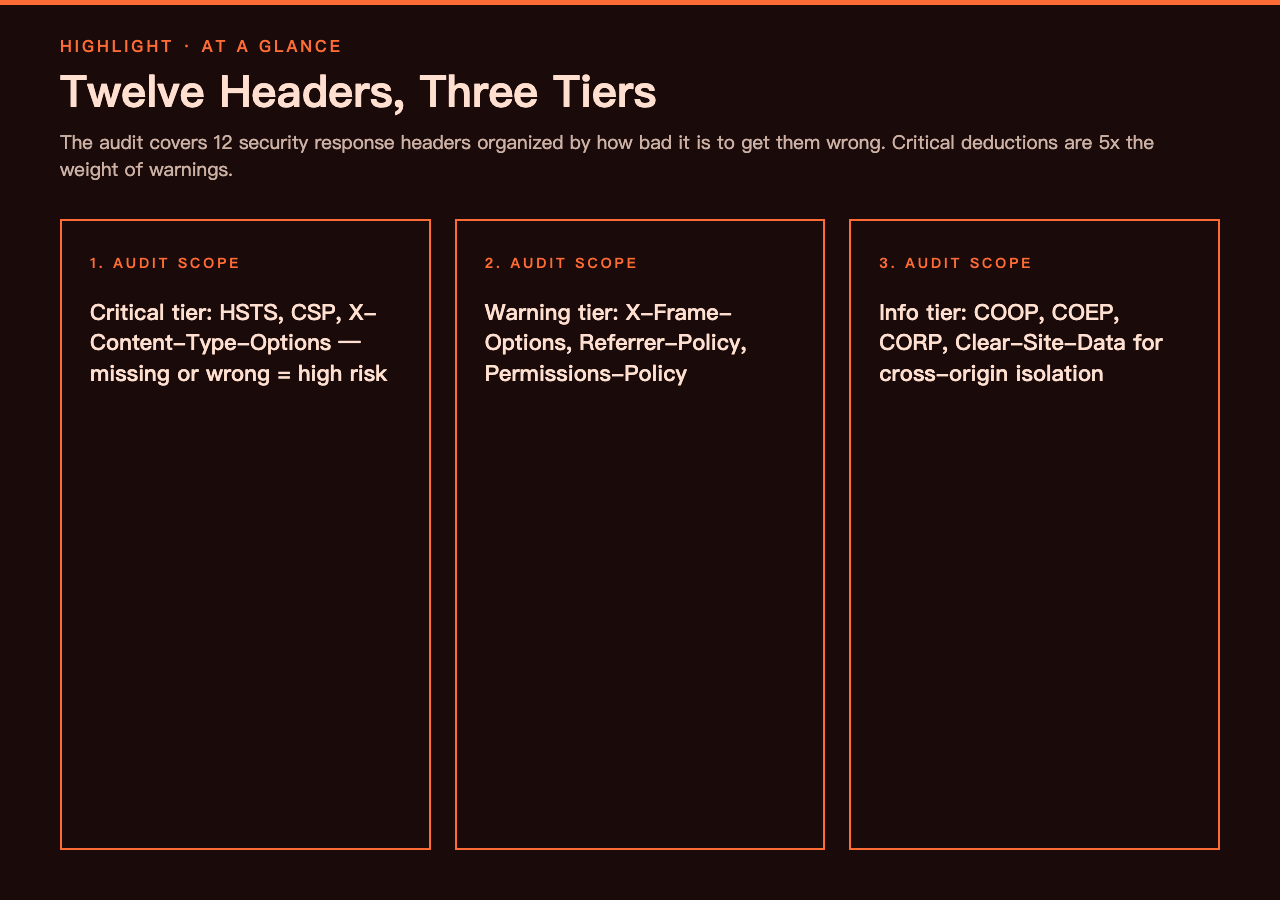
There is a misconception that shipping HSTS and CSP covers the bases. HSTS is one header. CSP is a header whose syntax is so flexible that you can ship one that “looks reasonable” while being functionally permissive — and a permissive CSP is worse than no CSP at all, because it gives you a checkbox without the protection. The grade reflects three tiers of header, weighted by the risk of getting them wrong.
Critical headers are missing-or-wrong-as-high-risk. Three belong in this tier:
- Strict-Transport-Security with
max-ageof at least 31536000 seconds,includeSubDomains, and ideallypreload. A max-age of 3600 is functionally a placebo — the next browser session does not honour it. - Content-Security-Policy with a non-wildcard
default-src(orscript-src) and nounsafe-inline, nounsafe-eval. CSP that contains'unsafe-inline'because “we have inline scripts” is a CSP that does not block inline scripts. - X-Content-Type-Options: nosniff. Without it, older browsers and misconfigured proxies will MIME-sniff a JSON response as HTML, opening up a class of confused-deputy bugs that no one thinks about until a pentest report shows one.
Warning headers are recommended but not catastrophic. X-Frame-Options (or the CSP frame-ancestors directive that supersedes it) blocks clickjacking. Referrer-Policy stops your full URL — including query parameters that occasionally contain session tokens or PII — from leaking to third-party scripts. Permissions-Policy lets you turn off APIs like camera, microphone, geolocation, and USB on a per-origin basis, which is the difference between “the user denied the prompt” and “the page never asked.”
Info headers are bonus isolation hardening. Cross-Origin-Opener-Policy, Cross-Origin-Embedder-Policy, and Cross-Origin-Resource-Policy together let you load your site with crossOriginIsolated enabled — a prerequisite for SharedArrayBuffer and high-resolution timers. Clear-Site-Data on logout endpoints wipes cookies, storage, and cache for the next render. None of these are graded as critical, but each one is the kind of header a security auditor points to when they want to write “shows good awareness of modern threat models” instead of just “no critical findings.”
What the checker actually inspects
Twelve headers. Each one has a value-level test, not a boolean presence check. strict-transport-security: max-age=0 is present and gets the same grade as a missing header. content-security-policy: default-src * is present and parses cleanly but grants the same access as no CSP at all. The output for each header is the current value, what is wrong, and a copy-ready recommended replacement.
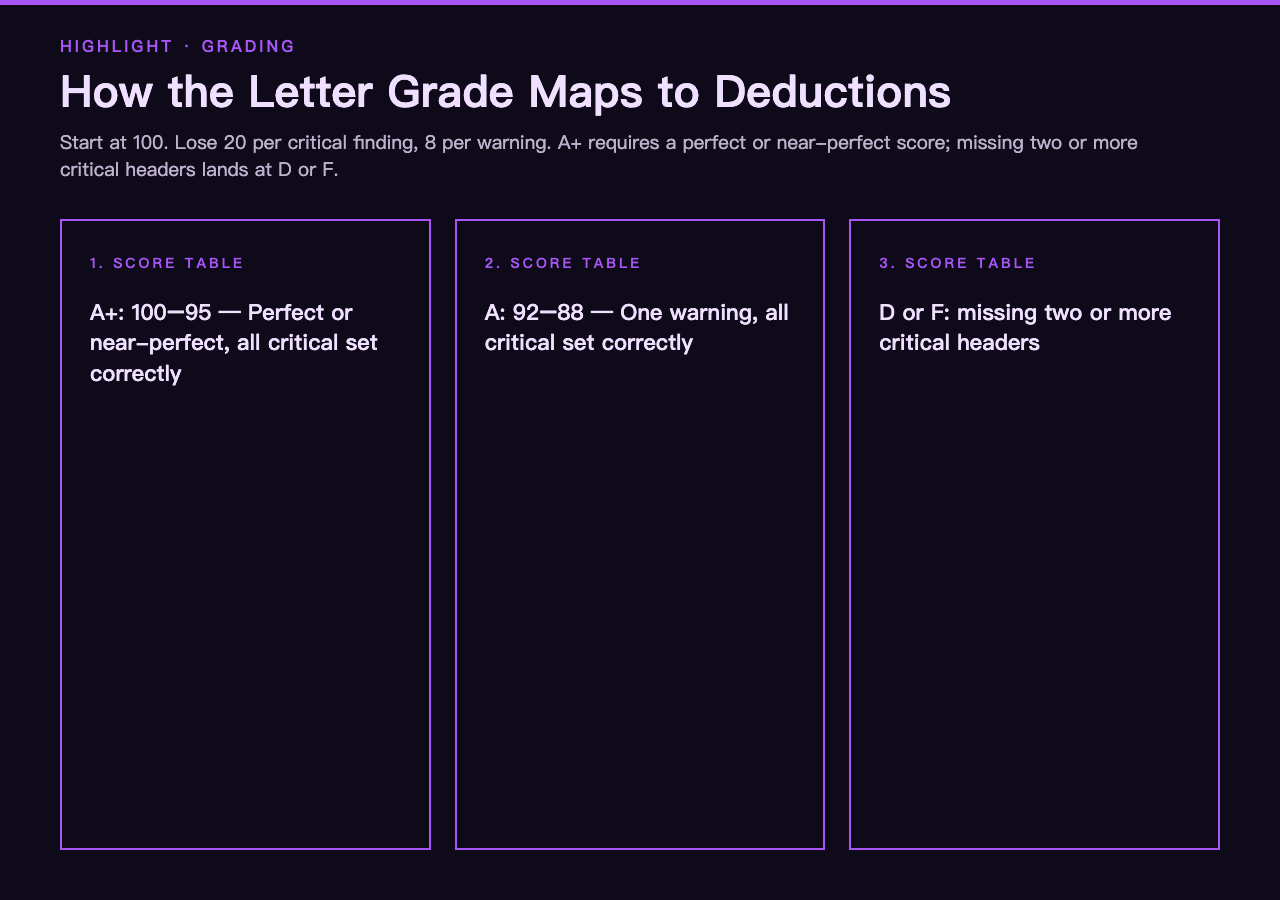
Grading is a deduction from 100. Every critical finding drops 20 points; every warning drops 8. An A+ requires a perfect-or-near-perfect score, an A allows one warning, and anything missing two or more critical headers lands at D or F. That mapping is what makes the output useful in code review — a one-letter grade is the only signal that survives being pasted into a Jira ticket.
The tool accepts the format your browser or terminal already produces. Lines starting with HTTP/1.1 200 OK or HTTP/2 200 are status lines and get skipped. Blank lines and folded continuation headers are handled. Multi-line Set-Cookie values (rare in raw header dumps, common in HAR exports) are joined before parsing. You paste, you grade, you ship.
Why paste-instead-of-fetch matters more than it sounds
The obvious approach is to point a tool at a URL and have it grade whatever headers come back. Most security header scanners do exactly that — and they are limited by exactly that design choice. A live fetch only sees what is reachable from the scanner’s network. That excludes:
- Internal sites behind a VPN or an SSO gate the scanner cannot navigate.
- Staging environments with HTTP Basic auth or IP allowlists.
- Pre-production builds hosted on a CI artifact server that resolves only from the build network.
- Documentation examples that describe what a secure config should look like — useful for teaching and code review, irrelevant for an external scanner.
- Cross-origin pages blocked by CORS, which the browser refuses to expose response headers for.
Pasting the raw headers from curl -I sidesteps every one of those. The checker has no opinion about where the headers came from — only about what they say. That same property is what makes the output reproducible across runs and safe to include in pull request reviews. You can paste headers from three different staging environments into three different check invocations and compare grades side-by-side, without any of those environments needing to be reachable from the auditor’s machine.
For a deeper dive into TLS-layer configuration alongside the HTTP-layer headers, the Network Security and SSL/TLS Configuration hub walks through certificate management, HTTPS setup, and the nginx and Apache snippets that wire HSTS into your web server config. The Security Headers Checker grades the result; the samples hub shows you where to paste it.
The three headers where teams get the value wrong
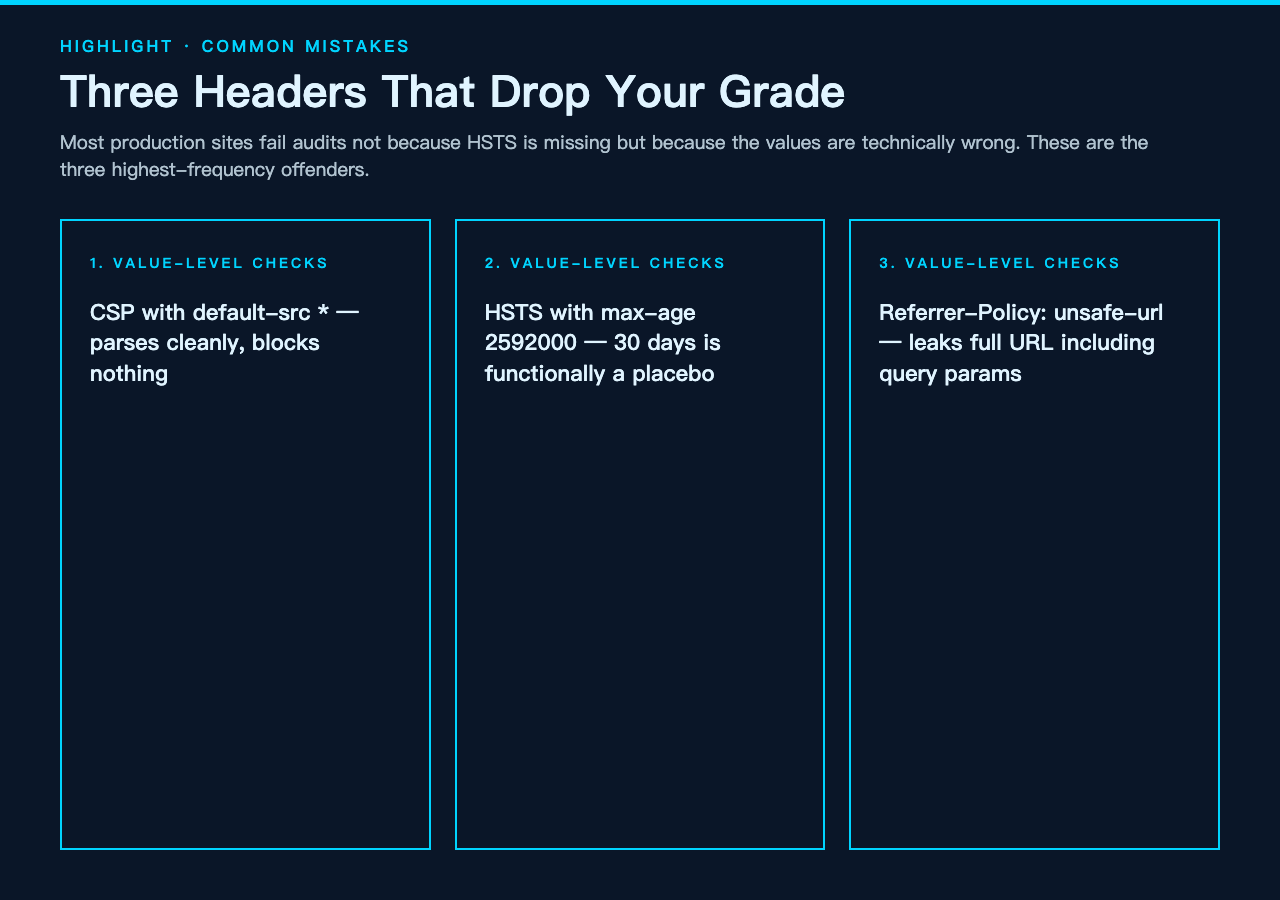
Most sites that fail an audit do not fail because HSTS is missing — most modern frameworks set it by default. They fail because HSTS is set to max-age=2592000 (30 days) instead of 31536000 (1 year), or because includeSubDomains is omitted and a forgotten staging subdomain becomes the downgrade entry point. Three headers account for the majority of “we got a C grade” surprises:
Content-Security-Policy with wildcards. default-src * is the most common CSP mistake in production. It parses, it sends, it satisfies the linter — and it allows every origin to load every resource. A real CSP starts with default-src 'self', narrows script-src to specific origins or hashes, sets object-src 'none', and uses frame-ancestors 'none' instead of relying on X-Frame-Options. The checker flags * in any directive as a warning at minimum.
Strict-Transport-Security on a sub-path only. Some frameworks emit HSTS via middleware that only attaches to HTTPS routes. Health-check endpoints on HTTP behind a load balancer do not get the header, but that does not matter — HSTS is a property of the response, not the route. What matters is that every response, including redirects from HTTP to HTTPS, sends HSTS with a long max-age. The checker requires max-age ≥ 31536000 as a critical-tier rule.
Referrer-Policy: unsafe-url. This value leaks the full URL of every page that links out, including query parameters. A surprising number of sites set it because the default browser behaviour is too restrictive for their analytics flow — but the right fix is to use strict-origin-when-cross-origin, which sends the origin (not the path or query) on cross-origin requests and the full URL only on same-origin. The checker rejects unsafe-url and no-referrer-when-downgrade as warnings.
Reading the findings like a security reviewer
The checker does not just list which headers are wrong — it tells you what to change. Each finding has three fields: the current value, the problem with it, and a copy-ready recommended replacement. The replacement is the exact string you would paste into your nginx add_header block, your Express middleware, your Cloudflare Transform Rule, or your Spring Security config. There is no need to look up the CSP syntax for frame-ancestors or to remember whether Permissions-Policy uses () or (self) as the syntax for an empty allowlist — the recommended value is right there.
For teams that also need to check that the headers being sent on auth-bearing requests are not leaking tokens, the JWT Samples hub pairs naturally. JWT bearer tokens are header-level concerns too — Authorization headers, JWS signing headers, JWE encryption headers — and the samples hub gives you worked examples of correct and incorrect token headers to paste into the same grading workflow. Combining an HTTP response-header grade with a JWT structure audit is what a thorough security review looks like.
For OAuth and OpenID Connect flows, the same logic applies to the Authorization and Token endpoints — they are HTTP endpoints, their response headers are subject to the same audits, and the OAuth 2.0 Samples hub gives you raw header dumps from real authorization-server responses to grade against the OWASP set. Run an OAuth token endpoint through the checker and you will often find the response has no HSTS and a CSP that does not exist — because the OAuth server team did not think of the token endpoint as a browser-facing surface.
Where this fits next to a broader security workflow
The Security Headers Checker is one slice of a defence-in-depth posture. On its own it tells you whether the response-header surface is hardened. Combined with the XSS Payload Detector, you can also verify that input fields reject the kinds of payloads that your CSP would otherwise need to defend against. The XSS detector parses input strings, normalizes HTML entities, and flags patterns that would become <script> or javascript: URIs in a browser. A grade-A HTTP header posture plus a working XSS filter is the combination that survives a pentest.
For input-side URL safety, the URL Safety Checker analyzes the structural properties of a URL — punycode homoglyphs, suspicious TLDs, embedded credentials, IP-address hosts, excessive subdomain depth — and flags the ones a phishing campaign tends to use. URLs land in your origin as query parameters, referrer headers, and link targets; the XSS detector watches the body, the URL safety checker watches the addresses, and the Security Headers Checker watches the response envelope. Three different angles, three different tools, one threat model.
If the OWASP Secure Headers list looks short, that is because the list is intentionally minimal. Most production sites can hit an A grade with twelve well-chosen headers and ten minutes of configuration. The harder work is keeping that grade as the site grows — every new microservice that ships its own nginx config is a chance for someone to forget Permissions-Policy. Run the checker against staging, against prod, against the documentation examples, and against the auth-subdomain that handles OAuth callbacks. The four grades you get back will tell you whether your “secure headers” are a config file or a habit.
Putting it all together
The Security Headers Checker is paste-in, grade-out. Twelve headers, three tiers, copy-ready fixes. It does not crawl, it does not fetch, it does not phone home — it grades what you give it and tells you what to change. For a security review, it is the tool that turns “the headers look fine” into “the headers score A+ and here are the four settings that got us there.” For a development workflow, it is the linter that catches the missing HSTS before the deploy, not the missing grade after the audit. Open the checker, paste a curl -I from your site, and watch the grade land where it lands. The fix recommendations are right below it.
For more browser-facing security tooling, the PKCE Code Verifier & Challenge Generator handles OAuth 2.0 public-client flows — useful when the same response headers that pass an audit also need to protect an authorization-code exchange from interception. Together they cover the two ends of a browser-driven security boundary: the headers on the way in, and the headers on the way out.