
Why duplicate columns keep showing up in real CSV files
A CSV that looks clean at row 5 can hide two identical columns, three near-duplicates, and one column with Name as the header but a totally different schema underneath. The Duplicate Column Remover at Elysia Tools exists because Excel exports, JOIN-padded analytics dumps, and scraped tables all do this, and the cheapest fix is still better than the most elegant script. Pick the right detection mode, pick a keep strategy that matches your downstream contract, and let the tool rewrite the rows in one pass.
What the Duplicate Column Remover actually does
You paste a CSV into the textarea, choose one of three detection methods, set a keep strategy, and the tool rebuilds the table with the duplicates removed. The output can be CSV, JSON, or a plain-text summary report listing every group it found and which column survived. There are six options in total: CSV Content (the input), Detection Method, Case Sensitive Comparison, Keep Strategy, Trim Whitespace, and Output Format. Every other option controls how strict the comparison is, not what gets returned.
The source implements detection as a nested loop over column indices: for each column i, it walks every later column j and either compares headers (string equality, optionally case-insensitive), compares content row by row through the same CSV-line parser, or both. The first column that matches joins i in a duplicateGroups array; once i is grouped, it is marked processed and skipped on later passes. This matters because a duplicate group with three identical columns will only fire once from index i, not three times.
Three detection modes, three different failure modes
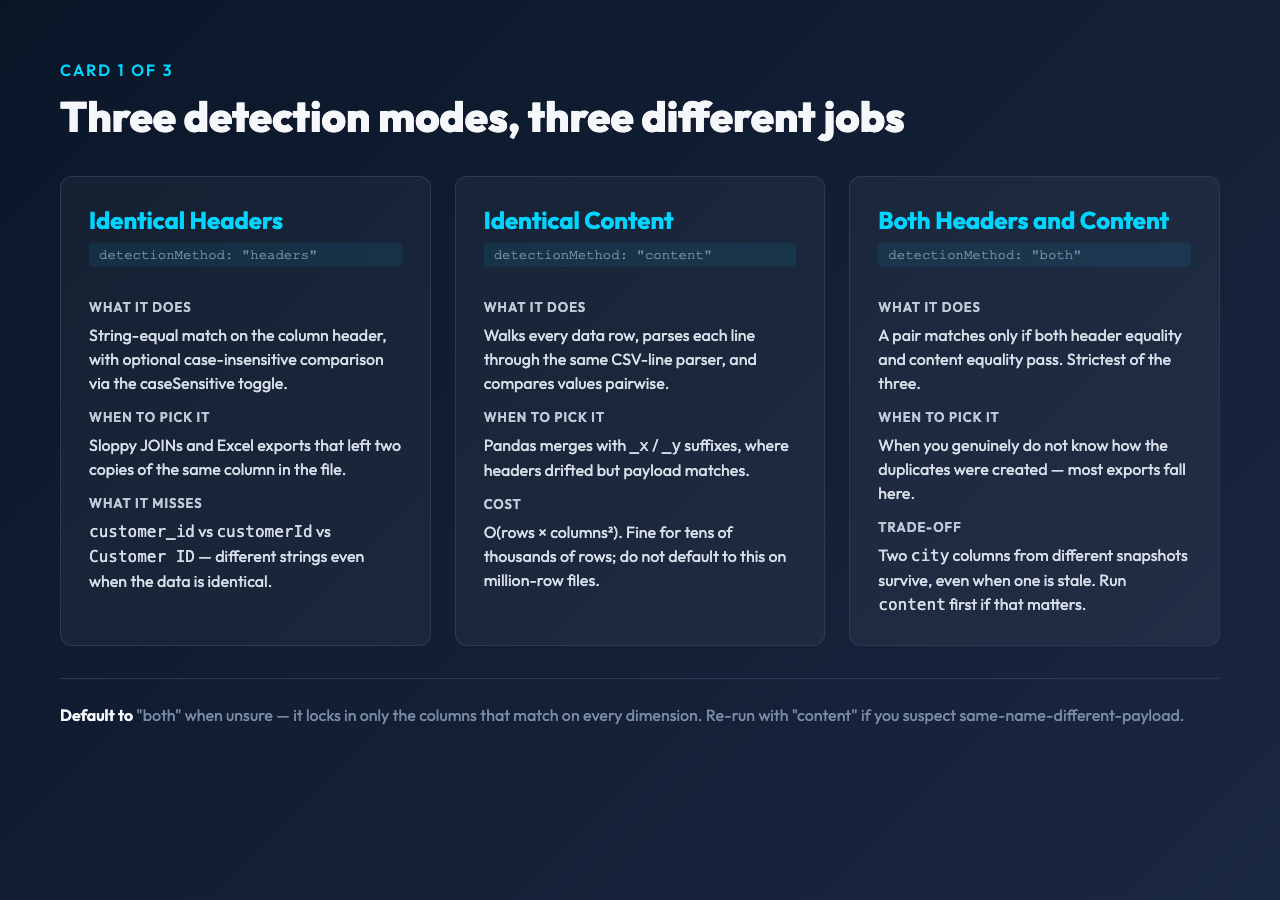
Identical Headers (headers) is the cheap and fast path. Two columns match if their header strings are equal, optionally normalized to lowercase. This catches the obvious cases: a duplicated email column after a sloppy JOIN, or two copies of id from two source tables. It misses anything where the header changed by one character — customer_id versus customerId versus Customer ID — even when the data underneath is byte-identical.
Identical Content (content) walks every data row and compares values pairwise. It ignores headers entirely. This is the right pick when a downstream merge produced two columns with different names but the same payload — common with _x / _y suffixes from pandas merges. The cost is O(rows × columns²) on the data body, which is fine for tens of thousands of rows but should not be the default for million-row files.
Both Headers and Content (both) is the strictest mode. A pair only matches if both checks pass. This is the right default when you genuinely do not know how the duplicates were created. The trade-off is that two columns with the same header but slightly different data — same city from two different snapshots — will both survive even though one is stale. If that is your situation, run content mode first to see what survives, then re-run with both to lock in the survivors.
Keep strategies and one foot-gun to know about
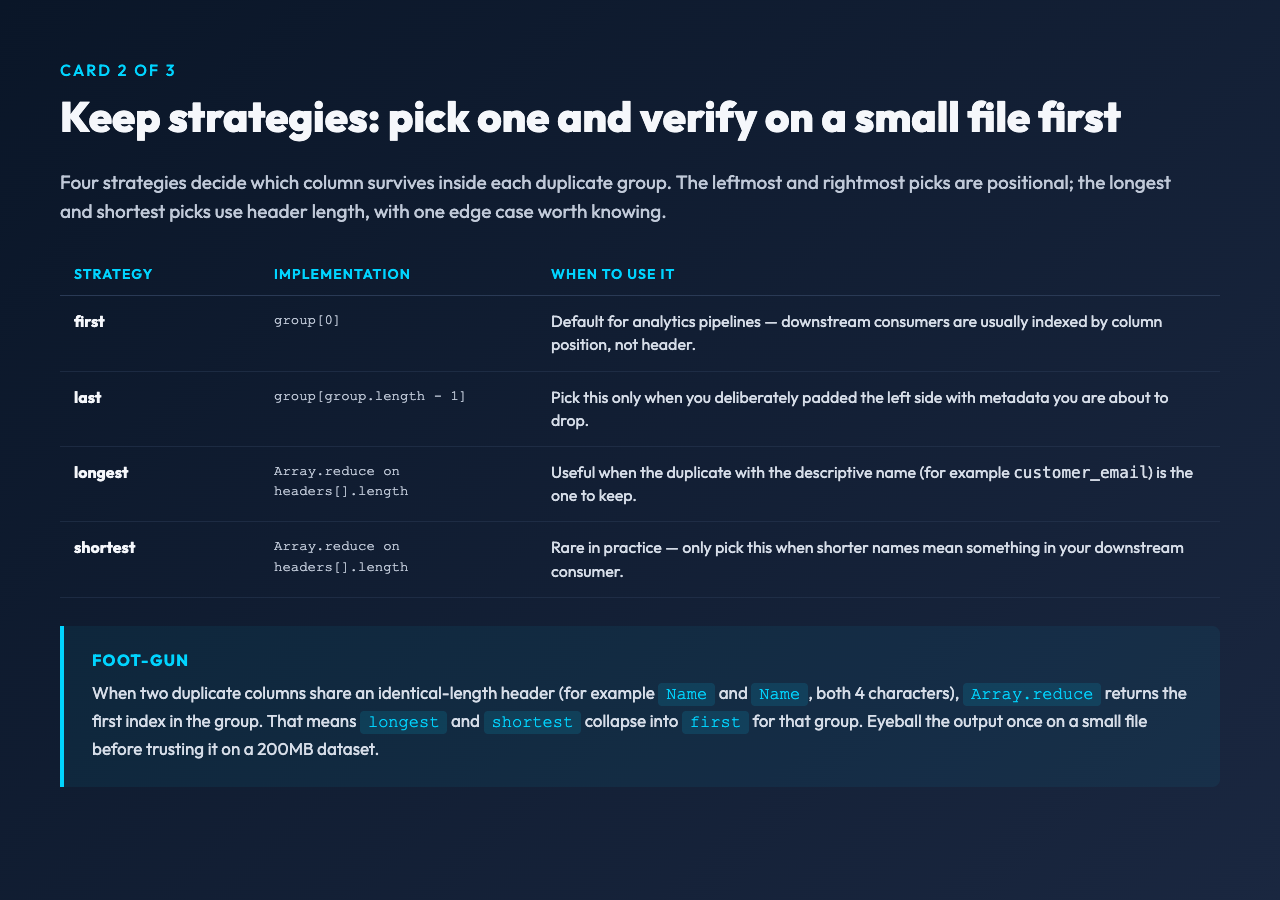
The four keep strategies are first, last, longest, and shortest. For first and last, the choice is positional and unambiguous: the group array is already in ascending-index order, so first picks group[0] and last picks group[group.length - 1]. For longest and shortest, the implementation uses Array.reduce to compare headers[current].length against headers[longest].length.
The foot-gun: when two duplicate columns share an identical-length header (for example Name and Name, both 4 characters), Array.reduce returns the first index in the group. That means longest and shortest collapse into first for that group. In practice this is a rare edge case — duplicate headers from real exports are usually spelled differently — but it is worth knowing. If your keep strategy matters, eyeball the output once on a small file before trusting it on a 200MB dataset.
For most analytics workflows the right pick is first: keep the leftmost column, since downstream consumers have usually indexed by column position, not header. Pick last only when you have deliberately padded the left side with metadata.
Trim whitespace is on by default for a reason
The Trim Whitespace checkbox defaults to true. Disable it only if you have a CSV where leading or trailing spaces are part of the actual value. In almost every real export, accidental spaces in headers are the silent killer: email and email look identical in a spreadsheet preview but compare as different strings in code. The default catches that. The same trim is applied inside the CSV-line parser, which also handles the double-quote escape ("" becomes a literal " inside a quoted field). Quoted fields with embedded commas are parsed correctly.
Output formats: when to skip CSV and pick JSON or Summary
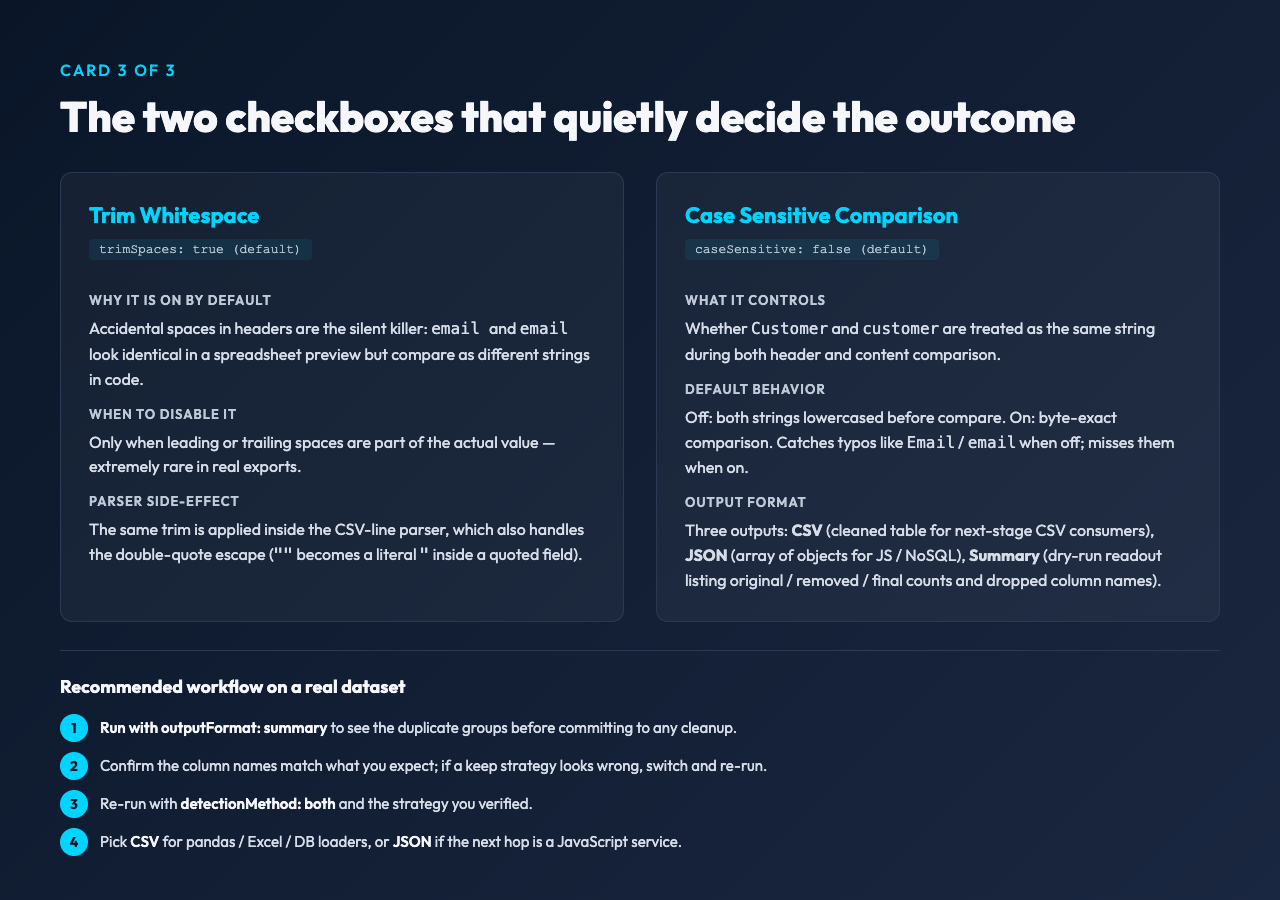
The CSV Format output writes the cleaned table with the original delimiter. This is what you want when the next step is another CSV consumer (pandas, Excel, a database loader). JSON Format wraps the result as a JSON array of objects keyed by the surviving headers — useful for piping straight into a JavaScript frontend or a NoSQL store. Summary Report writes a plain-text readout of what happened: original column count, duplicate group count, removed column count, and the names of the columns that were dropped. Use Summary Report as a dry run before you commit to the actual cleanup; if the names look wrong, switch strategies and re-run without committing to a destructive output.
Where this fits next to the rest of your CSV pipeline
Removing duplicate columns is one step in a longer pipeline. The Duplicate Column Remover is the right tool when duplicates came from a sloppy JOIN or an Excel export. It is the wrong tool for deduplicating rows (where the same row appears twice) — that needs a row-level fingerprinting pass. It is also the wrong tool for reconciling two schemas that drifted apart: if column price in table A and unit_price in table B mean the same thing, no header comparison will tell you that. Reach for it when the file is one dataset, just with redundant copies of the same columns, and you need a clean table at the end.
For more on cleaning and validating tabular data, see Elysia Tools. The Duplicate Column Remover handles the column-level redundancy case cleanly; pair it with the rest of the data-processing tools for the cases it does not cover.
