
How to Read the Story Behind a Product Without Reading a Whole Book
Every product on your desk has a shelf of books nobody has time for. iPhone has biographies. ChatGPT has podcasts. Notion has a YouTube documentary. The story is there, but it is locked behind hours of context, half of which is filler. When you actually need to know why a product behaves the way it does — the engineering tradeoffs, the business model, the team that stayed late for the launch — you do not need a book. You need a structured behind-the-scenes read in five minutes.
The AI Behind Story Generator is built for that job. You give it a product name, pick the angles you care about, and it streams a structured story built around technical architecture, business model, and the human side of the build. No audiobook. No waiting. Just the parts that explain why the product is the way it is.
What the tool actually does
It is a streaming story writer, not a search engine. You feed it a product name — anything from “iPhone” to “WeChat” to a SaaS app you saw last week — and it produces a structured narrative built from six analytical layers: opening hook, technical architecture, business model, development timeline, challenges and responses, and future outlook.
The interesting part is the angle control. The same product name produces wildly different outputs depending on which boxes you tick. Tick Include Technical Architecture and it drops you into the stack, the framework choices, the inflection points where the team swapped one library for another. Tick Include Business Model and it reads the unit economics, the go-to-market, the moment the company pivoted from one revenue stream to another. Tick Include Human Stories and it finds the founder’s original pitch deck, the first hire who took a salary cut, the customer email that changed the roadmap.
You can run all three at once or pick one and skip the rest. The tool defaults to comprehensive so it is useful out of the box, but the dial-down is the part that matters when you already know the technical angle and only care about the business story.
What the model is actually doing
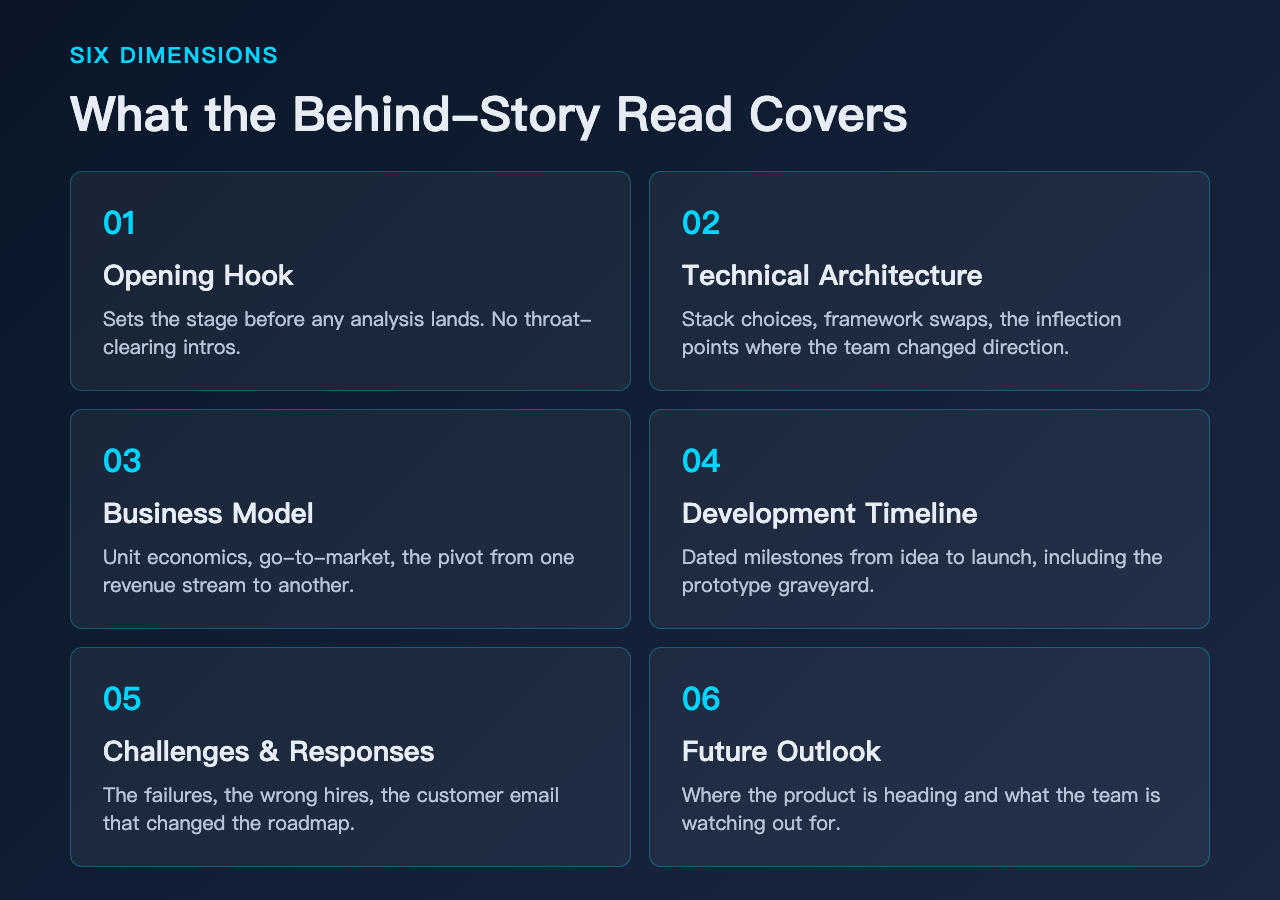
The tool runs on deepseek/deepseek-v3.2 with a temperature of 0.8 and a 6000-token output ceiling. The system prompt is the interesting artifact — it locks the model into a six-section analytical framework before the user prompt lands. The framework does three things.
First, it forces a hook before any analysis. The first paragraph must establish why the product matters before the technical detail starts. No “In this article we will discuss” intros.
Second, it separates the three dimensions cleanly. Technical, business, and human stories each get their own sub-section with their own structure. They do not bleed into each other. You can read the technical section without ever seeing the founder’s college major.
Third, it demands evidence-style specificity. Numbers, milestones, dated events. The prompt explicitly tells the model to avoid vague statements like “many users” or “significant growth” — it wants to see “3 million DAU by Q2 2023” or “raised $40M Series B at $400M valuation.”
That third constraint is what separates a useful behind-the-scenes read from a Wikipedia summary. The temperature is high enough for narrative voice to come through, but the framework pulls it back from hallucination.
The six story types, ranked by use
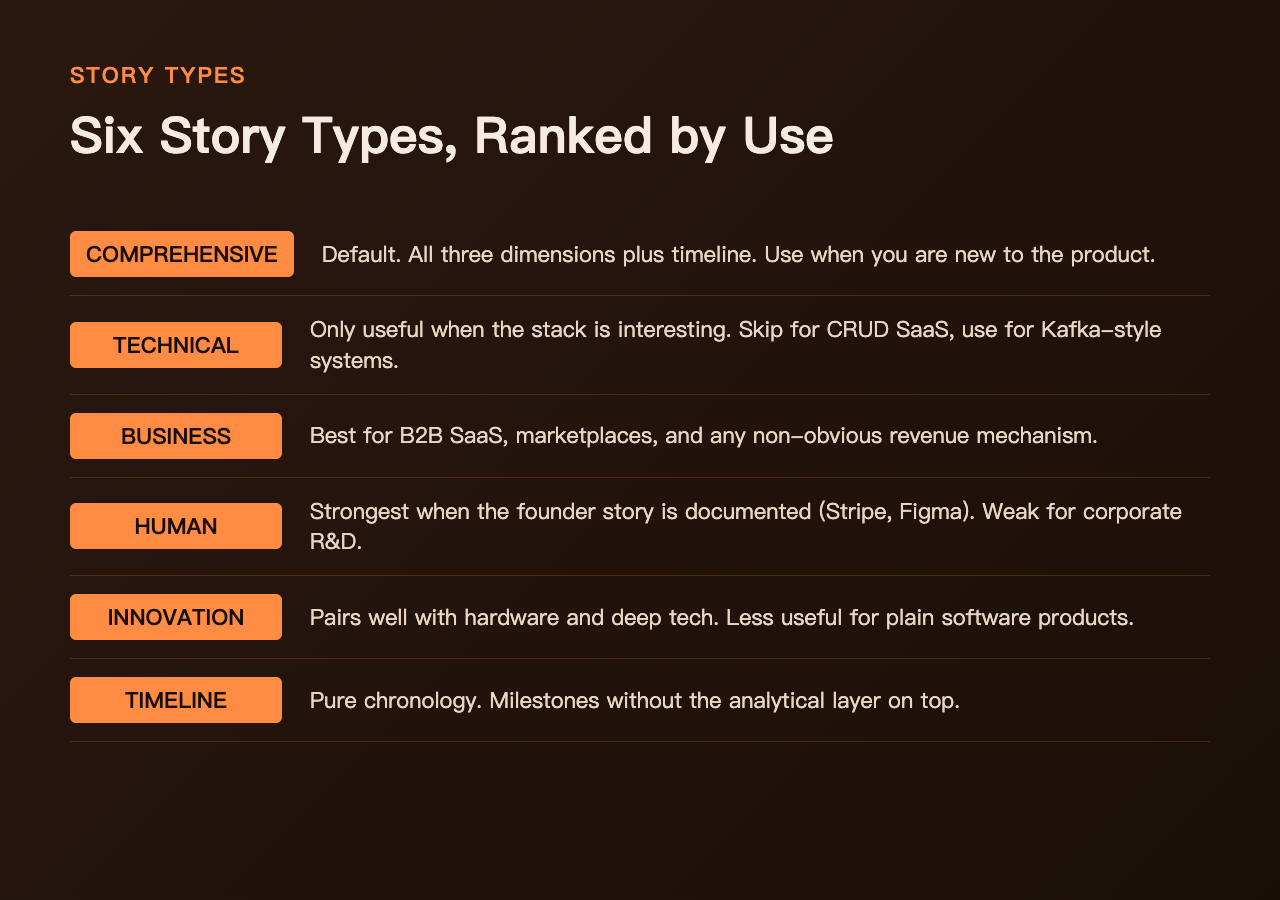
The Story Type dropdown is more useful than it looks. Comprehensive is the default — all three dimensions, all four timeframe sections, useful when you are new to the product. Technical Architecture is only useful when the product has an interesting stack; reading the technical story of a CRUD SaaS app is a waste, but reading the technical story of Kafka is not. Business Model is best for B2B SaaS, marketplaces, and anything with a non-obvious revenue mechanism — consumer apps often have boring business stories. Human Stories produces the strongest output when the company has a documented founder story (Stripe, Figma, Notion) and the weakest output when the product comes out of a large corporate R&D lab. Innovation Journey pairs well with hardware products and deep tech, and is less useful for software. Development Timeline is pure chronology, useful when you want the milestones without the analysis layer on top.
The Focus Area dropdown cross-cuts on top of Story Type. The pair Technical Architecture + Future Trends reads very differently from Technical Architecture + Challenges & Solutions. Both are valid; they are answering different questions.
Detail level and language
Two more dials matter. Detail Level sets the output length: Brief Overview produces about 600 words, Detailed Analysis produces about 1500, Comprehensive Deep Dive produces about 3000, and Expert Deep Dive pushes toward the 6000-token ceiling. Most users want Detailed Analysis and only push higher when the topic is genuinely complex. Output Language supports eleven languages — English, Chinese, Spanish, French, German, Italian, Portuguese, Russian, Japanese, Korean, and Arabic. The language switch happens inside the prompt rather than as a post-translation step, which means the cultural framing adapts too; the human-stories section for an English-speaking product reads differently in Japanese than in Spanish.
How to actually use it for research
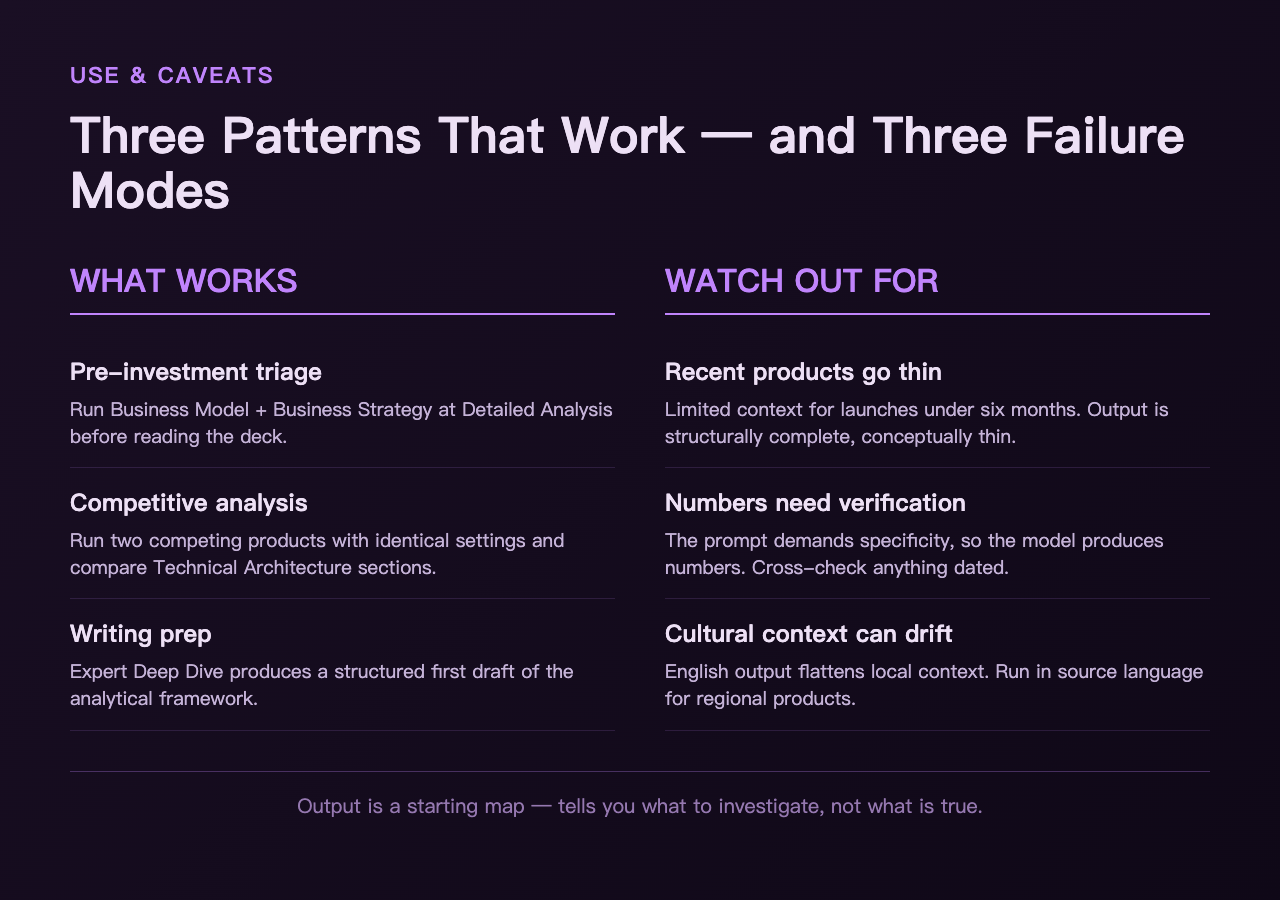
Three patterns that work. First, pre-investment research. Before spending an hour on a pitch deck, run the tool with Story Type: Business Model and Focus Area: Business Strategy at Detailed Analysis. You will get the unit economics, the go-to-market, and the rough competitor map in five minutes. It is not a substitute for the actual deck, but it is a useful triage step.
Second, competitive analysis. Run two competing products through the tool with the same settings and compare the technical architecture sections. The differences in stack choices show up immediately.
Third, writing prep. If you are about to write a piece about a product and you need structured source material, run the tool first at Expert Deep Dive. The output is not publishable as-is, but it is the best first draft of the analytical framework you will find.
For all three, treat the output as a structured index, not as ground truth. The model does not have real-time access to news or financials — anything dated within the last month needs verification against a current source.
What it does not do
It is a behind-the-scenes writer, not a fact database. Three failure modes to know about. Recent products may have thin output. If the product launched in the last six months, the model has limited context to work from. The output will be structurally complete but conceptually thin. Numbers need verification. The prompt demands specificity, so the model will produce numbers — they are pattern-matched, not sourced, so cross-check anything that would land in a spreadsheet. Cultural context can drift. For products strongly tied to one region (such as Chinese super-apps), the English output can flatten local context. Run it in the source language for better fidelity.
The output is a starting map. It tells you what to investigate. It does not tell you what is true.
A practical example
Try the tool with Story Type: Innovation Journey, Focus Area: Development Journey, Detail Level: Detailed Analysis, and product name set to a product you actually use. Read only the technical and business sections. Skip the human-stories section unless the product has a documented founder.
Five minutes in, you will know what the product is made of, not just what the product does. That is the whole point of a behind-the-scenes story — it explains the shape of the artifact, not the artifact itself.
The AI Behind Story Generator lives in the AI Tools cluster on Elysia Tools, alongside other reading-and-research utilities. It runs entirely server-side, so the 6000-token output ceiling is the only practical limit on depth.
