
What an IP address can tell you, and the four things it cannot
A SOC analyst pastes an IP into a free lookup tool. The city reads Riyadh, the ASN is a Saudi mobile carrier, the security card says residential. Thirty seconds later a payment-fraud model auto-blocks the transaction. The model is wrong by an order of magnitude: the user is sitting in Berlin on a corporate VPN whose exit node is a Saudi mobile plan resold to half the world’s enterprise VPN vendors. Every field in the report was right. The model trusted the wrong fields.
The Elysia Tools IP Geolocation tool wraps a public whois-and-geoip feed in a layout a SOC analyst can read in five seconds: country, region, city, postal code, latitude/longitude, ASN, organization, ISP, registered domain, timezone, EU membership flag, and a coarse “is this datacenter traffic” classifier. The card is genuinely useful for triage. The risk is the inferences people then draw from it. The rest of this article is the half of the picture most teams never get from a tutorial: which fields a public IP feed is honest about, and the four specific conclusions a single report cannot support, no matter how clean the JSON looks.
Anatomy of a public IP report
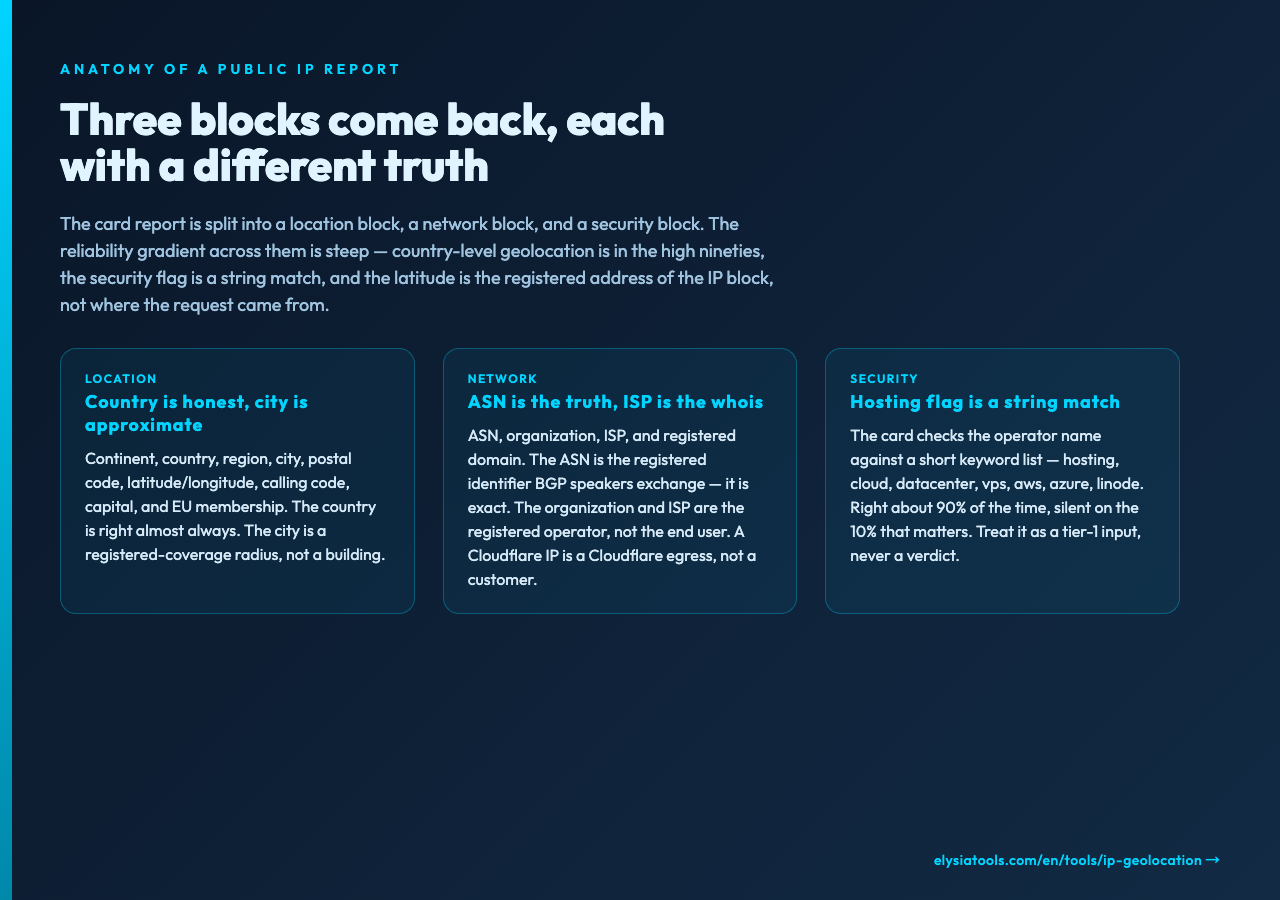
The tool accepts one input, an IPv4 or IPv6 address, and renders the response in a fixed layout. The first block is location. Continent, country, region, city, postal code, latitude/longitude, calling code, capital, bordering countries, and an EU-membership flag all come from a feed whose accuracy varies by region but which is reliable for the things most triage teams really need: yes, the IP is in Germany, no it is not in Frankfurt, yes it is in the same /16 as a known hostile netblock. The latitude and longitude are accurate enough to draw on a map, but only barely precise enough to confirm a city. OpenStreetMap links are generated for the coordinates so you can drop the marker and inspect the neighborhood. The coordinates from a feed like this are typically accurate to the city radius, not the building. A successful city-level match on 203.0.113.42 does not mean the user is at the same Starbucks as last Tuesday.
The second block is network. ASN, organization, ISP, and registered domain. The ASN is the registered identifier of the network operator, the unique number that BGP speakers exchange. The organization and ISP are whois records. The domain is whatever reverse-DNS pointer the operator publishes. These four fields together let you answer the question of who actually routes this traffic, which is more useful than “where is the user.” A request from an AWS EC2 IP is not a request from a person in that AWS region. It is a request from a workload, and the IP lookup is telling you which workload class it is.
The third block is a security assessment, which the tool does not fetch from any external database. It runs a small keyword check on the organization and ISP fields: hosting, cloud, datacenter, server, vps, amazon, aws, google, microsoft, azure, digitalocean, linode, and a few others. The flag “datacenter” or “hosting” is set when the operator name matches one of those words. It is the same logic every free IP lookup tool has run for a decade, and it is right about 90 percent of the time. The 10 percent it is wrong about is the part that matters.
What the report gets right
It gets the country right almost always. Country-level geolocation from a public feed has been in the high nineties for accuracy since the mid-2010s and it has not regressed. ASN matches are exact because the feed is the ASN registry, not an inference. The organization and ISP are reliable in the sense that the wire does not lie, but they are the registered operator, not the end user; an IP under Cloudflare is a Cloudflare egress IP, not a Cloudflare customer. The timezone field is computed from the country/region coordinates and is reliable. The EU membership flag is computed from the country code and is exact. Postal code coverage is a long tail: dense in Western Europe, North America, and Japan, sparse in large parts of South America and Sub-Saharan Africa. Coordinates are city-level accurate at best. A successful city match does not mean the user is in that city; it means the user is connecting from somewhere within the registered coverage area of that city’s mobile or fixed-line operator.
These reliability gradients matter because they tell you which fields you can put in front of a user and which fields you can put in a SOC dashboard. A “user is in Germany” assertion survives review. A “user is in Munich” assertion does not. A “this is an AWS IP” assertion survives review. A “this is hosting traffic” assertion sometimes does not.
The four conclusions the report cannot support
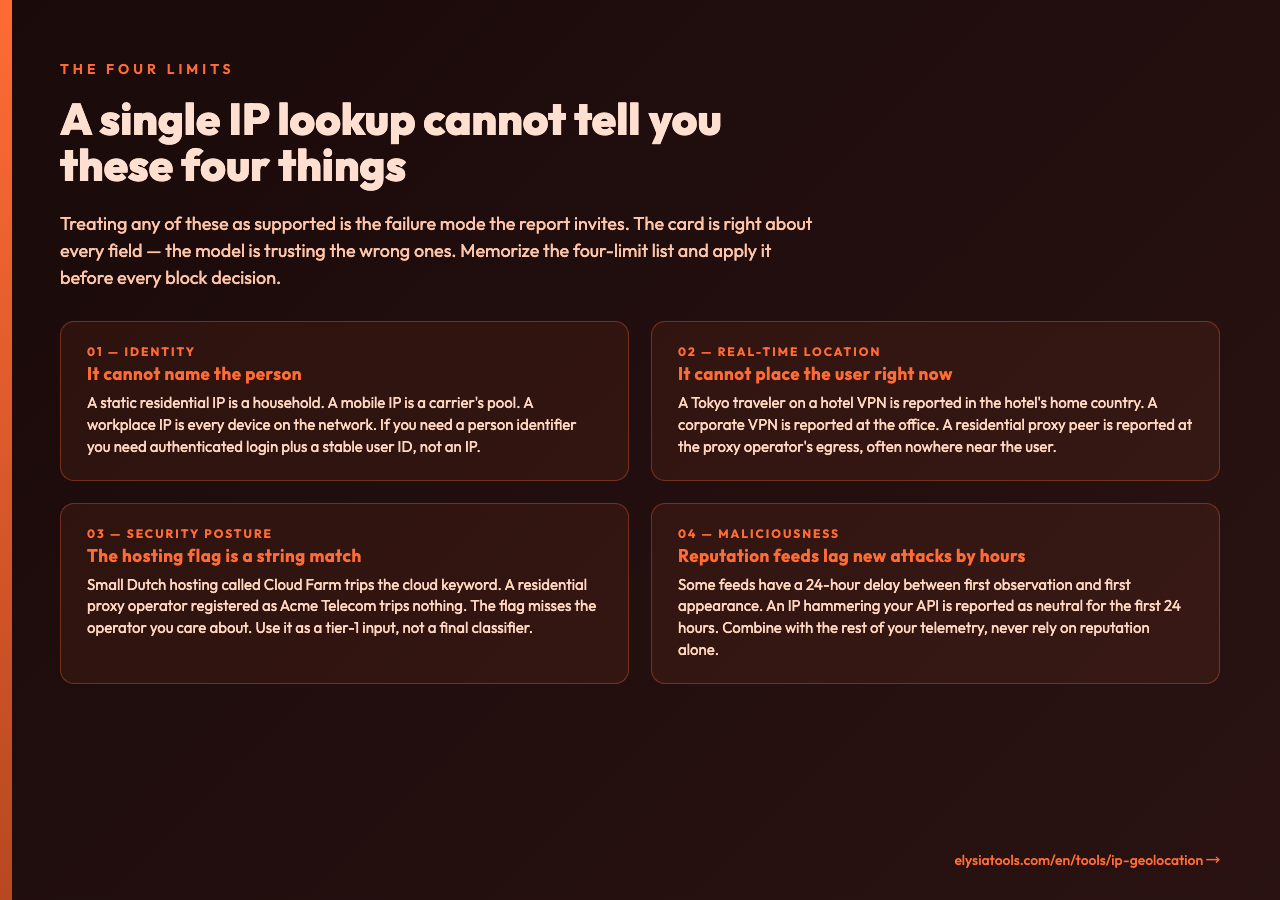
The rest of this article is the part most teams need to hear at least once. A single IP report cannot support these four conclusions, and treating any of them as supported is the failure mode the report invites.
First, a single IP lookup cannot tell you the identity of the person behind the request. A static residential IP is associated with a household, not a person. A mobile IP is shared across a carrier’s customer pool that can be tens of thousands of devices. A workplace IP is shared across every laptop, phone, and IoT device on that network. If your fraud model needs a person identifier, you need authenticated login plus a stable user ID, not an IP. An IP is a routing hint, not a name. A typical anti-fraud layering treats IP reputation as one signal among many — device fingerprint, behavioral history, payment method, email age — never as the deciding factor.
Second, a single IP lookup cannot tell you the user’s current physical location. A traveler in Tokyo on a hotel VPN is reported as being in the hotel’s home country. A remote worker on a corporate VPN is reported as being in the office. A user on a residential proxy network — Bright Data, Oxylabs, the long tail of legitimate proxy providers — is reported as wherever the proxy peer happens to be at that moment, which is often nowhere near the actual user. The latitude/longitude you see in the report is the registered location of the IP block, not the location of the request. When your team needs to ask “where is the user right now,” the right tool is the device’s permissioned location API or the network operator’s lawful-intercept pipeline, not a public IP feed.
Third, the security flag in the report is a heuristic, not a verdict. The hosting/datacenter flag is set by string-matching on the operator name. A small Dutch hosting company called “Cloud Farm” trips the cloud keyword and is reported as hosting. A stealthy residential proxy operator registered as “Acme Telecom” does not trip any keyword and is reported as a residential ISP. The flag is right often enough to be useful, but the failures are silent and they skew toward missing the operator you care most about. If your downstream rule blocks on the hosting flag, you will let residential-proxy abuse through and block a fraction of legitimate cloud API calls. The right pattern is to treat the flag as a tier-1 input to a model that also consumes ASN, domain age, request rate, and the rest of your security telemetry, not as a final classifier.
Fourth, a single IP lookup cannot tell you whether the IP is malicious. Most public IP reputation feeds lag new attacks by hours. Some feeds have a 24-hour delay between first observation and first appearance in the database. An IP that is currently hammering your API is reported as neutral for the first 24 hours of the attack, and it stays in the database for a long time after the operator cleans it up. The IP reputation feed you query on Monday morning is a 24-hour-old picture. The IP is a starting point, not a verdict.
The checklist that comes out of the four limits
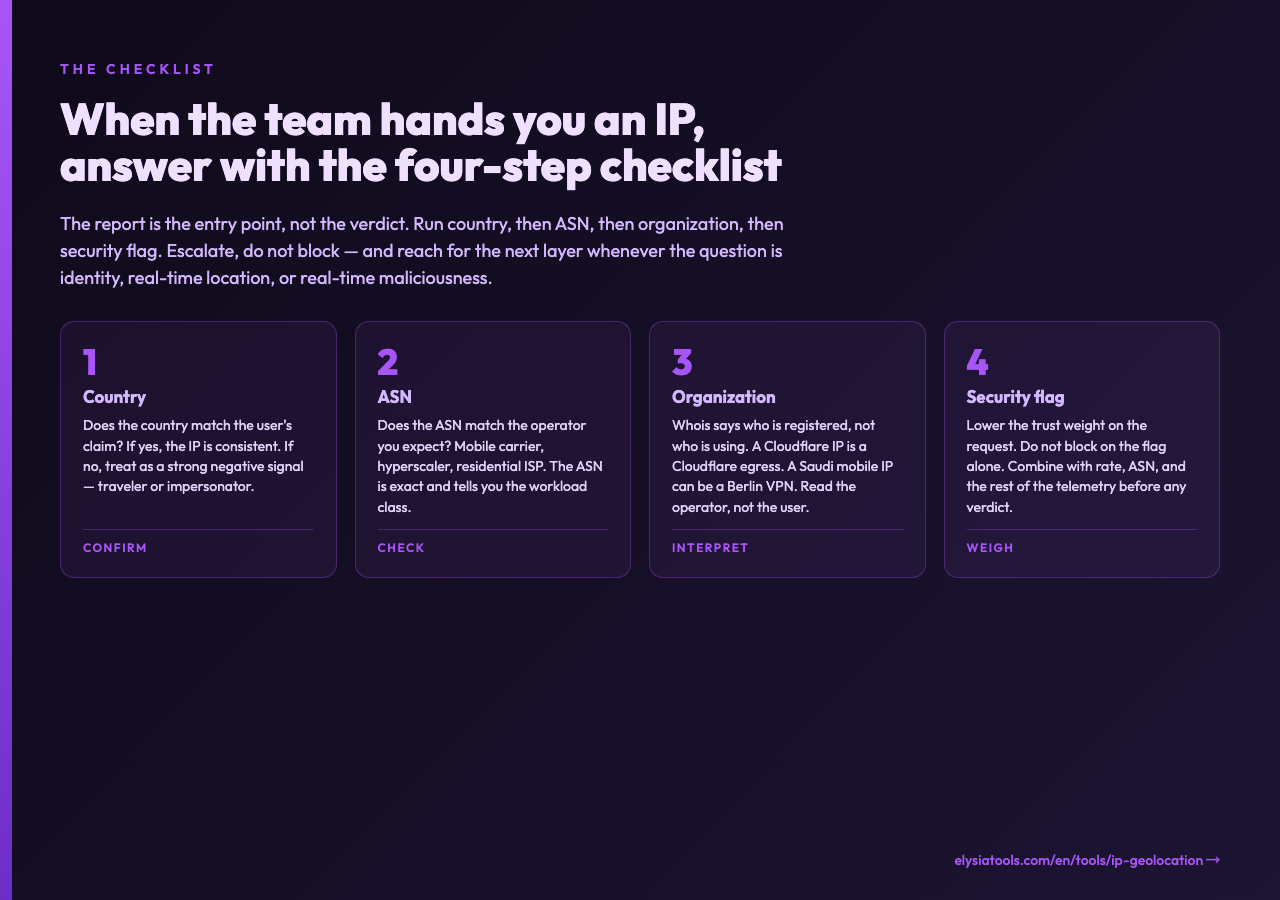
When a teammate hands you an IP and asks “should we block this,” the right response is a checklist, not a yes-or-no. The checklist, in the order the report fills it in: confirm country, then ASN, then organization, then security flag. If the country is what the user claims and the ASN is the operator you expect, the IP is consistent with the user’s story. If the country is wrong, escalate — the user may be traveling, but they may also be impersonating. If the security flag is set, treat the request as lower trust; do not block on it alone. If you need an identity, you need an authenticated user ID, not an IP. If you need a real-time location, you need a permissioned device location, not an IP feed. If you need to know whether the IP is hostile, you need a feed whose freshness is measured in minutes, not hours, and you need to combine it with the rest of your telemetry.
How to run the report
The tool is a single form: paste an IP, choose whether to include network details and the security assessment, and submit. The result is a card report with the location block, the network block, and the security block laid out in the order most analysts prefer. The map link in the coordinates row opens OpenStreetMap at the registered point. The whole report renders as a single sharable image, which is useful for screenshots in incident reports. For a 1.1.1.1 test, the report returns Cloudflare, the ASN, the AS13335 record, the timezone, and the security flag set on the cloud keyword. For a residential IP, the report returns the ISP, the city, the postal code, and an empty security block. For an obvious Tor exit, the security block flags the relay pattern and the network block lists the operator. The report is fast, sub-second on a warm feed, and the only failure mode is rate-limiting on the upstream feed.
A note on the broader landscape
If you are already doing this with a paid feed — MaxMind, IP2Location, DB-IP, Netacuity — the value of the Elysia Tools IP Geolocation tool is not the data, it is the card. It packages a free feed in a layout that is shareable, copyable, and readable by a non-engineer, which is the missing piece in most SOC handoffs. If you are not doing this at all, the tool is a free way to start without signing up for an account. The free feed covers the 90 percent of triage cases that the four-limit checklist already handles. The remaining 10 percent — identity, real-time location, real-time reputation, real-time maliciousness — require the other three things the IP report cannot give you: an authenticated user, a permissioned device, a fresh feed, and the discipline to combine them.
If you want to see how the same IP looks through different lenses, the Elysia Tools IP Address samples show the public, private, and reserved ranges side by side. The Netlify Edge Functions samples and the Web Mobile Features Python samples show the same request.ip field parsed the way a real server-side function parses it. Comparing the IP report with the code-side request.ip is the fastest way to build the right mental model: the IP is a number, the report is one snapshot of where the number was registered, and the user is something the IP cannot tell you at all.
Closing — the model is the model, the IP is one input
The four limits are the whole point of this article. A single IP lookup can confirm a country, an ASN, an organization, and a coarse operator type. It cannot tell you who the person is, where they are right now, what their security posture really looks like, or whether they are attacking you. The IP is one input to a model, not the model. The card report is one snapshot of one feed, not the truth. Build the rest of the picture from authenticated identity, permissioned device location, fresh reputation feeds, and the rest of your telemetry. The IP report is the cheapest and fastest signal in your stack, which is precisely why it is the most over-trusted.
The next time a teammate hands you an IP and asks “should we block this,” answer with the four-limit list, not a yes-or-no. If the country matches the user’s story and the ASN matches the operator you expect, the IP is consistent — escalate, do not block. If the country is wrong, treat it as a strong negative signal but not a verdict. If the security flag is set, lower the trust weight on the request, never block on the flag alone. If you need an identity, you need an authenticated user, not an IP. If you need a real-time location, you need a permissioned device, not a public feed. If you need to know whether the IP is hostile, you need a feed whose freshness is measured in minutes and the discipline to combine it with the rest of your telemetry.
The IP report is the entry point, not the answer. Use it to triage. Trust the next layer to decide.
