
When the Five-Day Week Bites Back: A Field Guide to Business Day Calculator
A 5-day business week in a 7-day calendar is the source of every “add 7, ship Friday, miss Friday” mistake. The Business Day Calculator is the field guide to the gap, including the two-mode API and the no-holiday rule that quietly catches teams off guard.
Every team that ships a deadline eventually hits the same wall: you count calendar days, you forget weekends, and the date you ship is not the date you expected. The fix is rarely a new tool — it is remembering that the working week is not the calendar. The Business Day Calculator at Elysia Tools is the smallest, sharpest way to bridge that gap, and what is interesting is how much of its behavior is determined by three lines of source.
This article walks through what the tool actually does (and does not do), the two operations it ships, the edge cases that surprise developers, and where in real workflows business-day arithmetic quietly becomes the bug. We will stay grounded in the implementation — the helper functions in business-day-calculator.ts are short enough to quote in full — and we will close with a checklist you can apply to any deadline you ship.
What a “business day” means in this tool
A business day, by the tool’s own definition, is a weekday. The implementation’s isWeekend helper is two lines:
function isWeekend(date: Date): boolean {
  const day = date.getDay()
  return day === 0 || day === 6 // Sunday or Saturday
}
That is the entire rule. There is no holiday table. There is no regional calendar. There is no configurable “skip the third Friday of the month”. If your start date is Friday and you add 1, the result is Monday — not Saturday. If you add 5 from Monday, you get the following Monday, not Saturday. The tool counts the weekdays and skips the weekends, nothing more.
This is a feature, not a limitation. The vast majority of business-day arithmetic is exactly that: a 5-in-7 walk, used to translate between “we need this in N working days” and “what calendar date does the requester actually need on the wire”. Holiday-awareness would be a different tool — and a different audit problem.
The two operations, and what each is good for
The tool exposes a select operation with two values:
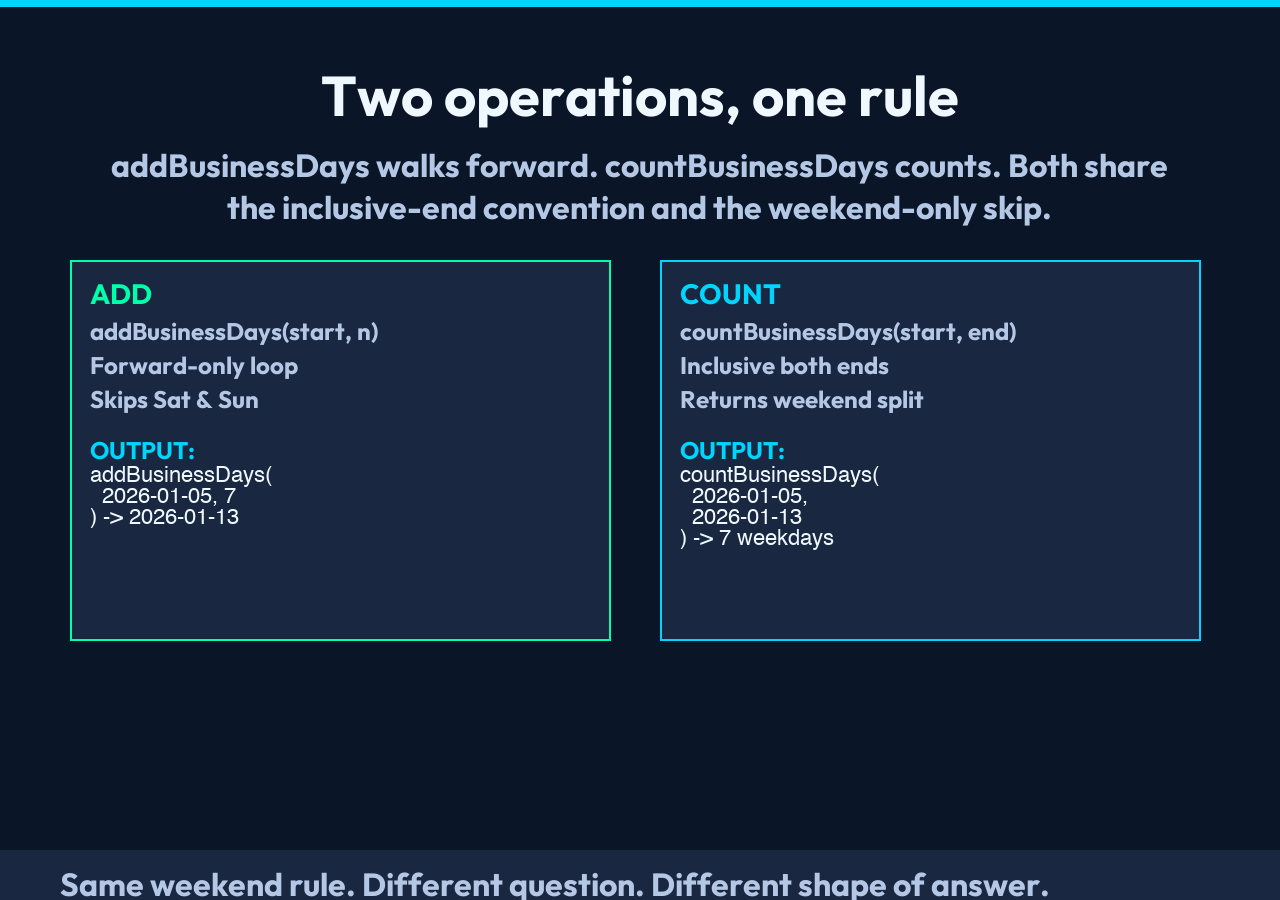
– The first operation, addBusinessDays, takes a start date and a count and returns the date that is N business days later. – The second operation, countBusinessDays, takes a start and an end date and returns how many business days fall in the inclusive range, with weekend and percentage breakdowns.
addBusinessDays is the one you reach for first, and it is straightforward to reason about. countBusinessDays is the one that quietly does more work for you, because it also returns weekend counts and the percentage split, which is what most “how many working days between these two dates” questions actually want.
The pattern that catches teams off guard is swapping the two operations to debug a wrong answer. If you are told “we need 10 business days from Monday”, the operation is addBusinessDays with days=10. If you are asked “how many business days are in the next two weeks”, the operation is countBusinessDays with the date 14 calendar days out. The two share an inclusive-end convention, which we will look at next.
A real input, end-to-end
The cleanest way to see both operations cooperate is to run them on the same data set. Take the start date Monday, 2026-01-05 and add 5 business days:
– addBusinessDays(2026-01-05, 5) walks Mon → Tue → Wed → Thu → Fri (5 weekdays, no weekend crossed) and lands on Friday, 2026-01-09. – The same start, but 7 business days: Mon → Tue → Wed → Thu → Fri → Mon → Tue. The first five weekdays land on 2026-01-09, then the weekend is skipped, then Monday and Tuesday bring the count to 7 → Tuesday, 2026-01-13.
Now flip the direction. Count the business days in the inclusive range 2026-01-05 to 2026-01-13:
– That range spans 9 calendar days (Mon 5 through Tue 13). – The implementation’s countBusinessDaysBetween includes both endpoints and counts weekdays only. – Mon-Fri is 5 weekdays, Sat-Sun is 2, Mon-Tue is 2 more, so the result is 7 business days, with 2 weekend days in the range.
The two answers agree, as they should. The interesting question — and the one the tool does not solve — is what happens at the inclusive/exclusive boundary if you write your own loop and forget the <= instead of <. The tool uses a forward-only loop that walks the inclusive range, so the end date is counted. If you build a similar loop in your own code, that is the line to copy — the inclusive boundary on current is the canonical detail.
What the implementation is not doing

Two things this tool does not do, and both are worth knowing before you wire it into a workflow:
1. No negative-day add. The addBusinessDays helper has a forward-only loop, so a negative days value produces a counter that never increments — the loop exits on the first iteration and the function returns the start date unchanged. If you need “5 business days before today”, subtract a positive count from a date in the past, or use the countBusinessDays operation in reverse.
The daysAdded < days loop condition is the other line to lift — a negative count never increments the counter, so the loop short-circuits. 2. No holiday calendar. A “business day” is a weekday. The Fourth of July is a business day. Christmas is a business day. If your contract calls for US federal holidays, you need a holiday table on top of this tool — and you need to maintain that table, because the Federal Reserve adds a holiday roughly every decade.
Both of these are explicit, documented choices, not oversights. The holiday decision in particular is the right one for a general-purpose tool, because the moment you bake a US holiday table in, the tool becomes wrong for a Brazilian user, and the moment you bake in all holiday tables it becomes a maintenance burden.
The metadata that comes back is the receipt
Both operations return a metadata object alongside the result string. For addBusinessDays, the fields are:
– startDate — the input date, ISO 8601 – resultDate — the calculated date, ISO 8601 – daysToAdd — echoed from the request – totalCalendarDays — inclusive calendar days between start and result – businessDays — the count of weekdays actually walked
For countBusinessDays, the metadata is:
– startDate, endDate – totalDays — inclusive calendar days in the range – businessDays — weekdays counted – weekendDays — weekend days counted
The metadata is what you pin to. The result string is a human-readable summary; the metadata is the audit-trail. If you only read the result string, you cannot reconstruct the calculation later — the percentage split, the calendar day count, and the inclusive/exclusive convention are all in the metadata. Treat the string as the display layer and the metadata as the source of truth.
Three places this tool quietly earns its keep
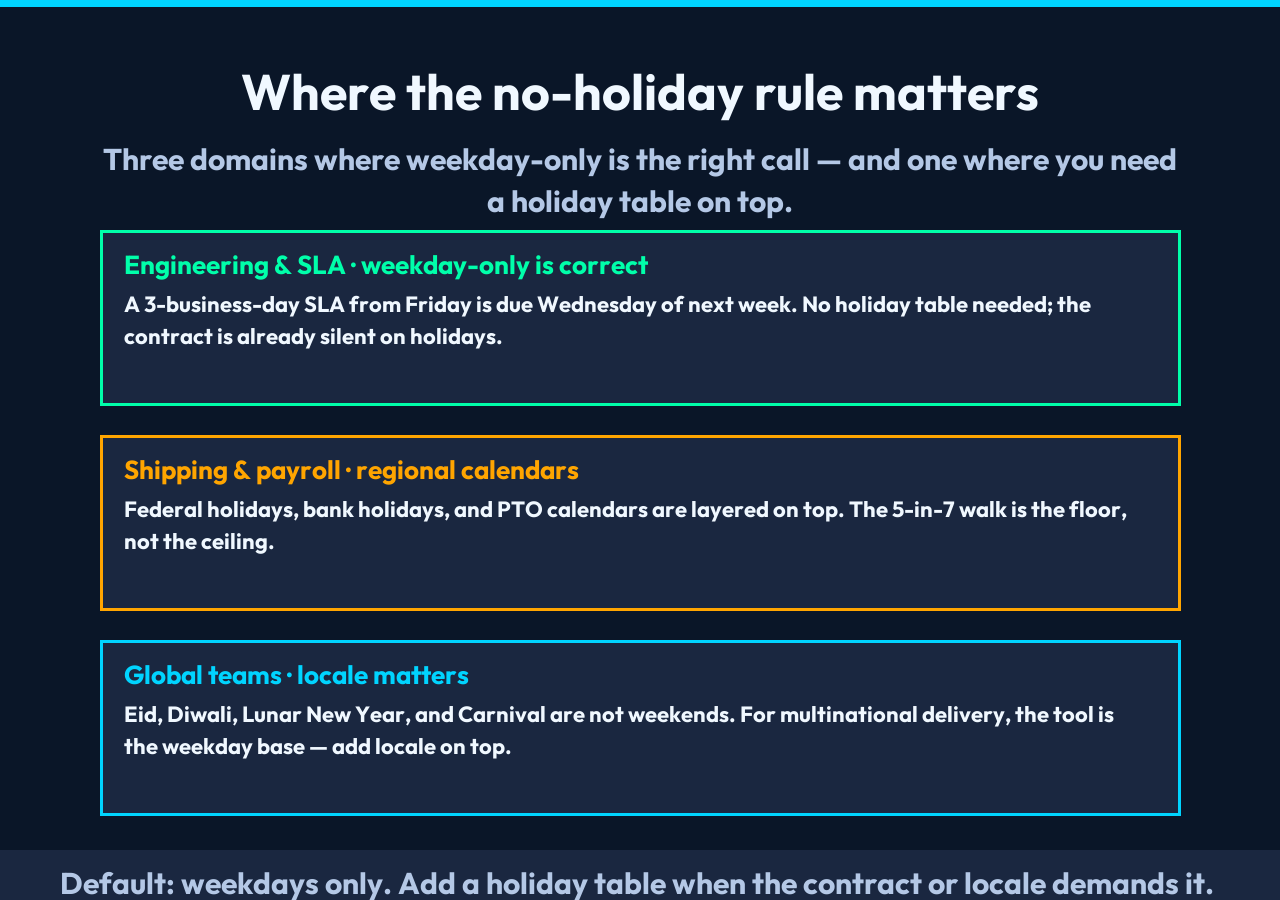
The places I have seen business-day math break in production are narrower than the literature suggests. Three recur most often:
- 1. SLA / response-time calculations. A “3 business day” SLA from a Friday ticket does not mean the response is due the following Monday — it means due Wednesday of the next week. The off-by-weekend is the single most common source of “we thought we had the weekend” disputes.
- 2. Project planning and shipping dates. A 10-business-day project starting Wednesday does not end Tuesday of the following week (10 calendar days), it ends Tuesday of the week after that (14 calendar days). The two dates are a week apart.
- 3. Payroll and billing windows. “Net 5 business days” from a Tuesday invoice means the following Tuesday, not the following Sunday. The difference matters when the wire transfer is initiated on the wrong day.
In all three cases, the tool’s job is the same: be the canonical source of “what date is N business days from X” so that your team does not have to count on a calendar by hand.
The closed-form math you can use to sanity-check
The tool iterates day-by-day, which is fine for short ranges but slow for “how many business days between 2010 and 2030” queries. The closed-form approximation: for a window of N calendar days, the business-day count is roughly N * 5/7, adjusted for the partial weeks at the start and end. The exact answer requires knowing the weekday of both endpoints — which is exactly what the tool’s countBusinessDays operation does for you. If you need a sanity check in your head, the rough 5/7 factor is good enough to catch an off-by-weekend bug.
A worked example: 28 calendar days is 4 full weeks, so 20 business days, exactly. 30 calendar days is 4 weeks plus 2 days, so 20 + the business-day count for the partial 2 days at the end (which depends on the weekday of the partial). The tool handles the partial-weekend case for you; the 5/7 approximation does not.
A small checklist before you ship a deadline
If a number in your code, your ticket, or your Slack thread is the word “business” anywhere near a date, run this checklist before the deadline goes out the door:
– Confirm the inclusive/exclusive convention. The tool uses inclusive on both ends; your code might not. – Confirm the start-day weekday. If the start is a Friday or Saturday, the result is never “the same day next week”. – Confirm no holiday assumptions. If your domain treats Christmas as a non-business day, this tool will be wrong by one day around the holiday. – Confirm the direction. addBusinessDays(start, 5) walks forward; if you meant backward, the tool returns the start date unchanged. – Confirm the metadata, not the result string, is what you log. The metadata is the audit trail.
For most teams, this is enough to keep the 5-day week from biting back. For the rest, the tool’s API is small enough to wrap in five lines and use as a library. Either way, the principle is the same: business-day arithmetic is a different problem from calendar arithmetic, and the easiest way to keep them straight is to make the boundary a function call, not a hand-count on a calendar. Try it at Elysia Tools and the gap between “what we said” and “what we shipped” closes by one bug at a time.
