
Every US state encodes its driver’s license differently.
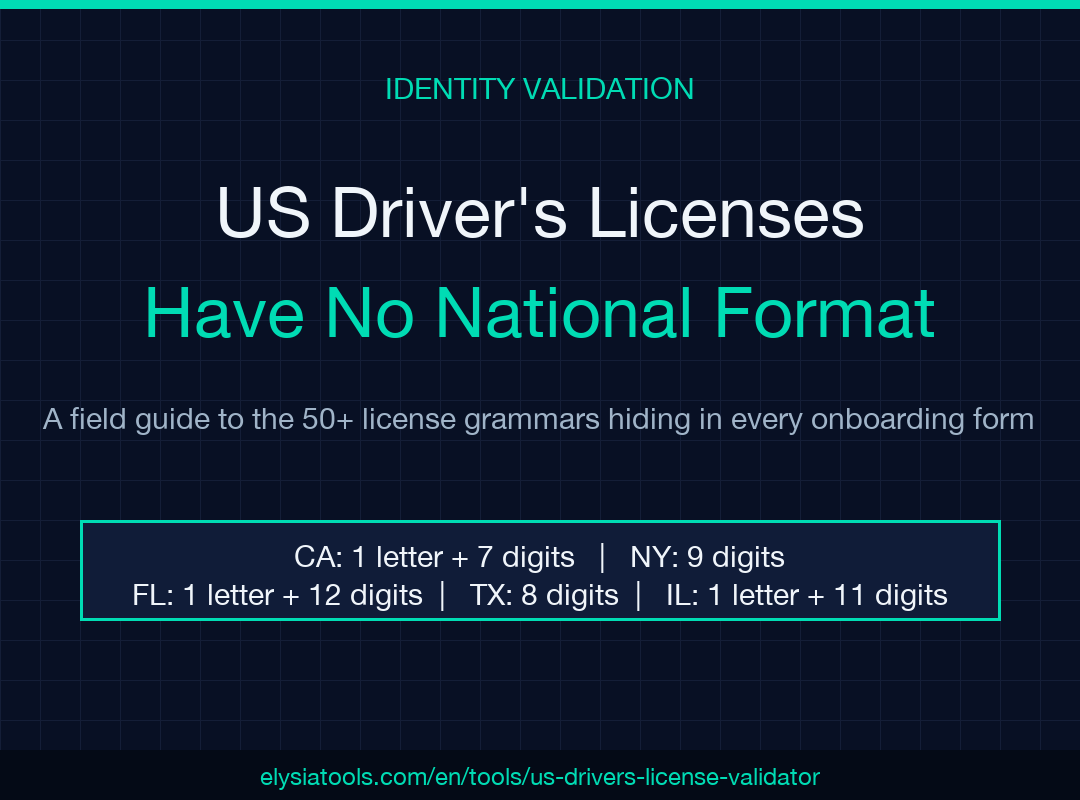
California uses one letter followed by seven digits, New York uses nine digits, Florida uses one letter followed by twelve digits, Texas uses eight digits, and Illinois uses the first letter of the last name followed by eleven digits. If you have ever typed a license number into a form and watched it bounce back with a “format invalid” error, you have run straight into a problem that has no national answer: there is no single federal format for US driver’s licenses. The closest thing to a national standard is the AAMVA card design data set, which most states follow for the magnetic stripe and PDF417 barcode, but the human-readable number printed on the front of the card is the part each state’s DMV has historically printed however it liked. That is why a dedicated US Driver’s License Validator is genuinely useful for anyone who processes identification data: customer onboarding flows, KYC pipelines, rental car intake, age verification, parking validation, or anything where the wrong character in the wrong place silently rejects a real customer.
Most format checks that look reasonable in code fail in practice because they assume the license number is the only thing printed on the card. Real cards carry an alphabet soup of state codes, abbreviations, audit numbers, and audit-overflow indicators layered on top of the actual license number, and a naive regex that anchors on \d{8} will correctly match a Texas 8-digit license and incorrectly swallow the audit suffix from a Florida card. A purpose-built validator works state-by-state, knows the historical format transitions (Florida’s older 1-letter + 12-digit format became the standard; California’s letter+7digits format has been stable for years), and reports whether the string is well-formed for a single chosen state. That distinction matters more than the validation itself: a “valid for Florida” result is actionable, while a “valid for any US state” result is rarely true.
What the validator actually checks
The validator operates on a string plus an optional state hint. With no state hint, it tries each state’s grammar against the input and returns every state whose format matches, which is the right behavior for log processing and forensic work where you want to know all possible origins. With a state hint, it confirms whether the string matches that state’s grammar and reports back a clean boolean plus a human-readable breakdown of which character positions are letters, which are digits, and which are reserved for audit suffixes. The output is structured enough that you can pipe it straight into a form pre-fill or a database write, but human-readable enough that a customer-service agent can show a customer “your license number is one digit short” without consulting a regex cheat sheet.
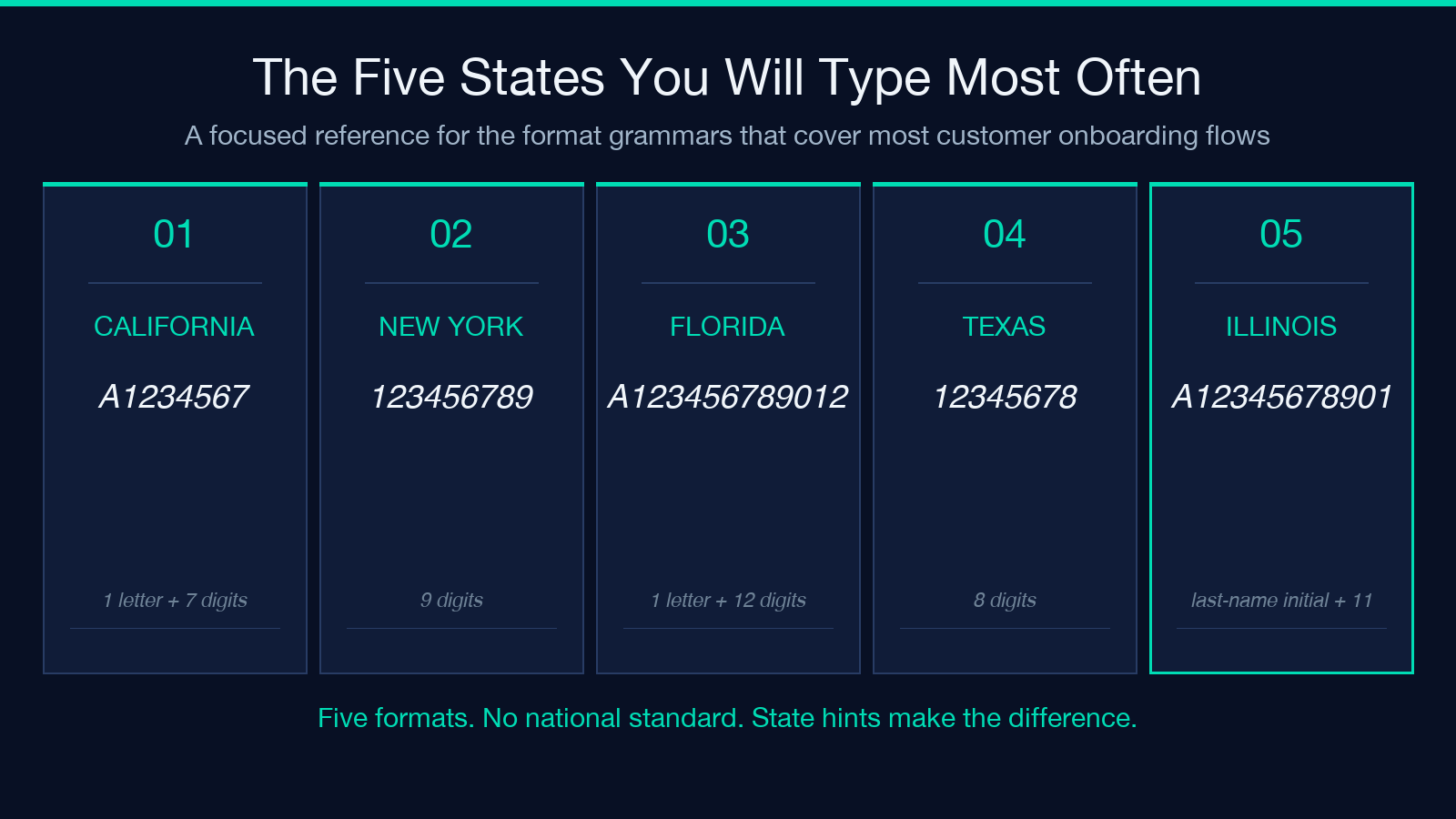
There are no fewer than fifty distinct state formats in active circulation today, and at least another fifteen that are grandfathered from older card designs. A national validator needs to know that the AAMVA standard reserves certain positions for subcodes, that audit numbers in many states sit in fixed positions at the end of the string, and that some states (notably Connecticut and Pennsylvania) have changed formats mid-stream and so accept both legacy and current encodings. A “valid for any state” function that just runs \d{8,12} is barely useful: it catches obvious typos but misses state-specific failures.
When state-aware validation saves a real workflow
Customer onboarding is the canonical case. A user signs up, types their driver’s license number from a freshly issued card, and the form either accepts them or bounces them back to customer support. If the form bounces them back, the support agent sees only a generic “invalid format” message and has no way to tell the customer “the number you typed is one digit short for California” versus “the number you typed uses the wrong letter prefix for Texas.” A state-aware validator outputs the specific structural reason the format check failed, so the support agent can explain it to the customer in plain English. The same logic applies to age verification, where the validator confirms the format and the calling code separately confirms the birth date — the validator is one half of the identity proof, never the whole thing.
KYC pipelines add a second wrinkle: the validator needs to handle the AAMVA standard’s card design data when the number is read from a barcode rather than a card front. Barcode strings include field separators (typically the pipe character and backslash), field codes, and a longer payload that wraps the license number plus name plus address plus expiration. A pure front-of-card validator sees the barcode string as invalid; a real KYC pipeline first parses the AAMVA fields out of the barcode payload, then validates the license number component. The Elysia validator is built for the front-of-card case and works correctly with the human-readable portion of any state’s ID.
Why state hints matter and how to use them
State hints turn the validator from a forensic tool into a transaction tool. When a customer selects “California” from a dropdown before typing their license number, you tell the validator state=CA and it only checks the California grammar — no other state’s grammar is consulted. This is faster, more accurate, and produces results that are easier to display. If you do not know the state at validation time (you are processing scanned PDFs or legacy records), run the validator without a hint and accept the list-of-matches response.
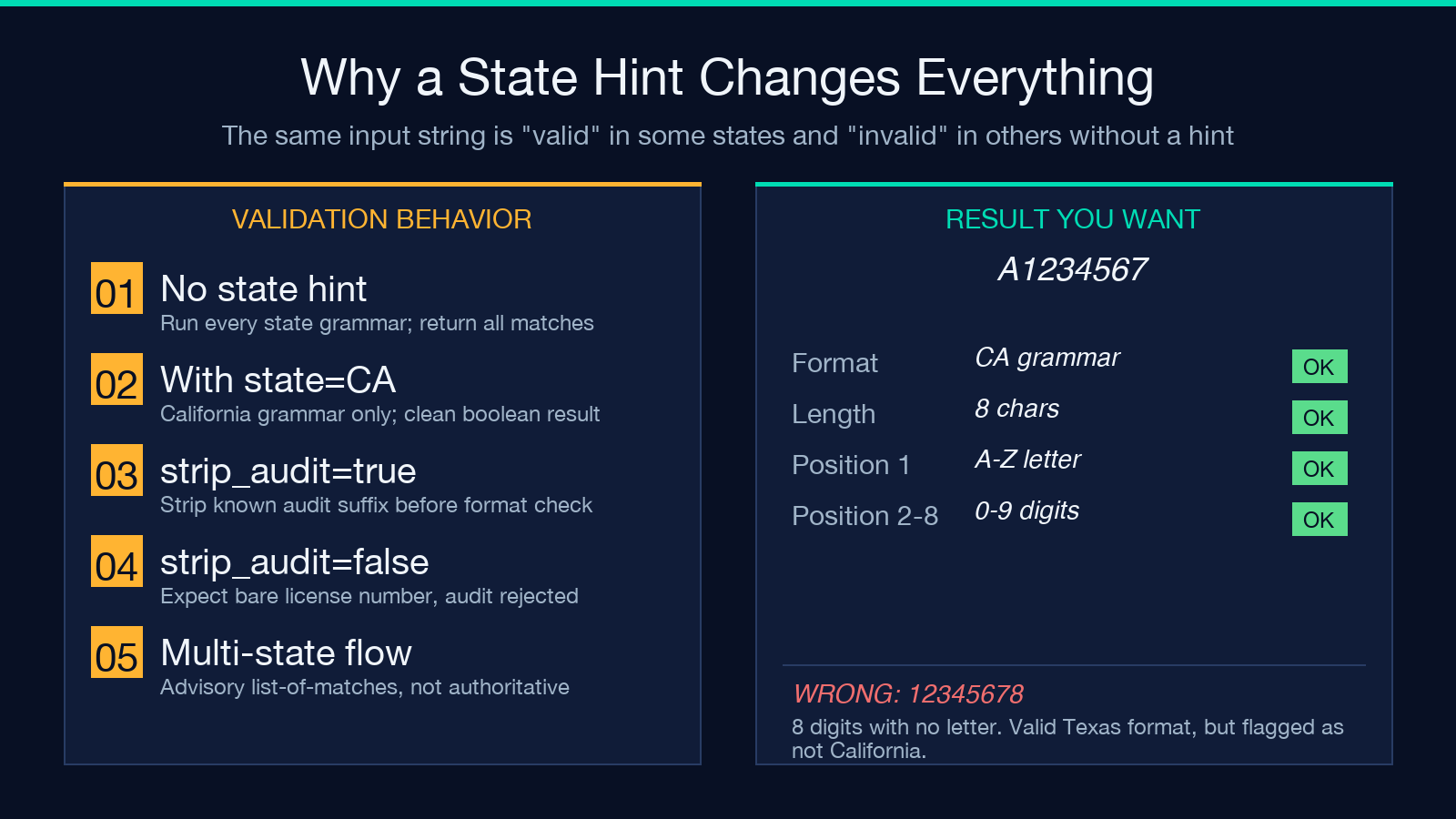
The right pattern in code looks like this: present a state dropdown to the user, populate the validator’s state parameter from that selection, run the check, and on success pass the cleaned license number to your downstream system. If your flow does not have a state selector (some B2B flows only get the license number via API and have no UI to ask the state), fall back to the no-hint mode and treat the list-of-matches response as advisory rather than authoritative. The validator returns advisory output that says “this could be any of these five states’ formats” — useful for triage, not for final acceptance.
The hidden complexity: audit suffixes and subcodes
Several states append an audit number or a subcode to the license number for internal DMV tracking, and the audit number changes format across card revisions even within the same state. Florida is the cleanest example: the front of the card shows a 1-letter + 12-digit license number, but a separate audit field may be printed on the back or embedded in the barcode. If your form captures the full card front including the audit number, a naive validator that expects exactly 13 characters will reject perfectly valid inputs.
The right defense is to keep the audit number as a separate field and validate it independently when your workflow cares, or to strip it before validation when it does not. The Elysia validator handles both modes: with strip_audit=true it removes known audit-suffix patterns before checking the underlying format, and with strip_audit=false it expects the input to be the bare license number. For customer-facing forms the recommended mode is strip_audit=true because the user will likely type everything they see, and you do not want the validator to reject what is essentially a well-formed number with a perfectly normal audit suffix glued on.
How the validator handles historical format changes
States change formats when they redesign their cards, when they adopt newer AAMVA card design standards, or when their legacy database runs out of number space. Florida switched from a one-letter + twelve-digit format to a one-letter + twelve-digit format with an embedded audit number around 2010; the underlying license number stayed the same length but the audit field moved positions. Illinois moved to a different first-letter scheme for their new design in 2013, with the new letter indicating the issuance year. California has been stable since the 1990s but rolled out a new card design in 2018 with no change to the printed license number. The validator tracks these transitions and accepts both old and new formats where the state itself accepts both.
If you are validating historical data (legacy DMV records, scanned paper forms from the 1990s), the state-aware validator will give you more useful results than a generic regex because the historical format and the current format can be quite different and the validator knows both. For new transactions on currently issued cards, the state-aware validator still gives better results because it can flag inputs that match a historical format but not the current one — a signal that the user may have typed from an expired card or a photo of an older card.
What the validator does not check
The validator checks structure, not identity. A perfectly formatted California license number is not proof that the holder of that number is the person typing it; that requires a separate identity check (name match, DOB match, biometric match, or any of the several KYC vendor solutions). The validator’s role is to catch obvious typos at the format level so your downstream system does not silently accept garbage: a California license number with no letter prefix, a New York license number with too many digits, a Texas license number with a letter in the middle position. These are the kinds of inputs that cause database corruption, KYC false-negatives, and support escalations that are entirely preventable at the input layer.
The validator also does not check expiration. License number format and license expiration are independent data points; a perfectly valid-format California license number from a card that expired in 2014 is still a valid format, and the validator will correctly say so. Pair the format check with an expiration-date check (which lives in the AAMVA barcode and the card back, not in the license number itself) for any workflow where recency matters.
A pragmatic state-by-state reference
The full set of active formats is long enough that memorizing it is the wrong approach. The pragmatic move is to keep a state-aware validator in your input pipeline and let it handle the breadth. For day-to-day work, here are the five most commonly seen formats, which together cover the majority of US license numbers typed into customer-facing forms:
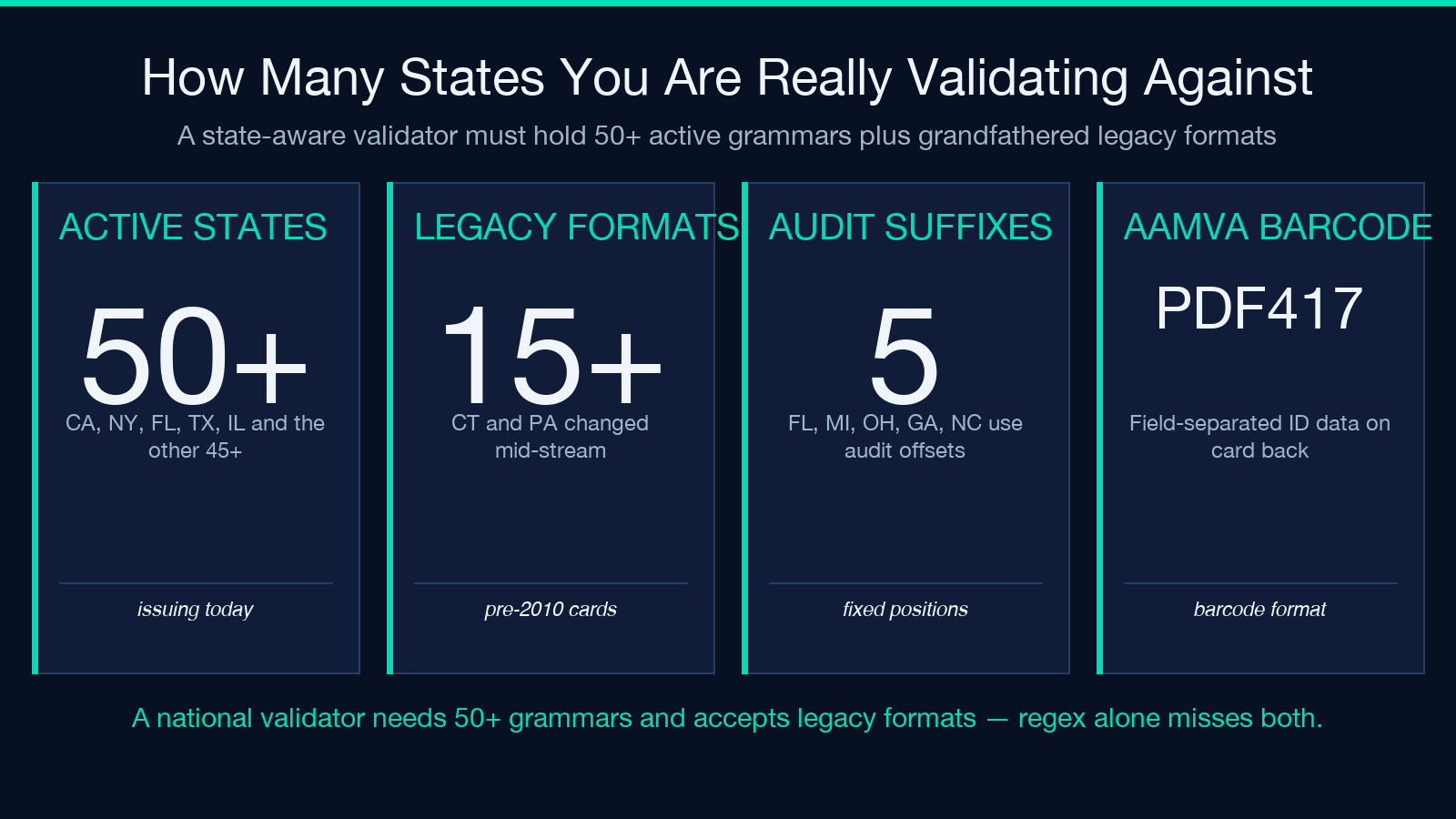
- California — one letter followed by seven digits. Stable since the 1990s. The letter is not state-encoded; it is a fixed position.
- New York — nine digits. Pure numeric; no letters in the license number itself.
- Florida — one letter followed by twelve digits. Audit numbers may appear in fixed positions; strip them before validation unless your workflow needs them.
- Texas — eight digits. Pure numeric; a state hint is essentially the only way to distinguish a Texas license number from a generic eight-digit ID.
- Illinois — first letter of last name plus eleven digits. The leading letter is the holder’s last-name initial, which makes Illinois the easiest state to validate by structure alone.
This is not the full list — at least forty-five other states and territories have their own formats — but for any single-state workflow that handles one of the five above, the validator with a state hint will catch every typo that the equivalent regex misses. For multi-state workflows, run the validator without a state hint and accept the list-of-matches response as advisory.
Putting it together
The US Driver’s License Validator is a small, focused tool that solves a real problem: US driver’s license numbers are not nationally standardized, and every workflow that touches them needs to know the format rules per state. Use the validator with a state hint for clean transaction flows; use it without a state hint for forensic or batch jobs where you want all possible state matches. Pair it with a separate expiration check, an AAMVA barcode parser when you have the barcode available, and an identity check for any use case where the license number alone is supposed to prove who the user is.
If you regularly process US driver’s license numbers and have been getting away with \d{8,12}, the state-aware validator catches every format that regex misses and explains why each input failed. For a full list of Elysia’s other validators and identity-aware tools, browse Elysia Tools. Explore more tools at elysiatools.com.
