
The API just renamed six fields, the staging pipeline broke, and you have forty-seven downstream consumers. That is the moment a real key renaming tool stops being a nice-to-have and starts being load-bearing. This field guide walks through what the JSON Key Renamer at Elysia Tools actually does, how its rules engine compares to a hand-rolled regex, and when you should reach for it instead of writing a thirty-line Python one-liner.
The tool lives at elysiatools.com/en/tools/json-key-renamer, and it has a clear opening pitch: batch rename JSON object keys with support for patterns, rules, and transformations, perfect for API response formatting and data normalization. What the marketing copy undersells is the depth of the configuration. You get five distinct rename modes, six case conversions, recursive depth control, array handling, and four conflict-resolution strategies, which is enough surface area to cover roughly ninety percent of the messy refactors a backend team hits in a quarter. The field guide below is the cheat-sheet I wish I had when I first opened the page.
What problem the tool actually solves
Most JSON-rewriting needs start as a one-liner and grow teeth. You paste a payload, swap a field name, ship it. Then the next request needs every key converted to snake_case, the one after that wants a regex pattern across an array, and by Friday a hand-written script has thirty branches and one bug you cannot reproduce. The JSON Key Renamer collects the cases into one configurable surface so you stop rewriting the same parser in five languages.
It does not invent new fields, transform values, or reformat numbers. It reads a JSON object, walks its tree according to the depth and array rules you set, rewrites the keys, and emits a new tree with full metadata about what it changed. The value shape is preserved by construction, which matters when downstream contracts assume user_id is an integer and not a string. Try it on a sample payload at elysiatools.com/en/samples/json and the API response example is a natural fit, since every public REST endpoint eventually faces a casing question.
The output side gives you three things you would otherwise have to assemble yourself: a renameMap showing exactly what changed, a metadata block with keys-renamed, conflicts-resolved, and depth counts, and a summary line you can paste into a commit message. That metadata is what makes the tool auditable. A regex replacement is invisible after the fact; this tool’s output is self-documenting.
The five rename modes compared
The tool exposes five modes that map almost one-to-one to the tasks you would otherwise write separate scripts for. Picking the wrong one is the single most common reason a renaming run produces ugly output, so it pays to know them in order.
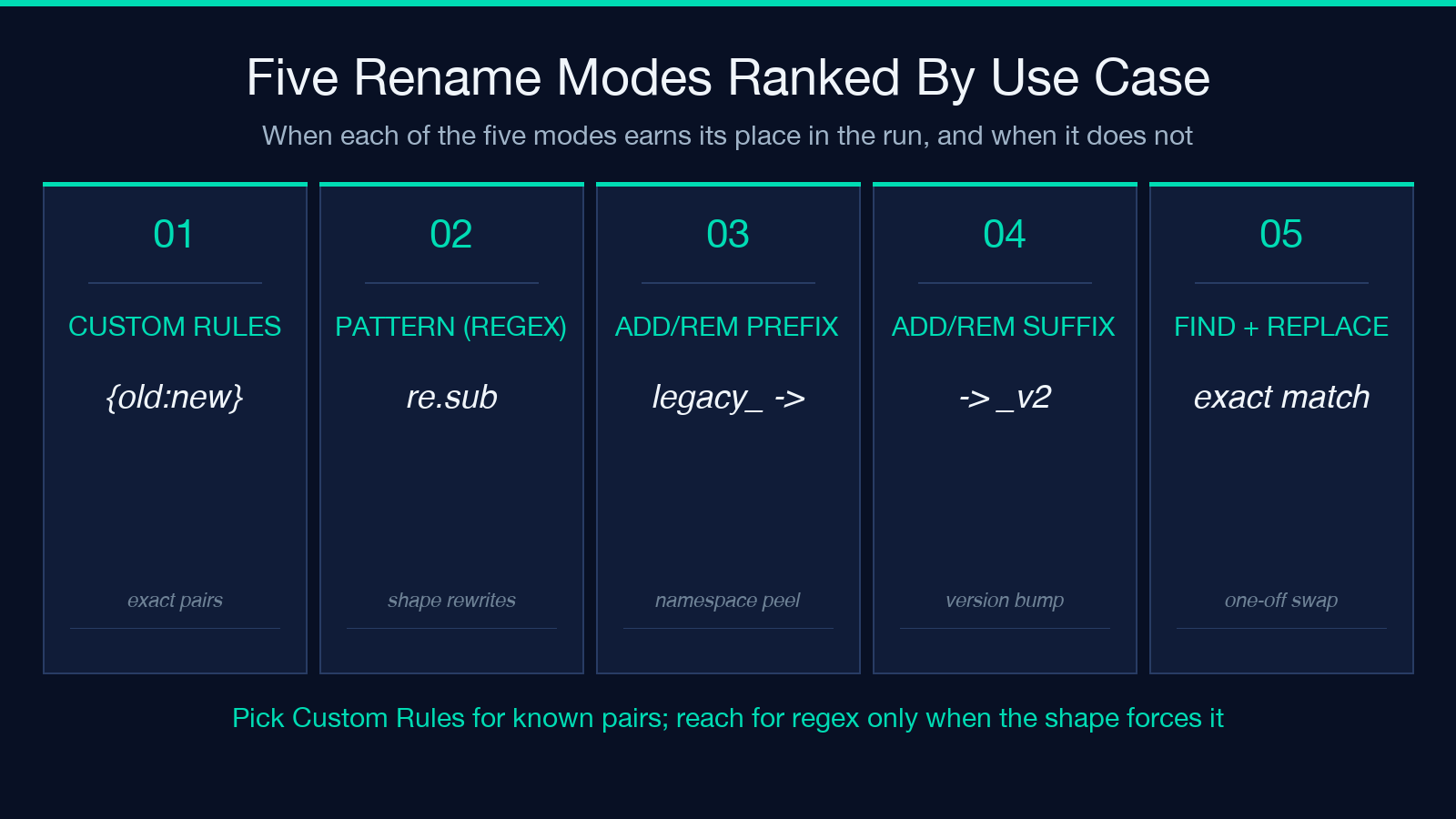
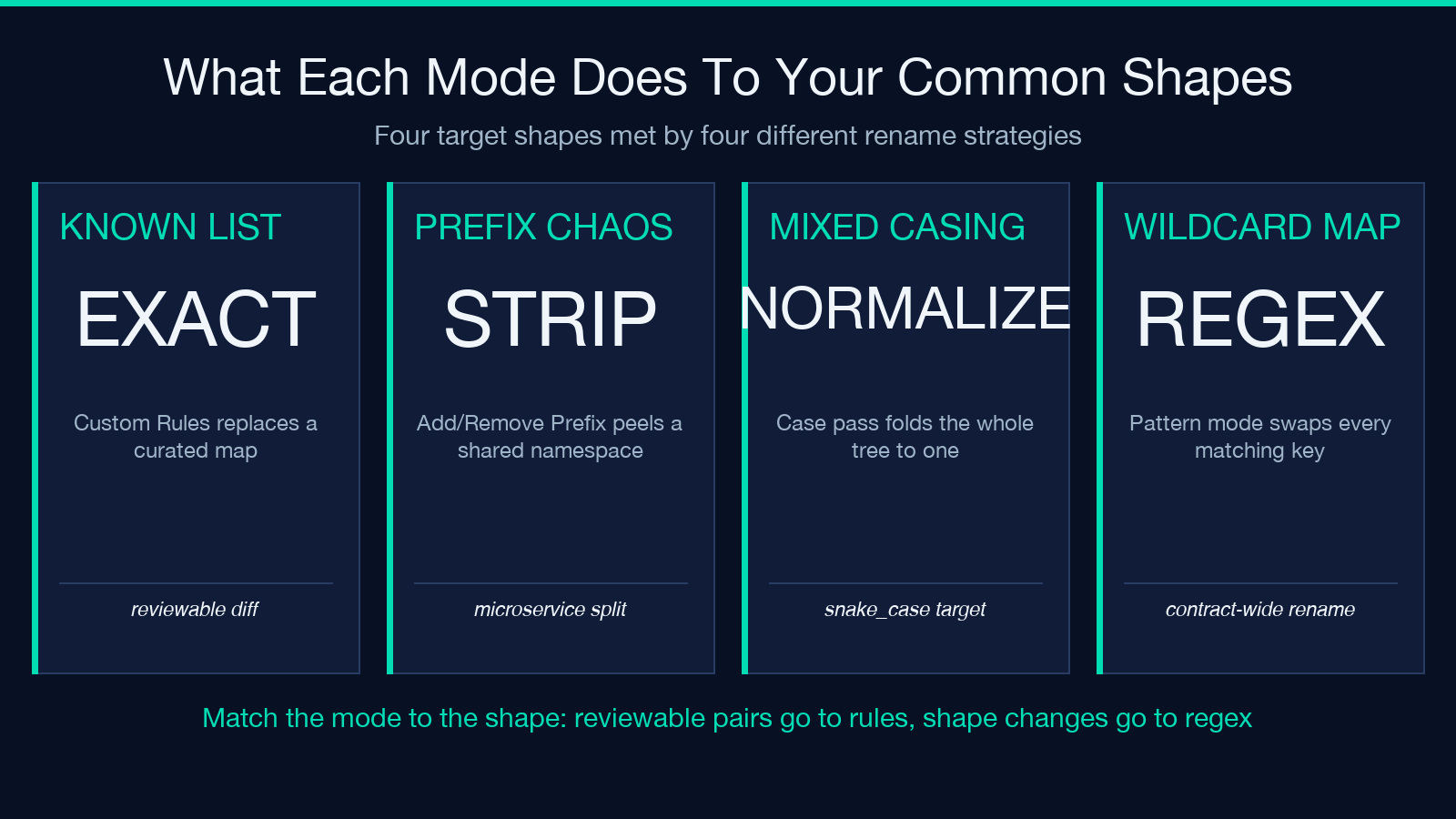
- Custom Rules (JSON format) is the mode you want when you have a specific list of old-to-new pairs. The input expects a small JSON object whose keys are the old names and whose values are the new names. It is exact, it is auditable, and it does not touch anything you did not list. Reach for it on a one-off migration where the diff is reviewable.
- Pattern Matching (regex) applies a regular expression to every key. It is the only mode that does not require enumerating the keys in advance, which is what you want when the upstream system mints field names with a shared prefix or suffix you no longer want. It is also the mode where over-greedy patterns produce surprises, so test on a copy first.
- Add/Remove Prefix and Add/Remove Suffix are the two slice-and-dice modes. You say “strip the leading
legacy_” or “append_v2” and the tool does it across the whole tree at the depth you allow. They are the cheapest ways to namespace a payload for a new microservice. - Find and Replace is a literal substring swap. It is the bluntest mode but also the one that handles weird one-offs (“rename all keys containing
ApitoAPI“) without writing a regex. Use it sparingly; literal replace plus recursive depth is a recipe for surprising matches.
The decision tree is short. If you have a list, use Custom Rules. If you do not, decide between Pattern for shape-changing renames and Prefix/Suffix for additive ones. Find and Replace is your last resort. The tool at elysiatools.com/en/tools/json-key-renamer defaults to Rules because that is the most common case, but switching modes only takes one dropdown.
Six case conversions that pair with the modes
The case conversion dropdown is independent of the rename mode, which lets you stack them. The six options cover the spectrum from “do nothing” to full uppercase shouting, and they pair cleanly with the rename modes:
- UPPER_SNAKE_CASE for SQL-shaped outputs and log pipelines
- PascalCase for class-shaped payloads and graphQL types
- camelCase for JavaScript ecosystems and TypeScript clients
- snake_case for Python and Rails backends
- kebab-case for URLs, config keys, and CLI flags
- No Conversion when only the rename mode should fire
Stacking matters because migration pain rarely lives in one dimension. The most common pattern I see is Custom Rules + snake_case, where the team hands a curated rename map and lets the tool normalize the casing on top. That is also the configuration that exposes the tool’s nicest behavior: it applies the case conversion AFTER the rename, so a key explicitly listed in the rules keeps its exact new name, and any unlisted key falls into the case pipeline. The two-stage pass is invisible in the UI but shows up in the metadata block as keysRenamed plus a separate caseConverted count.
One trap is that case conversion is greedy. If you pass id_hash through snake_case, you get id_hash back, which is correct, but IDHash through snake_case becomes i_d_hash, which is almost never what you want. Use a Custom Rules entry to pin mixed-case identifiers before the case pass.
Depth, arrays, and the hidden knobs
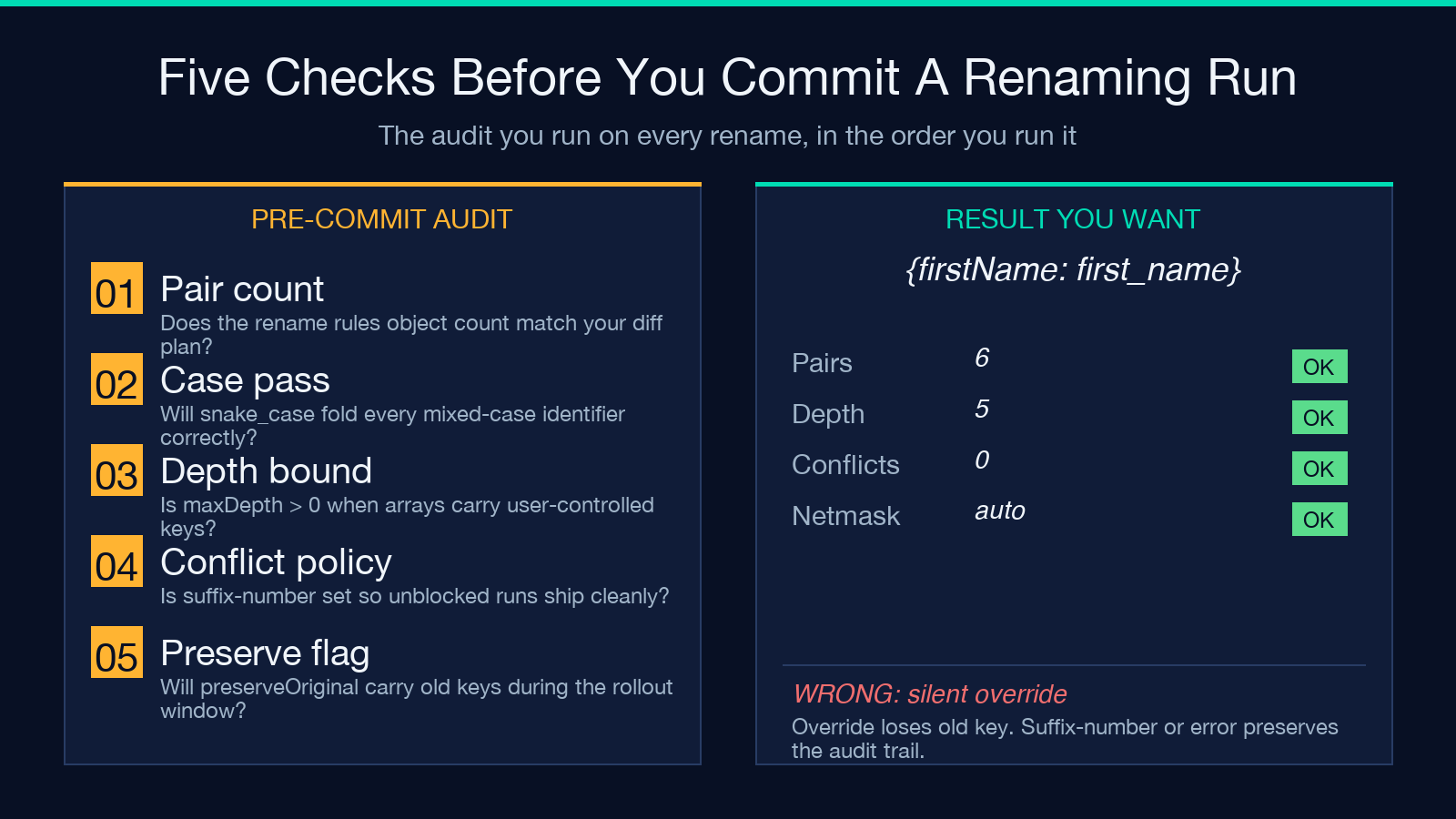
Three options look like fine-print but change the output significantly: maxDepth, includeArrays, and handleConflicts. Skim them and you will be debugging a renaming run that “almost worked.”
maxDepth is the safety brake. The default of 0 means unlimited recursion; setting it to 2 stops the tool after the second level. Use it whenever your payload has a circular-by-shape section (comment threads, hierarchical org charts) where you only want to rename the top levels. A common pattern is maxDepth: 1 for normalizing the root of an API response without touching user-controlled nested blobs.
includeArrays decides whether the keys inside array elements get renamed. With it off, an array of user objects keeps firstName and lastName untouched even when the surrounding object is rewritten to first_name. Turn it on for migrations where every level of the tree should converge to the new schema.
handleConflicts is the option that prevents the tool from silently dropping fields. When two keys collapse to the same new name, you have four choices: error out (the safest default), skip the second write (lossy but predictable), append a numeric suffix like key_2 (the migration-friendly option), or override in place (the destructive option). The error mode is the right starting point for any production pipeline because it forces you to look at the conflict before it lands. Once you understand the conflict pattern, switch to suffix-number to keep the run unblocked.
The preserveOriginal checkbox is a quiet star. With it on, the tool copies old keys under a _original shadow instead of replacing them in place. That is invaluable when downstream consumers are mid-migration and you need both the old and new names to coexist during the rollout window.
A worked example on a real API response
The clearest way to see the modes interact is a full walkthrough. Take this stripped GitHub-ish user payload and pretend your backend is moving from camelCase to snake_case and dropping the profile namespace:
{
  "userId": 42,
  "displayName": "ada",
  "avatarUrl": "https://example.com/a.png",
  "profile": {
    "profileBio": "writes field guides",
    "profileImage": "ada.png"
  }
}
Set the rename mode to Custom Rules (JSON format), the case conversion to snake_case, and the rules to {"profileBio": "bio", "profileImage": "image"} so the un-namespaced keys replace the prefixed ones. With maxDepth: 5, includeArrays: true, and handleConflicts: suffix-number, the tool produces:
{
  "userId": 42,
  "display_name": "ada",
  "avatar_url": "https://example.com/a.png",
  "profile": {
    "bio": "writes field guides",
    "image": "ada.png"
  }
}
The renameMap returned alongside will list four entries (userId -> user_id, displayName -> display_name, avatarUrl -> avatar_url, plus the two explicit rule hits), and the metadata block will report keysRenamed: 5 with caseConverted: 3. That count split is the smoking gun for what the tool did without your having to read the output line by line. Try the same payload interactively at elysiatools.com/en/tools/json-key-renamer and watch the metadata update live as you tweak the rule and case dropdowns.
If you ever need to flatten the profile block too, the way to do it is a second pass with the same tool and the pattern mode. Apply a regex like ^profiled*. (a leading profile. or profile42. prefix) to strip the namespace. The two-pass recipe keeps each pass auditable and avoids burying one transformation inside another.
When to use the tool versus a regex in code
The honest answer is: both, in different layers. The tool is your fastest path when the input is varied and the rules are reviewable. A code-side regex is faster when you control the input shape, the rules are fixed in a config file, and you need the rewrite inline in a service.
A practical rule of thumb: if the rename is a one-off migration that touches a known dump of JSON, use the tool. It cuts a thirty-line Python script to a checkbox plus a paste. If the rename is a recurring rule your platform must enforce on every payload forever, encode it as code so the rule is in version control alongside the rest of the schema. The tool wins on exploration and one-offs; code wins on enforcement. Pairing them is not cheating, it is good engineering.
Verifying a renaming run before you ship it
Even with the metadata block, you should always diff the input and output before a migration lands. Three checks catch almost every surprise:
- Top-level key count must match. Unless you used
handleConflicts: skip, the count at the root should be preserved. A drop means a silent collision; a growth means arrays got flattened unexpectedly. Use thejson-key-extractor-style inspection at elysiatools.com/en/tools/json-key-extractor alongside the renamer for side-by-side shape checks. - Spot-check a nested path. Pick one deep key from the original (e.g.
profile.profileBio) and confirm it lands where you expected after the run. If a Custom Rules entry was missed, this is where you notice. - Confirm value types did not change. The tool never edits values, but bugs in your input JSON (a number written as a string) sometimes show up after renaming because downstream serializers get stricter. A quick check against a typed schema is cheap insurance.
These checks take sixty seconds and have caught every silent regression I would otherwise have shipped. The metadata block is your safety net; the spot-checks are your eyes.
Putting it all together
The JSON Key Renamer is a small, focused tool that earns its place on a refactor day. It collapses five scripts into one configurable surface, gives you an auditable output, and stays out of the way for the cases where you really do want to write a regex. Reach for it when you have a reviewable rename plan or a one-off payload to clean up; reach for code when the rule is permanent and enforced.
Try the tool on a real payload from elysiatools.com/en/samples/json and you will see why the metadata block matters more than the UI. For more on JSON-shaped work, the JSON Key Extractor is a natural follow-up at elysiatools.com/en/tools/json-key-extractor, and the wider Data Processing category at elysiatools.com/en/tools/data-processing lists the rest of the cleaning toolkit worth keeping in your back pocket.
