
If you have ever tried to load a folder of application.log files into a spreadsheet and gotten back a wall of timestamp prefixes, varying severity keys, and Apache combined log format lines creeping in alongside {"level":"info"} JSON lines, you already know why a log analyzer that does format detection, field inference, and structured export belongs in every backend & ops pipeline. The Structured Log Analyzer turns a pasted log blob into a typed table that exports to JSON, CSV, or SQL inserts without you writing a parser per format. This guide walks through how to use it on the shapes you actually see in production — mixed JSON lines, Apache access logs, syslog fragments, custom regex patterns, and the multi-line stack traces that hide between single-line records.
Why A Mixed-Log Detector Earns Its Slot
Production logs are never one shape. A single tenant typically runs an application that emits JSON lines, a reverse proxy that writes Apache combined-log format, an OS that writes syslog, and a hand-rolled service whose only contract is “follow this regex.” The naive fix is to write one parser per format and merge the rows downstream — which is fine until the third format lands and the merge logic eats a Friday. The analyzer’s auto-detect path inspects each line, classifies it into a known shape, extracts the core fields, infers column types from the values, and emits a single unified table. The whole loop runs in the browser, so nothing leaves the tab.
The gain is bigger than it looks. Field inference means a column of timestamps becomes a real datetime instead of a string column, a column of HTTP status codes becomes an integer you can GROUP BY on, and a column of durations becomes a number you can plot. Export to JSON keeps the type fidelity, export to CSV flattens to a spreadsheet-friendly form, and SQL inserts get a typed CREATE TABLE that mirrors the inferred schema. The Data Processing hub on Elysia Tools lists other field-detection utilities worth pairing with this one when you have JSONL or CSV inputs that are already clean but need a quick shape check.
Five Output Bands The Analyzer Tags On Every Row
When the analyzer finishes a parse, it tags each row with one of five output bands that describe where the row came from and what type fidelity it carries. Knowing the bands lets you pick the export target deliberately instead of letting the auto-export guess for you.
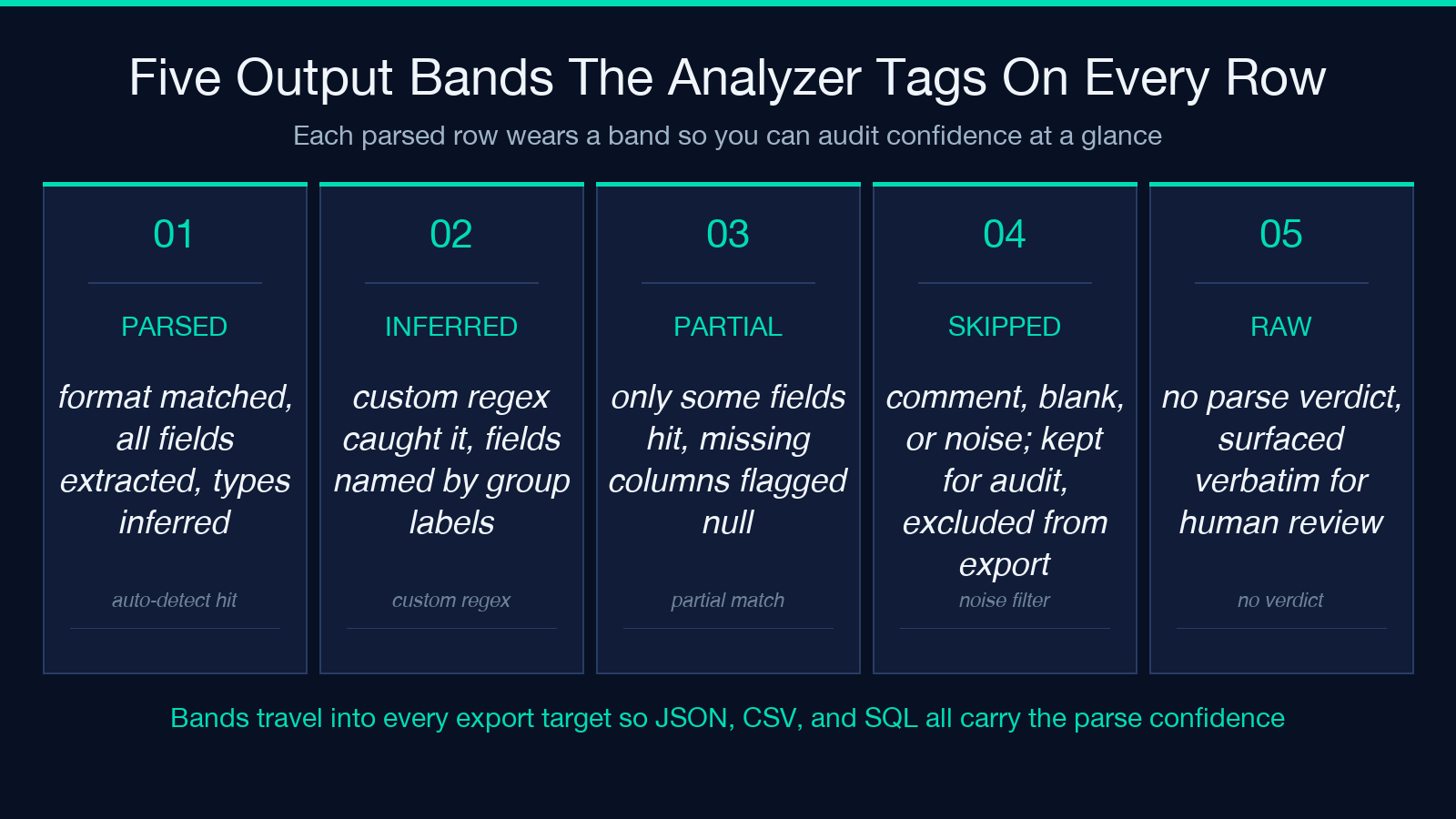
01 PARSED— the line matched a known format, every named field extracted, type inferred.02 INFERRED— the line did not match a known format but a custom regex caught it; field names come from your(?group labels....) 03 PARTIAL— only some fields matched; missing columns filled withnulland flagged in the report.04 SKIPPED— the line was a comment, blank, or pure-noise (e.g. a---separator); recorded for audit but excluded from exports.05 RAW— the line could not be parsed at all; surfaced verbatim in the report with the auto-detect verdict attached.
The bands travel with the row into every export target, so a CSV export keeps a band column you can filter on, and a SQL export gets a band enum you can WHERE against. This is what makes the tool useful as the first step of an audit pass — you always know which rows were confidently parsed and which ones need a human.
Four Log Format Families The Detector Auto-Classifies
The auto-classifier knows four format families out of the box, and it picks the family per line rather than per file. A pasted blob with one line of each format gets four correct parses, not one guess.
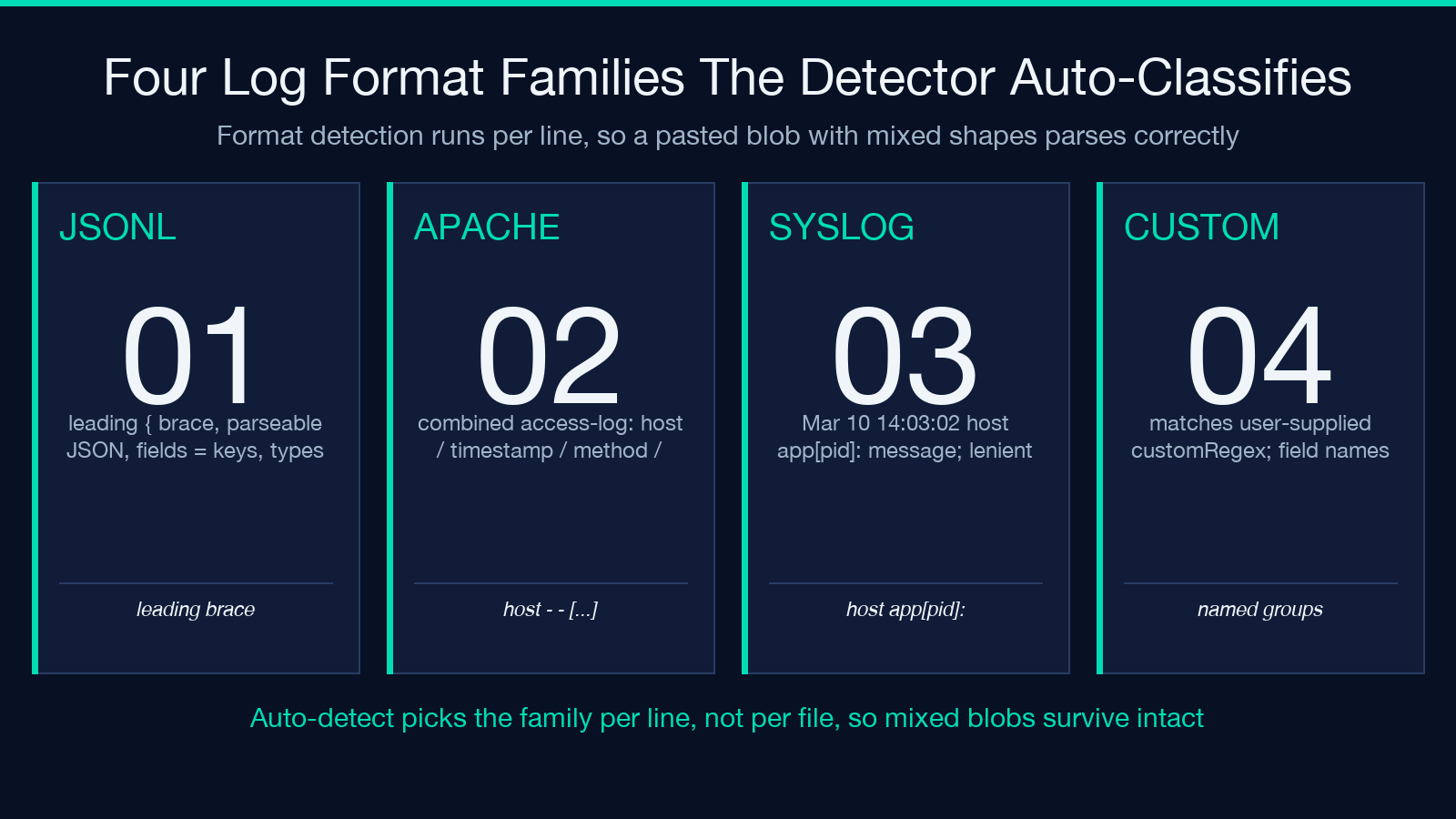
JSONL— JSON-per-line. Detected by leading{and parseable JSON. Fields are the keys, types inferred from the values.Apache CLF— Apache “combined” access log format. Detected by thehost - - [timestamp] "METHOD path HTTP/x" status sizeshape. Fields:remote_host,timestamp,method,path,status,size,referer,user_agent.Syslog—Mar 10 14:03:02 host app[pid]: messageshape (RFC 3164 ish, lenient on the year). Fields:timestamp,host,process,pid,message.Custom Regex— any line that matches the user-suppliedcustomRegexfield with(?named groups....)
If you want to see what the JSON to Go Struct Converter does with a JSONL line you parsed out, paste the inferred schema in and let it spit out a typed struct. For diff workflows (which line format shifted last Tuesday), the CSV/Excel Diff Tool reads the exported CSV and surfaces the drift between two days of the same log source.
Five Reasons A Custom Regex Beats Auto-Detection
Auto-detection is good enough for the common four formats and brittle for anything custom. Reach for the custom-regex path when any of these five conditions hold.
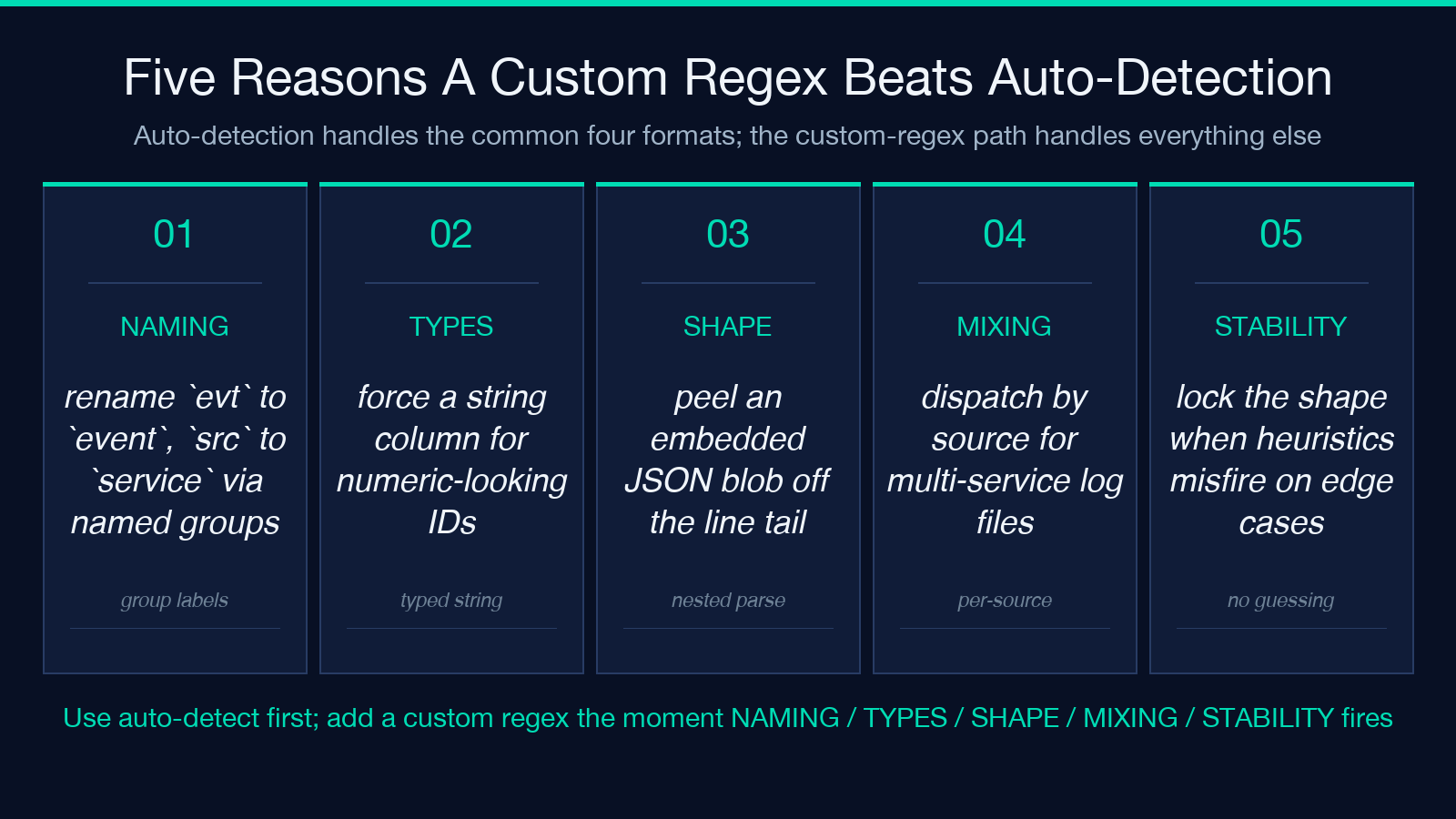
01 NAMING— your service writes structured logs but with field names likeevtandsrcinstead ofeventandservice; a regex with(?renames them....) (? ...) 02 TYPES— the default inference sees1234as a number when you want it as a string; a custom(?\d+)group captures it as text.03 SHAPE— your lines have variable-tail fields (a JSON blob embedded in a syslog message); regex with(?peels off the blob for a nested parse pass.{.*}) 04 MIXING— one file contains four services with different layouts; a per-service regex dispatch (set thesourcefield first, then dispatch) maps them correctly.05 STABILITY— the format is unlikely to change but the auto-detect heuristics occasionally misfire on edge cases; locking the format with a regex removes the guessing.
The custom regex field takes any standard JS-flavored regex with named groups. Use single-line mode by default; flip the aggregateMultiline flag on when your lines wrap across newlines (Java stack traces, multi-line JSON values).
The Pre-Publish Sanity Loop — Three Audit Checks That Catch Most Mistakes
Before you click export, run three audit checks on the inferred table. These are the same checks the Data Processing tools apply to their outputs, distilled to the log-analyser case.
- Row-count delta — the parsed row count plus the skipped row count plus the raw row count should equal the input line count. Off-by-one usually means a multi-line block collided with a single-line parse.
- Type sanity — every numeric column should have at least 95% values that parse to a number in the chosen export format; below that, the column is a string masquerading as a number.
- Null density — any column with more than 50% null values is a signal the regex or the format detection is misaligned with your real shape.
If a row lands in the RAW band after this loop, you have two options: tighten the custom regex or accept the verbatim row in the report and exclude it from the SQL export.
How The Export Bands Map To Real Downstream Pipelines
Export target choice is not cosmetic — each one carries type fidelity differently.
JSONkeeps the inferred types. Use this when the next stage is a JSON-aware pipeline (a Node service, a Pythonjson.loadscall, a Logstashjsonfilter).CSVflattens every value to a string. Use this when the next stage is a spreadsheet, apandas.read_csvcall, or a SQLCOPY FROMagainst aTEXTcolumn.SQLemits typedCREATE TABLEplusINSERTstatements. Use this when you want the inferred schema to become a real table in Postgres or MySQL.HTMLis the report view — the same data rendered for a human, with band tags, format verdicts, and the original line side-by-side.
If your downstream is a Postgres-and-dbt stack, the SQL export saves you the dbt seed step entirely — paste the CREATE TABLE into a migration, run the inserts, and the rows are typed columns.
Pairing The Analyzer With The Rest Of The Elysia Tools Stack
The analyzer sits at the front of a log-handling pipeline. The middle (validation, normalization, diff) and the back (presentation, archival) have their own Elysia Tools that wire up cleanly.
- For input cleanup before parsing, the JSON Key Extractor lifts a subset of fields out of JSONL blobs — useful when you only care about five of twenty keys.
- For trace reconstruction across services, the Distributed Trace Decoder & Waterfall Visualizer reads JSONL spans and renders the timing chart.
- For pattern matching against arbitrary log shapes (no parser required), the Regex Cheat Sheet is the reference table for the named-group syntax used in the custom regex field.
- For data-URI inline embedding (handy when you want to share a parsed report in a chat message), the Data URI Generator base64-encodes the report HTML.
Browse the full tool catalog at elysiatools.com. The analyzer is one of about thirty log-and-data utilities in the Data Processing hub, and it pairs well with the Format Conversion category when the next step is “ship the parsed CSV into a customer-facing XLSX.”
The One-Sentence Mental Model
> Paste a mixed log blob, get back a typed table whose rows are tagged by parse band and whose columns are inferred from the values, with an export target that preserves the types you actually need.
That sentence is the entire workflow. The seven sections above are the audit and pairing notes that turn “works on one log file” into “trust it across an SRE rotation.” Browse the full tool catalog at elysiatools.com, or jump straight back to the Structured Log Analyzer to run this guide against your own log blob.
