
Skip the setup, the desktop app, and the eight-tab-browser ritual. a real GraphQL Playground is one URL away, and it handles queries, mutations, variables, headers, fragments, and introspection without anything more than your browser tab.
GraphQL clients have been around for almost a decade, but most teams still default to curl for the first poke at a new endpoint. That works for a single query. The moment the schema has twenty types, three layers of nesting, and a fragment that needs to be repeated across two mutations, the terminal stops being useful. A browser-based GraphQL Playground gives you schema exploration, one-click docs, saved variables, response formatting, and an HTTP header editor in one tab, and the tool you probably want is the Elysia Tools GraphQL Playground.
Why a Browser Playground Beats curl After the Third Query
The first three queries against a fresh GraphQL endpoint almost always involve the same three moves: paste the URL, type { users { id name } }, hit send, copy the JSON out of the terminal, paste it into a notes file. With a playground, that loop becomes one tab. You type the query, the client talks to the endpoint, you get a formatted JSON tree with clickable fields that link straight to the schema definition. The GraphQL Playground at Elysia Tools sits at one URL — no account, no install, no token gate — and lets you point it at any GraphQL endpoint by editing the URL bar.
The real win shows up when you start writing fragments and variables. A fragment like fragment UserFields on User { id name email } is six lines of code that you do not want to retype in every query; a playground keeps the fragment in the editor, supports the standard Ctrl+Space autocomplete against the live schema, and updates both sides of a fragment when you rename a field. Variables get their own JSON pane, which means you can swap an id from "abc" to "xyz" without touching the query body. None of this requires a backend running on your laptop.
What the Playground Sends and Receives on Every Request
When you hit the run button, the playground serializes three things into a single HTTP POST: the query string, the variables JSON, and the operationName (optional). The body lands at the endpoint’s GraphQL handler, which returns { "data": ... } on success or { "errors": [...], "data": null } on partial failures. A common mistake is treating the errors array as a fatal flag — in GraphQL, partial success is a normal response shape, and the playground’s response pane shows both the data branch and the errors branch side by side.
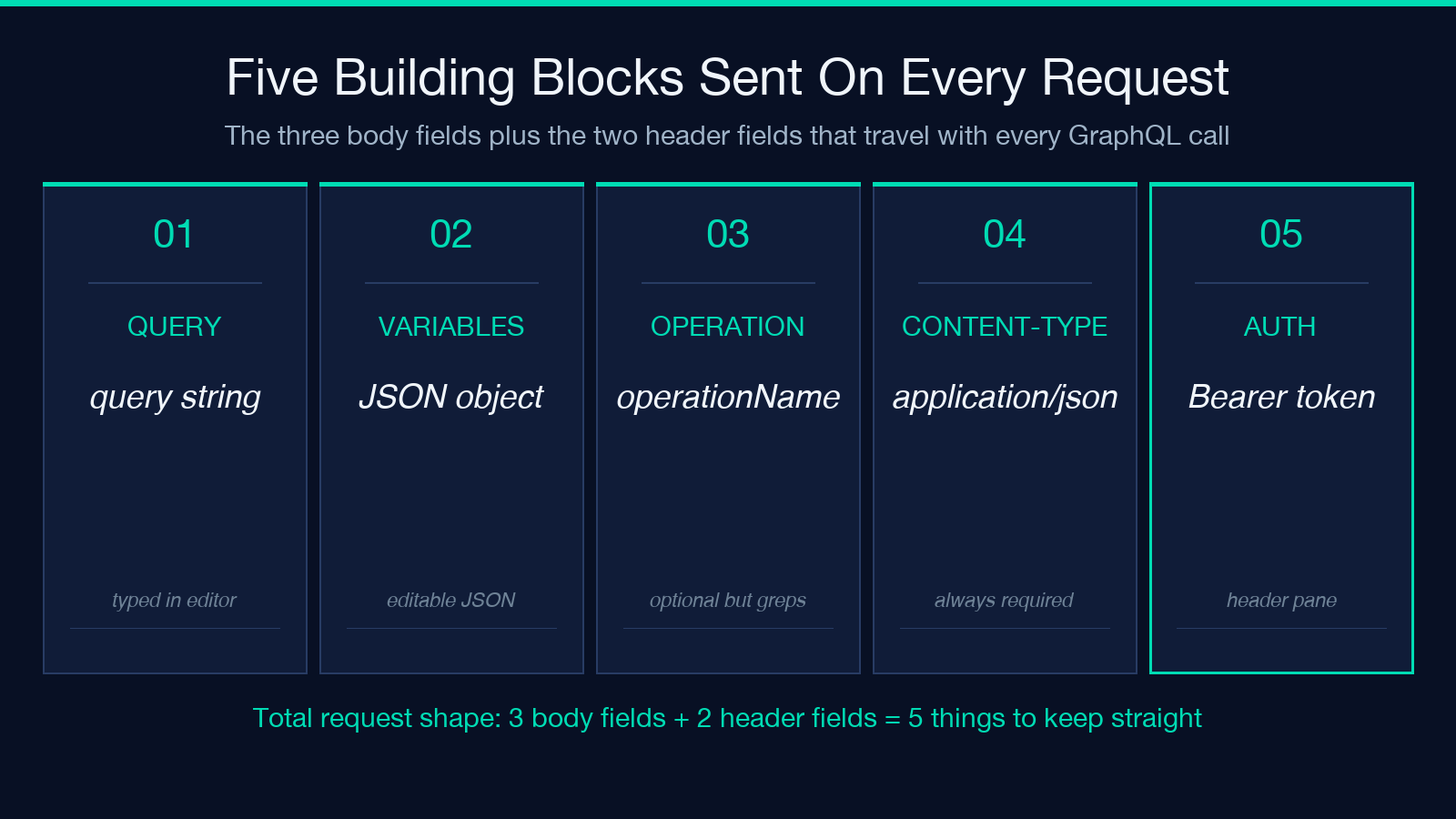
Headers travel as a separate panel — most public endpoints need only Content-Type: application/json, but anything behind a gateway or auth proxy usually wants Authorization: Bearer ... or an X-API-Key header. The playground lets you set headers per tab and per request, so the same UI can talk to staging (no auth) and production (with auth) without a config file swap. If you want to test a query that mutates data, the playground surfaces the mutation keyword and color-codes the operation type in the editor margin — a small detail that prevents the most common GraphQL foot-gun of sending a mutation as a query.
Iterating on a Schema Without Leaving the Tab
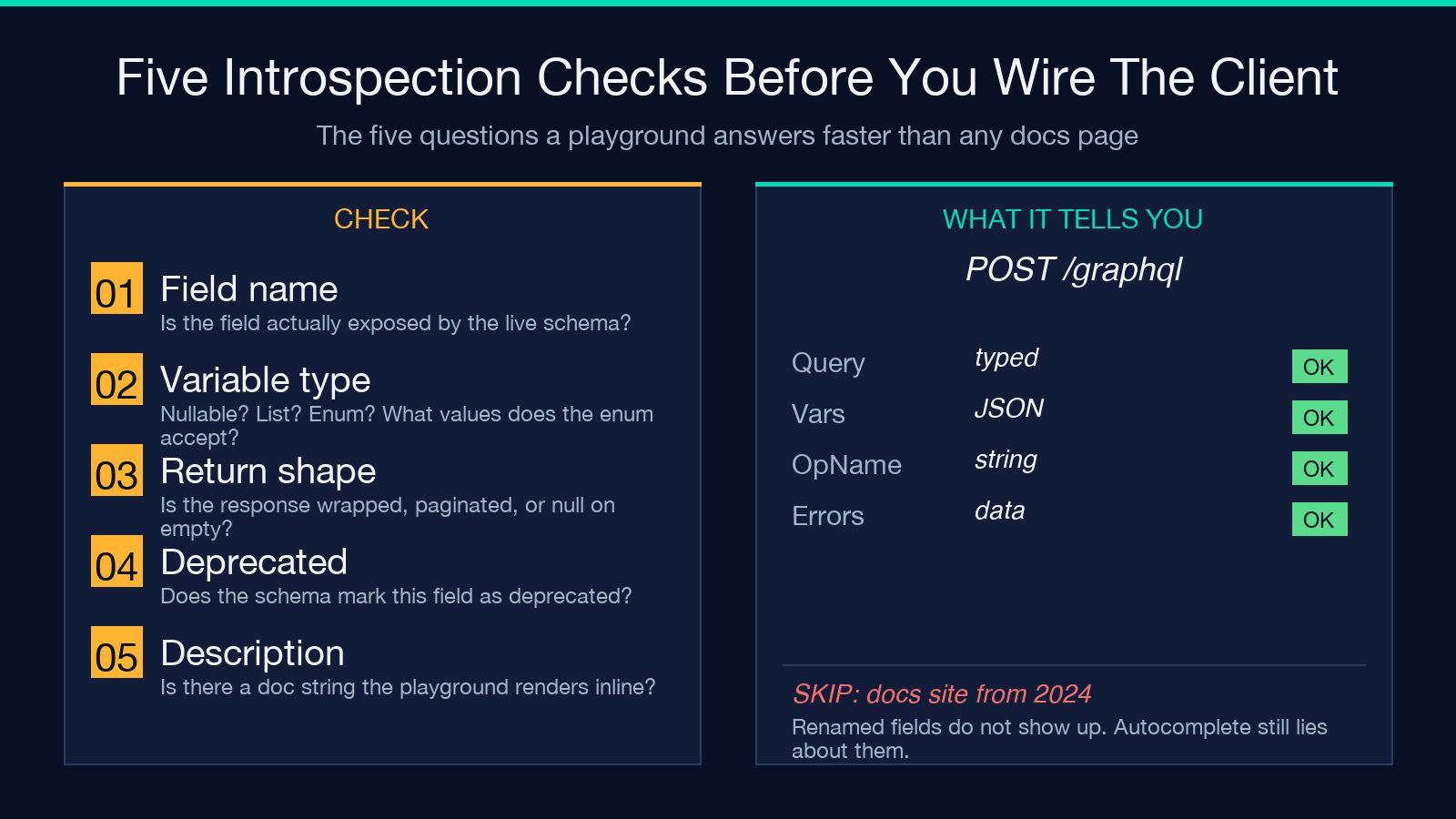
The feature that turns a playground from a curiosity into a daily-driver is introspection. The moment you point the playground at a URL, it sends an introspection query, caches the schema, and lights up autocomplete on every field name. Type user, press Ctrl+Space, and you see the actual fields the server exposes — not a guess from documentation that drifted three months ago. Type { user(id: and the autocomplete fills in the variable type from the schema definition, including whether it’s nullable, what enum values it accepts, and what the return type wraps.
This matters most when the schema is moving. If the team renames User.name to User.displayName, the playground’s autocomplete updates the moment you reload the schema; an old curl snippet in a Notion page will keep silently returning null until someone notices. The introspection pane also doubles as living documentation — you can click any type and see its fields, its implementing interfaces, and the operations that use it, without leaving the playground tab.
Variables, Fragments, and Aliases — The Three Things That Stop Scaling in curl
Once a query crosses roughly twenty lines, three constructs start dominating: variables ($id: ID!), fragments (fragment UserFields on User), and aliases (adminUser: user(role: "admin") { ... }). All three are easy in a playground and miserable in a terminal.
curl works fine for a single hard-coded query. It stops scaling the moment you want to swap an input variable on every run — you end up with a bash script that seds the query body, which is fragile and impossible to read. A playground exposes variables as a structured JSON pane, so a mutation like mutation Upd($id: ID!, $name: String!) { updateUser(id: $id, name: $name) { id name } } can be re-run with {"id": "abc", "name": "New Name"} by editing one line, not by editing the query. Fragments and aliases are similar: once defined in the editor, they’re referenced by name, and the playground keeps them valid against the live schema.
Mutation Workflow — Inspect the Return Shape Before You Ship
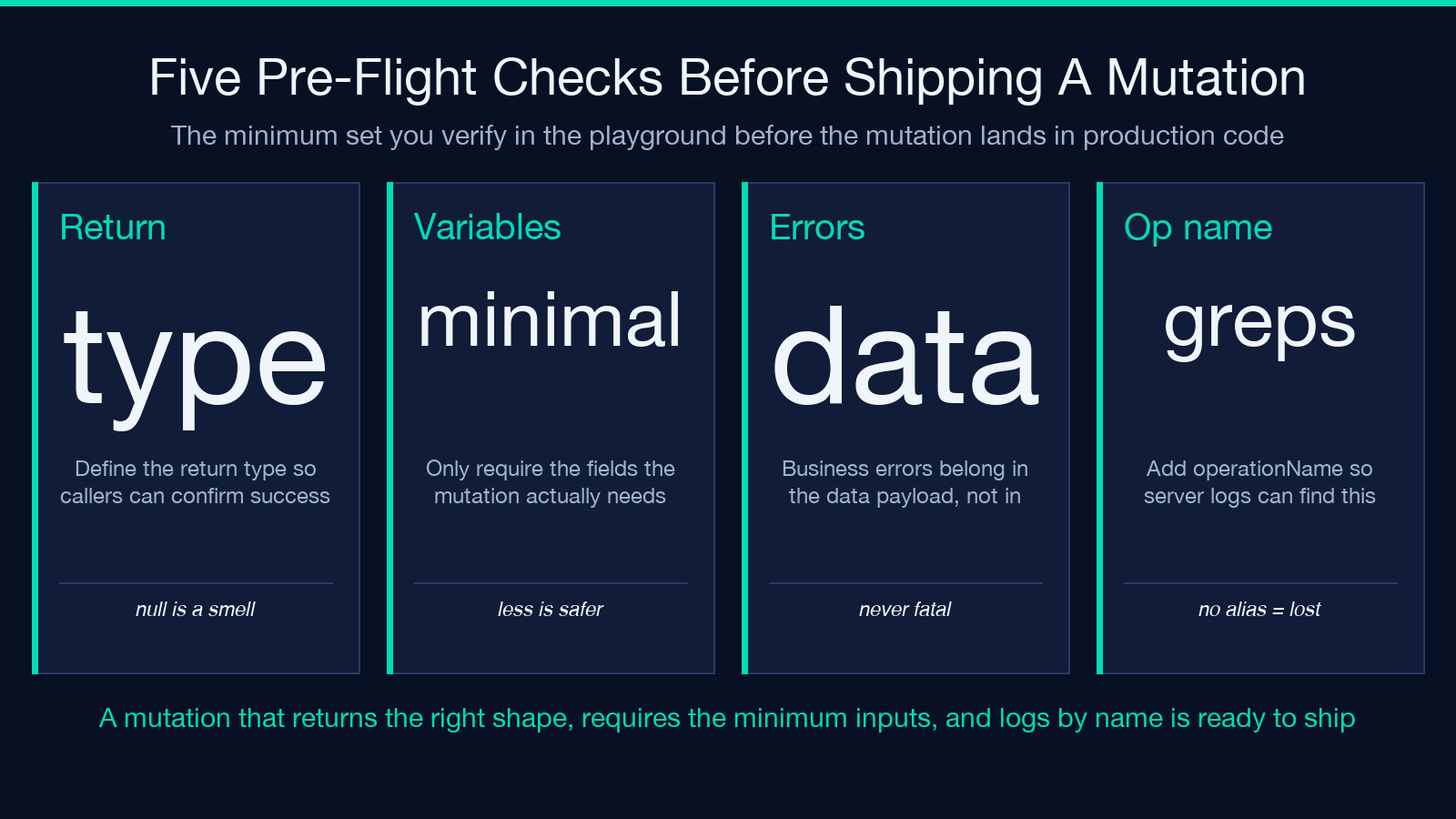
Mutations deserve their own pre-flight checklist. A query that returns the wrong shape is annoying; a mutation that mutates the wrong row is a postmortem. The minimum set of checks before shipping a new mutation:
- Is the return type defined? A mutation that returns
nullis a code smell — at minimum return the mutated row’sidso the client can confirm the write happened. - Is the variable list minimal? If you only need
idto updatename, do not requireemail— that prevents clients from accidentally clobbering fields they did not intend to change. - Does the error path return data? GraphQL mutations should set
errorsonly for transport or auth failures, never for “this username is taken” type business errors. Business errors belong in the data payload. - Is the operation named? Adding
operationName: "UpdateUser"makes the request log greppable. Without it, all mutations look identical in the server log. - Is the playground response pane checked for both
dataanderrors? The playground surfaces both branches, so you cannot accidentally ship a mutation that returns data but trips an error array.
The Elysia Tools GraphQL Playground shows both data and errors in the response pane, with each error line clickable to jump to the field that triggered it. That last detail is what makes the difference between a thirty-second mutation check and a fifteen-minute “why is this null” debugging session.
Subscriptions and Streaming Responses
The third GraphQL operation type — subscription — is where most browser clients fall down. A subscription opens a long-lived HTTP connection and streams events as the server produces them; not every HTTP client handles this cleanly. The Elysia Tools playground supports subscription-style requests through a standard fetch with text/event-stream parsing, which means the response pane keeps appending events as they arrive rather than waiting for the connection to close. That makes it useful for poking at real-time APIs — chat backends, live dashboards, websocket gateways that wrap GraphQL — without standing up a Node script. A curl invocation of a subscription endpoint either hangs forever or prints a single chunk and exits; the playground’s stream parser keeps the tab open and shows events as they tick.
Headers, Auth, and Multi-Environment Tabs
A real-world GraphQL workflow usually involves at least three environments: local dev, staging, production. Each one wants different headers — local wants none, staging wants an X-Staging-Token, production wants a real Authorization: Bearer from your secrets manager. The playground lets you open multiple tabs and persist headers per tab, so a query that worked in staging can be re-run against production by switching tabs and clicking run. None of the secrets leave the browser tab unless you explicitly export them, which matters when you’re testing against a production endpoint with a real token.
The header editor is also where you set Accept: application/json versus application/graphql-response+json — the newer response spec that wraps results in a data envelope even when there are errors. Most modern servers send both, but if a particular endpoint requires one, the header editor is the right place to set it.
When the Playground Is the Wrong Tool — and When It Stays the Right One
A browser playground is the wrong tool when you need scripting, CI integration, or load testing. If the goal is to “run this query 10,000 times and report the p95 latency”, a graphql-codegen-driven Node script is the right answer. If the goal is to “make sure this query still works after the schema migration”, a Playwright test against a real client is the right answer. The playground sits in the middle — fast iteration on the shape and behavior of single requests, with zero ceremony, but no automation hooks.
For everything between “first peek at the endpoint” and “load test in CI”, the playground is the right surface. Open the Elysia Tools GraphQL Playground, paste your endpoint URL, write the query, and the response pane tells you whether the schema matches your assumptions before you wire the request into code that ships.
Explore more tools at elysiatools.com.
