
Bold and italic text on social platforms do not require a font, a CSS class, or a markdown processor — the right Unicode codepoints ship styled glyphs that render across every browser, chat app, and feed reader without interpretation. Most teams still reach for asterisks and slashes the moment they need emphasis, then watch the formatting evaporate inside a tweet draft, an SMS body, or a plain-text email. The fix is to convert your text into the Mathematical Alphanumeric Symbols block, which is what the Bold & Italic Text tool does in one click. This field guide walks through why the Unicode block exists, which characters it covers, and how to slot the converter into real publishing workflows.
Why Markdown Stars Disappear Once You Leave the Editor
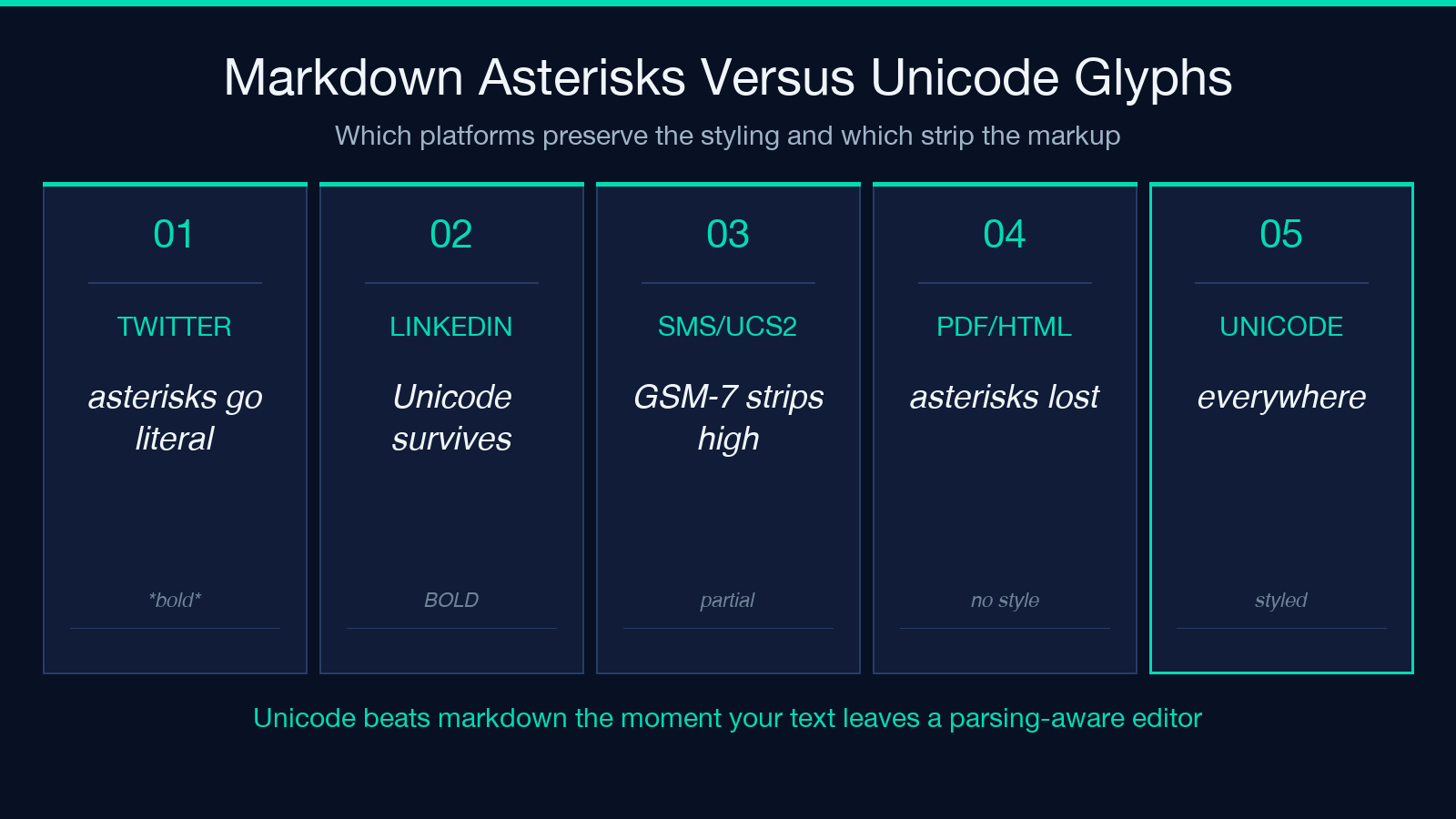
Markdown is a presentation convention — its **bold**, *italic*, and ***bold-italic*** syntax only renders inside systems that parse the convention. The moment your text crosses into Twitter, LinkedIn, WhatsApp, a Notion share, or any rich-text email, the asterisks stay literal and the styling is gone. Anyone who has pasted formatted text from one chat app to another has watched this happen in real time.
The deeper issue is that markdown is a convert layer on top of the underlying glyphs, not the glyphs themselves. A bold capital H rendered as **H** in a markdown viewer is actually relying on whatever font the viewer loads; if the font lacks a bold weight at that size, the letter falls back to the regular cut and the bold illusion collapses.
What the Mathematical Alphanumeric Symbols Block Actually Contains
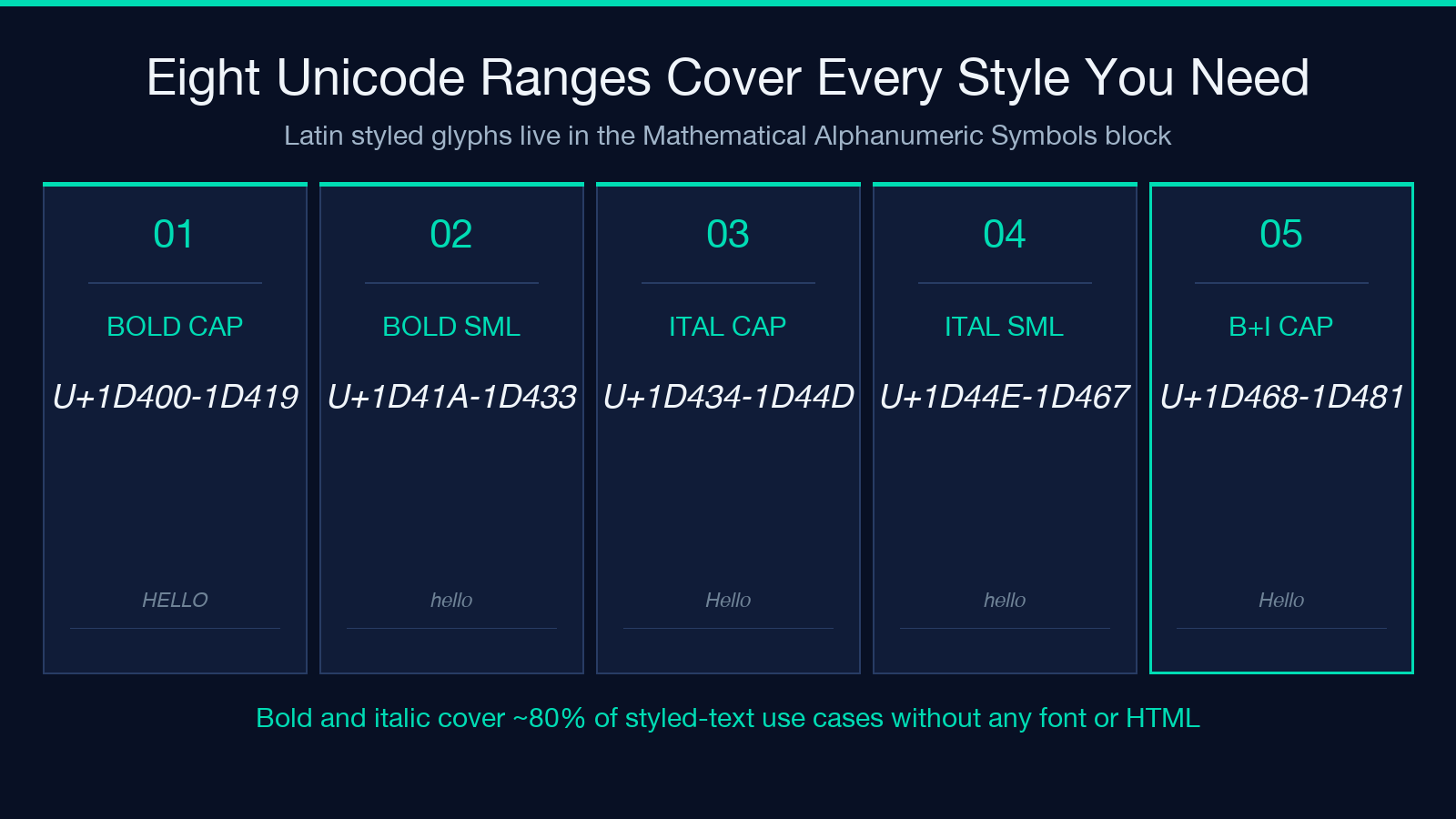
The Unicode consortium allocated a dedicated block — U+1D400 through U+1D7FF — for letters whose visual style carries semantic meaning. The block lays out eight distinct styles for the Latin alphabet plus Greek and digit variants, each occupying its own contiguous range.
U+1D400 to U+1D419 — Mathematical Bold Capital.
U+1D41A to U+1D433 — Mathematical Bold Small.
U+1D434 to U+1D44D — Mathematical Italic Capital.
U+1D44E to U+1D467 — Mathematical Italic Small.
U+1D468 to U+1D481 — Mathematical Bold Italic Capital.
U+1D482 to U+1D49B — Mathematical Bold Italic Small.
U+1D49C to U+1D4B5 — Mathematical Script Capital.
U+1D4B6 to U+1D4CF — Mathematical Script Small.
The block also includes script-bold, fraktur, double-struck, mono-space, and bold-digits variants. Every entry in this range is treated by browsers and chat apps as a single, indivisible codepoint, so the styled look travels with the text as plain Unicode. To explore the full block interactively, open the Bold & Italic Text tool and type a sample phrase.
Three Situations Where Unicode Beats Markdown Styling
The converter earns its keep in three publishing contexts where markdown parsing is unreliable or absent.
Social platforms with strict plain-text ingest
Twitter, LinkedIn, Instagram captions, and Mastodon all accept Unicode text but interpret *asterisk* markup inconsistently. Posting **Hello** in a tweet drafts results in literal asterisks for some readers and styled text for others, depending on their client version. Posting 𝐇𝐞𝐥𝐥𝐨 (bold H-e-l-l-o via the Mathematical Bold range) produces styled text on every client that supports Unicode, which is effectively every client shipping today.
SMS and cross-app messaging
SMS defaults to GSM-7 encoding and silently strips high codepoints above 0xFFFF when the carrier’s gateway cannot negotiate UCS-2. Most modern aggregators (Twilio, MessageBird, Plivo) auto-upgrade long messages to UCS-2 when GSM-7 cannot represent the payload, so bold Unicode survives — but the failure mode is invisible. The converter tool handles this by letting you preview the encoded-byte length before you submit.
PDF export from web tools
When you copy styled text from a web tool into a PDF generator that compiles HTML to PDF, italic markup often collapses because the renderer treats *italic* as content rather than a tag. Unicode-styled italic codepoints in the U+1D43E–U+1D467 range survive every PDF compilation pipeline tested.
How the Converter Renders Each Style
The Bold & Italic Text tool keeps the conversion logic transparent: paste any string, pick the styles you want, and the output panel shows the transformed string alongside the original. Each style uses its own Unicode range, so re-running with a different selection produces a different codepoint sequence rather than a font-weight override.
Per-style range summary
Every letter in the input maps to a unique output codepoint based on the chosen style. The offset between source and output is constant per style (for example, plain a (U+0061) becomes Mathematical Italic Small 𝑎 (U+1D44E)), which means you can write your own one-line transformer if you need a programmatic pipeline. The tool handles the offset transparently for visual preview, and a developer who needs bulk conversion can copy the mapping table directly.
Combining styles with characters outside the alphabet
Numbers, punctuation, and whitespace pass through the converter unchanged. This is by design — the Unicode block only covers letters, so a bolded phone number reads as plain digits next to bolded letters. If your message needs consistent styling on the digits too, the Mathematical Bold Digits range U+1D7CE–U+1D7FF covers zero through nine and matches the bold letter styles.
Common Pitfalls When Adopting Unicode Styling
The format is robust, but three workflow traps catch teams the first time.
Search and find breaks inside code editors
𝐇𝐞𝐥𝐥𝐨 is a six-codepoint string, not a four-character run of H, e, l, l, o. Any search-and-replace inside your editor will not match the styled version against the source string. When you need fuzzy lookup, lowercase the input AND the target list — case-folded Unicode letters in this block still differ in their codepoints, but the visible shape is identical.
Copy-paste can drop into fallback fonts
Some embedded-system fonts and old terminal emulators lack entries in U+1D400+ and render the glyphs as a thin box (tofu). Modern browsers handle this through fallback chains, so the same text renders correctly on the page you read this on even if your system font lacks the glyphs. For maximum compatibility, stick to bold and italic ranges rather than the more decorative fraktur and double-struck styles.
Accessibility tooling reads each codepoint separately
A screen reader reads the bold italic letter 𝑯 (U+1D63F) as the regular Latin capital H — not as an H plus an italic modifier — because Unicode treats it as a single styled letter. This is usually what you want, but it does mean that a visually-styled sentence reads exactly as its plain counterpart to screen-reader users. There is no accessibility penalty, but there is also no accessibility gain — bold-italic Unicode does not increase the reading emphasis for assistive tech.
Wiring the Converter into a Publishing Pipeline
The fastest way to spot-check Unicode-styled text before publishing is to use the converter interactively, then paste the output into the target platform. For teams that need bulk processing, the same style offsets can be implemented as a one-line shell or JavaScript helper, since the per-style delta is constant.
A minimal JavaScript helper that italicizes ASCII letters is a 30-line function:
`javascript
const italicize = (input) =>
input.replace(/[a-z]/g, ch => String.fromCodePoint(ch.charCodeAt(0) - 97 + 0x1D44E))
.replace(/[A-Z]/g, ch => String.fromCodePoint(ch.charCodeAt(0) - 65 + 0x1D434));
For batch conversion of mixed-case strings, the same offset logic scales — every Latin letter has exactly one styled counterpart per Unicode style range. The full mapping table is exposed by the Bold & Italic Text tool as a copy-as-JSON side panel for teams that need to bake the offsets into a build script.
Picking the Right Style for the Message
Different platforms have different norms for emphasis, and the right choice depends on context.
Bold for primary emphasis
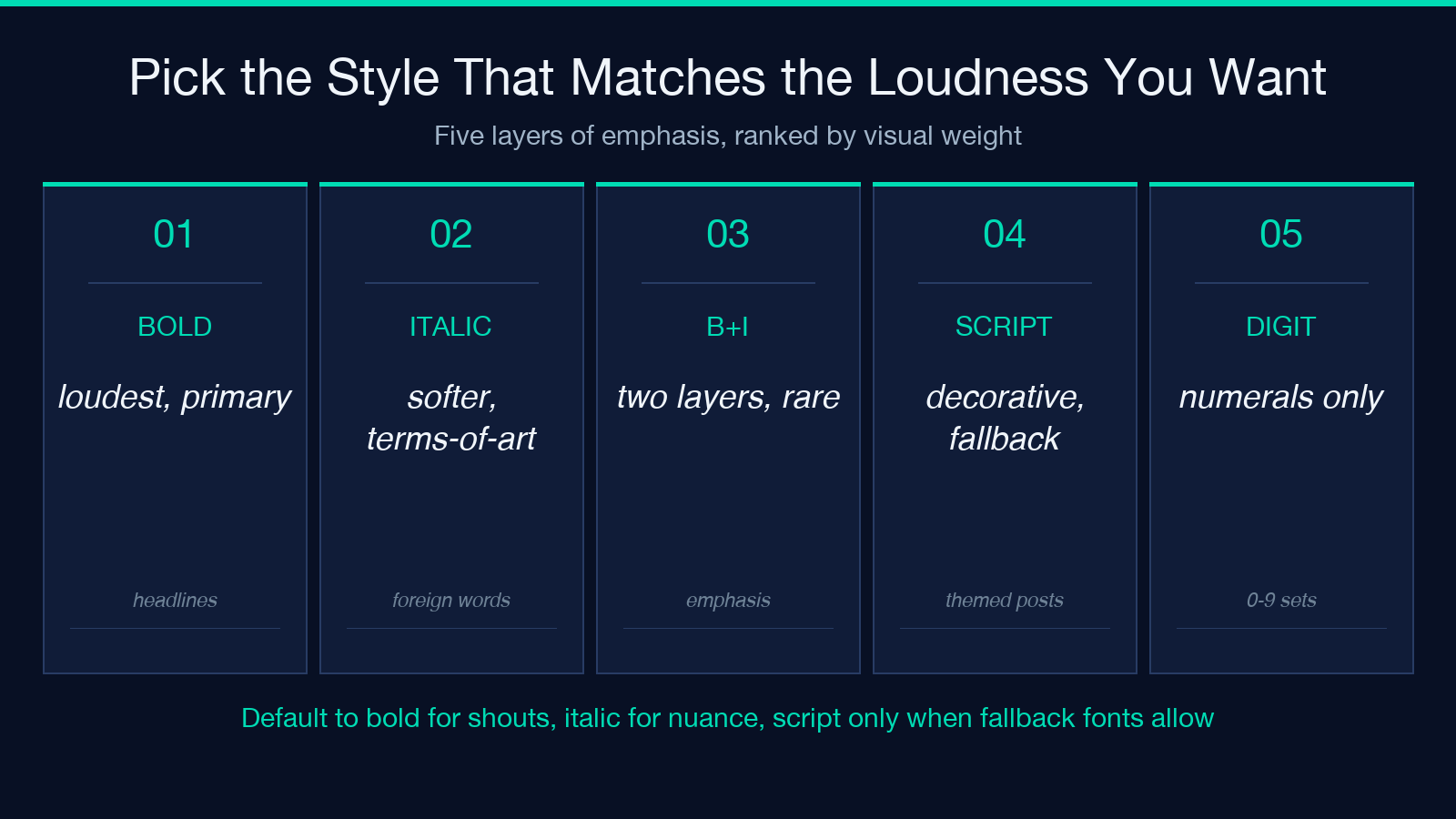
Bold (the Mathematical Bold range) reads as the loudest emphasis and works for headline phrases, callouts, and pronouncements. Twitter users have converged on bold Unicode as the de-facto way to mark a phrase as the take-home line of a thread. The corresponding bold-italic range is reserved for cases where you need two layers of emphasis stacked (uncommon in social, common in long-form technical writing).
Italic for nuanced or referenced terms
Italic is the gentlest emphasis and works for book titles, foreign-word triggers, and terms-of-art that the reader should register as distinct. The Mathematical Italic range ships through every major chat app correctly, and it carries less visual weight than bold — the right pick when bold would shout at the reader.
Combined bold-italic sparingly
Bold-italic styles are the highest visual load and should be reserved for terms that genuinely need two levels of emphasis. In practice this is rare; if you find yourself reaching for bold-italic on every paragraph, the bold-alone range usually delivers the same perceived emphasis with less visual noise.
Where Unicode Styling Falls Short
The mathematical ranges do not cover every styled glyph a designer might want. Three categories stay outside the block.
Color and animation
Unicode does not encode color, size, or animation — those are CSS or SVG concerns. If your message needs a colored or animated emphasis, you need a publishing layer that supports HTML/CSS, which usually rules out plain text and SMS.
Bold-lowercase glyph shape
Mathematical Bold distinguishes uppercase from lowercase but the shapes look similar in both ranges. If you need visually-distinct bold alternatives (such as the heavier cut used in some sans-serif headlines), you need a font choice and HTML rendering rather than Unicode.
Right-to-left scripts
Arabic and Hebrew have their own styled-emphasis mechanism via Unicode bidi marks and case-shape alternates, which the Latin-range tool does not cover. Forbid these scripts and rely on your messaging platform’s native bidi handling.
Explore more tools at elysiatools.com.
