
Bubble text is plain Unicode, not a font swap. Every circled letter you have ever pasted into a social post, a Notion heading, or a Discord username is a character from the Enclosed Alphanumerics block (U+2460 through U+24FF), the Dingbats block (U+2776 through U+2793), or the Enclosed Alphanumeric Supplement (U+1F150). There is no font swap, no JavaScript, and no server roundtrip — when the text lands in a feed, a comment, or a CMS, it stays exactly what it was when you copied it. The four-variant version of this tool, Bubble Text, exists because every other “circled text” helper on the web picks one variant and locks you out of the other three.
What the four variants actually change
The Outline variant is the default most people picture: A becomes Ⓐ, a becomes ⓐ, digits fall back to ASCII because the Enclosed Alphanumerics block stops covering them at 9 (the parenthesized form takes over above that). The Filled variant keeps the same outline letters for the alphabet but switches digits to the filled Dingbats bullets ❶❷❸❹❺❻❼❽❾❿, which is the only variant where numbered lists actually look like a numbered list instead of a string of parenthesized nines. The Parens variant wraps lowercase letters in ⒜⒝⒞ and falls back to outline for uppercase because the Unicode parenthesized-uppercase glyphs have weak font support — even modern systems render them as fallback boxes on Linux. The Negative variant is the high-contrast one, 🅐🅑🅒 on a filled black circle, and it is also the only variant whose source block (U+1F150, Enclosed Alphanumeric Supplement) was added late enough that some fonts still do not ship it.
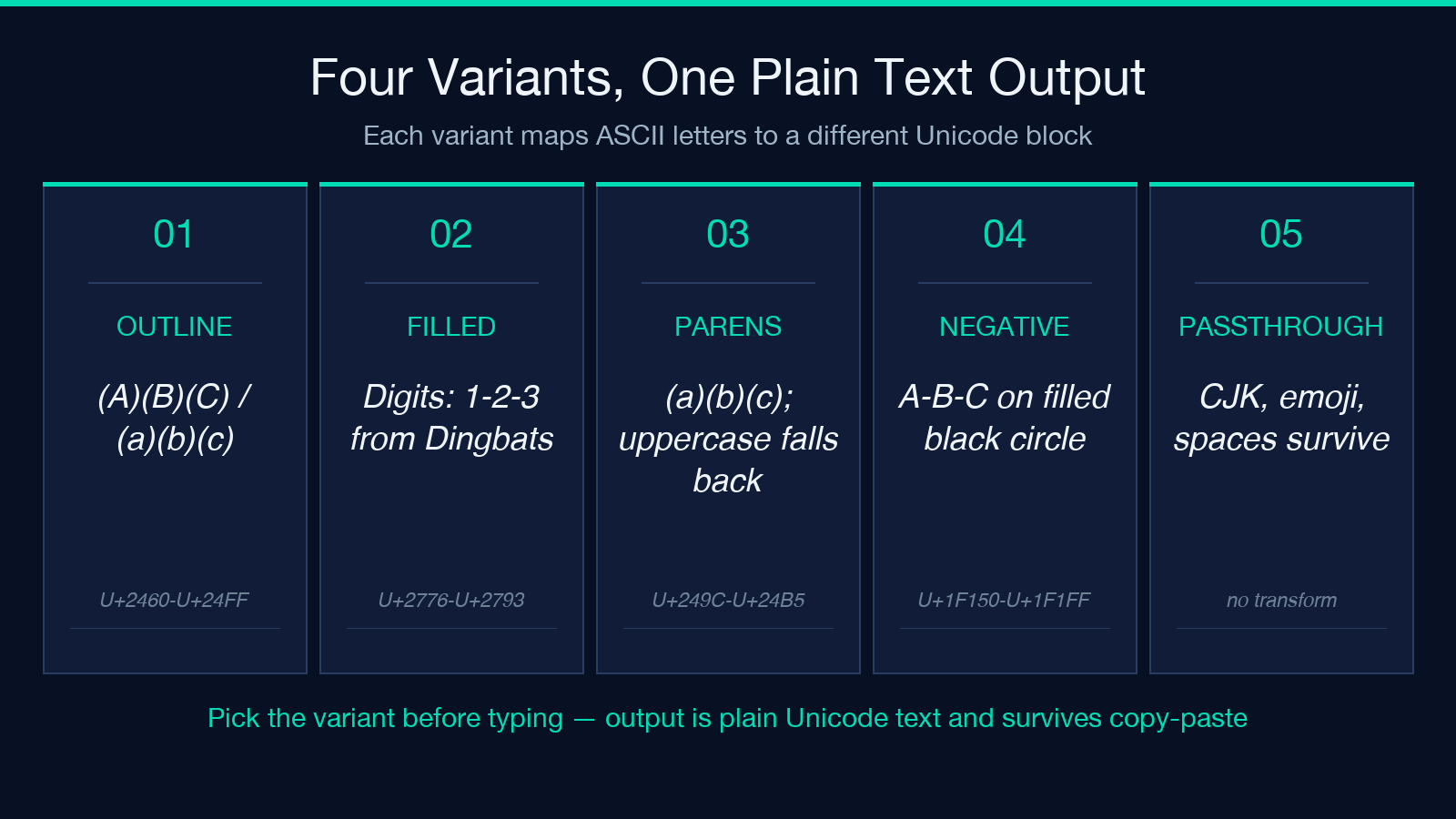
The fastest way to see the differences side by side is the tool itself: Bubble Text shows all four outputs simultaneously as you type, with a copy button that grabs whichever variant is currently selected.
Why Unicode blocks matter more than the rendered shape
The interesting thing about bubble text is that it is not a font trick. When you write Ⓐ in a Markdown file, in a database column, in a JSON string, or in a URL parameter, you are storing a single Unicode codepoint, not a styled run of A. That makes the output behave like text everywhere a text field behaves like text: it sorts correctly, it round-trips through UTF-8, it survives JSON.stringify, and it does not break CSV parsers unless the parser is hard-coded to ASCII. The same is not true of font-based enclosed letters, which is what most word processors and design tools ship — those render through OpenType GSUB substitutions and collapse back to A the moment you copy them out.
The four-variant tool exists because the one-variant fancy-text aggregator on the same site — fancy text generator — only emits the Outline style. If you want a list that reads as ❶ ❷ ❸ or a subhead that reads as 🅑🅤🅑🅑🅛🅔, you reach for a different tool.
Picking a variant for the job you are actually doing
Outline is the safe default. It renders identically on iOS, macOS, Windows, and modern Linux, it covers the entire ASCII alphabet (both cases) and the digits 0 through 9, and the glyphs stay legible down to about 12pt — small enough for inline body text and large enough for hero headlines. Reach for Filled when digits need to do numeric work: a recipe list ❶ flour ❷ eggs ❸ sugar reads as a recipe list, where the Outline version reads as ⒈ flour ⒉ eggs ⒊ sugar, which is technically correct but visually noisy. Reach for Negative when the background is dark or when you need high contrast against a colored banner — 🅑🅤🅑🅑🅛🅔 reads on Discord dark mode and on Twitter dark mode where Outline disappears.
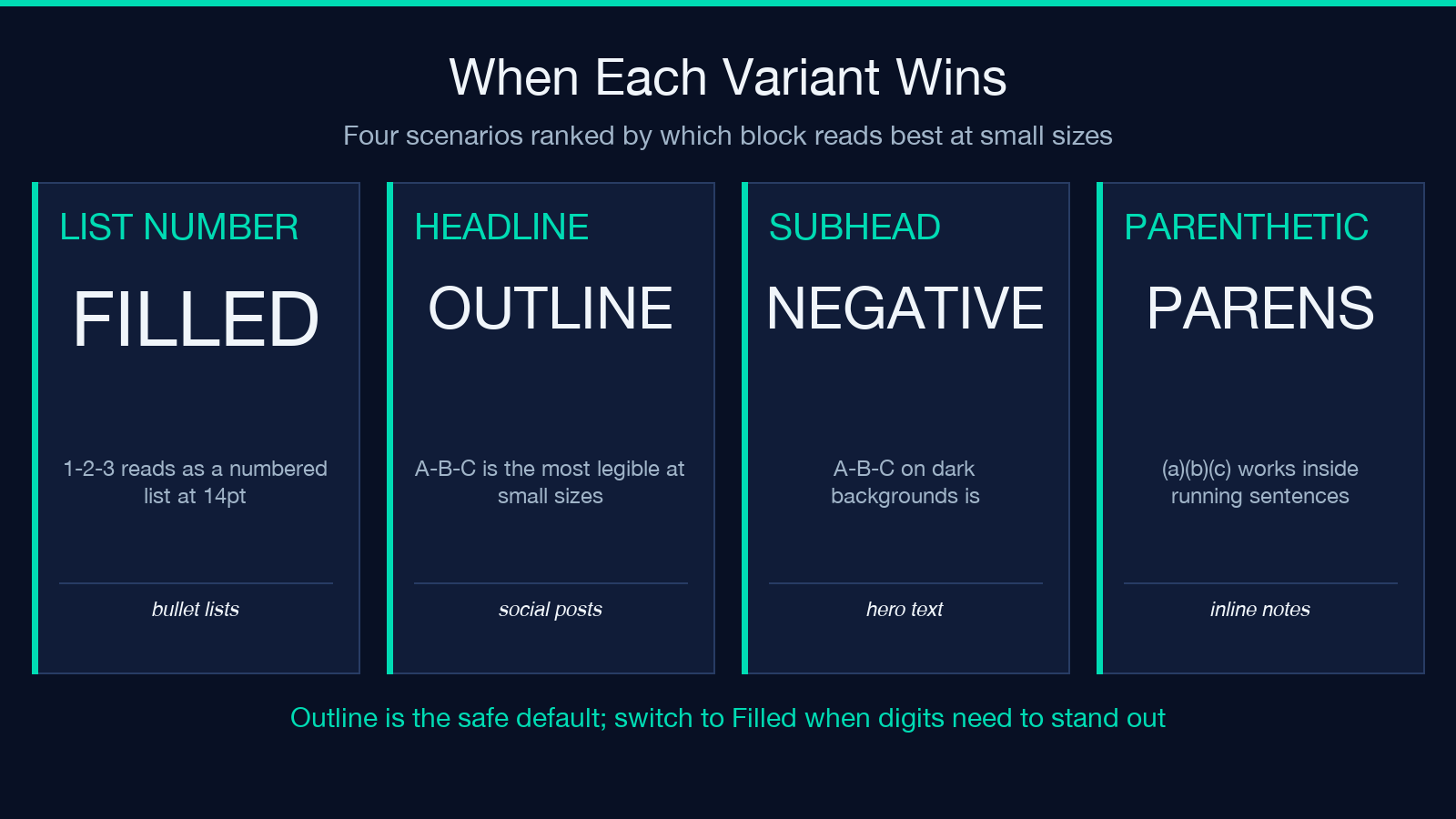
Reach for Parens only when the surrounding sentence already uses parentheses for something else. The Parens variant is parenthetic by definition, so The result (⒜⒝⒞) was empty is a sentence that has two different kinds of brackets in it, and the reader has to work harder to parse it.
Where the variants break
If you want to see the four variants emit codepoints in real time as you type, the Bubble Text page highlights exactly which block each variant draws from, with the codepoint range stamped in the corner of each output. It is the fastest way to internalize which character is which.
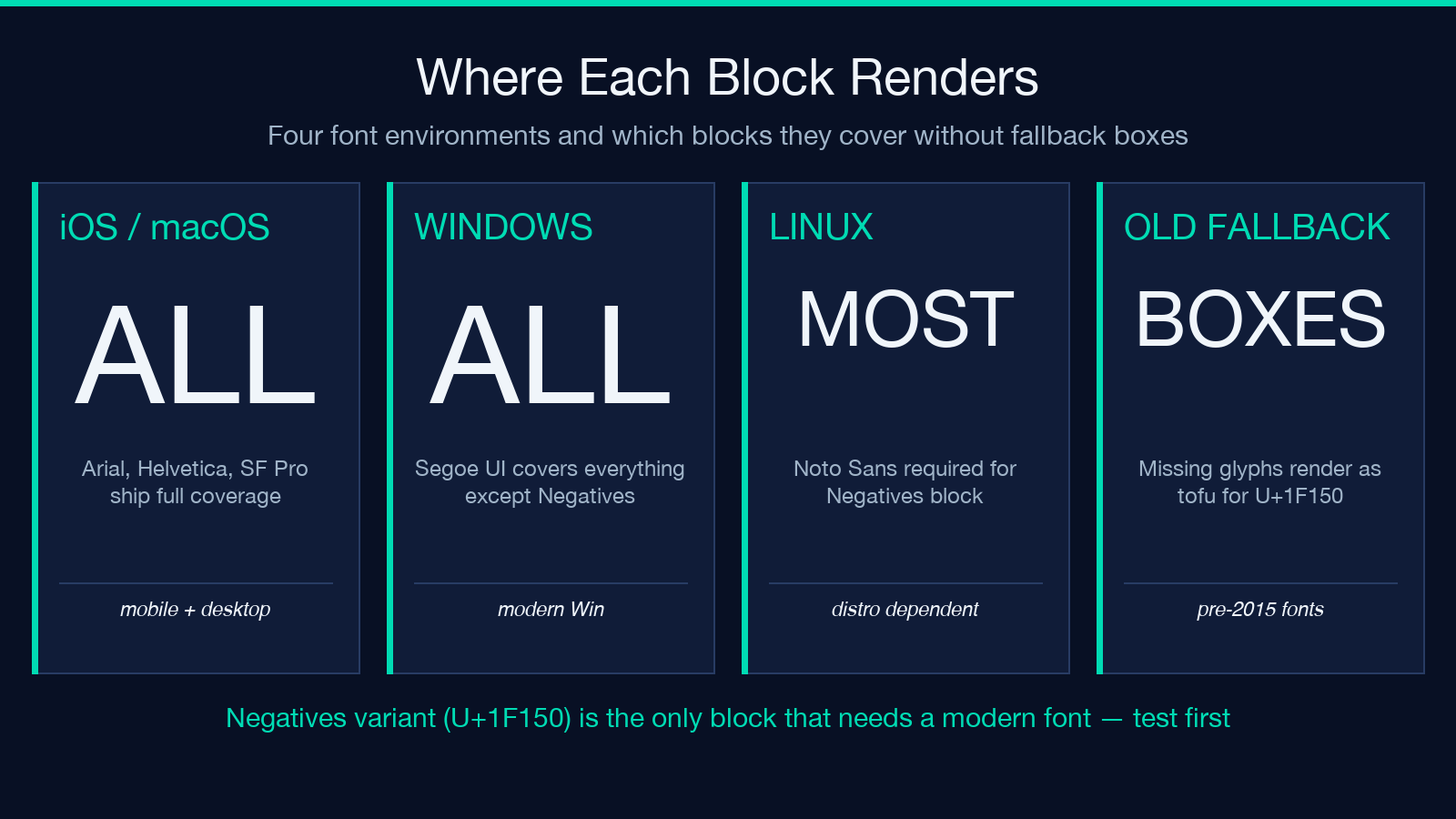
There are three ways bubble text fails, and they are all font-coverage failures. The first is the Negative variant on Linux systems without Noto Sans — pre-2015 distros, headless containers, embedded displays. The source block U+1F150 was added to Unicode 6.0 (2010), so any font compiled against an older cmap shows fallback boxes for every Negative character. The fix is to install Noto Sans on the rendering machine; the workaround is to drop down to Outline for any cross-platform output. The second is the Parens variant’s uppercase glyphs — Unicode defines ⒜ⓐ in lowercase parenthesized form but the uppercase form Ⓐ in parentheses has patchy coverage even in 2026 fonts. The tool already falls back to Outline for uppercase in Parens mode; if you paste in mixed-case text and the uppercase half comes back as plain A B C, that is the fallback working, not a bug.
The third failure mode is the one that surprises most people: copy-pasting bubble text out of a tool and into a search box, a URL parameter, or a CSV cell. The character round-trips correctly through UTF-8, but a search box that lower-cases its input will not match ⓑ against b, and a CSV parser with an ASCII-only fast path will silently replace ⓑ with ?. The fix is to use bubble text where it is read by humans (titles, captions, callouts) and avoid it where it is read by parsers (URL slugs, search queries, machine-readable identifiers).
A quick test you can run in any browser
Open the developer console and type:
Array.from('Bubble'.normalize('NFC')).map(c => 'U+' + c.codePointAt(0).toString(16).toUpperCase().padStart(4,'0')).join(' ')
The output is the codepoint sequence for the string Bubble as ASCII. Now run the same line on the bubble-text output of bubble from the tool, and you will see that the codepoints are U+24D2 U+24D4 U+24D3 U+24D3 U+24D1 U+24D0 — entirely different, entirely in the Enclosed Alphanumerics block. That single test tells you whether any string in front of you is bubble text or just a styled font, and it works in any browser console without installing anything. For a hands-on test of all four variants at once, Bubble Text lets you type a string and see all four outputs update on every keystroke.
Combining variants without breaking the surrounding text
The four variants do not mix well inside a single run of text, because the visual weight jumps when the variant changes. Ⓑ🅑ⓑ⒝ is four different shapes for the letter B in a row, and the eye reads the change as emphasis rather than as a sequence. The pattern that does work is variant-per-element: the headline is Negative, the list numbers are Filled, the body stays in plain ASCII. The Outline and Parens variants are for occasional decoration, not for full paragraphs.
If you need a single string that mixes cases and digit styles and Unicode blocks, the safest combination is Outline for letters with Filled for digits, which is exactly what the Filled variant delivers: Ⓑⓤⓑⓑⓛⓔ ❶❷❸. Everything else is a typography experiment you should test on a single device before committing.
Where to use it and where to leave it alone
Bubble text is high-signal in three places and low-signal everywhere else. It works in social posts where the alphabet is the visual hook (a username, a hashtag, a one-line announcement), in tool screenshots where the surrounding chrome is plain text, and in dark-mode UIs where you need a heading that reads without a font swap. It does not work in body paragraphs (the reader’s eye re-parses every letter), it does not work in long headings where Outline becomes noise at scale, and it does not work in accessibility-first contexts where the screen reader announces the codepoint name aloud — Ⓐ reads as circled Latin capital letter A, which is correct but ugly at paragraph length.
Quick summary before you paste
The honest summary: bubble text is a five-character decoration, not a layout system. Pick Outline when in doubt, switch to Filled when digits need to do numeric work, and reach for Negative only when you have already verified the rendering font. For everything else, plain text reads faster and ages better. Browse the rest of the Elysia Tools catalog for related text-styling and Unicode utilities, including the parent fancy text generator when you want all six or seven styles in one aggregator.
