
The same number, three different faces. 255 in decimal is 11111111 in binary, FF in hex, and 377 in octal. The digits change but the value does not. The Number Converter at Elysia Tools converts between all four formats in one textarea, and once you internalize the pattern you stop reaching for a calculator every time you read a Unix file mode or a hex color code.
Most engineers treat number-base conversion as a CS-101 curiosity. Then they hit a 503 error log that says 0x1F3, a Dockerfile that says chmod 644, a memory dump that prints 0xDEADBEEF, or a Unicode escape sequence like u1F600, and suddenly they need to switch contexts between decimal, binary, hex, and octal in a single sitting. The mental model behind all four formats is identical: each digit position represents a power of the base. The only thing that changes is what b means in value = d_n * b^n + d_{n-1} * b^{n-1} + .... Once that formula stops feeling abstract, every other conversion falls out for free.
The Four Bases at a Glance
Decimal is base 10, with digits 0 through 9. Binary is base 2, with digits 0 and 1. Hexadecimal is base 16, with digits 0 through 9 plus A through F for the values 10 through 15. Octal is base 8, with digits 0 through 7. Every other base is either a special case (base 64 for encoding, base 32 for file digests) or an academic exercise.
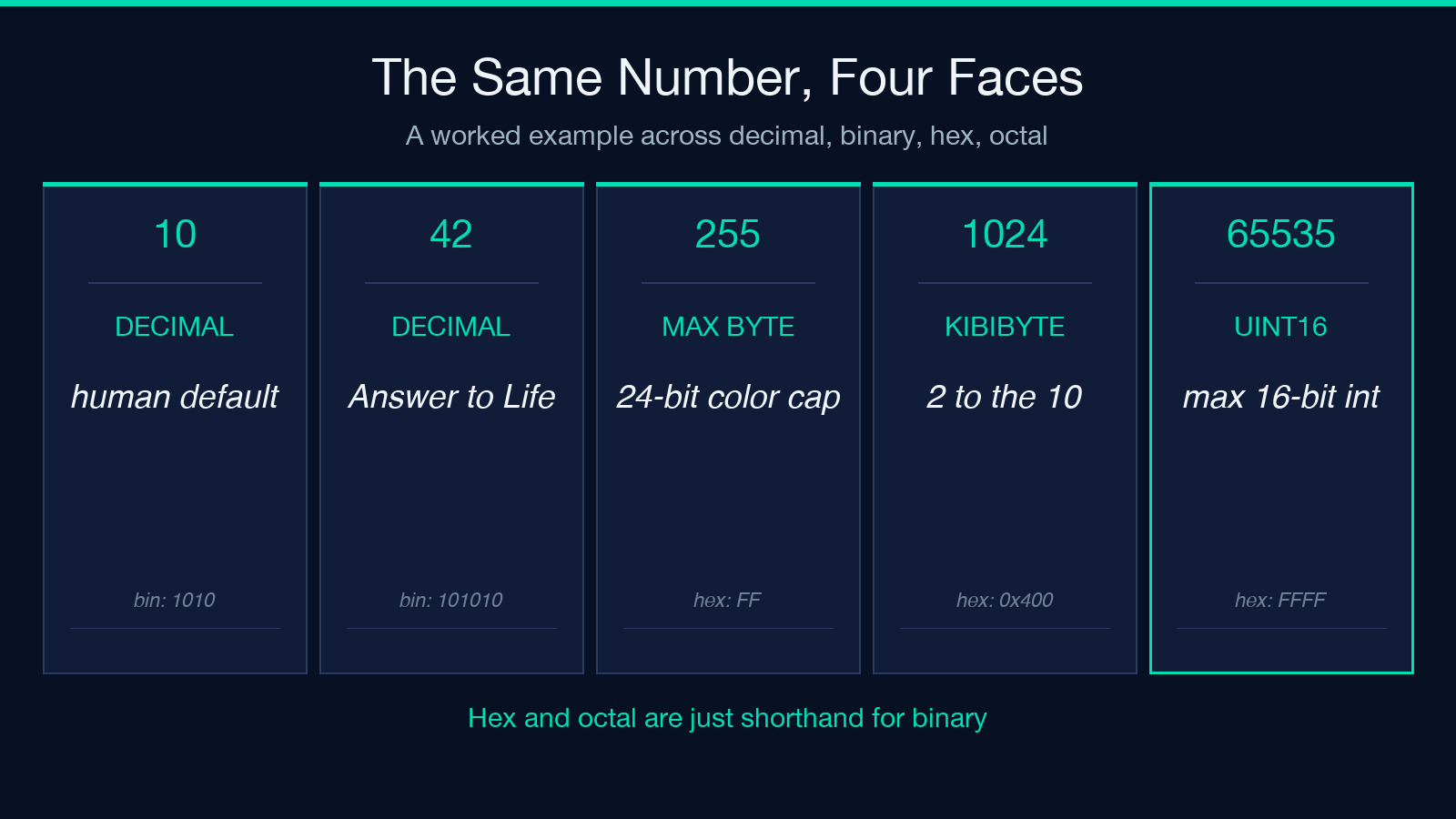
A worked example shows why this matters more than the formula. Take the decimal value 42. In binary it is 101010 — six digits because 2^6 = 64 just exceeds the value, and each 1 corresponds to a power of two that is present (32 + 8 + 2). In hex it is 2A — two digits because 16^2 = 256 is way too big, and the first digit 2 represents two 16s while A represents ten ones. In octal it is 52 — two digits because 8^2 = 64 is too big, and the first digit 5 represents five 8s while 2 is the remainder.
| Decimal | Binary | Hex | Octal |
|---|---|---|---|
| 10 | 1010 | A | 12 |
| 42 | 101010 | 2A | 52 |
| 100 | 1100100 | 64 | 144 |
| 255 | 11111111 | FF | 377 |
| 1024 | 10000000000 | 400 | 2000 |
| 65535 | 1111111111111111 | FFFF | 177777 |
Notice how the hex column always has a clean 1:1 mapping with the binary column: every 4 binary digits = 1 hex digit. That is the entire reason hex exists as a programmer’s notation. 11111111 in binary is unreadable as a memory address. FF is obvious. Octal has the same relationship at a 3:1 ratio (every 3 binary digits = 1 octal digit), which is why it shows up in older Unix permission systems where every digit encodes three permission bits.
The Octal Trap That Bites C Programmers
Here is the bug that costs a junior engineer half a day at least once per team: a literal that starts with a leading zero is octal in C, C++, Python 2, Java, JavaScript, Perl, and PHP. The expression 010 == 10 evaluates to false because the parser reads 010 as octal, which is decimal 8. The expression 0644 == 644 also evaluates to false. The first value is octal 644 = decimal 420, the second is decimal 644.
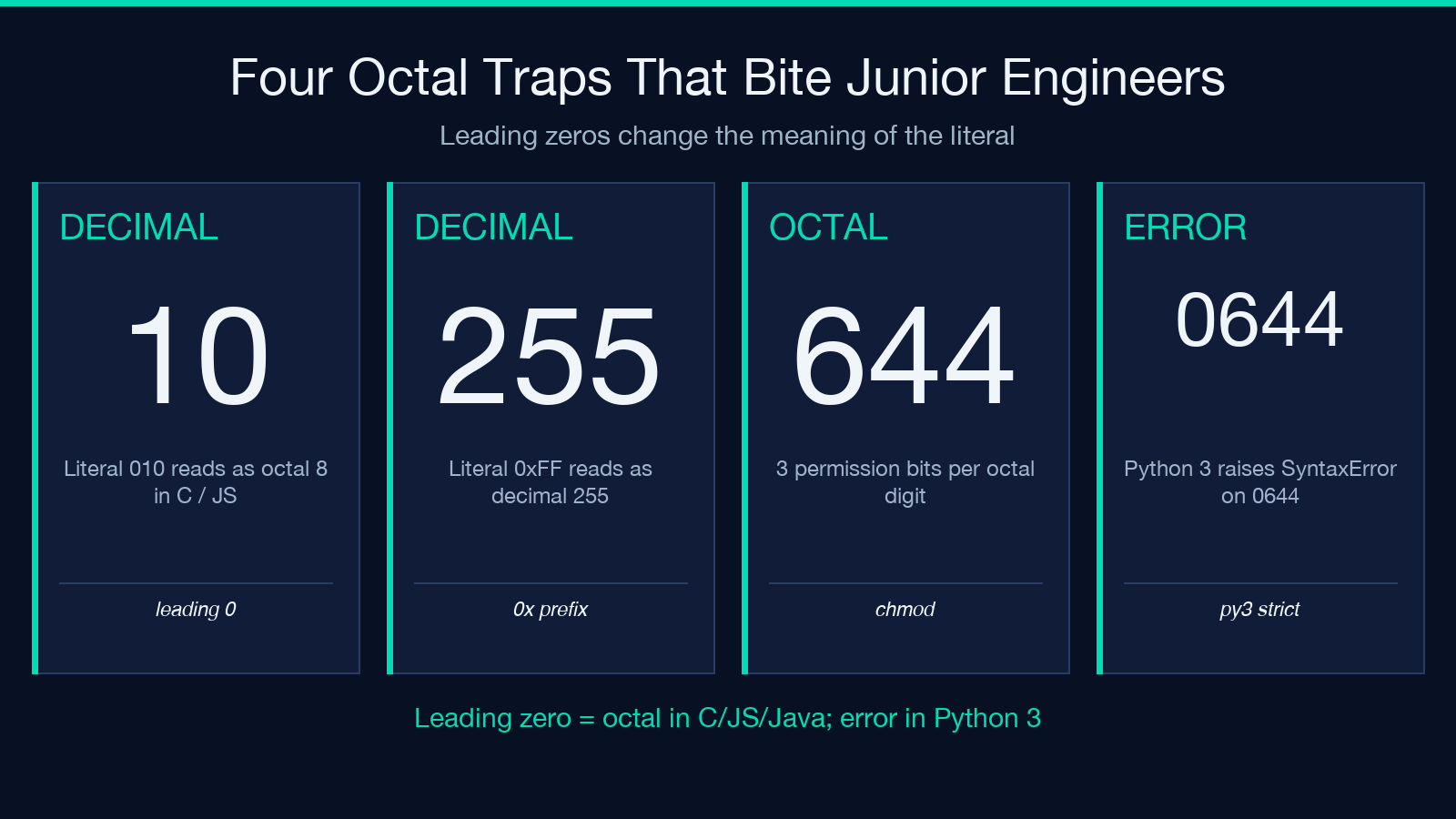
This matters in two real-world contexts. Unix file permissions like chmod 0644 file.txt are intentionally written with a leading zero to signal octal: the digits 6, 4, 4 each encode three permission bits (read, write, execute for owner, group, other). Decimal 644 means something completely different and would be a syntax error. The second context is C-style numeric literals in configuration files: a YAML file that says port: 08080 will surprise you if the parser interprets the value as octal.
Modern Python 3, Ruby, and Swift drop this implicit octal rule. Python 3 requires an explicit 0o prefix (0o644 for octal) and treats 0644 as a syntax error. C and JavaScript still preserve the old behavior, which is why you should never write a numeric literal with a leading zero unless you specifically mean octal.
Hex Is Just Shorthand for Binary, Not Magic
The reason hex shows up everywhere — color codes, memory addresses, MD5 hashes, Unicode codepoints — is that one hex digit maps to exactly four binary digits. F (hex 15, binary 1111), 8 (hex 8, binary 1000), 0 (hex 0, binary 0000). The conversion is mechanical: split the binary string into 4-bit groups from the right, then read each group as a hex digit.
A 32-bit IPv4 address like 192.168.1.1 becomes 0xC0A80101 in hex. An 8-bit color channel like RGB(255, 87, 51) becomes #FF5733 because each channel is one byte (two hex digits). A Unicode codepoint like U+1F600 (the grinning face emoji) is hex 1F600 and decimal 128512; the JavaScript escape sequence uD83DuDE00 is the surrogate-pair form of the same codepoint, expressed as two 16-bit values. Every hex value you see is a different way of writing the same binary bits, just with a more compact notation that lines up cleanly with byte boundaries.
The mistake is treating hex as if it had different semantics from decimal. It does not. 0xFF is 255, full stop. Adding 0xFF + 0x01 gives 0x100 (256), the same as 255 + 1 in decimal. The base is a display choice, not an arithmetic one.
When Each Base Actually Shows Up
Decimal is the default for human-facing numbers: counters, prices, scores, percentages. The only time you reach for another base is when the underlying representation is binary-friendly, and the right choice depends on how many bits you want each digit to cover.
A Practical Map: Base to Domain
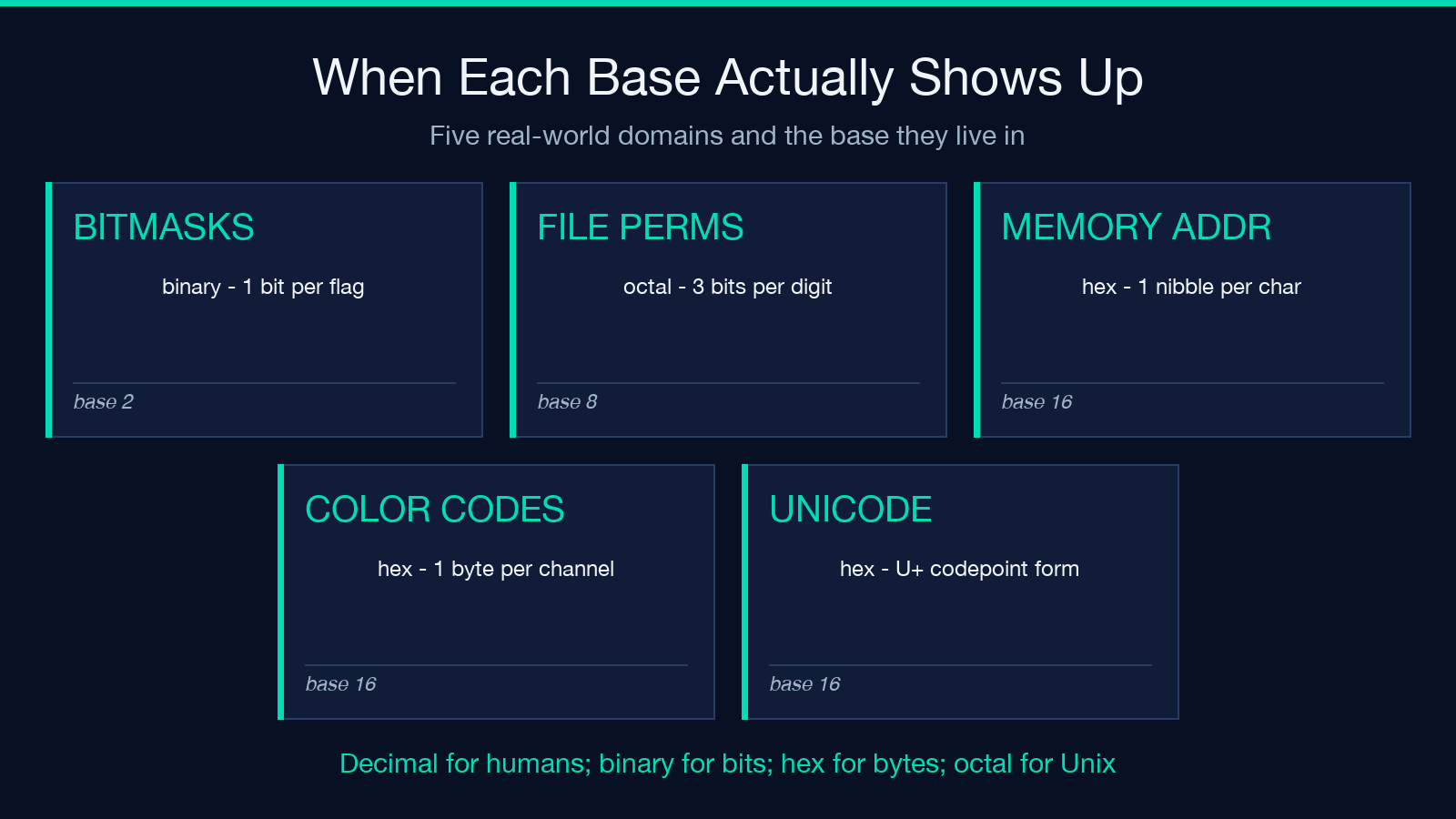
- Binary (base 2) — bitmasks, flag fields, network packet headers, CPU instruction encodings. Use it when you actually care about individual bits.
- Octal (base 8) — Unix file permissions (3 bits per digit), some older Unix file flags, the PDP-11 heritage. Rarely seen in modern code but still alive in
chmod,stat -c %a, and C literals. - Hexadecimal (base 16) — memory addresses, color codes, cryptographic digests, Unicode codepoints, byte-level dumps. Use it when each digit should map to a whole byte or nibble.
- Decimal (base 10) — everything else.
A practical sanity check: if a number in a log line starts with 0x, the parser is showing you hex. If it starts with 0 followed by digits 0–7 only, the parser is showing you octal. If neither, it is decimal. Three characters of context disambiguate the base.
For larger bit patterns, two other bases show up in narrow domains: base32 and base64, both used for compact text-safe encoding of binary data. Base32 uses 32 characters (the uppercase alphabet plus digits 2-7), each digit encoding exactly 5 bits, which is why a base32-encoded string has length ceil(bytes * 8 / 5). Base64 uses 64 characters (uppercase, lowercase, digits, plus, slash), each digit encoding 6 bits, length ceil(bytes * 8 / 6). Both are encodings, not number systems in the same sense as the four canonical bases.
The IEEE 754 Footnote (and Why Hex Floats Exist)
Real-world floating-point numbers add one more wrinkle: the IEEE 754 binary representation of a decimal value is almost never exact. The decimal 0.1 becomes the repeating binary 0.0001100110011..., which gets rounded to 24 significant bits in single precision (32-bit) float. This is why 0.1 + 0.2 in JavaScript returns 0.30000000000000004 rather than 0.3. The bug is not in your arithmetic — it is in the base conversion between decimal and binary fractions.
Hexadecimal floats (the 0x1.8p3 notation in C99 / Python 3) sidestep the rounding ambiguity by writing the significand in hex rather than decimal. The exponent is still a power of two, but the mantissa now has exact 4-bit boundaries. 0x1.8p3 is 1.5 * 2^3 = 12.0 exactly, with no rounding. This is the format you want when debugging low-level numeric code, and it is the format Python emits when you call float.hex() on a value.
If you only deal with integers and never touch floating-point, you can ignore this section. The moment you start writing numeric algorithms or parsing binary file formats, the base 10 ↔ base 2 mismatch will bite you, and hex floats are the cleanest escape hatch.
Negative Numbers and Two’s Complement
A subtler convention shows up the moment you represent negative integers. The naive scheme — flip the sign bit and keep the magnitude — is called sign-and-magnitude, and it wastes one bit pattern (10000000 in an 8-bit value is -0, distinct from +0 00000000). Almost no modern hardware uses it.
Two’s complement is the universal alternative. The negation of an integer N (within a fixed bit width) is computed as ~N + 1, where ~N is bitwise NOT. For an 8-bit value, the range is -128 to +127. The binary 11111111 represents -1 (not -127), 10000000 represents -128, and the highest bit alone encodes the sign. Asymmetry: there is one more negative value than positive.
What this means in practice: when you see a hex dump like 0xFFFFFFFF, that is -1 in 32-bit signed arithmetic and 4294967295 in 32-bit unsigned arithmetic. Same bits, different interpretation. The C expression (int32_t)0xFFFFFFFF is -1, while (uint32_t)0xFFFFFFFF is 4294967295. Mixing the two is a classic source of bugs when reading binary file formats or network protocols — always check whether the spec says signed or unsigned before parsing.
Hexadecimal makes the sign bit visually obvious (0x80000000 has the high bit set, 0x7FFFFFFF does not), which is why signed-value bit patterns are easier to read in hex than in decimal. A decimal -128 is not recognizable as negative from its 32-bit unsigned representation (2147483648), but 0x80000000 is.
A Conversion Recipe You Can Do in Your Head
For small numbers — say, anything under 1000 decimal — the fastest mental technique is to convert through binary as the intermediate representation. Decimal 200 to hex: first, 200 in binary is 11001000 (128 + 64 + 8). Split into 4-bit groups: 1100 and 1000. Read each as a hex digit: C and 8. Answer: 0xC8. Reverse the chain for hex to decimal: 0xC8 to binary 1100 1000 to decimal 128 + 64 + 8 = 200.
For larger numbers, do not do this in your head. Use a tool. The whole point of the Number Converter is that you can paste a value in any of the four formats and instantly read all four representations side by side. The same workflow applies when you need to convert a hex color code while debugging CSS, or a Unicode escape while debugging a string-handling bug, or an IPv4 address while reading a packet capture. The conversion is not interesting; the conversion being fast is interesting.
Pair it with two related tools when the work goes beyond raw base conversion. Scientific Notation Converter handles the floating-point case (numbers like 6.022e23) and shows you the same value in both standard and exponential form. Hex Editor lets you view the actual bytes inside a file, which is the use case where the hex representation is not a display choice but the literal contents of memory or disk. Together they cover most of what you actually need from numeric tools, and once you have the base-conversion mental model locked in, none of them requires any documentation.
Explore more tools at elysiatools.com.
