
A JWT that decodes cleanly is not a JWT you should trust. The rest of the guide sits behind the Elysia Tools JWT Inspector & Verifier, a paste-and-diagnose surface for the seven claims that decide whether a token gets admitted or rejected, plus a forgery demo that turns algorithm confusion into a visible red bar. The header and payload are base64url, not encrypted; every library that can parse a token can also mint one. Production incidents keep coming back to the same three blind spots: signature verification silently skipped, algorithm confusion between HS256 and RS256, and tokens accepted long after exp. This field guide walks the seven checks the JWT Inspector & Verifier runs in a single paste, then shows how the same tool turns a “valid-looking” forgery into a visible red bar so your team can rehearse the failure mode before an attacker does.
The goal is not to make you a JWT expert. It is to give you a 60-second ritual that turns a mystery token into a verdict you can ship or reject, and a demo of the one attack you must be ready for.
Why Decoding A JWT Is Not Verifying A JWT
Every library in the ecosystem exposes a decode() call that returns the header and payload as plain objects. It feels like verification because the call returns successfully. It is not. The decode() path performs zero cryptographic work — it splits the string on dots and base64url-decodes each segment. A token whose signature is invalid, whose algorithm is none, or whose exp is 1970 returns just as cleanly as one signed by your auth server.
Verification is a separate call (verify() in Node.js, jwt.decode(token, options, verify=True) in PyJWT, Verify-Command in PowerShell) that re-runs the signature check against the key you trust. The two functions share a name stem but answer different questions.
This is the mental model that makes the rest of the tool click. Decode tells you what the token claims. Verify tells you whether those claims are admissible. The gap between the two is where every JWT incident lives.
Anatomy Of A Token, From The Outside In
A JWT is three base64url segments separated by dots: header.payload.signature. The header tells you the signing algorithm (alg) and optionally the key id (kid). The payload is a JSON object of claims — the user identity, the expiry, the issuer, the audience, and any custom keys your auth layer added. The signature is the result of running alg(header + "." + payload, key).
Three things make this format look more secure than it is:
1. Base64url is an encoding, not encryption. Anyone with the token has the payload. Treat every claim as world-readable. 2. The header is trusted only if the signature matches. An attacker can rewrite the header to claim alg: HS256 while keeping the original RS256 signature bytes — the verify step has to reject this on key shape, not on the alg value. 3. Empty or absent claims are not the same as null. exp: undefined means “never expires”; missing aud means “any audience is fine”. Both are common bug magnets.
The tool color-codes each claim as it parses, so you can scan a token and tell at a glance which fields are present, which are time-based, and which your verifier actually checked.
The Seven Claims That Decide Whether A Token Is Trustworthy
When you paste a JWT into the inspector, the claims panel collapses into seven fields that matter for verification. Anything outside this list is either cosmetic (custom tags) or a red flag (encrypted payloads — JWE uses a different parser entirely).
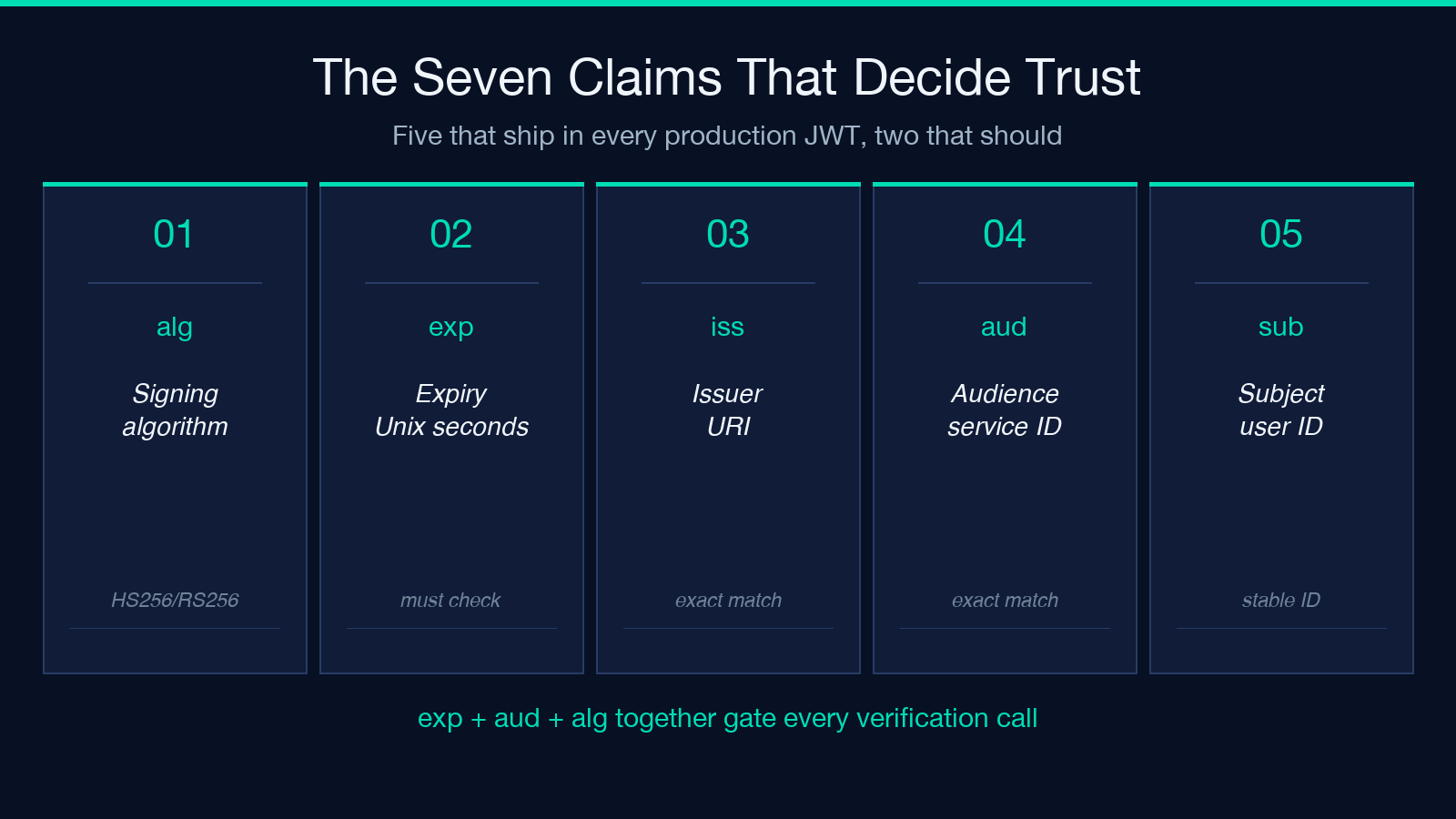
alg— the algorithm that signed the token.none,HS256,RS256,ES256,EdDSA,PS256are the ones you will see in production. Anything else is suspicious.exp— expiry, expressed as Unix seconds. The verifier must checkDate.now() < exp. Tokens withoutexpare timeless; tokens with futureexpare valid until that moment.nbf— "not before". The mirror ofexp. The verifier must checkDate.now() >= nbf. Tokens beforenbfmust be rejected.iat— issued at. Informational, but useful for clock-skew forensics.iss— issuer. The verifier must confirm this matches the expected issuer URI (https://auth.yourcompany.com, nothttps://auth-yourcompany.com).aud— audience. The verifier must confirm this equals your service ID. A token issued for service A must not be accepted by service B even if A and B share a signing key.jti— token ID. Used for revocation lists and replay protection. Tokens withoutjticannot be revoked individually.
The tool renders all seven in a single glance. The four time-based claims (exp, nbf, iat, plus server-side now) share a row that updates on every paste, so you can tell at a glance whether the token is still inside its window.
Why Algorithm Confusion Is The Attack You Must Drill
The most famous JWT CVE class is algorithm confusion: a token signed with RS256 (asymmetric, public-key verify) is re-presented to a verifier as HS256 (symmetric, secret-key verify). If the verifier blindly trusts the token’s alg header and uses the public key as the HMAC secret, the signature check passes — because the attacker just signed the token with the public key.
The fix is to pin the algorithm at the verifier. The verifier accepts only RS256 (or whatever your auth server signs with) and rejects everything else, regardless of what the header says. The Inspector includes a forged-token demo that walks through the exact steps: take a valid RS256 token, rewrite the header to HS256, sign with the public key, and watch the verifier reject it when algorithm pinning is on.
This is not a theoretical attack. The 2015 Auth0 disclosure and the 2022 jsonwebtoken CVE are both instances of this class. The forgery demo is the fastest way to internalize why “trust the alg field” is never the right policy.
HS256 Versus RS256 Versus EdDSA — Which One Should You Sign With
The inspector supports the five algorithm families you will meet in production, and the choice matters:
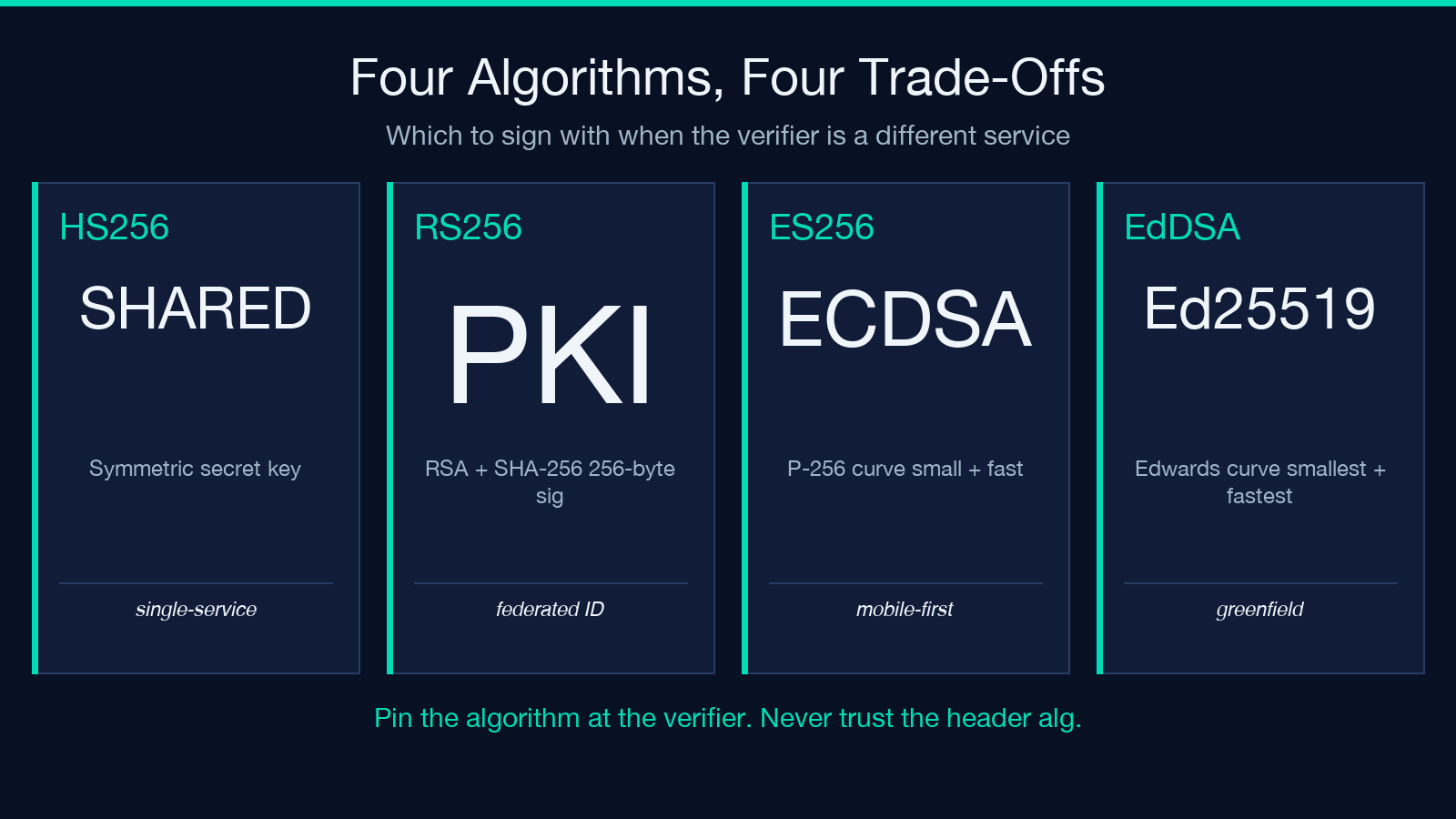
- HS256 — HMAC + shared secret. Fast, no key distribution. The right choice when the signer and verifier are the same service. Wrong for any setup where the verifier is a different process that needs to read but not write tokens.
- RS256 — RSA + SHA-256. The workhorse of federated identity. Asymmetric, so a leaked public key cannot mint new tokens. Slower than HS256, but the signature is small (~256 bytes) and the verify path is straightforward.
- ES256 — ECDSA on the P-256 curve. Smaller signatures than RS256, faster verify, similar security guarantees. Common in mobile-first stacks.
- PS256 — RSA-PSS. The modern replacement for RS256. Required by some compliance regimes (FAPI, some PSD2 stacks). Slightly slower sign, similar verify.
- EdDSA — Edwards-curve signatures (Ed25519). Smallest signatures, fastest verify, increasingly the default for new services. Requires Ed25519 key support in your verifier library — older Node.js (< 12) and some Java SDKs do not have it.
The tool shows the algorithm next to the key type it expects. If your auth service signs with RS256 and you are loading the verifier with a PEM-encoded EC key, the tool will surface the mismatch before the verifier silently fails.
Verifying The Signature With The Right Key Shape
Signature verification has three failure modes that look identical to the caller but have different root causes:
- Wrong key — the verifier rejects with
invalid signature. The most common cause is loading the wrong file, a stale key after rotation, or a key from the wrong environment (staging vs production). - Wrong algorithm — the verifier rejects with
algorithm not allowed. The token’salgheader disagreed with the verifier’s pinned algorithm. This is the safe failure mode for algorithm confusion attacks. - Wrong key shape — the verifier rejects with
key shape mismatch(PEM vs JWK vs raw bytes). The key was parsed, but not in the format the algorithm expects. HS256 wants a UTF-8 string or aBuffer; RS256 wants a PEM-encoded RSA public key; EdDSA wants a 32-byte raw key.
The tool’s signature panel surfaces all three with distinct messages, so you can tell “the token is forged” from “the key file is stale” from “the verifier is misconfigured”. This triage is the difference between a 2-minute incident and a 2-hour one.
Forged Tokens, Visible Red Bars, And How To Drill The Failure
The single highest-leverage feature in the inspector is the forged-token demo. It takes a valid token, lets you flip one or two bytes in the payload (change user_id, bump exp by 30 days, swap aud), re-signs with a chosen algorithm, and shows the verifier rejecting the result with a visible red bar.
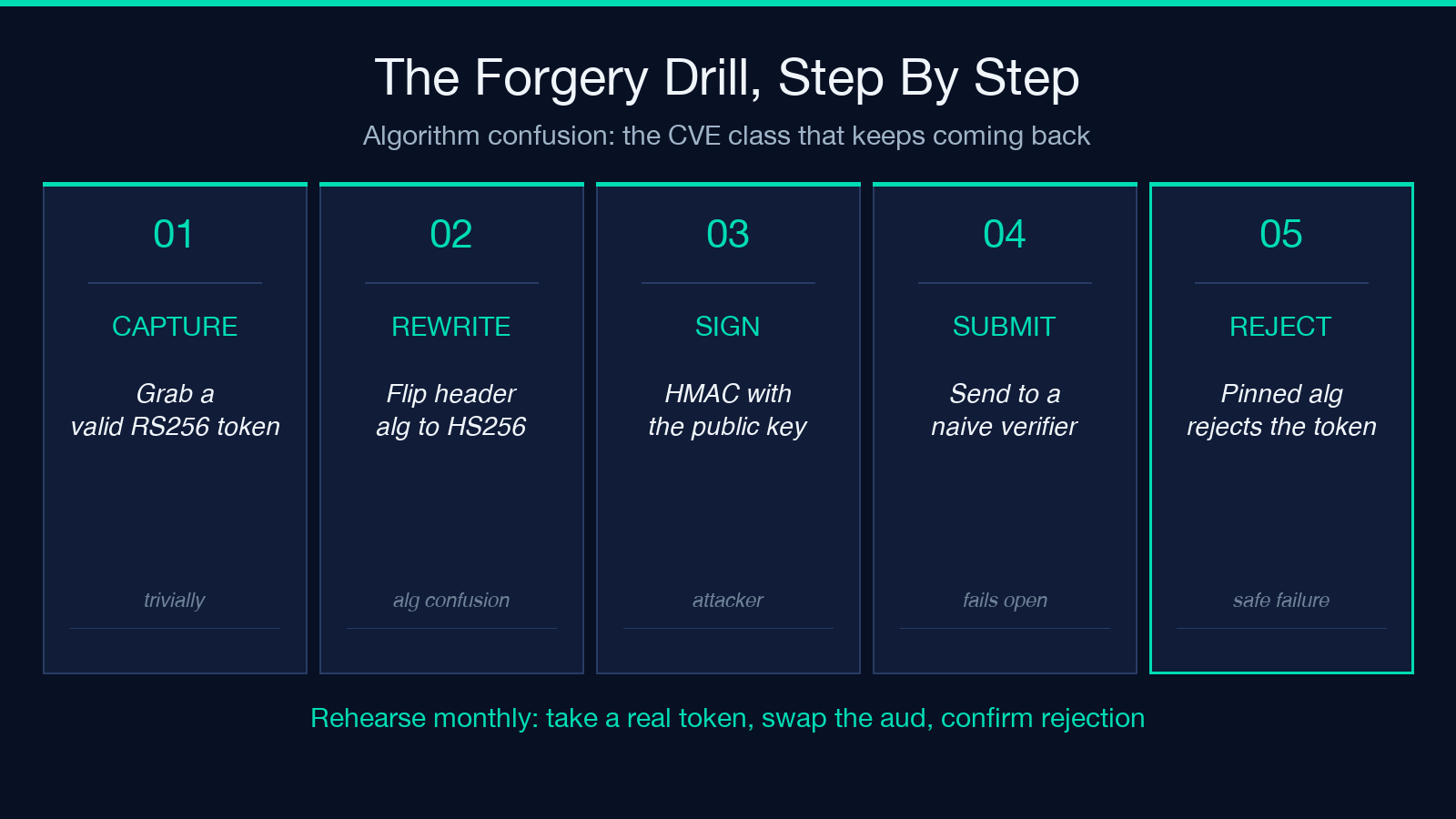
The point of this is not to teach your team how to forge tokens. The point is to make the failure mode obvious before an attacker finds it. Teams that rehearse forgery on their own tooling find and fix key-rotation bugs, algorithm-pinning bugs, and exp-boundary bugs an order of magnitude faster than teams that do not.
The recommended drill is monthly: take last week’s session token, swap the aud claim to a sibling service, and confirm the verifier rejects it. If it accepts, you have a finding to file before an external pentest surfaces it.
How The Inspector Fits Into A Production Debugging Loop
The tool is not a verification library — it is a debugging surface for the verification library you already ship. The workflow it fits best is the “mystery token” loop:
1. A user reports a 401. They paste the token into the inspector. 2. The header shows alg: RS256 and kid: prod-2025-q3. The expected issuer is auth.prod.internal. 3. The claims panel shows exp is 10 minutes in the past. The user got bumped by a clock-skew incident. 4. None of this required reading the codebase. The inspector surfaced the verdict in 4 seconds.
This is the shape of debugging the tool was designed for: paste a token, read a verdict, ship or reject. Every feature beyond the seven claims, the algorithm panel, and the forgery demo is in service of that loop.
The JWT Inspector & Verifier is one of several security tools on Elysia Tools that pair the “decode” and “verify” functions into a single paste. If you spend your day triaging auth bugs, the related anchors below cover the rest of the surface — symmetric secret rotation, certificate parsing, and PKCE flow generation all live one click away.
The full tool, the forgery demo, and a token you can paste to see the verifier reject a tampered aud are at Elysia Tools JWT Inspector & Verifier. For a runnable set of valid and invalid tokens that exercise every algorithm above, see JWT Samples. More security and identity tools live at elysiatools.com/en/tools.
