
Field-ready Rust structs come out of three knobs: a JSON sample, a root type name, and a toggle that decides whether missing fields become Optional. A typed payload beats a string-typed one for the same reason a wiring diagram beats a parts list — the compiler can refuse to build when shapes drift.
What JSON to Rust Struct Converter Does (And Why serde Derives Matter)
Every backend that speaks HTTP eventually has to parse a JSON body into a concrete type. In Rust, that means a struct plus the serde::Serialize and serde::Deserialize derives. Hand-writing those structs is fast for two fields and brutal for nested arrays of nested objects. The Elysia Tools JSON to Rust Struct Converter turns a sample JSON document into a complete struct tree, picks the right Vec<T> for arrays, applies #[serde(rename = "...")] for fields that don’t already fit Rust’s snake_case convention, and emits an idiomatic mod tests block so the generated code is the kind you actually commit.
The tool’s three options cover most of what an integration engineer needs. JSON Input holds the sample document — paste it directly, no schema required. Root Type Name is the identifier for the top-level struct (defaults to Root, but production code usually wants User, OrderPayload, ChatMessage). Wrap with Option controls how missing JSON keys are translated: when enabled, every non-required field becomes Option<T> so the deserializer does not panic on partial responses. The result type is plain text, which means you can drop it straight into a .rs file or pipe it through cargo fmt.
A live, side-by-side comparison is at the Elysia Tools Rust samples page, which carries ownership, borrowing, and concurrency snippets in parallel. For JSON inputs that exercise the converter, see the chat transcript JSON samples — multi-role chat payloads are the canonical stress test for any JSON-to-struct generator.
The Three Output Shapes You Will Actually See
Depending on the JSON you feed in, the generator emits one of three recognizable patterns. Knowing which one is coming out makes review much faster.
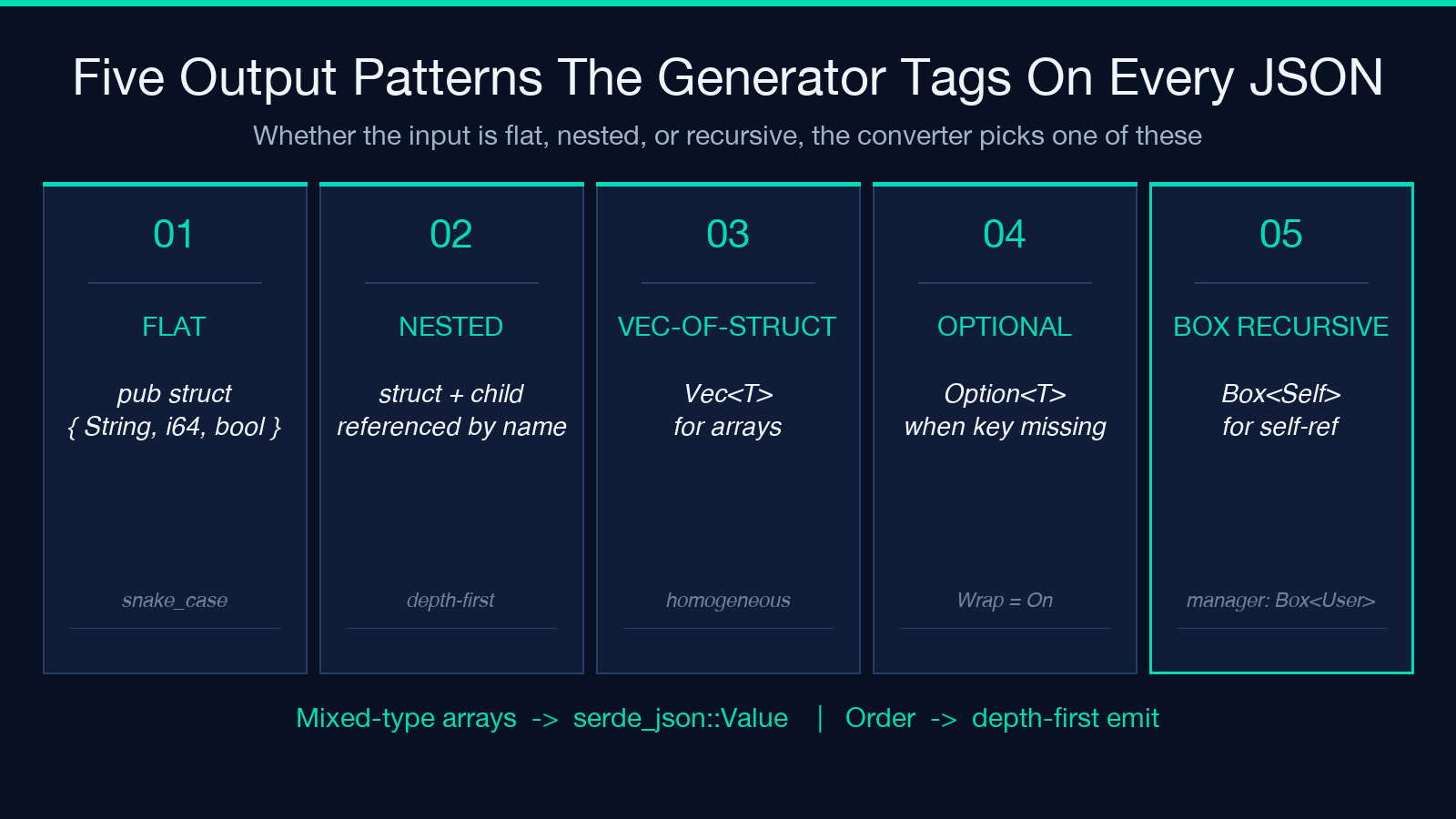
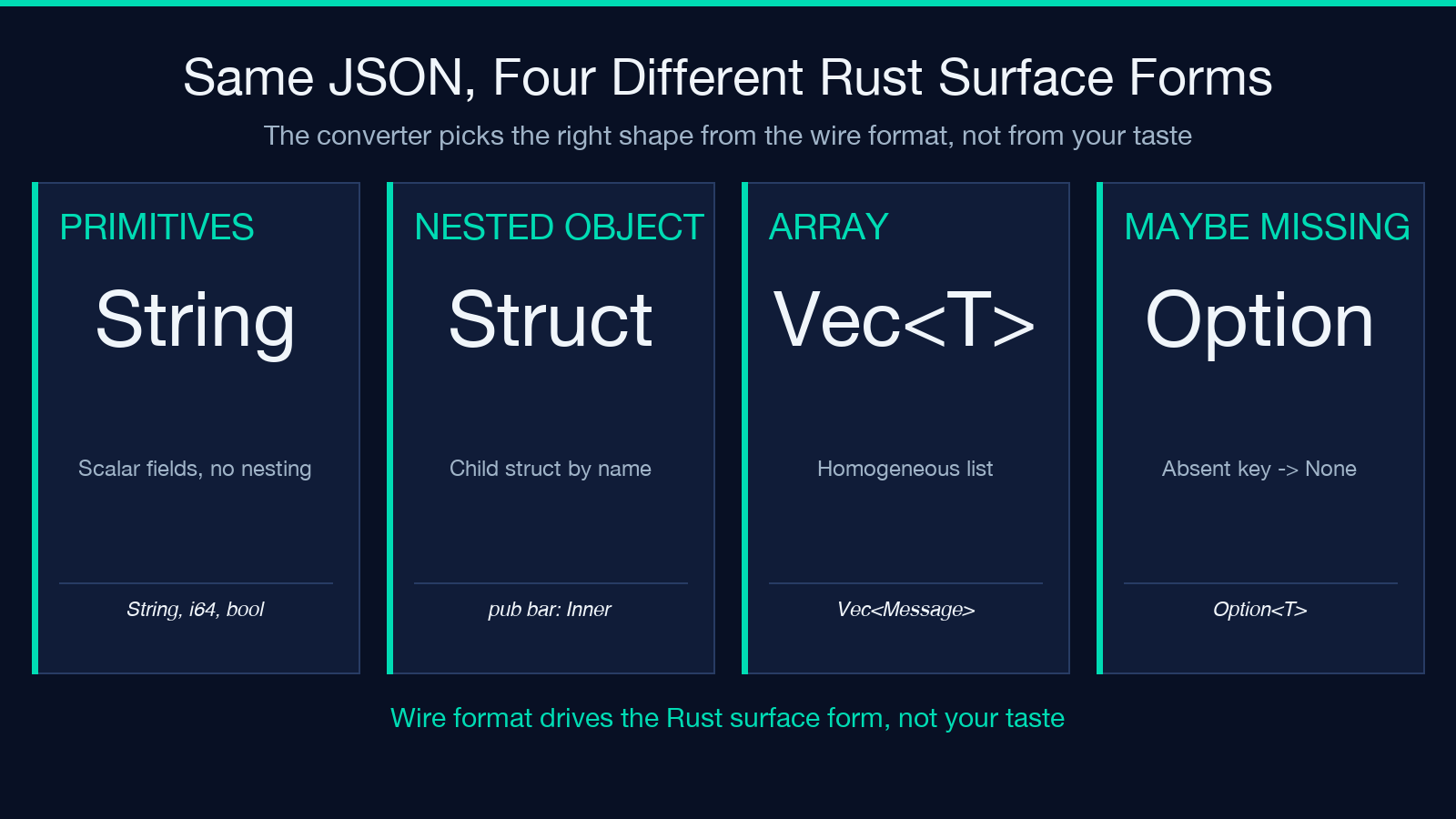
Flat struct. A JSON object with primitive fields and no nested objects produces a single struct with pub fields and the appropriate primitive types (String, i64, bool, f64). Numbers with a fractional component become f64; integers that fit in 32 bits become i32; everything else widens to i64. The converter is conservative — when in doubt it widens, because downcasting at the serde boundary is a debugging nightmare.
Nested struct tree. When the JSON contains child objects, the generator emits a separate struct per unique shape and references each by name from the parent. Order of emission is depth-first, which matches how a developer would write them by hand. Field types use Box<T> only when the structure is recursive (a User with a manager: Box<User> is the rare case that needs it); non-recursive nested objects stay as plain field references.
Vec-of-struct. Any JSON array becomes Vec<T> where T is the generated struct. Mixed-type arrays collapse to serde_json::Value because Rust cannot express a heterogeneous list without an enum wrapper; the generator picks that rather than guessing. If you need a real enum, you can post-process the output by hand — but for 95% of integration payloads, Vec<T> is exactly right.
Field Naming: From camelCase JSON to snake_case Rust
JSON has no naming convention. JavaScript APIs send firstName, lastName, createdAt. Python APIs send first_name, last_name, created_at. Rust convention is snake_case, so the converter walks every field name and emits #[serde(rename = "firstName")] whenever the Rust version differs from the JSON version. This is the single biggest source of “the converter lied to me” complaints — usually because the user looked at the Rust field name and assumed the JSON side had been renamed too.
The rule to remember: the Rust identifier follows Rust convention; the JSON key stays exactly as the wire format sends it. When you serde_json::from_str the payload, serde does the translation in both directions and your handler code reads user.first_name, not user.firstName. That separation is what makes the rename attributes non-negotiable: stripping them compiles fine but breaks every deserialization.
If your JSON has fields whose JSON keys already happen to be valid snake_case, the generator omits the #[serde(rename = ...)] attribute entirely. That is correct — it means the wire format and the Rust convention already agree. The output is shorter, but semantically identical.
The Wrap with Option Toggle: When to Turn It On
This is the option most users under-appreciate. Wrap with Option = on means every non-required field becomes Option<T>. Wrap with Option = off means every field is a bare T, and a missing JSON key becomes a deserialization error. The right answer depends on the upstream service, not on your taste.
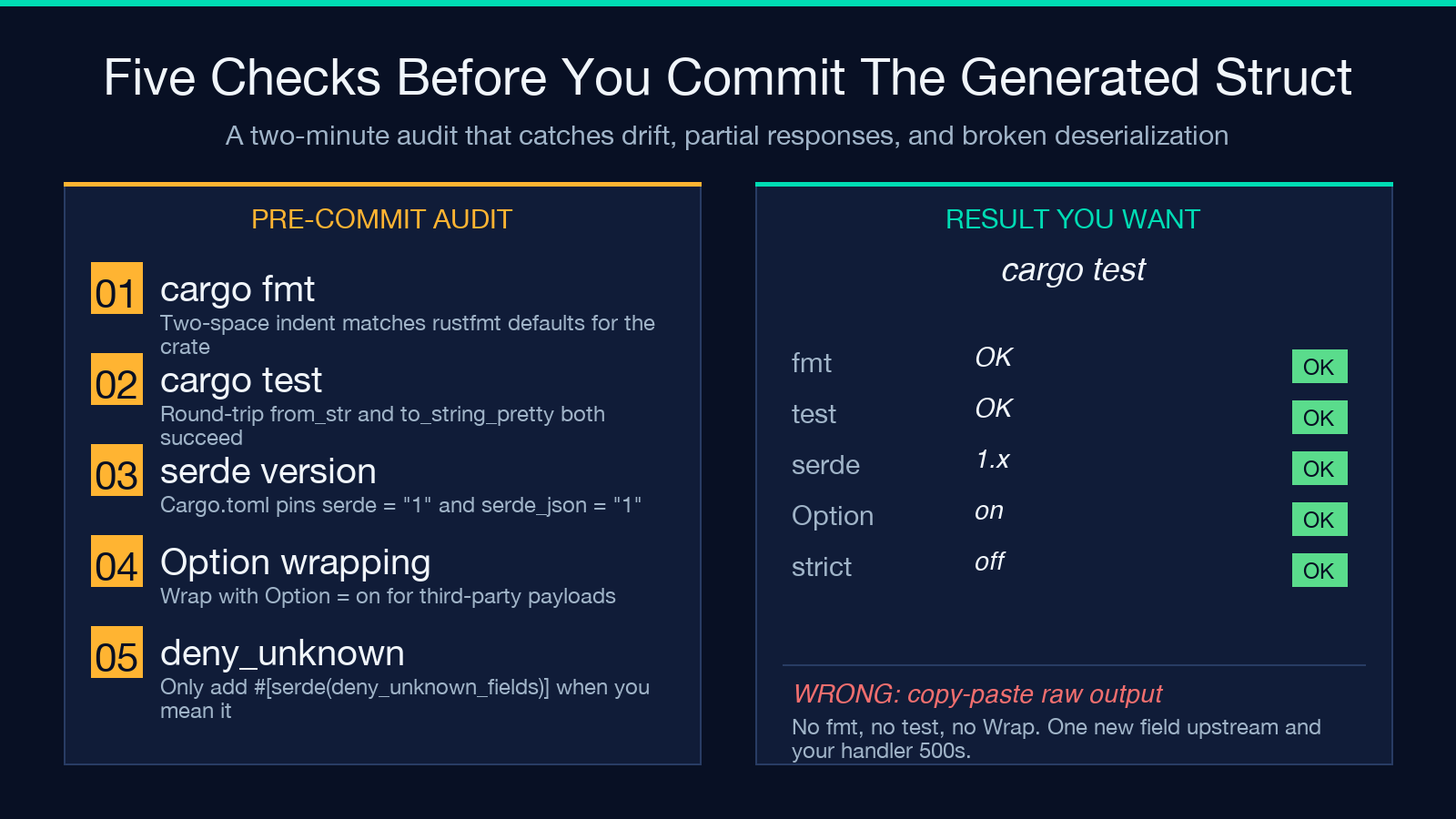
For internal APIs where the producer is in the same monorepo and types are synchronized, bare T is correct and forces both sides to evolve together. For third-party APIs whose fields appear “in the next release”, Option<T> is the only sane choice — the alternative is waking up at 3 a.m. because a vendor added an optional field and your parser now panics. For webhook payloads, public APIs, and anything documented as “may include”, default to Option<T> and convert to bare T only after a year of stable behavior.
A practical pattern: keep Option<T> on for the input struct, then build a domain struct internally where the optional fields have been resolved to real values (defaults applied, absent values collapsed to None at a higher layer). This gives you a stable wire boundary and a clean internal API at the same time.
Worked Example: A Chat Transcript JSON
The cleanest demonstration is the multi-role chat transcript, which has exactly the shape a real LLM client receives: a top-level object, a nested array of message objects, and a metadata block.
The input JSON looks like:
– conversation_id: a string identifier – created_at: an ISO-8601 timestamp – messages: an array of objects, each with role, content, and timestamp – metadata: a small object with model, tokens_used, and temperature
The generator produces a root struct ChatTranscript with messages: Vec<Message> and metadata: Metadata. Each Message struct carries role, content, and timestamp fields. With Wrap with Option enabled, temperature and tokens_used become Option<f64> and Option<i64> so an incomplete metadata block does not abort deserialization. With it disabled, the same fields are bare f64 and i64, and any missing key triggers a parse error.
The generated mod tests block includes a serde_json::from_str call with the literal input, which means cargo test immediately verifies that round-tripping works. If you regenerate after the upstream API changes, run cargo test and watch for new fields — the failure mode is loud and obvious, which is the point.
Common Pitfalls When Wiring Generated Structs Into Your Crate
The output is a starting point, not a final artifact. Three things to do immediately after dropping it into your crate.
Run cargo fmt. The generator uses two-space indentation and specific spacing around generics; your project may use four-space or rustfmt defaults. The generated code is correct but visually out of place until formatted.
Pin the serde version. The generator emits code that compiles against serde = "1" and serde_json = "1". If your Cargo.toml pins an older major version (rare but possible in long-lived services), the derives will not resolve. Add explicit version pins if you maintain a private fork.
Add #[serde(deny_unknown_fields)] only when you mean it. By default, serde ignores JSON keys that aren’t in the struct. That is the right default — third-party APIs grow fields all the time, and ignoring them keeps your integration alive. If you want strict validation, add the attribute explicitly; the generator will not, because strict mode is the wrong default for the typical user.
For more on Rust idioms beyond what the converter covers, the Rust samples collection is worth bookmarking — ownership and borrowing examples in particular inform how you compose the generated structs into larger systems.
When to Use the Converter vs. a Schema-Driven Generator
Two other approaches deserve mention. schemars derives let you declare a struct, generate a JSON schema, and then have downstream services generate their own types from that schema. quicktype reads a JSON Schema and emits types in many languages, Rust included. Both are excellent when you control both ends of a contract.
The JSON to Rust Struct Converter wins in three scenarios. First, you have a sample payload but no schema — the API provider never wrote one, or the schema is stale. Second, you need to bootstrap a typed client in minutes, not hours, and want idiomatic Rust output without a schema-as-source-of-truth overhead. Third, you want the test round-trip baked in, so a regeneration cycle immediately catches drift.
If your team already uses schemars or prost (for protobuf), keep using those. The converter complements them; it does not replace them.
Generating, Reviewing, and Committing the Struct
A short workflow that holds up in code review. Paste the JSON sample into the Elysia Tools JSON to Rust Struct Converter, set the Root Type Name to something domain-meaningful, and leave Wrap with Option enabled unless you have a specific reason to disable it. Copy the output into a new file under src/types/, run cargo fmt and cargo test, then commit. The whole loop takes a couple of minutes and produces a struct that already handles the boring 90% of deserialization correctly.
Regenerate only when the upstream JSON shape changes materially. A new optional field does not require regeneration — Option<T> covers it. A renamed field does require regeneration, but the diff is small and the test round-trip will fail loudly if the rename attribute is missing.
For a steady supply of test inputs, the chat transcript JSON samples cover the common shapes (multi-role, OpenAI-style, Slack-style), and the Rust samples anchor the surrounding code patterns. More tools for typed payload generation, JSON inspection, and API contract work live at elysiatools.com.
