
A four-letter profile suffix decides whether your archive will still open in fifteen years. Get the profile wrong and the validator flags you; get the cleanup wrong and the validator flags you harder. Here’s the field guide for the PDF/A Convert tool on Elysia Tools.
PDF/A is ISO 19005, the archival subset of PDF designed for “the document still renders identically in 2041” scenarios. The standard does not forgive a lot of modern PDF conveniences: no JavaScript, no encryption, no OpenAction that fires on open, no optional-content layers, no unembedded fonts. The pdf-a-convert tool on elysiatools.com takes a regular PDF and strips the things that archival validators reject, then writes a fresh XMP packet that declares the file as one of the four PDF/A profiles. It runs entirely in-process with pdf-lib, so there is no Ghostscript, no external binary, no upload to a third-party processor — the file never leaves your machine.
The Four Profiles and What They Actually Permit
PDF/A-1b is the original 2005 profile. It is the most compatible (the only profile some older validators and submission portals will accept), the most restrictive on image formats (no JPEG2000), and the only one that strictly forbids embedded files. PDF/A-2b is the 2011 refresh: it allows JPEG2000, supports transparency, and uses object streams for smaller files. PDF/A-2u is identical to 2b except it requires all text to be Unicode-mapped, so searchability is guaranteed. PDF/A-3b is the loosest: it allows embedded files of any format, which makes it the only one you can use for PDF/A-3 attached invoices, CAD data, or ZUGFeRD-style hybrid archives.
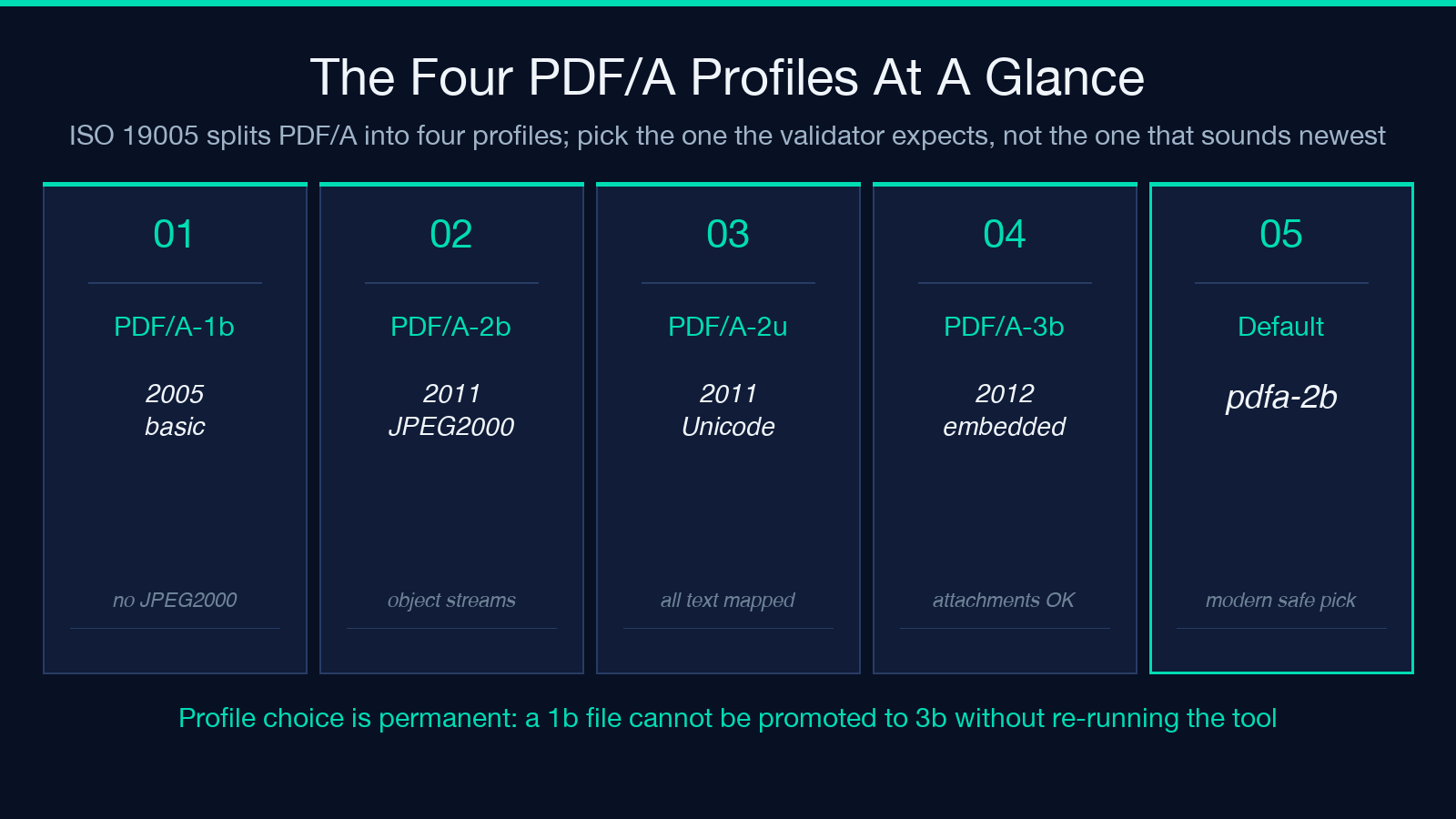
The default in the tool is pdfa-2b, which is the right choice for most modern archival submissions. Pick pdfa-1b only when the recipient explicitly says “ISO 19005-1” or when you are submitting to a government portal that has not updated its validator since 2014. Pick pdfa-3b only when the file must carry an embedded attachment; otherwise the embedded-files branch stays empty and the cleanup is identical to 2b.
The Seven Things the Cleanup Pass Strips
The cleanForPdfA routine walks the PDF catalog and removes seven classes of PDF/A-incompatible features. Five of them are unconditional: encryption (the Encrypt dictionary entry is deleted outright), JavaScript actions (the Names → JavaScript tree is removed), OpenAction triggers (auto-execute-on-open are gone), optional content layers (OCProperties, the basis for layers in PDF editors), and the NeedAppearances flag on interactive AcroForms (which would otherwise force a viewer to regenerate every field). One of them is conditional on profile: embedded files in the Names → EmbeddedFiles tree are removed for PDF/A-1b, 2b, and 2u, but kept for PDF/A-3b because that profile is explicitly designed to carry them. The seventh operation is a survey, not a removal: every font on every page is inspected, and any font that lacks an embedded FontFile/FontFile2/FontFile3 stream is reported in a warning list.
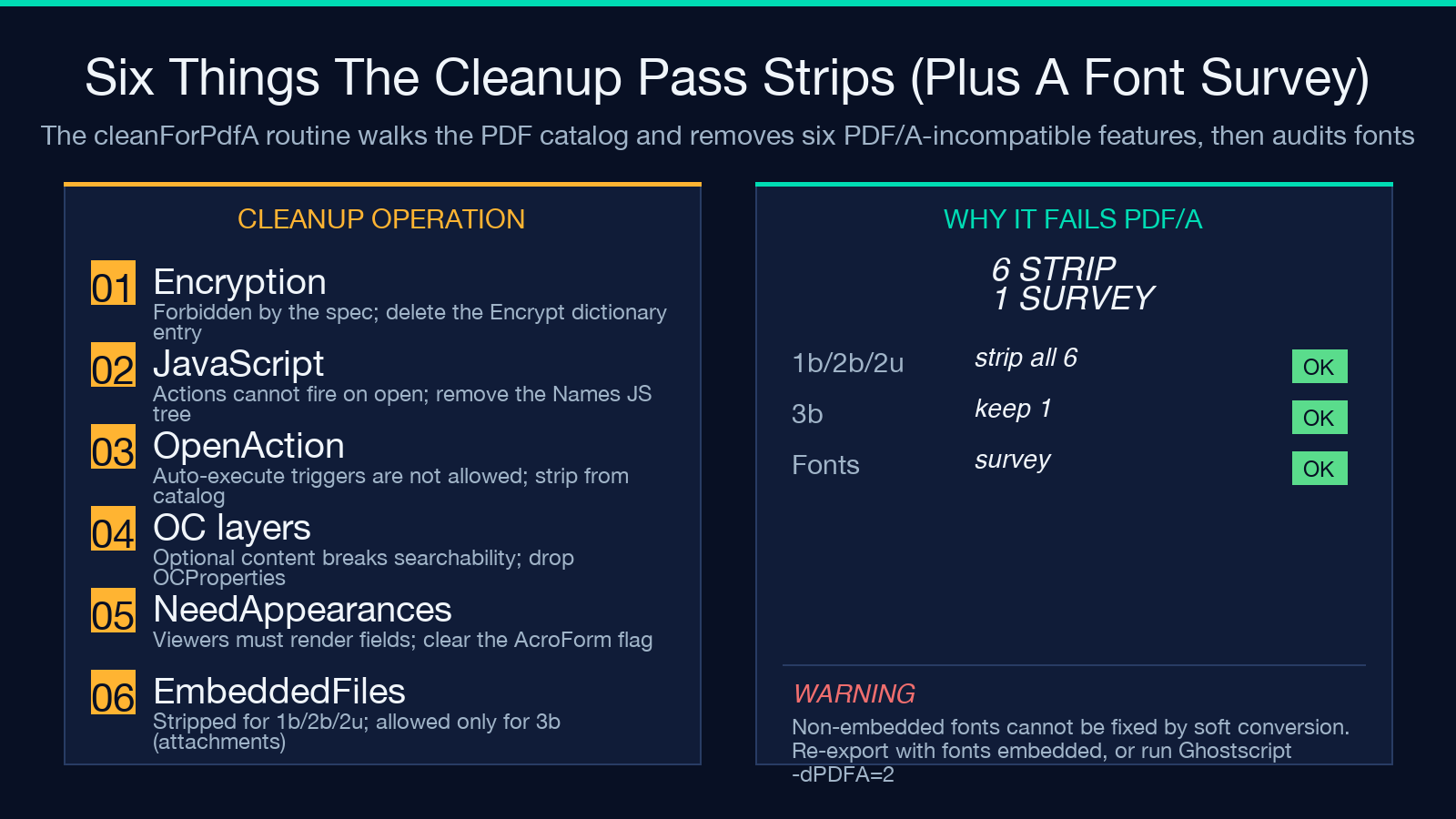
The font scan caps at 200 fonts per file as a safety valve against pathological documents, but the warning list is the operationally important output. If you see “A font descriptor has no embedded font program stream” appear four times in the cleanup report, your PDF referenced four fonts that the original authoring tool never embedded — usually because the tool was a web-export library that assumed the reader’s system would supply the font. PDF/A forbids that assumption entirely. Soft conversion will not fix it; only reauthoring with an embed-fonts flag will.
What the XMP Packet Actually Declares
The tool writes a fresh XMP packet into the PDF’s Metadata stream with three namespaces. The pdfaid namespace carries pdfaid:part and pdfaid:conformance — for PDF/A-2b these are literally the strings "2" and "B", and the combination is what every validator (veraPDF, Apache PDFBox Preflight, Adobe Acrobat pre-flight) reads to decide which rules to apply. The dc (Dublin Core) namespace carries the title and author pulled from the source PDF’s Title and Author entries; if those were missing in the source, the XMP carries empty rdf:li elements rather than guessing. The xmp namespace carries xmp:CreatorTool (literally "Elysia Tools PDF/A Convert") and xmp:MetadataDate / xmp:ModifyDate set to the current ISO timestamp.
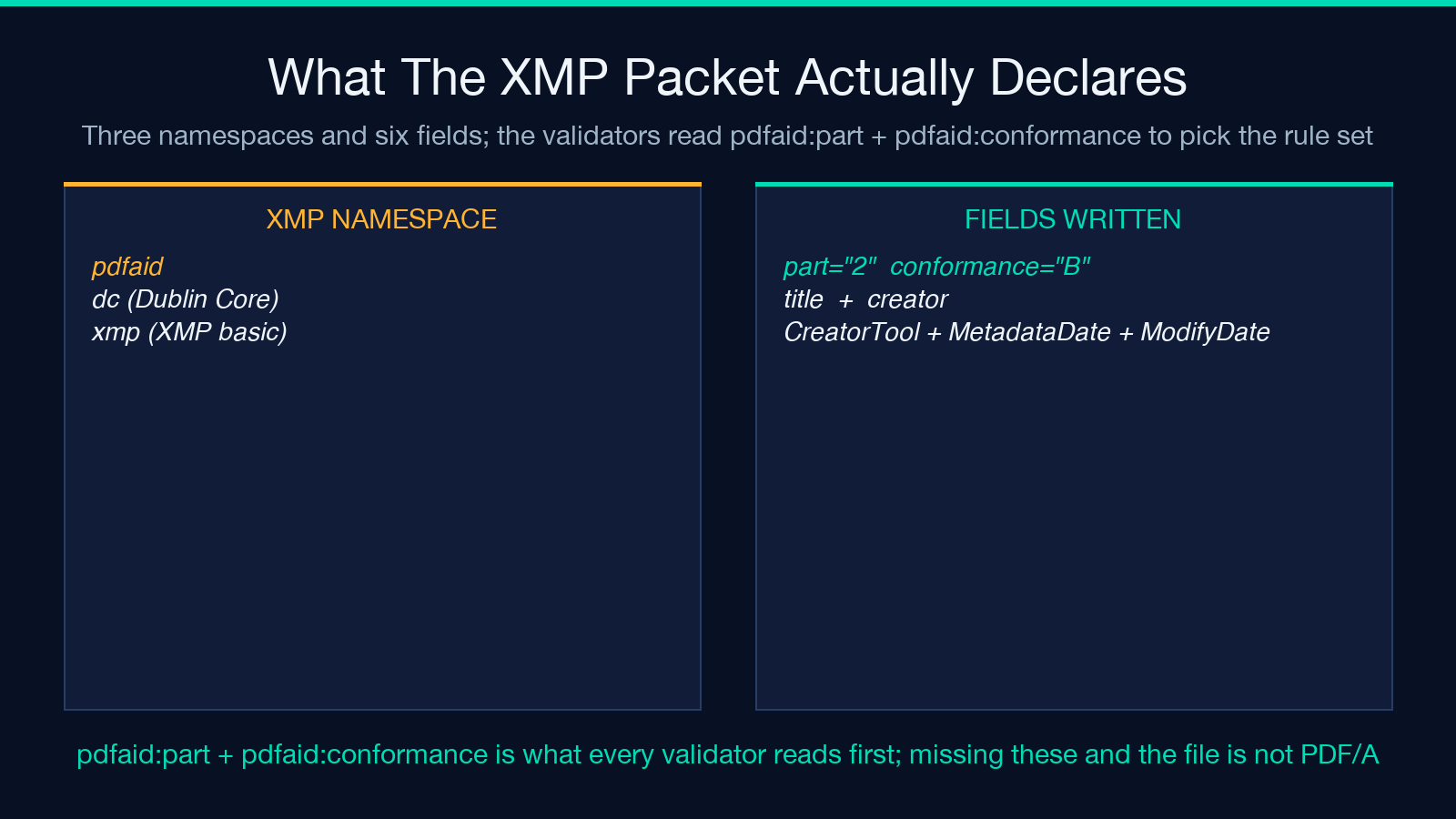
The XMP packet is the single most important artifact of the conversion. Archival submission systems and most validators accept the file as PDF/A the moment they read pdfaid:part="2" and pdfaid:conformance="B". The structural cleanup buys you nothing if the XMP is wrong, and the XMP buys you nothing if the structural cleanup is missing — both have to land for a soft-converted file to pass any reasonable check.
Why This Is a Soft Conversion and What That Means
Pure JavaScript cannot perform ICC colour management conversion or embed missing font programs, both of which a full PDF/A compliance pass requires. The output declares itself as PDF/A in its XMP metadata and is structurally cleaned, which satisfies PDF/A header and XMP checks used by many archival and submission systems. It will not pass strict byte-level validation (veraPDF with the PDF/A-1b flavour, for example) for documents that still reference non-embedded fonts or non-calibrated colour.
If the cleanup report’s fontsAllEmbedded flag is true, you have a high-confidence PDF/A-2b that should pass any reasonable pre-flight check. If it is false, the structural pass is clean but the file is not strictly conformant; you will need to either re-export from the source application with fonts embedded or run the file through Ghostscript (-dPDFA=2 -dPDFACompatibilityPolicy=1) for the byte-exact version. The tool is honest about this in its warning field: every result carries the string "Soft conversion: XMP declares PDF/A but no ICC colour management was applied." Treat that warning as a flag to check fontsAllEmbedded before submitting.
When to Use the Default Profile vs Override
For routine archive submissions where the recipient accepts PDF/A-2b, the default works. The two cases where you want to override are: (1) the source PDF was authored with a tool that emits fonts but skips JPEG2000 images — there, pdfa-1b is the safer pick because it strictly forbids JPEG2000 so a pre-flight check cannot trip on it; (2) the file must carry an attachment as part of the archive (a ZUGFeRD XML, an OOXML source, a CAD model), in which case only pdfa-3b will accept the embedded file.
If you do not know which profile the recipient wants, ask before submitting. There is no automatic way to recover from picking 3b when the recipient required 1b — the embedded files would have to be stripped and the file re-converted with a different profile. The same is true in reverse: a file converted to 1b cannot be promoted to 3b without re-running the tool.
The File Size Caveat
The cleanup pass does not re-encode images, so a 50 MB PDF with 200 uncompressed TIFFs stays 50 MB after PDF/A conversion. The useObjectStreams: true flag in the save call does compress the PDF’s structural objects (catalog, page tree, font dicts), but image byte streams are not touched. If the archive target has a size cap, run the file through the PDF Compress Optimize tool on Elysia Tools first, then through PDF/A Convert. Order matters: compress first, then convert. Reversing the order runs the cleanup against an already-resaved PDF and risks losing the original font embedding that compression preserved.
Verifying the Output Before Submission
Three checks are worth running before you submit the converted file. First, open it in a viewer that does not have its own PDF/A pre-flight (Preview on macOS, for example) and confirm the document still renders. The cleanup is supposed to be invisible to the user, but a missing embedded font will show up as a substituted typeface. Second, run pdftk converted.pdf dump_data and confirm the InfoKey: Producer and InfoKey: ModDate entries look fresh, and grep the output for pdfaid:part and pdfaid:conformance to confirm the XMP landed. Third, if the recipient provides a validator URL (veraPDF’s online GUI, for example), run the file through it before sending. The tool’s own fontsAllEmbedded flag is a strong signal, but the validator is authoritative.
What the Tool Does Not Do
Three things to be aware of. The tool does not perform OCR — a scanned PDF without a text layer is still a scanned PDF without a text layer after conversion. PDF/A requires text to be Unicode-mapped, so a scanned image-only PDF is not strictly conformant until you run it through an OCR step that adds a hidden text layer. The tool does not validate that the source PDF was actually well-formed; if pdf-lib cannot parse the file, you get a "Could not read PDF" error, not a partial result. And the tool does not preserve PDF/A conformance flags that the source may have already had — it always rewrites the XMP packet with its own pdfaid:part and pdfaid:conformance, so a PDF/A-2b that came in as PDF/A-2b still comes out as PDF/A-2b, but the XMP timestamps and CreatorTool are replaced. For a one-shot conversion of a long-tail PDF to an archival profile, this is the right tool. For batch archival of millions of files, wire it into a pipeline rather than clicking the button each time.
For the full source of the conversion routine (and a list of every field the cleanup report can carry), see the PDF/A Convert tool page on Elysia Tools. If you need a byte-exact PDF/A validator, veraPDF is the open-source reference implementation, and Ghostscript with the -dPDFA=2 flag is the most common way to get there from a soft-converted file.
