
The .env file is the first thing a developer writes and the last thing anyone reviews. By the time it has 30 keys, three deploy environments, and a SECRET_KEY from a year ago, the parser has stopped being a file format and has become a piece of configuration that needs its own audit. The Elysia Tools .env Parser treats your environment file the way a security scanner treats a dependency tree: it reads every line, normalizes the syntax, surfaces the duplicates you forgot, and exports the whole thing as JSON, CSV, or shell exports that you can actually diff.
This field guide is the running mental model I now use when a .env lands on my desk. We will look at the five checks the parser runs by default, the three export formats that map cleanly onto the next step of a deployment pipeline, and the four real-world .env pathologies that the parser catches in under a second. Every example uses the tool’s textarea so you can paste the snippets directly into elysiatools.com/en/tools/env-parser and see the result side-by-side.
What the .env Parser actually reads
The .env format looks deceptively simple. Each line is a KEY=VALUE pair, comments start with #, blank lines are ignored, and quoted values may contain spaces. In practice the format picks up cruft fast: trailing whitespace, mixed quoting styles, multi-line values, export prefixes from shells, and KEY= lines that the previous developer left blank by accident.
The parser accepts the full content as a single paste and treats it as one logical document. It walks the file line-by-line, applies the same normalization rules to every entry, and produces a single object with key, value, line, and flag fields per row. The flags are where the value lives — every row gets at least a parsed flag, and rows that trigger a heuristic check get extra flags like duplicate, suspicious-quotes, or unquoted-space. Run your existing .env through the parser and the output JSON will tell you in one read which keys look normal and which need a closer look.
The five core validation checks
The tool runs five independent checks during parsing. Each one is a flag on the output row, which means you can write a one-liner over the JSON to find every row that tripped a particular check.
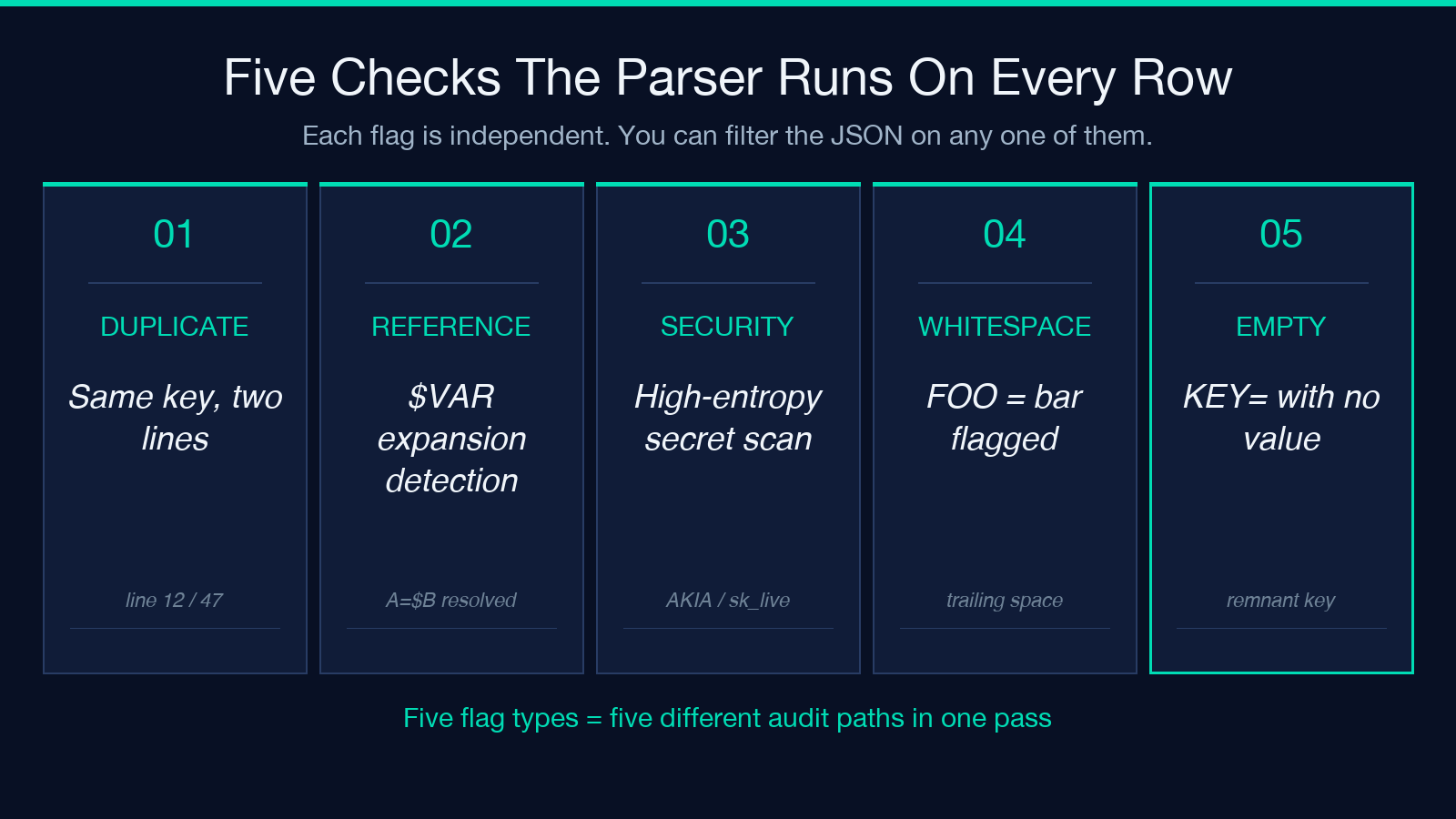
Duplicate keys. If DATABASE_URL appears twice, the parser flags both rows and reports the line numbers. A silent duplicate is the single most common cause of “why does staging work but prod doesn’t” — the second value wins, and nobody remembers that it was added during a hot-fix.
Variable expansion. Lines like BASE_URL=$API_URL or GREETING="Hello $NAME" get a references array attached to the parsed row. This catches circular references (A=$B and B=$A) and missing references ($UNDEFINED_THING) before your container start command does.
Security checks. The parser watches for the patterns that show up in committed secrets: high-entropy base64 strings in keys prefixed SECRET_, TOKEN_, or KEY_, AWS access key prefixes (AKIA, ASIA), and known-private-key markers (-----BEGIN). These are not magic — they are heuristics — but they match the patterns that show up in real .env leaks.
Suspicious whitespace. A space between the key and the equals sign (FOO = bar instead of FOO=bar) is legal in some libraries and fatal in others. The parser flags every row where the equals sign has leading or trailing whitespace so you can normalize before deployment.
Empty values. A KEY= line with nothing on the right side is almost always a mistake. The parser flags these as empty so you can decide whether to delete them or restore the missing value.
Choosing an export format
The parser offers three output formats and the choice matters because each one fits a different next step in your pipeline.
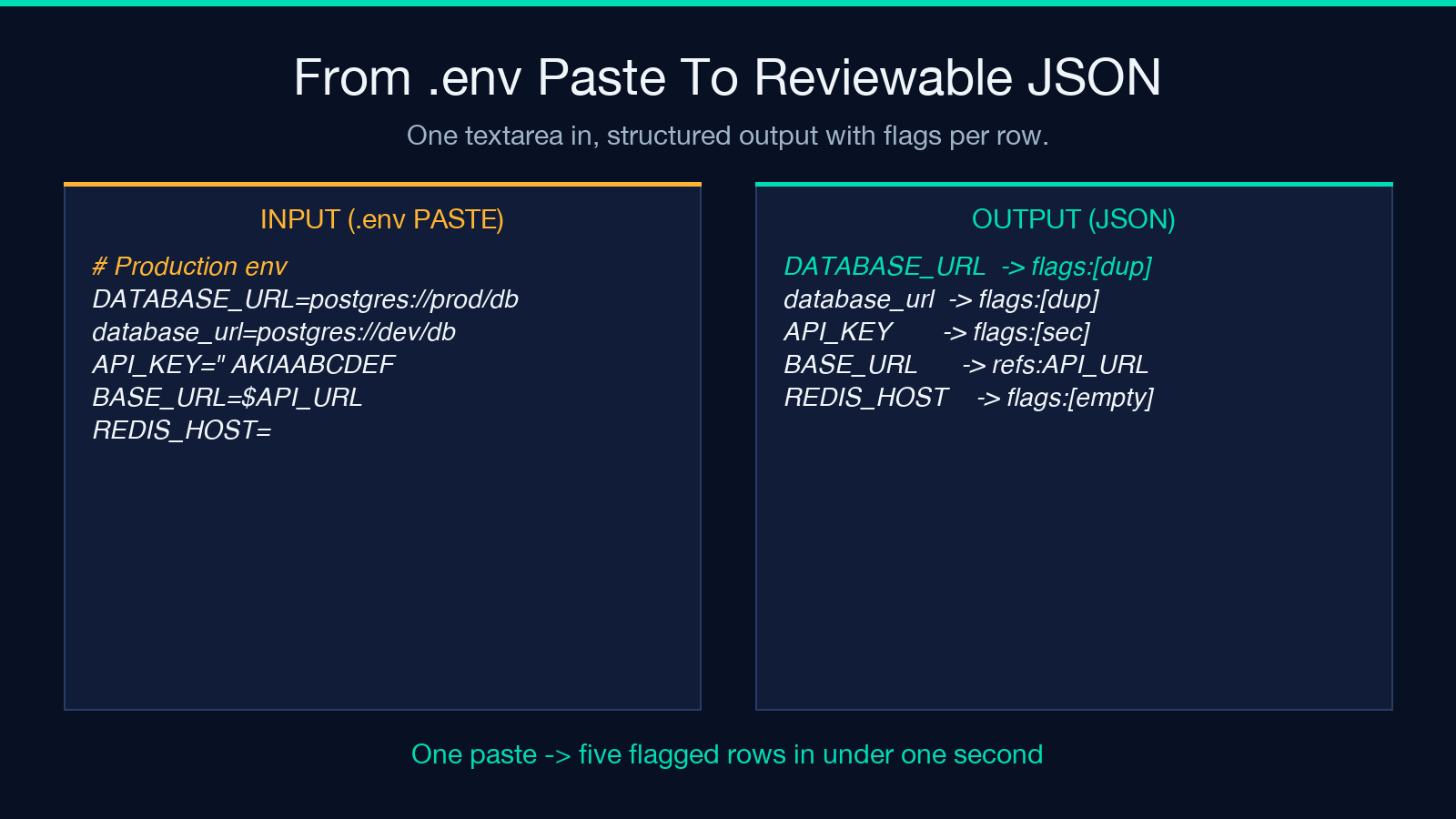
JSON is the most general purpose. The output is one object per row with key, value, line, and a flags array. Use this when you are piping the parsed output into another tool — a diff between two .env files, a comparison against a schema, or a check that runs in CI. The parser returns the JSON inline so you can copy it directly into a jq query.
CSV is the format you want when the next reader is a human in a spreadsheet. Each row is key,value,line,flags, which means a 50-key .env becomes a 50-row table you can sort, filter, and color. This is the format I reach for when someone on the team asks “what’s actually in production?” and the answer needs to be reviewable in five minutes.
Shell export is the format you want when the next step is source into a shell or copy-paste into a Dockerfile ENV directive. The output is one export KEY="value" line per row, with quoting handled by the parser’s own rules.
The export format is a single dropdown on the tool’s page, and you can flip between formats without re-parsing — the underlying detection is the same. For an example .env payload you can paste alongside, the Environment Variables (.env) Samples page has a dozen realistic files across web, mobile, and data-pipeline stacks.
The four .env pathologies the parser catches in a single pass
These are the cases where the parser’s flag output has saved me more time than any other feature. Each one is a real .env I have been handed, with the offending line and the flag it triggered.
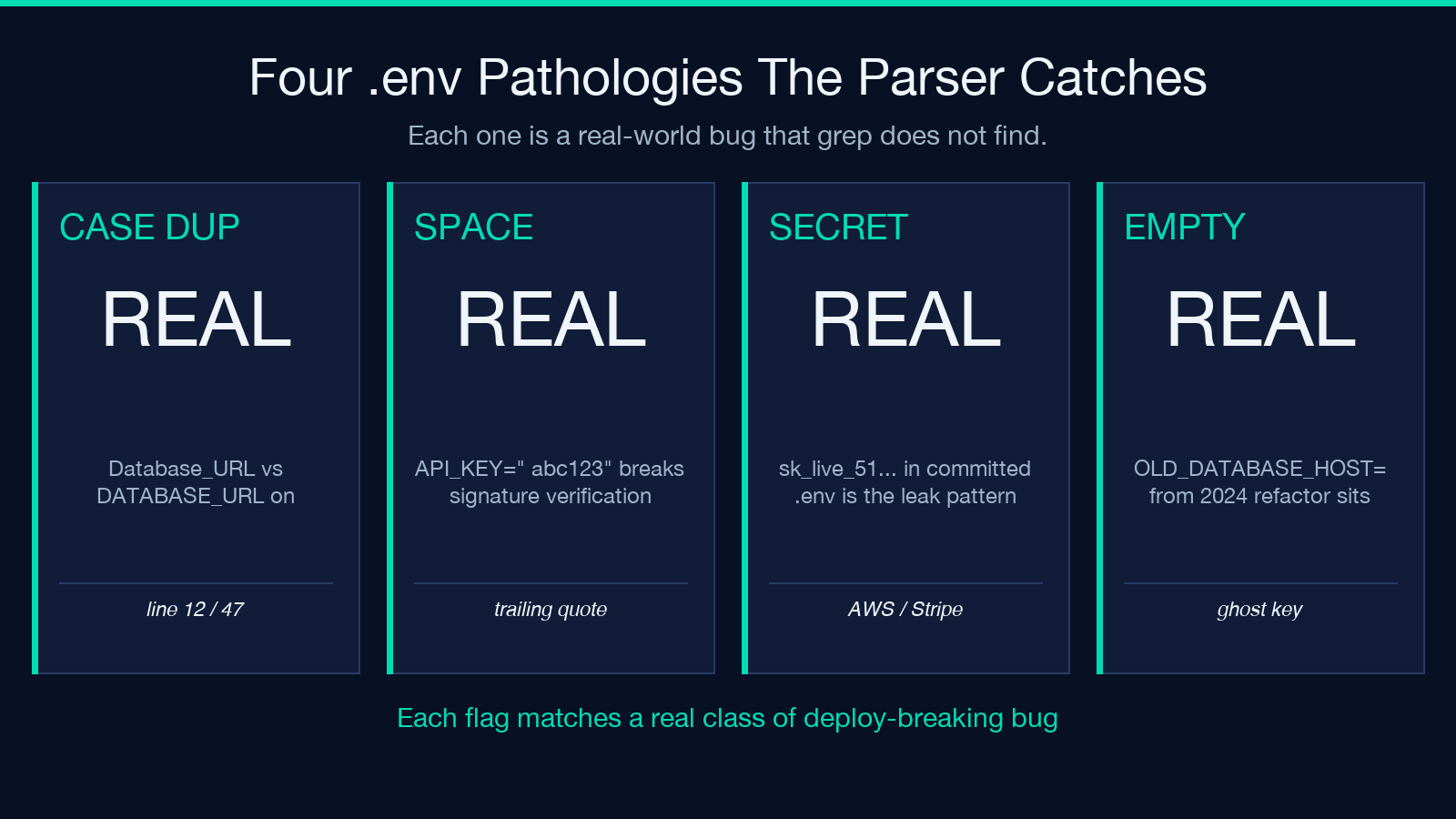
Duplicate key with different casing. A file might have Database_URL=... on line 12 and DATABASE_URL=... on line 47. Both parse as the same key on Linux (case-sensitive) and as different keys on macOS (case-insensitive on the default APFS volume). The parser flags both rows with duplicate (case-insensitive) so the discrepancy is visible before it breaks a deploy. Pasting a realistic example into the tool shows the flag on both rows.
Quoted value with a stray space. A line like API_KEY=" abc123" (note the space after the opening quote) parses, but the value contains a leading space that breaks signature verification downstream. The parser flags this as suspicious-quotes. The fix is one character; finding it without the parser is fifteen minutes of grep -n.
High-entropy secret with a prefix. STRIPE_SECRET_KEY=sk_live_51Hx... is exactly the pattern of a leaked production key. The security check catches it, and the export shows the value with a red flag attached. The actual remediation is rotating the key with the provider, but the flag tells you which key to rotate.
Empty value left over from a refactor. OLD_DATABASE_HOST= on line 89, two years after the migration off that database. The parser flags it as empty and you can decide whether to delete or restore. Without the flag, the line sits silently until someone wonders why their config has 80 keys but only 79 are documented.
Variable expansion in practice
Variable expansion is the feature most people do not realize they need until they see it for the first time. A .env with BASE_URL=$API_URL and API_URL=https://api.example.com is fine, but the same .env with BASE_URL=$APIURL (typo) silently produces an empty value at deploy time.
The parser’s references array tracks which keys reference which other keys, and flags references that do not resolve. This is the only check I have found that catches the typo class of bug — grep finds nothing because both keys are defined, and the application boots because $APIURL is empty rather than missing. Pasting a file with one resolved and one unresolved reference into the parser shows the flag on the broken row and nothing on the working one.
For files with many environment-specific overlays (dev, staging, prod), the parser’s expansion detection also catches the case where a variable is defined in one overlay but referenced in another. The flags are stable across formats, so you can run the same file through the parser with JSON output, filter for unresolved-reference, and get a list of keys to add to the overlay.
Comparing two .env files
A common task during a deployment audit is comparing the .env between two environments. The parser exports every row with a line number, which means you can run two files through, get JSON, and diff the keys. A one-liner that catches “what does prod have that staging doesn’t” looks like:
Step one. Paste production .env into the parser, set export format to JSON, copy the output.
Step two. Repeat with staging .env, copy that output.
Step three. Diff the two JSON arrays by key. Every key in prod that is missing from staging is a candidate for unset; every key in staging that is missing from prod is a candidate for the next deployment.
The parser does not have a built-in diff, but the JSON output is stable enough that a manual diff is reliable, and the flags array on each row tells you whether the value itself is suspicious. For teams that need this regularly, the parser is fast enough to script against — paste a file, copy the JSON, feed it to your diff tool of choice.
Where to put the parser in your workflow
Three places make sense. The first is pre-commit: paste your .env into the parser before you commit, look at the flags, fix anything that trips a suspicious or duplicate flag. The second is CI: a step that runs the parser against the deployed environment and fails the build if any row has a security flag. The third is incident response: when a leaked secret is reported, the parser’s security check is a quick way to find every key in your .env that matches a known pattern.
In all three cases the parser is the same tool, and the export format is the only thing that changes. For the sample inputs you can use to exercise each path, the Environment Variables (.env) Samples page has files for web apps, mobile apps, data pipelines, and microservice deployments.
Closing
A .env file is configuration, and configuration needs the same audit discipline as code. The parser’s job is to surface the issues that are easy to miss with cat and grep — duplicates, suspicious whitespace, unresolved references, and accidental secrets. Paste your current .env into elysiatools.com/en/tools/env-parser, flip through the three export formats, and use the flags as the basis for a five-minute review. The result is a file you can defend in a security review and a deployment you can trust on a Friday afternoon.
