
NSFW detection should not be a black box. The NSFW Image Content Detector field guide — when a TensorFlow.js classifier, three sensitivity presets, and a GIF-vs-still decision tree decide whether your moderation queue flags or green-lights a 1.4 MB JPEG, you should know exactly which knob moved and why.
You can run the live tool at Elysia Tools without an account. It accepts JPEG, PNG, WebP, and (with first-frame sampling) GIF, Animated WebP, and APNG — the same six formats most user-upload pipelines actually see. The output is structured JSON, so a single POST into a Lambda or Cloudflare Worker gives you a verdict without installing anything on the user’s machine.
How The NSFWJS Classifier Actually Picks Five Buckets
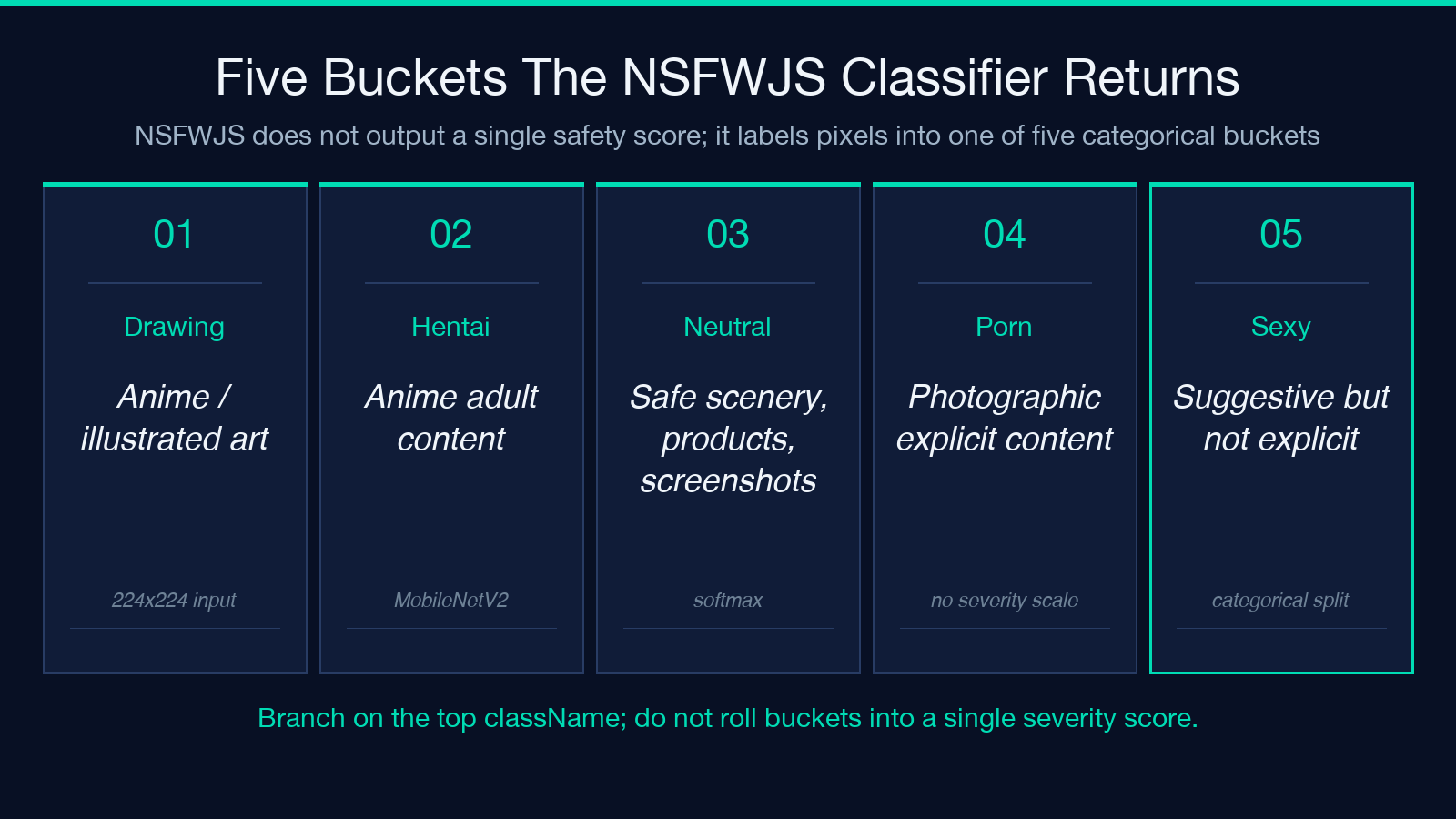
The core of the detector is the NSFWJS TensorFlow.js model, which labels pixels into one of five categories: Drawing, Hentai, Neutral, Porn, and Sexy. Every uploaded image is resized to 224×224, normalized, and run through a MobileNetV2 backbone — typically returning in 80–200 ms in a browser, slower server-side if you batch many images at once. The bucket labels are not a severity scale (so Sexy is not “less bad than Porn“); they are a categorical split that the training set drew from anime, photography, and neutral scenery.
When the model itself is unavailable (e.g. the WASM bundle fails to load on a locked-down Safari), the detector falls back to a feature-analysis pass that computes color histograms, skin-tone pixel ratios, and face-region density. This is not a substitute — it catches the obvious cases and misses the borderline ones, which is exactly the failure mode your moderation queue needs to know about.
Three Sensitivity Thresholds Map To Three Different Policies
The sensitivity slider runs from 0.1 (strictest) to 0.9 (most permissive) in 0.1 steps, defaulting to 0.5. The mapping to a real policy usually looks like this:
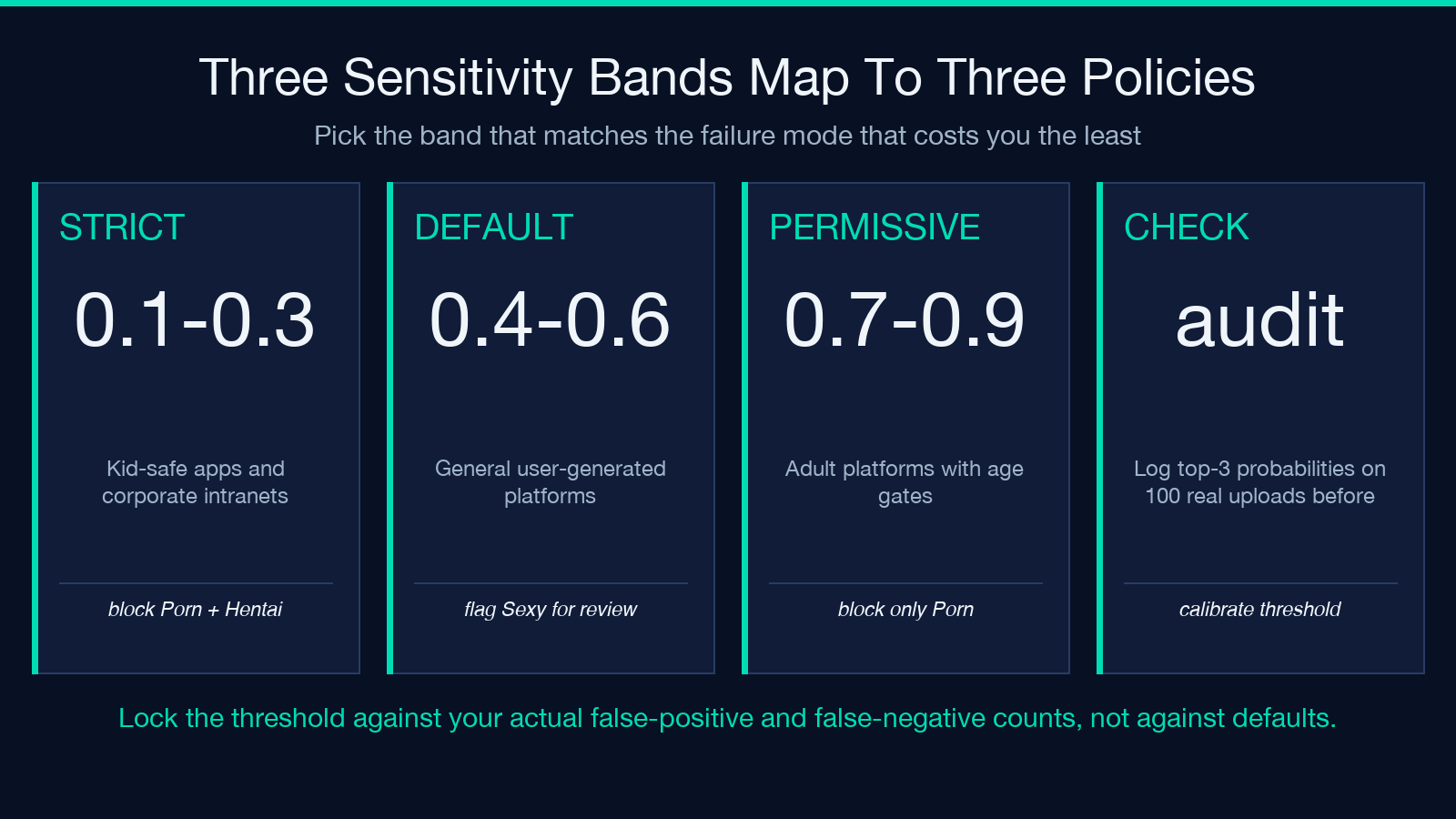
– 0.1–0.3: block anything in Porn or Hentai — the strictest presets typically used by kid-safe apps and corporate intranets. – 0.4–0.6: block Porn and Hentai, flag Sexy for human review — the default 0.5 sits here. – 0.7–0.9: block only Porn, allow Hentai and Sexy through with a watermark — typical for adult-content platforms with age gates.
The exact number you pick should match the failure mode that costs you the least. A dating app tolerating false negatives (real Porn slipping through at 0.7) is much cheaper than a corporate wiki tolerating false positives (Neutral art being blocked at 0.2 and HR has to manually unblock the marketing team’s quarterly deck).
The GIF Decision Tree Is Where Most Pipelines Leak
The detector supports GIF, Animated WebP, and APNG — but the tool only analyzes the first frame. The other frames are silently skipped. This is the single most common bug in user-upload moderation code: the developer assumes “the GIF got scanned” because the API returned a verdict, and the second frame is the one that actually triggers the report. If your pipeline accepts animated images, you have three options:
– Decode the animation yourself and submit each frame as a separate still. – Use a server-side ffmpeg pass to extract the most-different frame (color histogram distance ≥ threshold) and submit only that one. – Add a server-side check that the input MIME type matches the file’s magic bytes, and reject the upload if the user claims image/png but the bytes start with GIF89a.
The detector does the third check implicitly (it accepts a file type and reads the actual bytes), but it does not walk every frame — your responsibility, not the tool’s.
Five File Format Quirks Worth Knowing
The detector accepts six formats, each with a different failure mode:
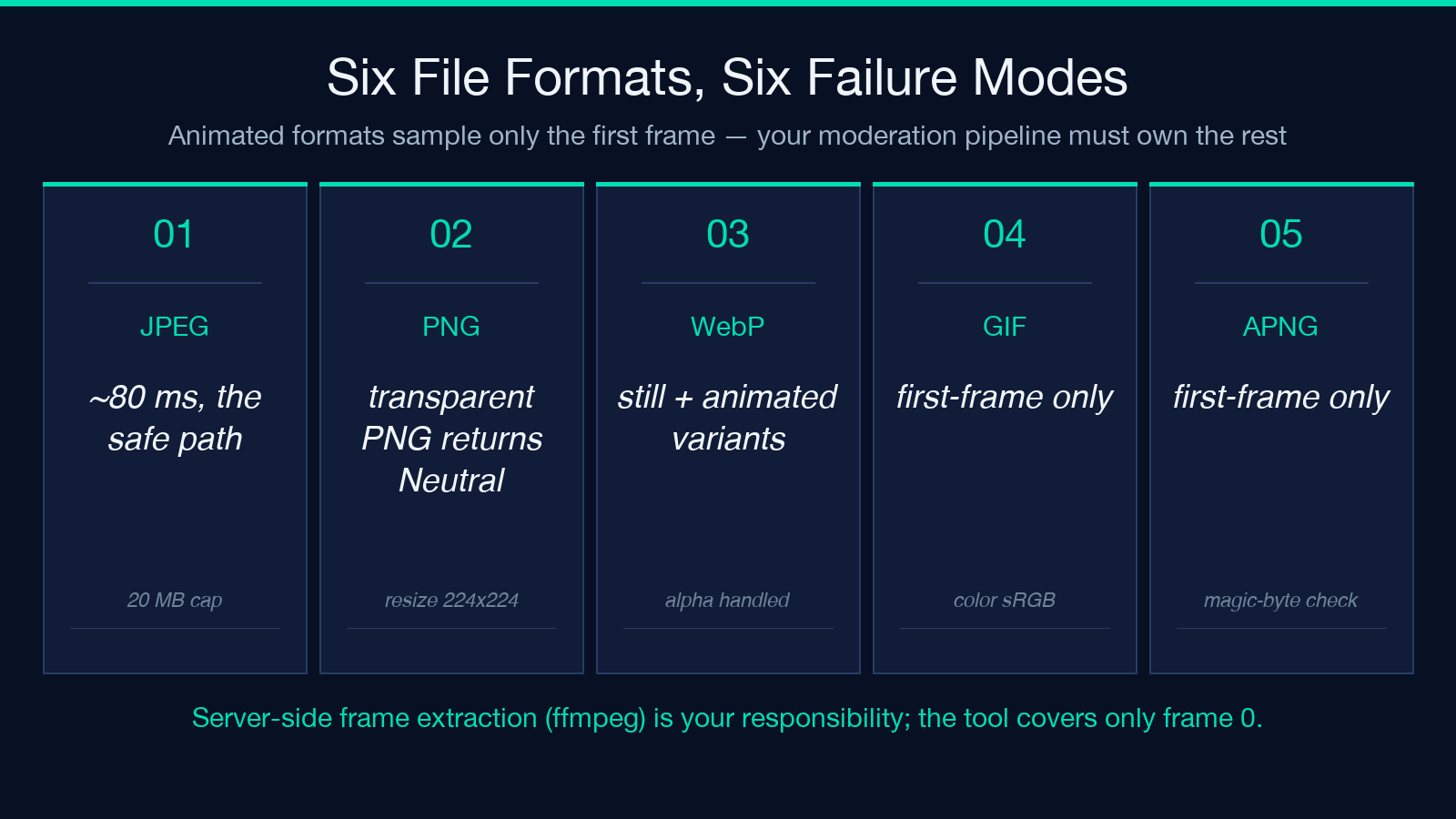
– JPEG — the safe path. Resize, normalize, classify. ~80 ms.
– PNG — also safe, but watch the alpha channel: a fully-transparent PNG returns Neutral with low confidence, not an error. If you treat low confidence as “needs human review”, expect a flood.
– WebP (still) — same path as JPEG; lossless and lossy variants both supported.
– GIF (first frame only) — see the decision tree above.
– Animated WebP — same as GIF: first frame only. The animated metadata is preserved but ignored.
– APNG — same: first frame only. The animation extension chunk is read but not iterated.
The 20 MB file limit (fileLimit: 20971520) catches accidental full-resolution uploads before they hit the classifier; budget for that ceiling when configuring your CDN.
When To Use The Fallback Mode vs The Model Mode
The analysisMode select offers three choices: auto, features, and model. The default auto tries NSFWJS first and falls back to feature analysis if the model fails to load — usually the right choice for a public tool. If you control the runtime (a Node.js container, a Cloudflare Worker with a pinned TensorFlow.js version), switch to model for the consistent ~150 ms response. If you need a no-network decision (a privacy-preserving offline scan), features runs in ~30 ms with no model download but lower accuracy on borderline images.
The trade-off is documented at Elysia Tools: model gives you a stable score across runs, features gives you a fast answer but the threshold you calibrate today may shift if you ever upgrade the underlying heuristic library.
A Short Pre-Production Checklist
Before you wire the detector into a real pipeline, four checks save you the most debugging time:
– Magic-byte match — confirm the uploaded MIME type matches the file’s actual header (ffprobe, file --mime-type). A user uploading image/png with JPEG bytes will be classified as a PNG by your server and by the model, but the result will be subtly wrong on resize.
– Frame coverage — if the input can be animated, decide explicitly whether the tool’s first-frame sampling is enough. For image/png and still image/jpeg it is. For image/gif, image/apng, and animated image/webp it almost never is.
– Threshold calibration — log the per-class probabilities and the top verdict on at least 100 real uploads before you lock the sensitivity slider. The default 0.5 is a starting point, not a policy.
– Latency budget — measure the round-trip under your real CDN. A 150 ms classifier behind a 400 ms edge cache hit becomes a 550 ms user-visible response.
Real Output JSON Is The Actual Contract
The detector returns structured JSON, not a single score. The shape is roughly:
{"predictions": [{"className":"Drawing","probability":0.0023},{"className":"Hentai","probability":0.0008},{"className":"Neutral","probability":0.9512},{"className":"Porn","probability":0.0014},{"className":"Sexy","probability":0.0443}],"mode":"model","sensitivity":0.5,"verdict":"neutral"}
The verdict field is derived from the top probability vs the sensitivity threshold. Your code should branch on verdict, not on individual probability values, because the bucketing logic can change between releases and the top-level label is the stable contract. If you need raw probabilities for fine-grained policy (e.g. “block if Porn + Hentai > 0.10 regardless of Neutral“), read the array directly and ignore verdict.
For live examples of the JSON shape across formats, see the JPG Samples and GIF Samples pages — both contain safe images that exercise the Neutral and Drawing buckets.
Closing
NSFW detection is one of those pipelines that looks simple until you actually run it. The bucket labels are categorical, the sensitivity is a sliding policy knob, animated formats have a documented first-frame limitation, and the output is JSON your code should treat as a contract. Run the live tool on a few real uploads from your moderation queue, see which bucket they land in, and calibrate the threshold against your actual false-positive and false-negative counts. The defaults are reasonable; the right number for your pipeline is whatever matches the failure mode that costs you the least.
Explore more tools at elysiatools.com.
