
One invisible Unicode mark and every character picks up a line beneath it. The Combining Low Line (U+0332) is the smallest unit of plain-text emphasis that survives a copy-paste into a chat box, a code comment, a Notion page, a tweet, or any field that strips HTML and rich-text formatting.
The mark sits below the base, not as a styling layer
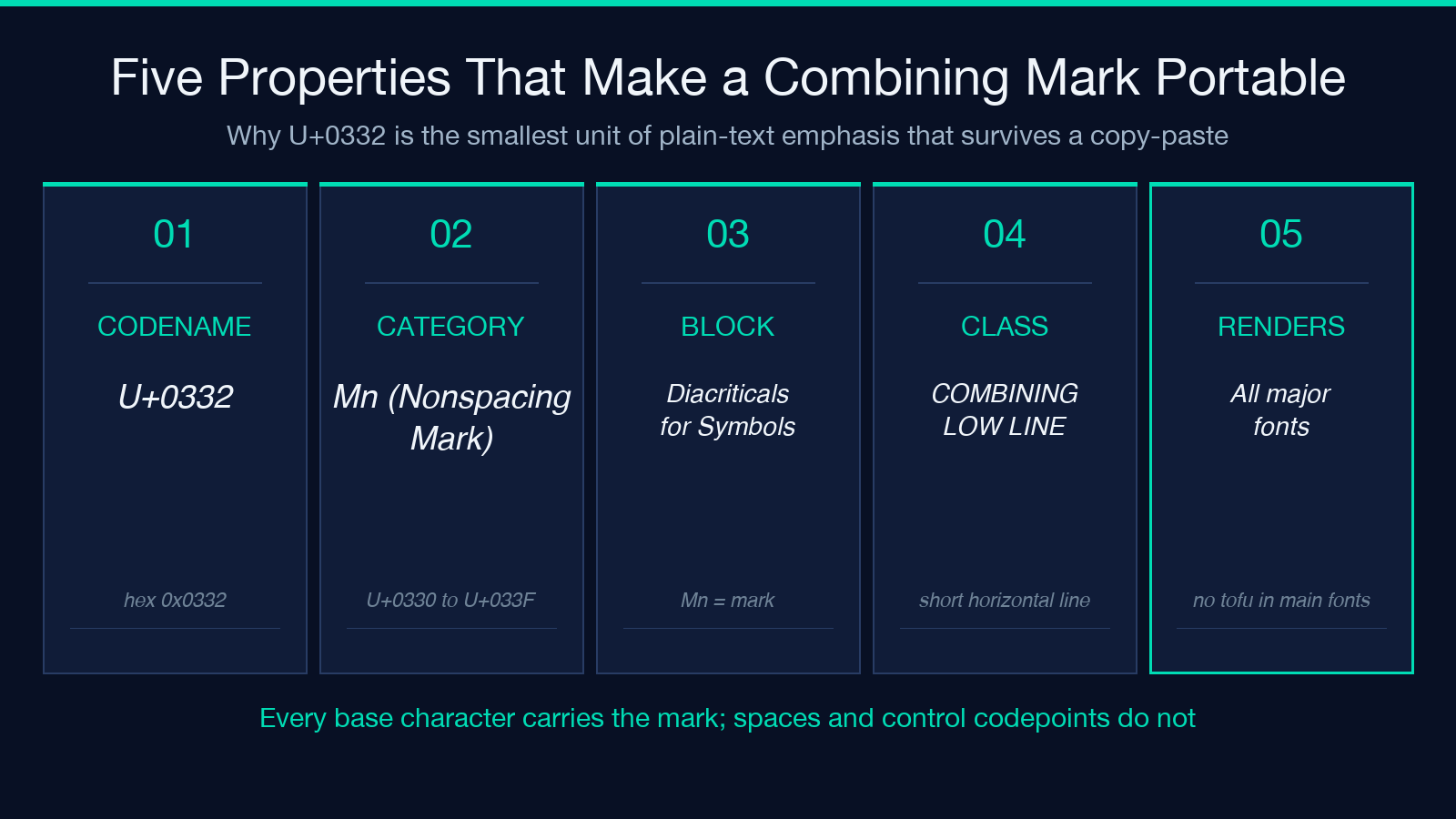
Most text decoration is a property of the renderer: a CSS text-decoration: underline rule, a <u> tag in HTML, a font glyph in a rich-text editor. The line is drawn by software that knows about formatting. When you copy the result into something that does not know — a terminal, a code review tool, a regex field — the underline disappears. The Combining Low Line is not a property. It is a character. Specifically, it is the codepoint U+0332, classified as a combining mark (Mn, Nonspacing_Mark), and it sits in the Unicode block “Combining Diacritical Marks for Symbols” (U+0330–U+033F). When placed immediately after any base character, the renderer draws a short line beneath the base. Strip the formatting, and the mark is still there, because the mark is a character in the string.
That single fact is the reason the tool exists. If you can paste plain text into an app and the app renders U+0332, you have underline. If the app does not render U+0332, you have the mark, you have the base, and the round-trip is lossless. There is no third case.
What every base character receives
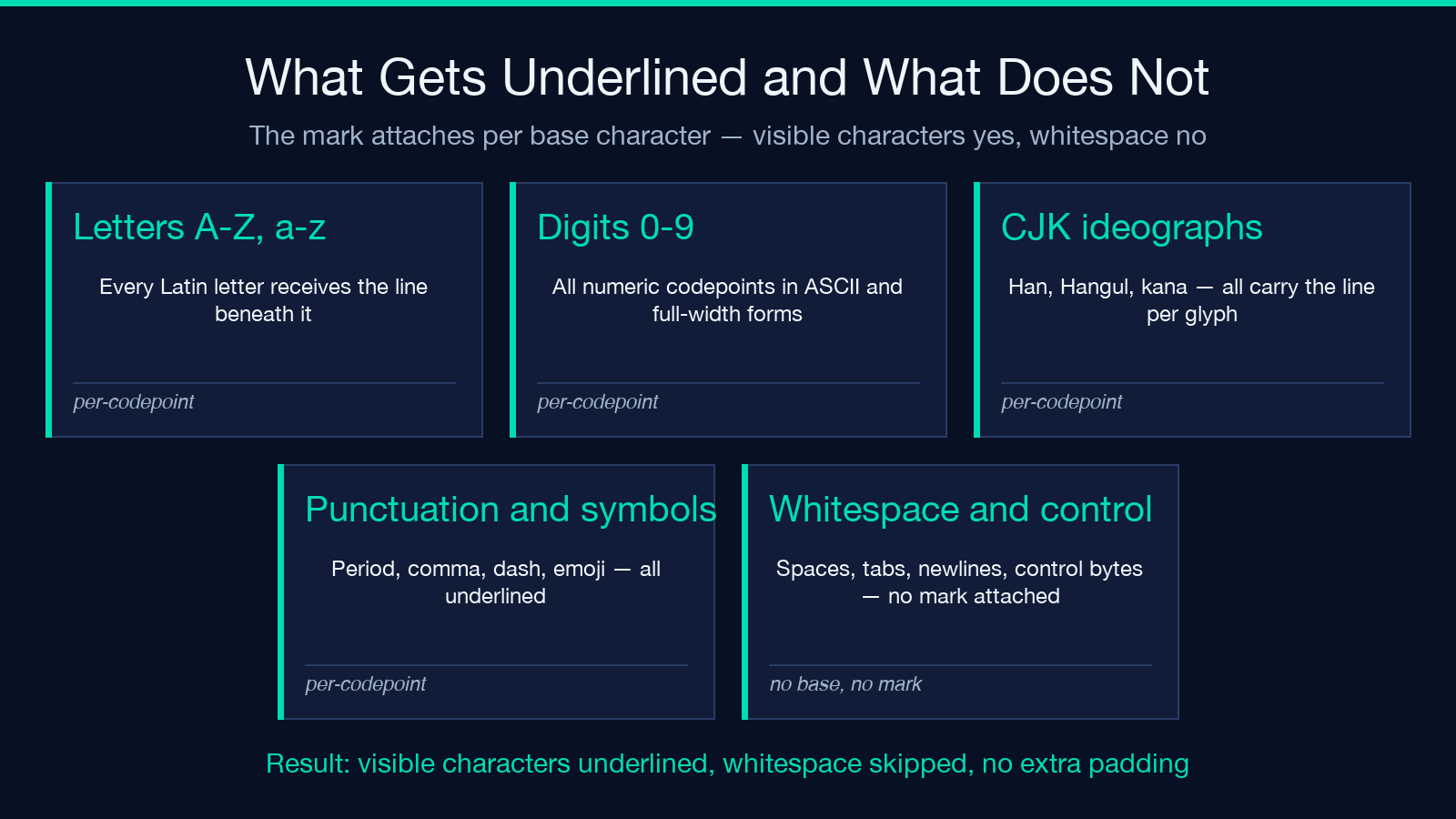
The mark attaches per base character, so every code point that can take a combining mark is underlined. The list is large: all ASCII letters and digits, all Latin-1 supplement, all Greek, all Cyrillic, all CJK ideographs, all Hangul syllables, all kana, all combining marks themselves (which produces stacked lines), all common punctuation, all box-drawing characters, and the visible whitespace glyphs in most fonts. The mark also applies to emoji that are represented as a single codepoint; emoji that are sequences (skin tone modifiers, ZWJ sequences) get the line drawn under each component.
What it does not do: it does not extend the line through whitespace the way a CSS text-decoration: underline would. The mark attaches to the preceding base, so a space character does not carry a line beneath it. The visible effect is “letters, digits, and punctuation underlined; spaces not.” For most plain-text emphasis use cases, that is the desired behavior.
How the renderer decides what you see
Three font properties drive the final look. The first is the font’s combining-mark table: does the font have a glyph for U+0332, and is it drawn at the right vertical offset? Helvetica, Arial, Inter, Noto Sans, Roboto, SFMono, and the major CJK fonts all ship a combining-low-line glyph. The second is the line height: the mark occupies the lower half of the cell, so a font with a tight ascent may clip the line. The third is the rendering pipeline’s normalization step: some preprocessors fold combining marks into NFC, which preserves U+0332; others fold into NFD, which preserves U+0332; in either case, the byte sequence is stable and re-encodes correctly on the way out. There is no renderer in common use today that mangles U+0332 into a missing-glyph box.
The visual variation between fonts is real but narrow. The line is always horizontal, always attached to the base, always short. It does not double up if the same base carries two marks. It does not collide with descenders on g, p, q, y, j in most fonts, because the combining mark is drawn at a fixed vertical position above the descender line. The interaction with descenders is the one place a font can look slightly different.
The five properties that make it portable
A combining mark has five properties that distinguish it from any formatting-based alternative. (1) It is a codepoint: it has a numeric identity, a name, a block, a general category. (2) It is round-trippable: encode, decode, encode again, the byte sequence is the same. (3) It is searchable: grep "U+0332" finds the marks and only the marks. (4) It is countable: a string’s length in code points includes every U+0332 instance. (5) It is removable: a single find-and-replace on the mark restores the original. No other form of emphasis has all five. CSS has 3 and 4 only inside a styled context. Markdown emphasis has 1, 3, 4, 5 but the syntax (underscore, asterisk) is rendered or stripped depending on the processor.
These five properties together are the reason the tool picks U+0332 over alternatives like U+0333 (COMBINING LONG DOUBLE SOLIDUS, a strikethrough) or U+0334 (COMBINING TILDE, tilde overlay). U+0332 is the only one in this neighborhood that has universal font support and no ambiguity about which side of the base it sits on.
Where plain-text emphasis beats rich-text emphasis
There are three use cases where plain text beats rich text. (1) Channel-agnostic emphasis: a chat platform that strips HTML still renders U+0332, so the emphasis survives. (2) Code-adjacent text: a code review comment that supports a limited markdown set still renders U+0332, because the markdown processor sees it as a character, not as syntax. (3) Print-pipeline text: a text-based PDF generator that ignores font styles still draws the mark, because the font handles it.
There are three use cases where plain text loses. (1) Screen readers: most do not announce the mark, so an underlined word is announced as the un-underlined word. (2) Print fidelity: the visual variation between fonts means the line is not pixel-aligned to a print spec. (3) Search and find: a user searching for the original word does not match the underlined version, because U+0332 is between the letters. For accessibility-critical content, this tool is the wrong tool.
How to round-trip the result safely
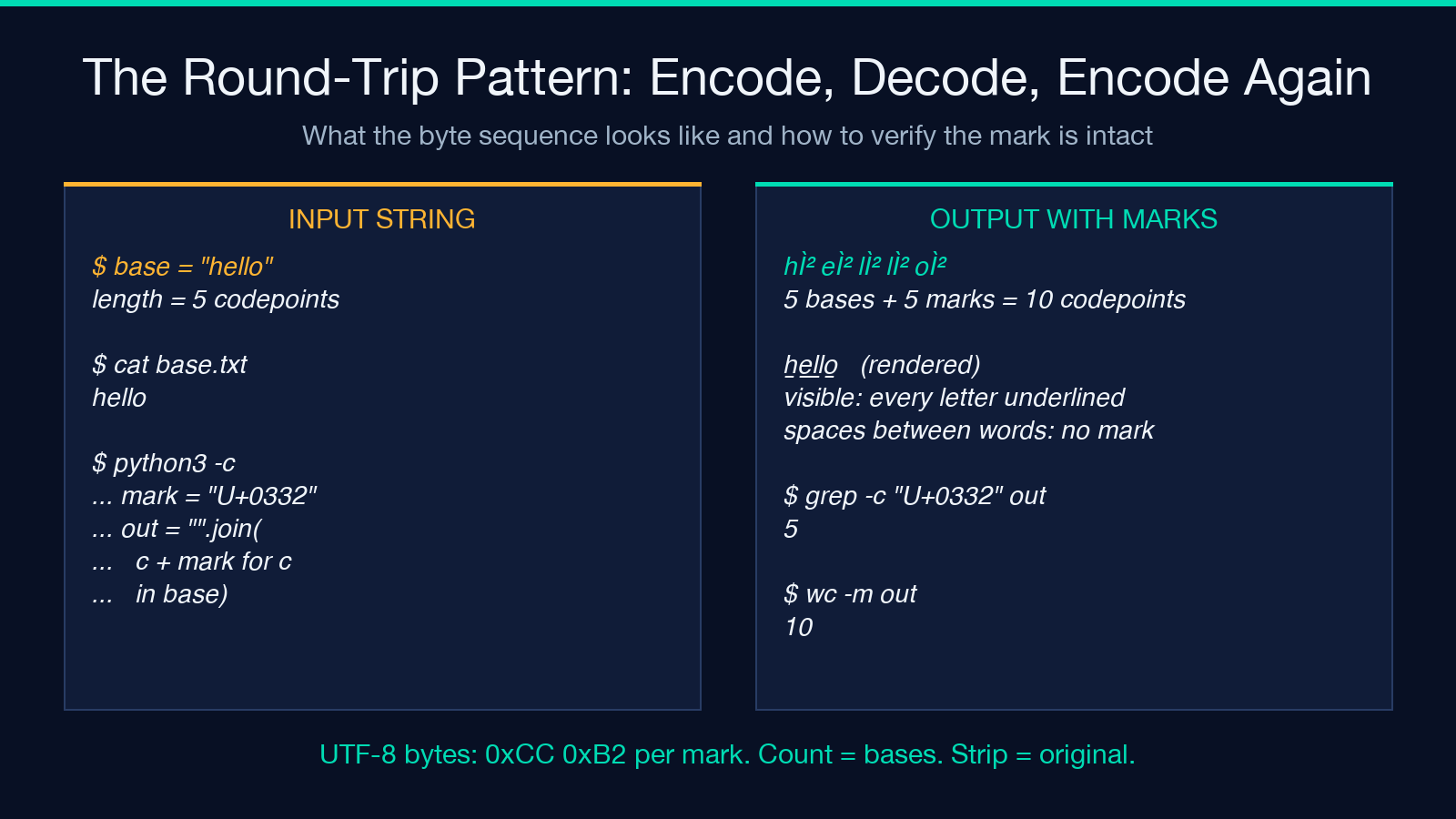
The round-trip pattern is encode-decode-encode. The mark is a single codepoint, so the byte sequence in UTF-8 is always 0xCC 0xB2 (the two-byte UTF-8 encoding of U+0332). Any pipeline that preserves bytes preserves the mark. A pipeline that normalizes to NFC preserves it. A pipeline that strips non-ASCII strips it; a pipeline that strips combining marks strips it. The defensive move is to treat the output as a string of base-plus-mark pairs and run validation: the count of U+0332 instances in the output should equal the count of base characters that should carry a line.
Removal is symmetric: a single replaceAll("U+0332", "") or a regex on u0332 strips every mark. The original string is recovered exactly. That is the property to test for: take an underlined string, strip the marks, compare to the input. If equal, the round-trip is clean.
What goes wrong in specific environments
Three concrete failure modes show up in real use. (1) Old terminal emulators that predate Unicode 6.0 (2010) render U+0332 as a missing-glyph box. (2) Web forms whose input sanitizers strip combining marks — most modern sanitizers do not, but a strict allowlist may. (3) Email clients that do not honor combining marks in plaintext parts; in those, the mark appears as an empty placeholder in the body and the underlying text is intact. In all three cases, the byte sequence is preserved; only the rendering is degraded. The data is not lost.
A fourth case, rare but real: a font that draws U+0332 as a horizontal line on top of the base, not below. This is a font bug, not a Unicode bug. Switch fonts; the mark is correct.
Build the right string for the right surface
The recipe for a specific surface: take the base string, walk it codepoint by codepoint, append U+0332 after every codepoint whose general category is L (letter), N (number), P (punctuation), or S (symbol), and skip codepoints whose general category is Z (separator) or C (control). For most text, this is “all visible characters, no whitespace.” For mixed scripts, this is “every base character, every combining mark, no separators.” The result is a string with one U+0332 per non-whitespace codepoint, in the original order, with the original case and original width.
For a try-it-here reference, see the Underline Text tool. For more text-decoration utilities, browse the full text processing catalog. Every tool in that set returns plain text, and every output round-trips through the same five properties above.
