
Steganography is what happens when encryption is not enough — or when it is the wrong tool entirely. A 960×640 photo carries 1,843,200 pixels. Each pixel’s R, G, B channel has a least-significant bit that the human eye cannot distinguish from random noise. Three channels × 1.8 million pixels × 1 bit = 5.5 million bits of capacity, more than 690 kilobytes of payload in a single photograph that prints and displays identically to the original. The Embed & Detect tool at Elysia Tools hides a text message in those LSBs using the interoperable row-major R→G→B MSB-first convention with a 12-byte STG1 length header, optionally scattered by a seeded Fisher–Yates permutation so a sequential extractor cannot read it. The same tool runs the Westfeld–Pfitzmann chi-square attack per channel, with a sliding-window falling-p curve and LSB bit-plane preview, the same analysis behind StegSolve and StegOnline workflows, automated.
The embed step has five flags that quietly decide capacity, detectability, and whether the result survives re-encoding. The detect step has four flags that decide false-positive rate and the lowest sample size at which the chi-square test still fires. This guide walks through every flag with the working values that hold up under common workflows: short secrets in a casual photo, large secrets in a noise-rich image, paranoid settings for CTF-style puzzles, and the inverse case where you want to be reasonably sure a PNG you are about to publish is clean.
The STG1 header and the practical capacity ceiling
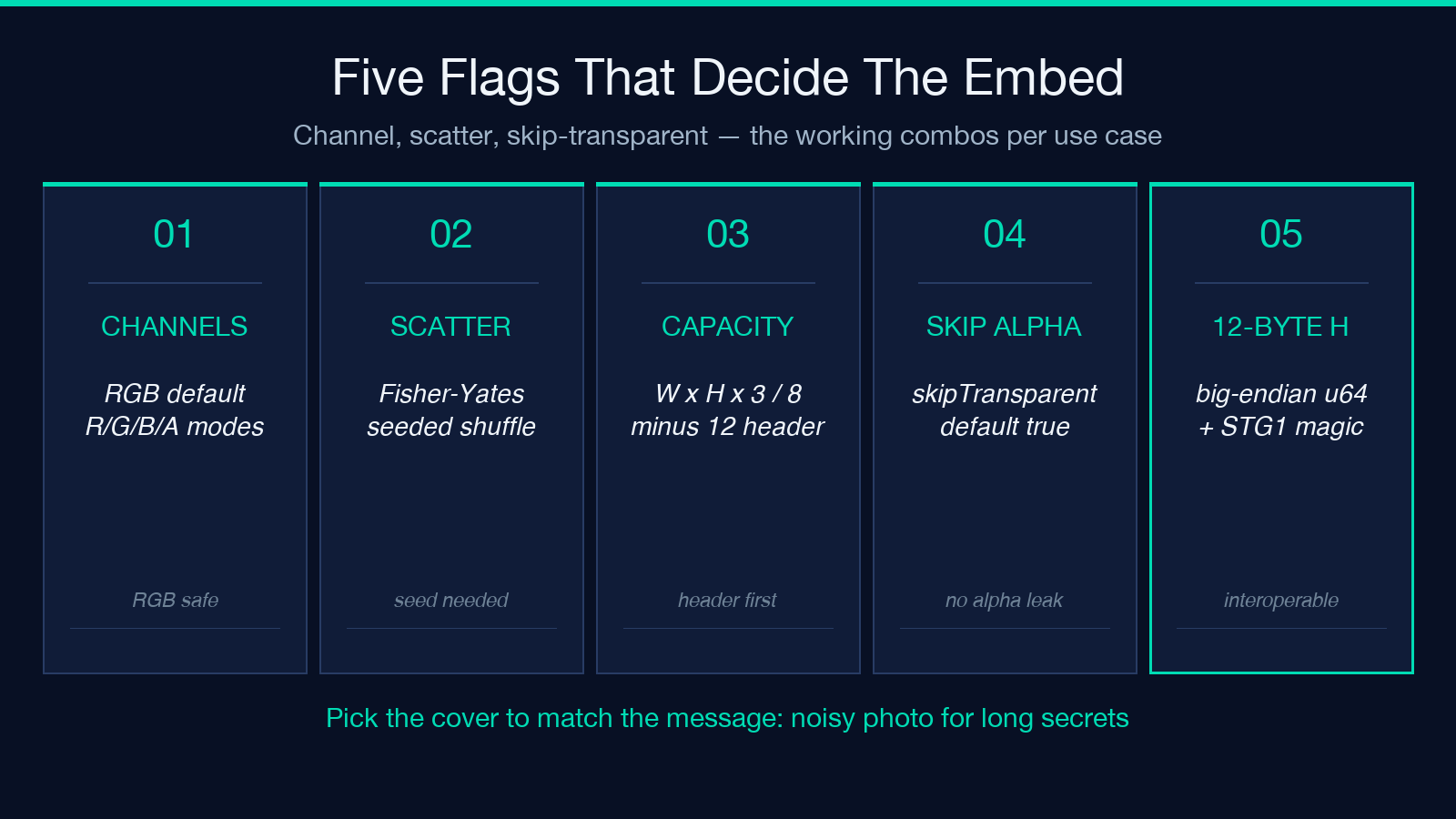
Every embed writes a fixed 12-byte STG1 header before the payload bytes. The header carries the payload length in big-endian unsigned 64-bit form followed by a 4-byte STG1 magic. Any extractor that knows the convention — including this tool’s extract mode, the offline zsteg-equivalent and every CTF stego script — finds the payload length, jumps past the header, and reads exactly that many bytes. If you write a custom embedder that omits the header, the extractor reads the first 12 bytes of your payload as garbage and either truncates the message or refuses to decode at all.
The 12-byte overhead matters at small message sizes. A 1-character secret costs 13 bytes of LSB capacity after the header, not 1. A 65-character secret — the asserted payloadChars: 51 plus padding in the canonical worked example — costs 65 + 12 = 77 LSB bytes. For typical use cases this is a rounding error against the millions of LSB slots available, but for the “stuff a single secret into a tiny icon” workflow it sets the minimum image size: you need roughly 12 bytes × 8 bits × 3 channels = 288 pixels, so a 17×17 PNG is the smallest cover that can carry even an empty header.
Because the header carries the payload length as a 64-bit big-endian integer, the maximum payload size is 2^64 − 1 bytes, which is effectively unbounded against any real cover image. The practical ceiling is the LSB capacity of the cover. For RGB, capacity is width × height × 3 / 8 bytes. A 1920×1080 photo holds 777,600 bytes, more than 750 kilobytes of payload after the header. A 640×480 photo holds 115,200 bytes, more than enough for a 100,000-character text dump.
The tool refuses to embed when the payload plus header exceeds capacity, returning an explicit error rather than truncating the message silently. This is the right behaviour: a truncated embed looks identical to a successful embed until extraction time, when the recovered message has the last paragraph replaced with STG1 length mismatch. The explicit error is your signal to either trim the payload or pick a larger cover.
Channels: RGB is the default, R/G/B/A each have a reason
The five channel modes are R-only, G-only, B-only, RGB and RGBA. RGB is the default because it uses three times the LSB capacity of any single channel and produces the most visually invisible result on natural photographs. R-only, G-only, and B-only each cut capacity to one-third and concentrate all the LSB modification into a single channel, which is detectably noisier under chi-square but useful when you want to make the embed trivially obvious to a viewer running the bit-plane preview.
The blue channel is the historical favourite for casual steganography because the human eye is roughly 2.5× less sensitive to blue luminance changes than to red or green. Embedding in B-only on a noisy photo is essentially invisible. Embedding in R-only is the worst perceptual choice and the most detectable under chi-square — choose it only when the cover image has very little red variation, so the LSB modifications are masked by existing texture.
RGBA mode uses the alpha channel for capacity when the cover PNG has transparency, and falls back to RGB when the image is fully opaque. This is the right choice for icons, logos, and screenshots with a transparent background. The flag skipTransparent: true (default) prevents the embed from writing into fully transparent pixels, which would change the alpha and visibly punch holes in transparent areas.
Scatter mode: the difference between a CTF puzzle and a casual message
When scatter is off, the embed writes the message LSB-first into the natural row-major pixel order: pixel 0 channel R, pixel 0 channel G, pixel 0 channel B, pixel 1 R, and so on. The detect step with the same tool, the same length header, and no scatter knowledge will read the message back cleanly. A third-party extractor using any standard sequential tool — stegsolve‘s default bit extraction, an offline Python loop, a custom Bash script — will also read the message because the convention is interoperable.
When scatter is on with a seed like harbor-2026, the embed permutes the pixel stream with a seeded Fisher–Yates shuffle before writing the payload. The seed string is recorded in the output metadata so the same tool can reconstruct the permutation and extract the message. A third-party extractor running the standard sequential walk over the pixel stream will read the scatter header bytes in scrambled order, parse the length as garbage, and return empty or fail outright. The message is invisible to anyone who does not have the seed and the matching extractor.
The trade-off is operational: scatter means you must ship the seed to the recipient out-of-band. For CTF puzzles, threat-modelling journalism, and any case where the cover PNG will pass through a hand equipped with stegsolve, scatter turns a five-minute decode into a five-hour search. For casual “hide a joke in the family photo” use, scatter adds friction with no real gain — sequential extraction will recover the message, and the cover does not warrant the operational overhead.
Cover image selection: noise matters more than resolution
The chi-square steganalysis attack looks at the distribution of LSB values across the image. In an unmodified natural photograph, the LSBs of any colour channel follow a roughly uniform distribution — half zeros, half ones — because the lowest bit of an 8-bit quantised sample is dominated by sensor noise. When you write a long embedded message into a clean, low-noise area of the image, you push the LSB distribution toward 50/50 exactly the same way noise does. The chi-square test cannot distinguish your embed from natural sensor noise.
The trouble starts when the cover image has structure — large flat-colour regions, smooth gradients, geometric patterns. In a flat blue sky, the unmodified LSBs sit heavily on one side of the bit distribution (sky pixels tend to share the same blue value, so their LSBs are correlated). Writing an embedded message into the sky pushes those pixels toward 50/50, and the chi-square test fires immediately. The falling-p curve in the tool reports the per-window deviation and flags the windows where the chi-square p-value crosses below 0.05.
The working rule: a noisy photo with high-ISO grain, JPEG-like sensor noise, or texture (foliage, fabric, gravel) is a better cover than a clean illustration. The tool’s chi-square detect will return “no significant deviation” on a noisy 12-megapixel JPEG-of-JPEG even after a 500-character embed, and “deviation detected in windows 12–34” on a flat-colour icon after a 50-character embed. Choose the cover to match the payload size: a chat-message-length secret fits in almost any photo, a multi-page text dump needs a noisy large image.
Embedding modes and the skipTransparent default
Three embed flags interact with the cover image. skipTransparent: true is the default and writes around fully transparent pixels so the alpha channel stays visually identical. skipTransparent: false writes into the alpha LSBs as well, which increases capacity by up to a factor of four on transparent regions but punches visible noise into the transparent background — every PNG viewer that does alpha blending will show the changes as faint speckle.
The mode parameter selects between embed, extract and detect. Embed writes the secret into the cover and downloads a stego PNG. Extract reads a stego PNG (with or without a scatter seed) and returns the original secret text. Detect runs only the chi-square analysis on a candidate PNG and returns the per-window p-values and bit-plane previews — it never tries to recover a message, it only tells you whether a message is likely present.
Reading the chi-square detect output: p-value, falling curve, bit-plane, false positives
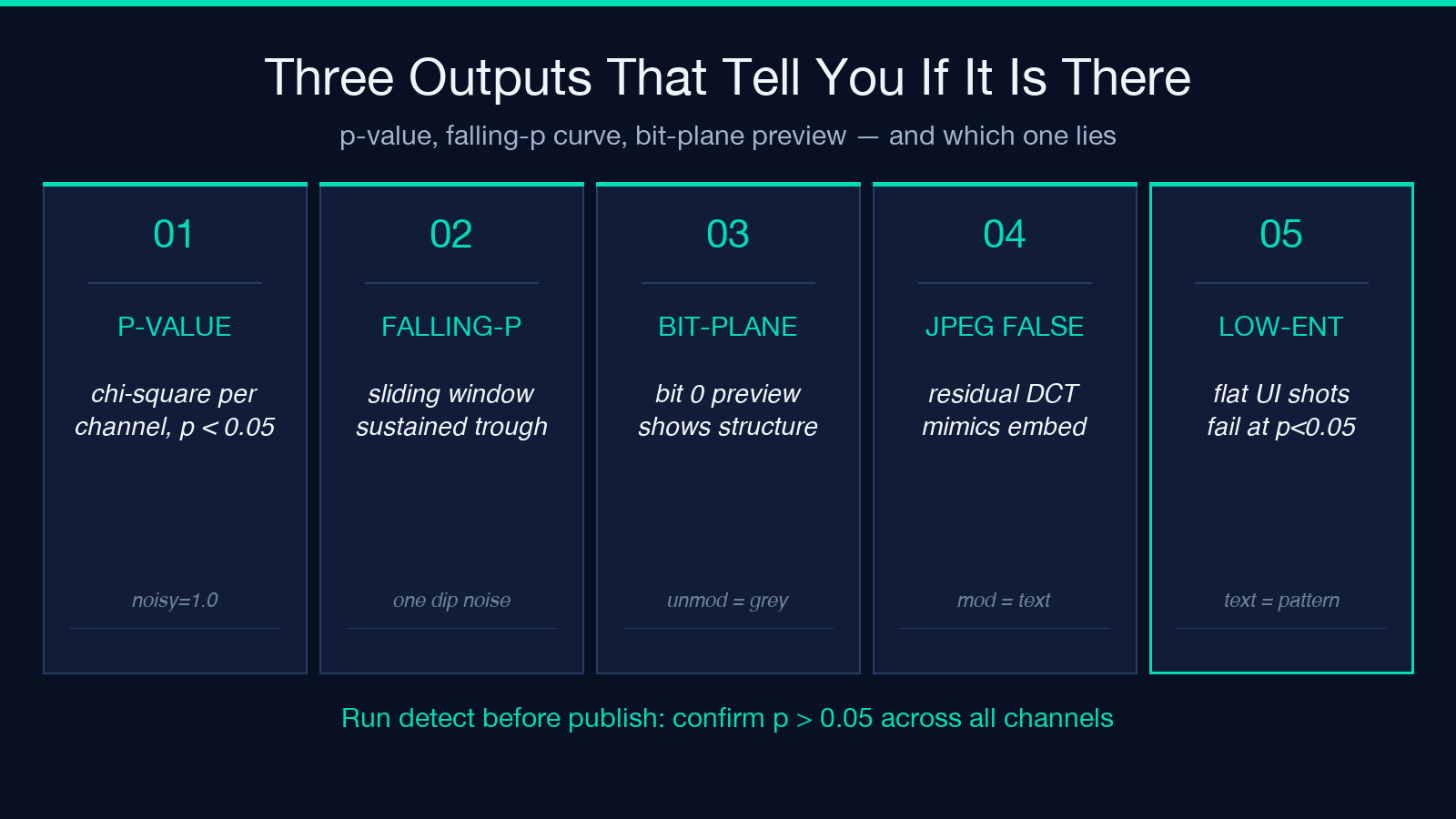
Detect mode produces three outputs that together give a confident read on whether the image has been modified. The first is a per-channel chi-square statistic and p-value. A p-value below 0.05 means the LSB distribution for that channel deviates significantly from the 50/50 expectation, which is the fingerprint of LSB embedding. The p-value alone is a noisy indicator — a single p < 0.05 in a 100-window sweep is consistent with random fluctuation at the 5% level.
The second output is the falling-p curve, which plots the p-value as a sliding window walks across the image. A natural photograph with a small embed will show one or two windows dipping below 0.05 and the rest holding near 1.0. A heavily embedded image will show a sustained low-p region — the curve drops and stays low across the entire scan. The shape of the curve is the diagnostic: a single dip is noise, a sustained trough is an embed.
The third output is the LSB bit-plane preview: each of the eight bit planes (bit 0 through bit 7 of every channel) is rendered as a grayscale image. The least-significant bit plane is where the embed lives, so a stego PNG shows visible structure — text, patterns, sometimes the cover image faintly — in the bit-0 plane. An unmodified natural photograph shows the bit-0 plane as uniform grey noise. The bit-plane preview is the most direct visual confirmation: even if the chi-square p-value is borderline, a structured bit-0 plane tells you the image has been embedded.
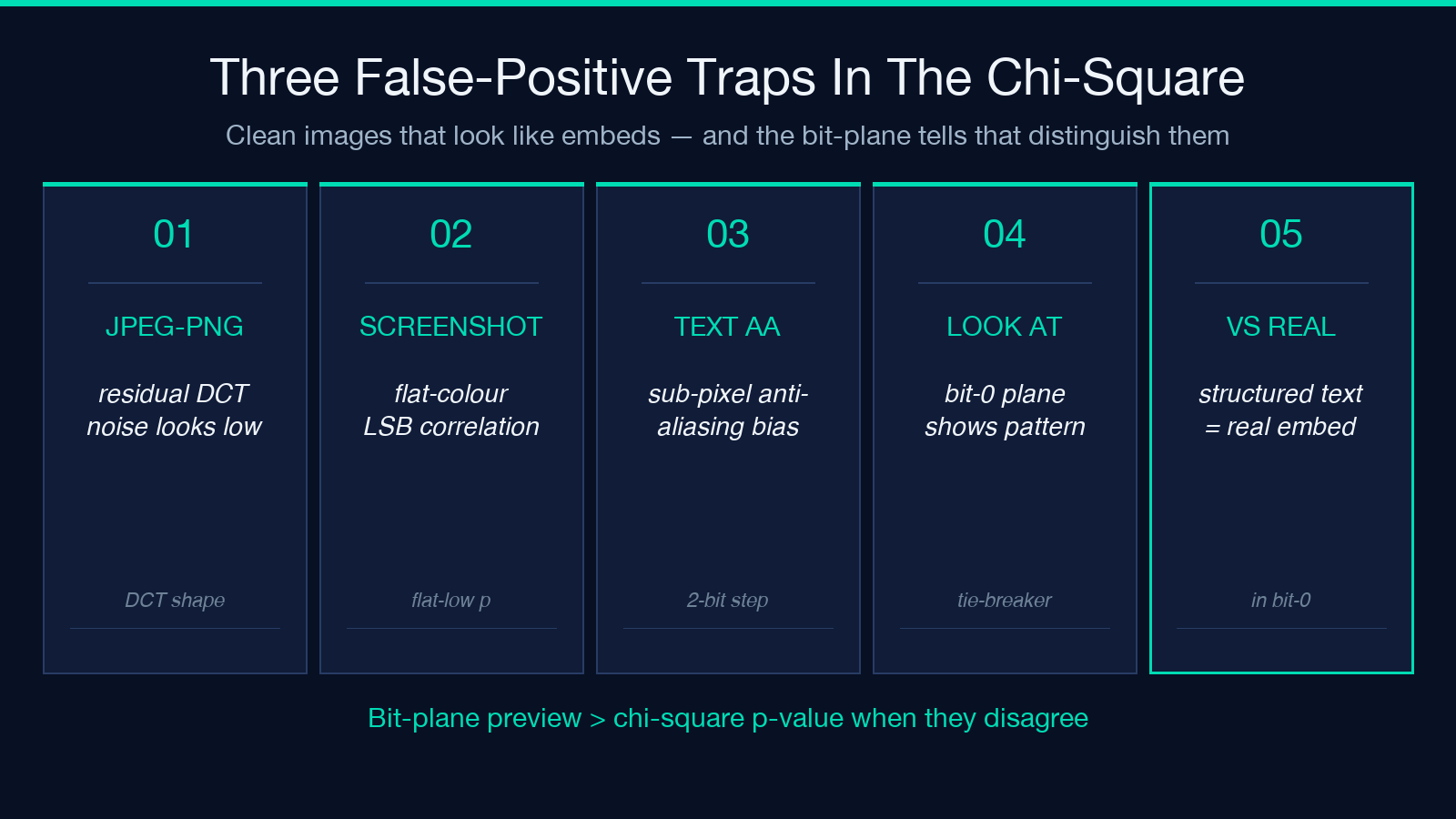
Three image types produce a chi-square false positive on clean images. JPEG-derived PNGs: a PNG that was converted from JPEG carries residual JPEG DCT noise, which modifies the LSB distribution in patterns that look like low-grade steganography. The detect mode will return p < 0.05 on the first hundred windows of an unmodified JPEG-to-PNG photograph, even though no embed was performed. The bit-plane preview tells the difference: a real embed shows structured patterns, JPEG residue shows DCT-shaped noise.
Low-entropy synthetic images: PNGs generated from screen captures of text editors, terminal windows, or flat-colour UI screenshots have LSB distributions that deviate from 50/50 simply because the source content has structure. A clean screenshot of a white window with one line of black text will fail the chi-square test on the green channel even though no embed was performed. The falling-p curve will be flat-low rather than dip-and-recover, which is the diagnostic for “low-entropy source” rather than “embed.”
PNG screenshots with sub-pixel anti-aliased text: the anti-aliasing of small text introduces 2-bit transitions on the colour channels, which biases the LSB distribution. A screenshot of a paragraph of small grey-on-white text will fail the chi-square test on the red channel because the anti-aliased pixels cluster around specific colour values. Again, the bit-plane preview is the tie-breaker: the structure visible in bit-0 is the anti-aliasing pattern, not a message.
Extract vs. detect: when to use which
Extract is the inverse of embed and requires you to know (or guess) the scatter seed. Detect does not try to recover the message, it only tells you whether a message is likely present. The two are complementary. If you have a candidate stego PNG and you suspect it was produced by this tool with a particular seed, extract is the right operation. If you have a candidate PNG and you want to know whether it has been modified by any steganography tool, detect is the right operation.
For CTF workflows, detect first to confirm a message is present, then try extract with no scatter seed (most challenges use sequential embedding), then try extract with a few likely seeds. For operational security audits on a PNG about to be published, run detect once on the final exported PNG and confirm the chi-square p-value holds above 0.05 across all channels.
Closing: pick the cover to match the message, and run detect before you trust extract
The nine flags — five in embed mode, four in detect mode — collapse to a working rule: noisy cover for long secrets, scatter mode only when the cover will pass through an adversary with sequential tools, and always run detect once on the final exported PNG to confirm the chi-square test holds. The embed is symmetric and the length header makes recovery trivial when the convention is followed. The detect is asymmetric and the falling-p curve plus the bit-plane preview together distinguish a real embed from JPEG residue, low-entropy synthetic images, and anti-aliased text. Try the full workflow at Image Steganography Embed & Detect — the PNG Viewer Samples feed covers at four aspect ratios, and the PNG Samples feed ships pure PNGs across resolutions ready for the chi-square sweep. More text and image utilities live on the Elysia Tools hub.
