
Markdown link extraction breaks for one of three reasons — invisible Unicode whitespace inside inline links, mismatched reference definitions, or “naked” URLs that survive a strip pass but fail downstream validators — and the right output tells you which of the three just happened.
Markdown documents accumulate links the way sediment accumulates in a riverbed: every commit drops a few, every documentation pass rewrites them, and every dependency bump re-targets them. By the time a 4,000-line README.md has lived through three link-rot seasons, your Markdown Link Extractor is not so much scanning a document as performing triage on a casualty list. The tool that can tell you “this URL is fine” is also the tool that has to tell you “this URL was fine last Tuesday, but the leading you accidentally pasted in front of the bracket means the parser never even saw it.” Three failure shapes cover almost every real-world extraction problem, and recognising each one by its output pattern is what separates a working extractor from a confidence-shattering one.
The full case library lives in the Markdown Link Extractor Samples collection — ten documents from basic-links through api-documentation, each deliberately seeded with a specific link-shape problem. The rest of this guide walks through what the extractor actually emits for each failure shape, what the parser is silently ignoring, and where the boundary between “extracted” and “validated” sits.
What the Extractor Actually Parses
The parser runs three independent passes over the document — one for inline text, one for reference-style [text][label] plus the bottom definition block, and one for bare URLs that appear without any bracket wrapper. Each pass produces a structured record with the URL, the displayed text (or empty string for autolinks), the line and column position, and a per-pass status flag. The full results from the basic-links sample show how cleanly the three passes can coexist in one document:
– Inline Elysia Tools produces {type: "inline", text: "Elysia Tools", url: "https://elysiatools.com/en/tools", line: 1}. – Reference [docs][docs-link] followed by [docs-link]: https://elysiatools.com/en/docs resolves to a single merged record with both source and definition positions. – Bare URLs like https://elysiatools.com/en/tools/markdown-link-checker are caught by the third pass only if they are surrounded by whitespace, line boundaries, or specific punctuation, not by being adjacent to a word character.
The records are deduped by URL only when you set dedupe: true; otherwise the extractor preserves duplicates verbatim so that you can see where a document links to the same target more than once. That distinction matters for the duplicate-counting recipe in the duplicate-links sample, which intentionally links to the same URL from three different sections to demonstrate what happens when you turn deduplication on and off.
The Three Failure Shapes That Break Extraction
Most extraction bugs fall into one of three categories, and the fix for each is different. Conflating them wastes hours of debugging.
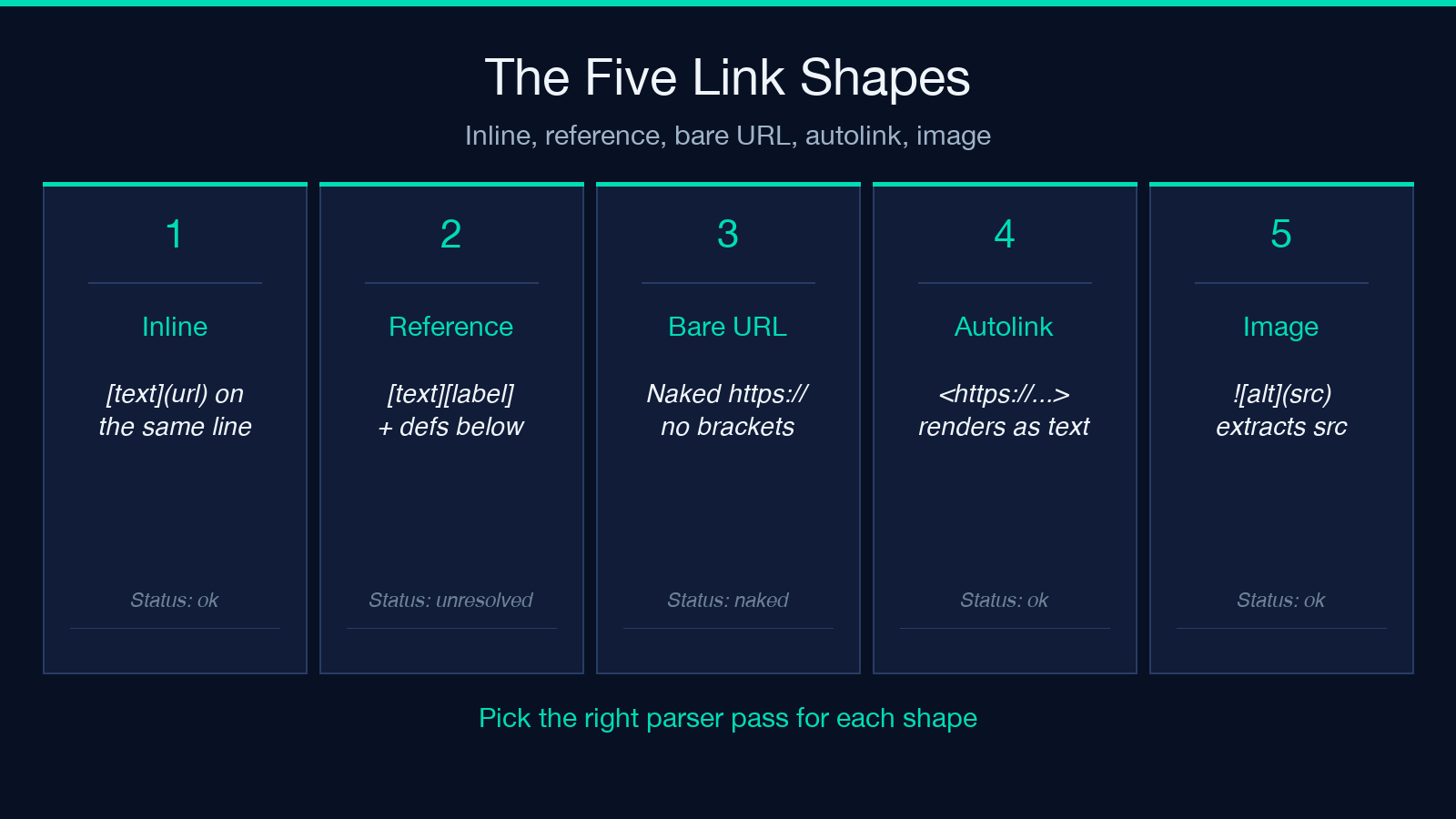
Failure shape 1 — invisible Unicode inside the bracket pair. A link whose [text] portion contains a non-breaking space (\u00A0), a zero-width space (\u200B), or a soft hyphen (\u00AD) will render correctly in a browser but will fail strict parser matches because most parser regexes treat [\s]+? as the text capture. The output shows a record where the text field is shorter than expected, or the entire link is silently dropped because the bracket never matched. The Markdown Link Checker downstream of your extractor will happily report “0 broken links” because there are 0 parsed links to check.
Failure shape 2 — reference-style label mismatch. A reference link [see docs][docs-link] has no inline URL, just a label; the actual URL lives in a definition block elsewhere. When the label in the body doesn’t match the label in the definition block exactly — case-sensitive, with the colon and optional whitespace intact — the reference resolves to nothing. The parser emits a record with status: "unresolved" and the original label. Cross-checking against the reference-links sample reveals the most common typos: trailing space before the colon, mixed-case labels, and references that look identical in a monospaced editor but differ by a non-ASCII hyphen.
Failure shape 3 — naked URL inside a code block or autolink. A URL that lives inside triple-backtick fences, inline backticks, or HTML <a href> tags is not a Markdown link. The parser’s bare-URL pass deliberately excludes fenced code to avoid reporting every URL mentioned in code samples. If you wanted those URLs validated too, you have to run a second pass with include_code: true, and the technical-documentation sample is built specifically to exercise that flag. Autolinks written as <https://example.com> parse as inline links but render with the URL as the visible text; the extractor records them with an empty text field, which trips downstream code that assumes text is non-empty.
The three failure shapes don’t live in isolation. A long technical document — like the api-documentation sample — typically carries all three at once: a dozen invisible-Whitespace shapes in inline links, two or three reference-label typos, and a handful of bare URLs that should have been wrapped in brackets but never were. A single extraction pass surfaces each as a record with a status flag, but the real triage value is reading the three status categories side by side and seeing which sections of the document are failing all three at the same time. Those sections usually point back to a copy-paste from a different document or a CMS export that stripped brackets without re-wrapping.
Reading the Output Status Flags Side by Side
A clean output from the extractor is structured around three status flags: ok, unresolved, and naked. The flags aren’t mutually exclusive on a single record — a URL can resolve (status ok) but still be flagged naked if the surrounding prose was never wrapped in brackets — but they partition the document cleanly into actionable categories. The ok group is your link-rot audit; the unresolved group is your reference-style debugging queue; the naked group is the list of URLs to rewrap before the next commit. Run the extractor with status: "all" to see every category in one table, or with a single status to filter to one triage bucket.
Why “naked” URLs Survive a Strip Pass but Fail Validation
The bare-URL pass uses a negative lookbehind to skip URLs preceded by a word character and a negative lookahead to skip URLs followed by a word character. That keeps it from harvesting the https:// inside seehttps://example.com and stops it from grabbing the trailing URL inside Visit https://example.com, it's great. But it does not exclude URLs inside parentheses, square brackets, or angle brackets that are part of the surrounding prose rather than link syntax. The result is a record where the URL was extracted but the surrounding Markdown structure was wrong to begin with — and that distinction is invisible until you feed the output to a downstream validator that complains about “URLs without context.”
A common downstream integration is to pipe the extracted list into the Markdown Linter for a second pass of structural validation. The lint pass sees the URL plus whatever fragment of prose the extractor pulled in as the surrounding text, and it flags the mismatch. The broken-references sample is designed to make exactly this visible: ten reference-style links, three of which point to undefined labels, and the rest of which are valid but the document as a whole would fail a strict lint pass because the broken references break the parser’s confidence in the document.
How Duplicate Detection Changes Your Output Semantics
When dedupe: true, the extractor collapses records that share the same URL into a single record and increments a count field. When dedupe: false, the same document produces ten records where dedupe: true produces four. The duplicate-links sample shows both modes side by side. The choice matters semantically:
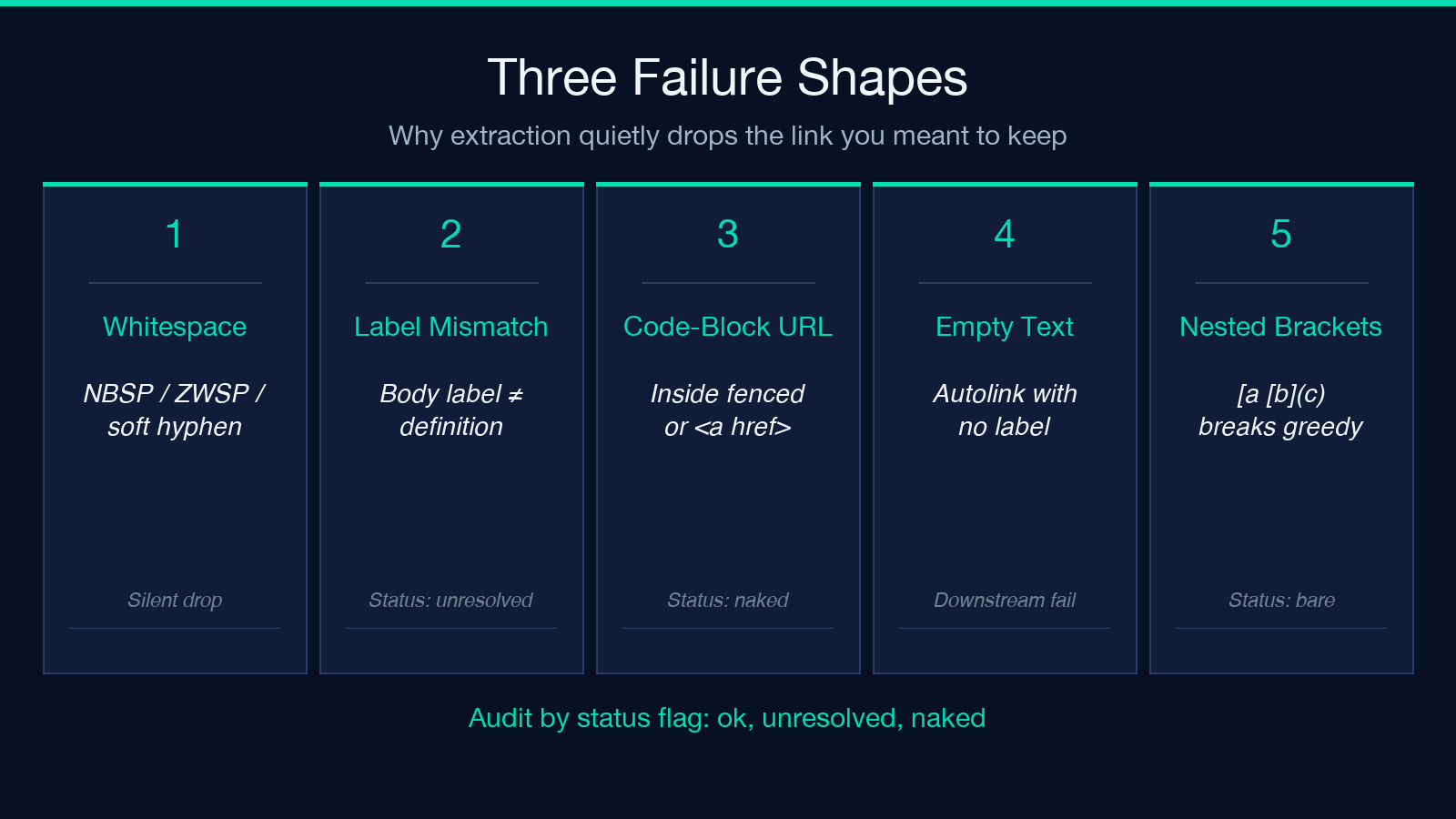
– For a link-rot audit, you want dedupe: true. You don’t care that the same URL appears in three sections; you care that the URL resolves. – For a “how many links does this document contain” metric, you want dedupe: false so the count matches what a human sees. – For a sitemap generator that needs every location, you want dedupe: false plus a separate pass that records each (URL, line) pair.
The extractor itself does not choose; it surfaces both modes. Build the pipeline decision into the calling code, not into the extractor.
What Bare-URL Pass Misses That the Markdown Lint Style Checker Catches
The lint pass and the extraction pass cover different ground. The extractor returns what is parseable as a link. The linter returns what should be a link but isn’t. A document that says “see https://elysiatools.com for more” without brackets has a bare URL in the prose that the bare-URL pass captures as a “naked” link, but the linter flags the surrounding sentence for having Markdown rendered as plain text. The two passes are complementary: the extractor tells you what already is a link; the linter tells you what should be rewrapped.
A useful integration pattern is to extract first, lint second, then diff. The diff highlights lines where the linter suggested rewrapping that the extractor had already covered (false positives in the lint rule), and lines where the extractor found nothing but the linter flagged a problem (true positives). For long technical documents like the API documentation sample, the diff can run into hundreds of lines and is the most reliable way to find “URLs in code blocks that should have been inline links” and “links that point to URLs that don’t resolve” in the same pass.
Choosing the Right Output Mode for Your Pipeline
Three output modes ship with the extractor — JSON for machine consumption, Markdown table for human inspection, and CSV for spreadsheet workflows. Each preserves the same fields but orders them differently:
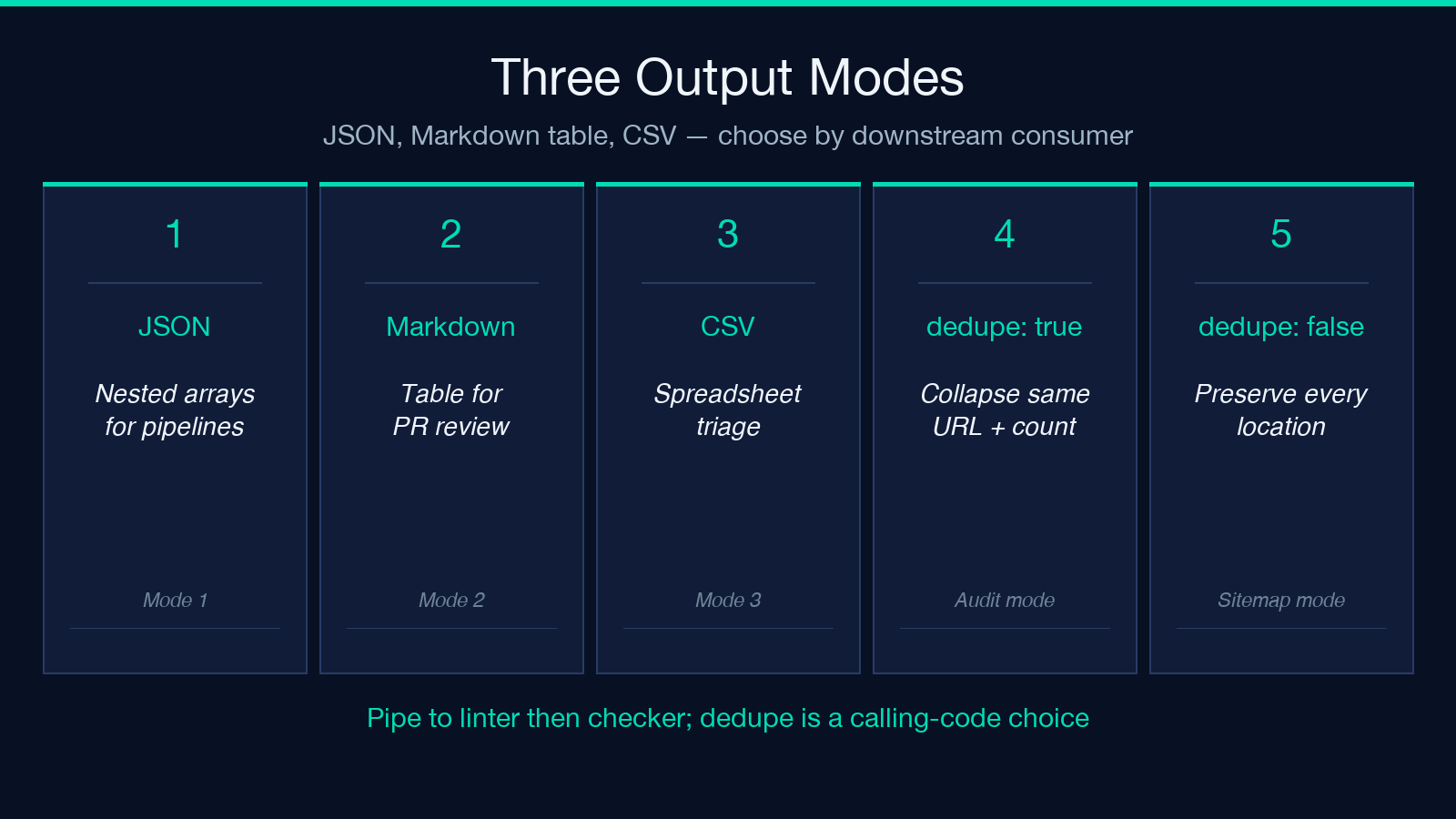
- JSON preserves nested arrays and is the canonical mode for piping into the JSON to Markdown converter for report rendering.
- Markdown table puts URL in the first column and is good for commit-attaching the extraction result to a PR that fixes the broken links.
- CSV is the mode you want if you intend to load the result into a spreadsheet for manual triage of edge cases like the broken-references sample.
A common integration mistake is to default to JSON when the downstream consumer is human. The Markdown table mode is more useful for one-off audits because it sorts naturally by URL and is readable in a code review. The mixed-content sample demonstrates why this matters: it intentionally mixes inline, reference, image, and bare URLs in one document, and the Markdown table mode is the only one that makes the mix legible at a glance.
Where to Run It and What to Do With the Output
The Markdown Link Extractor lives alongside its sample library on Elysia Tools. The typical workflow is: paste the document into the tool, choose your output mode and dedupe setting, run extraction, then pipe the JSON output through the Markdown Link Checker for a separate validation pass. For large documents, the Markdown TOC Generator can give you a structural skeleton to verify that the links you’ve extracted actually match the section structure. The combination covers the full triage path: extract what is, lint what should be, validate what resolves, and bundle the report with the Markdown Merger if you need to combine extraction results across multiple files.
Explore more tools at elysiatools.com.
