
Most icon-system performance problems are actually sprite-architecture problems. When a design system ships a dozen SVG icons as separate files, the browser pays a network round-trip per icon, every hover and accordion open triggers a paint, and accessibility becomes a guessing game because each <img> needs its own alt. An <symbol>-mode sprite sheet collapses those files into one inline SVG; the browser parses the sheet once, and every <use href="#icon-name"/> instantiates a shadow-DOM clone with zero network cost. The SVG Sprite Sheet Generator on Elysia Tools turns 30 uploaded SVGs into that single sprite in one pass, with viewBox normalization, leading-digit filename sanitization, duplicate detection, optional fill/stroke stripping for currentColor, and snippet emitters for HTML, React, Vue, and CSS. The output is drop-in ready for an icon library, a CMS, or a documentation site. The five decisions below decide whether the sprite you ship is a clean <symbol> cascade or a 400-icon maintenance headache.
The Two Sprite Modes Decide Everything
The tool offers two fundamentally different output shapes: <symbol> mode for inline <use>, and <view> mode for external-file fragments. Picking the wrong one for your embedding model breaks icons silently.
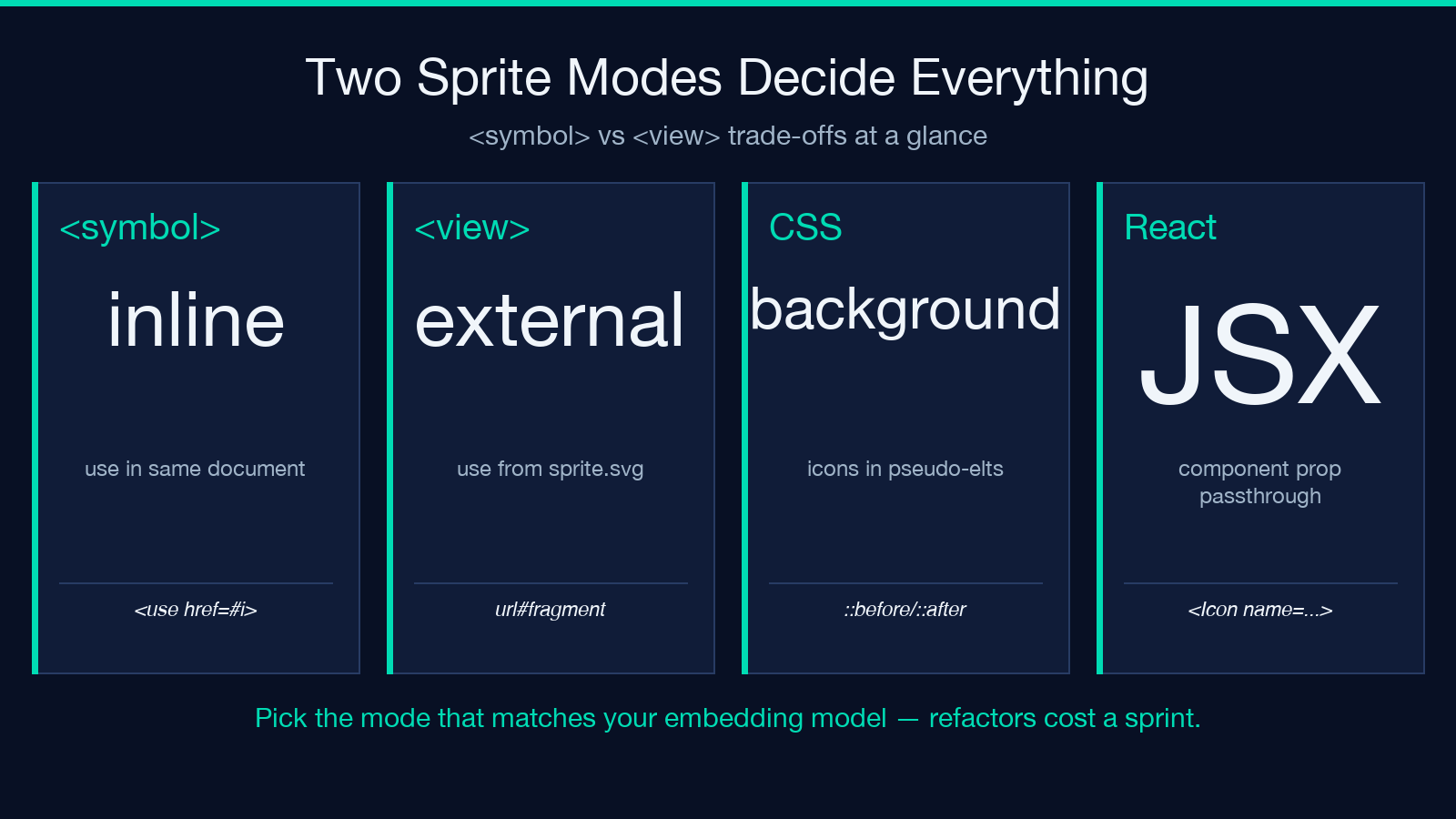
In <symbol mode>, every icon becomes a <symbol id="i-name" viewBox="0 0 W H">…</symbol> block, and you reference it from anywhere in the same document with <svg><use href="#i-name"/></svg>. The sprite itself is a single inline SVG block (often hidden with display:none or <defs>), and each <use> is a shadow-DOM clone. This is the right mode when your icons are part of the same page, or when you have control over the HTML output.
In <view mode>, the output is a list of <view id="i-name" viewBox="…"/> declarations inside one SVG, plus <g id="i-name">…</g> fragments. You reference each fragment from an external SVG file URL like sprite.svg#i-name. This is the right mode for cross-document reuse, sprite-served-from-CDN, or when you want each icon cached independently by the browser.
A common mistake is shipping <symbol> mode and then trying to load it from another file via <use href="sprite.svg#i-name"/> — that works for <view> only, because <symbol> references need an inline SVG context. Picking the mode up front saves a refactor on the icon library.
Filenames With Leading Digits Get Silently Rewritten
SVG sprite generators must produce valid CSS identifiers, but real-world icon sets often ship as 01-home.svg, 02-settings.svg, icon-15-user.svg. CSS identifiers cannot start with a digit (01-home is not a valid id), so the tool inserts a configurable idPrefix to fix the leading-digit case.
The default prefix is i-, so 01-home.svg becomes i-01-home. If you set idPrefix="icon-", leading-digit names become icon-01-home. The rule: pick a prefix that is short, kebab-free of CSS reserved words, and that you are willing to live with across every icon you add for the next three years. Renaming later requires a global find-and-replace across every component file that uses <use href="#old-name"/>.
Two pitfalls: (1) the prefix is applied to the slug, not to the filename, so icon-15-user.svg becomes icon-icon-15-user if you set icon-; (2) the prefix must be a valid CSS identifier prefix — no spaces, no leading digits, no special characters beyond - and _.
viewBox Normalization Saves You From Three Layout Bugs
SVGs drawn at different viewBox sizes are the most common cause of icons rendering at inconsistent sizes. A 24×24 sprite mixed with a 32×32 sprite and a 360×240 sample will render each icon at its native dimensions when referenced via <use>, even if you set width="24" height="24" on the <svg> wrapper.
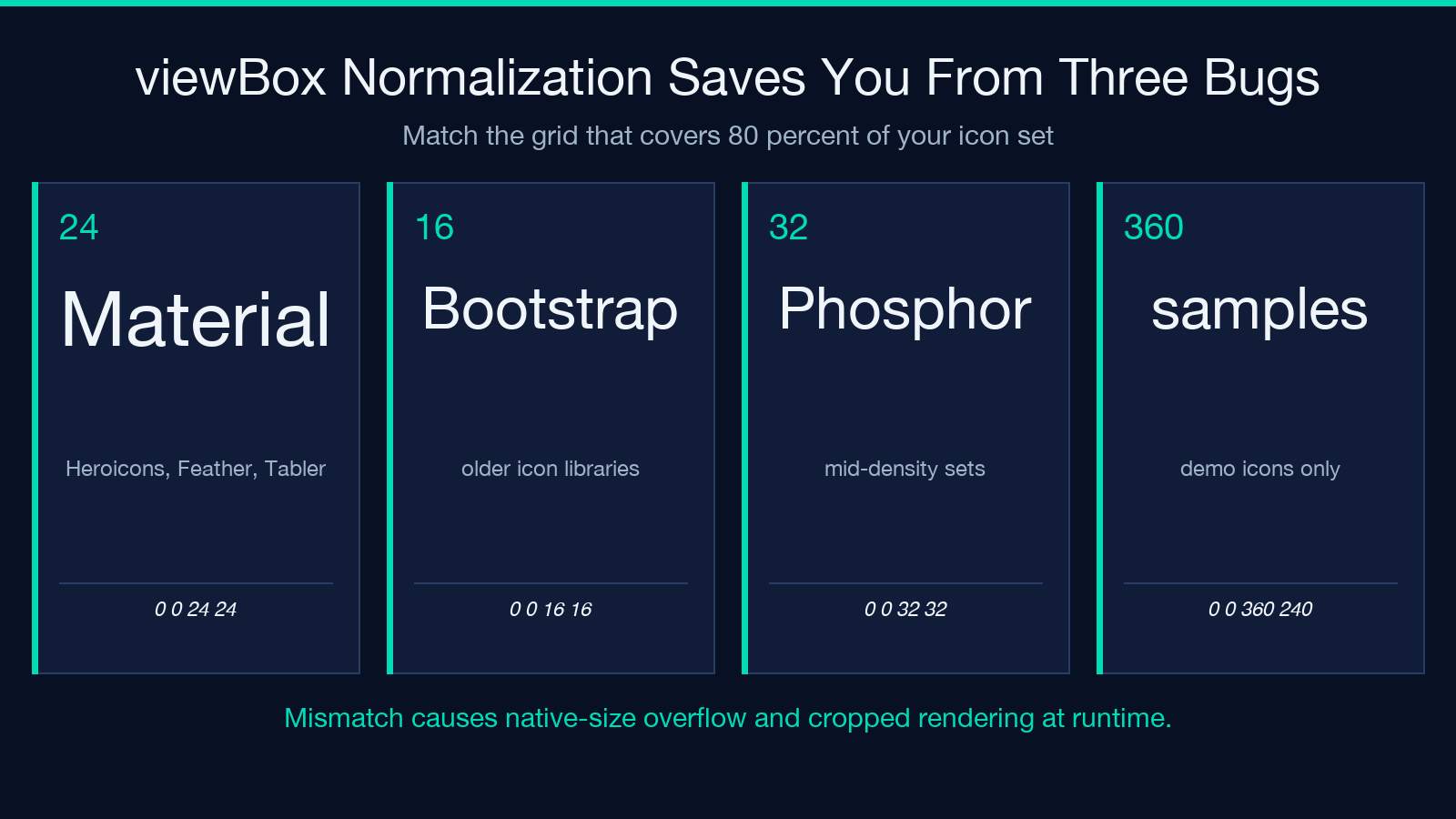
The tool normalizes every icon’s viewBox to a consistent grid when you set the viewBox flag. The default is 0 0 24 24, which matches Material, Heroicons, Feather, and Tabler. If you mix icons from a non-24 grid (Bootstrap Icons uses 16×16 by default, Phosphor uses 32×32), pick the grid that matches 80 percent of your icon set and normalize the rest.
Three layout bugs the normalization prevents: (1) icons appearing at native size and overflowing their box; (2) icons appearing cropped when the wrapper width/height doesn’t match the source viewBox; (3) inline <use> elements losing their scaling when the source SVG uses a percentage-based transform.
Stripping fill and stroke Unlocks currentColor Inheritance
Most icon SVGs ship with hard-coded fill="#000000" or fill="currentColor". The two are not equivalent: hard-coded fills ignore the parent CSS color, and currentColor inherits from the nearest color property.
The stripColor flag removes hard-coded fill and stroke attributes from each icon’s path/shape elements, forcing the icon to inherit from CSS. When you wrap a <use> element in a parent with color: red, every stroke and fill in the icon turns red. This is the standard pattern for theme-able icons that respect dark mode, hover states, and per-component overrides.
The trade-off: if your icon set deliberately uses multiple colors per icon (a brand logo with two blues), stripColor will collapse them all to one. Skip stripColor for logo sprites and enable it for UI icon sets.
Sanitization Strips Scripts and Event Attributes
Upload 30 icons collected from three different designers and you will get 30 different definitions of “safe”. Some ship with <script> blocks for inline animations, some have onclick="..." event attributes from Figma exports, and some include xlink:href references to remote URLs.
The tool’s sanitizer strips <script>, all on* event attributes, and any xlink:href that points off-site. This is non-negotiable for production: an inline <script> inside an icon sprite executes in the same context as your page, which means a designer who exported a Lottie placeholder into an SVG can ship a keylogger with your design system.
The sanitizer does not strip every possible attack vector — it does not parse expressions in <animate> or <animateTransform>, and it does not remove external <image href> references. For a defense-in-depth review, post-process the sprite through DOMPurify or run the SVG through your CSP report-only mode for one week before deploying to production.
Duplicate Detection Catches Versioning Drift
When two designers both export home.svg and home-active.svg, you can end up with the same path data appearing three times in a sprite — once for home, once for home-active, and once for home-hover because someone was iterating. The dedupe flag walks every icon’s serialized path data and merges identical icons into a single symbol with multiple alias ids.
The decision to dedupe is a memory/perf choice: dedupe halves the sprite size for sets with heavy overlap, but loses the per-icon metadata that lets you identify which source file contributed which symbol. For a brand-new icon set, run without dedupe first to verify each icon is distinct, then enable dedupe once you trust the source.
Output Snippets Decide How You Drop It Into Code
The tool emits four snippet emitters: HTML <svg><use href="…"/></svg>, React JSX, Vue templates, and CSS background-image: url(sprite.svg#icon-name). Each snippet is generated against the same sprite, so the choice is purely about your component model.
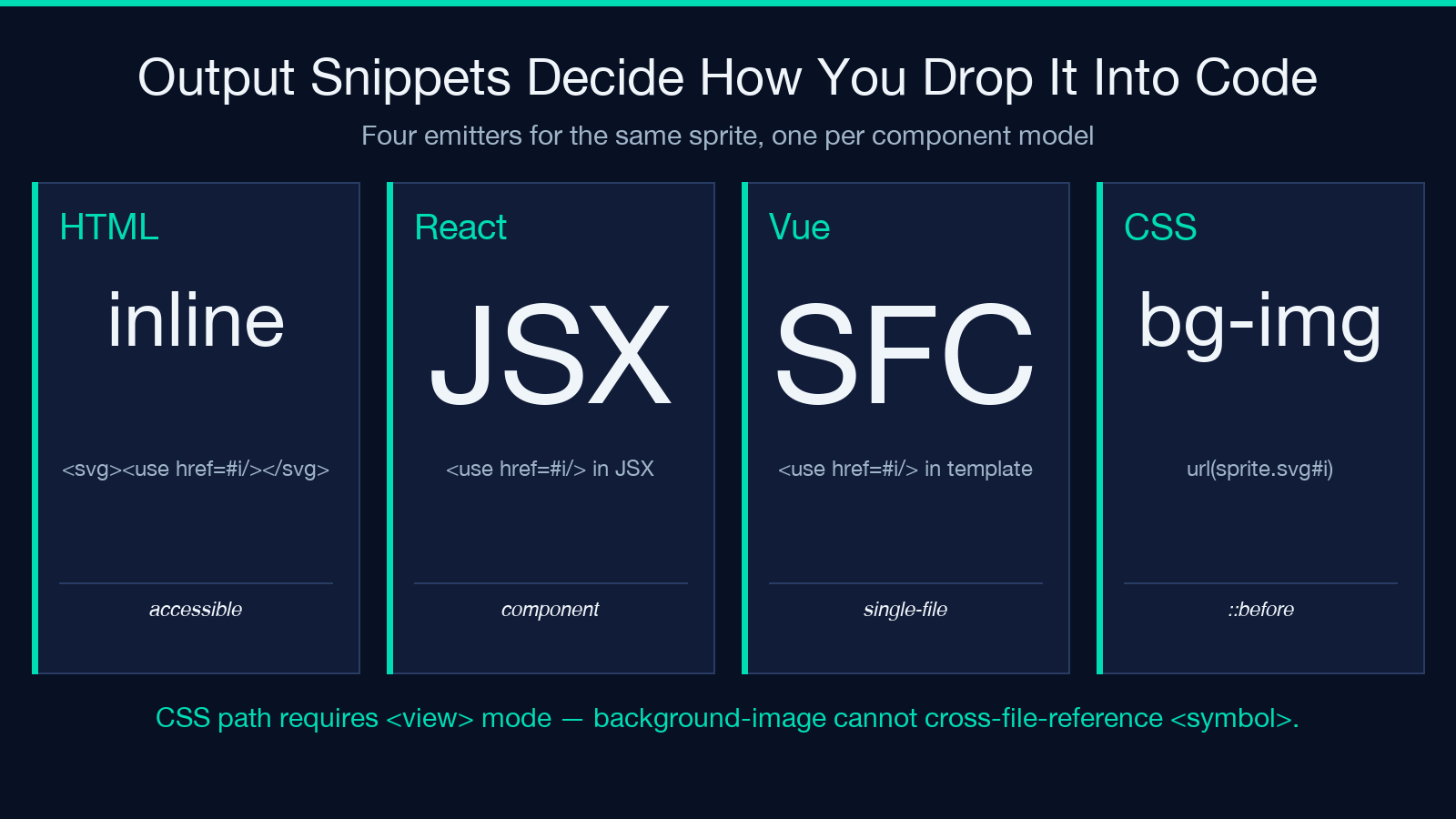
HTML/JSX/Vue snippets work for inline rendering where the sprite is in the same document or fetched once into the DOM. CSS background snippets work for pseudo-elements (::before, ::after), icons-as-decoration, and email templates where inline SVG is forbidden. The CSS path requires <view> mode because background-image cannot reference <symbol> ids across files.
The trade-off is accessibility: background-image icons are invisible to screen readers because they live in CSS. Inline <svg><use> icons are accessible when wrapped in a button with aria-label. Pick the snippet that matches your component contract.
What the Linter Actually Inspects
Five things matter in production: (1) the sprite is loaded once per page, not once per icon; (2) <use> references resolve to an <symbol> or <view> block that exists; (3) every icon has an aria-label or aria-hidden for accessibility audits; (4) no inline <script> or on* event survives into production; (5) the sprite size is under 50 KB gzipped for cold-load performance.
The Elysia Tools SVG Sprite Sheet Generator handles the first four automatically when you enable stripColor and sanitize, and the snippet emitters wrap every <use> in an aria-hidden parent by default. The fifth — sprite size — depends on how aggressively you dedupe, normalize, and compress path data.
For a worked example with sample inputs and outputs, see the SVG samples and SVG viewer samples on Elysia Tools. Both demonstrate the icon-set → sprite → snippet pipeline end-to-end.
Explore more in the SVG tools collection or browse related converters under elysiatools.com/en/tools.
