
Inlining beats linking — until the file is 12 KB. That is the paradox of a Data URI. You drop a 4 KB PNG straight into the CSS as background-image: url(data:image/png;base64,iVBOR...) and you eliminate one HTTP request, kill a flash-of-unstyled-content bug, and ship the icon even on offline-first PWAs. You also just turned a binary asset into a string that has to be parsed as text on every render, lost the browser’s ability to defer-load it, and made the stylesheet 33 percent larger than the asset it replaced. The trade looks free until you measure it. The Data URI Generator at Elysia Tools converts any file (image, audio, font, video) into the exact data:<mime>;base64,... or data:<mime>,... string your markup needs, with the encoding mode (Base64 or percent-encoded), the size in KB, and a copy-ready output. Knowing when to use it — and when a real file URL wins — is the difference between a snappier page and a bloated one. This guide walks through the seven decisions that decide whether inlining pays off: file size, encoding mode, MIME accuracy, hot-reload friendliness, CSS cache busting, accessibility, and the lazy-load trap.
Why Data URIs Exist, And Why They Are Not A Free Lunch
A Data URI is just a string with the shape data:[<mediatype>][;base64],<data></data></mediatype>. Browsers parse it the same way they parse an HTTP URL — fetch the bytes, decode them, render them. The savings come from collapsing what would have been two round trips (HTML parse + image fetch) into one (HTML parse already contains the bytes). The cost is that every byte of that asset now ships on every page load, even when the asset is on a different route, even when the cache is cold.
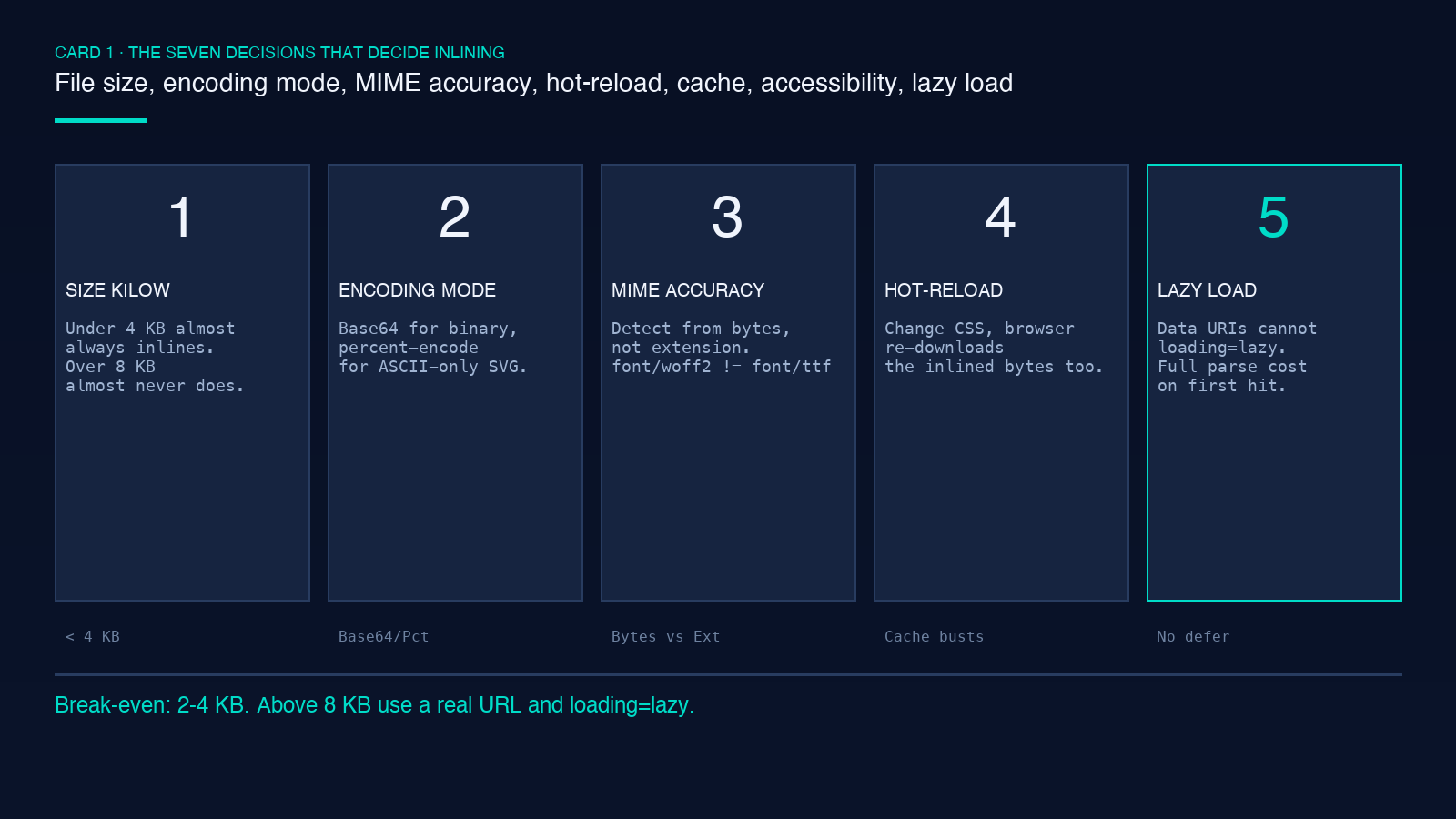
The empirical break-even sits around 2–4 KB per asset. Below that, you almost always win: one fewer DNS lookup, one fewer TLS handshake, one fewer render-blocking resource. Above that, you almost always lose: the string bakes into the stylesheet, the stylesheet bakes into the cache miss, and the user pays the bytes whether or not the page actually renders that icon.
The Data URI Generator takes any file you drop in (image, audio clip, font, video frame) and emits the exact string with the right MIME prefix. It also prints the KB cost next to the output so you can make the size call before you paste the string into production CSS.
Base64 Versus Percent-Encoding — The Two Competing Encodings
Base64 expands every 3 bytes of input into 4 bytes of ASCII text — a 33 percent size penalty. Percent-encoding (URL-encoding the raw bytes) leaves the size closer to 1:1 for ASCII content but explodes for binary content like PNG or WOFF2. The choice is not aesthetic — it changes what the browser can decode and what bytes hit the wire.
Use Base64 for:
- Binary content (images, fonts, audio, video)
- Anything that needs to round-trip through a UTF-8-clean pipeline (JSON-LD payloads, CSS strings, SVG
xlink:href) - Files where the 33 percent overhead is acceptable
Use percent-encoding for:
- SVG with inline text and minimal binary content (paths, simple shapes)
- Short text-only payloads where every byte matters
- Cases where you want grep-able readable content
The generator lets you toggle between the two modes and shows the resulting byte count for each. For a 1 KB PNG, the Base64 string is ~1.4 KB and the percent-encoded string is ~3 KB (because each byte becomes %XX). For the same PNG, Base64 wins by a wide margin. For a 2 KB SVG with mostly ASCII, percent-encoding wins.
The MIME-Type Trap — Why image/png Beats image/octet-stream
A Data URI without an accurate MIME type is a broken Data URI. Browsers do not sniff the bytes inside a data: URL — they read the prefix and pick a decoder. data:application/octet-stream;base64,xxx will not render as an image; it will render as a download prompt or a broken element. The MIME type has to match the actual bytes, and the file extension of the source file is not always a reliable hint (especially for fonts, which have four distinct MIMEs depending on format).
The canonical MIME list for files you might inline:
- Images:
image/png,image/jpeg,image/gif,image/webp,image/avif,image/svg+xml,image/bmp,image/x-icon,image/tiff - Audio:
audio/mpeg,audio/wav,audio/ogg,audio/flac - Video:
video/mp4,video/webm - Fonts:
font/woff,font/woff2,font/ttf,font/otf
The generator detects the MIME from the file header bytes, not from the file extension, so a logo.svg.txt (renamed SVG) still emits image/svg+xml. That matters when you script the build pipeline and the source filenames lie.
The Three Sweet Spots — Where Data URIs Always Win
Three use cases almost always pay off inlining, regardless of the byte count argument:
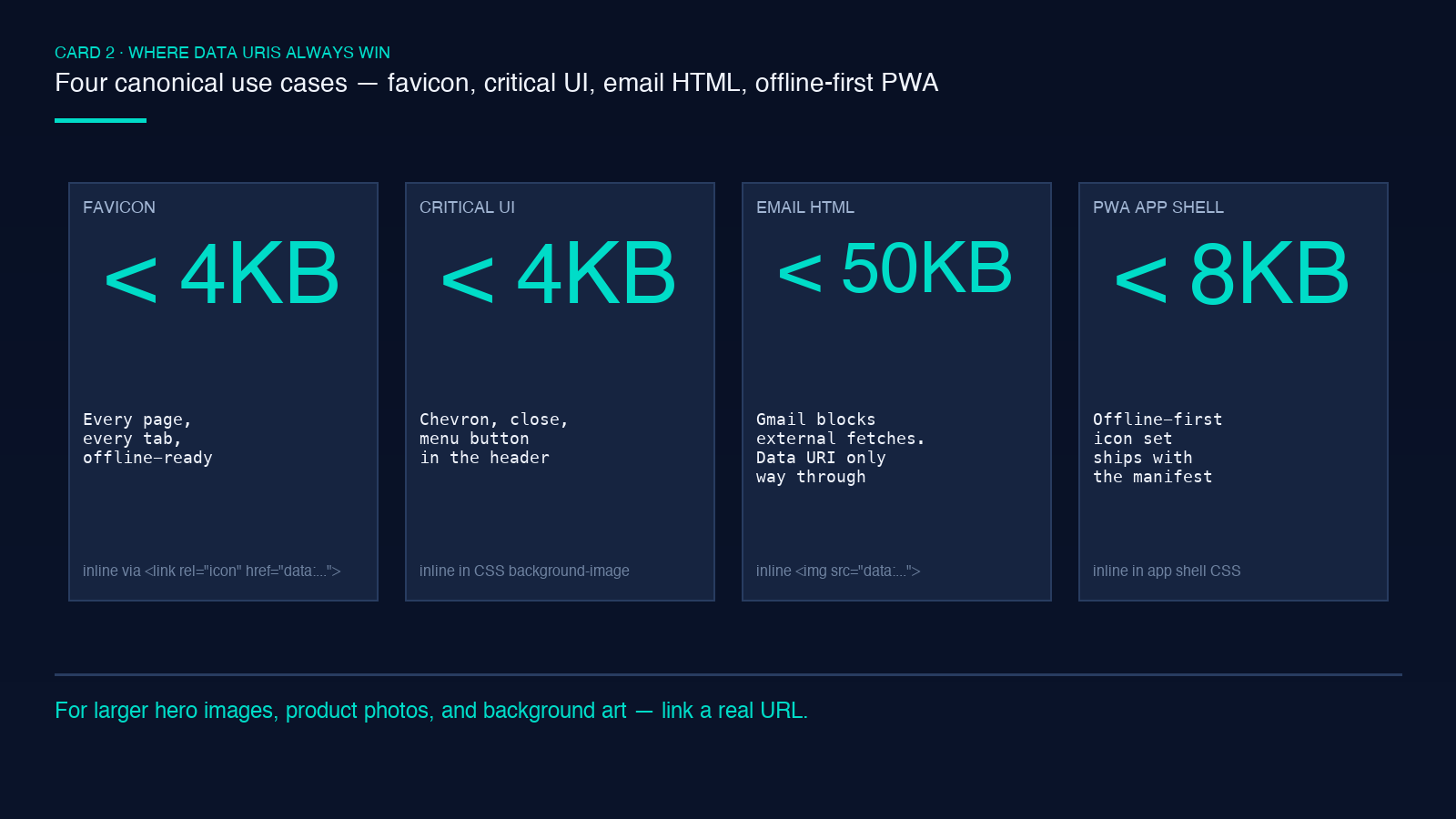
- Favicons. A 1–3 KB `.ico` or `.png` file used on every page load on every tab. Inlining it in `` removes the request entirely and survives offline.
- Critical-path UI icons. A small arrow, a chevron, a play button that sits in the header on every route. Inlining in CSS kills a render-blocking request.
- Email HTML. Email clients (Gmail, Outlook web) block external image fetches for privacy and tracking reasons. Data URIs are the only way to get an image into an HTML email reliably.
For all three, the Data URI Generator gives you a copy-ready string in seconds. For larger hero images, product photos, and background art, link them as real URLs and let the browser’s normal cache and lazy-load mechanisms do their job.
The Cache-Busting Trap — Why Data URIs Invalidate Your Whole Stylesheet
This is the silent killer. When you inline a Data URI into a CSS file, the Data URI becomes part of the CSS file’s byte content. Every time you change anything in the CSS file — even a comment, even a single declaration — the cache key changes and the browser re-downloads the entire stylesheet, including every inlined asset, even if those assets themselves did not change.
Two mitigation patterns:
- Generate a separate
.inline.cssfile that holds only the Data URI declarations. Cache it aggressively (Cache-Control: public, max-age=31536000, immutable). Change the HTML to point at it. Now changes to the main stylesheet do not re-download the inlined assets. - Hash the inlined asset’s content and include the hash in a comment so you know which Data URIs you can delete after a deploy.
Accessibility And Lazy Loading — What You Lose By Inlining
Data URIs in <img src="data:..."> do not load lazily. They are part of the document’s text content — the parser hits them on the first byte and decodes them inline. That is fine for a 1 KB favicon. It is catastrophic for a 50 KB hero image you would otherwise have loading="lazy" on.
A few more accessibility caveats:
- Screen readers cannot describe a Data URI image differently from a text image. The
alttext still works, but there is no separate fetch to retry on failure. - Browser dev-tools network panel does not show Data URIs as separate requests — you cannot inspect timing, status, or size from the network tab. Use the generator’s KB counter as your only sanity check.
- Right-click “Save image as” on a Data URI gives you a base64 blob in a text file, not a usable asset. If users need to download the image, link it instead.
CSS, HTML, And Markdown — Where Each Pipeline Wants The String
CSS: Drop it straight into background-image, list-style-image, content, or @font-face { src: url(data:font/woff2;base64,...) }. Escape # as %23 and ? as %25 if your build pipeline does not handle them.
HTML: Use it in <img src="...">, <link rel="icon" href="...">, or <a href="..." download></a> (the download attribute is a hint, not a guarantee, that the browser saves the file).
Markdown: Most Markdown renderers do not allow data: URLs in image syntax for security reasons. If you need to inline in Markdown, use HTML inside the Markdown: <img src="data:image/png;base64,..." alt="...">.
The generator’s output panel formats for each case with the right escaping, so you can paste directly without re-encoding.
Closing — When To Open The Generator
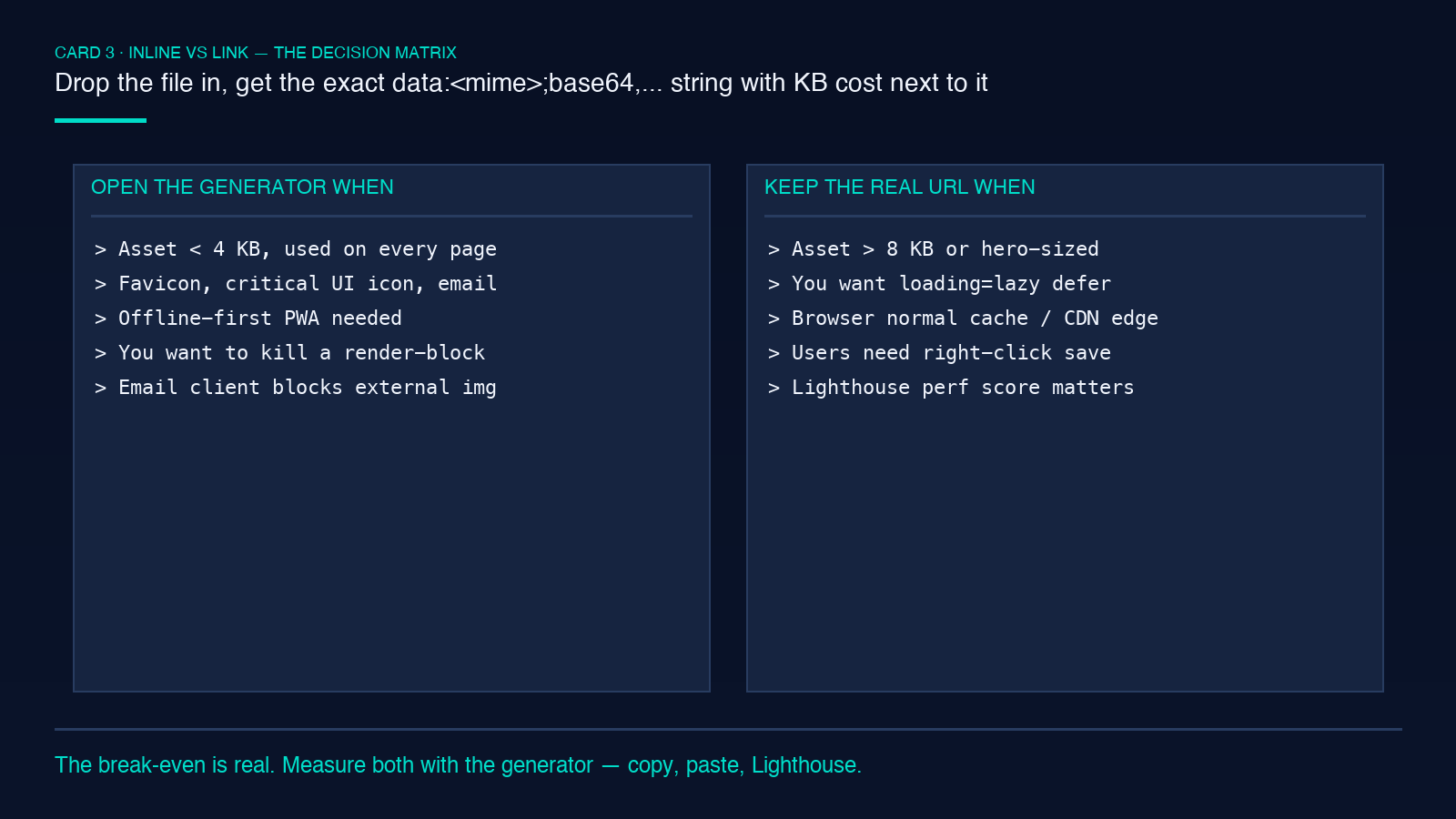
Open the Data URI Generator when:
- The asset is under 4 KB and used on every page (favicons, critical icons, email).
- You need offline-first behavior (PWA icons, app shell fonts).
- You need to survive an email client’s image-blocking (inline everything).
- You want to remove a render-blocking request from the critical path.
Keep the real file URL when:
- The asset is over 8 KB (hero images, background art, product photos).
- You want lazy loading (
loading="lazy") to defer the fetch. - You want the browser’s normal cache and CDN edge behavior.
- You want users to be able to right-click and save the image.
For everything in between (4–8 KB), measure both. Drop the asset into the generator, copy both the Base64 and percent-encoded strings, paste them into a test stylesheet, and compare the Lighthouse Performance score with and without the inline version. The break-even is real and it is empirical. The tool is the calculator; the numbers are the answer.
Explore more tools at elysiatools.com.
