
The 70 kg maintenance patient is the easy case. A 70 kg adult on 25 kcal/kg and 1.2 g protein/kg lands on 1750 kcal/day and 84 g/day — divide by the formula’s kcal/mL and you have a starting hourly rate. Real bedside decisions get harder the moment the patient drifts out of the textbook: a critically ill day-1 patient on permissive underfeeding at 14 kcal/kg, an obese patient whose actual weight overstates the target, a protein-short formula that delivers 47% of the protein goal. The calculator at Elysia Tools — Enteral Nutrition Target accepts weight, weight basis, kcal/kg, protein/kg, and the formula’s kcal/mL and g protein/L, then returns the energy target, protein target, product volume, starting pump rate, and the actual protein delivered by that volume — the last one is the field where most manual arithmetic goes wrong.
What the calculator actually computes
The tool takes six inputs and returns six outputs that mirror the bedside decision tree.
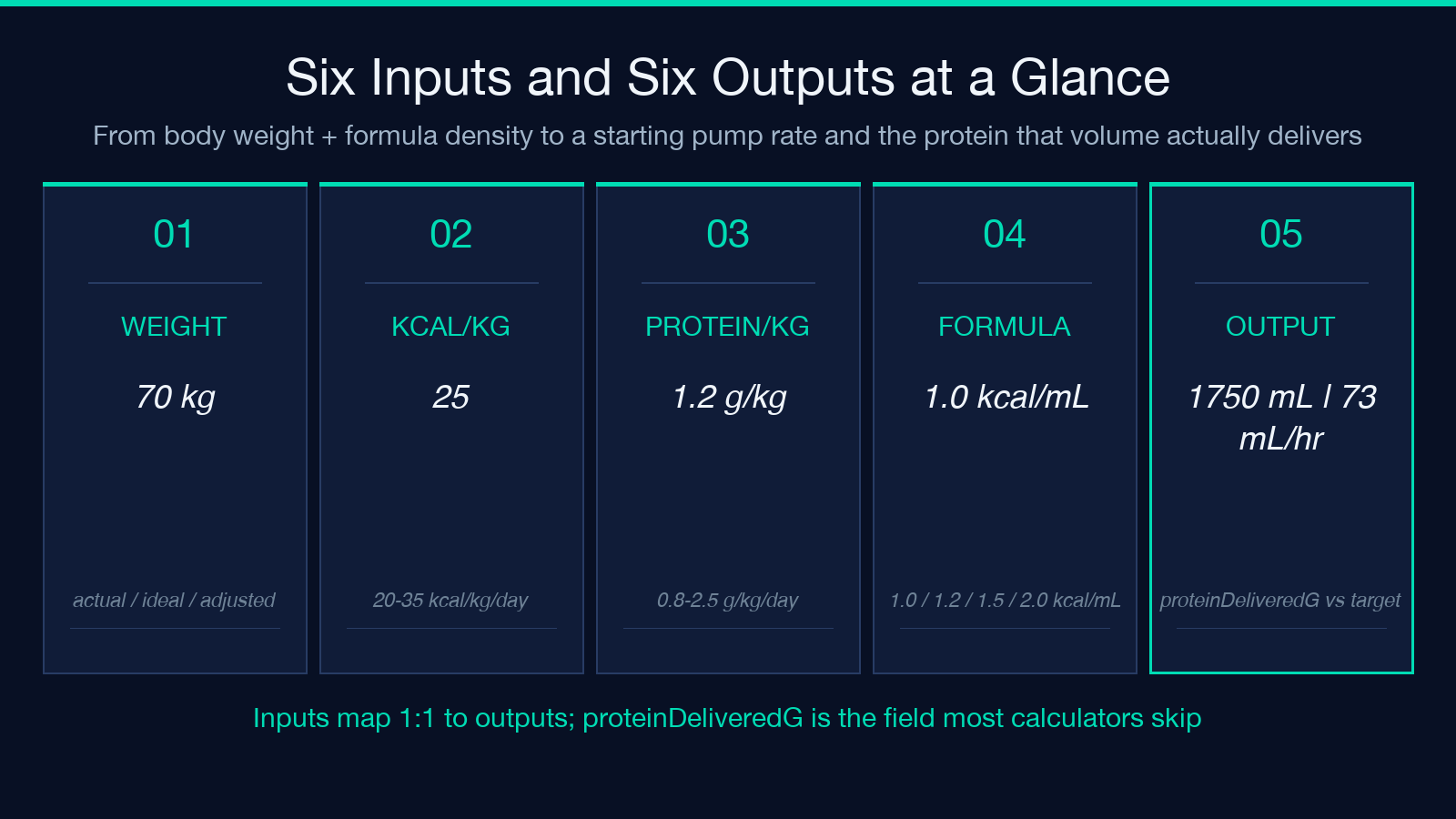
Inputs:
– weight — body weight in kg (numeric, positive) – weightBasis — actual, ideal, or adjusted (the calculator flags when each basis is appropriate) – kcalPerKg — the per-kg calorie prescription (e.g. 25, 14, 30) – proteinPerKg — the per-kg protein prescription (e.g. 0.8, 1.2, 1.5, 2.0) – formulaKcalPerMl — formula kcal density (1.0, 1.2, 1.5, 2.0 are the canonical values) – formulaProteinPerL — formula protein content in g/L (40, 60, 75, 80 are common) – decimalPlaces — rounding precision for the output (default 1)
Outputs (always returned together):
– kcalTarget — energy target in kcal/day – proteinTargetG — protein target in g/day – productVolumeMl — daily formula volume in mL – startingRateMlHr — pump rate in mL/hr (= volume / 24) – proteinDeliveredG — protein the chosen formula actually delivers at that volume – category — the canonical feeding category (e.g. “Maintenance enteral nutrition”, “Permissive underfeeding”)
The proteinDeliveredG field is the one most calculators skip: it tells the dietitian whether the chosen formula is meeting the protein goal or whether a protein modular needs to be added.
The ASPEN/SCCM and ESPEN reference bands
The per-kg targets come from two guideline families. The calculator’s defaults and category labels reflect both.
Energy (kcal/kg/day):
| Patient state | Range |
|---|---|
| Well-nourished, maintenance | 20–25 |
| Malnourished or surgical | 25–30 |
| Critically ill, day 1–3 | 12–18 (permissive underfeeding) |
| Recovery / anabolic | 25–30 |
| Major burns / trauma | 30–35 |
| Obese (use ideal or adjusted weight) | 11–14 (actual) / 22–25 (ideal) |
Protein (g/kg/day):
| Patient state | Range |
|---|---|
| Maintenance | 0.8–1.0 |
| Acute illness | 1.0–1.2 |
| Critically ill | 1.2–2.0 |
| Burns / trauma | 1.5–2.5 |
| Obese | ≥2.0 (use ideal weight) |
The permissive underfeeding band is the most-overridden default: day-1 ICU patients get 12–18 kcal/kg to avoid overfeeding stress on stressed metabolism, and protein targets stay high (1.2–2.0 g/kg) even when calories are restricted.
A worked example — standard maintenance
Take a 70 kg adult on 25 kcal/kg and 1.2 g/kg protein, with a 1.0 kcal/mL formula at 40 g protein/L.
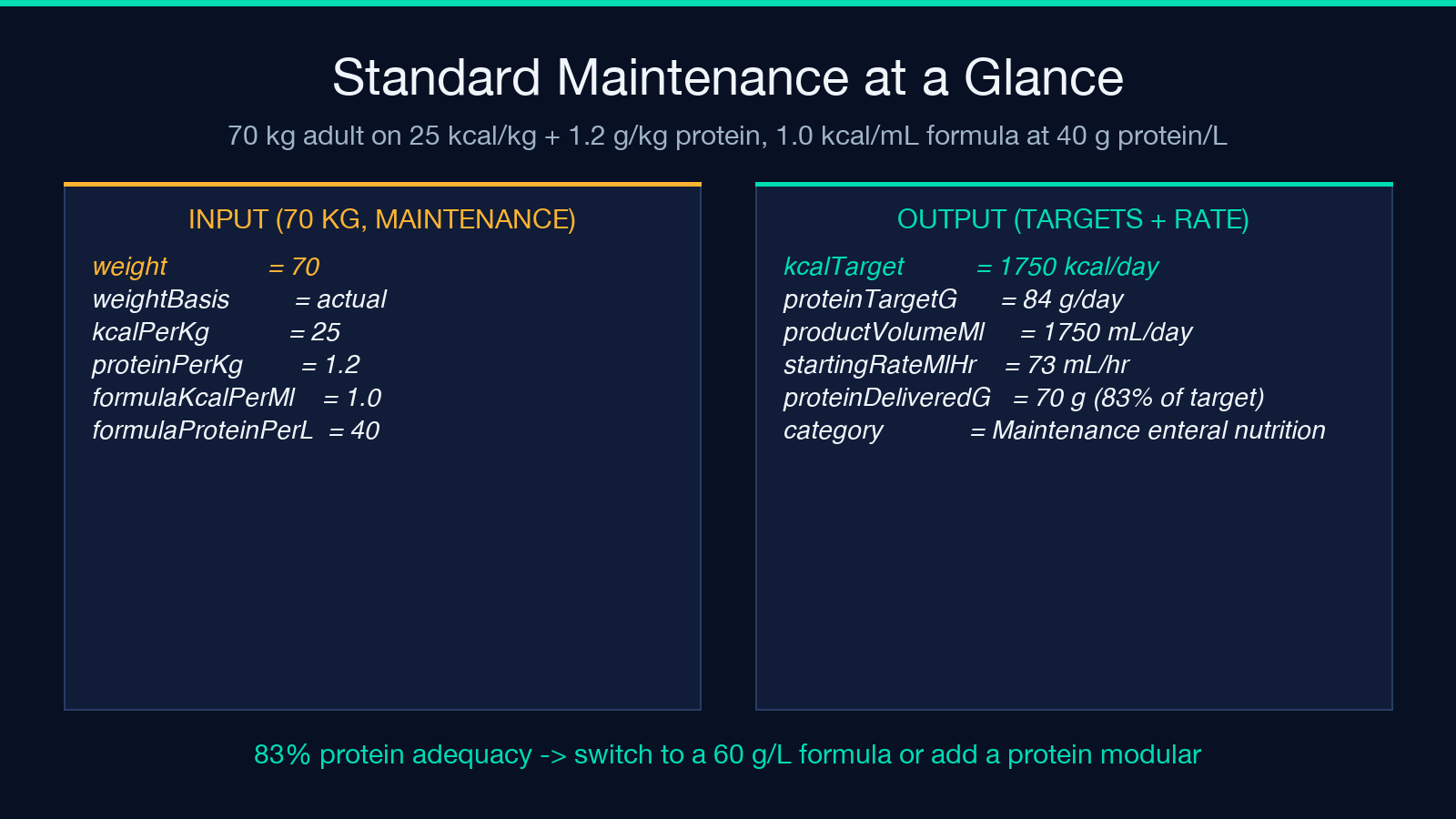
– Energy target = 70 × 25 = 1750 kcal/day – Protein target = 70 × 1.2 = 84 g/day – Volume at 1.0 kcal/mL = 1750 mL/day → 73 mL/hr starting rate – Protein delivered at 1750 mL of 40 g/L = 70 g (83% of target)
The 83% adequacy is the catch: the formula’s protein density is too low for the prescription. The dietitians’ fix is either a higher-protein formula (60 or 75 g/L) or a protein modular top-up. The calculator surfaces this gap as proteinDeliveredG — the field that justifies switching products before the patient is fed an inadequate protein load for 24 hours.
A second example — permissive underfeeding
Take an 80 kg critically ill patient on 14 kcal/kg and 1.5 g/kg protein, with a 1.5 kcal/mL formula at 75 g protein/L.
– Energy target = 80 × 14 = 1120 kcal/day – Protein target = 80 × 1.5 = 120 g/day – Volume at 1.5 kcal/mL = ~747 mL/day → ~31 mL/hr starting rate – Protein delivered at 747 mL of 75 g/L = ~56 g (47% of target)
Two things to notice. The volume is small (~31 mL/hr) because the formula is calorie-dense (1.5 kcal/mL). And the protein delivered is well below target — the higher-density formula has higher protein per L but the lower total volume cuts both ways. The 47% adequacy triggers an automatic protein modular recommendation in the output, and is exactly why the tool exposes proteinDeliveredG separately from proteinTargetG.
The weight-basis decision
The weightBasis field is the silent variable that decides whether the target is correct. Three rules from McClave 2016 and ASPEN/SCCM:
- Actual body weight (ABW) — default for non-obese patients. Use directly when BMI < 30 and the patient is not fluid-overloaded.
- Ideal body weight (IBW) — required for obese patients (>120% IBW). The Devine formula gives IBW = 50 + 2.3 × (height_inches − 60) for males, 45.5 + 2.3 × (height_inches − 60) for females.
- Adjusted body weight (AdjBW) — IBW + 0.4 × (ABW − IBW). Used when the patient is overweight but not yet obese, or when fluid overload contributes 5–10% to measured weight.
The calculator does not compute IBW — it expects the operator to pick the right basis before typing in the weight. Picking ABW for a 130 kg patient whose IBW is 70 kg would over-prescribe by 86%.
Common pitfalls and how the calculator prevents them
Six recurring errors at the bedside:
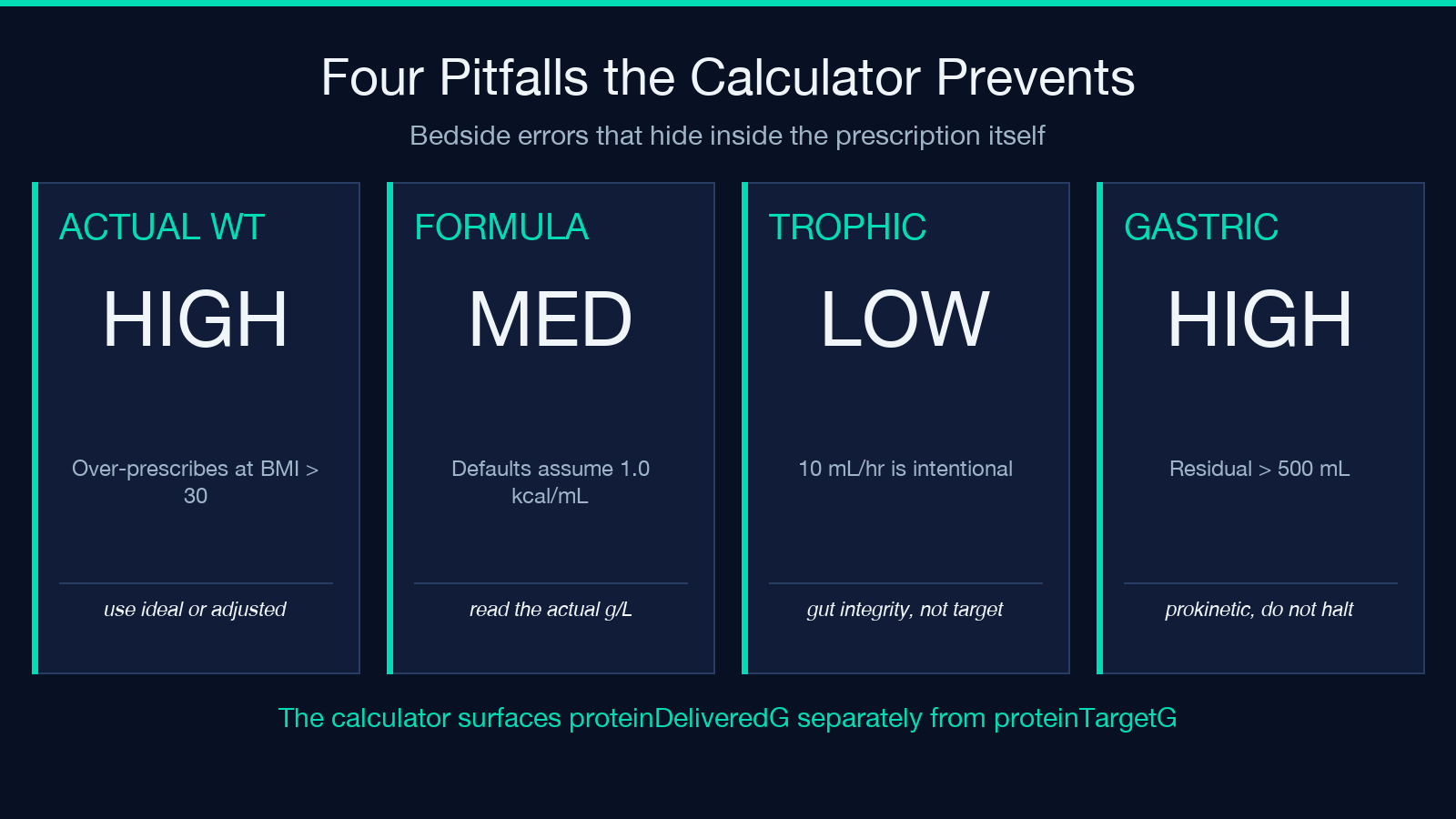
- Using actual weight for obese patients — over-prescribes both kcal and protein. Fix: switch
weightBasistoideal(oradjusted). - Forgetting formula protein density — assumes 1.0 kcal/mL and 40 g/L defaults when the formula is 1.5 kcal/mL and 75 g/L. Fix: type the actual
formulaProteinPerLfrom the label. - Confusing trophic with full feeding — trophic feeding (~10 mL/hr) is intentional, not a calculation error. The calculator returns 10 mL/hr at the volume that 10 × 24 = 240 mL/day produces; this is meant to maintain gut integrity without aiming for target.
- Stopping feeding because of gastric residual >500 mL — current ASPEN guidance is to use a prokinetic or switch to post-pyloric, not to halt feeding automatically. The calculator does not detect this; it surfaces the rate, the human reads the residual.
- Not adjusting head-of-bed or tube position — head of bed 30–45° and verified tube position reduce aspiration pneumonia regardless of the rate. These are not calculator inputs.
- Mixing up kcal/kg and g protein/kg — a 25 kcal/kg and 1.2 g/kg prescription for the same patient is normal; a 25 g protein/kg prescription is 20× the target. The calculator does not sanity-check this — verify before pressing compute.
Re-feeding syndrome — the calculator does not flag it
Re-feeding syndrome is the riskiest window in any enteral start: severely malnourished or prolonged-NPO patients can develop severe hypophosphatemia, hypokalemia, and hypomagnesemia within 48–72 hours of re-feeding, even at trophic rates. The calculator returns energy and protein targets but does not flag re-feeding risk — that is a clinical assessment before starting. Standard practice: start at 50% of target for 24 hours, replete electrolytes aggressively, monitor phosphate every 12 hours for the first 48 hours. Use the Corrected Calcium (Albumin) Calculator alongside, since hypoalbuminemia overstates measured calcium and re-feeding shifts both.
Adjacent tools in the clinical nutrition stack
Four calculators cover the questions that arise immediately after the enteral target is set:
– TPN Macronutrient Calculator — when enteral is not feasible, the parenteral route needs glucose/amino-acid/lipid partitioning rather than kcal/kg. – TPN Osmolality Estimator — peripheral vs central line decision based on the final osmolarity of the parenteral mix. – Corrected Calcium (Albumin) Calculator — for patients with low albumin where measured calcium understates the physiologically active fraction. – Dose by Body Surface Area Calculator — for pediatric patients or chemotherapy dosing where BSA governs the prescription.
The enteral target is the entry point: it tells you how much to feed, then the parenteral and electrolyte tools handle the cases where enteral is not enough.
Explore more clinical calculators in the Elysia Tools catalog.
