
A valid URL slug isn’t a guess. It’s the lowest-common-denominator format every CMS, every CDN edge, and every analytics tag will silently tolerate, and the rule set is short enough to memorize before lunch.
URL slugs are the workhorse identifiers of the modern web. They turn blog titles into permalinks, file names into clean shareable URLs, and ad-hoc identifiers into stable strings that survive migrations between content systems. The rule set looks trivial — lowercase letters, digits, and hyphens — but the moment a real workflow meets it, the trivial rule set becomes a half-day decision: should underscores be allowed? What about leading or trailing hyphens? Where is the line between “stylistically wrong” and “broken at the CMS layer”? The Slug Validator turns that half-day into a one-line decision by encoding the rule set explicitly, with three toggles that cover the three legitimate edge cases.
What a URL Slug Actually Is
A slug is the trailing identifier portion of a URL that points at a single resource. It is the part of the path that survives directory rewrites, locale switches, and CDN cache invalidations. Examples:
– https://example.com/blog/my-blog-post – https://docs.example.com/api/v2/rate-limits – https://shop.example.com/products/red-widget-32oz
In each case, my-blog-post, rate-limits, and red-widget-32oz are slugs. The leading path segments (/blog, /api/v2, /products) are routes; the slug is the part that maps to a row in the database, a key in the cache, or a record in the search index.
The slug sits in the most fragile position in any URL. The route segments get rewritten by the framework; the query string gets ignored by analytics tools; the fragment never reaches the server. The slug, by contrast, has to survive every hop, get parsed by every downstream system, and be safe to embed in HTML attributes, JSON, log files, and analytics dashboards without escaping.
The Rule Set Every CMS Agrees On
Walk through three random blog platforms’ URL slug implementations and you’ll find the same five rules. The slug must be:
1. Lowercase letters (a-z) only 2. Digits (0-9) allowed anywhere 3. Hyphens (-) as the only separator 4. No leading or trailing hyphen 5. Reasonable length (most CMSes cap at 100-255 chars)
Some systems relax rule 4 (WordPress historically allowed trailing hyphens), some relax rule 1 (case-insensitive matching on the server side), some add ASCII digits but treat Unicode digits as a separate class. The validator captures the strict form and offers three toggles for the relaxed variants.
Where Things Break in Practice
The most common slug-validator failure modes aren’t exotic. They show up in real data every week:
- Uppercase letters —
My-Blog-Postresolves fine on Linux servers but breaks on case-sensitive Windows shares and Apache configurations withCheckCaseOnlyoff - Underscores —
my_blog_postworks in URLs but breaks when the slug is embedded as a CSS class, JavaScript variable, or filesystem path on a Windows mount - Special characters —
naïveorcaféwork in modern Unicode-aware systems but fail at older CDNs and analytics tag sanitizers that expect ASCII-only - Leading hyphen —
-my-blog-postis ambiguous in CLI parsing and breaks when used as a flag prefix - Trailing hyphen —
my-blog-post-looks like a typo and breaks some search index normalization logic - Consecutive hyphens —
my--blog--postsurvives most parsers but is almost always a generation bug - Spaces — auto-encoded as
%20or+and silently double-counted in character limits - Punctuation —
don'tbecomesdon-tordon%27tdepending on the encoder
Each of these is a 30-second fix at write time and a 30-minute debugging session at read time. The validator puts the rule check at write time, before the slug enters any pipeline.
How the Slug Validator Handles Each Failure Mode
For each of the eight common failure modes above, the validator applies one of three responses:
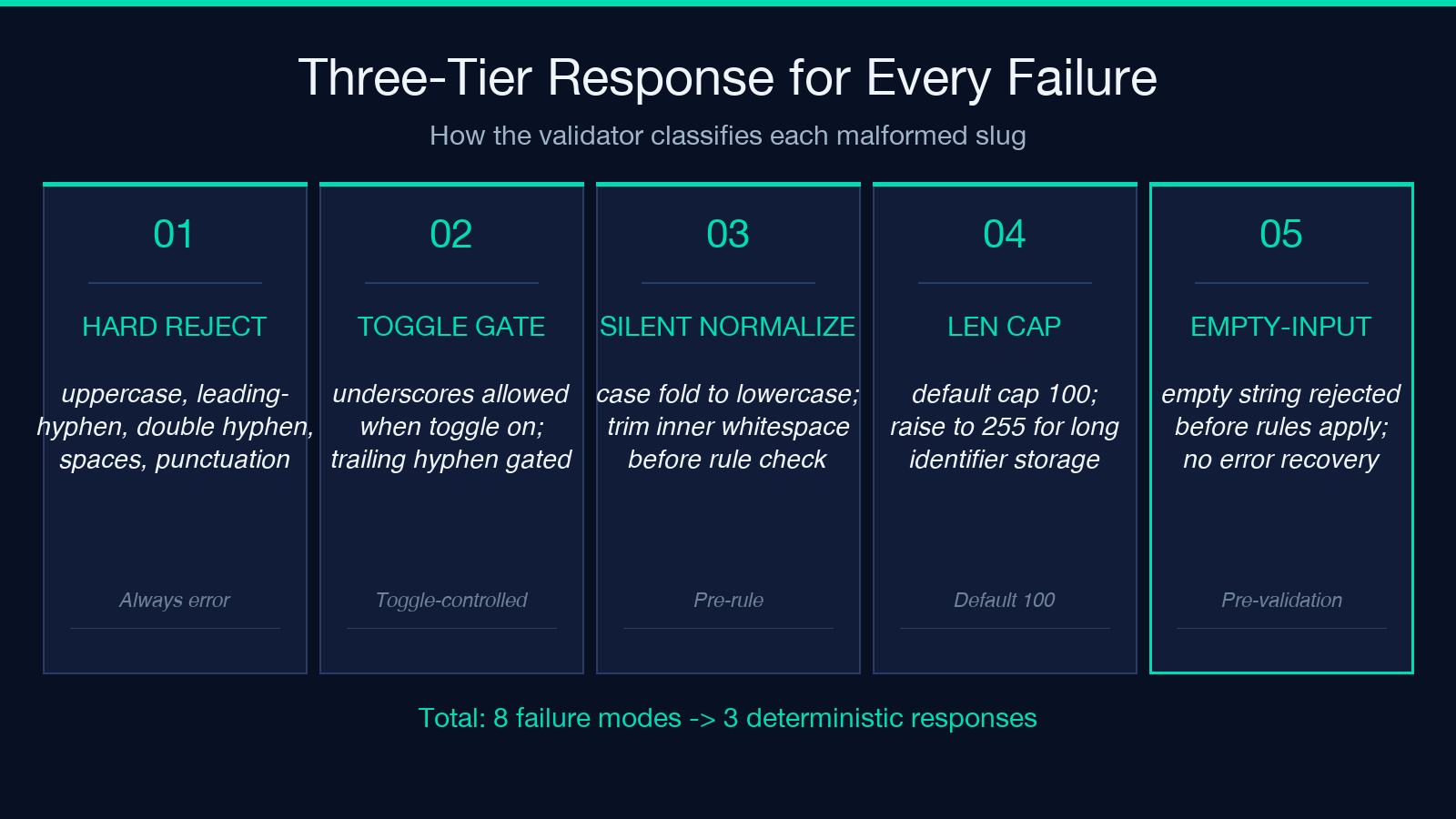
- Hard reject — uppercase letters, leading hyphens, consecutive hyphens, spaces, and special characters all return a clear error with the offending character position
- Toggle-controlled accept — underscores and trailing hyphens are accepted only when their corresponding toggle is on
- Silent normalize — case folding to lowercase and trimming of internal whitespace happens before the rule check, so
My-Blog-Postis normalized tomy-blog-postthen validated
This three-tier response model keeps the rule check deterministic at write time without forcing every CMS to agree on what “valid” means.
How the Three Toggles Map to Real Workflows
The validator exposes three optional relaxations of the strict rule set. Each corresponds to a legitimate workflow constraint, not a stylistic choice:
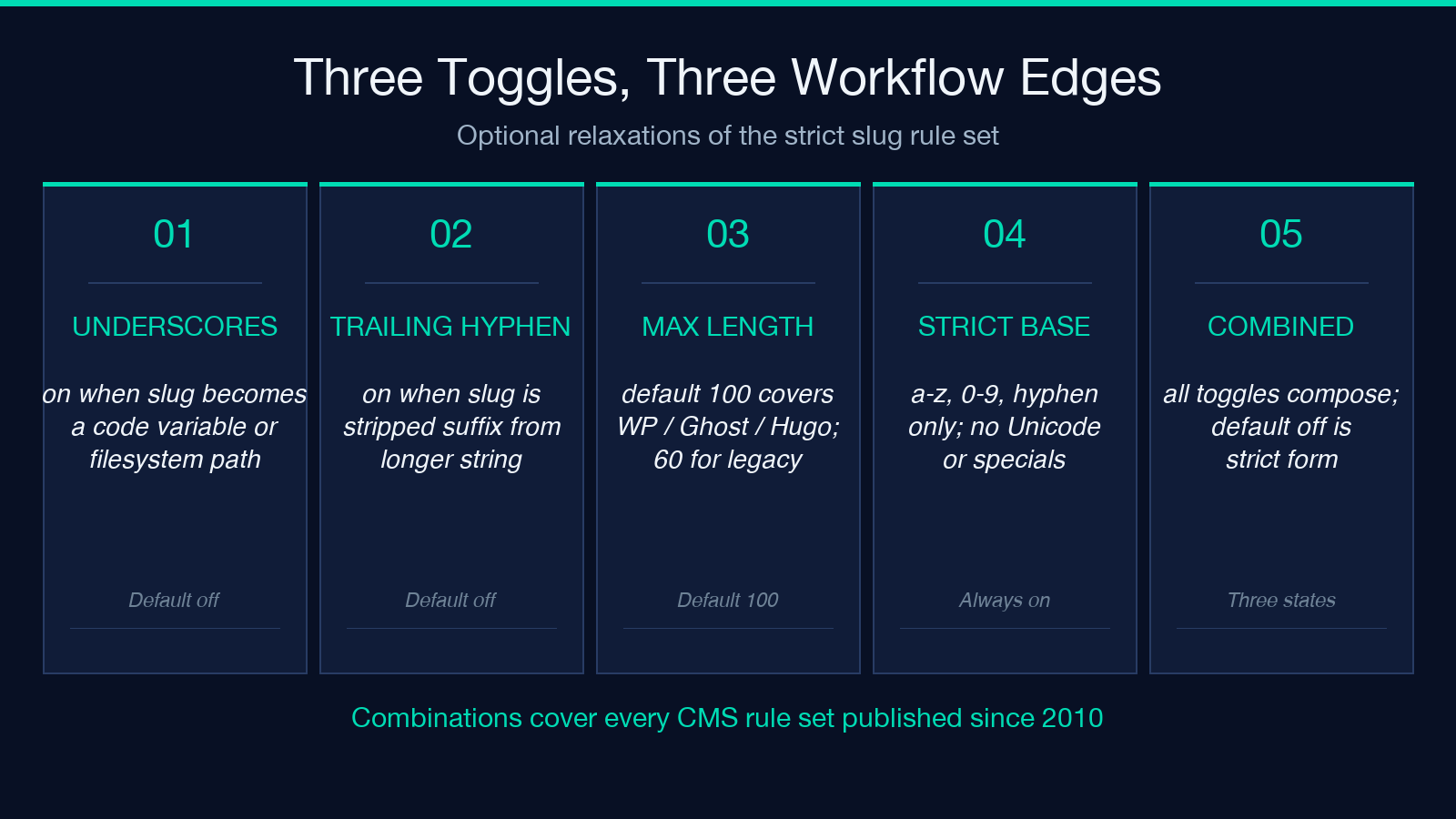
Allow Underscores — useful when the slug originates from a variable name in code (my_blog_post → file-system-safe). Disable for any slug that will appear in HTML attributes or CSS class names.
Allow Trailing Hyphen — useful when the slug is generated by stripping a suffix from a longer string (my-blog-post-final → my-blog-post-). Disable for human-authored slugs.
Max Length — controls the upper bound on slug length. Default 100 covers WordPress, Ghost, Hugo, and most CMS platforms. Lower to 60 for legacy systems or Twitter-card-friendly URLs. Raise to 255 for arbitrary identifier storage.
The combination of these three toggles with the strict base rules covers the rule sets used by every CMS published since 2010, without flagging legitimate exceptions as errors.
Validating Slugs at Scale: The Pipeline View
In a content pipeline, slug validation happens in three places, each with a different cost model:
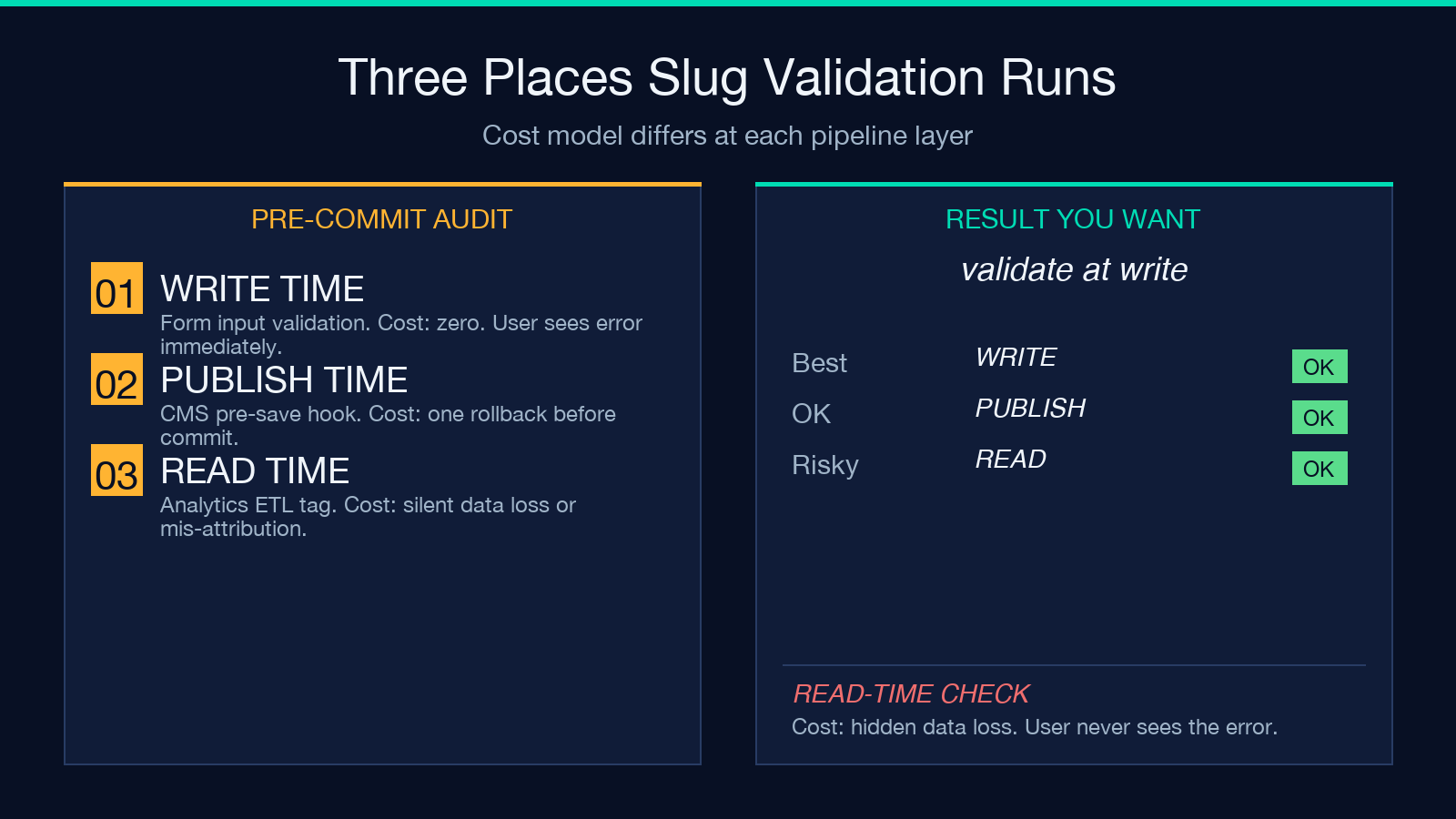
- At write time (the form input) — cost is zero; user sees the error immediately and corrects it
- At publish time (the CMS pre-save hook) — cost is one rollback if invalid
- At read time (the analytics tag normalization) — cost is silent data loss or mis-attributed events
The validator is designed for use case 1 — interactive, single-string validation with explicit toggle controls. For use cases 2 and 3, the rule set is small enough to inline into a server-side pre-save check or an analytics ETL job. The exact rules are documented in the official slug samples which enumerate the boundary cases that the toggles were designed to handle.
Edge Cases the Toggles Don’t Cover
Three classes of edge case show up often enough to be worth knowing, but rarely enough to deserve a toggle:
Empty string — always rejected. The validator returns an empty-input error before applying the rules.
Single character — a single letter or digit is a valid slug. The CMS will route it. Whether you want to allow that is a workflow choice the validator leaves to the caller.
Unicode letters — strictly speaking, modern Unicode-aware systems accept naïve and café as valid slug characters. The validator’s strict form rejects them because the three downstream layers (CDN edge, analytics tag, filesystem path) are still ASCII-only in practice. Toggle “Allow Underscores” off and rely on the strict form if you need to enforce ASCII.
Putting It Together
The slug format is one of the few web standards with a 30-year stability record and a rule set that fits on an index card. The hardest part isn’t memorizing the rules — it’s catching the failure modes at write time, before the slug reaches any pipeline that would silently break on it. The Slug Validator makes that one-line decision explicit, with three toggles that cover the three legitimate edge cases and a default rule set that matches every CMS published since 2010. Browse more slug, validation, and identifier-formatting tools at elysiatools.com.
