
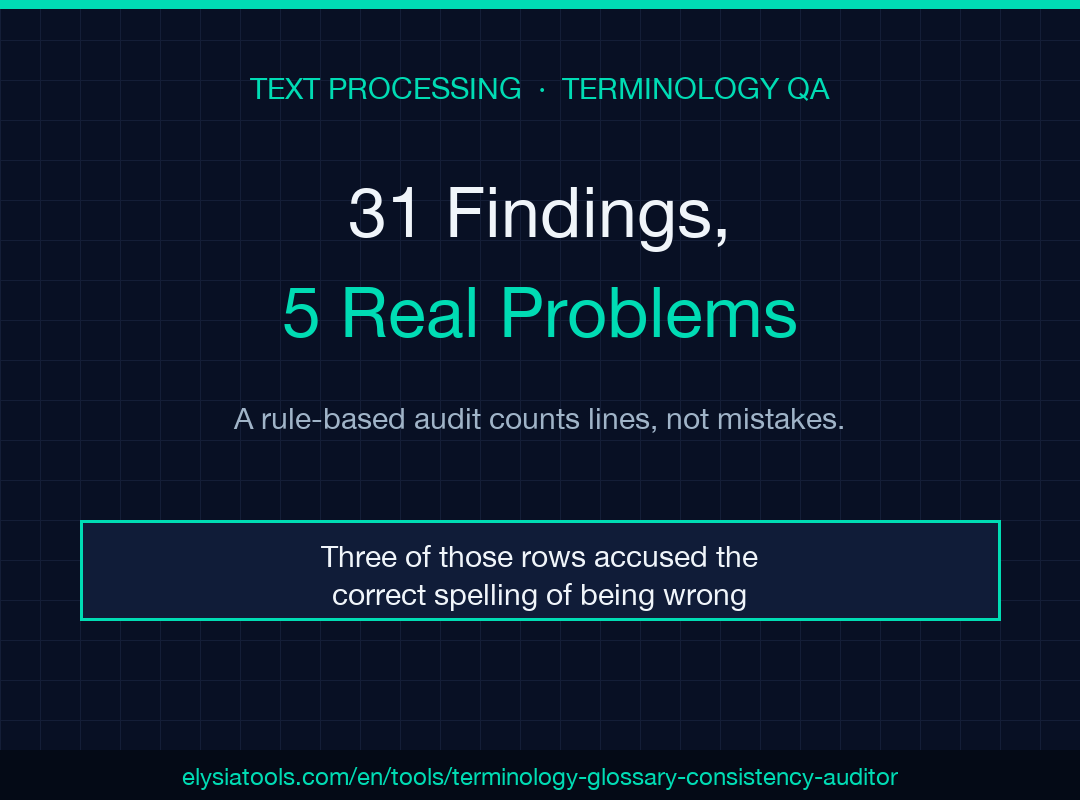
A rule-based terminology audit does not read your document. It walks your lines against a fixed list of rules, and the line count decides how loud the report is. I ran the Terminology & Glossary Consistency Auditor over twenty lines of developer documentation with a three-entry glossary and two forbidden words. It returned 31 findings. Five of them described something worth fixing. Three described a section heading written in capital letters. And three flagged the correct spelling of a term as a violation of itself.
That ratio is not a bug report. It is the price of a checker whose verdicts you can explain to the author who has to act on them.
I measured all of these numbers by porting the tool’s local engine to Python and running it on the same input, so the counts below come from the rule code, not from reading the summary chips.
The engine counts lines, not mistakes
The local pass is one loop over text.split('\n'). Each line runs through the forbidden-word list, the term pairs, the glossary variants, a case check, and an abbreviation pattern. Nothing in that loop carries state from the previous line.
The abbreviation branch shows what that costs. It creates a fresh dedupe set at the top of each line, so an acronym appearing in seventeen lines becomes a candidate seventeen times. My sample used SDK on seventeen lines and collected seventeen info rows, each with the same message, each pointing at the same missing first-use expansion.
The report is ordered by line number, with severity only used as an unstable tiebreak inside a line. So the single genuine error in my sample — a forbidden word on line 6 — sits between two info rows about an acronym, eleven rows deep in a list you have to read sequentially.
Thirty-one rows, five problems
Here is the full report on that twenty-line document, split by what each row is worth.
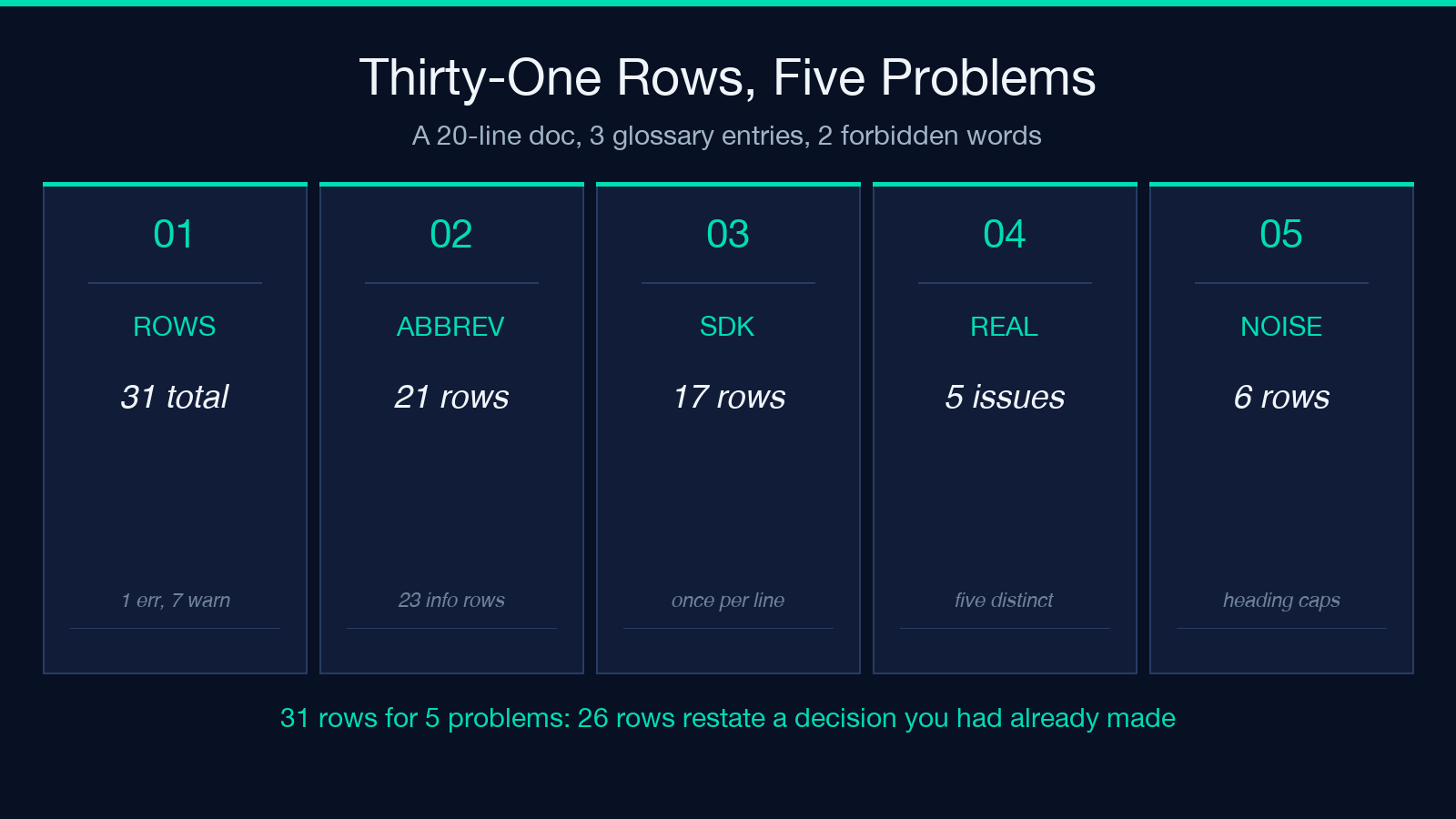
- 31 rows total — 1 error, 7 warnings, 23 info
- 21 abbreviation rows: SDK seventeen times, CI once, and READ, THIS, FIRST once each
- 6 glossary-variant rows, 2 case rows, 1 forbidden row, 1 term-pair row
- 25 rows point at five real problems: an unexpanded SDK, an unexpanded CI, “utilize”, a lowercase “kubernetes”, and “Github”
- 6 rows point at nothing: three capitalised heading words, and three rows accusing the correct spelling of being wrong
Five problems, thirty-one rows — and five rows would have been enough to state them. Twenty of the remaining rows repeat a token already reported on another line, and six point at nothing at all. That leaves 26 rows, 84 percent of the report, that cannot change a decision you had not already made by the fifth row. A report that loud is still usable; it is not a worklist. You have to build the worklist yourself. The auditor runs here if you want to check my arithmetic against your own draft.
Any all-caps word is a candidate acronym
The abbreviation pattern is \b([A-Z]{2,6})\b. That is not an acronym detector. It is a detector for any run of two to six capital letters sitting between non-word characters, which is exactly what a shouty section heading is made of.
My first line began READ THIS FIRST: and produced three findings before the body started: READ, THIS and FIRST. No amount of glossary work prevents that, because the heading is not in the glossary system at all — it is capital letters in the right shape.
Two more properties fall out of the same expression:
- The check stops at six characters. UNESCO fits inside the window; a seven-letter acronym is never examined, expanded or not.
- A hardcoded list opts out the acronyms you were most likely to write. The exempt set holds API, URL, PDF, HTML, ID, IT, OK, CPU, RAM, USA, UK and EU. I fed it four lines using API, URL, PDF and SKU; only JSON and SKU came back, and JSON had nothing to do with abbreviations.
The exemption list is defensible — nobody needs to be told to expand API. The problem is what its silence means. A missing row for API and a missing row for a properly expanded acronym look identical in the output, so absence never tells you that a check ran and passed.
One token, two rows
Rules overlap, and nothing collapses their results. “utilize” was in my forbidden list and also declared a variant of “use” in the term pairs, so one occurrence produced two rows on line 6: an error from the forbidden check and a warning from the pair check.
The glossary does the same thing to itself. A single lowercase github matched the variant “github”, matched the variant “Github” case-insensitively, and then failed the case comparison against the canonical “GitHub” — three rows for one wrong word.
What the fixed rules cannot see
The rules above are all mechanical, and mechanical is the whole point: re-run it and you get the same table. What it cannot do is compare a term to its grammatical surroundings, and the gap opens widest outside English.
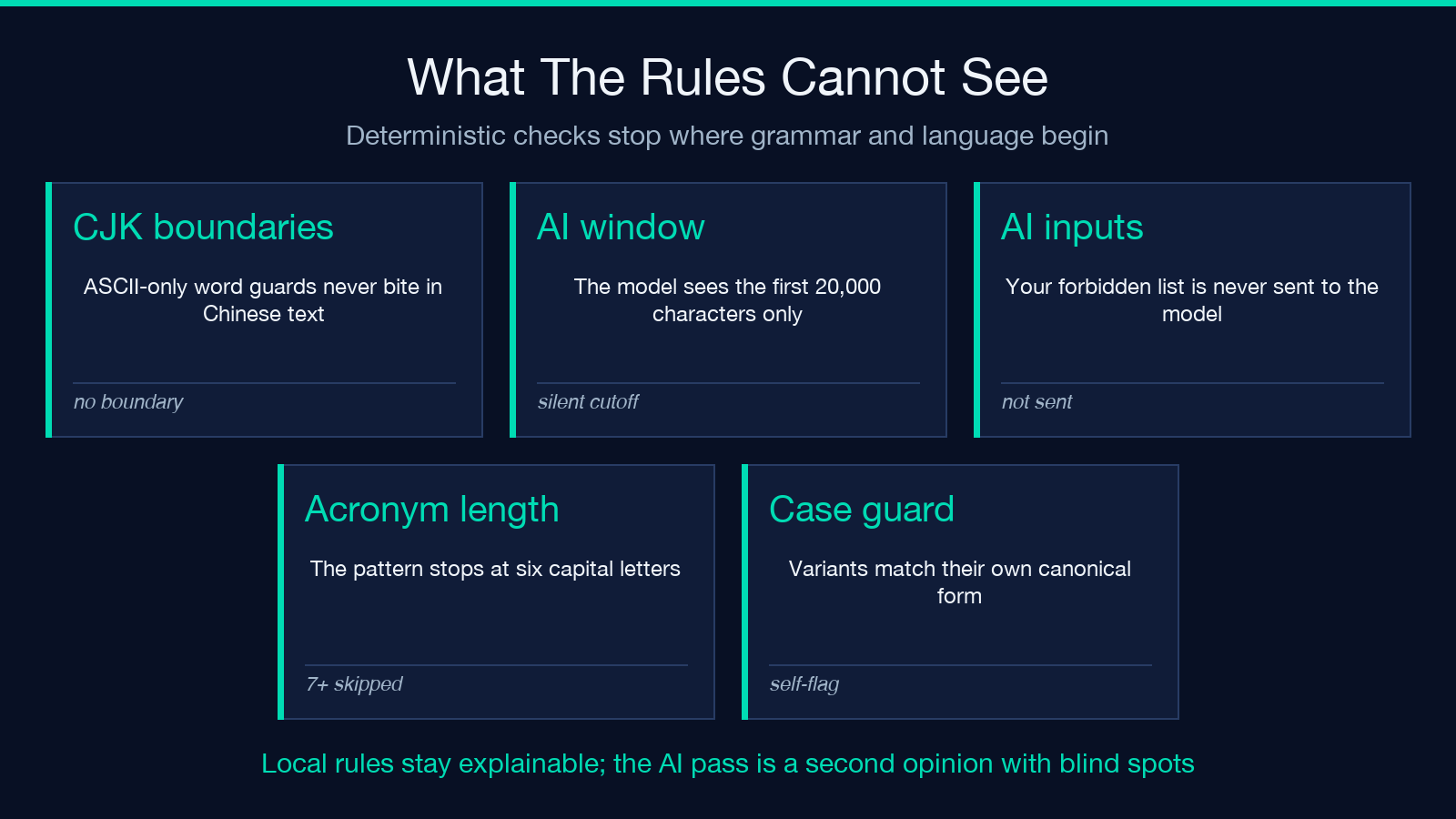
The boundary guards are (?<![\w]) and (?![\w]), and in JavaScript the \w class is ASCII-only. In a Chinese document those guards never bite, because no CJK character counts as a word character. My three-line test with a glossary entry 接口 = 接口层 flagged 接口层 as a non-standard term — the longer compound that contains the canonical term read as a violation of it.
Then there is the optional AI pass. Switching it on sends your text plus your canonical and preferred terms to deepseek/deepseek-v4-flash and asks for contextual misuse the rules cannot catch. Two limits are worth knowing before you enable it. The document is sliced with text.slice(0, 20000), so the local rules audit up to 200,000 characters while the AI audits the first 20,000 — a 30,000-character draft sends 67 percent of itself and the rest goes unexamined. And the model receives canonical and preferred terms only, never the forbidden list, so it is not checking the thing you explicitly configured as off-limits. When the call fails, the tool says so and returns local results.
A workable review order
The tool gives you a table sorted by line. Sorting it by severity and then deduplicating by token is what turns 31 rows into five decisions, and you can cut the list to five decisions in three passes without touching code.
- Read errors first. “utilize” is one word a reviewer will agree with on sight. There was exactly one error row in my sample.
- Collapse the info rows by token. Seventeen SDK rows are one decision: expand it once at first use, or add it to the exempt set mentally and move on. The message text is identical, so a spreadsheet pivot on the token does this in one step.
- Treat each warning as a question, not an instruction. Warnings are where the tool is most confident and least reliable, for the reason in the next section.
That order matters because the report’s own ordering actively works against it. Line order puts a real error between two rows about an acronym, and it puts three rows about a heading above all of it.
The trade-off you accept on purpose
Here is the finding I did not expect, and the one that argues for reading warnings carefully, not for trusting them.
My glossary line was GitHub = Github, github. The variant check compiles each variant into a case-insensitive pattern with the same boundary guards. So the variant “github” also matches the string “GitHub” — the canonical form the glossary is asking you to use. On the line containing the correct spelling, the table produced two identical warnings: Non-standard "GitHub" -> "GitHub". It told the author to change a word into itself.
The fix is a case guard that compares the match to the canonical string and skips it, exactly as the case check beside it already does. But the effect on a review is real: six of my 31 rows pointed at nothing, and three of those six accused correct text. An author who spots that pattern stops trusting the warning column, which is where the two real terminology problems were hiding — so a fix that removes the self-referential row buys back the whole column.
The parser compounds it quietly. Each glossary line splits on = or | and keeps only the first two parts, so Base URL = base url = endpoint root registers one canonical form with the single variant “base url” and drops “endpoint root” without a word. If you write an entry with a second =, the tool audits a rule you did not write.
What to re-check before you trust a row
Four checks catch the cases that made my sample noisy.
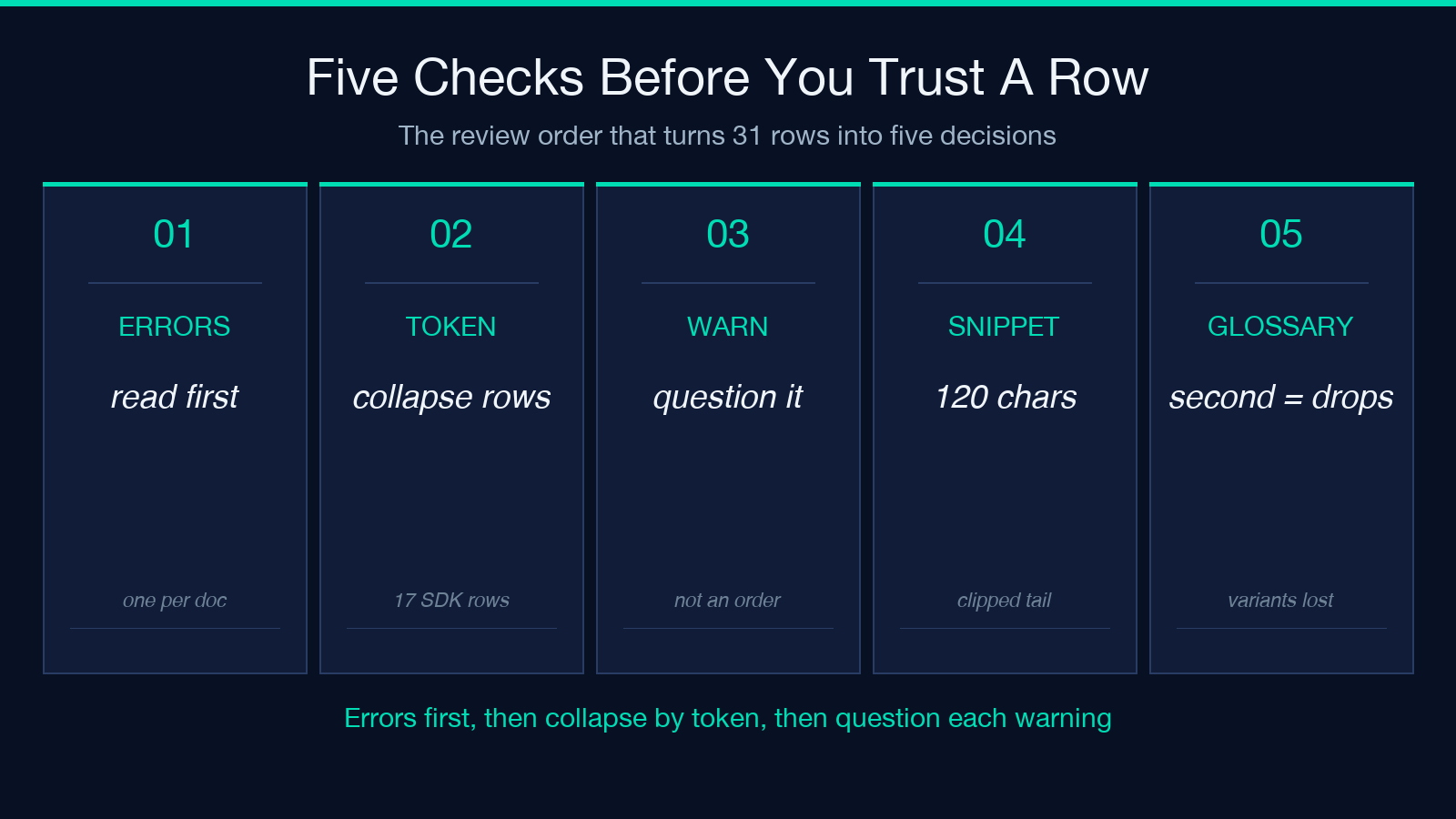
- Does the row’s suggestion change anything?
Non-standard "GitHub" -> "GitHub"is a self-cancelling instruction, and it is visible at a glance. - Is the flagged token the canonical form itself? When a variant differs from its canonical only by case, both directions fire.
- Is the offending word in the snippet? Snippets are the first 120 characters of the stripped line, so a match late in a long paragraph shows a row whose evidence is not on screen.
- Did you write the glossary line you meant? A second
=silently truncates the variant list.
None of this makes the tool a bad instrument. It makes it a deterministic one, and determinism is the property you cannot buy from a language model — the same input gives the same 31 rows at any hour of the night, which is what lets you put it in CI and diff two drafts. Browsing the rest of the text-processing tools makes the design choice obvious: these are checkers you run to obtain an audit trail, not reviewers you run to obtain an opinion.
I opened by saying a rule-based audit earns its place because each verdict can be explained to the author. I want to retract the implication that an auditable report is also a ranked one: the table lists where rules fired, in line order, at equal weight. So the point is not how many findings you got. Which four would you defend out loud in review?
本文有中文版:31 条发现,5 个真问题,外加一个全大写的标题
