
What every programming language quietly knows
There is no single “right” way to name a variable. Each language picked its convention for a reason: JavaScript’s camelCase makes compound words readable without taking your fingers off the shift row; Python’s snake_case is what you get when a 1990s C programmer wanted underscores to feel like spaces; SQL’s UPPER_CASE survives being shouted across a terminal; HTML and CSS chose kebab-case because hyphens are valid in URLs and CSS class selectors. The Advanced Case Converter on Elysia Tools doesn’t argue with any of them. It just translates — preserving numbers, auto-detecting source format, and turning getUserName into get_user_name, user-id, or UserName in one keystroke. The next time you move a project between languages, you won’t be hunting for ; sed -i 's/([A-Z])/_L1/g'. You’ll be clicking a button, and every digit, every acronym, every id2 that was hiding at the end of a name will land exactly where it should. That’s not a small thing. Naming is the most common task in programming, and getting it wrong is how parseHTMLString becomes parseHtmlString and your team argues for an hour.
The four case styles are actually a map of how code is read
Look at the four most common conventions and you’ll see four different reading conditions.
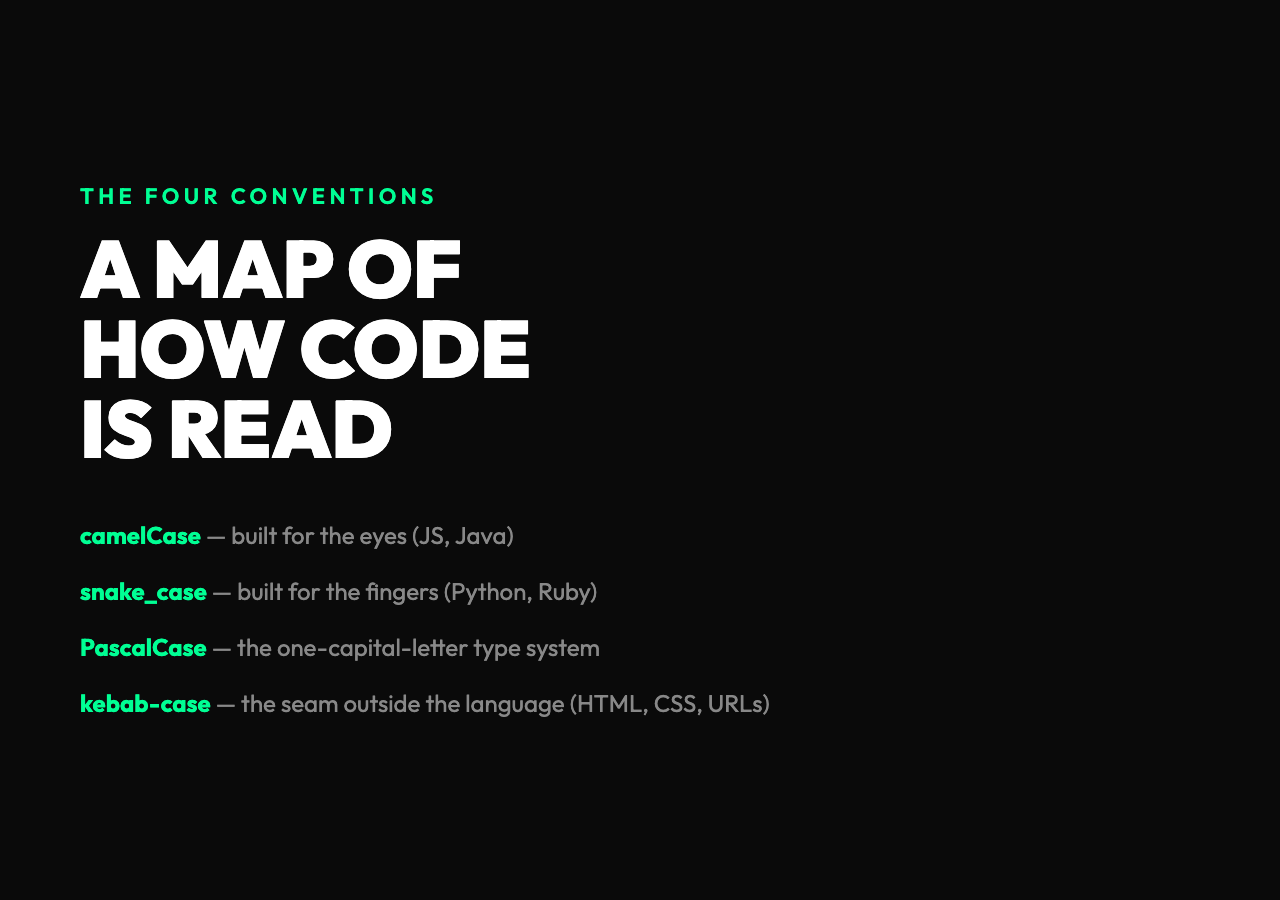
camelCase — getUserName — is built for the eyes. The capital letter is a word boundary you can spot in a single glance, which is why JavaScript and Java use it: those languages get read by humans far more than they get read by parsers. A 500-line React component is mostly objects and methods, all of them camelCase, and your eyes need to do that word-splitting constantly.
snake_case — get_user_name — is built for the fingers. Every word boundary is a real character (an underscore), so you can type fast without hitting Shift mid-word, and the convention is the default in Python, Ruby, and most data and DevOps tooling. Notice that snake_case is also the convention used in filenames in those ecosystems: load_data.py, parse_config.py. The variable name and the file name are the same shape, which is helpful when you’re searching for one of them with grep.
PascalCase — GetUserName — is camelCase with a capital first letter. That’s it. But that tiny shift turns it into the convention for types, classes, and React components. The capital-first letter is a kind of code: when you see UserService you know it’s a type, and when you see userService you know it’s a value. The convention is, in effect, a one-character type system.
kebab-case — get-user-name — is the only one of the four that is not allowed in most programming languages. Hyphens get parsed as minus signs. But kebab-case shows up everywhere strings cross the language boundary: HTML attributes, CSS class names, URL slugs, file names on case-sensitive filesystems, npm package names. So it lives in the seam — the world outside the language — where hyphens are the cheapest delimiter.
The fifth style is the one most people forget
UPPER_CASE_SNAKE — MAX_RETRY_COUNT — is snake_case with a promise: this identifier is a constant. It’s not a syntactic rule in most languages, but it is a hard social contract. In C, in Python, in Rust, in Go, you write constants in screaming snake and the compiler doesn’t help you, and that’s the point. The convention is doing the work that const or final would otherwise have to do in the type system.
There’s a less-famous sixth style that hides in URL paths: dot.case, where every word is a lowercase segment separated by a period. Configuration paths and Java package names use it (com.example.userservice). It’s rare in source code and common in tooling.
And there’s a seventh: Title Case, the one with spaces and a capital first letter for each word. You see it in human-facing strings, article titles, and dataset labels — the convention is “this is text meant to be read, not parsed.”
The Advanced Case Converter handles all of them — the four you’ll use every day, plus UPPER_CASE, lower_case, Title Case, and a dot.case mode for tooling paths.
What “auto-detect” actually does, and why it matters
The hardest part of a case conversion is not the output. It’s the input.
If you hand the converter getUserName, it has to figure out: is that camelCase or snake_case with a missing separator? The auto-detect step scans the string looking for a capital letter that follows a lowercase letter — that’s the camelCase word boundary. If it finds one, the input is camelCase or PascalCase, and the converter splits on the boundary. If it doesn’t, the input is snake_case or kebab-case, and the converter splits on the underscore or hyphen.
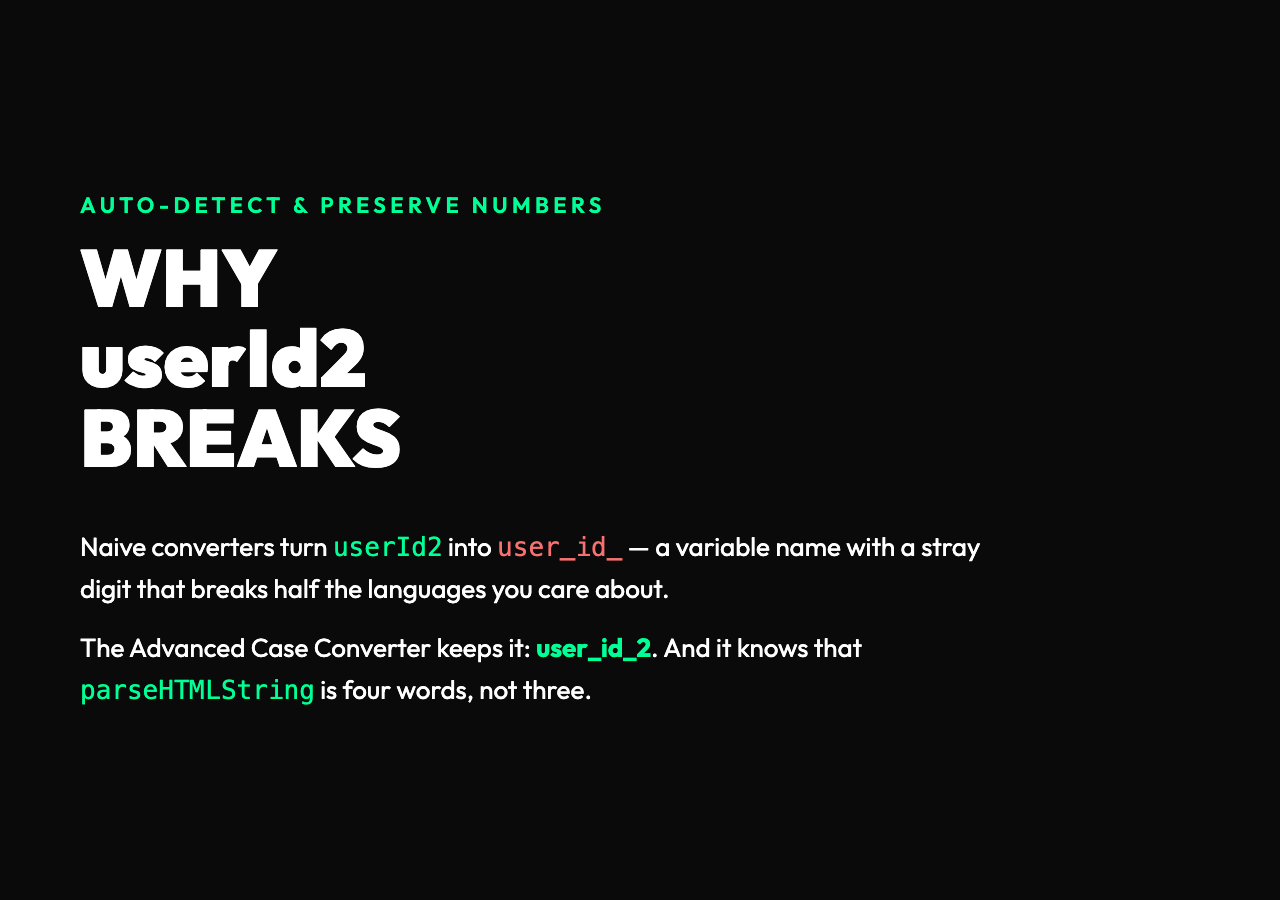
A subtle gotcha: parseHTMLString looks like three words, but it’s actually four (parse, H, T, M, L, String — or parse, HTML, String, depending on how the source author was thinking). Naive converters will turn it into parse_h_t_m_l_string or parse_html_string, both wrong. The good ones know that HTML is an acronym and that the rule is: a capital letter after a lowercase letter is a word boundary, but a capital letter followed by another capital and then a lowercase is part of an acronym. That’s why the tool has a “preserve numbers” option, and why you should leave it on: userId2 should convert to user_id_2, not user_id_ followed by a stray digit.
A real refactor, end to end
Suppose you’re porting a JavaScript module to Python. The original has getUserName, parseHTMLString, fetchOrderDetails, userId2.
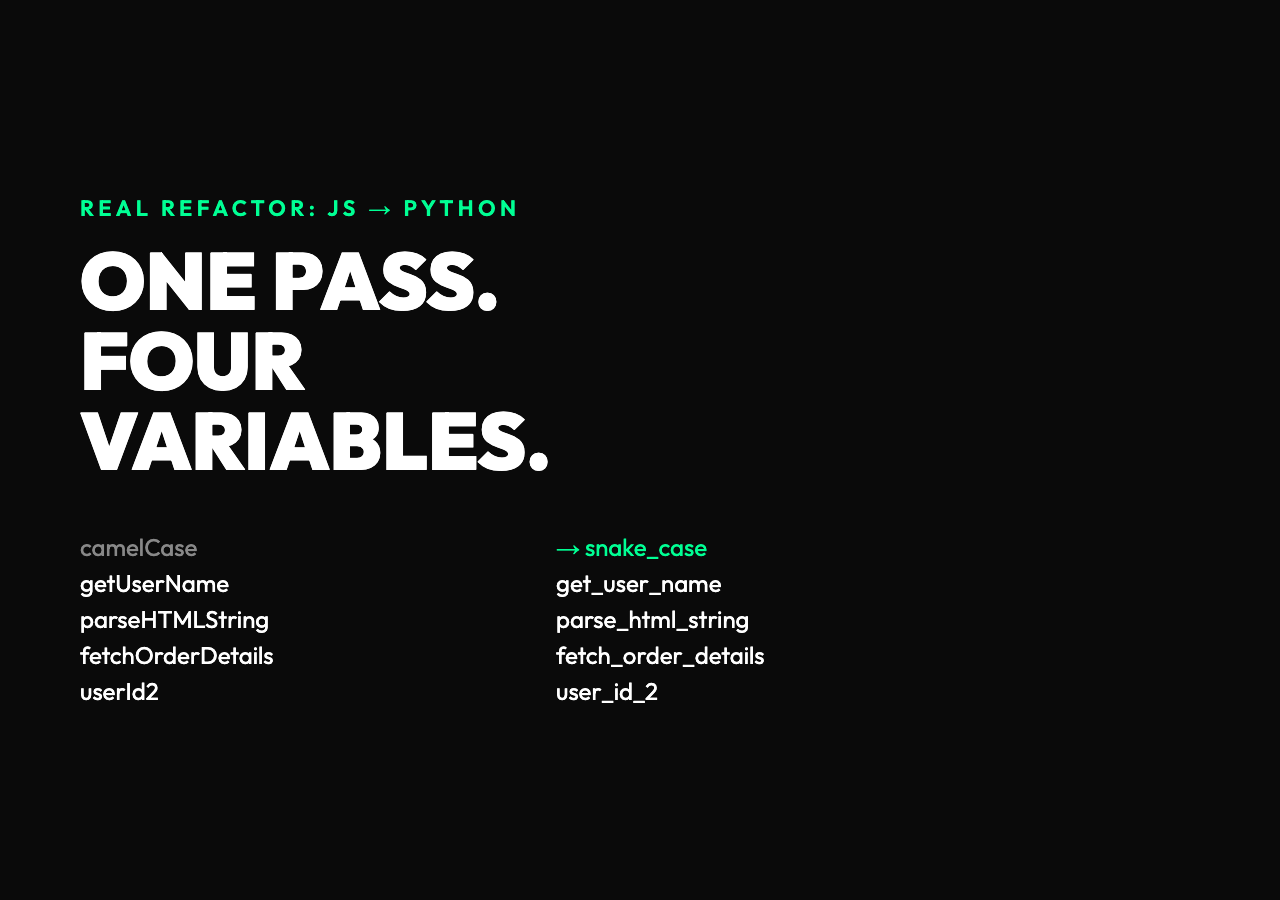
With one pass through the converter:
| Original (camelCase) | Output (snake_case) |
|---|---|
getUserName | get_user_name |
parseHTMLString | parse_html_string |
fetchOrderDetails | fetch_order_details |
userId2 | user_id_2 |
Every acronym kept its shape, the trailing 2 stayed on user_id, and you didn’t have to touch a regex. The same source, run through with kebab-case as the target, becomes get-user-name and parse-html-string — ready to drop into a CSS class name, a URL slug, or an HTML data attribute.
The reverse direction works the same way. If you’re pulling a Python config file into a TypeScript frontend and the keys are max_retry_count, request_timeout_ms, and enable_debug_logging, one pass gives you maxRetryCount, requestTimeoutMs, and enableDebugLogging — the acronyms survive (Ms, not MS), the underscores vanish, and the leading lowercase first letter tells every TypeScript reader “this is a value, not a type.”
Where the convention itself breaks
The cleanest naming convention is the one you use the least. A camelCase variable in a TypeScript file is fine; a camelCase JSON key crossing an HTTP boundary is a maintenance debt. A kebab-case URL slug is fine; a kebab-case variable in JavaScript is a syntax error. The mistake teams make is treating a case style as a style choice — a flavor — instead of as a contract with the next layer of the system.
The good news: the Advanced Case Converter is opinion-free. It will happily produce kebab-case for a CSS class and UPPER_CASE for a constant in the same session, and it won’t complain that you mixed them. The only opinion it has is the one that should be on your team: the convention changes at the boundary, not in the middle of a file. Inside a Python module, snake_case everywhere. Inside a React component, camelCase for values and PascalCase for types. At the edge — the API response, the config file, the URL — convert once, deliberately, and document it.
Multi-line and the preserve-numbers toggle
Two final details that save you an hour.
Multi-line input. Paste in a hundred lines of variable declarations and the converter handles them in one pass, line by line. There’s no need to split, convert, and rejoin — the tool keeps the line breaks.
The preserve-numbers checkbox. Off by default in some converters, on by default in the Elysia Tools version. userId2 → user_id_2 keeps the digit attached. userId2 → user_id_ drops the 2, and your variable name is suddenly invalid in half the languages you care about. The toggle is the difference between a working refactor and a broken one.
That’s the whole job. A small tool, four main conventions, a fifth you didn’t realize you needed, and a checkbox that prevents 80% of the bugs that show up in cross-language refactors. The next time you’re staring at a parseHTMLString that needs to be parse_html_string, the answer is a single keystroke at Elysia Tools — and a moment to think about why the convention was different in the first place.
Explore more text tools at elysiatools.com.



I like the point that naming conventions are really optimized for different reading environments rather than being objectively better or worse. One challenge I’ve run into when moving code between languages is handling acronyms and mixed identifiers (like APIResponseID), since different teams interpret word boundaries differently. That makes reliable case conversion more important than it first appears.