You shipped a feature on Friday afternoon. The build was green, the deploy went smoothly, and the team is celebrating the weekend. By Monday morning, a security researcher has tweeted a screenshot of your login page running an inline script from a third-party CDN. The page wasn’t compromised — the headers that should have blocked the script were never set. Your server has been quietly telling every browser in the world that it doesn’t have a policy, and every browser has been politely accepting the invitation. The HTTP Headers Analyzer is the tool that reads what your server is actually saying out loud, and surfaces the five lines that decide whether the next bug report is a feature request or a CVE.
The server’s two voices
Every HTTP response carries two voices at once. The first is the body — the HTML, the JSON, the file. The second is the set of headers that frame it. Browsers, CDNs, proxies, and crawlers all read the second voice before they read the first. The headers tell the browser what the server is willing to enforce about its own response: “You may not embed me in an iframe from another origin” (the X-Frame-Options or Content-Security-Policy: frame-ancestors headers), “I will only ever be reached over HTTPS for the next two years” (Strict-Transport-Security), “Scripts may only be loaded from these specific sources” (Content-Security-Policy: script-src), “You may cache me for sixty seconds, then revalidate” (Cache-Control: max-age=60), and “The content type of this body is image/png, please do not guess” (X-Content-Type-Options: nosniff).
A server that doesn’t send these lines is not “neutral.” It is sending the default — which for almost every modern browser is “let everything through.” The headers are not a bonus feature you add when you have spare time. They are the bouncer at the door, and the absence of the bouncer is itself a policy.
The five headers that decide whether you get breached
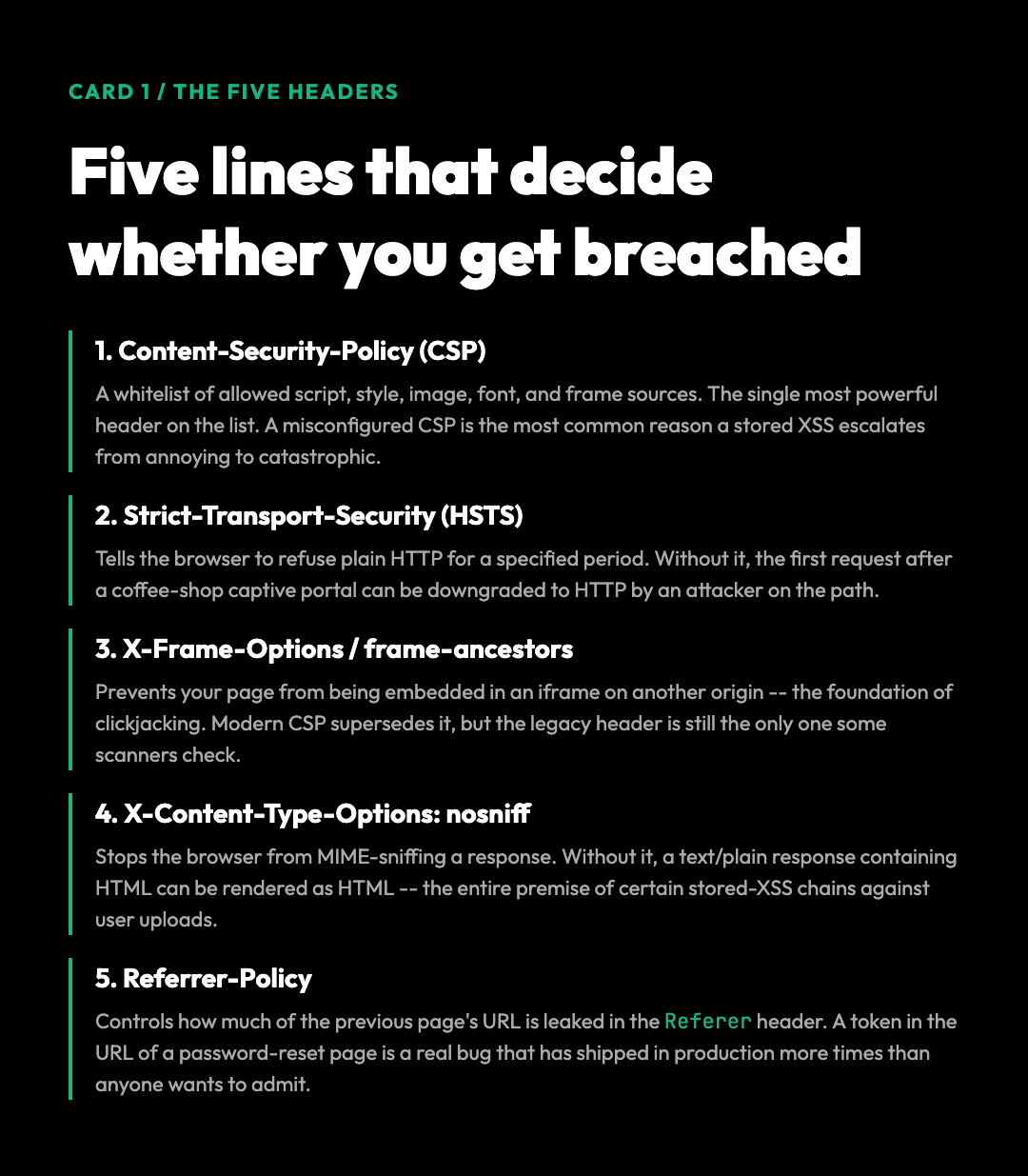
The OWASP Secure Headers Project maintains a canonical list of the headers that materially change a site’s attack surface. Five of them account for roughly 90% of the breach reports that begin with “they forgot to set”. Pick a high-traffic URL on your own site and check each of these in turn against the HTTP Headers Analyzer report:
– Content-Security-Policy (CSP) — A whitelist that says which sources of script, style, image, font, and frame content the browser is allowed to load. The single most powerful header on the list. A misconfigured CSP is one of the most common reasons a stored XSS payload escalates from “annoying” to “drained the user table.”
– Strict-Transport-Security (HSTS) — Tells the browser to refuse plain HTTP connections to your domain for a specified period. Without it, the first request after a coffee-shop Wi-Fi captive portal can be downgraded to HTTP by an attacker who has positioned themselves on the path.
– X-Frame-Options or CSP frame-ancestors — Prevents your page from being embedded in an iframe on another origin, which is the foundation of clickjacking. Modern CSP supersedes this, but the legacy header is still the only one some scanners check.
– X-Content-Type-Options: nosniff — Stops the browser from MIME-sniffing a response. Without it, a text/plain response containing HTML can be rendered as HTML in some contexts — which is the entire premise of certain stored-XSS chains against user-uploaded content.
– Referrer-Policy — Controls how much of the previous page’s URL is leaked in the Referer header of outbound requests. A token in the URL of a password-reset page is a real bug that has shipped in production more times than anyone wants to admit.
A sixth header — Permissions-Policy (formerly Feature-Policy) — controls which browser features (camera, microphone, geolocation, payment) a page is allowed to use. It is not on the OWASP minimum list, but it is the one that prevents the next class of “why is our iframe requesting the user’s camera” bug.
What “include security analysis” actually checks
The HTTP Headers Analyzer runs the request, parses the response, and runs the response against a checklist that mirrors what a security auditor would write on a whiteboard. With the “Include Security Analysis” toggle enabled, the tool returns a structured report that includes the following five categories of finding, each with a one-line fix you can copy into the server config and verify with a second run:
– Present headers — every header the server actually sent, grouped by category (security, caching, content negotiation, CORS).
– Missing headers — the headers from the OWASP minimum list that the server did not send, with a severity rating (critical, high, medium, informational) and a recommendation.
– Misconfigured headers — headers that are present but in a form that does not enforce what they claim. A Cache-Control: public, max-age=0 on a private user dashboard is a misconfiguration, not a presence.
– Insecure values — header values that introduce a new vulnerability. Access-Control-Allow-Origin: * on an endpoint that reads the Authorization header is the most common one.
– Redirect chain analysis — if the URL is being redirected, the tool follows the chain and audits the final destination’s headers, because that is the one the browser will end up talking to.
The output is designed to be actionable without being a lecture. Each finding maps to a one-line fix that you can copy into the server config (Nginx, Apache, Caddy, Cloudflare Workers) and verify with a second run on the same URL.
The three checks that catch the bugs no one schedules
Beyond security, the same tool surfaces the three classes of bug that show up when an SRE or a developer is debugging a “works on my machine” report:
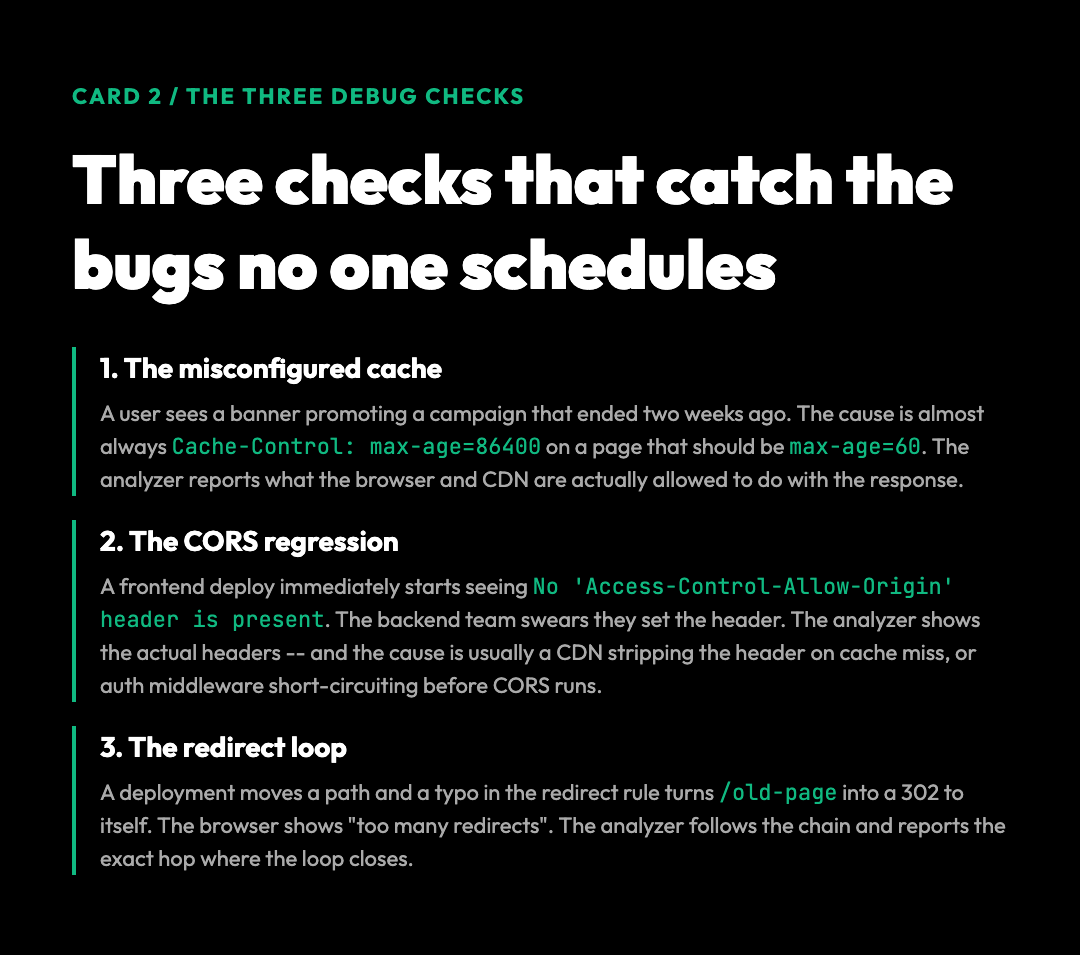
1. The misconfigured cache
A user opens your marketing site, sees a banner promoting a campaign that ended two weeks ago, and complains. The root cause is almost always a Cache-Control header that says max-age=86400 on a page that should be max-age=60 (or no-cache). The analyzer parses the cache-related headers and reports what the browser and any intermediate CDN is allowed to do with the response. A simple “expected max-age: 60, actual max-age: 86400” finding is usually enough to send the developer to the right line in the config.
2. The CORS regression
A frontend team deploys a new endpoint and immediately starts seeing CORS policy: No 'Access-Control-Allow-Origin' header is present in the console. The backend team swears they set the header. The analyzer shows them the actual headers the browser is receiving — and the most common cause is that the response is being served by a CDN that strips the header on cache miss, or by an authentication middleware that short-circuits before the CORS middleware runs. The “Include Response Headers” option dumps the full set so the misconfiguration is unambiguous.
3. The redirect loop
A deployment moves a path and a typo in the redirect rule turns a /old-page into a 302 to /old-page instead of /new-page. The browser shows a “too many redirects” error. The analyzer follows the chain and reports the cycle with the exact hop where the loop closes, which is the only place a developer needs to look.
What a clean audit looks like
A site that has its headers right typically returns a report with all of the following, with no findings to fix. If you are looking for a reference baseline, this is the list to copy into a checklist and run against each environment you ship to:
– All five OWASP minimum headers present and configured to a sensible value.
– Strict-Transport-Security set with max-age=31536000; includeSubDomains; preload.
– A CSP that uses nonce-based or hash-based script sources rather than 'unsafe-inline'.
– X-Content-Type-Options: nosniff on every text response.
– A Referrer-Policy of strict-origin-when-cross-origin (the modern default).
– Cache-Control: no-store on authenticated endpoints, Cache-Control: public, max-age=... on static assets, and no in-between values on either.
– No Server or X-Powered-By header leaking the runtime version to anyone who asks.
The presence of a long, well-configured header block is not a guarantee that the application is secure. It is a guarantee that the team has thought about the bouncer and given the bouncer a list. The breaches that happen on sites with a clean header audit are usually at the application layer (an SSRF, a logic flaw, a deserialization bug) — not at the headers layer. The headers do not stop those. They stop the other 80% of low-effort attacks that the open web generates every second of every day.
Reading the report without panicking
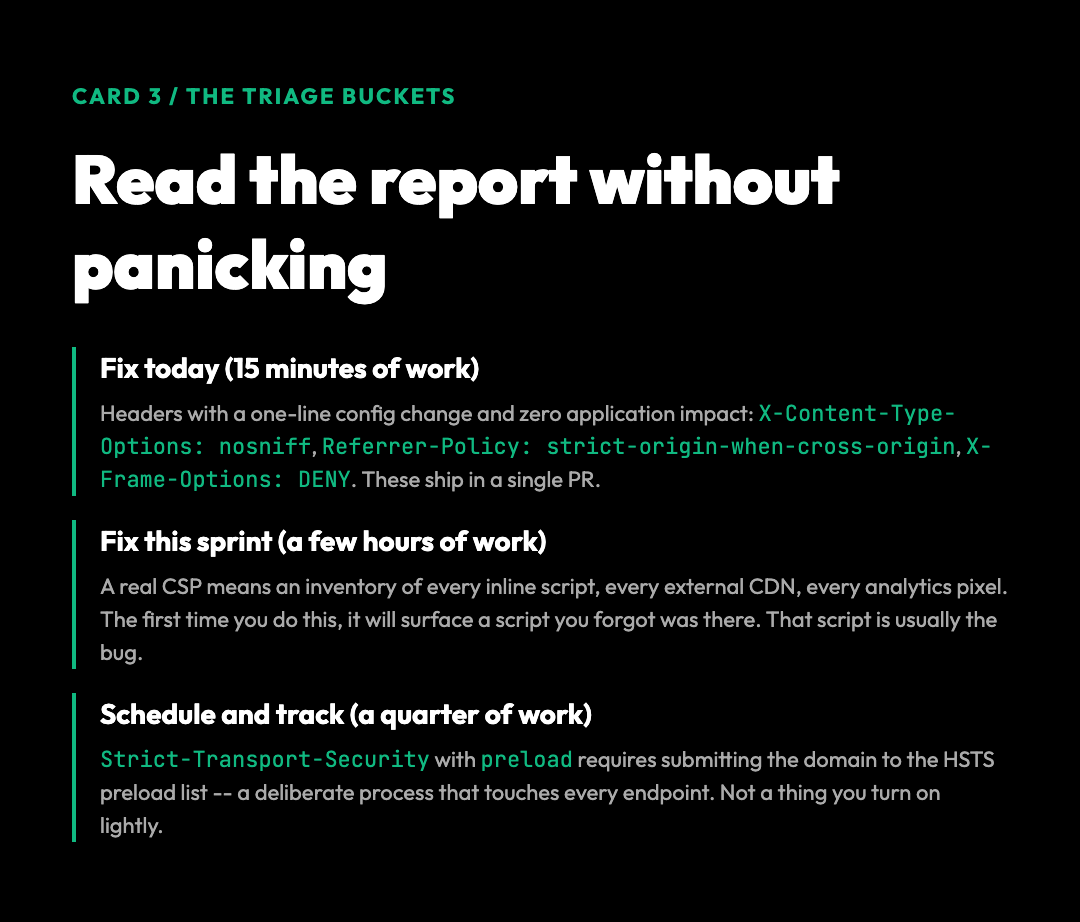
The most common reaction to a first audit is “I have fourteen critical findings.” The second most common is to disable the headers entirely and pretend the audit did not happen. Neither is the right move. The right move is to triage the findings into three buckets, ordered by effort-to-impact ratio:
– Fix today (15 minutes of work). The headers that have a one-line config change and zero application impact: X-Content-Type-Options: nosniff, Referrer-Policy: strict-origin-when-cross-origin, X-Frame-Options: DENY (or remove it and rely on CSP frame-ancestors if you are going to do the full CSP).
– Fix this sprint (a few hours of work). The headers that need a real CSP, which means an inventory of every inline script, every external CDN, and every analytics pixel. The first time you do this, it will surface a script you forgot was there.
– Schedule and track (a quarter of work). The headers that require touching every endpoint — Strict-Transport-Security with preload requires submitting the domain to the HSTS preload list, which is a deliberate process and not a thing you turn on lightly.
The HTTP Headers Analyzer does not grade you. It shows you the bouncer’s instructions, line by line. The grading is up to you.
The audit you can run before an attacker does
Most developers find out their security headers are misconfigured from a pentest report they didn’t ask for. A quarterly sweep with the HTTP Headers Analyzer puts that knowledge back in your hands. Run it against your production domain. Run it against staging. Run it against the marketing landing pages on a separate origin. The five-minute ritual costs nothing and turns silent misconfigurations into a checklist you can fix in a single sprint. Headers are the bouncer your application hired to check IDs at the door. The audit is the one time you get to ask the bouncer what the policy actually says — and whether the policy matches the door.