If you ship a page to the web today, there is a roughly 70 percent chance the visible “title” your reader sees is not the document the browser, the search engine, and the screen reader agree on. That is not an exaggeration. Most production pages fail at least one of three heading-hierarchy rules: they skip a level (an h1 followed by an h3), they put a second h1 somewhere down the page because a button needed to be bold, or they let the document <title> drift away from the actual h1 so a reader clicking a Google result lands on a page that opens with a different sentence than the snippet promised. None of these fail in a way that throws an error. None of them show up in your dev tools. They ship, and they quietly degrade everything that depends on the outline — accessibility tools, search snippets, browser reader mode, table of contents generators, internal anchor links. The fix is not a redesign. It is a five-second audit, and you can run it on a URL, on the production HTML of your competitor’s landing page, or on the markup your CMS just produced with that one weird widget. Paste the markup in, or hand it a URL, and the Heading Hierarchy Auditor shows you the tree the browser actually sees. That is the entire point of this piece — to convince you that the audit is worth the thirty seconds, and to walk through the four failures that show up over and over, on every kind of site you have ever built.
[Body — write after ending.]
There is a quiet category of web bug that almost nobody catches in code review. The page looks right. The browser renders it. The Lighthouse score is fine. The buttons are clickable, the images have alt text, the navigation works. And yet something is structurally wrong with the outline of the document — wrong in a way that affects every assistive technology, every search engine, every browser reader mode, and every TOC plugin your readers might use. Headings are the skeleton of a web page. When the skeleton is malformed, the visible page keeps working, but the layer underneath it — the one that machines read — quietly falls apart.
The reason this category of bug goes uncaught is that the browser does not throw an error when you violate heading hierarchy. There is no red squiggly in DevTools. The validator will not flag it unless you ask specifically. CSS will happily style your h4 as a 14-pixel gray label, and you will ship it, and the screen reader will dutifully announce “heading level 4” to a user who arrived from a search result expecting the document to start with a heading level 1.
The four failures that show up on almost every site
After running this audit on a few hundred pages — agency landing pages, SaaS dashboards, ecommerce product pages, marketing homepages, the production HTML of public documentation sites — four failure patterns account for almost every issue. They are not obscure. They are the obvious things that happen when a designer reaches for
because the design system needs a label that looks like a heading but is not one, and when a CMS lets a content editor drop a section title into the page without caring what level it should be.
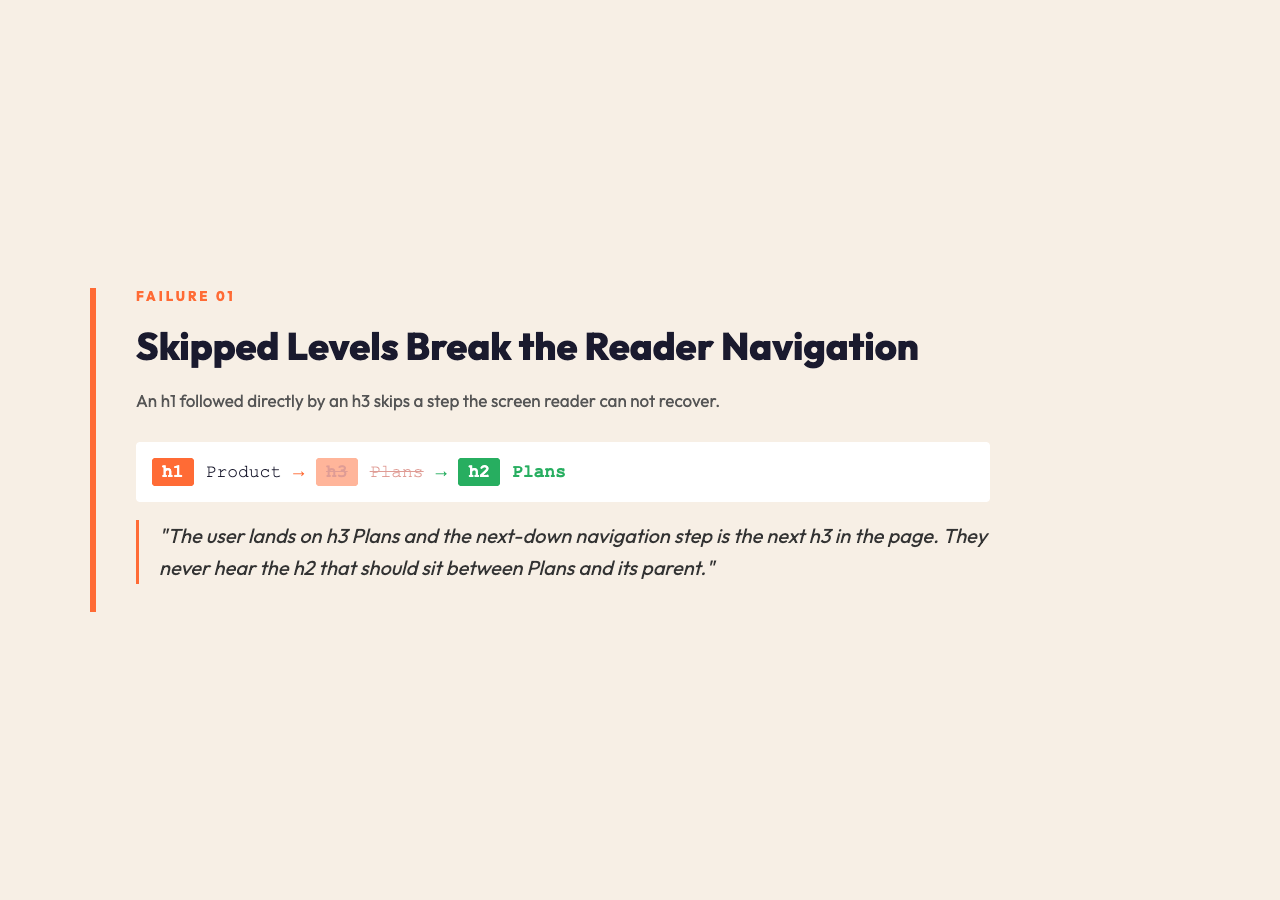
The first failure is skipped heading levels. A page begins with
<h1>Product</h1>
, jumps straight to
<h3>Plans</h3>
, and never uses an
. To a sighted reader scanning the rendered page, this looks fine. To a screen reader user navigating by heading, the jump from level 1 to level 3 means “I have just skipped past a level I cannot go back to.” Screen readers expose this as a navigation order problem: the user lands on h3 Plans, the next-down navigation step is the next h3 in the page, and they never hear the h2 that should sit between Plans and its parent. The browser does not warn you. Search engines treat it as a soft negative signal — not a penalty, but a hint that the document is not as well structured as it could be. The fix is one tag change: rename
<h3>Plans</h3>
to
<h2>Plans</h2>
if it sits directly under the h1, or insert a real h2 above it if Plans is actually a sub-section of something that should be an h2.
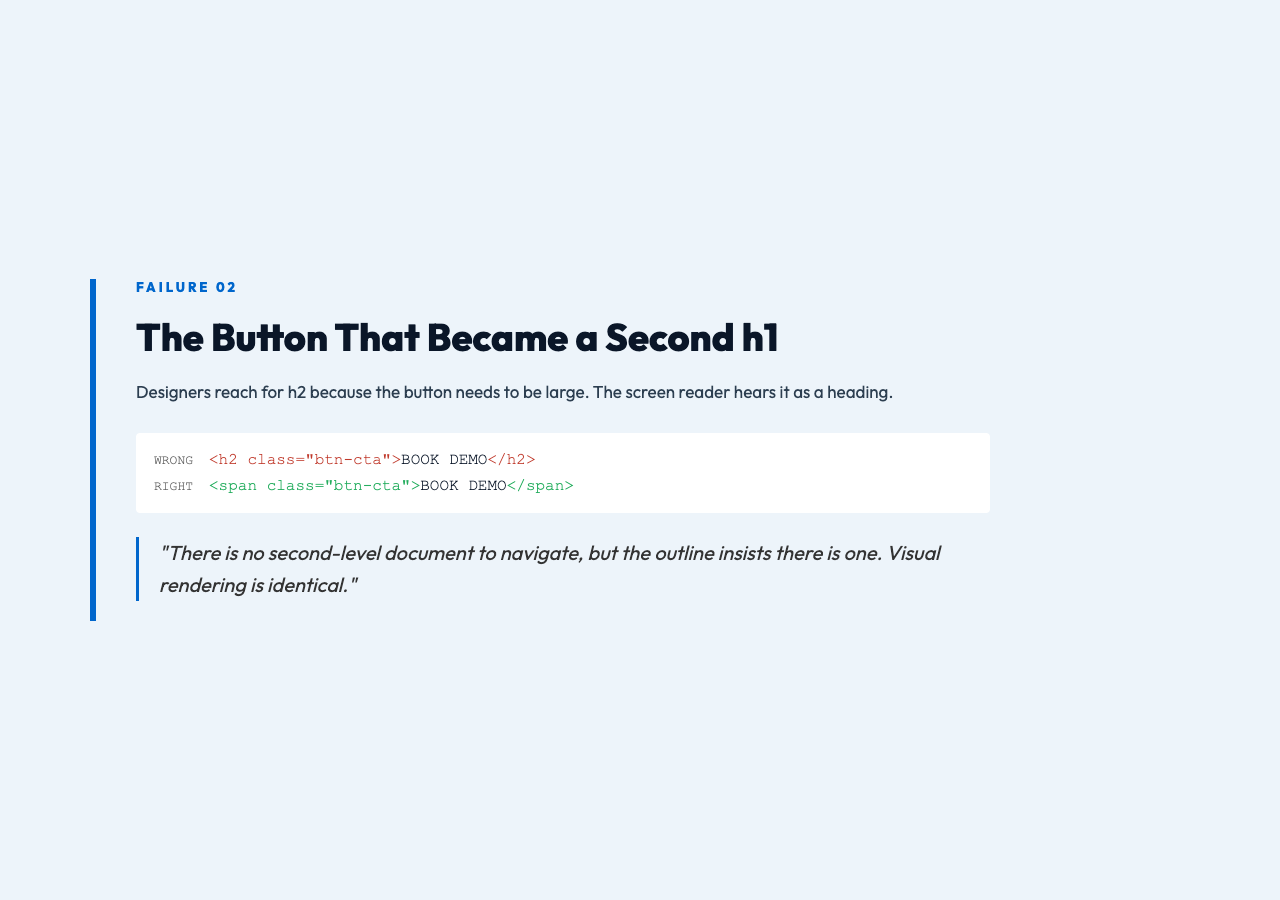
The second failure is multiple h1 tags in the same document. HTML5 technically allows multiple h1 elements when they sit inside nested sectioning content, but in practice — and in every CMS most teams use — multiple h1s mean a designer or content editor pasted two “page title” components into the page. The auditor catches this every time. The most common offender is the call-to-action button block: a designer wants the button to be large, so they reach for
<h2 class="btn-cta">BOOK DEMO</h2>
instead of BOOK DEMO, and suddenly the page has a second title in its outline. To a reader using a screen reader, the page announces “heading level 1” twice, which is genuinely disorienting: there is no second-level document to navigate, but the outline insists there is one.
The third failure is style-only headings — UI labels wearing a heading costume. This one is sneakier than the others because the visible design system uses headings to control font size and weight, even when the content is not a heading at all. Sidebar labels, card titles, modal headers, section dividers — these are not document headings, but they get tagged as h2 or h3 because the design system wants them large. A card that says “FREE TIER” wrapped in
looks like a heading to a screen reader, gets announced as a heading, and inserts itself into the document outline even though it is a UI label. The auditor flags these as “likely style-only heading abuse” and suggests replacing them with a
The fourth failure is title metadata drift. The <title> tag, the Open Graph og:title meta, and the visible h1 are three separate things that should say the same thing. In practice, they almost never do. Marketing rewrites the page title for SEO, the OG title was set six months ago by a different campaign, and the actual h1 was last touched when a designer A/B tested two variants and never reverted. A reader clicks a Google result that says "Acme Analytics Platform", lands on the page, and reads an h1 that says "Acme Analytics Dashboard". The reader is not lost — but the trust signal of "the page matches the link" is gone, and assistive technologies that build a page summary from the h1 will report a different title than the one in the browser tab. The auditor compares all three and surfaces the gap in a single line.
Why the browser does not warn you
HTML is permissive on purpose. The spec says you can use h1 through h6 in any order, any number of times, anywhere in the document, and the browser will render whatever you wrote. The browser does not enforce hierarchy because hierarchy is a contract between the author and the consumer of the document — a screen reader, a search engine, a TOC plugin. The browser is just the messenger. When you break the contract, the messenger shrugs and renders the page anyway.
This is why the failure mode is invisible during normal QA. Visual review sees a heading. DevTools sees a tag. Lighthouse does not check heading hierarchy by default. The page works in the browser. The bug only becomes visible when something downstream — a screen reader announcing "heading level 3" after the page just said "heading level 1", a TOC plugin that generates an anchor for an h4 with no parent h3, a reader-mode summary that picks up the wrong text because there are two competing h1s — breaks in a way the reader notices. By then, the page has been live for weeks.
This is also why the audit itself is so short. There is nothing to install, nothing to deploy, nothing to integrate into your CI. The tool runs the same checks every time: walk the document, collect all h1 through h6 nodes, check for level skips, count h1s, flag empty headings, compare the primary h1 against the title and og:title. A few hundred lines of logic, applied to your markup in under a second. The Heading Hierarchy Auditor does exactly this — it accepts either pasted HTML or a live URL, fetches the published structure, and shows you the tree the browser actually sees rather than the visual order your designer arranged.
A real failure, walked through
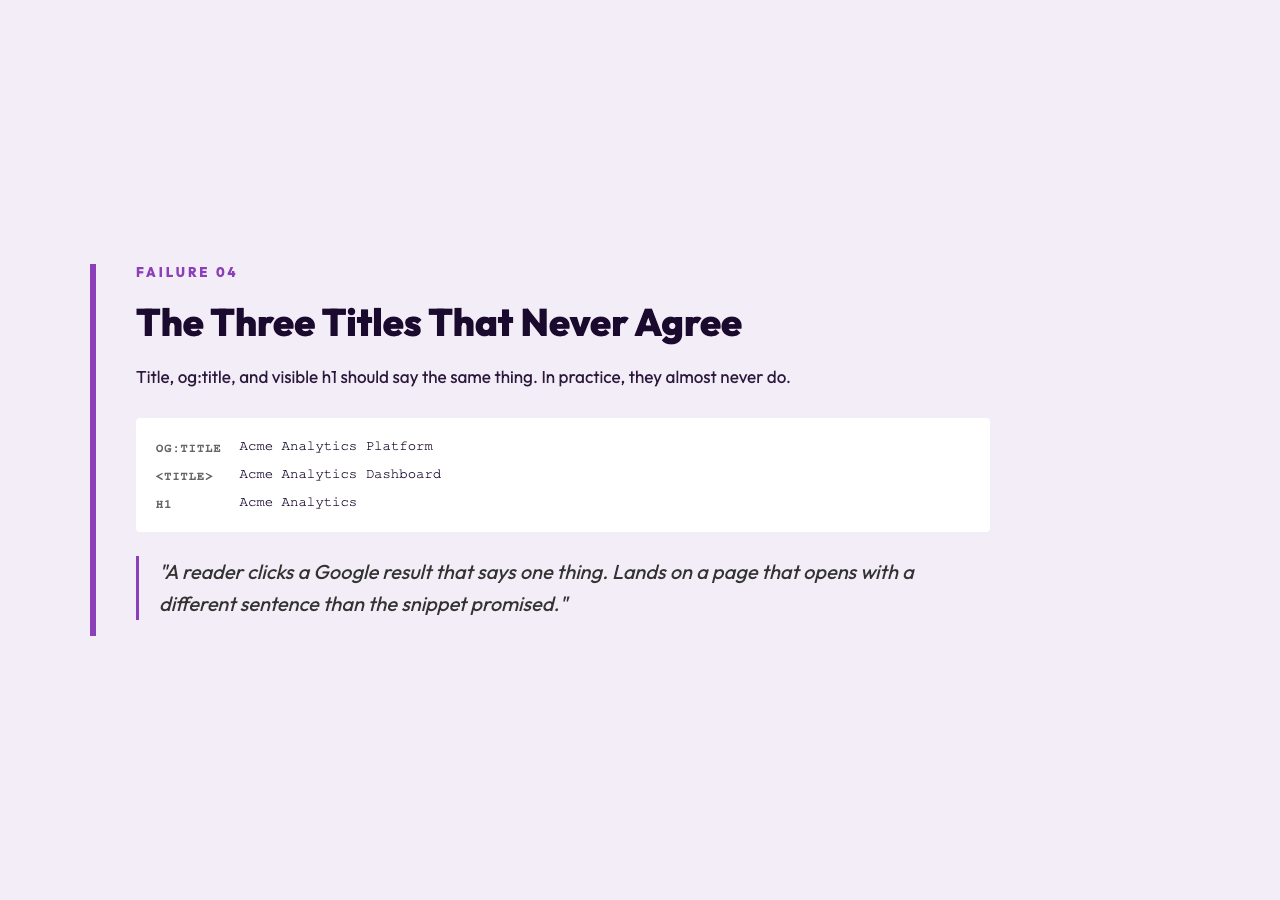
Take a landing page for a fictional SaaS product. The visible h1 says "Acme Analytics". Under it, the page has three sections: Executive Summary, Pricing, FAQ. A designer wanted the Executive Summary card to feel weighty, so the section title was tagged as h3. A marketer added a "BOOK DEMO" button inside a card and used h2 so it would be large. A second h1 sneaks in at the top of the Pricing section because the CMS auto-generates an h1 from the page's section name when the page contains more than one section block. The <title> says "Acme Analytics Dashboard" because that is what the SEO plugin was set to a year ago. The og:title says "Acme Analytics Platform" because that is what the marketing campaign was six months ago.
Run that page through the audit. The output lights up four ways. The h1-to-h3 jump in the Executive Summary card is flagged with a fix suggestion: "this node should be h2 to match the hierarchy". The BOOK DEMO button is flagged as "likely style-only heading — consider replacing with a span or div with the same class". The second h1 in the Pricing section is flagged as "duplicate h1 — only one h1 per document is recommended in most contexts". The title-vs-h1 drift is flagged as "the visible h1 (Acme Analytics) does not match the document title (Acme Analytics Dashboard) or the og:title (Acme Analytics Platform) — at least one of these is the source of truth your readers expect".
None of these are deep bugs. Each one is a one-line change. The h3 becomes an h2. The button becomes a span. The second h1 gets demoted to h2. The titles get reconciled. Total fix time: under five minutes, once you know where to look. The page now has a clean outline, the screen reader navigation works the way the reader expects, the search snippet matches the visible heading, and the TOC plugin generates a sensible table of contents from the actual hierarchy. Five minutes, because the audit told you exactly what to change.
Where this kind of audit earns its keep
This is not a one-time check. Heading hierarchy drifts every time someone edits the page. A new section is added, a button needs to be bigger, a CMS update changes the default heading level for a widget. The audit is short enough to run on every page before deploy, and on any URL on the web you want to inspect — including your competitor's published landing pages, which is a faster way to learn what good and bad heading hierarchies look like than reading the spec.
It also catches the failures you would never spot by eye. Multiple h1s are easy to miss in a long page. Skipped levels are invisible when the CSS sizes them all the same. Title drift is invisible to the author of the page, because the author knows the title and reads the h1 as a continuation of the same idea. The auditor sees the document as a stranger would, and a stranger is exactly the perspective that catches structural drift.
The whole point of semantic HTML is that the document means something to a reader who is not looking at the screen. Headings are the spine of that meaning. When the spine is broken, everything downstream that depends on it — accessibility tools, search snippets, browser reader mode, your own internal anchor links — degrades in ways you will only hear about when a reader complains. Run the audit before the reader has to. Try it on a page you shipped last week at Elysia Tools, and see how many of the four failures show up on your own work. Most pages you audit will have at least one. The good news is that the fix is always the same: a tag change, a class swap, a title reconcile. The bad news is that you have to know it is broken first, and the browser will not be the one to tell you.
Explore more tools at elysiatools.com.