Your team meeting has been on the calendar since 2023. It shows up on Tuesdays. It is supposed to show up on every other Tuesday. Last week it showed up on three Tuesdays in a row. You opened the .ics file, scrolled to the RRULE, and saw FREQ=WEEKLY;INTERVAL=2;BYDAY=TU;COUNT=24. That is not obviously wrong. It is also not always right.
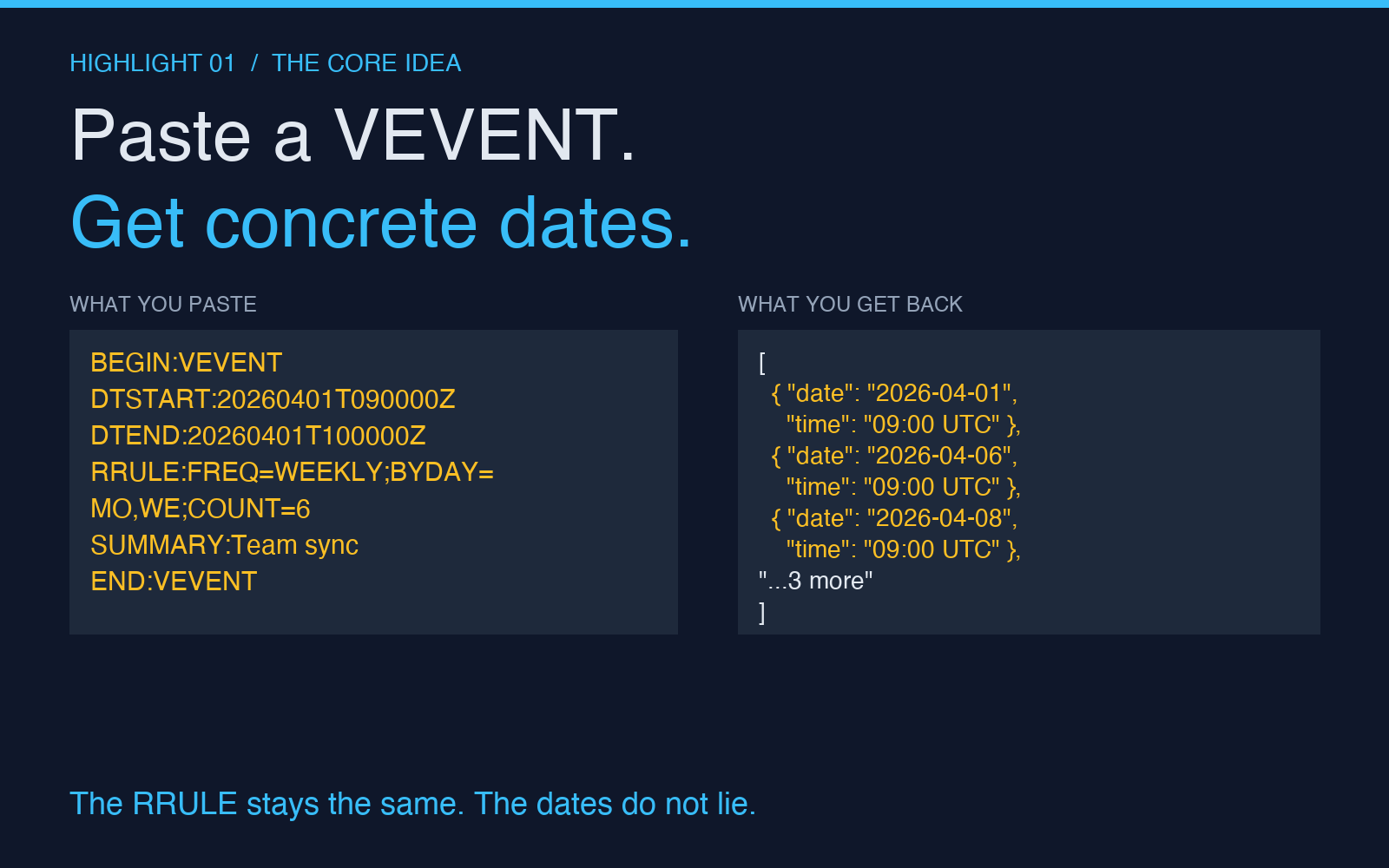
The ICS Calendar Recurrence Rule Expander at Elysia Tools exists for the moment when you need to see what a recurrence rule actually produces — not what it is supposed to produce, not what your calendar app thinks it produces, but the literal list of concrete dates that the rule expands to. Paste a full ICS payload or a single VEVENT block, click expand, and the tool returns the dates as JSON or as a flattened ICS calendar. It is the kind of utility you do not need often, and when you do need it, nothing else will do.
What RRULE actually does — and what it does not promise
RRULE is a string. It is defined in RFC 5545 (the iCalendar specification) and it describes a set of recurrence rules in a compact format. The common parts are familiar to anyone who has edited a calendar entry by hand:
FREQ=DAILY|WEEKLY|MONTHLY|YEARLY— the periodINTERVAL=2— every Nth periodCOUNT=10— stop after 10 occurrencesUNTIL=20261231T235959Z— stop at this dateBYDAY=MO,WE,FR— only on these weekdaysBYMONTHDAY=15— only on the 15th of the monthBYSETPOS=-1— the last one in the set
What RRULE does not promise is anything about exceptions, about holidays, about time zones you forgot to specify, or about what happens when the rule contradicts itself. The grammar is precise. The semantics are not always. If you have ever stared at a meeting that “skipped a week” and wondered whether the calendar app was wrong or your interpretation of the rule was wrong, you have run into the gap between a rule and the dates that rule produces.
The cases where expansion is the only way to know
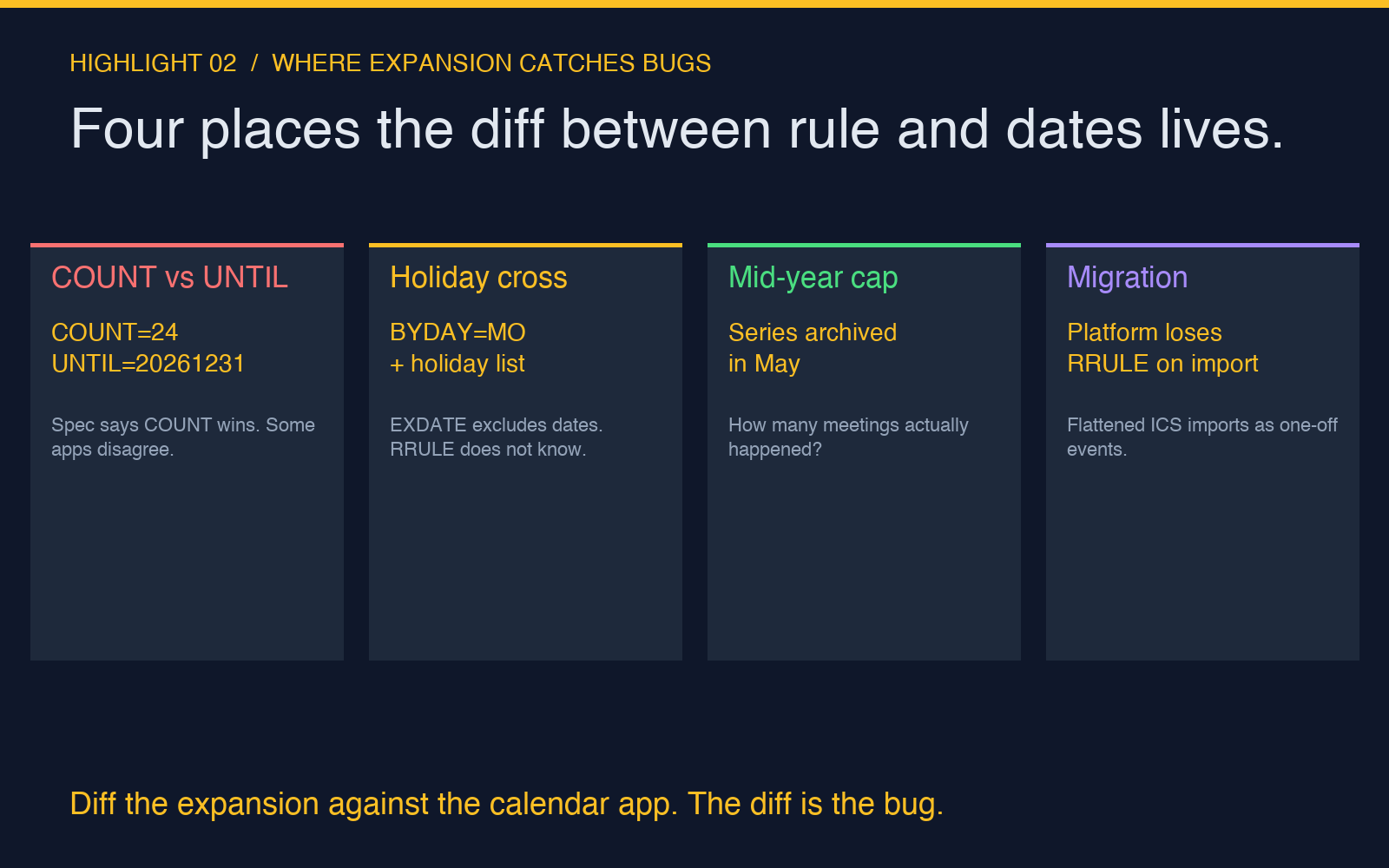
The COUNT and UNTIL fight. You wrote COUNT=24 and your colleague wrote UNTIL=20261231. The spec says COUNT wins. Different clients honor this differently. The expander at Elysia Tools honors the spec, which means it might disagree with your calendar app’s display. That disagreement is information, not a bug.
The series crosses a holiday. You scheduled a “first Monday of every month” call for the next two years. The expander does not know about holidays — neither does RRULE. But the tool has a Holiday Dates field where you can paste the dates you want to skip, and the output reflects that exclusion. RFC 5545 also defines EXDATE (exception dates) and the tool reads those from the VEVENT, so an ICS payload that already has them produces the correct expanded list out of the box.
The series got truncated mid-year. Your team’s “weekly until August” series was archived in May. You need to know: how many meetings actually happened? The expander returns the concrete count, the start date of the last occurrence, and the end date of the last occurrence. That is the answer to the question “did we hit our commitment this quarter,” in three numbers.
The migration to a new platform. You are moving from one calendar system to another, and the new system does not preserve RRULE on import. The expander can output a flattened ICS calendar — every VEVENT as a single, non-recurring event — that imports cleanly into anything that reads ICS. It is the boring, reliable bridge between “we have a recurrence rule” and “every client agrees on these dates.”
How to use the tool without breaking your calendar
The expander’s design makes the failure mode obvious, which is what you want from a debugging tool. Three rules:
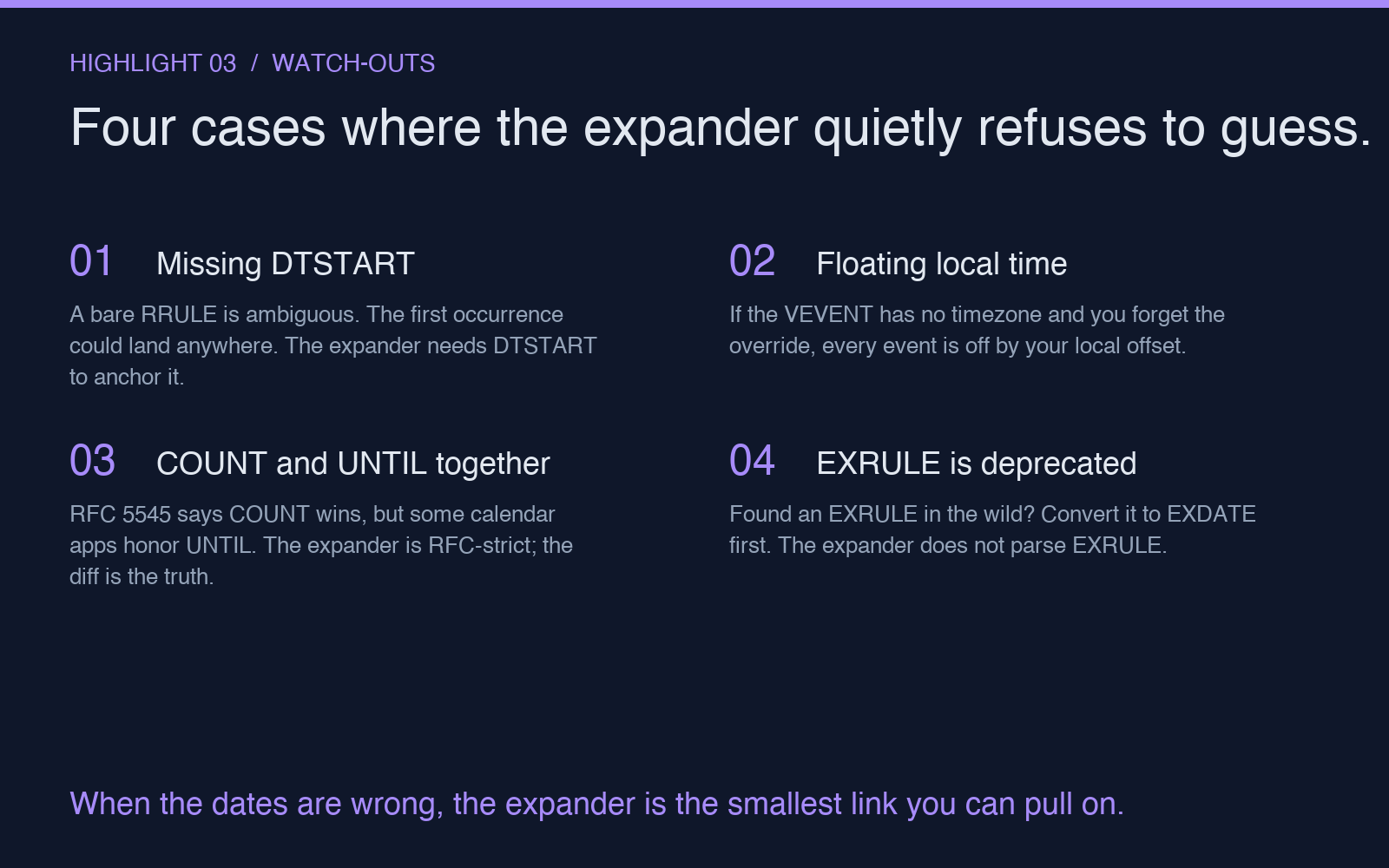
- Paste the VEVENT, not just the RRULE. The expander needs the DTSTART to anchor the recurrence. A bare
FREQ=WEEKLY;BYDAY=MO,WE;COUNT=6line is ambiguous — is the first Monday the start, or the first Monday after the next Wednesday? The DTSTART resolves that. - Cap the expansion. The
Max Occurrencesfield is a safety net. If your RRULE has no COUNT and no UNTIL, the expander would happily produce dates until the heat death of the universe. Set a sane cap (100, 1000) and review the output. - Use the JSON output for verification, the ICS output for migration. JSON is for your eyes and your tests. ICS is for the destination calendar. The tool returns both when you ask for it.
The form also has a Timezone Override field for cases where the VEVENT is missing one (which happens more often than you would hope — Outlook exports in floating local time, Google in UTC, Apple in your account’s default zone). If you forget to set it, the expansion still works, but the local-time interpretation of each event will be off by the offset.
What it does not do (so you do not expect it to)
The expander is intentionally narrow. It does not:
- Edit the VEVENT. It only reads and expands.
- Send the output anywhere. You copy the result and paste it into whatever needs the dates.
- Compute recurrence rules for you. If you want “every other Tuesday except the third Tuesday in months with five Tuesdays,” you need to write the RRULE yourself first.
- Handle EXRULE (the older, deprecated sibling of RRULE). RFC 5545 says EXRULE is deprecated in favor of EXDATE. The tool reads EXDATE. If you find an EXRULE in the wild, convert it to EXDATE first.
The narrowness is the point. A general-purpose calendar tool would do all of these things badly. A focused expander does the one thing you need it to do correctly, every time.
A workflow that has saved me three times this year
The pattern that has paid for the tool: when a meeting series gets weird, paste the VEVENT, expand it, and diff the result against what the calendar app is actually showing. The diff is usually one of three things:
- The app is right and your understanding is wrong. (Most common. Useful to know.)
- The app is wrong because it honored UNTIL over COUNT. (Annoying but fixable — re-import the VEVENT with the rule you actually wanted.)
- The app is wrong because of a time-zone bug. (Hardest. The fix usually involves re-creating the series with explicit timezone handling.)
The expander makes the diff cheap. Without it, you are staring at two calendar views and trying to remember which Tuesdays your team meeting was supposed to skip.
Where this fits in a calendar debugging toolkit
If you spend a lot of time on cross-timezone scheduling — “can the SF team and the Berlin team find a 30-minute window that does not eat anyone’s lunch?” — the Time Zone Workflow Scheduler sits next to this one. It compares participants across time zones, finds overlapping working windows, and exports the best slots as ICS. You would typically use the recurrence expander to verify a series that exists, and the workflow scheduler to find a series that should exist.
For the deeper timezone question — “how many business hours elapsed between these two timestamps across DST boundaries?” — the Timezone Duration Calculator is the right tool. It handles DST correctly, which is more than most hand-rolled date arithmetic does.
The ICS recurrence expander is the smallest of these three. It does the one thing it does very well. The other two build on the same calendar-arithmetic core, but they reach for it in different directions. Together they are a small, focused toolkit for the part of scheduling that spreadsheets handle badly and full-blown calendar apps handle opaquely.
When you should reach for it
You should reach for the ICS Calendar Recurrence Rule Expander when:
- A recurring meeting shows up on the wrong dates and you need to prove which interpretation of the RRULE is correct
- You are migrating calendar data between systems that handle recurrence differently
- You need to count occurrences over a date range (how many paydays fall in Q3?)
- You are writing calendar integration code and want a test fixture of “what this RRULE actually expands to” in JSON form
- A user reports a bug that says “your app shows the wrong dates for this series” and you need to know whether the user, your code, or the calendar platform is the source of truth
The fifth case is the one that comes up most in production. The expander turns a vague “something is wrong with our dates” into a concrete “here are the 12 dates your rule produces, here are the 11 dates our app displays, here is the one date where they disagree.” That artifact is the start of a fixable bug.
Calendars are a solved problem in the sense that every modern app has one. They are unsolved in the sense that the date that shows up in front of you is the result of a chain of interpretation decisions — RRULE, time zone, EXDATE, the app’s own override logic — that no single tool exposes. The recurrence expander is the smallest link you can pull on when the chain produces the wrong date. Pull on it. See the actual list. Compare it to what you expected. The diff is where the work is.
Explore more tools at elysiatools.com.