You ran a regression. The model spit out three numbers you already know how to read: slope, intercept, R-squared. You pasted them into the deck, the deck said regression confirms the trend, and the slide moved on. The number that decides whether your forecast is real is not in those three. It is in the three the output hands you next, and most dashboards throw them away.
Every linear regression engine produces, alongside the headline numbers, a residual vector, a standard error, and a confidence band. The first tells you whether the model is even the right shape. The second tells you how much the slope itself wobbles. The third tells you how wide the spread is on a prediction you have not made yet. If you only read the first three numbers, you are publishing a number that is, on average, correct and, in any specific case, almost certainly wrong. This is the gap the Regression Analyzer tool closes – it gives you the three quiet numbers alongside the three loud ones, with diagnostics that catch the four ways a regression silently lies.
The R-squared That Lulls You Into Confidence
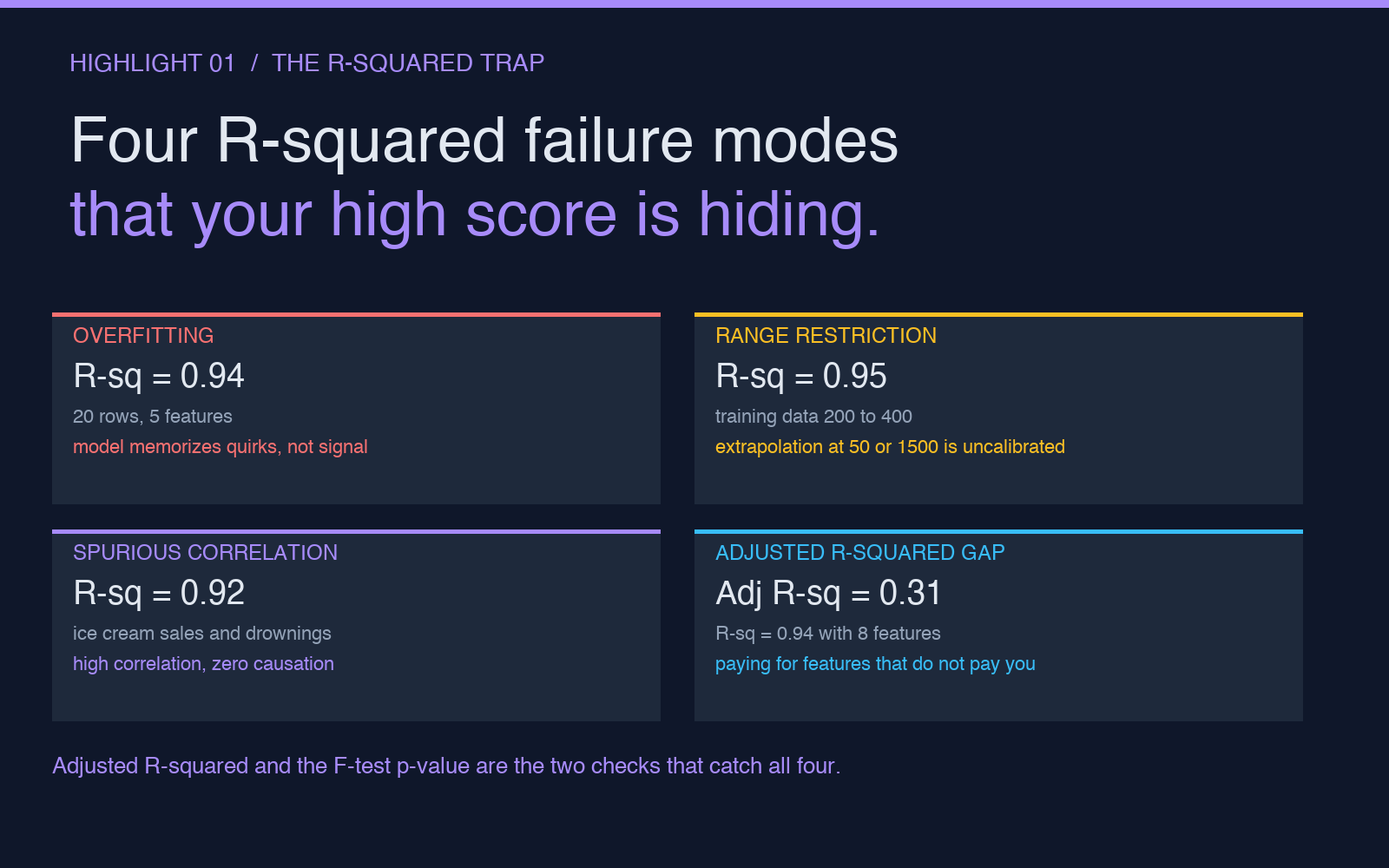
R-squared is a polite number. It tells you what fraction of the variance your line explains, and it will smile and say 0.94 whether your model is brilliant or whether you have fed it five features and forty rows of pure noise. The number does not know the difference. It only knows how close the fitted line sits to the points you gave it, and a line will sit close to any cloud of points that has a slight tilt, even if the tilt is not the relationship you think you measured.
Three failure modes hide inside a high R-squared. First, overfitting to small samples: with twenty rows and three features, a model can easily achieve R-squared above 0.9 by memorizing quirks rather than capturing a real signal, and a ten-fold cross-validation will reveal this immediately while the in-sample R-squared stays smug. Second, range restriction: if your training data only covers advertising spend between 200 and 400, an R-squared of 0.95 on that range tells you nothing about what happens at 50 or at 1500. Third, spurious correlation: ice cream sales and swimming pool drownings both peak in July, the regression line is gorgeous, the slope is real, and the interpretation is nonsense. The Correlation Analyzer helps you separate a strong correlation from a causal claim; the R-squared alone never will.
The Regression Analyzer exposes two checks that catch all three: the adjusted R-squared (which penalizes you for every feature you add) and the F-statistic with its p-value (which asks whether the model as a whole is doing better than guessing the mean). When the adjusted R-squared is meaningfully lower than the regular R-squared, you are paying for features that are not paying you. When the F-test p-value is above 0.05, the line you are about to ship is, statistically, a straight horizontal line drawn through the data middle. Both numbers are cheap to compute. Neither is in the default output of Excel LINEST or sklearn score.
The Residual Plot Your Spreadsheet Quietly Drops
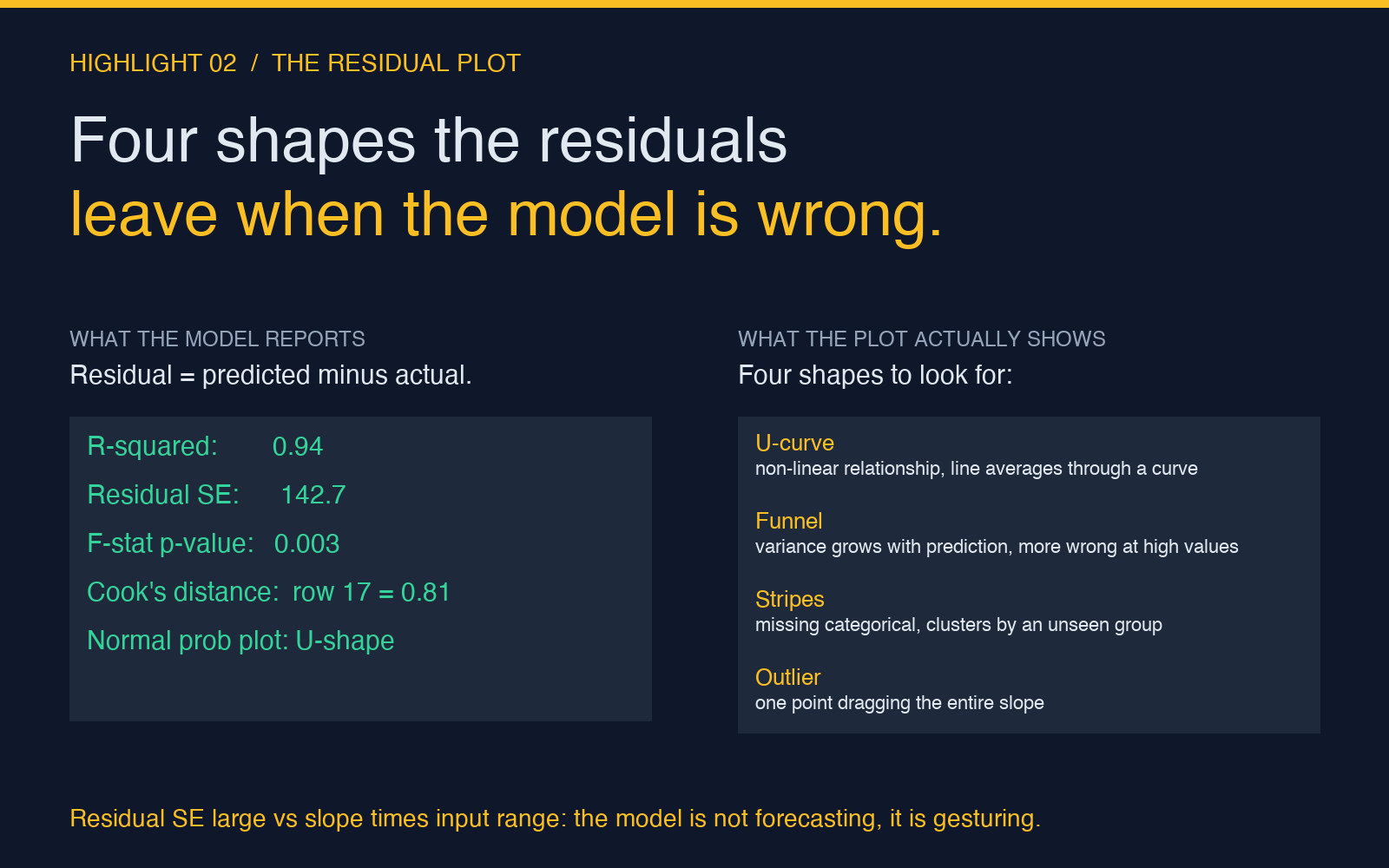
The residual is the distance between what your line predicted and what actually happened, for every row in your data. Plot those residuals against the predicted value and you get a scatter that should look like a random cloud – no shape, no trend, no funnel. When the cloud has a shape, the model is wrong in a way R-squared will never tell you. The four shapes to watch for are a U-curve (the relationship is non-linear, the line is averaging through a curve), a fan (variance grows with the prediction, the model is more wrong for high values than for low ones), a stripe pattern (you are missing a categorical variable, residuals cluster by some grouping the regression did not see), and outliers sitting far from the cloud (one or two points are dragging the entire slope, a robust regression would give you a different answer).
Residual analysis is the step that separates a regression report from a statistics report. Most tools hide it because the chart is ugly and the user does not know how to read it. The Regression Analyzer surfaces four diagnostics: the residual standard error (the average size of a residual, in the same units as your target), the residual sum of squares (the total error the model could not explain), the Cook distance per row (which points, if removed, would change the slope the most), and a normal probability plot of residuals (which should be a straight diagonal line; if it bends at the tails, your residuals are not normal and your confidence intervals are lying about their width). When you see the residual standard error is large compared to the slope times your input range, the model is not forecasting – it is gesturing.
Pre-emptively cleaning your data with a Data Outlier Processor before the regression reduces the chance of a single high-leverage point dragging the line, and standardizing features with a Z-Score Standardizer lets you compare coefficients across features that originally lived on different scales (advertising spend in dollars versus season as a 1-or-2 flag). Both of these are inputs, not replacements: the diagnostics on the residual plot are still the only place where the model failure modes become visible.
The Confidence Interval That Pretends to Be a Single Number
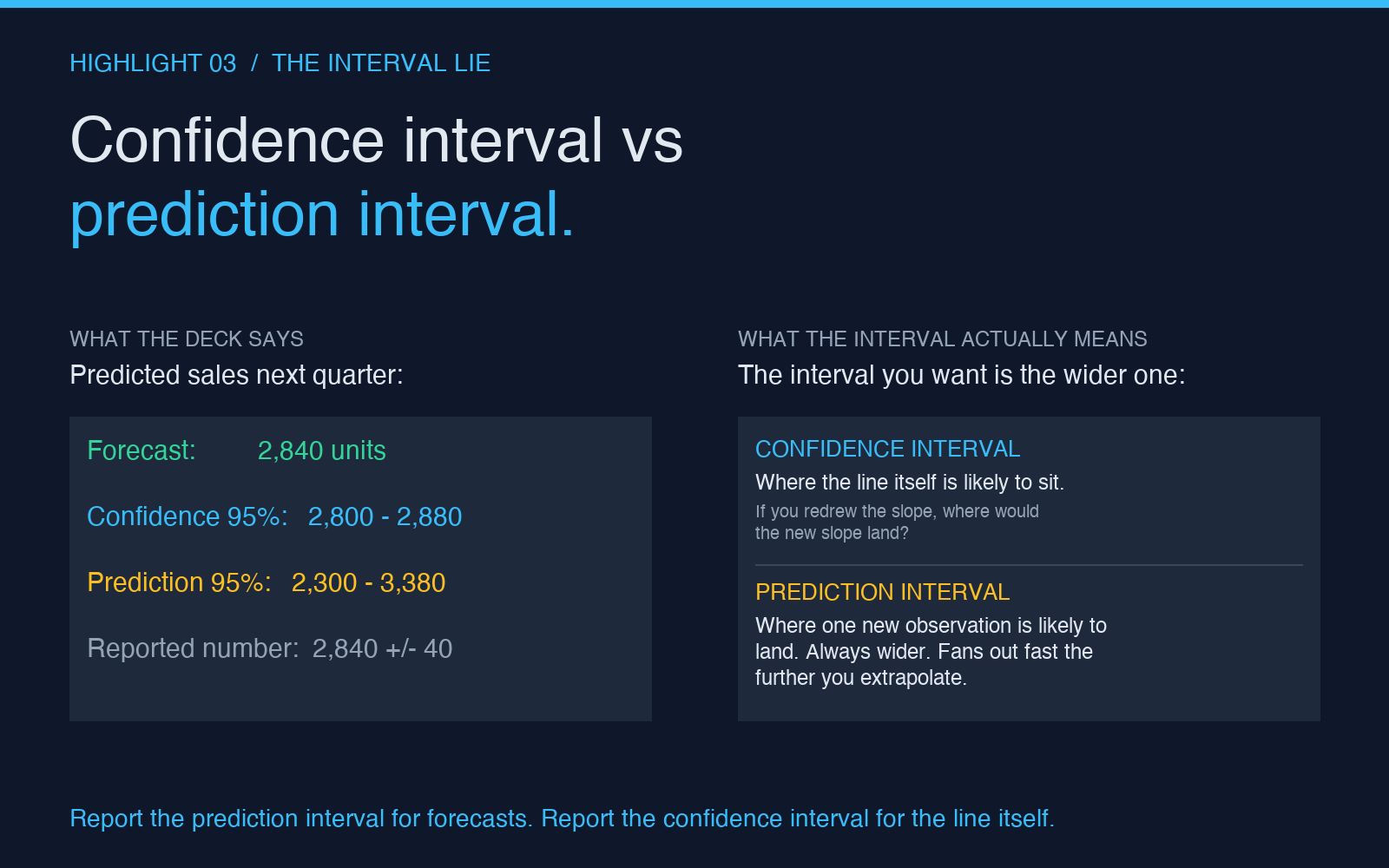
Most forecasts print as a single number: predicted sales next quarter: 2,840 units. The honest version of that sentence is predicted sales next quarter: 2,840 units, plus or minus 540, with 95% confidence, and the second version is the only one you can act on. The width of that plus-or-minus is the prediction interval, and it grows with two things you usually do not think about: the distance from the mean of your training data, and the residual standard error you computed in the previous section. Forecast a value near the center of your training data and the interval is narrow. Forecast a value at the edge, or outside the range, and the interval fans out fast – sometimes wide enough to make the point estimate meaningless.
Two confidence numbers come out of any regression and they answer different questions. The confidence interval for the mean asks: if I drew a new sample and computed the slope again, where would that slope land? It is about the line itself. The prediction interval for a new observation asks: if I get one new data point at this X value, where is it likely to land? It is about the future. Most people report the first when they mean the second, which is why forecasts look precise in the deck and go sideways the moment they touch the real world. The prediction interval is always wider than the confidence interval, and the further you extrapolate, the wider it gets.
The Regression Analyzer reports both, with three knobs that change the width: the confidence level (90%, 95%, 99% – higher means wider), the residual handling method (IQR trimming or Z-score trimming tightens the interval by removing the points that were making it wide), and the standardize features toggle (which does not change the interval width but does change which features the interval is most sensitive to, useful for understanding which input is driving the spread). Run the same data through a CSV Transformer first if you need to reshape the data into the wide format the regression expects, and run a Data Crosstab Generator afterwards if you want to slice the predictions by segment and see how the interval width changes across groups.
What the Three Quiet Numbers Actually Mean Together
Read the three quiet numbers as a single report card. Adjusted R-squared close to R-squared, and F-test p-value below 0.05: the model is using its features honestly and is doing better than the mean. Residual standard error small relative to the slope times the input range, and the residual plot looks like a random cloud: the model is the right shape and the errors are well-behaved. Prediction interval at the forecast point is narrow enough to be useful: the forecast is specific enough to act on. When all three pass, the regression is real. When any one of them fails, the regression is a story, and the story needs another chapter before it ships.
The R-squared lulls you, the residual plot reveals, and the prediction interval protects you. Get all three, and the line on the chart is a measurement. Miss any of them, and it is a wish. Try it on your own dataset with the Regression Analyzer – paste your CSV, set the target column, and look at the second page of the output before you trust the first.
Explore more tools at elysiatools.com.