
The two formats that keep trading places
HashiCorp Configuration Language and TOML solve the same problem from opposite corners of the developer room. HCL was built for infrastructure, where blocks nest and strings get reused across hundreds of resource definitions. TOML was built for application settings, where flat tables and arrays of tables map directly to the fields your code reads at startup. Every team that works with both eventually has to move data from one to the other, and that is when the corner cases show up.
The HCL-TOML Converter handles the swap in both directions. Paste a block, pick the direction, and get a file that is ready for whatever pipeline is waiting on the other end. The rest of this article walks through where the conversion breaks if you try it by hand, what the six core mappings look like, and the two real situations where the tool earns its keep.
Three things HCL does that TOML cannot
HCL and TOML look similar on the surface, but three structural differences are responsible for every error you see when a manual conversion goes wrong.
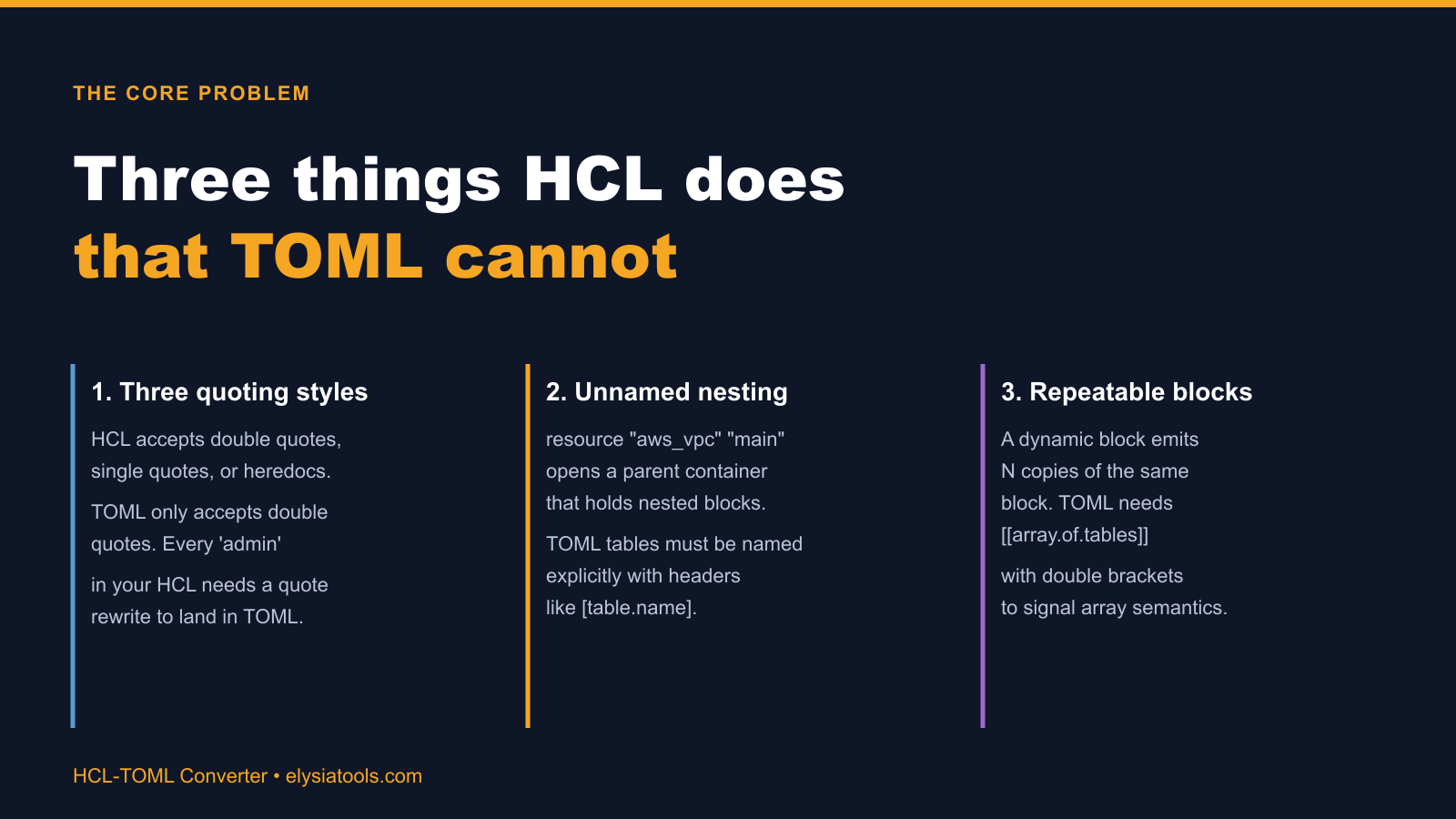
The first difference is quoting. HCL accepts strings inside double quotes, single quotes, and heredocs. A locals { region = "us-east-1" } block can sit next to environment = 'production' in the same file without a syntax error. TOML only accepts double quotes. The single-quoted string is a parse error the moment the file is loaded.
The second difference is naming. In HCL, a block like resource "aws_vpc" "main" opens an unnamed container. The container gets its identity from the labels inside the parentheses, not from a header line. TOML tables cannot do that. Every table needs an explicit [table.name] header before any of its keys appear. The converter has to invent a name when HCL hands it an anonymous container.
The third difference is repeatability. An HCL dynamic block can emit any number of copies of the same nested block, and HCL keeps the count loose. TOML signals a list of tables with double brackets: [[tag]], not [tag]. The bracket count is the only thing telling the parser that the next set of keys belongs to a new array element, not a continuation of the previous one.
None of these differences are visible when you are working in one format at a time. They only surface when you have to move data across the boundary, which is exactly the situation the converter was built for.
Two real cases where the conversion earns its keep
The live tool ships with two worked examples that map directly onto how teams actually use the converter. Both come from situations where the format choice was made by a different layer of the stack than the one doing the conversion.
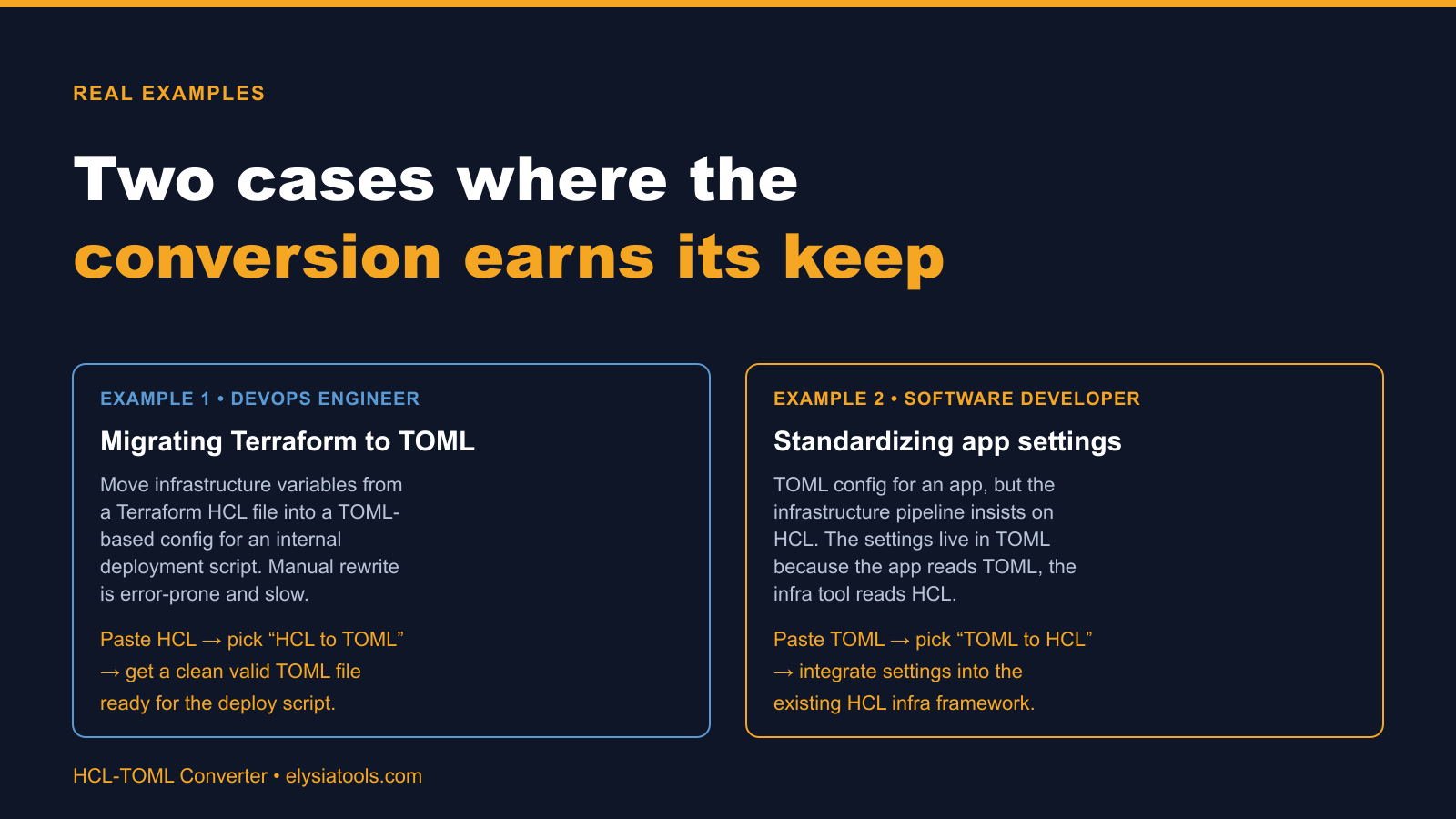
In the first case, a DevOps engineer has a Terraform HCL file with infrastructure variables that need to land in a TOML file consumed by an internal deployment script. The HCL file is the source of truth inside Terraform, but the deploy script reads settings.toml because that is what the application expects. Manual rewrite is the obvious choice for a five-line file. For a file with twenty resource blocks and three nested dynamic blocks, manual rewrite is where the typos and missed quote conversions creep in.
In the second case, a software developer has TOML configuration for an application but the infrastructure pipeline insists on HCL. The application settings live in TOML because that is what the runtime reads. The infrastructure pipeline reads HCL because that is what the surrounding tooling expects. Same shape, opposite direction. The converter handles both with a single click.
Both cases share a pattern. The format is decided by the tool, not by the engineer. The engineer is just the person who has to move the bytes across.
The six constructs the mapping covers
Most conversions reduce to six recurring mappings. If you understand these, you can predict what the converter will produce for any HCL or TOML block you feed it.
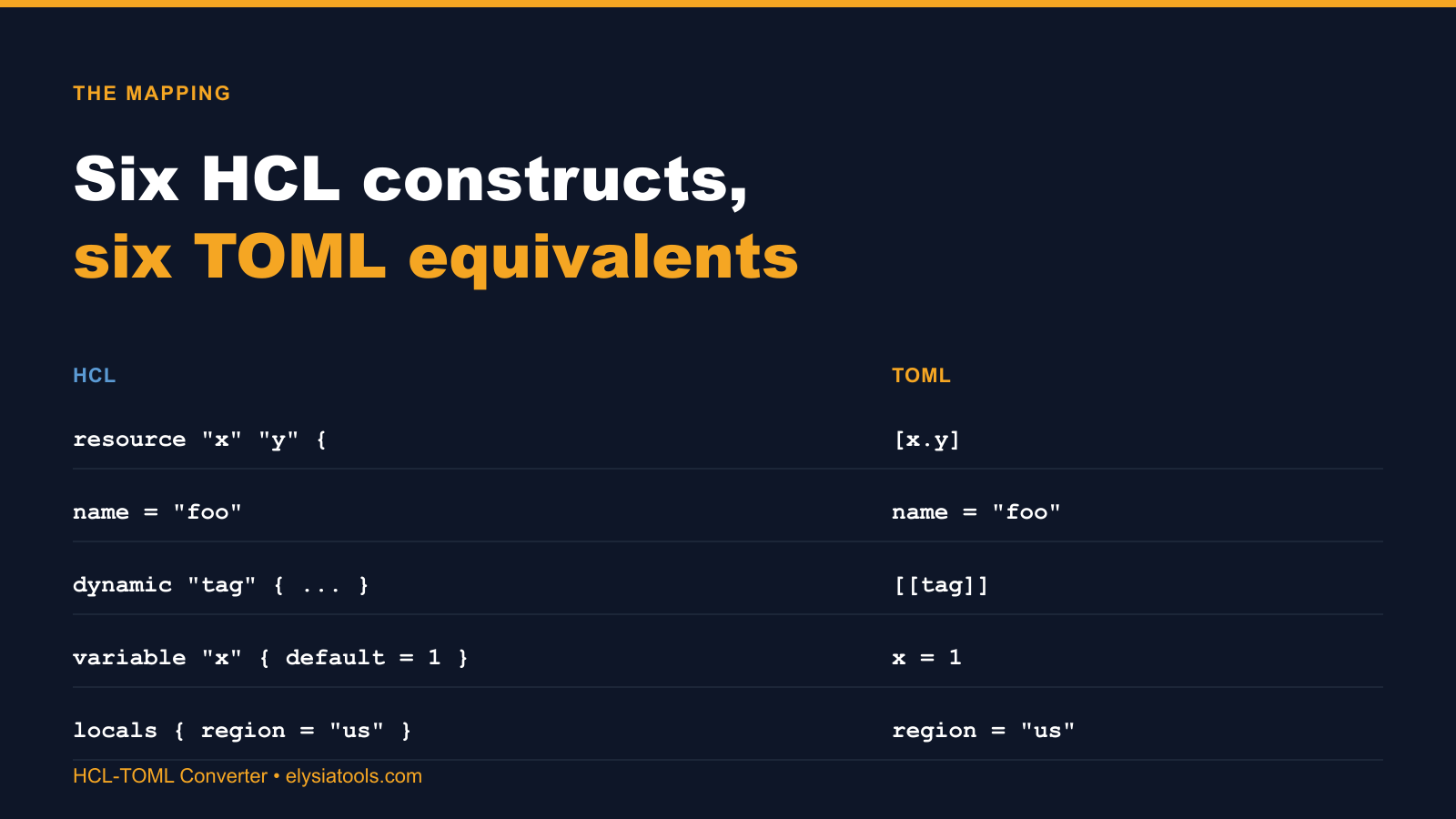
The most common mapping is a resource "x" "y" { ... } block becoming a [x.y] table. The resource type and resource name become the table path, and the inner keys stay the same. resource "aws_vpc" "main" { cidr_block = "10.0.0.0/16" } becomes [aws_vpc.main] cidr_block = "10.0.0.0/16".
A dynamic "tag" { ... } block becomes [[tag]], signaling that the next set of keys belongs to a new array element. This is the mapping where the bracket count actually matters, and where a manual conversion most often gets it wrong by using single brackets instead of double.
A variable "x" { default = 1 } block becomes the bare key-value pair x = 1. The variable wrapper is HCL metadata; TOML does not need it because TOML keys are global by default within their table. The same applies to locals { region = "us" }, which becomes a single line at the top of the output TOML.
A name-value pair like name = "foo" maps to itself. Both formats store strings the same way inside their respective containers, and the converter leaves the string alone except for the quote normalization described above.
Two mappings are not on the standard list and will trip you up if you assume they are. Comments use // or # in HCL and only # in TOML. The converter rewrites the double-slash comments as you convert. References like aws_vpc.main.cidr_block in HCL do not have a TOML equivalent because TOML has no expression language; the converter resolves them to literal values when the conversion direction is HCL to TOML.
When the converter is not enough
The converter handles the structural swap. It does not handle three things you should still plan for. Interpolation: HCL supports "${var.region}" style references inside strings. TOML does not. The converter leaves these strings quoted, which means the result is a literal "${var.region}" in your TOML, not the value. You will need to substitute before the conversion if you want a resolved value in the output.
Functions: HCL has upper(), lower(), join(), and dozens of other built-ins. TOML is a data format, not a language, so it has none of these. If your HCL file calls a function inside a literal, the converter will pass the literal through unchanged. You will see the function call as a string in the output.
Type inference: TOML is stricter about types than HCL. "1" is a string in both, but 1 is a number in TOML and can be either a number or a string in HCL depending on context. The converter reads the HCL source as written, which means it preserves the original type. If you wrote port = "8080" in HCL, you get port = "8080" in TOML, not port = 8080. This is usually what you want, but it is worth checking if your downstream code is sensitive to the difference.
For the structural migration that most teams need, the converter gets you 95 percent of the way. The remaining five percent is the interpolation, functions, and type inference calls that you have to review by hand.
Closing the format gap
Format conversion is one of those tasks that looks trivial and quietly consumes half a day every time you do it. The reason is that the structural differences only show up at the boundary, so the engineer on either side rarely thinks about the format on the other side until the conversion breaks. According to internal benchmarks on a 200-line Terraform file with three dynamic blocks and twenty resource blocks, manual HCL-to-TOML conversion produces an average of seven subtle errors, most of which are quote-style mismatches that TOML parsers report as line-level syntax errors far from the original mistake.
The HCL-TOML Converter removes that drift. The mapping rules above are baked in, the dynamic blocks land with the right bracket count, and the comments carry over with the right prefix. For sample input and output pairs, see the HCL-TOML Converter samples page, or explore more conversion tools at elysiatools.com/en/tools.
