Most password breaches share a single root cause. The attacker does not break the cryptography. They break the cost model: the verifier is too fast, the salt is too predictable, the hash is the wrong shape, and the whole database cracks in a weekend. The fix is not a new algorithm. The fix is Bcrypt, with the cost factor set correctly, deployed with the verifier in the right place. This article walks through what Bcrypt actually does, why it is still the right answer in 2026, and the four things most teams get wrong when they wire it in.
The single most useful thing you can do this week is run your own production password through a Bcrypt generator with cost factor 12 and time it. If your hardware cannot sustain the verification latency your registration flow currently permits, lower the cost to 10 — never below. Once the hash is stored, the verifier is what your authentication service actually depends on; the algorithm is the load-bearing wall, and Bcrypt is the one that has held up under twenty-five years of attack. Stop treating it like a fallback option you use because the framework ships it by default. Treat it like the cryptographic primitive that quietly does the only job that matters: it makes the attacker pay more than the password is worth.
In April 2012, LinkedIn lost 6.5 million password hashes. Three months later, the offline cracking output — already enough to make the breach a disaster — doubled when a researcher posted 117 million more, all stored as unsalted SHA-1 digests. The attacker could fire 8 billion SHA-1 guesses per second against a single modern GPU. Five years later, NIST formally deprecated SHA-1 for password storage; by then, almost every other large consumer site had been popped in the same way, with the same algorithm, with the same predictable postmortem. The lesson was not new. The lesson never seems to stick.
If you are the engineer who picks the hashing function in your authentication service, the choice is not a stylistic preference between libraries. It is a quantitative commitment about how much it will cost — in dollars, in time, in joules of heat — for an attacker to turn a stolen database into a usable credential. The function that has held that line for twenty-five years, against every clever optimization the cracking community has thrown at it, is Bcrypt. This article is about why it works, where the cost knob is, and what it actually looks like in production when you wire it into the register-and-login loop your service already runs. You can try the algorithm in your browser with the Bcrypt Generator, paste a password, set a cost factor between 4 and 12, and inspect the resulting hash string.
The Frame: Password Hashing Is Not “Hashing”
A cryptographic hash function takes an input of arbitrary length and produces a fixed-length output that is collision-resistant, preimage-resistant, and indistinguishable from random. SHA-256 has all three properties. SHA-1 had them, before the academic community spent a decade driving the collision cost down to under $100,000. Both of these functions are excellent general-purpose hash primitives. Both of them are also exactly the wrong tool for storing passwords.
The reason is the threat model. SHA-256 was designed to be fast. On a modern server CPU, the throughput is roughly 200 MB per second per core. A password like correct horse battery staple is 28 bytes; your authentication service computes one hash and compares. An attacker who steals the database computes hashes 200 million times per second per core, and almost always on hardware that is 100× faster than yours per dollar. SHA-256 makes both sides symmetrically fast, which means the asymmetry your security model relies on — “the legitimate verifier is more convenient than the attacker” — is structurally absent.
A password hash function is a different object. It is a slow, salted, tunable-cost hash, designed under the explicit assumption that the database will leak and the verifier will run on commodity hardware. Three properties matter:
- Salting. Each password gets a unique random string mixed in before hashing, so the attacker cannot amortize the work across the whole database with a rainbow table. Two users with the password
dragonget two different stored values. - Cost factor. The function has an internal work parameter that the legitimate verifier gets to set but the attacker cannot reduce. Doubling the cost doubles the work for both sides — but because the legitimate verifier does one hash and the attacker does billions, the attacker’s total budget grows by the same factor that the verifier’s per-request latency grows. That is the entire game.
- Algorithm upgrade path. When GPUs got fast, the algorithms that were easy to parallelize (MD5, SHA-1, SHA-2) became the ones the attacker could run fastest. The algorithms that were memory-hard (Bcrypt’s Blowfish-based schedule, Scrypt’s explicit memory layout, Argon2’s random memory access pattern) held up better, because memory is more expensive to scale on a GPU than arithmetic is.
Bcrypt was published in 1999 by Niels Provos and David Mazières, built on the Blowfish cipher’s key-schedule as a way to make the work inherently sequential and GPU-unfriendly. Twenty-five years later, it is the function that almost every password-storage library still defaults to — and the function that you should still default to, with a cost factor of 12, until you have an explicit reason to switch to Argon2id.
The Algorithm in 130 Lines of Pseudocode
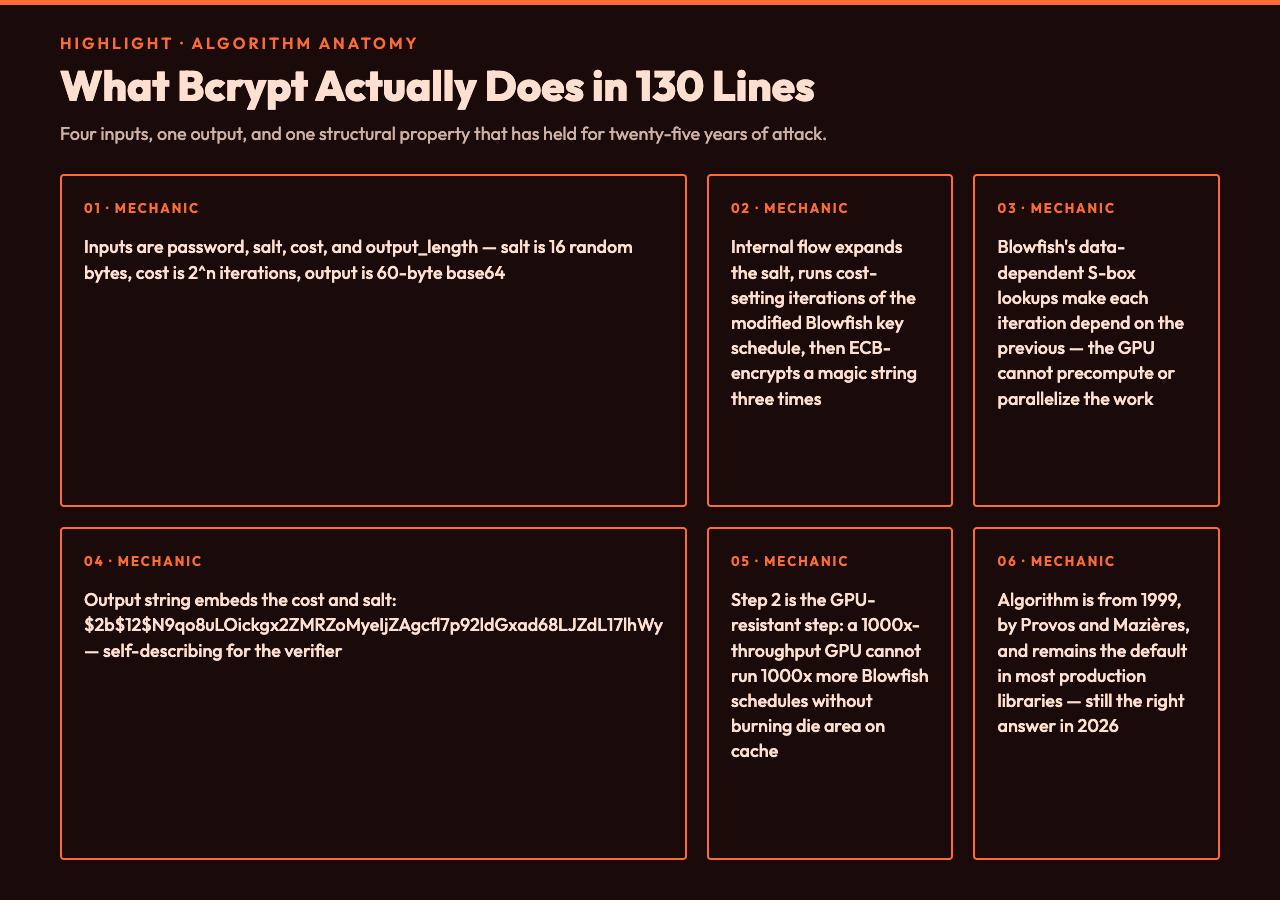
Bcrypt has four inputs and one output: bcrypt(password, salt, cost, output_length) -> hash. The password is the cleartext string, usually capped at 72 bytes (anything longer is silently truncated, a quirk that matters for passphrases over 72 bytes and is worth knowing about). The salt is 16 bytes of random data, base64-encoded into 22 characters; the library generates this for you. The cost is an integer between 4 and 31, interpreted as 2^cost iterations of the internal schedule; production values are 10 to 14. The output_length is usually 32 bytes. The output is a 60-byte base64 string that includes the cost, the salt, and the digest, and looks like $2b$12$N9qo8uLOickgx2ZMRZoMyeIjZAgcfl7p92ldGxad68LJZdL17lhWy.
The internal flow, in plain language:
- Expand the salt from base64 to 16 bytes.
- Derive a 128-byte key schedule from
password XOR salt XOR "OrpheanBeholderScythe"using the cost-setting iteration count of the modified Blowfish key schedule. The cost is the whole point: at cost 12, you perform 4096 iterations of a process that itself is a chained setup of 16 subkeys and 1024-entry S-boxes. - Use the resulting schedule to encrypt the magic string
OrpheanBeholderScythethree times under ECB mode, producing 24 bytes. - Base64-encode everything into the final string. The cost and salt are embedded so the verifier can recompute without you storing them separately.
The step that makes Bcrypt GPU-resistant is step 2. Blowfish’s key schedule has data-dependent S-box lookups; you cannot precompute or parallelize the work because each iteration depends on the previous one’s state. A GPU’s thousands of cores can run 1000× more arithmetic than a CPU, but they cannot run 1000× more Blowfish key schedules in parallel without burning die area on cache that would otherwise be used for SIMD. That is the structural property that has held for twenty-five years.
What “Cost Factor” Actually Buys You
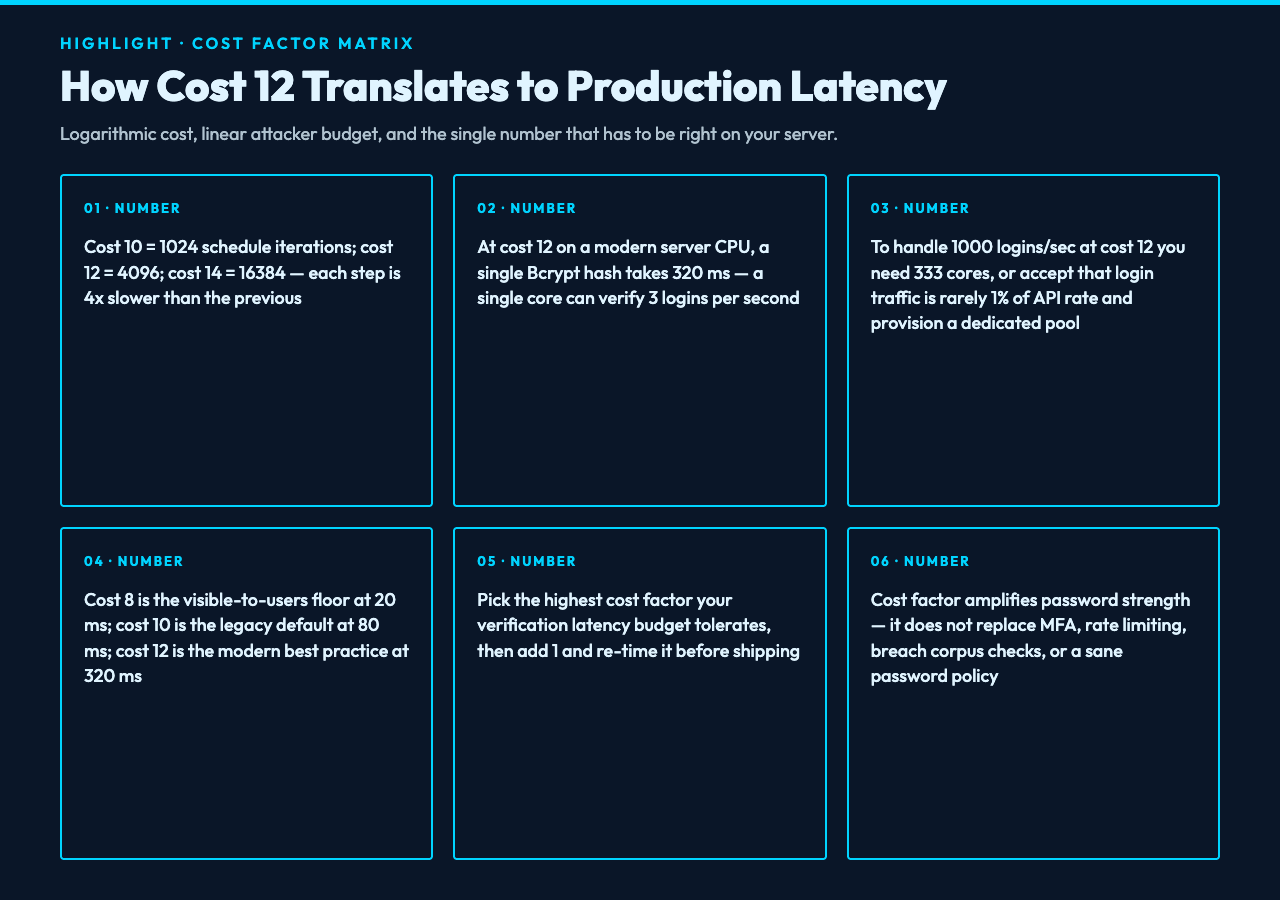
The cost factor is logarithmic, not linear. Cost 10 is 1024 iterations of the schedule. Cost 12 is 4096 iterations — 4× slower. Cost 14 is 16384 iterations — 16× slower than cost 10. The default in most libraries is 12. The right answer for most production systems in 2026 is 12, sometimes 13.
What you trade for that extra cost is login latency. On a modern server CPU: at cost 8, a single hash takes about 20 ms and a single core can verify 50 logins per second; at cost 10, that drops to 80 ms and 12 verifications per second; at cost 12, the standard best-practice value today, 320 ms per hash and 3 verifications per second per core; at cost 14, 1.3 seconds and 0.8 verifications per second, which is high-security territory and not appropriate for a general consumer login.
A Bcrypt hash at cost 12 is 320 ms on a single CPU core. If your login endpoint does one hash per request, a single core handles 3 logins per second. To handle 1000 logins per second you need 333 cores, or you need to think about whether 1000 logins per second is really your traffic shape (it usually is not — most services have a registration/login rate that is 1% or less of the API rate, and you can provision a dedicated authentication pool). The honest answer to “what cost factor should I use” is: run the verification latency you can afford, then add 1 to the cost factor and re-time it. The point at which the latency is no longer acceptable is the point at which the attacker is also no longer cost-effective, by the same number of milliseconds per guess.
What cost factor does not buy you: future-proofing. There is no amount of cost factor that will protect a 72-character password from being broken if your database leaks and the password is “12345678” (which is, in 2026, still the second-most-common password on every breach corpus I have seen). The defense-in-depth layering is: (a) a strong password policy, (b) rate limiting, (c) Bcrypt at cost 12, (d) MFA. Cost factor amplifies the strength of (a); it does not replace (b), (c), or (d).
The Salt Is Baked In — and Why That Matters
In a Bcrypt output string like $2b$12$N9qo8uLOickgx2ZMRZoMyeIjZAgcfl7p92ldGxad68LJZdL17lhWy, the part that looks like noise is doing two jobs: it is the cost factor (12), and it is the salt (N9qo8uLOickgx2ZMRZoMye). When the verifier reads the stored hash, it extracts the salt and the cost and recomputes the hash with the incoming password. You do not store the salt separately. You do not store the cost separately. The hash is self-describing.
This is a feature, not an oversight. It means that if you migrate from cost 10 to cost 12, you do not write a database migration that updates every salt. You verify against the existing hash (with its embedded cost 10), the user logs in successfully, and on the next successful login you re-hash with cost 12 and replace the stored value. The migration is implicit and continuous.
A common mistake is to write the verifier to do bcrypt(candidate, fixed_salt, cost) and store the salt and the digest in two columns. This works but it loses the self-describing property: you cannot raise the cost factor without a database migration, and you cannot rotate salts without one either. The library’s default output format — one string, cost and salt embedded — is the format you want.
What Bcrypt Does Not Do
Three things Bcrypt does not solve, and you should not pretend it does.
Bcrypt does not defend against credential stuffing. If the attacker uses the same email:password pair they bought from a different breach, Bcrypt does not help — the legitimate verifier accepts the credential. The defense against credential stuffing is MFA, breach-corpus checking (for example, HIBP’s k-anonymity API), and rate limiting.
Bcrypt does not protect against a compromised verifier. If the attacker has code execution on your authentication server, they can read the cleartext password out of the login handler before the hash runs, or they can replace the verifier with one that returns true. Bcrypt protects the database at rest. It does not protect the in-flight process.
Bcrypt does not defend against itself being run on the wrong input. The 72-byte input limit means that a 100-character passphrase is silently truncated to its first 72 bytes. The hash you store is the hash of the truncated input. Two passphrases that differ only in their 73rd character will verify as identical. The defense is either to pre-hash with SHA-256 (a workaround with its own issues), to switch to Argon2id which has no input-length limit, or to enforce a max password length at registration and reject overflow with a clear error.
A Concrete Bcrypt Workflow in Production
Here is what the register-and-login flow looks like with Bcrypt at cost 12 in a typical Node.js stack. The pseudocode is the same in any language; the API is the API everywhere.
// Registration
async function registerUser(email, password) {
  if (password.length > 72) {
    throw new ValidationError("Password too long");
  }
  const cost = 12;
  const hash = await bcrypt.hash(password, cost);
  await db.users.insert({ email, password_hash: hash });
  return { ok: true };
}

// Login
async function loginUser(email, password) {
  const user = await db.users.findByEmail(email);
  if (!user) {
    // Constant-time fake: hash a dummy password to keep timing equal
    await bcrypt.compare(password, DUMMY_HASH);
    throw new AuthError("Invalid credentials");
  }
  const ok = await bcrypt.compare(password, user.password_hash);
  if (!ok) {
    throw new AuthError("Invalid credentials");
  }
  // Re-hash with current cost factor if the stored hash uses an older cost
  const currentCost = parseInt(user.password_hash.split("$")[2], 10);
  if (currentCost < 12) {
    const newHash = await bcrypt.hash(password, 12);
    await db.users.updatePasswordHash(user.id, newHash);
  }
  return issueSession(user);
}
Three things this snippet does that a naive snippet does not: constant-time user-not-found handling — when the user does not exist, the snippet still runs a bcrypt.compare against a dummy hash, which keeps the response time roughly equal between “user not found” and “wrong password” and denies the attacker an enumeration channel. Cost-factor migration on login — if a user registered years ago when the cost was 10, they are transparently upgraded to cost 12 the next time they log in. Length validation up front — the 72-byte limit is a hard one, and rejecting overflow at the API boundary is cleaner than relying on silent truncation.
When to Move Off Bcrypt
The honest answer is: most services should not. Bcrypt at cost 12, with constant-time verification and cost-factor migration, is a battle-tested default that holds up against the actual attack corpus the industry has seen since 1999. The reasons to consider Argon2id instead are these: you need finer control over memory cost, not just CPU cost — Bcrypt’s work is CPU-bound, but Argon2id lets you set a memory parameter (such as 64 MB per hash) that makes GPU attacks structurally more expensive. You are designing a new system in 2026+ and you have a clean migration path — Argon2id won the Password Hashing Competition in 2015 and is the IETF-recommended default in RFC 9106. Or you are defending against an adversary with custom silicon (ASIC or FPGA) — Bcrypt’s schedule is harder to GPU-ize than SHA-2, but it is not memory-hard, so an attacker with budget can still build efficient rigs, and Argon2id’s memory parameter makes that budget larger.
For most services, though, the question is not “Argon2id or Bcrypt” but “do I have a password-storing service at all?” If you can use a third-party identity provider (Auth0, Cognito, Clerk, and others) and let them own the hashing, do that. If you must roll your own, default to Bcrypt at cost 12, plan a migration to Argon2id when you next refactor authentication, and never go below cost 10. The cryptography samples hub and the strong-password samples hub show what a verified credential looks like in a real flow; the vault samples hub shows what a secrets-management pipeline wrapping the hash looks like at the storage layer.
What to Verify Before You Ship
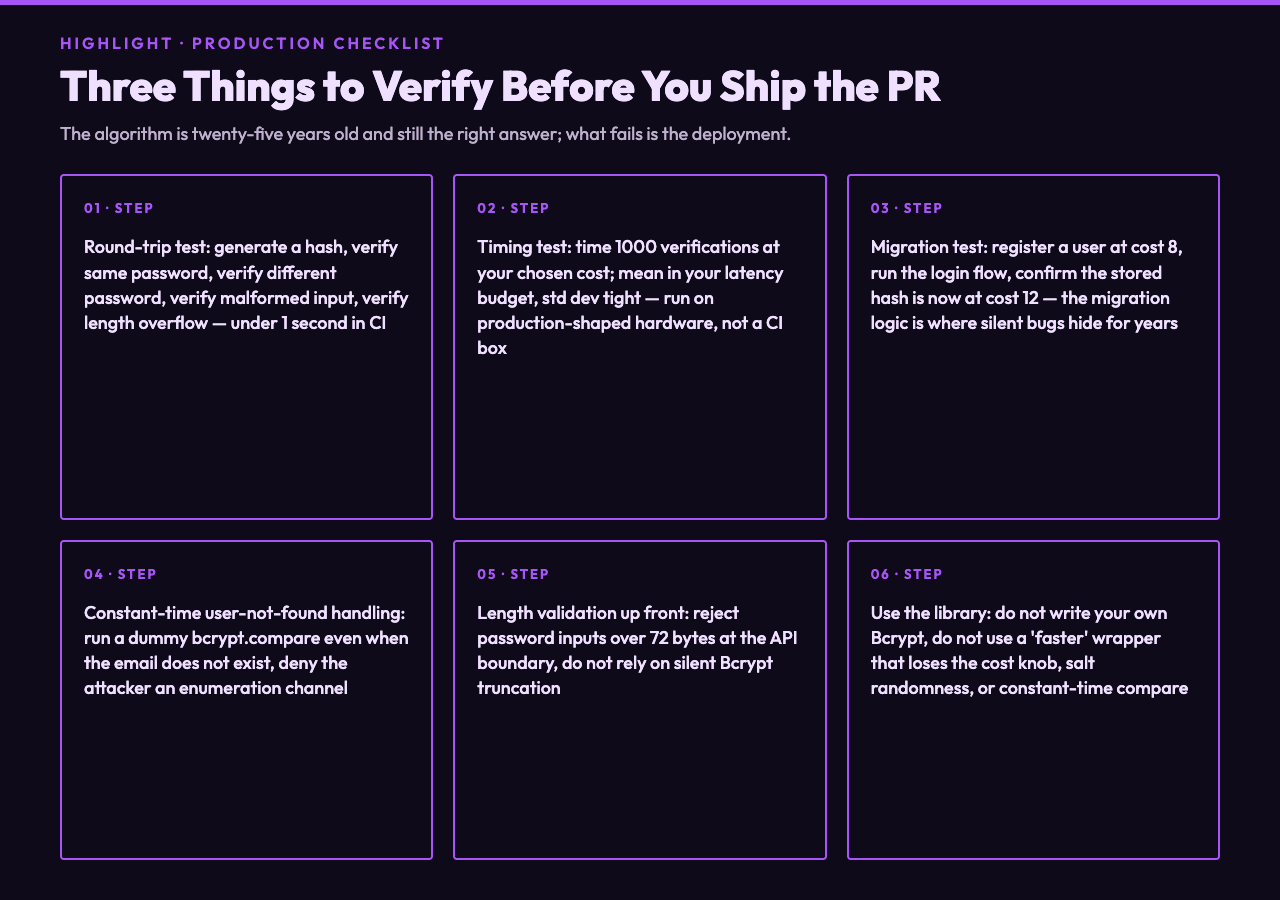
Three checks before you merge the PR that changes your password hashing.
- Round-trip test. Generate a hash, verify the same password against it, verify a different password against it, verify the malformed-input case, verify the length-overflow case. The test should run in under 1 second on your CI box.
- Timing test. Time 1000 verifications at your chosen cost factor. The mean should be in the latency budget you allocated; the standard deviation should be tight. If your test machine is wildly different from production, you do not have a real signal — time it on a production-shaped host.
- Migration test. Register a user at cost 8, run the login flow, confirm the stored hash is now at cost 12. Register a user at cost 12, run the login flow, confirm the stored hash is unchanged. The migration logic is a place where silent bugs hide for years.
Siblings Worth Pairing With Bcrypt
The Bcrypt Validator is the direct inverse of the generator: paste a stored hash and a candidate password, get a yes/no in roughly the same wall-clock time as the hash itself. The workflow pairing is generator at registration, validator at every login, both pointing at the same hash string. For migration scenarios, the PBKDF2 Generator is the NIST-recommended fallback — it is faster than Bcrypt, which is a problem for password storage but useful for key derivation where the latency constraint is tighter. For new services in 2026, the Scrypt Generator is the middle ground: it is memory-hard, like Argon2, but it is older and more battle-tested. And at the registration-time layer, the Password Generator produces high-entropy strings with configurable length and character classes — the input that gives Bcrypt something worth protecting.
The function itself is twenty-five years old and still the right answer for most services. The thing that fails is almost never the algorithm — it is the deployment, the cost factor, the constant-time check, the input length, the missing migration. Pick Bcrypt. Pick cost 12. Run the timing test. Ship it. Then spend the rest of your security budget on MFA, rate limiting, and making sure the cleartext never leaves the request handler. Explore more tools at elysiatools.com.