Why R-Squared Lies to You When You Add Predictors
If you have ever trained a linear regression, you have probably watched your R-squared value inch upward every time you added another feature. It feels like progress. It is not. R-squared is a misleading metric for model comparison because it can be inflated simply by adding variables that have no real predictive power. Adjusted R-squared is the correction: it penalizes you for each predictor that does not meaningfully improve the model, giving you a number you can actually use to compare two regressions on the same dataset.
For a deeper look at how the penalty grows with each new variable and how the formula behaves at the edge cases, the Adjusted R-Squared Calculator lets you plug in your R-squared, sample size, and predictor count and see the corrected value instantly. The rest of this article is the mental model that makes that number meaningful.

The Formula in 30 Seconds
The adjusted R-squared formula is deceptively simple:
Adjusted R² = 1 − [(1 − R²) × (n − 1) / (n − k − 1)]
Where n is the sample size and k is the number of predictors. Three things happen at once when you increase k: the numerator (1 − R²) does not shrink unless the new variable actually explains variance, the denominator (n − k − 1) shrinks, and the ratio grows. That growth is the penalty. If your new feature is genuinely useful, the numerator shrinks faster than the denominator, and adjusted R-squared goes up. If your feature is noise, only the denominator shrinks, and adjusted R-squared goes down.
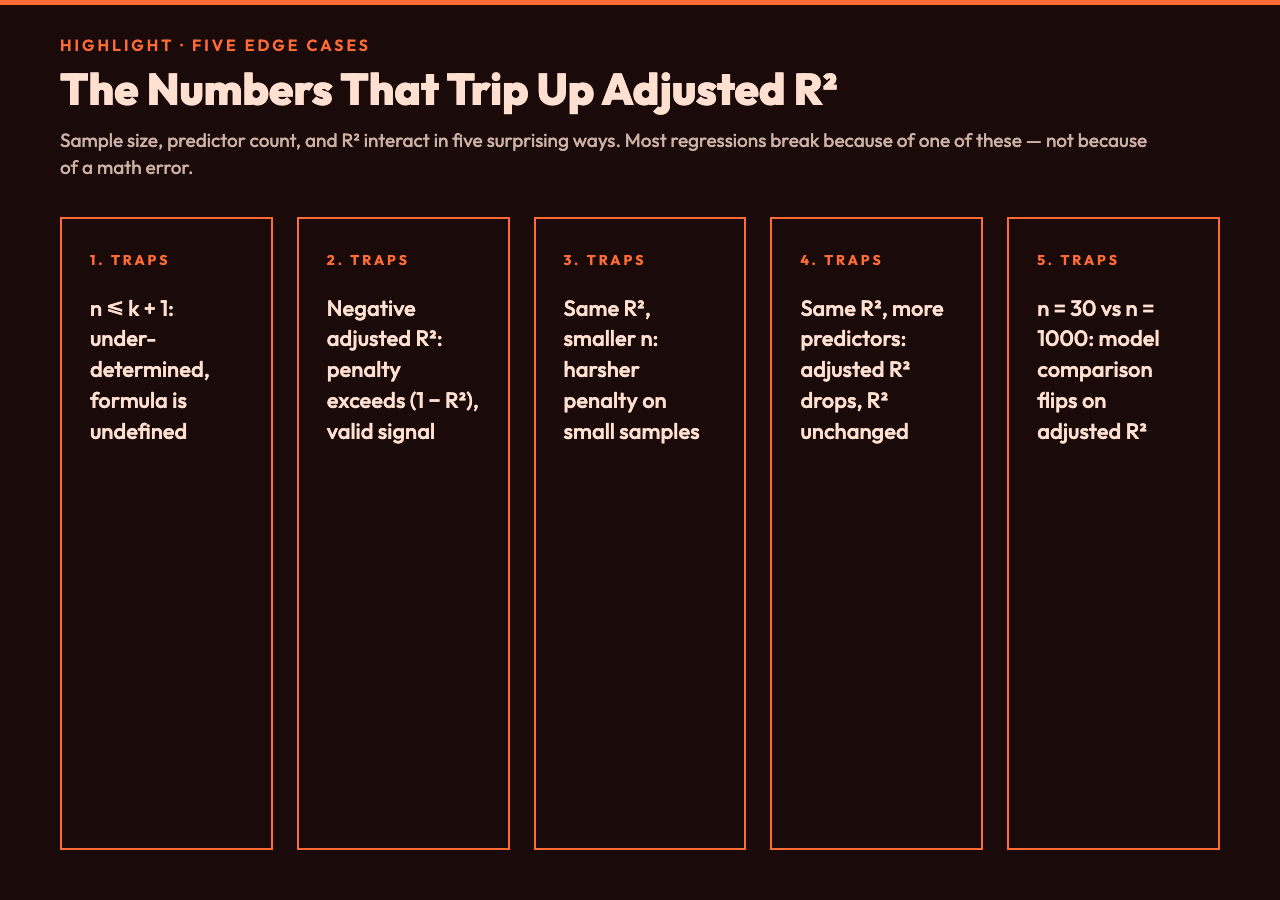
The Five Numbers That Decide Everything
You only need three inputs — R-squared, sample size, and predictor count — but the interplay between them creates surprising behavior. Here are the cases that trip people up most often.
- Same R-squared, different sample sizes: A model with R² = 0.50 on n = 30 observations gets a much harsher penalty than the same R² = 0.50 on n = 1000. Small samples have fewer residual degrees of freedom, so each predictor costs more.
- Same R-squared, more predictors: Adding a fifth predictor to a four-predictor model with the same R² will lower adjusted R² even though R² itself does not change.
- n ≤ k + 1 (under-determined model): The denominator hits zero or goes negative, and adjusted R² becomes undefined or negative. You cannot compute it on a saturated model.
- Negative adjusted R²: When the penalty exceeds (1 − R²), adjusted R² goes below zero. This is mathematically valid and a strong signal that your predictors explain less than a horizontal line would.
- R² = 1.0 (perfect fit): The numerator becomes zero and adjusted R² collapses to exactly 1.0 regardless of how many predictors you have. A perfect fit always wins, which is its own warning sign.
Step-by-Step: When Adding a Variable Actually Helps
Imagine you have a regression with n = 200, k = 4, and R² = 0.72. Adjusted R² = 1 − [(0.28 × 199) / 195] ≈ 0.714. Now you add a fifth predictor and R² climbs to 0.73. The new adjusted R² = 1 − [(0.27 × 199) / 194] ≈ 0.723. Adjusted R² went up — the new variable is genuinely pulling its weight. But if R² only climbs to 0.725 instead, adjusted R² drops to about 0.716 — the variable is not worth keeping.
The threshold where adding a predictor becomes neutral is when the new R² exceeds the old adjusted R² by enough to offset the denominator shrinkage. In practice, the rule of thumb is that a new variable should improve raw R² by more than 1/n to be net-positive on adjusted R². For n = 200, that means R² needs to rise by at least 0.005 to justify one more predictor.

Why This Matters for Model Selection
Adjusted R-squared is the metric you should reach for when comparing nested regression models on the same dataset. R-squared rewards complexity indiscriminately; adjusted R-squared forces each new predictor to earn its place. It is the difference between asking “does this model fit the data I have?” and asking “does this model explain more than the noise would explain by chance?”
For an interactive version where you can sweep predictor counts and sample sizes to watch the penalty curve reshape itself, the Adjusted R-Squared Calculator handles the arithmetic and the edge cases in one place. Try a high-R² model with very few observations and a moderate-R² model with thousands of rows — the adjusted values will sometimes flip the ranking in ways raw R² never hinted at.
Putting It Together
Adjusted R-squared is not a different quantity than R-squared; it is R-squared corrected for the cost of complexity. The three inputs you control — the raw fit, the sample size, and the number of predictors — determine whether adding a feature helps, hurts, or makes the metric undefined. Use adjusted R-squared as your tiebreaker when two nested models are competing, and let raw R-squared stay a description of the current model rather than a target to be maximized.
For more on regression interpretation, explore the broader collection of statistical and mathematical calculators on Elysia Tools.