Number words are the kind of data no one notices until they break the pipeline. A compliance PDF arrives, and the auditor’s footnotes write “two million three hundred thousand and forty-two” instead of “2,300,042.” A purchase order comes through email, and the approver typed “twelve thousand five hundred” rather than typing a digit. A chat transcript between two controllers contains the agreed-upon figure as a sentence, not a number. None of these are exotic. All three will fail a numeric-only regex.
That’s why a small, careful English number parser belongs next to your OCR pipeline, your invoice extractor, and your document classifier. It is not glamorous, and it does not need to be. The Words to Number tool converts English number-words into digits — “two hundred” to 200, “one million twenty-three thousand” to 1023000, “fifteen point seven five” to 15.75 — and leaves the surrounding text alone. It is the missing adapter between prose and arithmetic, and once you start looking for it, you find a dozen places where the rest of the stack has been quietly improvising.
—
A problem that does not announce itself
You can run a finance operation for years and never notice that some of your numbers arrive as English words. Then one day they do — and the operation grinds to a halt on a single sentence.
The pattern is consistent. An OCR pass on a scanned audit report produces a clean line of text, but the page contained a footnote written by an accountant who thought in prose: “The reserve was set at twenty-two million five hundred thousand dollars.” A procurement tool receives an email approval where the manager wrote “fifteen hundred and twelve units” rather than 1512. A chat archive between two settlement clerks contains the agreed figure as a sentence, because typing 25000000 on a phone keyboard felt risky.
Each of these sentences is, to a human reader, unambiguous. Each is also unparseable by a downstream that expects a digit. The OCR pipeline keeps the surrounding paragraphs perfectly, the email parser keeps the timestamp and the signature, and the chat importer keeps the thread — but the value tied to the row is gone. The number word sits in the text column like a piece of lint that the cleaning brush cannot reach.
This is not an OCR bug. OCR did its job. The problem is that some writers think in words and some systems think in numbers, and the bridge between them was never built into either side.
What the parser has to handle
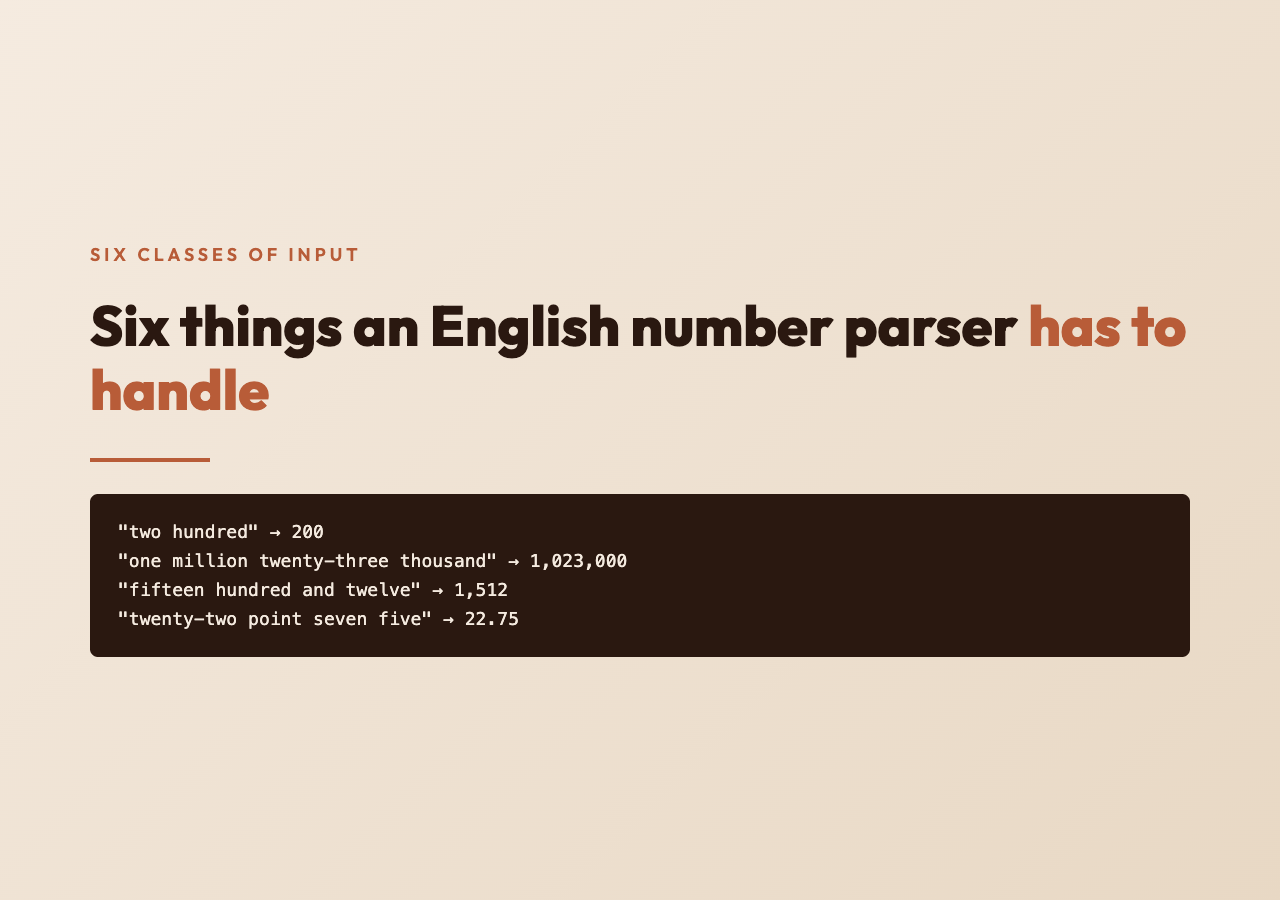
A naive English number parser handles “one” and “two” and “ten.” A real one — the kind that survives contact with audited documents — has to handle at least six distinct classes of input, and most production systems fail on the third.
The first class is the small integers: “seven,” “forty-two,” “one hundred.” These are trivial.
The second is the magnitude markers. English has four stable magnitudes — hundred, thousand, million, billion — and a fifth contested one, trillion, that appears in audit contexts. Each magnitude multiplies the running total. “Two hundred thousand” is 2 × 100 × 1000 = 200000. The parser has to know that hundred operates on the digit before it, while thousand and above reset the multiplier for the whole preceding group.
The third class is “and.” British and international English routinely inserts “and” between the hundreds place and the tens or units: “two hundred and three,” “one thousand four hundred and ninety-two.” American English often omits it. A parser that rejects “and” will fail on roughly half the audited documents that cross the Atlantic.
The fourth class is hyphens. The writer types “twenty-three” with a hyphen, or “twenty three” without, or — and this is the actual production case — both within the same document. The parser has to accept either form and produce the same digit.
The fifth class is decimals. “Fifteen point seven five” should parse to 15.75. “Fifteen and seven tenths” should also parse to 15.7. The parser has to recognize point, dot, and decimal fraction words (tenths, hundredths, quarters) and route them correctly.
The sixth class is the surrounding text. The number word rarely appears alone. It is embedded in a sentence: “approved at twenty-two thousand five hundred dollars, subject to revision.” The parser must extract the number without disturbing the words on either side. The result has to read as a clean substitution, not a Frankenstein of digits and English.
This last requirement is what most regex-based attempts get wrong. They either swallow too much surrounding text or produce a result with stray fragments of English still attached.
How a careful parser reads a number word
The structural rule behind English number words is more regular than it looks. Every English number word, no matter how long, is a sum of magnitude blocks. Each block is a digit group multiplied by hundred, plus an optional tens-and-units tail.
Take “two million three hundred thousand and forty-two.” Read it as three blocks:
– Two million → 2,000,000
– Three hundred thousand → 300,000
– Forty-two → 42
Add them: 2,300,042. The parser does not need to know English grammar. It only needs to walk left to right, accumulate a running total, and apply a magnitude multiplier whenever a magnitude word (thousand, million, billion) appears.
The “and” word is a no-op. It contributes nothing to the value. A correct parser strips it without changing the digit. The decimal case is a fork: once a point (or dot) word appears, the parser switches from integer accumulation to fractional accumulation, where each subsequent word contributes 1/n of the previous magnitude.
The hyphen case is also a no-op at parse time. “twenty-three” and “twenty three” tokenize the same way once the hyphen is normalized to a space. The only edge case is the writer who mixes the two forms in the same paragraph — which the same parser handles identically, because the tokenizer treats both as two tokens.
The substitution preserves the case and punctuation of the surrounding text. If the original sentence was “Approved at twenty-two thousand five hundred dollars,” the parsed result is “Approved at 22,500 dollars,” — not “Approved at 22500 dollars” and not “Approved at 22,500.00 dollars.” The parser writes into the gap and lets the rest of the sentence keep its shape.
Where this fits in your actual pipeline

Once the parser exists, the places it slots into are obvious in hindsight. Three of the most common production fits:
The first is OCR post-processing on scanned financial documents. The OCR engine handles the digits in tabular columns without trouble; the footnote paragraphs are where the number words live. A second-pass rewrite of just the number-bearing sentences, with the Words to Number tool applied to each detected span, recovers the values that the structured extractor missed.
The second is email and chat ingestion for procurement and approval workflows. Managers typing on phones and in chat windows frequently write the figure as a word rather than a digit, especially when the figure is large. Running the body of the message through a number-word normalizer before the value-extraction step reduces the number of “amount missing” rows in the approval queue.
The third is auditing and reconciliation reports. When you compare two systems and they disagree, the difference is sometimes that one wrote the figure as a digit and the other wrote it as a word. Normalizing both sides through the same parser brings them back to a comparable shape, and the actual disagreement surfaces.
These three uses are not the only ones. Once a parser exists, the same logic applies to legal documents (where spellings persist from older drafts), to medical record exports (where clinicians sometimes spell figures in narrative notes), to voicemail transcriptions (where the speaker said “twenty-three thousand” and the transcription faithfully rendered it that way), and to academic citation cleanup.
Things that look like number words but are not
A parser that is too eager will catch false positives. “I have one hundred emails to answer” is a number-word sentence; “one hundred percent” is a number-word phrase; “first” is not. The parser needs a small list of word-number boundaries.
Common false-positive inputs:
– Ordinal words (first, second, third) — these are not cardinal numbers, and converting them to digits changes the meaning.
– Approximation phrases (a hundred or so, roughly fifty) — converting “roughly fifty” to “roughly 50” preserves the uncertainty, but the user should know the approximation was preserved.
– Negation (not one hundred) — the digit 100 does not appear in the data; the value is zero.
– Compound words that contain a number prefix but are not numbers (one-sided, two-step, thousand-fold) — these are lexical, not numeric.
A careful parser returns the same string back when it cannot confidently identify a number word, rather than substituting a wrong digit. Silent errors in number parsing are worse than no parsing at all: the audit table will show a clean numeric column, and the value will be wrong, and no exception will have fired.
What to look for in a tool
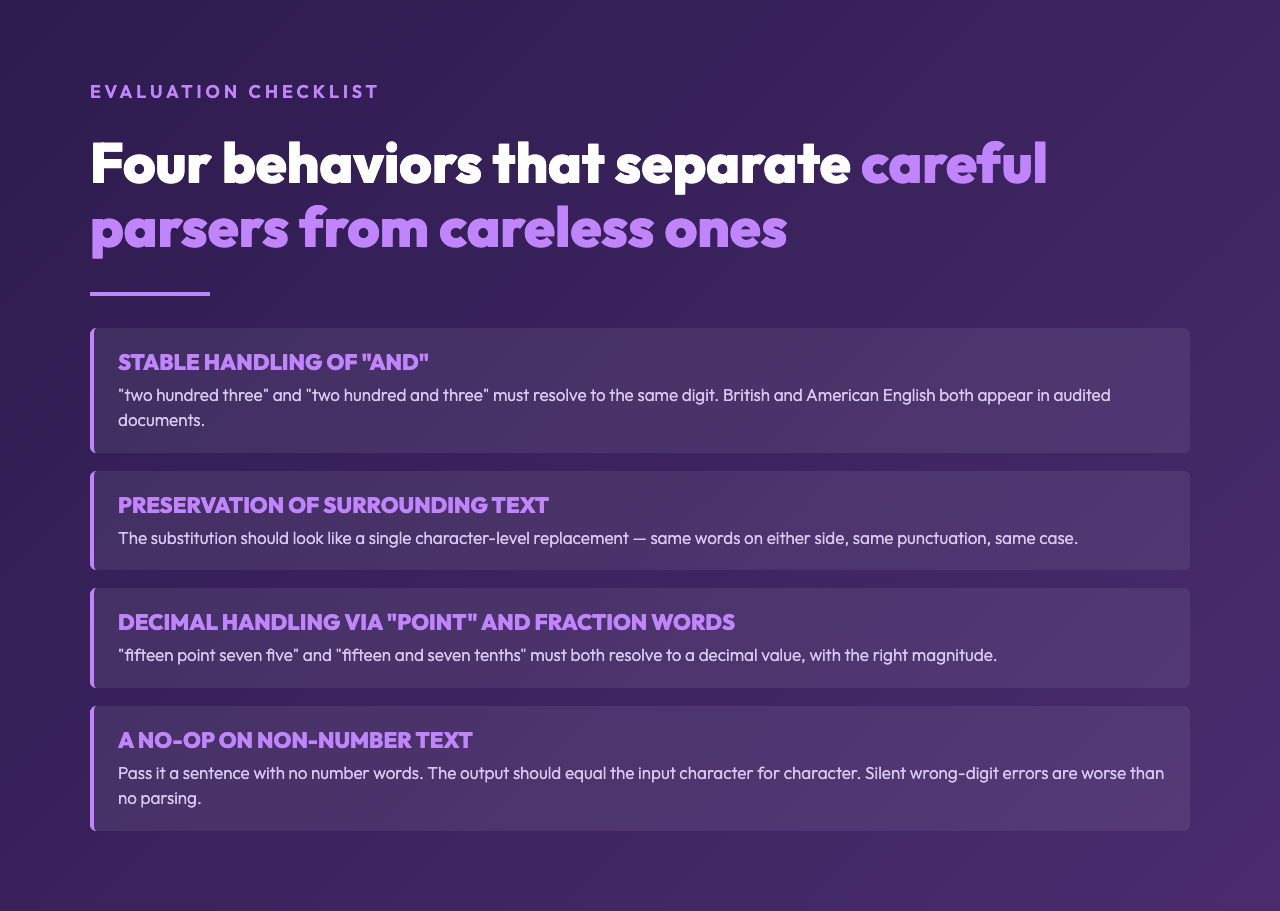
If you are evaluating an English number parser for production use, four behaviors separate the careful ones from the careless ones.
Stable handling of “and.” Pass it a British-style input with the conjunction, and an American-style input without it. The output should be the same digit in both cases.
Preservation of surrounding text. Pass it a sentence with the number word embedded. The output should look like a single substitution — the same words on either side, the same punctuation, the same case.
Decimal handling via “point” and decimal words. Pass it “fifteen point seven five” and “fifteen and seven tenths.” Both should resolve to a decimal value.
A no-op on non-number text. Pass it a sentence with no number words at all. The output should equal the input exactly, character for character.
A tool that handles all four is ready for the OCR post-processor, the email normalizer, and the reconciliation script. A tool that handles three is fine for casual use and dangerous in production.
A closing thought
Most of the work in data engineering is not about glamorous transformations. It is about recognizing that two different writers, given the same fact, will represent it differently — and about building the small adapters that bring those representations back to a common shape. The English number parser is one of those adapters. It is not exciting, and it does not need to be. It only needs to be correct, careful, and indifferent to the surrounding text.
Run the Words to Number tool against one of your own documents today. Pick the messiest one — the audit footnote, the email approval, the chat transcript where someone spelled out a figure rather than typing it. Watch the number appear in the right place, surrounded by the same words on either side. That single substitution is the shape of the missing adapter.
Find more text-processing adapters at elysiatools.com.