
The Bottom Line
An OpenAPI document is not documentation. It is a contract that your CI compiles, your client SDK generator turns into code, and your gateway enforces at the edge. Every undeclared path, every duplicate operationId, every unresolved $ref becomes a runtime surprise in production — a 404 on a route your spec said existed, two TypeScript methods named the same thing, a hand-edited copy of a schema that drifted from the canonical component. The OpenAPI / Swagger Validator treats your spec the way tsc treats a .ts file: it walks the document, flags structural defects before the build, and reports them in the order you can fix them. Run it on every commit, the way you run a linter, and the spec stops being a thing the API team maintains and starts being a thing the API team enforces.
The Four Things the Validator Actually Checks
OpenAPI 3.0, 3.1, and Swagger 2.0 documents all share four classes of structural failure. The validator catches all of them.
Required-field completeness. info.title, info.version, an openapi or swagger key at the root, and a non-empty paths object are the minimum. Skip info.title and Postman imports the file as “Untitled”. Skip paths and your gateway has nothing to route on. The validator walks the document and lists every required field that is missing or empty.
Path and operation integrity. A path with no operations (get, post, put, delete, patch, options, head) is dead code. An operation with no responses block is one you cannot generate a client from. An operation with no operationId is one the generated SDK calls by URL path. The validator confirms every path declares at least one operation and every operation declares the fields a code generator needs.
$ref resolution. A $ref: "#/components/schemas/User" that does not resolve to an existing component is a contract your consumers cannot import. A circular $ref (A → B → A) is one that breaks at least three popular code generators. The validator follows every $ref and reports unresolved or cyclic references.
operationId uniqueness. Two operations with the same operationId become the same method name in the generated TypeScript client. The generated client still compiles; the second method just overwrites the first. The validator deduplicates operationId across the whole document and lists the colliding pairs.
You can paste the spec and run all four checks at the OpenAPI / Swagger Validator without setting up Spectral, stopping a CI pipeline, or installing a Node toolchain.
OpenAPI 3 vs Swagger 2: The Two Grammar Mistakes That Hide
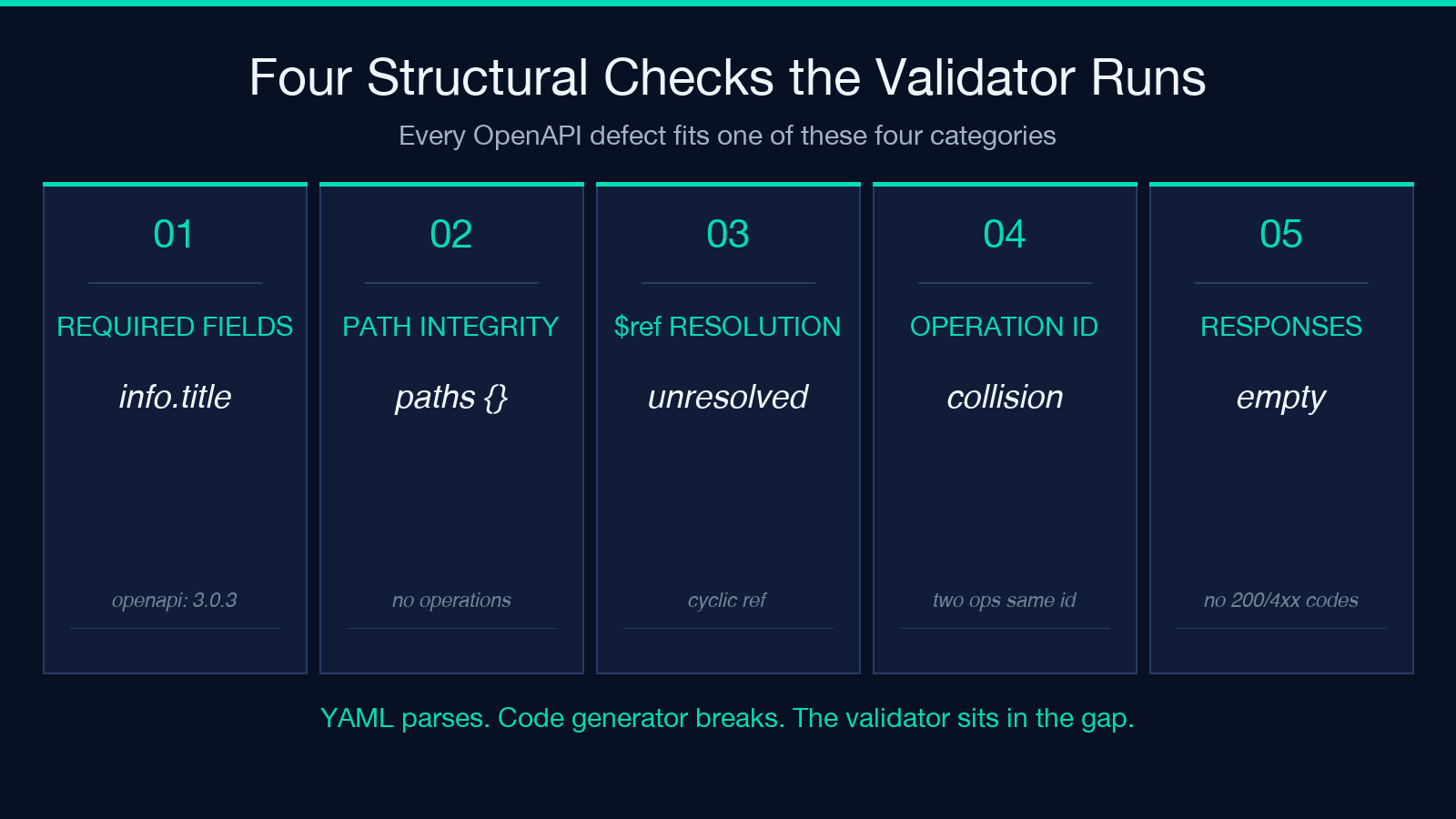
The two spec versions look similar and use different vocabularies for the same idea. A copy-paste from a Swagger 2 file into an OpenAPI 3 file usually passes syntax highlighting and fails the validator.
Host and basePath at the root. Swagger 2 puts host, basePath, and schemes at the document root. OpenAPI 3 moves them inside servers: [{ url: ... }]. A host: api.example.com block in an OpenAPI 3 file is silently ignored by every tool — including the validator, which has to decide what to do with an unknown root property. The right move is to either rewrite the file to OpenAPI 3 servers form or set the validator to Swagger 2 mode.
definitions vs components.schemas. Swagger 2 calls reusable schemas definitions. OpenAPI 3 renames them components.schemas and adds sibling components.parameters, components.responses, and components.securitySchemes. A $ref: "#/definitions/User" in an OpenAPI 3 file is an unresolved reference — the validator catches it as unresolved $ref. The fix is mechanical: rename the directory and rewrite the references.
The validator accepts both grammars because both are still in active use: most open-source SDK generators only just shipped OpenAPI 3.1 support, and a non-trivial fraction of internal APIs were last touched in 2019 and never migrated.
Why the Generated Client Breaks Even When the Spec Parses
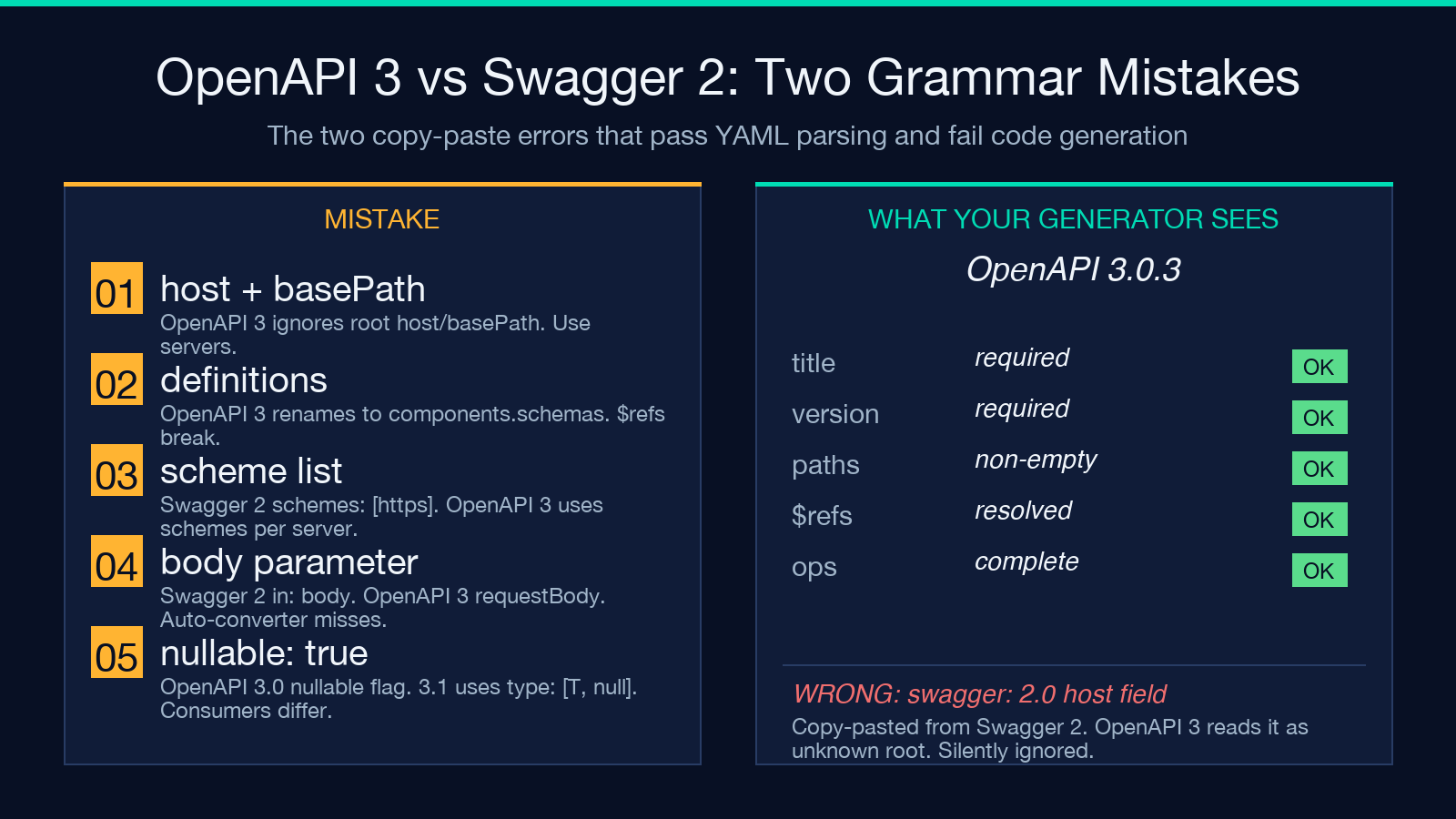
JSON.parse on a 4,000-line YAML file returns successfully and the spec can still be broken. The validator runs structural checks JSON.parse cannot.
| Check | YAML parse | Validator |
|---|---|---|
paths: {} | OK | Flags zero paths |
Two operations with same operationId | OK | Flags collision |
$ref to missing component | OK | Flags unresolved |
Missing responses on a get | OK | Flags incomplete |
info: null | YAML parse error | Surfaces in clean report |
The point is not that YAML parsing is insufficient — it is that a spec passes YAML parsing and still fails every code generator that consumes it. The validator is the layer between “the file is well-formed” and “the file is consumable”.
Five Checks the Validator Runs That Most Linters Skip
Most teams already run Spectral. Spectral is good at naming conventions and informational warnings. The OpenAPI / Swagger Validator is built for the four structural checks Spectral treats as optional.
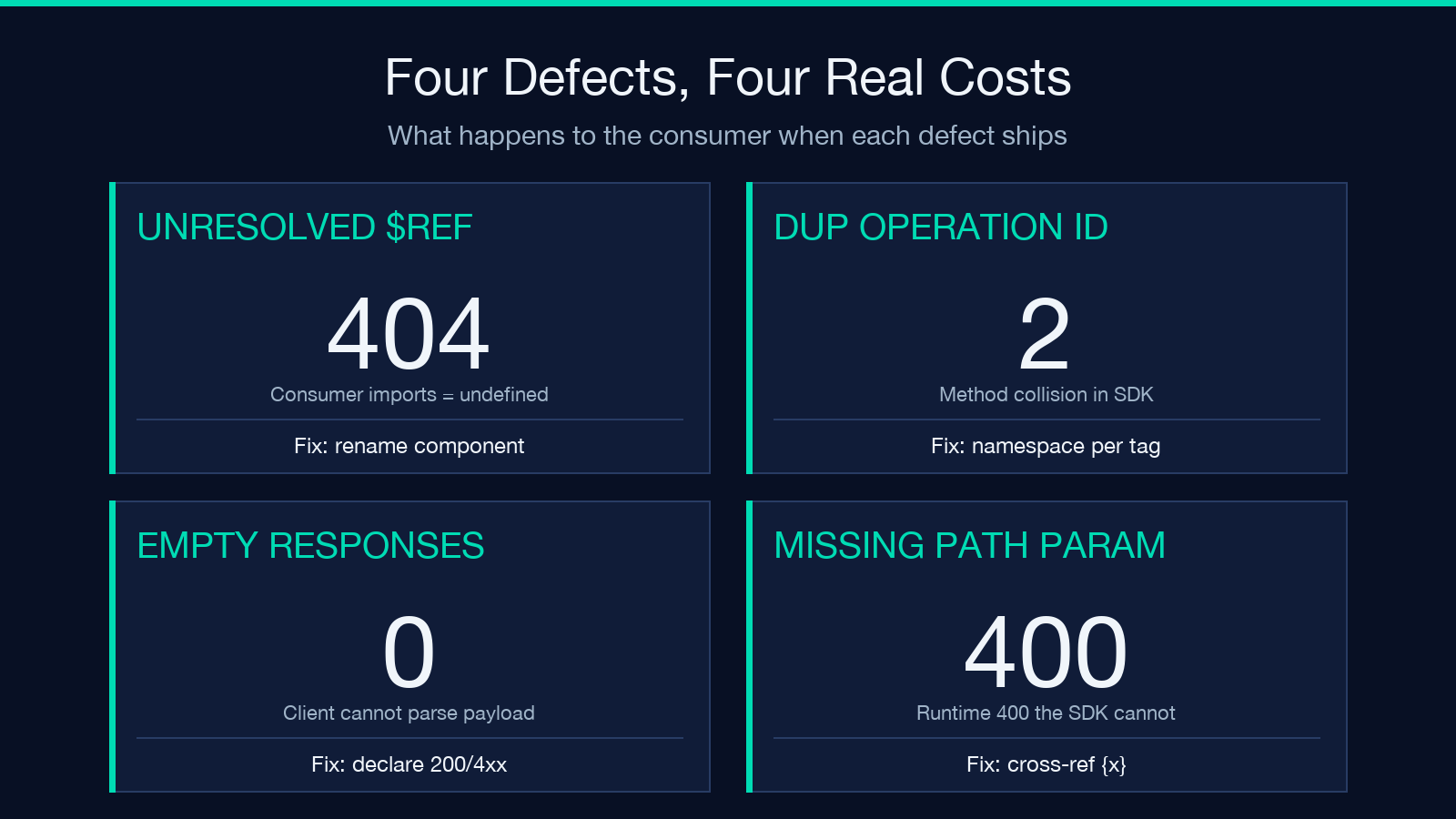
Operation completeness. Spectral’s operation-operationId rule is opt-in. The validator flags any operation missing an operationId because the consequence (SDK collision or URL-path-based naming) is the same regardless of your naming policy.
$ref resolution against your actual document. Spectral resolves $ref through a separate config. The validator resolves them against the document you paste and reports unresolved references inline.
Empty responses. A get /users with responses: {} is a request your client cannot handle — every response is a runtime surprise. The validator flags empty responses blocks before you ship the SDK.
Path-parameter consistency. A path declared as /users/{id} with an operation that never declares the id parameter is a 400 the consumer will see at runtime. The validator cross-references {x} placeholders in path strings against parameters arrays.
nullable vs type: [...]. OpenAPI 3.0 uses nullable: true. OpenAPI 3.1 (and JSON Schema) uses type: ["string", "null"]. The validator reports which idiom your spec uses and where the two mix — important if some of your consumers are still on 3.0.
A Real Workflow: Lint, Then Commit, Then Generate
The validator returns a verdict in the same form as a compiler: a list of structural defects you can fix in order.
1. Paste the spec from your editor. The validator accepts YAML or JSON. 2. Read the verdict section by section. Required fields first, then paths, then $ref, then operationId. 3. Fix the document, not the validator output. The verdict is a list of file locations. 4. Re-run until the report is empty. 5. Commit the spec, push, and let CI generate the SDK.
A team that runs this in CI catches the spec regression at the pull request, not at the consumer’s first npm install. Open the validator directly at Elysia Tools.
What the Validator Is Not
The validator is a structural linter, not a security scanner and not a conformance checker. It does not flag missing authentication on sensitive endpoints. It does not check that your rate-limit responses match your gateway’s actual configuration. It does not enforce that your info.license block matches the SPDX identifier your legal team uses.
For those checks you need a different tool. The validator’s job is to confirm the spec parses, the references resolve, the operations are complete, and the operationIds are unique — the four preconditions for every downstream consumer.
Putting It Into Practice
The fastest way to see the validator catch a real defect is to give it a spec with one. Take any OpenAPI document your team generated, paste it into the OpenAPI / Swagger Validator, and read the report. The first defect will be obvious in hindsight — a path without operations, an operationId shared between two methods, a $ref to a component that was renamed last quarter.
Lint before commit, lint before generate, lint before publish. The validator runs in a single paste, so the cost of running it is the cost of a copy and a click.
Browse more contract and validation tools at elysiatools.com.
