
The bottom line
If you remember one thing from this guide, remember this: a secret is measured in bits of entropy, not in characters. A 32-character password made from Math.random() and the lowercase alphabet has roughly 158 bits of entropy and is generated by a non-cryptographic source — both weaknesses you do not want in a JWT signing secret, an AES-256 key, or an API key. The Secure Random Generator inverts that mental model: you ask for N bits of security and the tool derives the byte count, the encoding, and (for custom alphabets) the warning you need to know that your chosen length and alphabet do not actually achieve the entropy you requested. It draws from Node’s crypto.randomBytes and crypto.randomInt — both backed by the operating system’s CSPRNG — so the output is unpredictable by construction, not by hope. Use it for any key, token, or secret an attacker must not be able to guess; keep using it even when the value lives in a config file and “feels unimportant,” because a leaked weak secret is a leaked service.
Why your random string generator is not random enough
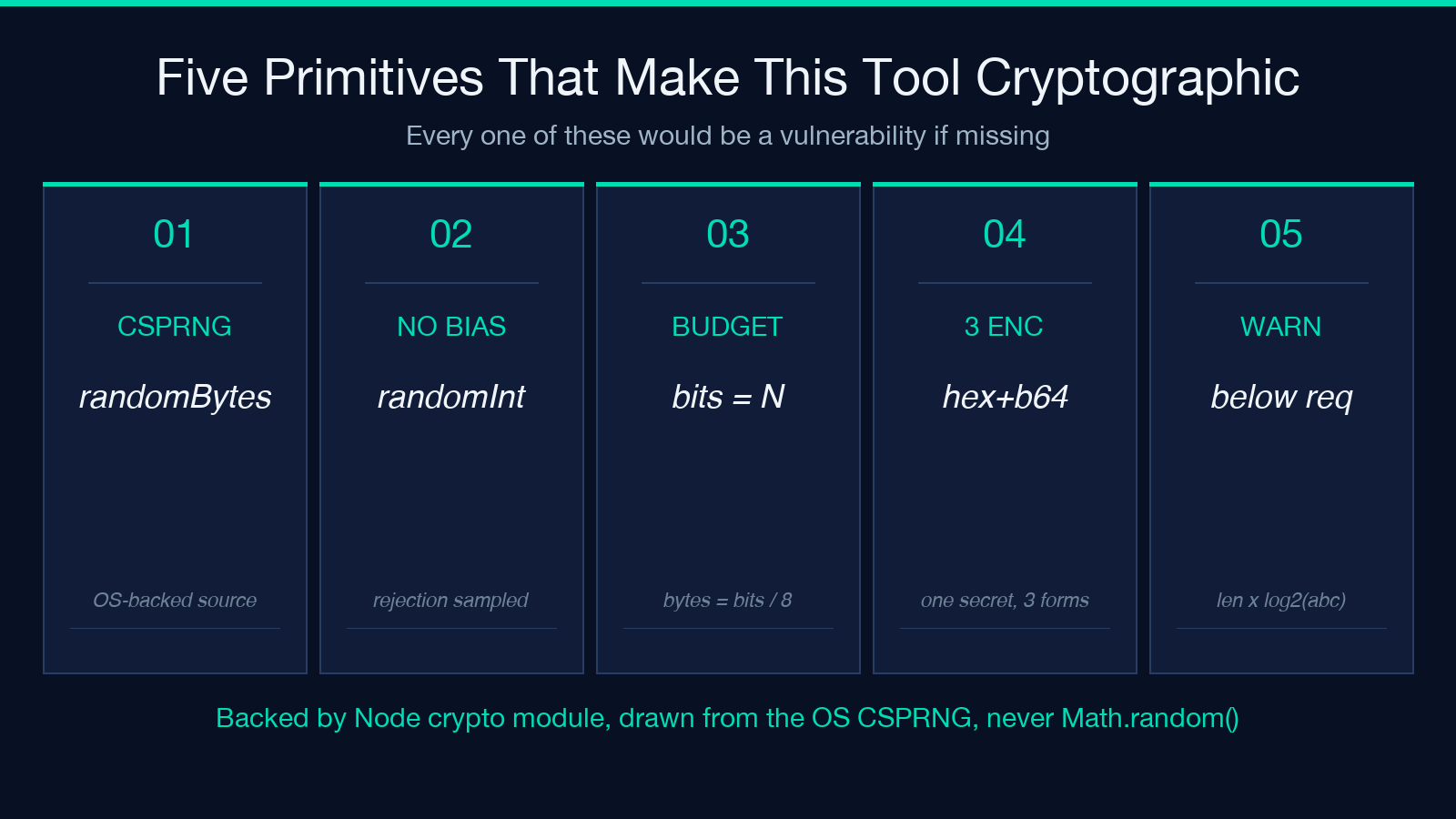
Most online “random string” tools wrap Math.random() — a fast, statistical-quality PRNG, not a CSPRNG. Two consequences matter:
1. The output is predictable. Math.random() typically uses an xorshift128+ or similar internal state. If an attacker can observe a few outputs from the same process, they can sometimes reconstruct the state and predict the next value. For a long-running server that has emitted millions of session IDs, this is a real attack surface, not a theoretical one. 2. The character count lies. A 32-character string drawn uniformly from a-z is 32 × log₂(26) ≈ 150 bits. A 32-character string drawn from a 94-symbol ASCII pool is 32 × log₂(94) ≈ 209 bits. Neither is what you thought you were getting — and neither was generated with cryptographic randomness. Both can look “random enough” in casual inspection while being breakable with the right tooling.
The fix is not “more characters” — the fix is to drive the generator from a CSPRNG and to size the output in bits. The Secure Random Generator does both.
The entropy budget, in one sentence
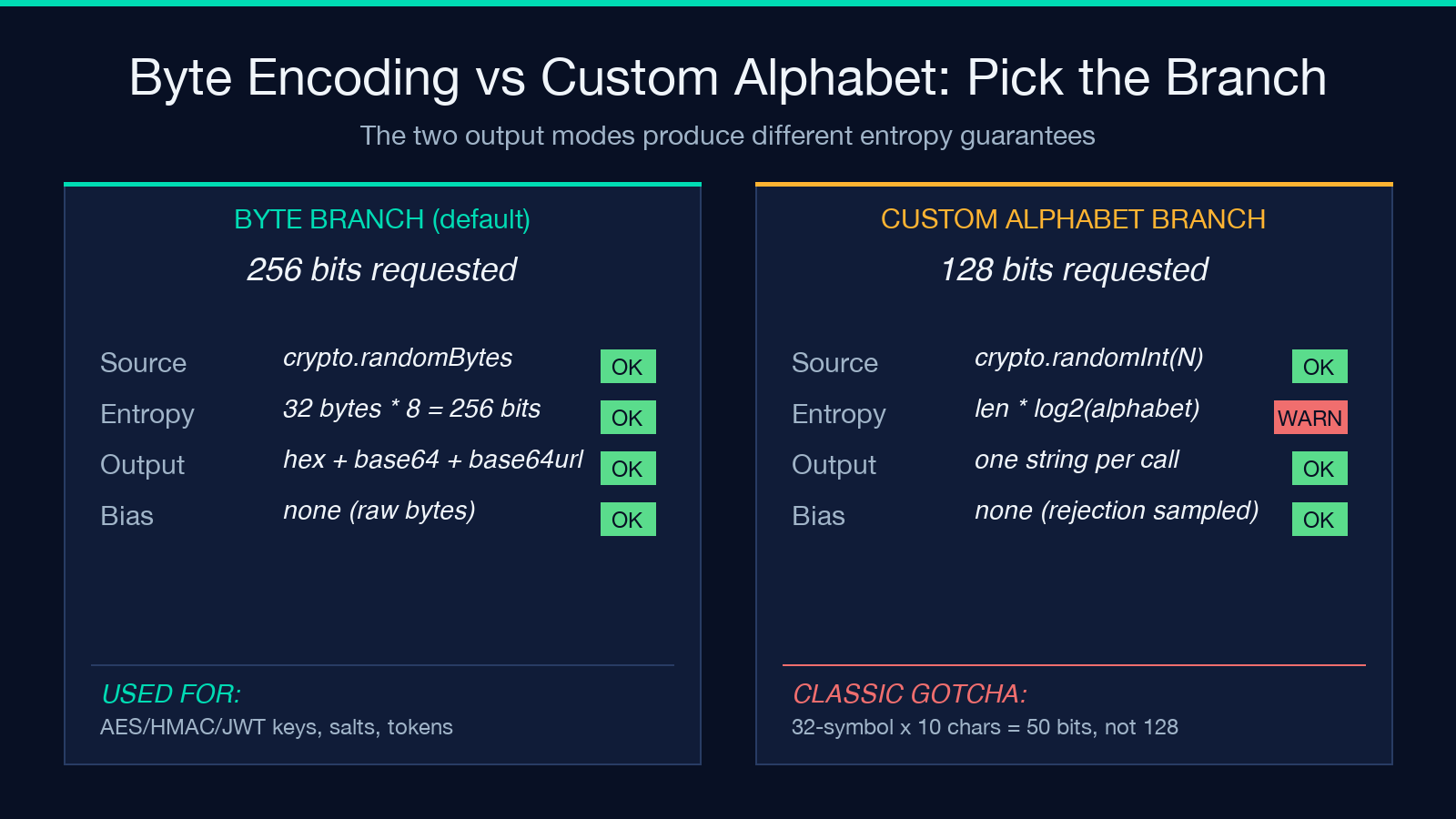
You specify a target entropy in bits — the security strength you want — and the tool computes the byte count as bytes = ceil(bits / 8). That single sentence is the entire input model. Default 256 bits (32 bytes), minimum 32 bits, maximum 512 bits, step 8.
| Target bits | Bytes | Strength comparable to |
|---|---|---|
| 128 | 16 | AES-128 key, medium-lived session secret |
| 192 | 24 | AES-192 key |
| 256 | 32 | AES-256 key, JWT HS256 signing secret, Ed25519 seed |
| 384 | 48 | High-assurance long-lived signing key |
| 512 | 64 | Paranoid-tier; usually overkill |
The right rule of thumb: pick the bits equal to the security level of whatever you are protecting. AES-256 needs 256-bit keys; JWT HS256 needs 256-bit secrets; a session cookie needs at least 128 bits. The character count comes out of the encoding, not out of your input — that is the inversion the tool is built around.
Two output branches: bytes, or custom alphabet
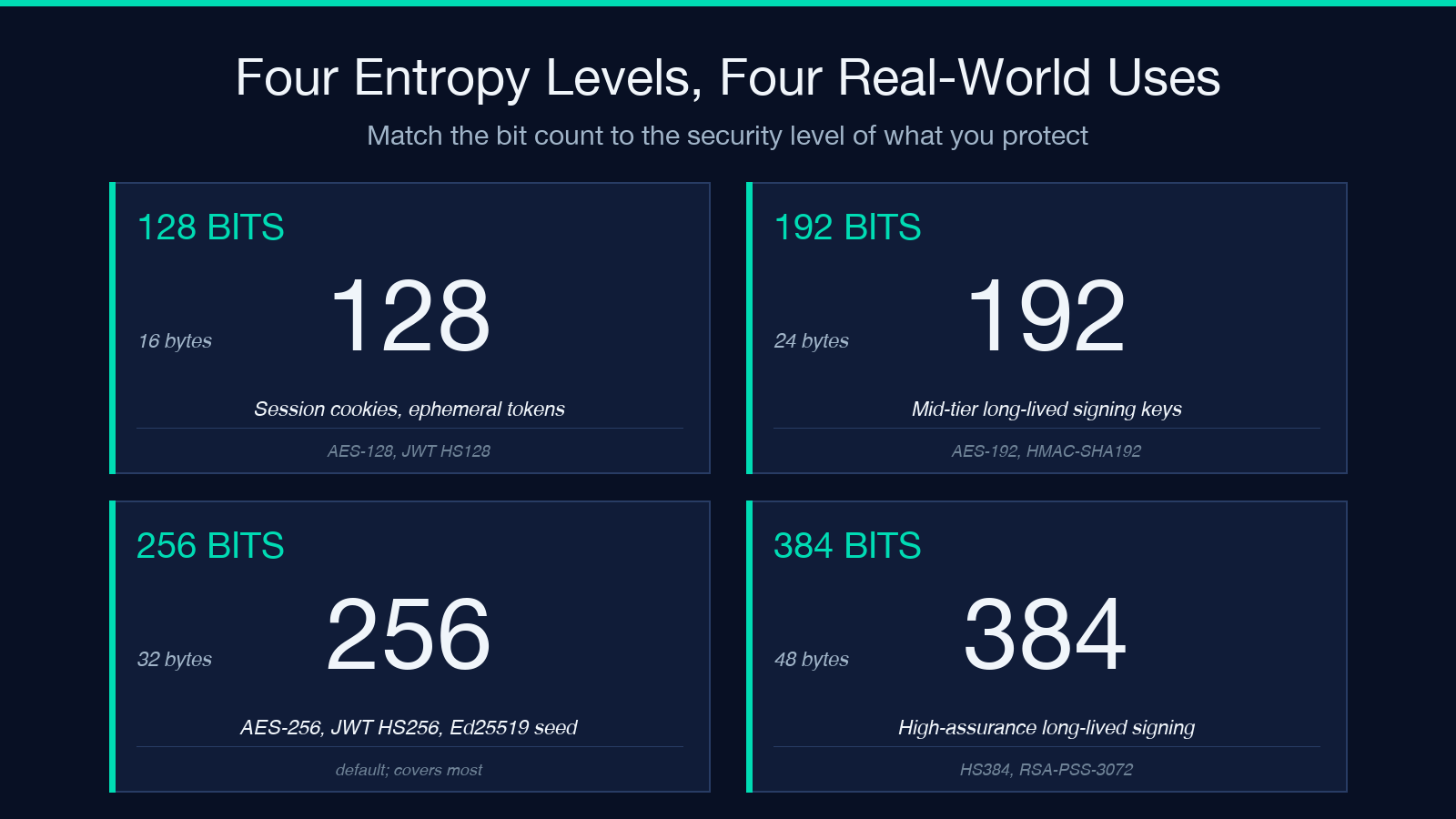
The tool splits into two branches depending on whether you fill the Custom Alphabet field.
Byte encoding (default). Leave Custom Alphabet empty. The tool calls crypto.randomBytes(bytes) and renders the same material in three encodings side by side: hex, base64, and base64url. Each byte contributes exactly 8 bits of entropy, so delivered entropy always equals requested entropy. The three encodings are not three different secrets — they are the same secret in three different string formats. Copy whichever your consumer expects:
- hex — most languages, config files, hash tables (256 bits = 64 chars)
- base64 — JWT, OAuth, generic binary-to-text (256 bits = 44 chars)
- base64url — URL-safe variant, no
+//or padding (256 bits = 43 chars)
A common mistake: re-running the tool three times to get three different “random” hex/base64/base64url values. They are not random — they are three encodings of the same random bytes. The tool shows all three so you can pick correctly without re-running, and so you cannot accidentally commit three different secrets thinking they are independent.
Custom alphabet. Fill Custom Alphabet with the symbols you want (lowercase, digits, a Crockford-style set, whatever). The tool samples crypto.randomInt(alphabetSize) per character — internally rejection-sampled by Node, so no modulo bias and no hand-written rejection loop. The output is the same strength as the OS CSPRNG applied through a fair sampler.
The warning you should pay attention to: actual entropy is length × log₂(alphabetSize). A 20-character string from a 32-symbol alphabet is 20 × 5 = 100 bits, not the 128 you might have typed into the Entropy field. The tool detects this and prints a red warning card: “Actual entropy X bits is below the requested Y bits.” Listen to it. Increase the length, increase the alphabet size, or switch to the byte branch.
Three encodings, one secret, zero re-runs
A 256-bit key renders to:
- hex — 64 characters from
[0-9a-f], one nibble per character - base64 — 44 characters from
[A-Za-z0-9+/=], six bits per character plus padding - base64url — 43 characters from
[A-Za-z0-9-_], the URL-safe variant with no padding
Different systems expect different formats. AWS access keys use base64 (without padding in many APIs). Many JWT libraries accept any of the three but warn when base64 padding is missing. URL-signed query parameters must use base64url or they will break on +, /, and = characters that are not URL-safe. Cookies set with SameSite=Strict and Secure flags usually embed the token as base64url.
Showing all three in one card lets you copy the format your consumer actually wants without re-rolling. If your application rejected the first attempt because you passed a hex string where it wanted base64url, you do not get a “second random key” — you re-roll the entire secret, the JWT signature becomes invalid, and any deployed service that already cached the key breaks. The tool exists partly to prevent that operational mistake.
The modulo-bias trap, and why crypto.randomInt sidesteps it
If you have ever written a custom-alphabet randomizer in JavaScript, you have probably written something like:
function randChar(alphabet) {
  // Math.floor * alphabet.length — uses array index syntax
  var idx = Math.floor(Math.random() * alphabet.length);
  return alphabet.charAt(idx);
}
This has a subtle bug: Math.random() returns a float in the half-open interval from 0 to 1 (exclusive of 1), multiplying by alphabet.length and flooring does not produce a uniform distribution when alphabet.length does not evenly divide 2^53. Some characters come out slightly more often than others. For a 32-symbol alphabet the bias is roughly 1 in 2^53 / 32 ≈ 4.5 × 10^14 per draw — invisible in casual testing, exploitable over millions of draws by an attacker who knows the implementation.
The fix is rejection sampling: draw a random integer, reject and redraw if it falls outside the largest multiple of the alphabet size. crypto.randomInt(max) does this internally — Node re-rolling until it lands inside the range — so the output is uniform by construction. The tool uses crypto.randomInt for every character of every custom-alphabet output. You do not have to write the rejection loop yourself.
When to use which entropy level
A short reference table for the common cases:
- Session cookies — 128 bits is the floor for any session ID an attacker can brute-force offline. Anything below 64 bits is brute-forceable in seconds on consumer GPUs.
- API keys — 256 bits if the key ever gets logged anywhere it could be scraped (and it will). 128 bits if the key is ephemeral and rate-limited.
- JWT signing secrets (HS256/HS384/HS512) — match the algorithm. HS256 needs ≥ 256 bits. HS384 needs ≥ 384 bits. HS512 needs ≥ 512 bits. RFC 7518 says so.
- AES keys — match the key size exactly. AES-256 wants 256 bits, AES-128 wants 128 bits. The tool handles both cleanly because the byte count is
ceil(bits/8)regardless of algorithm. - Password storage salts — 128 bits is fine; salts are not secret, just unique. The tool can generate them, but you do not need the cryptographic strength here — uniqueness matters more than unpredictability.
- One-time tokens, password reset links — 128 bits minimum. Anything shorter is guessable; anything longer is operational friction.
Things the tool deliberately does not do
A short list of things you might expect and that the tool refuses to do, so you know where to look elsewhere:
- No password generation. A password is human-memorable, with structural requirements (at least one uppercase, one digit, one symbol) that actively reduce entropy. Use a password generator for passwords; use this tool for secrets.
- No UUID generation. UUIDs (v4) are derived from random or pseudo-random data but have 6 bits reserved for version/variant, so a UUID is at most 122 bits of entropy regardless of source. If you need a UUID, use a UUID library; if you need a 128-bit secret, use this tool.
- No BIP39 / mnemonic phrase generation. Mnemonic phrases are a specific format with checksum words; the tool does not enforce that format. Use a wallet library for mnemonics.
- No streaming. The tool generates one batch per invocation, capped at 100 keys per request. For higher throughput, call the tool multiple times or use
crypto.randomBytesdirectly in your service code.
Putting it into practice
A clean workflow for any new secret:
1. Open the Secure Random Generator. 2. Set Entropy (bits) to the level matching what you are protecting (256 for most cases). 3. Leave Custom Alphabet empty unless you have a specific symbol restriction. 4. Set Count to 1 unless you need multiple independent keys. 5. Copy the encoding that matches your consumer. Do not re-run the tool to “get a different one in another format” — they are the same secret. 6. If the consumer requires a custom alphabet and the tool shows a red warning, increase the length or alphabet size until the warning disappears. Do not deploy a warning-state secret.
For custom-alphabet keys, the warning state is the most important signal the tool gives you. It is the moment the tool tells you “you asked for 128 bits and I gave you 100” — a 2^28 = 268 million times reduction in attacker effort. That is the difference between “unbreakable with current hardware” and “trivially brute-forceable on a laptop.” Treat the red card as a hard stop, not a soft suggestion.
The full API surface, summarized
| Field | Type | Default | Range | Notes |
|---|---|---|---|---|
| Entropy (bits) | number | 256 | 32–512, step 8 | The security strength; drives everything else |
| Output Encoding | select | hex | hex / base64 / base64url | Cosmetic — same secret, three string formats |
| Custom Alphabet | text | empty | up to 256 chars | Empty = byte branch; non-empty = custom branch |
| Custom String Length | number | 32 | 1–1000 | Length of the custom-branch output |
| Count | number | 1 | 1–100 | Number of independent keys per request |
The shape of the API mirrors the shape of the problem: one security knob, one optional symbol-restriction knob, one length knob for custom output, one batch knob. Nothing else. There is no “include a checksum” toggle, no “add a prefix” toggle, no “make it pretty” toggle. The output is exactly what you asked for in the encoding you asked for, and you compose it into your system from there. If you need a checksum or prefix, build it in your code; do not let the tool add structure you did not request.
For a live key generator with three encodings side by side, see Secure Random Generator on Elysia Tools. For more developer-security utilities, browse the Security category.
