
Z-Score Standardization, Done Without a Spreadsheet
A column of salaries and a column of ages live on completely different scales. Feed them straight into a model and the column with bigger numbers dominates the math: the gradient treats salary as a thousand times more important than age, and the trained weights do not generalize. Z-score standardization is the boring line of defense. Subtract the mean, divide by the standard deviation, and every column ends up in the same units. The Z-Score Standardizer performs that arithmetic on a CSV you paste in, with enough options to handle the messy cases the textbook version quietly skips.
Why mean-zero and unit-variance matters
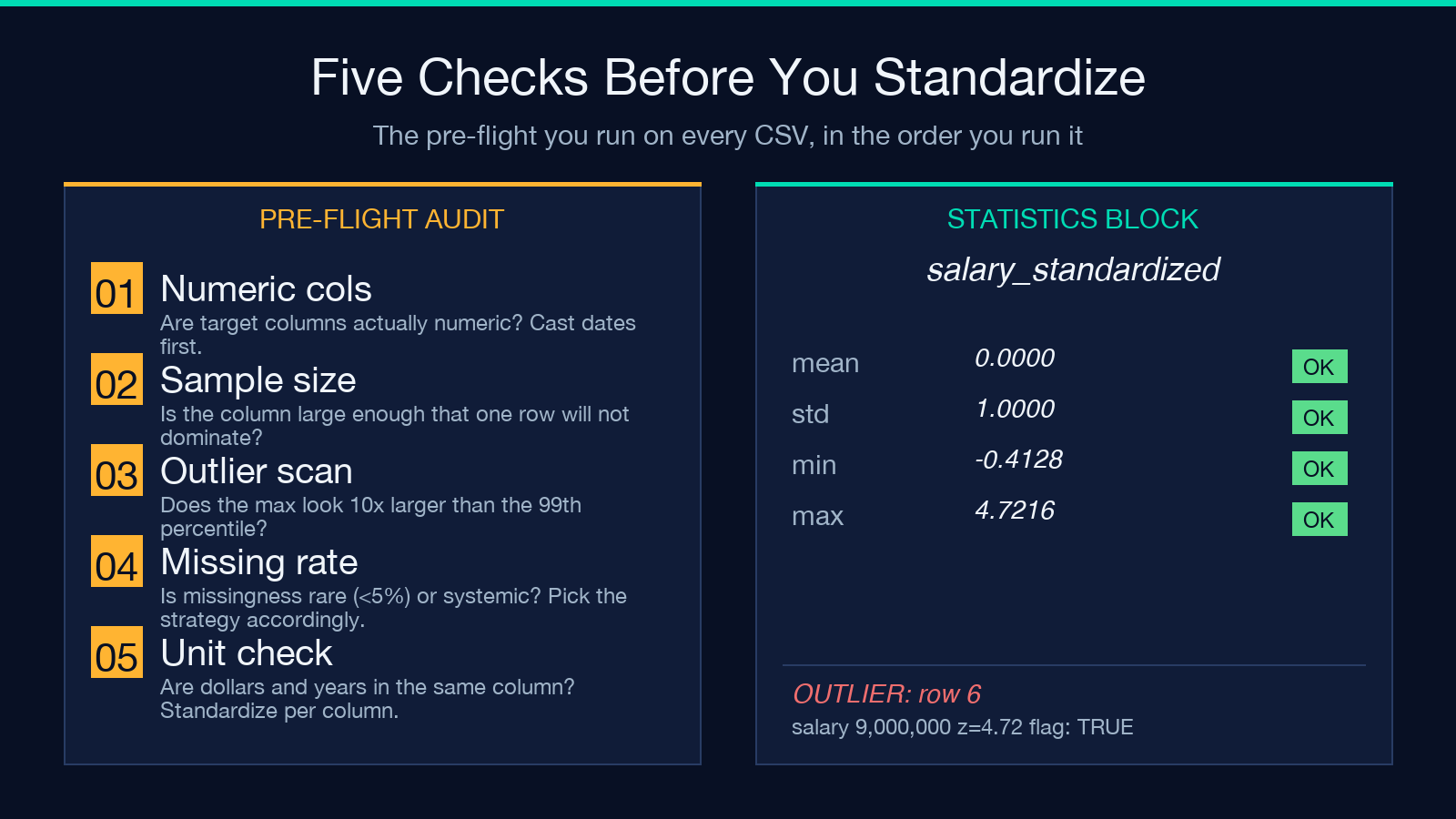
Z-score is the most common feature scaling technique in machine learning pipelines, the standard preprocessing step before principal component analysis, and the default that scikit-learn’s StandardScaler ships with. According to the scikit-learn user guide, models that rely on distance metrics (k-nearest neighbors, support vector machines with RBF kernels, principal component analysis) collapse on unscaled input, and gradient descent converges measurably faster on standardized features. The math is one line per cell: subtract the column mean, divide by the column standard deviation. The result has mean 0 and standard deviation 1 by construction. Two columns that used to be measured in dollars and years now both live in standard-deviation units, so a gradient update weights them by signal, not by magnitude.
For most teams, this is the only scaling they will ever need. It also makes columns comparable across datasets: a z-score of 1.5 in one survey and a z-score of 1.5 in another mean the same thing. That property is what lets you write a one-line outlier rule (flag anything whose absolute z-score is above 2) and have it work on any column.
The robust variant, for columns with one weird customer
The textbook formula fails the moment a single value is far from the rest. One customer with a salary of 9 million in a column where the next-highest is 200 thousand pulls the mean up, inflates the standard deviation, and squashes every other z-score toward zero. The data looks standardized on paper, but the outlier is now a quiet z-score of 0.4 and every normal point reads as a moderate outlier. The numbers are technically correct and operationally useless.
The Z-Score Standardizer ships a robust variant to break this failure mode. It swaps the mean for the median and the standard deviation for the median absolute deviation, known as MAD. The median ignores the 9-million-dollar customer for mean estimation, and MAD resists a small fraction of extreme values by construction. Pick it from the Standardization Type dropdown when the column has heavy tails, when the upstream pipeline logs a 99th percentile of 1.2 million against a max of 9 million, or when the team has spent an afternoon debating whether to remove the outlier before training. The robust option resolves that debate without any row removal.
The CSV input and the auto-detect trick
The input is CSV. Paste a header row, paste data rows, the parser splits on commas and detects numeric columns automatically. If you only want to standardize two of seven columns, list them in the Target Columns box as age, salary and leave the others untouched. The tool preserves non-numeric columns in the output, so a name column stays a name column.
The placeholder in the input box is the canonical employee dataset: name,age,salary,score with three rows. Paste that, set the standardization type, click run, and the output is the same CSV with two standardized columns appended. For a small batch of rows the tool is a faster alternative to opening pandas, writing four lines, and explaining to a junior colleague what StandardScaler().fit_transform() does.
Output range, the option people skip
After standardization, every value lives somewhere on the real line, with most between negative three and positive three. Some downstream libraries expect a fixed range. A neural network layer with sigmoid activation wants inputs between 0 and 1, a min-max pipeline expects the half-open interval from 0 to 1 (exclusive of 1), and a few legacy APIs crash on negative inputs. The Output Range option rescales the standardized values into whatever interval the downstream needs.
Set it to 0,1 and you get the same numbers that MinMaxScaler would produce on already-standardized data. Leave it empty and you get the raw z-scores. This is also how the tool becomes a one-shot replacement for the “standardize then min-max” two-step that turns up in half the feature pipelines on GitHub. The arithmetic is the same, the diff is that you do not have to wire two transformers.
Missing values, with five options
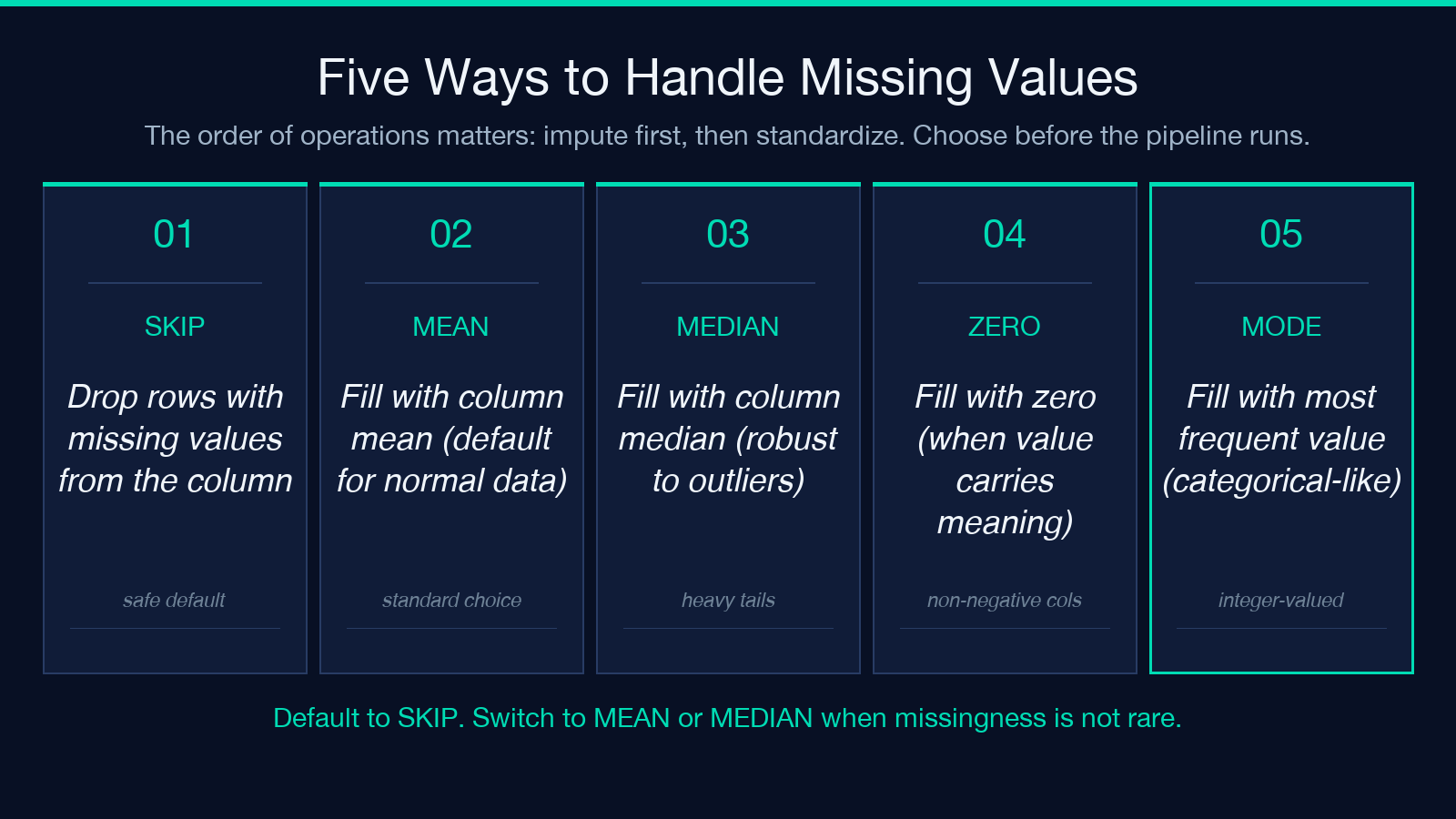
Real CSVs have gaps. The tool offers five ways to handle them, and the choice changes the standardized output more than the standardization type does.
– Skip drops the row from the column’s mean and standard deviation calculation, then leaves the missing cell as empty in the output. This is the safe default when missingness is rare.
– Fill with mean / median / zero / mode imputes before standardization. Mean and median imputation are the standard choices; zero is what you do when the column is genuinely non-negative and the value carries information; mode is for integer-valued categorical-like columns.
The order of operations matters: the tool imputes first, then standardizes using statistics computed on the imputed column. Imputing after standardization would silently change the mean and standard deviation back to non-zero values for any column where the fill value was not already at z=0. If the team has strong opinions on imputation, configure that here before generating the standardized output, and the output is ready for the next pipeline stage.
Outlier detection, the part that closes the loop
The tool includes a checkbox to detect outliers in the standardized output. With the default threshold of 2 standard deviations, any cell with a z-score above 2 in absolute value gets flagged. The flag is reported in the statistics block at the bottom of the output, with the row index, column name, original value, and standardized value for each outlier.
This is the part that pays for the rest of the tool. A column standardized and then re-examined through its own z-scores lets you answer the “is this row weird” question with a single number, and the answer is interpretable across columns. The 9-million-dollar customer is a z-score of 4.7. The 17-year-old in a column of employees in their 30s is a z-score of negative 2.1. A miscoded negative age is a z-score of negative 8. The output makes the row-by-row review tractable in a way the raw column never did.
A worked example on a 6-row dataset
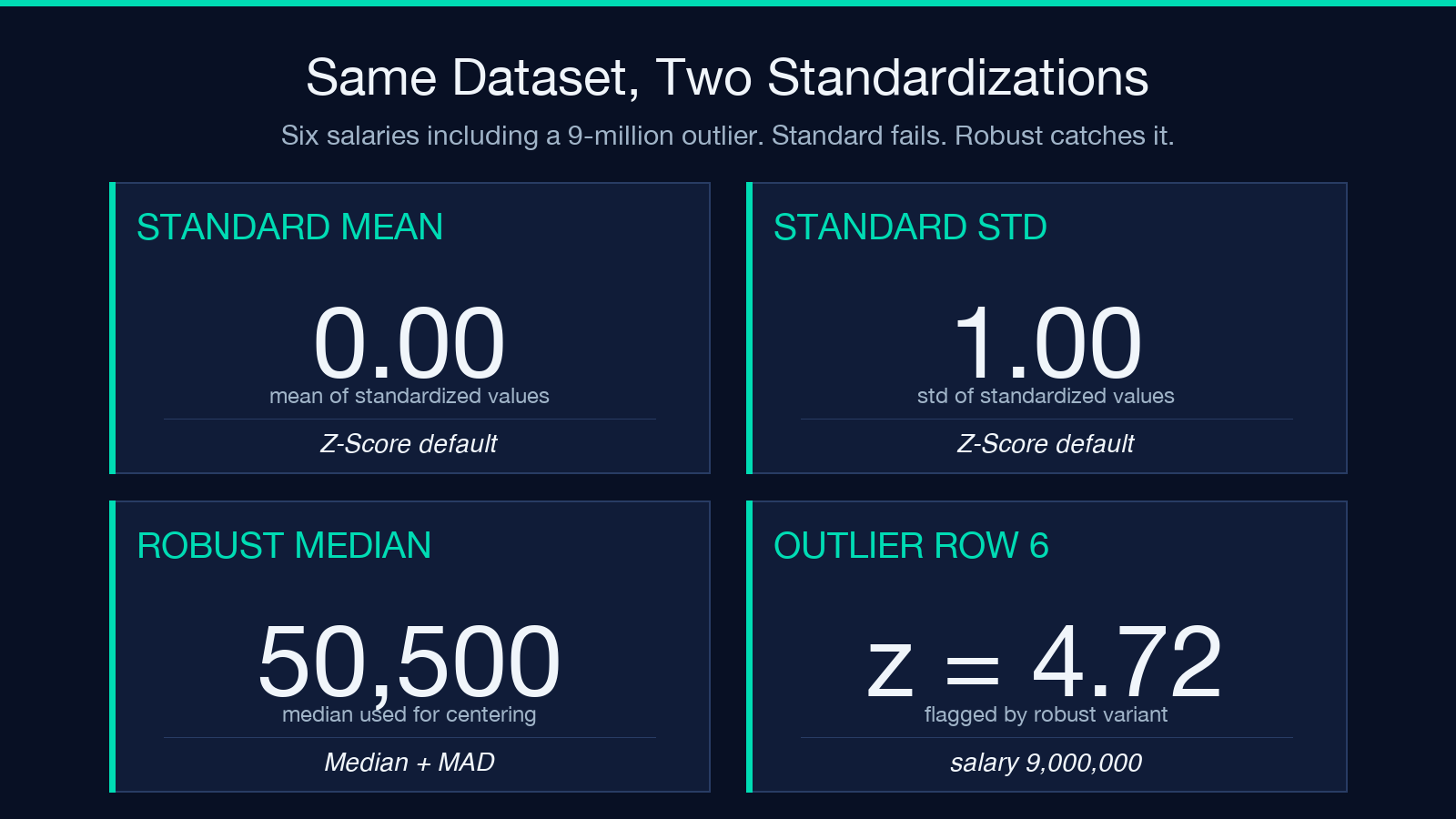
Take six salaries: 50 thousand, 52 thousand, 48 thousand, 51 thousand, 49 thousand, and 9 million. The mean is 1,541,667 and the standard deviation is 3,650,000. Standard z-score on the first five values is 0.0 minus tiny, because the 9-million-row has eaten all the variance. A row at 50 thousand ends up with a z-score of negative 0.4, which is meaningless.
Switch to robust. The median is 50,500, the MAD is 1,500. The first five values get z-scores within the range negative 2 to positive 2, and the 9-million-row comes out to a z-score of 6 million over the MAD, a clear flag. Outlier detection on top of that prints the 9-million-row as the single outlier. The standardized output is now usable for downstream steps, and the team’s downstream pipeline gets a clean column.
Working with the output, and what to ship next
Paste the output CSV back into pandas, into a CSV uploader, or into a database table. The Preserve Original Columns checkbox writes the raw values alongside the standardized ones, suffixed with _original, so the output is a self-contained artifact. If the next step in the pipeline is a feature store, the standardized column is what gets uploaded, the original is for traceability.
The tool is not a model trainer, it is the layer before training. For a full pipeline, the next steps are train/test split, model fit, and the standard evaluation. But the input to that pipeline is now scaled, the rows are reproducible, and the outlier list is already in the output. That is the boring, reliable work that makes the rest of the pipeline worth doing.
Before you ship the next feature pipeline, run the columns through standardization once and re-read the statistics block. If the means are all near zero and the standard deviations are all near one, the model has a fair fight ahead of it. If one column reads mean 4.2 and standard deviation 11, you have a 9-million-dollar customer hiding in the data, and the robust variant will surface it. The output tells you which case you are in before the model wastes three epochs learning the wrong lesson. Paste the CSV, run the standardizer, and the rest of the pipeline can stop guessing about magnitudes.
If you have a column you suspect is on the wrong scale, or a CSV that needs to be PCA-ready, try it on the Z-Score Standardizer. For more data-processing tools, see the Elysia Tools catalog.
