
The best OTP is the kind users don’t have to think about. When you ask them to type six digits into a phone field, the only math in their head is “is this the email I can still reach” — not “why is the third digit zero.” That requires three things working together: a code that’s long enough to defeat a brute force, short enough to read off the screen, generated from a cryptographically secure source (not Math.random), and timed so a stolen number dies before anyone can reuse it. The Numeric OTP Generator on Elysia Tools handles all four — and it does so on the client side, in your browser, so the codes never touch a server.
What an OTP actually is (and why Math.random is a liability)
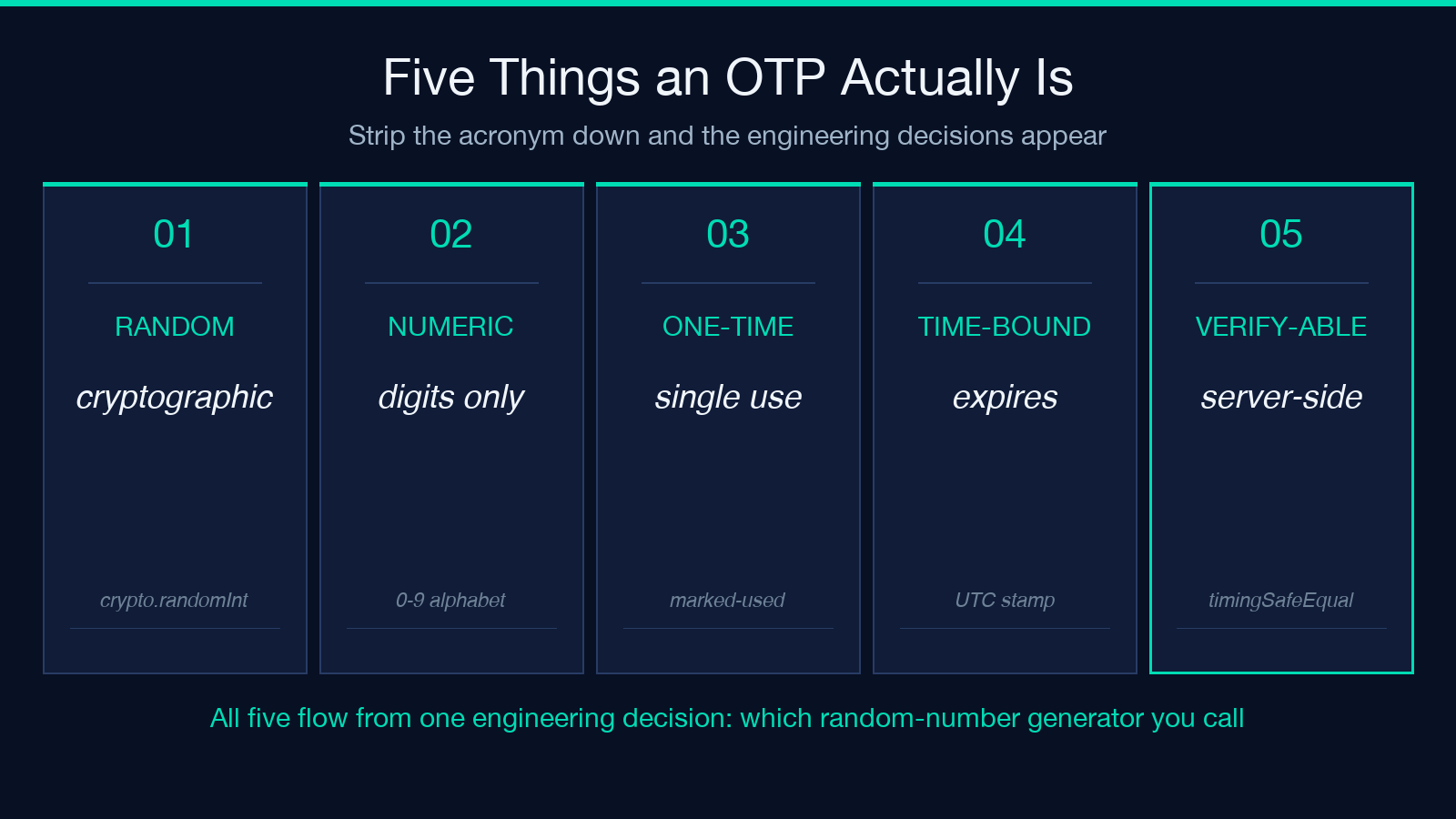
An OTP is just random bytes printed as digits. The acronym — one-time password — promises two properties: uniqueness within a window and unpredictability to an outside observer. Both are downstream of the same engineering decision: which random number generator do you call. The wrong choice cascades into every other property you might try to enforce.
An OTP is a random numeric string of fixed length, used once, with a short window in which it remains valid. The acronym says “one-time password” but the property that matters is unpredictability: an attacker who has watched nine codes already must not be able to guess the tenth with better than uniform probability.
The trap is that “random” is harder than it looks. JavaScript’s Math.random() is a PRNG seeded from a low-entropy source (often just the current time). It is fine for shuffling a UI list or picking a background color, but a motivated attacker who has read a few hundred outputs from the same generator can recover the seed and predict future values. V8’s Math.random is xorshift128+, which is fast but not cryptographically secure — there are published reverse-engineering techniques that recover the internal state from a small handful of outputs.
The Elysia Tools generator sidesteps this entirely by using crypto.randomInt(0, 10) from Node’s crypto module. crypto.randomInt reads from /dev/urandom on Linux, BCryptGenRandom on Windows, and getrandom on macOS — all of which draw from a kernel-managed CSPRNG seeded from hardware noise. The same randomInt call underlies Node’s built-in crypto.randomBytes and is the same primitive you’d use for session IDs, API keys, and password resets. For a 6-digit OTP, you call it six times and concatenate.
The length question deserves its own paragraph. Four digits gives 10,000 possibilities. Six digits gives 1,000,000. Eight digits gives 100,000,000. The most common production setting is six because it sits at the crossover where brute-force defenses (rate limiting, lockout after N attempts) start to matter more than raw entropy. Anything shorter than four is essentially a PIN, not a code, and should not be used for verification.
What length, format, and ambiguous-digit exclusion actually change
Three options control the form of the code more than anything else.
Length is the primary lever. Most apps default to six. The Elysia Tools generator exposes 4, 6, 8, and a custom range of 3–10. If your user is reading the code off SMS on a phone in bright sunlight, four digits will save you support tickets. If the code is being copy-pasted from an email into a web form, eight is fine and the additional entropy is essentially free.
Grouping (the “123 456” option) splits long codes into two halves at the midpoint. It’s a readability feature, not a security feature — the entropy is identical — but for six digits in particular, 123 456 reads back into a phone field measurably faster than 123456. Grouping always splits at the midpoint, never at three-and-three, so a six-digit code becomes 3+3, an eight-digit becomes 4+4, a five-digit stays ungrouped.
Ambiguous-digit exclusion removes 0 and 1 from the alphabet. This is the option most teams get wrong. The argument is that 0 and 1 are visually similar to O and l in the system font your verification UI ships with — so the user types O instead of 0 and fails the check. The argument against is that excluding two characters from a 10-character alphabet shrinks the entropy by about 7% (log2(8/10)) and forces you to think about whether your rate-limit math still holds. The practical compromise: enable it for SMS codes (read by humans on small screens), disable it for email codes that the user will copy-paste. The generator’s checkbox is the right place to encode this decision.
How bulk codes change the use case
A single OTP is for a single user. Bulk codes are for a different shape of problem: raffles, event entry, scratch-card redemption, in-person verification, anything where you need to issue a few hundred to a few million codes up-front and validate them later.
When you ask for 50 codes from the generator, you get 50 independent calls into crypto.randomInt. There is no shared state, no sequential seed, no predictable relationship between code #1 and code #2. This is the property that distinguishes bulk OTP generation from “give me 50 sequential integers” — and it is the property that matters when you print these codes on physical cards and ship them to events.
For bulk issuance, the typical workflow is:
- Decide length up-front — changing length mid-batch forces re-printing
- Keep ambiguous-digit exclusion consistent across the batch
- Verify against the same generator on the read side — if you can generate codes locally, you can validate them locally, which is the whole point
- Hand out one per recipient, never re-issue the same code twice
The generator produces bulk output as a single textarea block that you can copy into a spreadsheet, a CSV, or a label printer. It does not deduplicate for you — the probability of collision in 10,000 six-digit codes is non-negligible (~39%, by the birthday paradox), so for very large batches you should dedupe downstream.
What expiry actually protects you against
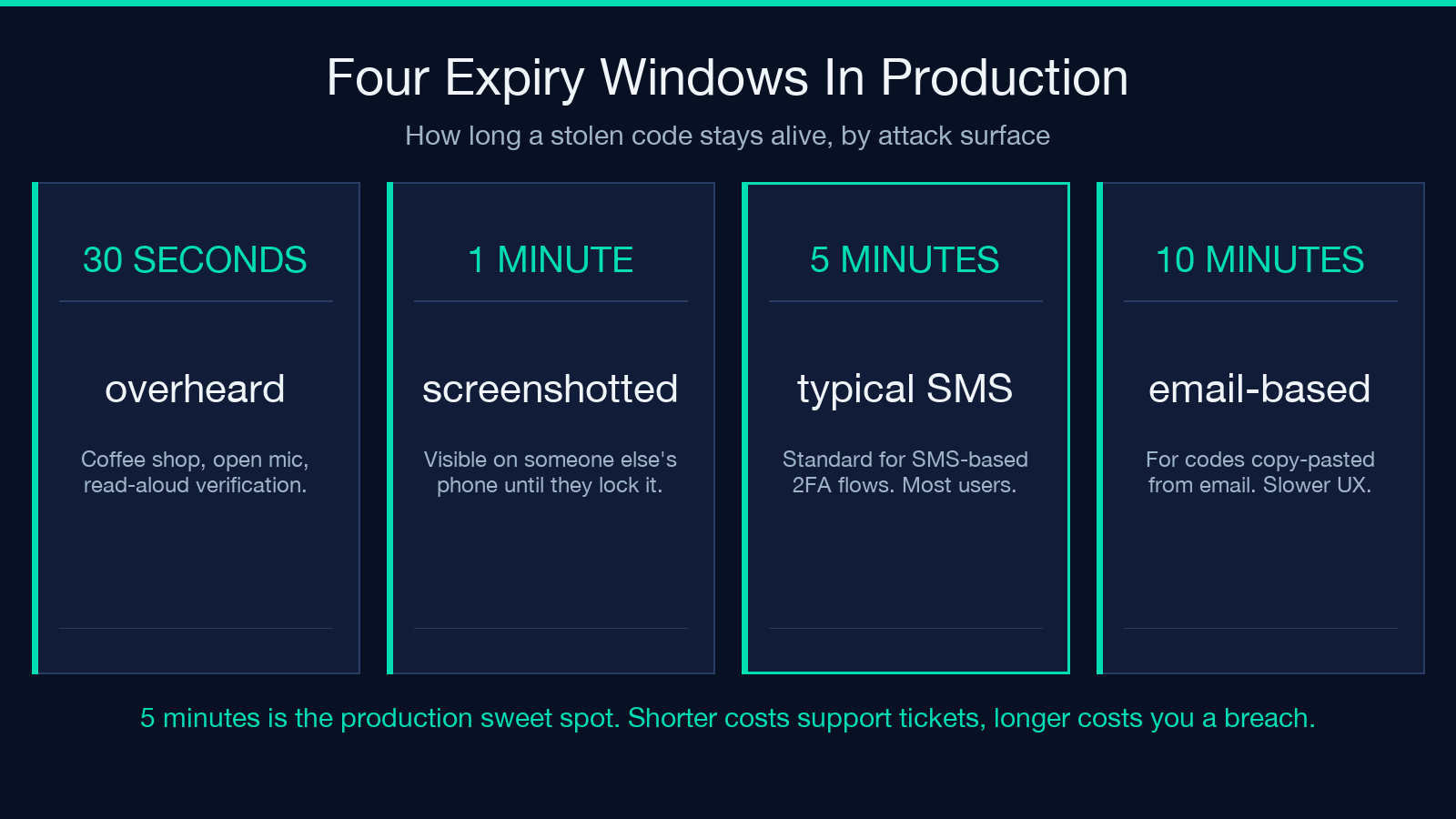
The “expires after” dropdown offers 30 seconds, 1 minute, 5 minutes, 10 minutes, and no expiry. The function of expiry is to bound the window in which a stolen code is still valid. A code that’s been read out loud in a coffee shop and overheard is dead in 30 seconds. A code that someone writes down to enter later is dead in 5 minutes. A code that someone screenshots and forwards is dead in 10 minutes. A code with no expiry is dead only when it’s used or the system explicitly invalidates it.
The generator reports the expiry time as a UTC timestamp alongside the code itself, so the read-side validator can compute now > expiresAt without needing to know which option was selected. This is the right shape for a verification API: server-side time, not client-side clock, decides whether the code is still alive.
A common mistake is treating expiry as the only defense. It is not. Expiry reduces the blast radius of a stolen code. It does not protect against an attacker who is watching the code arrive and typing it in within the window. The actual defense against that attack is delivery-channel security (TLS, signed SMS providers) plus rate-limiting on the verification endpoint. Expiry and rate-limiting are complementary, not substitutes.
The six places OTPs go wrong in production
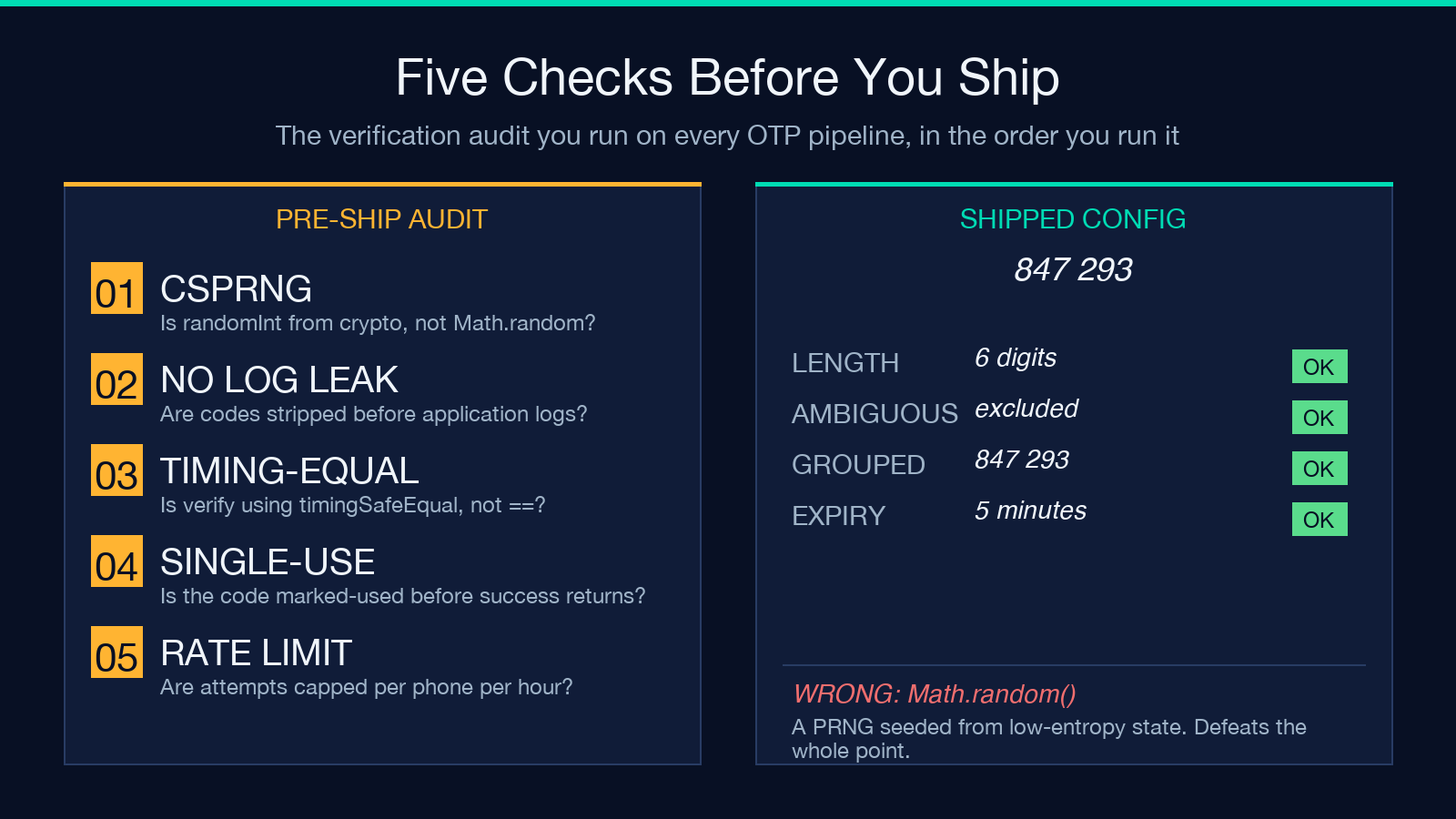
These are the failure modes that show up consistently in post-incident reviews:
- Re-using seeds across requests. Some libraries cache the PRNG state for performance. A bug that resets the seed on each call produces the same code over and over. If your support dashboard shows multiple users reporting “I always get the same code,” that’s the bug.
- Logging codes to application logs. Most log aggregators are searchable and not access-controlled. A line like
INFO: OTP for user 12345 is 847293is a credential leak waiting for a query. Strip codes before logging. - Truncating codes on small screens. SMS gateways longer than 160 characters get split into multi-part messages, and the concatenation behavior is carrier-specific. An eight-digit code in a multi-part SMS can arrive as two four-digit fragments and the user enters them in the wrong order. Grouping at the midpoint reduces but does not eliminate this.
- Mixing OTP and TOTP in the same field. TOTP (RFC 6238) is a time-based code derived from a shared secret; OTP is a random code generated server-side and sent over a channel. Mixing them in one input field with one validation path is a frequent source of “the code worked yesterday but not today” bugs. Keep them separate.
- Verifying with
String ==instead of constant-time compare. A string equality check short-circuits at the first character that doesn’t match. An attacker who can observe response timing learns the prefix of the correct code one character at a time. Usecrypto.timingSafeEqualor its equivalent. - Forgetting to invalidate after success. If the code is good for 5 minutes and the user enters it correctly, the code should be marked used before the success response returns. Otherwise a network replay re-submits the same code and it validates again.
A field recipe: six-digit SMS codes with 5-minute expiry
If you want a starting point that holds up to the six failure modes above, this is it:
- Length: six digits
- Grouping: enabled (so the SMS reads “847 293”)
- Ambiguous-digit exclusion: enabled (because the verification UI uses a system font where 0 and O are indistinguishable on a phone screen)
- Bulk: 1 per request, never batched — the rate limiter on the SMS provider will tell you if you’re overdoing it
- Expiry: 5 minutes from issuance, validated server-side using the UTC timestamp the generator returns alongside the code
- Verification:
crypto.timingSafeEqualagainst the stored hash, single-use, marked-used before the success response - Rate limit: 5 attempts per phone per hour, lockout after, with exponential backoff on lockout release
Run the Numeric OTP Generator for this configuration and you get a six-digit, ambiguously-excluded, two-half-grouped code with a 5-minute expiry timestamp. The same code path is what your production backend should be running — the generator is essentially the reference implementation for what a correct OTP generation call looks like in Node.
The four invariants that make an OTP trustworthy
Strip the article down to its bones and there are exactly four properties that matter:
- Generated from a CSPRNG —
crypto.randomInt, notMath.random, not a re-seeded Mersenne Twister, not a counter. - Long enough to resist brute force — at least four digits for SMS, six for anything user-facing, eight when you can afford it.
- Short enough to be human-readable — the eight-digit ceiling is where grouping stops helping; above that, switch to alphanumeric tokens.
- Bounded in time — every code has an expiry, every expiry is enforced server-side, every successful use invalidates the code before the response returns.
If your code satisfies those four invariants, your user gets the experience the acronym promises: one password, used once, gone. Anything you do on top — bulk issuance, ambiguous-digit exclusion, custom length — is refinement, not defense.
The generator above is the cleanest expression of those four invariants that fits in a single page. Open it, generate a code, watch the timestamp — that’s the entire interface.
For more on the cryptographic primitives that make this work, see the Random String Generator and the Hex to String tool for inspecting the underlying bytes. If you’re building the verification side rather than the generation side, the HMAC Generator & Verifier is the tool that turns a shared secret and a timestamp into a TOTP code — the time-based sibling of the random OTP this guide focuses on.
Where to go from here
The reference implementation is one tab away. Open the Numeric OTP Generator, pick six digits with ambiguous-digit exclusion enabled and a five-minute expiry, and generate a code. Watch the UTC timestamp. Read the constant-time compare pattern in the HMAC Generator & Verifier for the verification-side equivalent. If your threat model includes an attacker who is watching the SMS arrive in real time, layer a TOTP/HOTP Offline Generator on top — same primitive, different delivery discipline. Explore more field guides and reference tools at elysiatools.com.
