
Amazon Ion‘s binary format is denser than JSON and self-describing, but most JSON tooling ignores it entirely. The Ion Converter lives at Elysia Tools and lets you round-trip any JSON payload through Ion’s binary representation, choosing between hex and Base64 as the on-the-wire encoding. This field guide walks through when Ion actually wins, when it loses, and how to use the converter without getting bitten by type ambiguities.
What Ion actually is (and why JSON tooling chokes on it)
Amazon Ion is a superset of JSON with three additions that change how data moves over the wire: typed scalars (integers, decimals, timestamps, blobs, symbols, clobs), binary encoding that is roughly 30 to 60 percent smaller than the equivalent JSON text, and a self-describing framing so the receiver does not need a separate schema to parse the bytes. The textual form looks almost like JSON, with one extra prefix per typed value (int, dec, ts, sym, $ion_symbol, etc.). The binary form is where Ion earns its keep — same data, far fewer bytes, no schema negotiation.
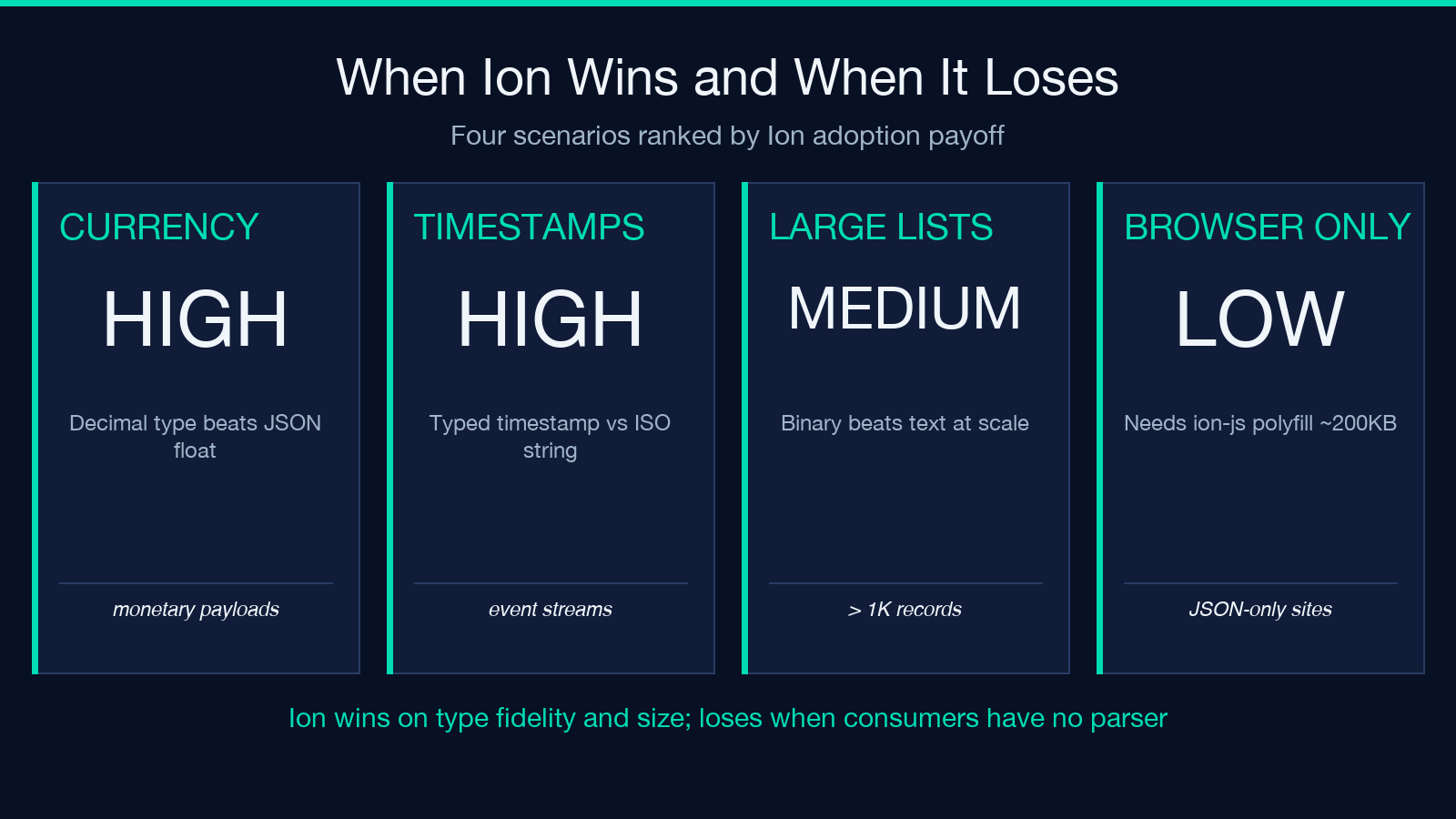
The catch is that JavaScript’s built-in JSON.parse does not understand Ion. It sees the binary header bytes (0xE0 0x01 0x00 0xEA) and either throws or silently returns garbage. Any time you receive Ion payloads from an AWS service, an internal Rust service, or a partner that uses ion-js / ion-python, you need a converter on the boundary. The Ion Converter at elysiatools.com handles both directions and exposes the raw bytes as hex or Base64 so you can paste them into a debugger, a log line, or a curl request body without copying a binary blob.
How the Ion Converter processes a payload
You feed it three inputs: the data string, an operation (encode or decode), and an output format (hex or base64). The encoder path tries JSON.parse first; if that fails it treats the input as an opaque string and encodes a single Ion string value. The decoder path does the inverse: hex or Base64 into bytes, then bytes into a typed Ion value tree, then the tree as pretty-printed JSON (or the primitive value if the result is a scalar).
The three options that matter:
– Input Data — the JSON, scalar, or Ion-encoded payload. Required.
– Operation — Encode to Ion for the JSON→binary path, Decode from Ion for the binary→JSON path. Default encode.
– Output Format — Hexadecimal or Base64 for the binary representation. Default hex. Pick Base64 when you need to paste into a curl --data-binary @- body, a JSON field, or a text/plain log line; pick hex when you are staring at packet captures or memory dumps.
The whole tool runs in the browser via the ion-js library, so nothing leaves your machine. The output also carries metadata (operation performed, byte length before and after, timestamp) so you can grep your logs for “decoded at HH:MM:SS” and find every conversion that happened.
Encoding a JSON object: a worked example
Take a small order payload and round-trip it. Paste this into the Input Data field with Encode to Ion and Hexadecimal:
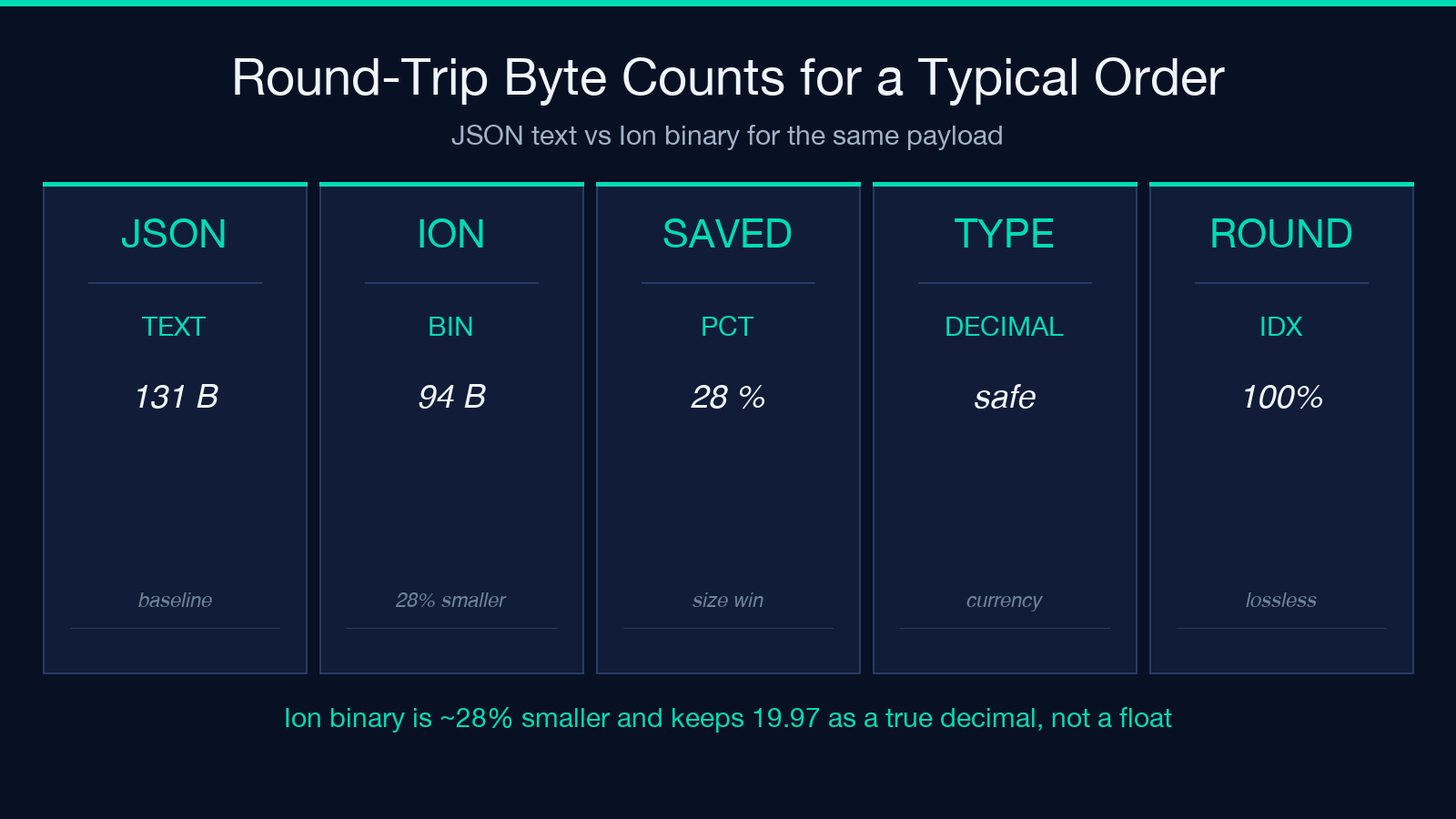
{"orderId": 42, "customer": "acme", "items": [{"sku": "WIDGET-1", "qty": 3}, {"sku": "WIDGET-2", "qty": 1}], "total": 19.97}The hex output starts with the Ion binary header e00100ea followed by the BVM (binary value model) encoding of each field. The whole payload fits in roughly 90 bytes; the JSON text version is 130+ bytes. The total field is preserved as a decimal type, which matters for currency — JSON would silently coerce 19.97 into a binary float and lose precision on the last digit. Ion keeps it as a 128-bit decimal.
If you flip the operation to Decode from Ion and feed those hex bytes back in, you get the original JSON, plus the typed metadata — the converter surfaces whether 42 came back as an int (it should) and 19.97 came back as a decimal (it should). If either type regressed to number, you have a wire-format bug somewhere in your pipeline.
You can try the same flow with the converter at Elysia Tools — paste the JSON, copy the hex, paste the hex back in Decode mode, and confirm the round trip.
When Ion beats JSON (and when it loses)
Ion wins when you have:
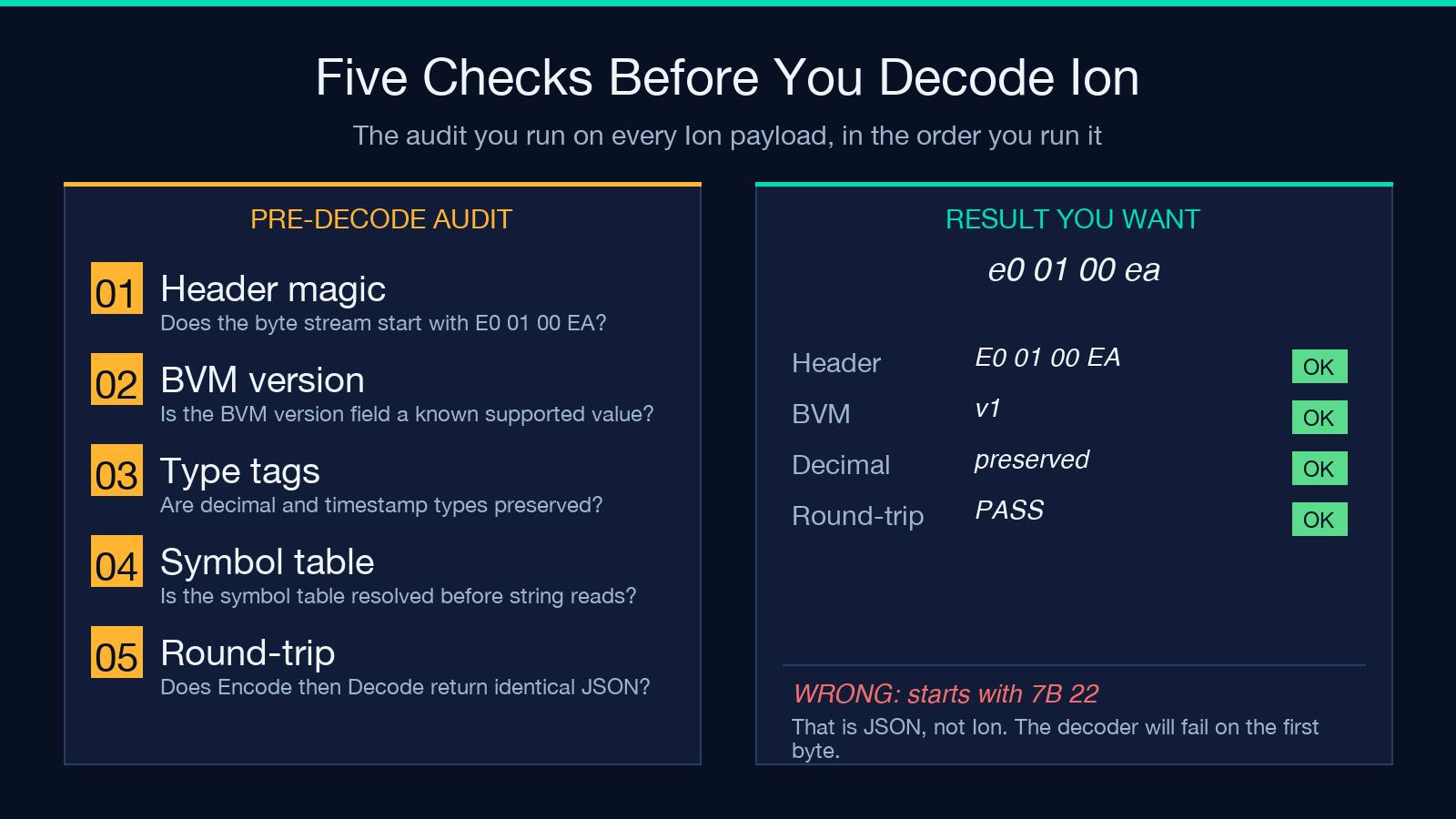
– Currency, decimals, or large integers — Ion’s decimal and int types preserve precision that JSON’s number corrupts. Any monetary or scientific payload benefits.
– Typed nulls, timestamps, symbols, or blobs — JSON’s null is one type; Ion distinguishes absent, null, and typed nulls. Timestamps are first-class, not ISO strings that might or might not parse.
– Cross-language services — Java, Rust, Go, C#, Python, and TypeScript all have mature Ion libraries. The same binary payload parses byte-identically across every runtime, which removes a whole class of “works in dev, breaks in prod” type coercion bugs.
– Wire-size pressure — for large lists or deeply nested objects, binary Ion is meaningfully smaller than compact JSON, and far smaller than pretty-printed JSON.
Ion loses when you have:
– Browser-only consumers without a polyfill — JSON.parse is everywhere; Ion requires either ion-js (≈ 200 KB minified) or a server-side hop. The Converter at elysiatools.com is exactly the server-side hop for one-off payloads.
– Human debugging — JSON eyeballs cleanly in a browser devtools Network tab; Ion binary does not. You will paste hex or Base64 into the Converter anyway, so accept that upfront.
– Strict schema contracts that already work — if your existing Protobuf / Avro / Thrift pipeline is solid, adding Ion is just more surface area to test.
The honest answer for most teams is “use Ion at the service boundary, expose JSON at the API boundary.” The Converter is the bridge between those two worlds.
Type gotchas the converter handles for you
Three traps bite first-time Ion users, and the converter either prevents them or surfaces them clearly:
– Float versus decimal — JSON has only number, so 19.97 round-trips through JSON.stringify(JSON.parse('19.97')) and ends up as 19.970000000000002 or similar. Ion stores 19.97 as decimal and round-trips bit-identically. The converter preserves the decimal type; if you see it degrade to a plain number in the metadata, your downstream parser is dropping the type hint.
– Integer overflow — JavaScript numbers lose precision above 2^53. Ion’s int type is unbounded. If you encode a 64-bit timestamp or a Snowflake ID and decode it through plain JSON, you lose the last few bits. Use the converter’s Decode from Ion path, then move the result into a BigInt or string before it touches JSON.stringify.
– Symbol versus string — Ion’s $ion_symbol is a deduplicated string with an interning table in the header. Two symbols with the same text share a single entry. Symbols are great for repeated enum values; they are confusing if your consumer assumes every value is a plain string. The converter decodes symbols as plain strings, which matches the JSON mental model.
If you only ever round-trip JSON-shaped payloads through the converter, none of these will bite you. The moment you encode a decimal-heavy or symbol-heavy payload, watch the metadata column for the type tags.
Workflow: paste, convert, log, repeat
The pragmatic daily flow when you suspect an Ion payload is misbehaving:
1. Capture the payload as hex from your packet dump, log line, or message queue — most languages have a one-liner (bytes.hex() in Python, Buffer.from(buf).toString('hex') in Node). 2. Open the Ion Converter at elysiatools.com/en/tools/ion-converter, switch Operation to Decode from Ion, paste the hex, set Output Format to Hexadecimal. 3. Compare the rendered JSON against what your service should have produced. Look at field names, nested structure, and especially the total / timestamp / ID fields. 4. If the converter shows a type mismatch, your producer is probably serializing as JSON-with-Ion-extension rather than binary Ion — most “Ion” traffic that misbehaves is actually JSON-with-mixed-types, which is its own debugging journey. 5. Once you confirm the payload is real Ion, copy the JSON output into your test fixture and ship a regression test that parses the same bytes via ion-js (or your language equivalent).
The whole loop is two minutes per payload once you have the converter bookmarked. Without it you are writing throwaway decoder scripts every time, which is where the “Ion is annoying” reputation comes from.
Pair it with related converters for a full boundary toolkit
Ion rarely lives alone in a service boundary. Most pipelines that adopt Ion also touch Base64 (for the wire encoding), hex (for packet captures and logs), and JSON normalization (for downstream consumers that expect one canonical shape). The same site that hosts the Ion Converter also runs a JSON formatter, a Base64 converter, and a hex-to-string tool — together they cover the full “binary blob in a JSON world” debugging loop without leaving the browser.
If you want to compare binary Ion against compact JSON on the same payload, encode with Ion → decode to JSON → pipe the JSON through the JSON formatter’s “minify” mode and look at the byte counts. The metadata column on the Converter tells you the input length; the JSON formatter tells you the output length. The delta is the win.
Putting it together
Ion is a strict superset of JSON with a binary encoding that buys you type fidelity and a 30 to 60 percent size win, at the cost of needing a parser on every consumer. The Ion Converter at elysiatools.com is the cheapest way to round-trip a payload during debugging, schema design, or one-off integration work — three inputs, hex or Base64 output, and a metadata column that tells you which Ion type each value decoded as. Use it whenever you stare at an Ion-shaped byte stream and need to know what is actually inside.
Explore more tools at elysiatools.com.
